

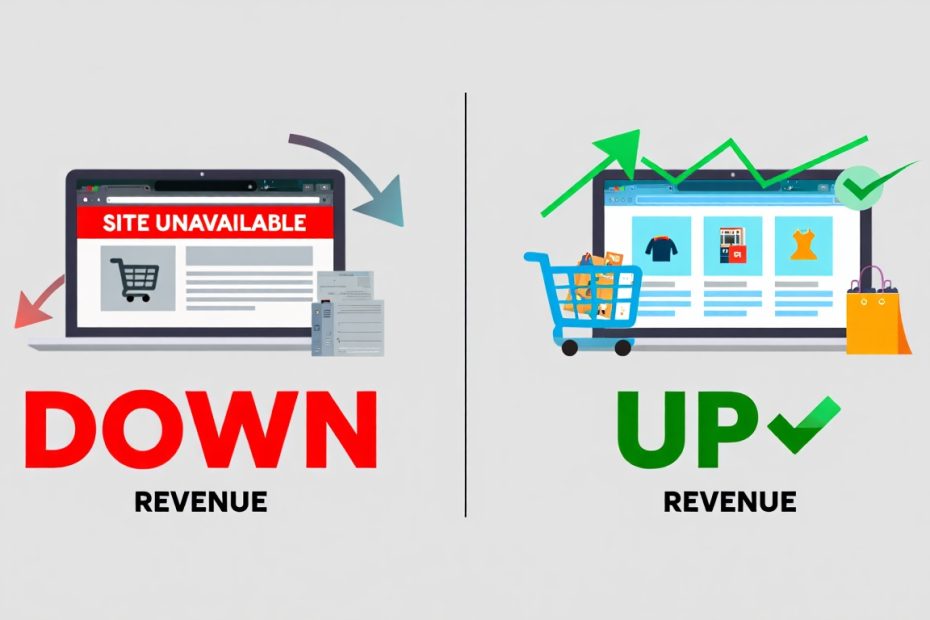
Incident management for e-commerce websites is a structured approach to detecting, responding to, and resolving technical issues that disrupt online store operations. When your online store goes down, you lose money every single minute. Studies show that e-commerce sites lose approximately $5,600 per minute during outages. This reality makes having a solid incident management system absolutely necessary for keeping your business alive and profitable.
Think about the last time you tried to shop online, and the website wouldn’t load. You probably left and went to a competitor within seconds. That’s exactly what happens to your customers when your site experiences problems. Incident management helps you catch these issues fast, fix them quickly, and get back to making sales. This guide walks you through everything you need to know about protecting your online business from technical disasters, from understanding what incidents really are to building response teams that work.
What is Incident Management?
Incident management is the process of identifying, analyzing, and correcting problems that threaten to interrupt your e-commerce operations. An incident happens when something breaks your normal service delivery. This could mean your website crashes, payment processing stops working, or customers can’t log into their accounts.
The goal is simple: restore normal operations as quickly as possible while minimizing damage to your business. Every e-commerce company needs this system because digital problems happen to everyone. The difference between successful businesses and failed ones often comes down to how fast they recover from these problems.
Your incident management process should include clear steps for detecting issues, assessing their severity, assigning the right people to fix them, and communicating with affected customers. Without this structure, your team wastes precious time figuring out what to do while your business bleeds money and reputation.

Common Types of Incidents in E-commerce
E-commerce websites face several categories of incidents that can shut down operations or severely damage customer experience. Understanding these types helps you prepare appropriate responses.
Server and Infrastructure Failures
Server crashes represent one of the most severe incident types. When your hosting infrastructure fails, your entire website becomes unreachable. This happens due to hardware malfunctions, resource exhaustion, or configuration errors. Database server failures also fall into this category and prevent all data operations across your platform.
Cloud service providers like AWS occasionally experience regional outages that affect thousands of businesses simultaneously. The most dramatic recent example occurred on October 20, 2025, when AWS experienced a major disruption in its US-EAST-1 region that lasted approximately 15 hours and affected over 1,000 services globally.
The October 2025 AWS outage began around 3:11 AM Eastern Time and originated from a malfunction in an internal subsystem that monitors network load balancers. According to Amazon’s official statement, this triggered DNS resolution failures that cascaded across multiple AWS services, particularly affecting DynamoDB, a cloud database that underpins more than 100 other AWS services.
Major companies like Snapchat, Fortnite, Duolingo, Uber, Delta Airlines, and even Amazon’s own retail operations experienced severe disruptions. Downdetector logged over 6.5 million outage reports across the United States, Europe, and Asia. The financial impact was staggering. Experts estimate the global economic cost reached over one billion dollars, with some projections suggesting hundreds of billions in losses due to lost productivity for millions of workers and disrupted business operations.
This incident highlights critical lessons for e-commerce businesses. Even Amazon’s own fulfillment centers reported downtime, and customers experienced delivery delays well into the following day, demonstrating how deeply infrastructure failures can impact operational continuity. The cascading impacts affected ecommerce operations in ways that extended far beyond simple website availability.
This wasn’t an isolated event either. The US-EAST-1 region has experienced major outages in 2017, 2021, 2023, and now 2025. CNN reported that these recurring incidents expose major vulnerabilities in how American digital life depends on concentrated cloud infrastructure. Smart ecommerce businesses now implement multi-region deployments and maintain backup infrastructure across different providers. Companies with multi-region setups across different cloud providers experienced minimal disruption while competitors lost hours or entire days of sales.
Understanding what hybrid cloud computing offers can help you build more resilient infrastructure that doesn’t depend entirely on one provider.
Payment Processing Issues
Payment gateway failures stop customers from completing purchases, directly impacting revenue. These incidents occur when third-party payment processors like PayPal, Stripe, or Square experience technical problems. Sometimes the issue lies in your integration code rather than the payment provider itself.
SSL certificate problems also prevent secure payment processing. When your SSL certificate expires or becomes misconfigured, browsers display security warnings that scare customers away from checkout pages. Understanding SSL certificate purposes in cybersecurity helps you recognize how critical proper certificate management is. Different certificate types serve different needs, so knowing the differences between DV SSL, OV SSL, and EV SSL certificates helps you choose appropriate security levels. For the highest trust level, consider an Extended Validation (EV) SSL certificate, which displays your company name directly in the browser.
Payment security also depends on how encryption works to protect sensitive transaction data. Understanding ECC vs RSA in SSL/TLS helps you choose the right encryption algorithms for your security needs. Learn how PayPal’s security features protect transactions to better understand what customers expect from payment processing.

Security Breaches and Attacks
DDoS attacks overwhelm your servers with fake traffic, making your site inaccessible to real customers. These attacks have become increasingly common against e-commerce sites, especially during high-traffic periods like Black Friday. Learn more about what DDoS attacks are and how they work to better protect your infrastructure.
Data breaches expose customer informatio,n including payment details, addresses, and passwords. These incidents trigger legal obligations under data protection laws and can destroy customer trust permanently. Implementing strong data encryption protects sensitive information even if attackers breach your systems. Understanding what data protection and privacy mean legally helps you meet compliance requirements.
Ransomware attacks encrypt your data and demand payment for restoration. Understanding types of ransomware helps you recognize threats early. Having protected backups ensures you can recover without paying criminals. Know what to do if you’re infected by ransomware before an attack happens. Learn how companies can stop ransomware attacks through proactive defense measures.
Application and Code Errors
Software bugs in your e-commerce application cause features to malfunction or crash. A broken shopping cart, a non-functional search feature, or inventory sync errors all qualify as incidents. These often emerge after deploying new code without adequate software testing.
Third-party integration failures happen when services you depend on stop working correctly. This includes email delivery services, shipping calculators, inventory management systems, or customer relationship management tools. Automated testing for ecommerce platforms catches many integration problems before they reach production. Understanding the importance of security testing in software development helps prevent vulnerabilities that could become incidents.
Network and Connectivity Problems
DNS failures prevent customers from reaching your website even when your servers run perfectly. When DNS records get misconfigured or your DNS provider experiences outages, your domain name stops resolving to your server’s IP address. The October 2025 AWS outage demonstrated how DNS errors can cascade across entire ecosystems, as almost everything in cloud infrastructure depends on DNS resolution.
CDN issues affect how quickly your site loads across different geographic regions. Content delivery networks distribute your static files globally, but when they malfunction, customers experience slow loading times or missing images and stylesheets.
Understanding what server unreachable means helps you diagnose connectivity problems faster. Know the difference between host vs server to better communicate with technical teams during incidents.
Building Your Incident Response Team
Your incident response team determines how effectively you handle technical emergencies. This group needs clearly defined roles, communication channels, and decision-making authority.
Core Team Roles
The incident manager coordinates the entire response effort. This person doesn’t necessarily fix technical problems but ensures communication flows smoothly, tracks progress, and makes decisions about priorities. During major incidents, the incident manager keeps everyone focused and prevents chaos.
Technical responders include developers, system administrators, database specialists, and security experts. These people actually diagnose and fix problems. Your team composition depends on your infrastructure complexity, but you need coverage for all critical systems.
Communication coordinators handle customer notifications and stakeholder updates. They translate technical information into language customers understand and manage support channels during incidents. This role prevents your technical team from getting distracted by customer inquiries while fixing problems.
On-Call Schedules and Availability
Incidents don’t respect business hours. Your e-commerce site needs 24/7 monitoring and response capability. Create on-call rotation schedules that distribute responsibility fairly across your team while ensuring someone always remains available.
Primary on-call responders handle initial incident detection and assessment. Secondary responders provide backup when primary responders can’t resolve issues or need additional expertise. Escalation paths should be clear so people know exactly who to contact when problems exceed their capabilities.
Compensate team members fairly for on-call duties. Being available outside normal hours represents real work that deserves recognition through additional pay or time off. Teams with fair compensation policies experience less burnout and higher response quality.
Cross-Training and Knowledge Sharing
Single points of failure in knowledge create major risks. When only one person understands critical systems, your response capability collapses if that person becomes unavailable. Cross-training distributes knowledge across multiple team members.
Regular incident reviews help teams learn from past problems. After resolving major incidents, conduct post-mortem meetings where you analyze what happened, what worked well, and what needs improvement. Document these learnings in your knowledge base so future responders benefit from past experiences.
Create runbooks that document step-by-step procedures for common incident types. These guides help team members respond effectively even when dealing with unfamiliar problems. Update runbooks regularly based on new incidents and system changes.
Incident Detection and Monitoring
You cannot fix problems you don’t know about. Effective monitoring systems detect incidents before customers notice them, giving you time to respond proactively.
Synthetic Monitoring
Synthetic monitors simulate user actions to verify your website functions correctly. These automated tests continuously check critical paths like homepage loading, product searches, cart functionality, and checkout completion. When monitors detect failures, they immediately alert your team.
Set up monitors from multiple geographic locations to catch regional issues. A problem affecting customers in Europe might not appear in monitors running from North America. Global monitoring provides complete visibility into customer experience worldwide.
Real User Monitoring
Real user monitoring (RUM) tracks actual customer interactions with your site. This approach reveals problems that synthetic monitors miss because it captures the full diversity of devices, browsers, network conditions, and user behaviors in your customer base.
RUM data shows you when page load times increase, which features generate errors, and where customers abandon their shopping sessions. These insights help you understand incident impact from the customer perspective rather than just technical metrics.
Infrastructure Monitoring
Monitor server resources, including CPU usage, memory consumption, disk space, and network bandwidth. Resource exhaustion often precedes complete failures, so tracking these metrics gives you early warning signs.
Application performance monitoring (APM) tools trace requests through your entire system, identifying bottlenecks and errors. These tools help you diagnose complex problems that span multiple services and databases.
Understanding data storage types helps you monitor storage systems appropriately. Learn about types of storage management systems to optimize your monitoring strategy.
Alert Configuration
Configure alerts that balance sensitivity with practicality. Too many false alarms cause alert fatigue, where teams ignore notifications. Too few alerts mean you miss critical problems.
Set different severity levels for alerts. Critical alerts require immediate response and should wake people up at night. Warning alerts indicate developing problems that need attention during business hours. Informational alerts provide context without requiring action.
Use alert escalation to ensure someone responds even if the primary on-call person misses initial notifications. After 5 minutes without acknowledgment, escalate to secondary responders. After 10 minutes, escalate to management.
Incident Classification and Prioritization
Not all incidents deserve the same response intensity. Classification systems help you allocate resources appropriately and set realistic customer expectations.
Severity Levels
Severity 1 incidents completely prevent normal business operations. Your website is completely down, payment processing has stopped entirely, or a data breach is actively happening. These incidents require an immediate all-hands response regardless of time.
Severity 2 incidents significantly impair business operations but don’t completely stop them. Checkout works but runs very slowly, search functionality is broken, or a security vulnerability was discovered but not yet exploited. These incidents need quick response during extended business hours.
Severity 3 incidents cause minor problems that don’t significantly impact business. A rarely-used feature is broken, cosmetic display issues affect one page, or monitoring shows potential future problems. These incidents can wait for normal business hours.
Severity 4 incidents are feature requests or minor improvements that don’t represent actual problems. Handle these through normal development processes rather than incident response.
Impact Assessment
Assess how many customers an incident affects. Problems hitting 100% of customers obviously deserve higher priority than issues affecting 1% of users. Consider both the number of affected users and their value to your business.
Evaluate the financial impact per hour of downtime. Calculate lost revenue from blocked purchases, refund costs from failed orders, and potential penalties from service level agreements. This calculation helps justify resource allocation and explains incident severity to non-technical stakeholders.
Consider reputational damage beyond immediate financial losses. Incidents during high-traffic periods like Black Friday cause more reputation damage than problems during slow periods. Security breaches damage trust more than simple technical failures.
Incident Response Process
A structured response process ensures consistent handling regardless of which team members are available or how stressful the situation becomes.
Detection and Logging
Document when the incident was first detected, what triggered the alert, and the initial symptoms. This timestamp becomes important for post-incident analysis and customer communications.
Create an incident ticket in your tracking system immediately. This ticket becomes the central source of truth for all information about the incident, including timeline, actions taken, people involved, and customer impact.
Initial Assessment
Verify the incident is real and not a monitoring false alarm. Check multiple data sources to confirm the problem before escalating to your full response team.
Classify incident severity based on customer impact and business disruption. This classification determines response urgency and who needs to be involved.
Identify which systems are affected and which remain healthy. Understanding problem scope helps you deploy appropriate resources and communicate accurately with customers.
Escalation and Team Assembly
Notify the incident manager, who will coordinate the overall response. Even for lower-severity incidents, having one person responsible for coordination improves efficiency.
Page technical responders with appropriate expertise for the affected systems. Don’t wake your entire engineering team for problems that only require database expertise.
Activate your communication coordinator to prepare customer notifications. Even if you don’t immediately know what’s wrong, telling customers you’re aware of the problem and working on it preserves trust.
Diagnosis and Troubleshooting
Gather relevant data from monitoring systems, application logs, and customer reports. The October 2025 AWS outage showed how technical analysis from monitoring companies can provide valuable insights into complex failures.
Form and test hypotheses about root causes. Change one variable at a time and observe results rather than making multiple changes simultaneously. This systematic approach prevents confusion about which actions actually helped.
Document your troubleshooting steps in the incident ticket. This documentation helps if different team members need to take over, and provides valuable information for post-incident analysis.
Resolution and Recovery
Implement fixes carefully with consideration for potential side effects. During high-stress incidents, mistakes happen easily. Have a second person review changes before applying them to production systems.
Verify the fix actually resolves the problem for customers. Don’t rely solely on technical metrics. Test actual user workflows to confirm functionality is restored.
Continue monitoring closely after initial resolution. Problems sometimes reappear or new issues emerge from your fixes. Stay vigilant until you’re confident the situation has stabilized.
Communication Throughout
Update customers regularly, even when you don’t have new information. Silence during incidents makes customers anxious and damages trust. A simple “we’re still working on it” message every 30 minutes shows you haven’t forgotten about them.
Be honest about what you know and don’t know. Admitting uncertainty is better than providing inaccurate information that you later need to retract.
Provide estimated resolution times only when you have reasonable confidence. Missing your own deadlines repeatedly makes the situation worse. If uncertain, say “we’re working as fast as possible” rather than guessing at timeframes.
Post-Incident Activities
The work doesn’t end when systems come back online. Post-incident activities prevent future problems and improve your response capabilities.
Post-Mortem Analysis
Conduct a blameless post-mortem meeting within a few days of major incidents. The goal is learning, not punishment. Teams that punish people for mistakes encourage hiding problems rather than fixing them.
Create a detailed timeline of everything that happened from initial detection through final resolution. Include what worked well, what didn’t work, and what got lucky.
Identify root causes rather than just immediate triggers. The October 2025 AWS outage wasn’t really about a monitoring subsystem malfunction. The deeper issue was single-region dependency and the cascading failure patterns in interconnected services. Understanding these systemic issues matters more than surface-level fixes.
Action Items and Improvements
Document specific, actionable improvements that would have prevented the incident or reduced its impact. Vague recommendations like “improve monitoring” don’t help. Specific actions like “add synthetic monitor for checkout flow from three geographic regions” create real change.
Assign owners and deadlines for each action item. Improvements without accountability rarely happen. Track completion and verify improvements actually work.
Prioritize improvements based on potential impact and implementation difficulty. Quick wins that significantly reduce risk should happen first. Major architectural changes that require months of work need planning and staging.
Knowledge Base Updates
Update runbooks with new procedures learned during the incident. Future responders will face similar problems, and your documented experience helps them resolve issues faster.
Add the incident to your training materials. New team members should learn from your history rather than repeating the same mistakes.
Share lessons learned across your organization. Other teams might face similar risks in their own systems and benefit from your experience.
Incident Communication Strategies
How you communicate during incidents significantly impacts customer trust and business reputation.
Internal Communication
Use dedicated incident communication channels separate from normal work discussions. During major incidents, critical information can get lost in busy Slack channels or email threads.
Establish a clear command structure where the incident manager makes final decisions. Democracy doesn’t work during emergencies. Healthy debate is good, but someone needs authority to make final calls when team members disagree.
Keep senior management informed without letting them disrupt technical work. Provide regular executive updates on a separate channel where leaders can monitor progress without interrupting responders.
Customer Communication
Acknowledge problems quickly. Customers already know your site isn’t working. Pretending nothing is wrong while they struggle creates anger and mistrust.
Explain technical issues in plain language without condescending to customers. You can say “our database servers are overloaded” without explaining what databases are. Customers appreciate honesty even if they don’t understand technical details.
Provide workarounds when possible. If your website is down but phone orders still work, tell customers. If one payment method fails but others work, explain the alternatives.
Update your status page prominently. Don’t hide incident information in blog posts or social media where customers might miss it. Your website’s status page should be the first place customers look for incident information.
Media and Public Relations
Prepare statements for media inquiries before they arrive. Major incidents attract press attention. Having approved language ready prevents communication mistakes under pressure.
Be truthful with journalists even when the truth is uncomfortable. The media coverage of the October 2025 AWS outage demonstrates how quickly information spreads. Attempts to minimize or hide problems backfire when journalists discover the full story.
Focus media communications on what you’re doing to fix the problem and prevent recurrence rather than dwelling on the failure itself.
Technology Tools for Incident Management
The right tools streamline incident response and improve your team’s effectiveness.
Monitoring and Alerting Platforms
Choose monitoring platforms that integrate with your technology stack. Datadog, New Relic, and Prometheus are popular options that support the most common technologies.
Configure alert routing rules that contact appropriate people based on incident type and severity. Database alerts should go to database experts, not front-end developers.
Use alert aggregation to prevent notification storms. When one problem triggers hundreds of related alerts, intelligent systems group them into a single notification about the underlying issue.
Incident Management Platforms
PagerDuty, Opsgenie, and VictorOps specialize in incident management workflows including on-call scheduling, alert routing, escalation policies, and incident tracking.
These platforms integrate with monitoring tools to automatically create incidents and notify appropriate responders. They also track response metrics like time to acknowledge and time to resolve.
Communication Tools
Use dedicated incident communication channels in Slack, Microsoft Teams, or similar platforms. Create channels automatically when incidents are detected and archive them after resolution for record-keeping.
Video conferencing becomes essential during complex incidents when multiple responders need to collaborate in real-time. Have a standard meeting link ready for incident response calls.
Status page tools like Statuspage.io, Sorry™, or Atlassian Statuspage automatically publish incident updates to customers and integrate with your incident management platform.
Documentation and Knowledge Management
Confluence, Notion, or similar wiki platforms organize runbooks, post-mortem reports, and other incident response documentation.
Version control systems like Git can store runbooks as code, allowing teams to track changes over time and collaborate on improvements.
Learning management platforms help train new team members on incident response procedures through structured courses and certifications.
Automation and AI in Incident Management
Modern incident management increasingly relies on automation to improve speed and consistency.
Automated Detection and Response
Automated remediation handles common problems without human intervention. When disk space runs low, automated scripts can clean up log files. When application servers crash, orchestration systems can restart them automatically.
Predictive analytics identifies problems before they cause customer-facing incidents. Machine learning models detect anomalies in system behavior that precede failures, giving teams time to intervene proactively.
How AI and machine learning are revolutionizing incident management explores these capabilities in depth and shows practical applications for e-commerce businesses.
Intelligent Alert Routing
AI-powered systems learn which team members resolve different incident types most effectively. They route alerts to people most likely to fix specific problems quickly.
Natural language processing analyzes incident descriptions and automatically classifies severity, affected systems, and required expertise. This classification happens instantly rather than requiring human assessment.
Automated Communication
Chatbots provide initial customer support during incidents by answering common questions about status and estimated resolution times. This automation reduces the load on human support staff.
Automated status updates post to your status page based on incident ticket changes. When engineers update the incident ticket, customers immediately see new information without manual communication work.
Template-based communication systems ensure consistent, professional customer notifications. Engineers trigger communication templates rather than writing messages from scratch under pressure.
Building Resilience and Redundancy
The best incident management is preventing incidents from happening in the first place. Resilient architectures reduce incident frequency and impact.
Multi-Region Deployments
Deploy your e-commerce application across multiple geographic regions. When one region experiences problems, traffic automatically shifts to healthy regions. The October 2025 AWS outage demonstrated that companies with multi-region architectures suffered minimal impact while single-region deployments experienced complete outages.
Use load balancing and traffic routing that automatically directs customers to the fastest, healthiest available region. GeoDNS or global load balancers make this routing automatic and transparent to customers.
Database Redundancy
Implement database replication across multiple servers and regions. When your primary database fails, read replicas can be promoted to serve traffic within minutes.
Use automated backup systems with regular testing. Backups you never test might not work when needed. Schedule quarterly disaster recovery drills where you actually restore from backups to verify procedures work.
Understanding types of storage including file, block, and object storage helps you choose appropriate redundancy strategies. Learn about Amazon S3 bucket features for resilient cloud storage, and explore AWS S3 alternatives to avoid single-provider dependency.
Chaos Engineering
Deliberately inject failures into your production systems to verify that redundancy actually works. Netflix pioneered this approach with its Chaos Monkey tool that randomly terminates servers.
Start with non-critical environments and gradually increase the chaos engineering scope as your confidence grows. The goal is to discover weaknesses in controlled circumstances rather than during real emergencies.
Server Redundancy
Implementing server redundancy ensures your e-commerce platform remains available even when individual servers fail. This approach distributes workloads across multiple servers so no single point of failure can take down your entire operation.
Testing Your Incident Response
Regular testing reveals gaps in your incident response capabilities before real emergencies expose them.
Tabletop Exercises
Gather your incident response team and walk through hypothetical scenarios. Describe a situation like “AWS US-EAST-1 is completely down” and discuss how your team would respond.
These exercises are low-stress ways to identify missing procedures, unclear responsibilities, or gaps in knowledge. They take only an hour but reveal important weaknesses.
Simulation Drills
Create realistic test scenarios in non-production environments. Trigger monitoring alerts, create incident tickets, and run through your full response process as if a real incident were happening.
Time your responses during drills. If your goal is to acknowledge critical incidents within 5 minutes but drills consistently take 15 minutes, you know improvement is needed before real incidents test you.
Red Team Exercises
Security-focused exercises where one team simulates attacks while another team detects and responds. These drills specifically test your ability to handle security incidents like penetration testing scenarios.
Use lessons from these exercises to improve security monitoring, response procedures, and coordination between security and operations teams. Understanding differences between vulnerability scanning and penetration testing helps you plan appropriate testing strategies.
Compliance and Legal Considerations
Incident management intersects with legal obligations that vary by jurisdiction and industry.
Data Breach Notification Laws
Many jurisdictions require notifying customers within specific timeframes after data breaches. GDPR in Europe requires notification within 72 hours. California’s CCPA has similar requirements.
Know your notification obligations before incidents happen. During a breach, you won’t have time to research legal requirements while also managing technical response.
Document everything during security incidents. Legal proceedings might require detailed evidence of what happened, when you discovered it, and how you responded.
Service Level Agreements
Customer contracts often include uptime guarantees with financial penalties for violations. Track incident duration carefully to calculate SLA compliance and potential refund obligations.
Be transparent about SLA breaches. Trying to hide violations damages customer relationships more than the actual downtime. Proactively offering compensation shows integrity and preserves trust.
Industry-Specific Requirements
Payment card industry (PCI) compliance requires specific incident response capabilities for any business handling credit card data. Healthcare organizations must follow HIPAA requirements that include incident response procedures.
Financial services face SEC reporting requirements for cybersecurity incidents. Know which regulations apply to your business and ensure incident response procedures meet those standards.
Understanding Microsoft 365 security compliance and Office 365 data protection helps if you use these platforms for business operations.
Cost-Benefit Analysis of Incident Management
Investing in incident management costs money. Understanding the return on investment helps justify budget requests.
Calculating Downtime Costs
Multiply your hourly revenue by the number of hours your site is down. A site generating $1 million daily loses approximately $42,000 per hour during complete outages.
Add indirect costs, including refunds for failed orders, overtime pay for incident response, customer service costs from complaint handling, and marketing costs to win back lost customers.
Include opportunity costs from missed sales during high-traffic periods. An hour of downtime during Black Friday costs exponentially more than the same downtime during a slow Tuesday afternoon.
Incident Management Investment
Calculate costs for monitoring tools, incident management platforms, status page services, and additional infrastructure for redundancy. Include personnel costs for on-call compensation and training time.
Compare investment costs against downtime costs prevented. If investing $50,000 annually prevents incidents that would otherwise cost $500,000 in lost revenue, the ROI is obvious.
Remember that incident management also prevents reputation damage that’s difficult to quantify but extremely real. Customers who experience repeated outages eventually leave permanently.
Industry-Specific Considerations
Different e-commerce sectors face unique incident management challenges.
Fashion and Apparel
Fashion ecommerce experiences dramatic traffic spikes during product launches and seasonal sales. Your incident management must scale to handle 10x or 100x normal traffic without degradation.
Inventory synchronization becomes critical as limited-edition items sell out quickly. Incidents that cause overselling create customer service nightmares when you must cancel confirmed orders.
Electronics and Technology
Tech product launches create intense, concentrated traffic spikes. Apple, Samsung, and gaming console releases can temporarily crash even well-prepared sites.
Product information accuracy is crucial. Incidents that display wrong specifications or prices for expensive electronics cause major financial and reputation problems when discovered.
Food and Grocery
Grocery ecommerce requires real-time inventory tracking as products sell out and get restocked throughout the day. Incidents affecting inventory systems lead to order fulfillment failures and customer disappointment.
Delivery window management depends on complex logistics systems. Incidents that disrupt scheduling leave customers without their groceries and delivery drivers without routes.
Digital Products and Services
Software, ebook, and media streaming platforms face unique challenges since their entire business depends on digital delivery. Infrastructure incidents don’t just prevent sales—they also stop existing customers from accessing products they’ve already purchased.
License management incidents can lock out paying customers or allow unauthorized access. Both scenarios damage revenue and reputation.
Building an Incident-Ready Culture
Technical tools and processes only work when organizational culture supports them.
Psychological Safety
Create environments where team members feel safe reporting mistakes and near-miss incidents. Cultures that punish messengers encourage hiding problems until they become catastrophic.
Celebrate people who identify and report potential issues before they impact customers. Make finding problems a positive thing rather than something to fear.
Continuous Learning
Treat every incident as a learning opportunity rather than a failure. Even small incidents reveal potential improvements to systems or processes.
Share incident learnings across the entire organization. Engineering team problems might reveal patterns that also affect other departments.
Executive Support
Leadership must visibly prioritize incident management and resilience. When executives view incident response infrastructure as wasteful spending, teams cannot build necessary capabilities.
Include incident metrics in executive dashboards alongside revenue and customer acquisition. What gets measured gets managed, and incidents deserve measurement.
Customer Empathy
Help technical teams understand customer impact beyond abstract metrics. When engineers see actual customer complaints and support tickets from incidents, the human cost becomes real.
Invite team members to observe customer support during incidents. Hearing frustrated customers helps technical staff understand why incident response speed matters so much.
Vulnerability Management Integration
Incident management connects closely with vulnerability management since unpatched vulnerabilities often become incidents when exploited.
Understanding differences between vulnerability management and vulnerability assessment helps you build comprehensive security programs. Learn about vulnerability scanning vs vulnerability management to understand how these practices complement incident response.
Implement strategies for prioritizing vulnerability remediation to prevent vulnerabilities from becoming incidents. Know how to identify and mitigate zero-day vulnerabilities that represent the highest risk.
Understanding the importance of vulnerability management and attack surface management shows how proactive security reduces incident frequency.
Network Security and Incident Prevention
Strong network security prevents many incidents before they happen.
Use a comprehensive network security audit checklist to identify weaknesses in your infrastructure. Follow a small business network security checklist if you’re operating at smaller scale.
Learn how to create a network security assessment checklist customized to your specific environment. Implement the NIST cybersecurity framework for comprehensive security governance.
Understand types of proxies explained including HTTP, HTTPS, and SOCKS5 to properly configure network architecture. Consider zero trust security models that assume breaches will happen and design defenses accordingly.
Cloud Security and Data Protection
Ecommerce businesses increasingly depend on cloud infrastructure, making cloud security essential for incident prevention.
Learn how to prevent public cloud leakage that exposes sensitive data. Understand what hybrid cloud computing offers for balancing security and flexibility.
Implement 10 ways to prevent a data security breach across your infrastructure. Know how companies can protect customer data through systematic security practices.
Understand tokenization vs encryption key differences to choose appropriate data protection methods. Learn about secure your data with confidential computing for the highest security level.
Explore data loss prevention best practices to prevent incidents caused by accidental data exposure. Understand how to handle sensitive information properly across your organization.
Disaster Recovery and Business Continuity
Incident management integrates with broader disaster recovery and business continuity planning.
Follow best practices for disaster recovery planning (DRP) to ensure you can recover from catastrophic incidents. Consider building resilient systems for business continuity that withstand major disruptions.
Understand how AI makes backing up and recovering data faster and more reliable. Explore what data migration projects involve when moving between systems or providers.
Frequently Asked Questions
What is the main goal of incident management?
Yes. The main goal of incident management is restoring normal business operations as quickly as possible while minimizing negative impact on customers and revenue. This includes detecting problems fast, coordinating effective responses, communicating clearly with affected parties, and learning from each incident to prevent recurrence.
How quickly should you respond to e-commerce incidents?
Yes. Critical incidents affecting all customers or preventing purchases require acknowledgment within 5 minutes andan active response beginning immediately. Lower severity incidents can allow longer response times, with moderate issues requiring response within 30 minutes and minor problems handled during normal business hours. The October 2025 AWS outage lasting 15 hours demonstrates what happens when critical infrastructure cannot be quickly restored.
Do small e-commerce businesses need formal incident management?
Yes. Every e-commerce business needs incident management regardless of size because every online store faces technical problems eventually. Small businesses can use simpler processes than large enterprises, but even basic procedures for detecting problems, knowing who responds, and communicating with customers make enormous differences in minimizing damage from inevitable incidents.
Should you use one cloud provider or multiple providers?
Yes. Using multiple cloud providers increases complexity and costs but significantly improves resilience against provider-specific outages. The October 2025 AWS outage affecting over 1,000 services and costing billions of dollars showed that companies with multi-cloud strategies experienced minimal disruption while single-provider businesses lost entire days of operations. Balance the tradeoff based on your revenue at risk during downtime.
How much should you invest in incident management?
Yes. Invest at least 5-10% of your IT budget in incident management capabilities including monitoring tools, redundant infrastructure, on-call compensation, and training. Calculate your hourly revenue during peak periods and multiply by expected downtime hours prevented to justify investments. If your site generates $10,000 per hour and investment prevents 10 hours of downtime annually, spending $50,000 on incident management provides positive ROI.
Can automation replace human incident responders?
No. Automation handles repetitive tasks and common problems effectively, but complex incidents still require human judgment, creativity, and decision-making. The best approach combines automated detection, initial response, and remediation for simple problems with human expertise for diagnosing and resolving complex failures. Automation assists humans rather than replacing them.
How do you measure incident management success?
Yes. Track metrics including mean time to detect (how quickly you discover problems), mean time to acknowledge (how fast responders engage), mean time to resolve (how long fixes take), incident frequency (how often problems occur), and customer impact hours (total customers affected multiplied by hours of impact). Successful programs show improving trends in all these metrics over time.
What happens if you ignore incident management?
No. Ignoring incident management doesn’t prevent incidents from happening—it just ensures you handle them poorly when they occur. Without proper incident management, problems take longer to detect, teams waste time coordinating chaotic responses, customers receive poor communication, and you repeat the same mistakes because no one learns from past incidents. The cost of poor incident management far exceeds the investment in doing it properly.
Should e-commerce sites have status pages?
Yes. Every e-commerce website should maintain a public status page that displays current system health and incident information. Customers experiencing problems immediately check status pages for information. Having accurate, honest status updates reduces support ticket volume, preserves customer trust during incidents, and demonstrates professional operations management.
How often should you test incident response?
Yes. Conduct quarterly tabletop exercises where teams discuss hypothetical scenarios, perform monthly automated tests of monitoring and alerting systems, and run full incident response drills at least twice yearly. Testing frequency should increase after major infrastructure changes or team membership changes that might reveal new weaknesses.
Conclusion
Incident management for e-commerce websites represents the difference between temporary disruptions and business-threatening catastrophes. The October 2025 AWS outage affecting over 1,000 services and costing billions of dollars in economic impact demonstrates that even the largest, most sophisticated infrastructure providers experience failures. Your e-commerce business cannot eliminate all incidents, but you can dramatically reduce their frequency and impact through systematic incident management practices.
Building effective incident management requires commitment across multiple areas. Technical infrastructure needs redundancy and resilience built in from the start rather than added after problems occur. Monitoring systems must detect problems before customers notice them. Response teams need clear roles, appropriate tools, and regular training. Communication processes should keep customers informed even when you don’t have all the answers yet. Post-incident analysis must identify real improvements rather than just blame someone for mistakes.
The financial case for incident management is straightforward. Calculate your revenue per hour during peak periods and multiply by the downtime hours you’ll prevent through better incident management. For most e-commerce businesses, the investment in proper incident management capabilities pays for itself by preventing just a few hours of downtime annually. The reputation benefits of reliable service and professional incident handling provide additional value that’s difficult to quantify but extremely real.
Start improving your incident management today rather than waiting for the next major incident to expose weaknesses. Review your current capabilities honestly using the frameworks in this guide. Identify your biggest gaps and prioritize improvements based on potential impact. Remember that incident management maturity develops gradually through consistent effort rather than overnight transformation.
Your customers depend on your ecommerce website being available when they need it. Your business depends on minimizing revenue loss from inevitable technical problems. Incident management gives you the capabilities to meet both needs by detecting problems quickly, responding effectively, and continuously improving your resilience. The next major incident will happen—the only question is whether you’ll be ready to handle it professionally and minimize its impact on your business and customers.
You May Also Like
 Cybersecurity
Is Fanatical Legit and Safe? My Honest Take on Buying Game Keys
 Data Security & Privacy
Is Gameflip Legit and Safe for Gift Cards? What Buyers Should Know
 Data Security & Privacy
Is Eldorado.gg Legit and Safe in 2026? My Investigation and What Buyers Should Know
 Web Development
Supabase vs Firebase: Which Backend Platform is Right for Your Project?
 Cloud Computing
8 Best AWS S3 Alternatives Compared: Pricing, Egress, and S3 Compatibility
 Cloud Computing
What Is Cloud Cost Optimization? Strategy & Best Practices
 Web Development
Supabase Auth Guide: Authentication, OAuth, OTP, MFA, SSO, Sessions, and Pricing
 Web Development
15 Best CyberPanel Alternatives in 2026: Free and Paid
 Web Development