

The first time I tried Asana — back when I was running a tiny five-person startup — I quit after two days. It felt like overkill. We had Slack, we had Google Docs, we had a shared Trello board that was 60% memes. Why would we need another tool?
Fast forward eighteen months. We were 22 people. Three product launches were colliding into the same week. Nobody knew who owned what. Two engineers were accidentally building the same feature. I was answering “wait, what’s the status on X?” twelve times a day.
That’s when Asana clicked.
If you’ve ever wondered what Asana actually is, why every operations person you know seems mildly obsessed with it, and whether it’s worth the price tag — this guide will walk you through the real picture. Not a sales pitch. Just an honest breakdown of what it does, who it’s for, how businesses actually use it, how it stacks up against the rest of the work management software category, and where it fits in the modern work stack.
Let’s dig in.
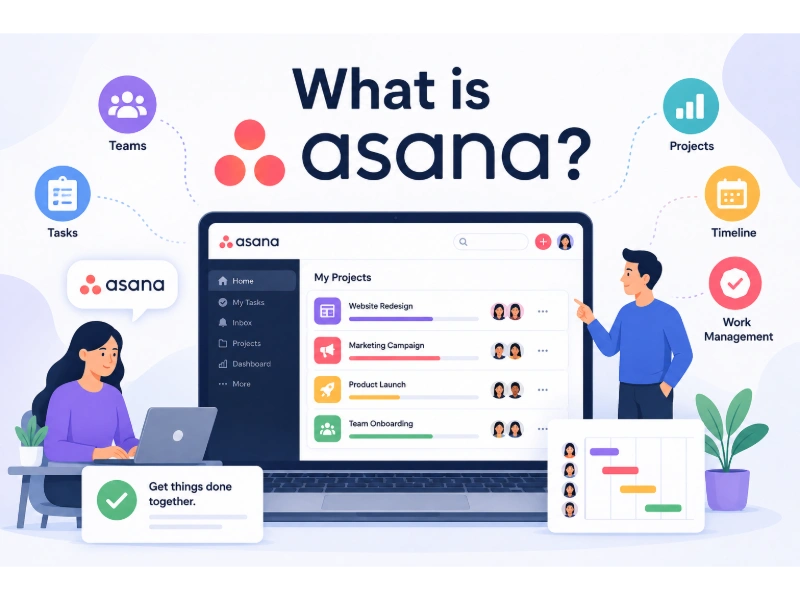
What Is Asana?
Asana is a work management platform, which is project-management-speak for “the place where your team’s work lives, gets assigned, and gets tracked.” It was founded in 2008 by Dustin Moskovitz (yes, that Dustin, one of Facebook’s co-founders) and Justin Rosenstein, and it’s grown into one of the most widely adopted collaboration tools in the world.
At its core, Asana lets you:
- Break down work into tasks with owners and due dates
- Group those tasks into projects that have clear goals
- View your work in whichever format makes sense (list, board, timeline, calendar, Gantt)
- Connect projects to portfolios and company-wide goals
- Automate the repetitive parts with rules, forms, and AI
- See, in real time, what every person on every team is actually working on
Think of it as the operating system for how work moves through your company — from a vague idea in a meeting to a shipped result with documentation, deadlines, and accountability attached.
It’s used by everyone from two-person agencies to companies like Amazon, Spotify, Deloitte, and Morningstar. The software is web-based but also has solid mobile apps for iOS and Android, and integrates with pretty much every tool your team already uses — Slack, Gmail, Google Drive, Microsoft Teams, Salesforce, Figma, GitHub, you name it.
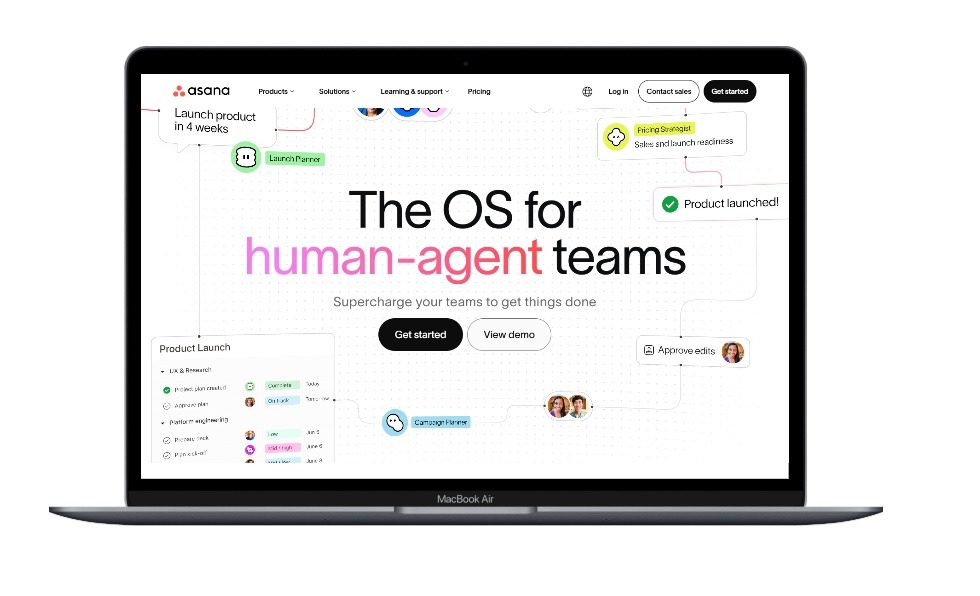
The Problem Asana Actually Solves
Here’s the thing that took me forever to understand: Asana isn’t really competing with your to-do list app. It’s solving a much bigger problem — the cost of coordination.
Let’s be honest about how most teams operate. Work happens in fifteen places at once. Updates live in Slack threads that disappear after a week. Decisions get buried in Gmail. Tasks live in someone’s head. Status updates happen in meetings that everyone hates. By the time a project ships, half the team has forgotten what they agreed to in the kickoff.
What most people don’t realize is that this chaos has a real cost. Asana’s own research has found that the average knowledge worker spends nearly 60% of their day on “work about work” — meetings, status updates, searching for information — instead of actual productive work. That’s not a productivity problem. That’s a coordination problem, and it’s the same underlying issue that drives so many companies toward broader productivity software in the first place.
Asana fixes that by giving every piece of work a single home. One task. One owner. One due date. One thread of comments. One source of truth.
It sounds simple. It’s surprisingly transformative when it actually clicks for a team.
The Core Building Blocks
Before we get into how businesses use it, you should know the basic vocabulary. Asana isn’t complicated, but it does have its own language.
Tasks
The smallest unit. Anything you’d assign to a person — “write Q3 launch email,” “review pricing deck,” “fix the bug on the signup page.” Each task has an owner, a due date, a description, attachments, and a comment thread.
Projects
Collections of tasks aimed at a goal. A new website launch. A quarterly marketing campaign. An employee onboarding process. Projects can be viewed as a list, a Kanban board, a timeline (Gantt-style), or a calendar — whatever your team prefers.
Portfolios
These group related projects together so leadership can see the bigger picture. Your “Q4 Marketing Initiatives” portfolio might contain six different campaign projects, each with their own teams, but rolled up into one dashboard.
Goals
Where the magic happens for company alignment. You set a measurable goal at the top (“Increase MRR by 15% this quarter”), then connect the projects and portfolios that ladder up to it. Suddenly every task on every project has a visible thread back to why it matters.
Teams
How you organize people — Marketing, Engineering, HR, Finance — and who has access to which projects.
Rules and Workflows
The automation layer. “When a task is marked Complete, move it to the Done section, notify the project lead in Slack, and add a follow-up review task in two weeks.” All without anyone touching a thing. This is also where Asana overlaps with the broader world of no-code automation — you’re building logic without writing a line of code.
That’s basically the whole vocabulary. From there, it’s just a matter of how clever you get with it.
How Businesses Actually Use Asana
Here’s where it gets interesting. The same software that helps a freelance designer track client deliverables also runs entire enterprise operations at Fortune 500 companies. The flexibility is the whole point.
Let me walk you through how different teams actually use it in the real world.
Marketing Teams
This is honestly Asana’s bread and butter. Marketing is a coordination nightmare — campaigns touch design, copy, social, paid, email, web, and analytics, and everything has to ship on a specific day.
Marketing teams typically use Asana to:
- Run an editorial calendar with content owners, deadlines, and approval stages
- Manage campaign launches with timeline views showing dependencies
- Submit and track creative requests via Asana Forms (so designers stop getting random Slack DMs)
- Track every asset through approval workflows with proofing (available on Advanced plans)
- Tie campaigns back to revenue goals via the Goals feature
From experience, the moment a marketing team adopts intake forms in Asana — meaning all incoming requests come through one structured form instead of via Slack pings — productivity jumps noticeably. People stop interrupting each other and the team finally has a single queue to prioritize against.
Product and Engineering Teams
Engineering teams use Asana a little differently. Many engineers prefer Jira or Linear for actual sprint management because of the deeper dev integrations — but product managers, designers, and engineering leadership often use Asana as the bridge layer between product strategy and execution.
In practice this looks like:
- Roadmap planning across quarters using Timeline view
- Cross-functional launches where engineering, marketing, support, and legal all need to coordinate
- Bug triage via Forms (customers submit, support routes, engineering picks up)
- Sprint dashboards rolled up into portfolio views for leadership
- GitHub integration for tying tasks to pull requests
If your engineering org is already living in Jira, it’s worth understanding how to use Jira software for project management before deciding whether Asana replaces it or simply sits alongside it as the cross-team layer. Many companies also lean on integrations like a Trello-Jira Cloud connection or a Jira-Google Sheets integration to keep engineering data flowing into the reporting tools that other departments actually check.
Operations and HR
Operations teams genuinely love Asana. It’s where the unsexy-but-critical work lives — vendor onboarding, expense approvals, equipment requests, compliance checks.
HR teams in particular use Asana for:
- New-hire onboarding workflows (multi-week task sequences with assignees across IT, payroll, manager, and the new hire themselves)
- Performance review cycles
- Recruitment pipelines
- Benefits enrollment campaigns
- Internal communications planning
The killer feature for HR is workflow templates — once you’ve built a great onboarding workflow once, you can clone it for every new hire with two clicks. It’s worth noting that Asana isn’t the only place this kind of documentation-heavy coordination happens; plenty of HR and ops teams pair it with a wiki-style tool like Confluence for policy documentation that doesn’t belong inside individual tasks.
Agencies and Client Services
Asana works really well for agencies because client guests are unlimited and free on most paid tiers. You can invite clients into specific projects without paying for them as users.
Typical agency setup:
- One project per client
- Standard intake forms for new requests
- Approval workflows so clients sign off before assets ship
- Time tracking (native on Advanced, integrations on lower tiers) for billing
- Portfolio view across all clients for the agency owner
If billing accuracy matters to your agency, pairing Asana with dedicated time tracking software for remote teams tends to close the gap between “hours worked” and “hours invoiced” far better than Asana’s native tracking alone.
Executive Leadership
This is the use case that wins enterprise deals. When the CEO can open one dashboard and see — in real time — every major initiative across the company, who owns it, what’s on track, what’s at risk, and how each one connects to a measurable goal? That’s worth the entire price of admission.
Asana’s universal reporting and portfolio dashboards are designed exactly for this. No more death-by-status-meeting. The data is always there, always current.
Asana’s AI Era: Teammates, Studio, and Smart Workflows
Okay, this is where Asana has gotten genuinely interesting in 2026. They went all-in on AI, and not in the lazy “we added a chatbot” way. It’s a good example of the broader shift toward AI agent use cases for business that’s showing up across the whole software category, not just Asana.
There are three main AI capabilities worth understanding.
AI Teammates
This is the headline feature. AI Teammates aren’t just assistants that answer questions — they take on entire roles. You can deploy an AI Teammate to manage IT tickets, drive a marketing campaign, support operations work, or coordinate cross-functional launches.
They sit inside your Asana workspace like any other team member. You assign them tasks. They do the work. They follow up. They escalate when humans need to intervene.
It’s not science fiction — it’s currently in production at companies like Morningstar, where AI Teammates helped cut request review times from two weeks to days.
“Previously, it took two weeks to review a request. Now we can eliminate time spent on manual back and forth because Asana AI is embedded directly into our workflows.” — Belinda Hardman, Director of Program Management, Morningstar
AI Studio
If AI Teammates are pre-built employees, AI Studio is the no-code factory where you build your own.
You describe what you want the AI to do, plug it into a workflow, set the inputs and outputs, and let it run. No engineering team needed. The April 2026 release added “ReadTool” reference improvements that let smart workflows pull the full details of related tasks — meaning your AI workflows are context-aware in ways that genuinely change how work flows.
Smart Assists
These are the small, ambient AI helpers scattered throughout the product:
- Smart status updates that auto-write project summaries based on actual progress
- Smart goals that suggest measurable targets based on your initiatives
- Smart fields that auto-categorize incoming work
- Smart summaries for long task threads (a lifesaver for projects with 80+ comments)
Here’s where things get interesting — Asana also rolled out an Asana app for Claude and direct AI Connectors for ChatGPT, so you can literally have a conversation with an LLM and have the next steps land as tasks in Asana automatically. The boundary between “talking about work” and “doing the work” is starting to disappear.
Asana Pricing in 2026
Let’s talk money, because Asana isn’t cheap and the pricing structure trips a lot of people up.
| Plan | Price (annual) | Best For | Key Features |
|---|---|---|---|
| Personal | Free | Individuals & teams up to 2 | List/board/calendar views, unlimited tasks, mobile apps |
| Starter | $10.99/user/mo | Small teams getting serious | AI features, Timeline view, workflow builder, dashboards, forms, unlimited rules |
| Advanced | $24.99/user/mo | Growing companies needing portfolios | Goals, portfolios, approvals, proofing, Salesforce/Tableau/Power BI integrations |
| Enterprise | Contact sales | Larger orgs needing security & SSO | SAML, SCIM, capacity planning, custom branding, 24/7 support |
| Enterprise+ | Contact sales | Regulated industries | Audit log API, SIEM, DLP, eDiscovery, HIPAA, Enterprise Key Management |
A few honest observations on pricing:
- The Starter plan is where most teams should start. It includes the core AI features and unlimited users. Don’t get talked into the free Personal plan if your team is bigger than two people — you’ll outgrow it the first week.
- The jump from Starter to Advanced is significant ($14/user/month more), but it’s worth it the moment you need Goals, portfolios, or approvals.
- Enterprise pricing is opaque. Reddit threads suggest most enterprise contracts land somewhere between $30–$45 per user per month, but it depends entirely on volume and what add-ons you negotiate.
- Free guests are huge. On paid plans, you can invite unlimited external collaborators (clients, contractors, vendors) without paying for them.
If you’re a 10-person team on Starter, you’re looking at roughly $110/month. A 50-person team on Advanced is closer to $1,250/month. Plan accordingly.
Asana vs. The Competition: The Honest Comparison
People always ask how Asana stacks up against Monday.com, Trello, ClickUp, and Notion. Here’s my actual take after using all of them.
| Tool | Best At | Where It Falls Short |
|---|---|---|
| Asana | Cross-functional work, scaling teams, executive reporting | Pricier than competitors, learning curve at first |
| Monday.com | Visually intuitive, sales/CRM-heavy use cases | Performance slows on big workspaces, fewer native AI features |
| Trello | Tiny teams, simple Kanban boards, personal use | Falls apart the moment you need dependencies or reporting |
| ClickUp | Feature breadth, customization | Genuinely overwhelming, performance issues on large boards |
| Notion | Docs + lightweight tasks combined | Not a real project management tool — better as a wiki |
Here’s where things get interesting: there’s no single “best” tool. There’s only the right tool for your situation.
- If you’re a 3-person freelance team doing simple Kanban work — Trello is fine, save your money. It’s worth reading a direct Jira vs. Trello breakdown if you’re torn between the two.
- If you’re a growing startup that needs cross-functional coordination across marketing, product, and ops — Asana is the right call.
- If you’re a sales-heavy organization with strong CRM needs — Monday.com might fit better, though it’s also worth comparing dedicated CRM software for small business rather than stretching a project tool to do CRM’s job.
- If you’re a highly technical engineering team — Linear or Jira will probably make your developers happier than any of these.
- If your team already lives in Notion for documentation, it’s worth weighing a Jira vs. Notion for project management comparison, or checking whether Notion is free for the tier you’d actually need, before assuming you need a fourth tool. Some teams even experiment with using Notion as a CRM to avoid paying for a separate sales tool, though the tradeoffs are real. For a broader look at where Notion sits in the market, a Notion vs. ClickUp comparison is a useful next read.
I’ve found that teams under 10 people often over-invest in tooling, and teams over 30 people consistently under-invest. Asana hits its stride somewhere in the 15–500 employee range — that sweet spot where coordination chaos has officially become a real problem and you need a tool to fix it. If you’re still narrowing down your shortlist, a broader roundup of the best project management software for small teams is a good starting point before you commit to any single platform.
The Real Pros and Cons (After Years of Using It)
Time for the honest assessment. Here’s what Asana genuinely nails — and where it’ll frustrate you.
What Asana Gets Right
- Multiple views for the same data. Same project, viewed as a list, board, timeline, or calendar depending on who’s looking at it. This is a bigger deal than it sounds.
- Forms are a superpower. Once your team starts intake via forms, you can’t go back.
- The mobile app is genuinely good. Most project management apps treat mobile as an afterthought; Asana doesn’t.
- AI Teammates are the real deal. Not perfect, but unlike most “AI features” in productivity tools, they actually do work.
- Goals integration. Tying day-to-day tasks back to company OKRs is something almost no other tool does well.
- Universal reporting. Building a dashboard across every project in the company takes about 90 seconds.
Where Asana Frustrates People
- The learning curve is real. Plan for 1–2 weeks of awkward adoption before things click.
- Pricing tier games. Some features you’d expect on Starter are gated to Advanced (like Goals and approvals). It feels a little squeezed.
- Notifications can be overwhelming if you don’t tune them aggressively in the first week.
- It’s not designed for engineers. If your primary use case is sprint planning with deep Git integration, you’ll outgrow it fast.
- Search is okay, not great. Finding old tasks across multiple projects is harder than it should be.
- Performance on giant workspaces. Once you cross a few thousand tasks in a single project, things slow down.
Security, Compliance, and Data Governance
Once a company gets past the “is this useful” question, the next one is usually “is this safe.” Asana’s Enterprise and Enterprise+ tiers are built specifically to answer that.
At the Enterprise level, you get SAML-based single sign-on, SCIM provisioning for automated user management, and admin controls over who can create public projects or invite outside guests. Enterprise+ goes further with an audit log API, SIEM integration, data loss prevention controls, eDiscovery support, and HIPAA-eligible configurations for healthcare and regulated industries.
That said, Asana is still a cloud-based SaaS tool, which means the usual governance questions apply: who owns the data, what happens on offboarding, and how sensitive information gets classified before it lands in a task description. If your organization already has policies around collaborative tools, it’s worth checking those against Asana’s settings rather than assuming default configurations are sufficient — the same due diligence you’d apply to any work management software handling internal data.
Practical Tips for Rolling Out Asana at Your Company
If you’re considering Asana for your team, here’s what I’d tell you based on watching dozens of rollouts succeed and fail.
Don’t try to migrate everything at once. The fastest way to kill an Asana rollout is to ask everyone to move all their work into a new tool by next Monday. Pick one team, one workflow, one win. Prove the value. Expand outward.
Start with intake forms. This is the single highest-ROI move you can make. The moment requests come through structured forms instead of Slack, your team’s life changes.
Define a naming convention early. “Project: [Quarter] – [Team] – [Initiative]” or whatever you want — but lock it in before you have 200 chaotically-named projects.
Tune notifications on day one. Asana’s default notification settings will absolutely flood your inbox. Spend ten minutes turning off what you don’t need.
Appoint an Asana champion. Someone whose job (officially or unofficially) is to maintain templates, train new hires, and keep the workspace from descending into chaos. Without this person, every Asana rollout eventually fades.
Use templates aggressively. If you’re doing the same kind of project more than twice, turn it into a template. Future you will weep with gratitude.
Connect it to the rest of your stack early. A tool like Asana becomes far more valuable once it’s talking to your CRM, your help desk, and your finance systems instead of sitting in isolation. If customer-facing teams are involved, it’s worth also evaluating help desk software for small business so support requests and project tasks don’t live in two disconnected systems.
Who Should (and Shouldn’t) Use Asana?
Let me cut through the marketing and tell you straight up:
Asana is a great fit if you are:
- A team of 10–500 people doing knowledge work
- Running cross-functional projects that touch multiple departments
- Tired of status meetings and Slack chaos
- Operating in marketing, ops, HR, agencies, or general PM-heavy roles
- A leader who wants real visibility into what your org is actually doing
Asana might not be the right call if you are:
- A solo freelancer or 2-person team (overkill — use Trello or Notion)
- A pure-engineering shop that lives in code (use Linear or Jira)
- Running a workflow that’s primarily customer support (use Zendesk or Intercom)
- Looking for a free permanent solution (the Personal tier is too limited)
- Allergic to learning a new tool (no shame, but be honest with yourself)
Frequently Asked Questions
Is Asana free to use? Yes, but only in a limited way. The Personal plan is free for individuals and teams of up to two people, with unlimited tasks and basic list, board, and calendar views. Anything beyond that — Timeline view, forms, unlimited rules, AI features — requires a paid plan.
Is Asana better than Trello? It depends on team size and complexity. Trello is simpler and cheaper, and it’s genuinely better for small teams doing basic Kanban work. Asana pulls ahead once you need dependencies, portfolios, goals, and cross-team reporting. A side-by-side Jira vs. Trello comparison is also useful context if you’re weighing Trello against a more robust tool generally, not just Asana specifically.
Can Asana replace Jira for engineering teams? Rarely as a full replacement. Most engineering teams keep Jira or Linear for sprint-level work and use Asana as the layer that connects engineering output to marketing, sales, and leadership reporting.
How long does it take to roll out Asana across a company? Plan for 1–2 weeks of awkward adoption for a single team, and closer to a full quarter for a company-wide rollout done properly — one team and one workflow at a time, not everything at once.
Does Asana integrate with other tools? Yes, extensively. It connects with Slack, Gmail, Google Drive, Microsoft Teams, Salesforce, Figma, GitHub, Tableau, Power BI, and now direct AI connectors for Claude and ChatGPT.
Is Asana good for non-technical teams like HR and marketing? This is arguably where it’s strongest. Marketing, HR, and operations teams tend to adopt Asana faster and get more value from it than engineering teams, largely because of forms, approval workflows, and templates.
Final Thoughts
Here’s where I’ll land this thing.
Asana isn’t magic. It won’t fix a dysfunctional team. It won’t make a bad manager good. It won’t compensate for unclear priorities or strategic confusion. If your company is chaotic because of people problems, no software is going to save you.
But, this is the honest truth — when you have a team that’s doing real work, with real goals, and the only thing slowing them down is the friction of coordinating across people, projects, and timelines? That’s exactly the problem Asana was built to solve. And it solves it really, really well.
Whether it’s worth the price tag depends entirely on what your team’s coordination chaos is currently costing you. For most growing companies, the answer is yes, and it’s not even close. The hours saved on status meetings alone usually pay for the subscription five times over.
Try the free Personal plan. Give it two weeks of genuine effort, not two days. Set up one workflow that matters. See if it clicks the way it eventually clicked for me.
If it does, welcome to the world where work actually has a home. If it doesn’t — at least you’ll know what all those operations people in your LinkedIn feed are obsessing over.
Either way, you’ll be making the decision with clear eyes.
You May Also Like
 Cloud Computing
8 Best AWS S3 Alternatives Compared: Pricing, Egress, and S3 Compatibility
 SaaS
SaaSWhat is Confluence Used For In Project Management?
 SaaS
SaaSCognito Forms to Jira Software Cloud Integration: Setup, Automation, Field Mapping, and Best Practices
 Web Development
Building Apps with Lovable and Supabase: A Step-by-Step Guide
 Web Development
Heroku vs. Netlify (2026): Pricing, Features, and Best Uses
 Software
9 Best Free Laser Engraver Software Tools in 2026
 Software
When Fixing Bugs Is No Longer Enough: How to Rescue a Failing Software Project
 SaaS
SaaS25 Best Pipedrive Integrations to Automate Sales and Grow Your Business
 SaaS
SaaS