

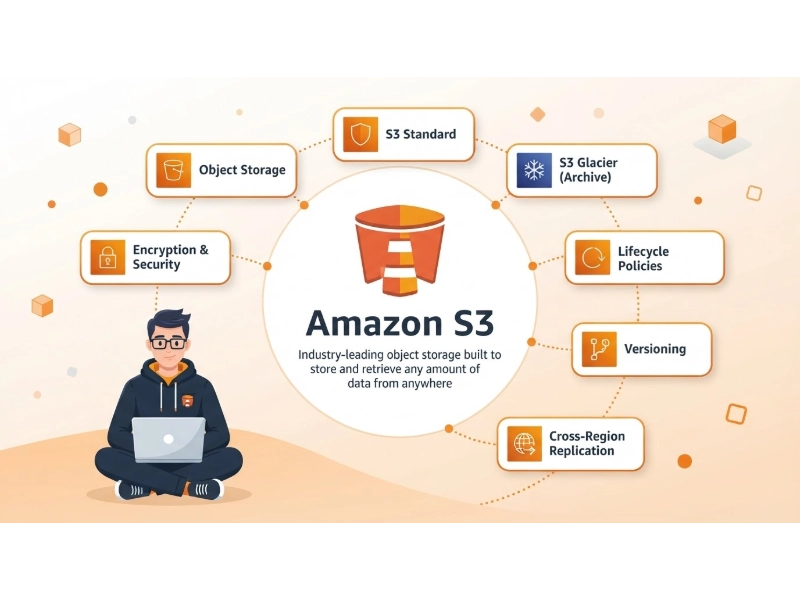
Amazon S3 is a mature object-storage service with a broad range of storage classes, lifecycle controls, encryption options, access policies, replication features, and integrations across AWS.
But the right storage service depends on more than the price per gigabyte. Request charges, data transfer, minimum storage periods, API compatibility, and the cloud platform your application already uses can all affect the total cost and effort of operating object storage.
This guide compares eight alternatives to Amazon S3: Google Cloud Storage, Azure Blob Storage, IBM Cloud Object Storage, Wasabi, Backblaze B2, DigitalOcean Spaces, Cloudflare R2, and Supabase Storage. It also explains where S3 compatibility helps—and where you may still need to change your application.
Pricing note: Prices below are public reference points reviewed on October 8, 2026. They are not quotes. Actual charges vary by region, storage class, redundancy, usage, retention, currency, and account terms. Compare providers using the same workload assumptions, and confirm current rates with the provider before migrating.

Quick Answer: Which AWS S3 Alternative Should You Consider?
- Google Cloud Storage: A natural shortlist option for workloads built around Google Cloud analytics, AI, or application services.
- Azure Blob Storage: Worth evaluating when your applications and identity systems already run on Azure. It does not provide a native S3 API.
- IBM Cloud Object Storage: Relevant to organizations using IBM Cloud, IBM security services, or hybrid-cloud infrastructure.
- Wasabi: May suit larger, stable datasets that remain stored long enough to meet its minimum-duration policy.
- Backblaze B2: A candidate for backups, NAS, media, and general-purpose object storage.
- DigitalOcean Spaces: A straightforward option for applications already hosted on DigitalOcean.
- Cloudflare R2: Worth modeling when internet egress is a major part of the storage bill.
- Supabase Storage: Convenient for application files that need Supabase Auth, Postgres, or Row Level Security.
There is no universal winner. The best fit depends on your stored volume, object sizes, request patterns, downloads, retention period, security needs, and where your application runs.
AWS S3 Alternatives Compared
The table is intended as a shortlist, not a like-for-like price quote. Some providers bill in GB, others in GiB or terabyte-based units, and their included allowances differ. Storage price alone is not a reliable estimate of monthly cost.
| Service | Reference storage pricing | Data transfer | S3 API compatibility | Potential fit | Check before choosing |
|---|---|---|---|---|---|
| Amazon S3 | S3 Standard pricing varies by region and volume; selected US regions have commonly listed rates around $0.023 per GB-month for the first 50 TB | Internet transfer may be billed after applicable allowances; other transfer paths can have separate charges | Native | AWS workloads and applications using advanced S3 features | Requests, retrieval, replication, and data transfer can all affect the bill |
| Google Cloud Storage | Standard storage is around $0.020 per GB-month in some US regional configurations | Varies by source, destination, and service path | Partial interoperability through the XML API | Google Cloud analytics, AI, and application workloads | Location, storage class, operations, retrieval, and networking affect cost |
| Azure Blob Storage | Varies by region, tier, redundancy, account type, and volume | Internet egress and some cross-region transfers may be billed separately | No native S3 API | Applications already running on Azure | Migration may require Azure SDKs, code changes, or a compatibility gateway |
| IBM Cloud Object Storage | Varies by plan, region, storage class, and usage | Public outbound bandwidth may be chargeable depending on plan and usage | S3-compatible, with provider-specific differences | IBM Cloud, hybrid-cloud, backup, and enterprise workloads | Requests, retrieval, bandwidth, and storage class affect the bill |
| Wasabi | Pay-as-You-Go pricing is listed at $7.99 per TB-month, approximately $0.0078 per GB-month | No separate egress charge under applicable policies | S3-compatible | Long-lived backups and stable datasets | One-terabyte monthly minimum and a default 90-day minimum storage duration for Pay-as-You-Go |
| Backblaze B2 | Starts at $6.95 per TB per 30 days | Free egress up to three times average monthly storage; additional egress is generally $0.01 per GB | S3-compatible, but not feature-identical | Backup, NAS, media, and cost-conscious storage | Check feature limitations and any egress above the included allowance |
| DigitalOcean Spaces | $5 per month, including 250 GiB of Standard storage | Includes 1,024 GiB of outbound transfer; additional transfer is $0.01 per GiB | S3-compatible | Web applications and DigitalOcean workloads | Additional Standard storage is $0.02 per GiB-month |
| Cloudflare R2 | $0.015 per GB-month for Standard; $0.01 for Infrequent Access | No R2 egress bandwidth charge | S3-compatible, with documented differences | Download-heavy and egress-sensitive applications | Class A and Class B operation charges may matter at high request volumes |
| Supabase Storage | Free includes 1 GB; Pro and Team include 100 GB, then $0.0213 per GB-month | Plan-based allowance; overage rates differ for cached and uncached egress | S3-compatible for commonly used operations | Application files in projects already using Supabase | Storage is part of a broader application platform, not a standalone hyperscale storage service |
Unit note: A GB and a GiB are different units. Providers may also measure storage using hourly or daily averages. Treat the figures above as reference points—not perfectly interchangeable prices.
What Is Amazon S3?
Amazon S3 is an object-storage service for data such as images, videos, application assets, logs, backups, archives, datasets, software packages, and user uploads.
S3 stores data as objects inside buckets. Each object has a key and may include metadata. For an introduction to the terminology, see this guide to Amazon S3 bucket objects.
Object storage is designed for collections of independently addressed objects. It differs from file storage, which organizes data around folders and paths, and block storage, which is commonly used for databases and virtual machines. Learn more about file, block, and object storage.
Depending on the configuration, Amazon S3 can provide storage classes, lifecycle management, versioning, replication, encryption, IAM policies, presigned URLs, event notifications, Object Lock, access logging, and integrations with AWS compute, analytics, security, and content-delivery services.
AWS says S3 Standard is designed for 99.999999999% durability and 99.99% availability over a given year. These are service design figures, not a replacement for backups, recovery testing, least-privilege access, or disaster-recovery planning. See the official Amazon S3 data durability documentation.
Why Consider an Alternative to AWS S3?
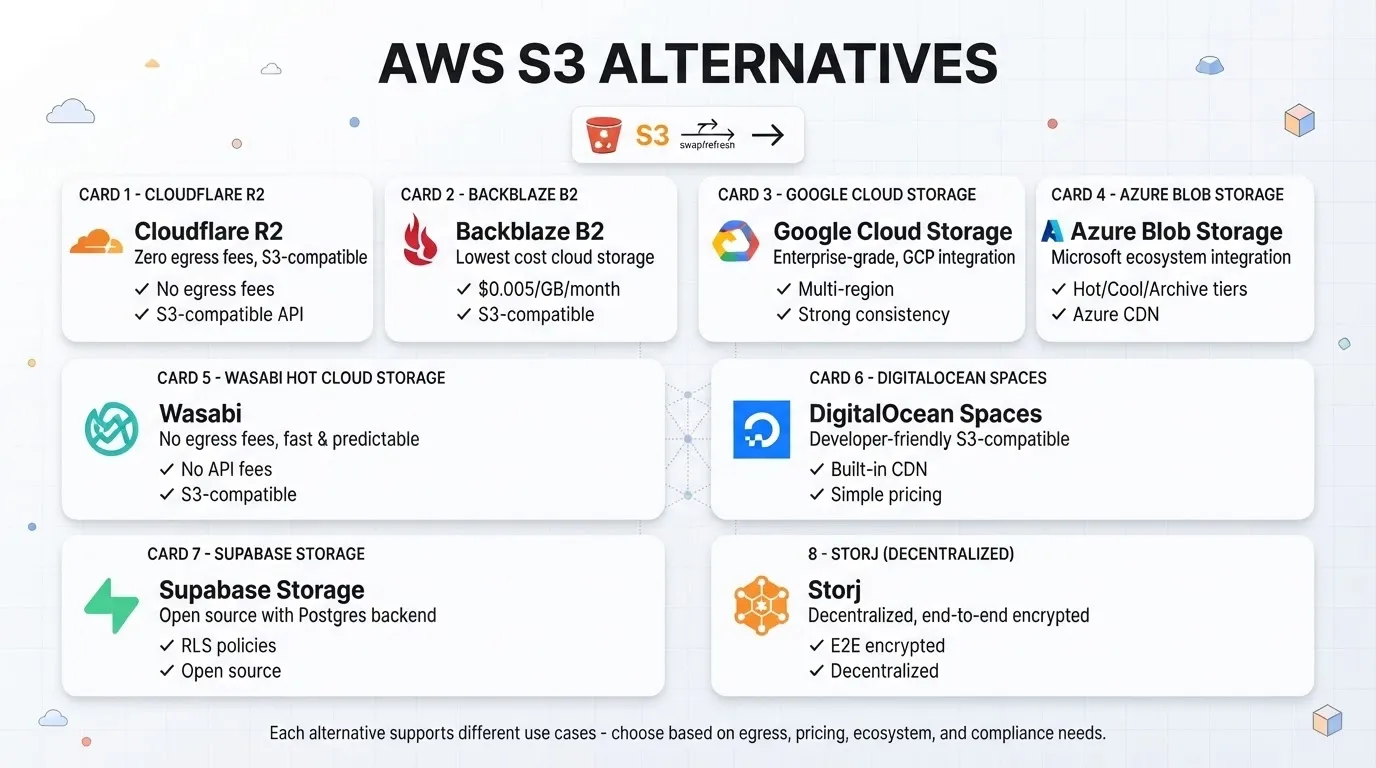
S3 may still be the most practical choice for many AWS-based workloads. An alternative is worth considering when another service better matches your cost model, application platform, operating skills, or data-transfer pattern.
Outbound Data Transfer
Storage is only one part of the bill. An application that serves large files, software downloads, images, or video may spend a significant amount on data transfer.
Cloudflare R2, Wasabi, and Backblaze B2 have different egress models. Read the terms carefully: “free egress” may depend on the provider’s policy, a usage allowance, or a particular delivery path. Connected services may also bill separately.
Requests and Retrieval
A workload with millions of small objects can have a different cost profile from a backup repository containing a smaller number of large files. Depending on the provider and storage class, charges may apply to reads, writes, listings, multipart uploads, retrieval, lifecycle transitions, replication, or early deletion.
API limits and retry behavior can also differ between providers. An S3-compatible endpoint does not necessarily have the same quotas or request behavior as AWS. See this overview of API rate limiting for background on safe retries, backoff, and request queues.
Minimum Storage Periods
Some lower-cost storage options require objects to remain stored for a minimum period. Deleting or replacing an object early may lead to an additional charge. Check this carefully if you store temporary files, rotating backups, caches, build artifacts, or frequently replaced logs.
Your Existing Cloud Platform
Using the same provider for storage and application services may reduce integration work and cross-cloud data movement. Google Cloud Storage may fit Google Cloud analytics workloads; Azure Blob Storage may suit Azure applications; IBM Cloud Object Storage may fit IBM and hybrid-cloud environments. DigitalOcean Spaces, Cloudflare R2, and Supabase Storage may be convenient when the application already uses those platforms.
Operational Fit and Provider Dependence
A simpler service can reduce administration, but may offer fewer regions, controls, integrations, storage classes, or compliance options. A second provider can also support backup isolation or disaster recovery, but only if the copies can be restored and the recovery process has been tested. Include object storage in a documented disaster recovery plan.
How This Comparison Was Prepared
This is a documentation-based comparison, not an independent benchmark. The review considers public pricing information, data-transfer policies, request and retrieval charges, retention rules, S3 API compatibility, security controls, ecosystem integration, and likely migration effort.
Pricing and product terms change. We have not tested every provider with the same application, files, region, or traffic pattern, so the article does not claim to rank performance. Before making a decision, test the features and workloads your production system actually uses.
1. Google Cloud Storage
Google Cloud Storage is Google Cloud’s managed object-storage service for application data, backups, media, archives, analytics datasets, and machine-learning assets. It is most compelling when storage needs to work closely with other Google Cloud services.
Features and ecosystem
Google Cloud Storage offers regional, dual-region, and multi-region locations; Standard, Nearline, Coldline, and Archive classes; lifecycle management; object versioning; retention policies; holds; IAM integration; customer-managed encryption options; signed URLs; Storage Transfer Service; and Autoclass.
Storage class and location are separate choices. A Standard bucket is not automatically multi-region. Choose a location based on latency, resilience, and data-residency needs. See Google Cloud Storage bucket locations.
Integration with BigQuery, Dataflow, Dataproc, and Vertex AI may make Cloud Storage a natural fit for data-lake, analytics, and AI workloads.
Pricing and S3 interoperability
Pricing depends on location, storage class, operations, retrieval, network usage, replication, and minimum storage duration. Standard regional storage in some US configurations is around $0.020 per GB-month; rates differ for other regions and multi-region configurations. The Google Cloud Free Tier includes up to 5 GB-months of Standard storage in eligible locations, subject to its terms. Check the Google Cloud Storage pricing page.
Google Cloud Storage provides an XML API that interoperates with some S3 tools and libraries. This is not complete S3 feature parity: applications may need Google Cloud HMAC credentials, a different endpoint, or changes to assumptions about authentication, policies, multipart uploads, metadata, checksums, or lifecycle behavior. Review Google Cloud Storage interoperability and test your application before migrating.
Consider it if: Your workloads already use Google Cloud, especially BigQuery, Dataflow, Dataproc, or Vertex AI.
Check first: Location-specific pricing, network costs, and the S3 operations your application relies on.
2. Microsoft Azure Blob Storage
Azure Blob Storage is Microsoft’s managed object-storage service for documents, media, backups, logs, archives, application files, and analytics datasets. It can be a practical fit for organizations already operating applications and identity systems on Azure.
Features and ecosystem
Azure Blob Storage offers Hot, Cool, Cold, and Archive tiers; locally redundant, zone-redundant, geo-redundant, and geo-zone-redundant configurations; lifecycle management; versioning; soft delete; immutable storage policies; customer-managed keys; Microsoft Entra ID; shared access signatures; and integration with Azure analytics services.
Azure Data Lake Storage adds a hierarchical namespace for suitable analytics workloads. SFTP and NFS 3.0 are available in eligible configurations. See the Azure Blob Storage introduction.
Pricing and migration
Pricing depends on region, tier, redundancy, account type, stored volume, operations, retrieval, outbound transfer, early deletion, and any reserved-capacity or contract terms. Use the Azure Blob Storage pricing page or Azure Pricing Calculator to estimate a workload.
Azure Blob Storage does not natively implement the S3 API. A migration may require Azure SDK calls, updated authentication, policy conversion, a migration tool, or a compatibility gateway. Microsoft’s Azure storage overview for AWS professionals can help with service mapping.
Consider it if: Your application and data services already run on Azure.
Check first: The engineering work required to change APIs, credentials, policies, and application code.
3. IBM Cloud Object Storage
IBM Cloud Object Storage is a managed service for backups, archives, analytics, application data, and other large unstructured datasets. It may suit organizations using IBM Cloud, IBM security products, or hybrid-cloud infrastructure.
Features and ecosystem
Features include Smart Tier; Standard, Vault, Cold Vault, and Flex classes; an S3-compatible API; IBM Cloud Identity and Access Management; encryption and key-management integrations; object versioning; retention policies; immutable storage options; resiliency configurations; lifecycle rules; private service endpoints; and IBM Aspera integration.
Smart Tier is designed for workloads where access patterns are difficult to predict. Review how the applicable tier and charges are calculated for your usage.
Pricing and S3 compatibility
Pricing depends on storage class, location, stored volume, public outbound bandwidth, Class A and Class B requests, retrieval, plan, and optional transfer services. IBM’s documented Free Tier has included limited storage, requests, retrieval, and outbound bandwidth for a limited period under eligibility conditions. Confirm current terms in the IBM Cloud Object Storage plan FAQ and billing documentation.
IBM supports S3-compatible access, and the AWS CLI can be configured to use IBM Cloud Object Storage endpoints. Compatibility does not guarantee identical behavior. Test authentication, bucket policies, tagging, lifecycle rules, multipart uploads, presigned URLs, and any SDK-specific assumptions. See the IBM Cloud Object Storage AWS CLI documentation.
Consider it if: IBM Cloud, IBM security, or hybrid-cloud integration is important to your environment.
Check first: Total cost across storage, requests, retrieval, bandwidth, and the service features you need.
4. Wasabi
Wasabi is an S3-compatible object-storage service often evaluated for backups, surveillance footage, media archives, and other data that remains stored for months rather than days.
Pricing and retention
Wasabi lists Pay-as-You-Go storage at $7.99 per TB-month, approximately $0.0078 per GB-month. The headline rate needs two qualifications:
- Monthly minimum: Pay-as-You-Go accounts generally have a minimum monthly charge equivalent to one terabyte of active storage.
- Minimum storage duration: The default minimum duration for standard Pay-as-You-Go object storage is 90 days. Deleting an object sooner may result in a charge for the remaining duration.
Wasabi lists no separate API request or egress charge under its applicable policies. Those policies and any account-specific terms still apply. See the Wasabi pricing FAQ and minimum storage duration policy.
Features and trade-offs
Wasabi offers an S3-compatible API, Object Lock, versioning, replication, encryption, and integrations with backup and media software. It may be straightforward to budget for stable datasets, but the minimum monthly charge can make smaller workloads less attractive, and the minimum storage period may not suit frequently replaced files.
Consider it if: You store at least around one terabyte and expect most objects to remain for 90 days or longer.
Check first: Minimum billing, early deletion, egress-policy conditions, regional availability, and restore requirements.
Cloud storage is only one part of a reliable backup strategy. Synchronization alone is not a backup; maintain independent copies and test restores. See how to back up files correctly.
5. Backblaze B2 Cloud Storage
Backblaze B2 is an object-storage service for backups, NAS, media, software distribution, and general cloud-storage workloads. It offers a native B2 API and an S3-compatible API.
Pricing and egress
Backblaze B2 storage starts at $6.95 per TB per 30 days, with the first 10 GB of storage included. Egress is free up to three times average monthly storage; additional egress is generally $0.01 per GB.
Backblaze also offers unlimited free egress through selected CDN and compute partners, subject to their routing and partner conditions. Confirm that your planned traffic path qualifies. See the official Backblaze B2 pricing page.
S3 compatibility and features
B2 supports many common S3 operations, including uploads, downloads, multipart transfers, and presigned URLs, but it is not feature-identical to Amazon S3. Limitations may affect IAM roles, object ACL behavior, tagging, website configuration, or browser-based POST uploads to presigned URLs. Consult the Backblaze B2 S3-Compatible API documentation before migrating.
Other features include Object Lock, versioning, lifecycle rules, server-side encryption, and integrations with backup, NAS, CDN, and compute products.
Consider it if: You want an affordable object-storage option for backups, NAS, media, or a secondary copy.
Check first: Whether your application depends on S3 features that B2 does not support, and whether your egress will exceed the included allowance.
Object Lock can help protect backup copies from modification, but it is not a complete ransomware strategy. Isolate administrative credentials and follow broader practices for protecting backup data from ransomware.
6. DigitalOcean Spaces
DigitalOcean Spaces is an S3-compatible object-storage service for developers and teams using DigitalOcean. Its bundled subscription can be easier to estimate than a service that separately charges for every usage category.
Pricing and features
A Spaces Standard subscription costs $5 per month and includes 250 GiB of storage and 1,024 GiB of outbound transfer, shared across Spaces buckets. Additional Standard storage costs $0.02 per GiB-month, and additional outbound transfer costs $0.01 per GiB. Inbound transfer does not count against the outbound allowance.
Spaces includes a CDN and supports common S3-compatible workflows, presigned URLs, access keys, CORS, lifecycle rules, encryption, and integrations with DigitalOcean Droplets and Kubernetes. Standard and Cold Storage options are available.
Cold Storage has a lower storage rate but adds retrieval charges, a minimum storage duration, and minimum billable object or retrieval sizes. Include those costs in your estimate. See the DigitalOcean Spaces pricing documentation.
Consider it if: Your application already runs on DigitalOcean or the included storage and transfer allowance suits your workload.
Check first: The shared transfer allowance, Cold Storage retrieval rules, and whether the service offers the controls your application requires.
7. Cloudflare R2
Cloudflare R2 is an S3-compatible object-storage service with no R2 egress bandwidth charge. It is worth evaluating for public downloads, media, software distribution, and other workloads where outbound transfer is a significant cost.
Pricing and features
R2 Standard pricing is $0.015 per GB-month, with Class A operations at $4.50 per million requests and Class B operations at $0.36 per million requests. Standard storage has no retrieval charge. The monthly free allowance includes 10 GB-months of storage, one million Class A operations, and 10 million Class B operations.
R2 Infrequent Access costs $0.01 per GB-month, with higher operation rates and a $0.01 per GB retrieval charge. It also has a 30-day minimum storage duration. Both classes have no R2 egress bandwidth charge. See the Cloudflare R2 pricing documentation.
R2 integrates with Cloudflare Workers, custom domains, multipart uploads, lifecycle rules, event notifications, and Cloudflare’s network. Connected or metered Cloudflare services may have separate charges.
S3 compatibility and trade-offs
R2 supports many common S3 operations, but some headers, features, and request behaviors differ. Potential gaps include ACL-related headers, object tagging, Requester Pays, bucket-owner headers, some checksum modes, some Object Lock parameters, and AWS-specific account or policy assumptions.
Review Cloudflare’s operation-level R2 S3 API compatibility documentation before moving production workloads.
Consider it if: Egress is a large part of your current storage bill, or your application already uses Cloudflare Workers.
Check first: Request volume, compatibility requirements, Infrequent Access retrieval, and costs from connected services.
8. Supabase Storage
Supabase Storage is an object-storage service integrated with Supabase Postgres, Auth, Row Level Security, APIs, Edge Functions, Realtime, CDN delivery, and image transformations. It is designed for application files, not as a one-for-one substitute for every enterprise S3 workload.
Features and access control
Supabase Storage supports public and private buckets, REST and S3 access, standard and resumable uploads, multipart S3 uploads, presigned URLs, CDN delivery, and Postgres-based object metadata. Developers can use Row Level Security policies to control which users can upload, view, update, or delete files.
This can simplify authorization for avatars, product images, private documents, and tenant-specific user uploads. For a broader platform comparison, see Supabase vs. Firebase and this guide to Backend-as-a-Service providers.
Pricing and S3 compatibility
The Free plan includes 1 GB of file storage. Pro and Team plans include 100 GB, with additional storage listed at $0.0213 per GB-month. Egress is plan-based and has separate cached and uncached allowances and overage rates. Database compute, disk, image transformations, and other services may also affect the total subscription cost.
Supabase measures storage usage in GB-hours and averages it over the billing period. Check current terms on the Supabase pricing page, and review its documentation on storage usage and egress.
Supabase supports S3 protocol access and AWS Signature Version 4 for common operations. It does not implement every AWS S3 operation or header. Potential differences include ACL headers, Object Lock, AWS KMS-specific encryption, Requester Pays, object tagging, lifecycle functionality, and AWS-specific IAM behavior. Review the Supabase Storage S3 compatibility documentation.
Consider it if: Your application already uses Supabase and you want file storage tied to authentication and database policies.
Check first: Egress costs, plan limits, S3 compatibility gaps, and whether your requirements include large archives, advanced governance, or multi-petabyte storage.
Feature Comparison
| Provider | Storage options | CDN or delivery integration | Lifecycle controls | Immutability or retention | S3 API |
|---|---|---|---|---|---|
| Amazon S3 | Multiple storage classes | CloudFront integration | Yes | Object Lock | Native |
| Google Cloud Storage | Standard, Nearline, Coldline, Archive | Cloud CDN integration | Yes | Retention policies and holds | Partial interoperability |
| Azure Blob Storage | Hot, Cool, Cold, Archive | Azure Front Door or CDN | Yes | Immutable Blob Storage | Not native |
| IBM Cloud Object Storage | Smart Tier, Standard, Vault, Cold Vault, Flex | IBM and partner integrations | Yes | Retention and immutable options | Compatible, with differences |
| Wasabi | Object storage for frequently accessible data | Partner integrations | Yes | Object Lock | Compatible |
| Backblaze B2 | Always-hot B2 storage | Partner CDN integrations | Yes | Object Lock | Compatible, with limitations |
| DigitalOcean Spaces | Standard and Cold Storage | Built-in CDN | Yes | Check current feature requirements | Compatible |
| Cloudflare R2 | Standard and Infrequent Access | Cloudflare network integration | Yes | Feature support differs from S3 | Compatible, with limitations |
| Supabase Storage | Application-oriented object storage | Built-in CDN | More limited than hyperscalers | Not equivalent to S3 Object Lock | Compatible, with limitations |
What Does “S3-Compatible” Mean?
“S3-compatible” usually means a service supports a useful subset of the S3 API—for example, uploading, downloading, listing, and deleting objects, along with some multipart uploads and presigned URLs.
It does not guarantee that every S3 operation behaves the same way. Differences may involve IAM, bucket policies, ACLs, tagging, Object Lock, website configuration, event notifications, replication, checksums, Requester Pays, AWS KMS, storage-class headers, or lifecycle transitions.
Before migrating, inventory the S3 operations your application actually uses. Test them against the destination provider, including authentication, error handling, retries, metadata, and permissions.
How to Choose an AWS S3 Alternative
1. Estimate total cost, not just storage
Model average stored volume, object count, uploads, downloads, read and write requests, listings, retrieval, outbound transfer, replication, lifecycle transitions, minimum billing, retention, CDN use, support, and migration. A higher storage rate may still result in a lower bill if transfer is included; a service with no egress fee may be less attractive for a request-heavy workload.
2. List the S3 features your application depends on
Check for multipart uploads, presigned URLs, bucket policies, tagging, versioning, Object Lock, notifications, lifecycle rules, static website hosting, replication, customer-managed encryption, and IAM roles. A simple PUT/GET application is usually easier to move than one tightly coupled to AWS security and event systems.
3. Place storage near the application
Google Cloud Storage may suit Google Cloud applications; Azure Blob Storage may suit Azure applications; DigitalOcean Spaces may work well with DigitalOcean compute; Cloudflare R2 can integrate with Workers; and Supabase Storage may simplify access control for Supabase applications. Consider latency and cross-provider transfer alongside storage price.
4. Check region, residency, and security requirements
Confirm that the provider offers suitable locations, contractual protections, encryption options, access policies, private connectivity, audit logs, immutability, and key-management controls. Misconfigured access can expose data regardless of provider. See these guides to preventing public-cloud data leakage and data loss prevention best practices.
5. Test with real files and traffic
Performance depends on region, network path, object size, concurrency, multipart settings, client location, SDK behavior, retries, and CDN configuration. Test representative files and traffic patterns rather than relying on a benchmark from a different environment.
6. Plan the migration and rollback
Account for bulk transfer, incremental sync, metadata and permission conversion, versions, checksums, endpoint changes, CDN or DNS updates, source-provider egress, validation, and rollback. Treat the work as a formal data migration project.
Keep the source copy until you have checked object counts, sizes, checksums, metadata, permissions, version history, lifecycle behavior, and application access. Do not remove the original data immediately after copying.
7. Design and test recovery
Object storage is not automatically immune to ransomware or accidental deletion. Compromised credentials can be used to modify or delete stored objects, while synchronization can propagate damaged files. Review how ransomware can affect cloud storage and consider versioning, Object Lock, separate administrative credentials, cross-account copies, deletion alerts, and tested restore procedures.
Shortlist by Workload
- AWS-centric application: Staying with Amazon S3 may be simpler if the application depends on IAM, Lambda events, CloudFront, Athena, Lake Formation, or other AWS services.
- Google Cloud analytics or AI: Compare Google Cloud Storage locations and classes with the location of your compute and analytics services.
- Azure application: Consider Blob Storage, but plan for API and authentication changes because it is not a native S3 endpoint.
- IBM or hybrid-cloud environment: Evaluate IBM Cloud Object Storage if its integration and resiliency options match your architecture.
- Long-lived backup repository: Compare Wasabi’s minimum storage requirements with Backblaze B2’s storage and egress model.
- DigitalOcean application: Spaces may be convenient when its included storage and transfer allowance fit your usage.
- High outbound traffic: Model Cloudflare R2’s request charges alongside its lack of R2 egress bandwidth charges.
- Supabase application files: Supabase Storage may simplify user-aware access when the application already relies on Supabase Auth and Postgres.
Frequently Asked Questions
Is there a cheaper alternative to Amazon S3?
Potentially, but the result depends on storage volume, request count, egress, retention, retrieval frequency, and region. Wasabi and Backblaze B2 advertise lower storage rates than many S3 Standard configurations. Cloudflare R2 does not charge for R2 egress bandwidth, while DigitalOcean Spaces includes an outbound-transfer allowance. Compare a complete monthly workload rather than storage rates alone.
Which alternatives do not charge egress fees?
Cloudflare R2 does not charge for egress bandwidth from R2 itself. Wasabi has no separate egress charge under its applicable policy. Backblaze B2 includes free egress up to three times average monthly storage and offers different terms through selected partners. Check current terms and any charges from connected services.
Do all the providers support the S3 API?
No. Wasabi, Backblaze B2, DigitalOcean Spaces, IBM Cloud Object Storage, Cloudflare R2, and Supabase Storage offer S3-compatible interfaces. Google Cloud Storage supports some S3 tools through its XML API and HMAC authentication. Azure Blob Storage does not natively implement the S3 API. Even compatible services may differ in individual operations and headers.
Is Supabase Storage a direct replacement for Amazon S3?
Not for every workload. Supabase Storage is useful for application files that need Supabase Auth, Postgres policies, and Row Level Security. It supports common S3 operations, but not the complete S3 feature set. Large archives, data lakes, and advanced governance requirements may call for a dedicated object-storage service.
Is Cloudflare R2 always cheaper than Amazon S3?
No. R2 may lower the egress portion of a bill, but it charges for Class A and Class B operations. A workload with very high request volume should model those charges as well as storage and any connected services.
Which alternative is best for backups?
Wasabi and Backblaze B2 are both worth evaluating. Wasabi may suit stable repositories that meet its storage-duration and minimum-billing requirements. Backblaze B2 may fit smaller repositories, NAS backups, and workloads that benefit from its egress allowance. Compare Object Lock, encryption, access isolation, restore performance, and retention rules—not just price.
Which alternative is best for analytics?
Google Cloud Storage may fit BigQuery, Dataflow, Dataproc, and Vertex AI workflows. Azure Blob Storage is relevant to Azure data services, while IBM Cloud Object Storage may fit IBM environments. In many cases, the best choice is the service located near the analytics and compute workloads.
Which service is easiest for a small development team?
DigitalOcean Spaces may be straightforward for a team already using DigitalOcean. Supabase Storage may be convenient for an application built around Supabase Auth and Postgres. Backblaze B2 is also worth considering for backup and general object-storage workflows. The actual learning curve depends on security, permissions, SDKs, and deployment requirements.
Can these services host a static website?
Many can store and serve static assets, but direct website-hosting features vary. A common setup uses object storage as the origin and a CDN or application layer to deliver the files. Do not assume that every S3-compatible provider supports the S3 website-configuration API.
Can I move from S3 without changing my application?
Sometimes. Applications using standard PUT, GET, LIST, DELETE, and multipart operations may need only a new endpoint, credentials, or region setting. Applications that depend on AWS IAM roles, Object Lock, event notifications, bucket policies, KMS, tagging, or website configuration may need more extensive changes.
Should I keep the original S3 data during migration?
Usually, at least until validation is complete. Check object counts, total size, checksums, metadata, permissions, version history, lifecycle behavior, application access, and restore procedures before deleting the source copy. A staged cutover is generally safer than an immediate switch.
Final Takeaway
Amazon S3 remains a mature choice for AWS-centric applications and workloads that rely on its broader feature set. Its alternatives make different trade-offs: some emphasize ecosystem integration, some bundled pricing, some S3 compatibility, and others reduced outbound-transfer costs.
Shortlist providers based on your actual workload, then compare a representative month of storage, requests, retrieval, egress, and retention. Before moving production data, test the API operations, permissions, metadata, and restore process that your application depends on. The lowest advertised storage rate is not always the lowest total cost, and an S3-compatible API is not a guarantee of feature parity.
You May Also Like
 Web Development
What Is API Rate Limiting? (A Practical, Simple Guide for Safer, Faster APIs)
 Web Development
REST API vs SOAP API: Differences, Pros & Cons, and Use Cases
 SaaS
SaaSWhy Cloud CRM Has Quietly Become the Backbone of Modern Customer Support
 Web Development
How Long Does It Take to Code an App?
 SaaS
SaaSWhat Is No-Code Automation? How It Works, Benefits, and Risks
 Web Development
Supabase vs Firebase: Which Backend Platform is Right for Your Project?
 Web Development
SQL vs. NoSQL: How to Choose the Right Database for Your Application
 Cloud Computing
What Is Cloud Cost Optimization? Strategy & Best Practices
 SaaS
SaaS