

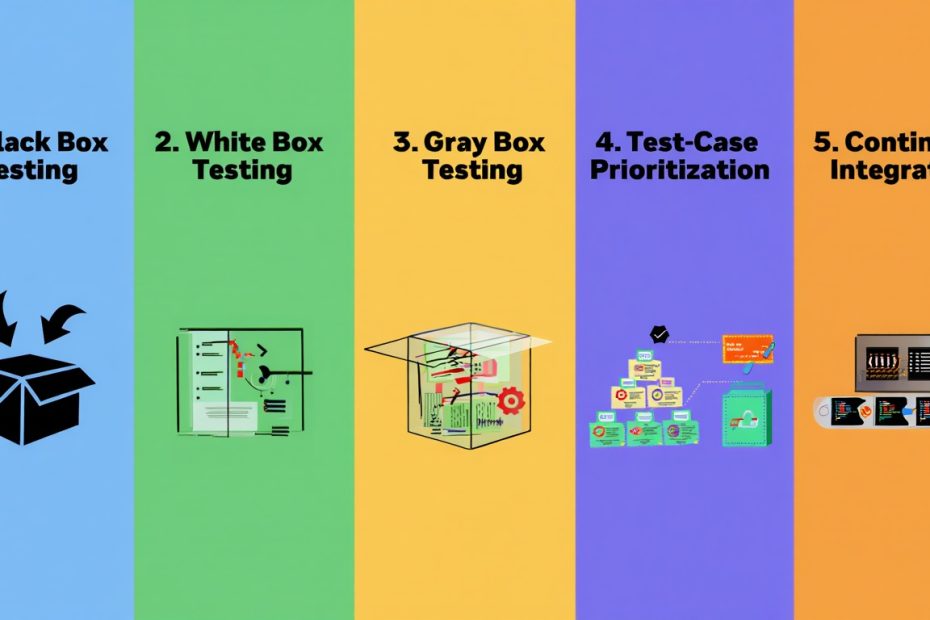
What is software testing? Software testing checks if an app or website works properly. A tester tries to use the software like a real user would. They click buttons, enter information, and see what happens. If something breaks or doesn’t work right, they report it.
Why does this matter? Imagine downloading an app that crashes every time you open it. That would be frustrating. Software testing stops these problems before users experience them. Testing saves companies money by finding bugs early. It also protects people using the software.
Software testing for beginners is easier to learn than you might think. You don’t need advanced computer skills to start. Many people switch to testing careers from other jobs. This guide teaches you everything you need to know to get started.
What Is Software Testing?
The Basics You Need to Know
Software testing is the process of checking that software works correctly. Testers use programs and websites like regular users do. They look for problems, errors, or things that don’t work. When they find issues, they write reports about them.
Think of it like quality control in a restaurant. The chef makes food. Then someone tastes it to make sure it’s good before serving. A software tester does the same thing. A developer creates the software. A tester checks it before real users get it.
Why Is Software Testing Important?
Software testing matters for several simple reasons:
- Prevents Bad Experiences – Users won’t crash into bugs
- Saves Money – Fixing bugs early costs less than fixing them later
- Protects Information – Testing finds security problems
- Builds Trust – Users trust software that works well
- Improves Speed – Software runs faster when tested properly
Types of Software Testing
Manual Testing vs Automation Testing
Manual testing means a person tests the software themselves. A tester sits down at a computer. They click buttons and type information just like a real user. They watch what happens and check if it works right. Manual testing doesn’t need special computer skills.
Automation testing uses special software tools to test automatically. These tools can test the same thing over and over very fast. A person writes instructions once. Then the tool runs those instructions thousands of times. Automation testing saves time for repetitive work. Discover how automation is shaping QA processes in modern development.
Manual Testing:
- A person tests by hand
- Good for new features and first testing
- Takes more time to complete
- No coding needed to get started
- Finds user experience issues easily
Automation Testing:
- Software tools do the testing automatically
- Good for testing the same thing many times
- Much faster than manual testing
- Requires some coding knowledge
- Finds logic and performance issues
For detailed comparison, see manual vs automation testing for ecommerce platforms.
Types of Testing You Should Know About
Black box testing means testing without looking at code. You just use the software like a normal person. You don’t need to know how it works inside. This is the most common type for beginners.
White box testing means looking at the code while testing. A developer tests the code they wrote. They understand every line and what it does. This requires programming knowledge.
Unit testing checks small pieces of code one at a time. Developers do this while writing code. They make sure each part works before putting it together.
Integration testing checks if different parts work together. After unit testing, testers see if components communicate properly.
System testing checks the entire software as a complete product. Everything is tested together to make sure it all works.
Acceptance testing is the final check before release. Users or managers verify the software meets their needs.
Regression testing checks that old features still work after changes. When developers fix a bug, testers make sure they didn’t break something else.
Non-Functional Testing Explained
Performance testing checks how fast the software is. Does it respond quickly to user actions?
Load testing checks how many users the software can handle at once. Can it handle 1,000 users? What about 10,000?
Security testing looks for ways hackers could break in. Are passwords protected? Is personal data safe? Learn more about importance of security testing in software development.
Usability testing checks if the software is easy to use. Can a regular person figure out what to do?
Creating Test Cases
What Is a Test Case?
A test case is a set of instructions for testing one specific thing. It’s like a recipe. The recipe tells you each step to make a dish. A test case tells a tester each step to test a feature.
Simple Test Case Example
Let’s say you’re testing a login page:
Test Case: Check if login works with correct username and password
- Open the website
- Click on the login button
- Type “john123” in the username field
- Type “password456” in the password field
- Click the login button
- Check if you see the home page
Expected result: User should see the home page Actual result: (You write what actually happened)
What Goes Into a Good Test Case?
- Test ID – A number to identify this test (Example: TC-001)
- Description – What you’re testing in simple words
- Steps – Clear instructions numbered 1, 2, 3, etc.
- Expected Result – What should happen if it works
- Actual Result – What really happened
- Pass or Fail – Did it work or not?
Understanding Defects and Bugs
What Is a Bug or Defect?
A bug (or defect) is when software doesn’t work the way it should. Examples include:
- A button that doesn’t do anything when clicked
- Text that appears in the wrong place
- A calculation that gives the wrong answer
- A page that loads very slowly
- An app that crashes
How to Report a Bug Correctly
When you find a bug, write a good report. Include:
- Title – Short description of the problem (Example: “Login button doesn’t work on mobile”)
- Steps to Reproduce – Exactly how to make the bug happen
- Expected Behavior – What should happen correctly
- Actual Behavior – What’s really happening
- Environment – Device, browser, and software version (Example: “Chrome on iPhone”)
- Screenshot – A picture showing the problem
Severity and Priority
Severity shows how bad the problem is:
- Critical – The app completely breaks
- High – A major feature doesn’t work
- Medium – Something doesn’t work right but there’s a workaround
- Low – A small issue that doesn’t affect main functions
Priority shows how urgently it needs to be fixed:
- Urgent – Fix it right now
- High – Fix it before the next release
- Medium – Fix it when you have time
- Low – Can fix it later
The Testing Process
Phase 1: Planning
Testing starts with understanding what needs to be tested. Testers read requirements and make a plan. They decide what to test and when to test it.
Phase 2: Creating Test Cases
Testers write test cases for each feature. They create step-by-step instructions. They prepare test data (fake information to use in testing).
Phase 3: Executing Tests
Now the actual testing happens. Testers follow the test cases they wrote. They run each test and record the results. They note what works and what doesn’t.
Phase 4: Reporting Issues
When bugs are found, testers write detailed reports. Developers receive these reports and fix the problems. Testers then check if the fixes work.
Phase 5: Final Sign-Off
After testing is complete, testers create a final report. They state whether the software is ready to release. They document what was tested and what was found.
Verification vs Validation
What’s the Difference?
These two words sound similar but mean different things.
Verification asks: “Did we build it right?”
This means checking if the software matches the requirements. It’s like checking a recipe before cooking. Did you gather the right ingredients? Did you follow the steps correctly?
Validation asks: “Did we build the right thing?”
This means checking if the software does what users actually need. It’s like tasting the food after cooking. Does it taste good? Does it satisfy the customer?
| Verification | Validation |
|---|---|
| Checks against requirements | Checks against user needs |
| Done by reviewing documents | Done by testing the software |
| Prevents mistakes | Finds mistakes |
| Happens before coding | Happens after coding |
Testing in Modern Development
Waterfall vs Agile Testing
Waterfall testing follows this path:
- Requirements
- Design
- Development
- Testing
- Release
Testing happens at the end. This means problems are found late. Waterfall works for projects with clear, fixed requirements.
Agile testing is different:
- Testers work with developers from day one
- Testing happens continuously during development
- Small releases happen frequently
- Feedback happens quickly
Agile testing finds problems sooner. It works better for projects with changing requirements.
Shift Left Testing
“Shift left” means moving testing to earlier stages. Instead of testing at the end, testing starts at the beginning. This saves time and money. Problems are caught before they become expensive.
DevOps Testing
DevOps testing means testing happens automatically with every code change. When a developer makes a change, tests run immediately. The team gets feedback within minutes. This catches problems very fast. This approach integrates testing into continuous delivery pipelines, similar to incident management for ecommerce systems.
Common Testing Tools
Free Tools for Beginners
Selenium – Tests websites and web apps automatically. You write scripts that click buttons and check results. It’s free and widely used.
Postman – Tests APIs (ways apps communicate with each other). It’s easy to use and has a free version.
TestRail – Organizes test cases and tracks results. It helps teams manage testing work.
Jira – Tracks bugs and issues. Teams use it to assign work and follow progress. Learn more about Jira software and its features.
| Tool | What It Does | Best For | Cost |
|---|---|---|---|
| Selenium | Automates website testing | Web applications | Free |
| Postman | Tests APIs | Web services | Free/Paid |
| TestRail | Organizes tests | Managing test cases | Paid |
| Jira | Tracks bugs | Issue management | Free/Paid |
Careers in Software Testing
What Does a Software Tester Do?
A software tester:
- Reads Requirements – Understands what needs to be tested
- Creates Test Cases – Writes instructions for testing
- Executes Tests – Performs the tests
- Reports Issues – Documents bugs found
- Verifies Fixes – Checks if developers fixed problems correctly
- Creates Reports – Summarizes testing results
Types of Testing Careers
QA Tester – Entry-level position testing software manually
Automation Tester – Tests software using automation tools
QA Engineer – Senior position managing testing strategy
SDET (Software Development Engineer in Test) – Combines programming and testing skills
Is Testing Easy to Learn?
Yes. Software testing is easier than coding to learn. You don’t need a computer science degree. You need:
- Attention to detail
- Logical thinking
- Good communication
- Patience
- Willingness to learn
Many people switch to testing from other careers successfully.
How to Get Started
- Learn the Basics – Read articles and watch videos about testing
- Practice – Test apps and websites yourself
- Get Certified – Take ISTQB courses (internationally recognized)
- Build Experience – Create a portfolio of test cases
- Apply for Jobs – Look for entry-level QA positions
- Keep Learning – Stay updated on new tools and methods
What Are Testing Certifications?
ISTQB (International Software Testing Qualifications Board) is the most recognized certification. It has different levels:
- Foundation Level – Basics of software testing
- Advanced Level – Specialized testing areas
- Expert Level – Advanced expertise
Certifications show employers you have real knowledge. They help you get better jobs and higher pay.
Simple Best Practices
How to Test Well
- Test Early – Start testing during planning, not at the end
- Test Thoroughly – Don’t just test the happy path, test edge cases
- Write Clear Tests – Make test cases so simple anyone can follow them
- Communicate Well – Write bug reports developers understand easily
- Stay Organized – Keep track of all tests and results
- Keep Learning – Improve your skills constantly
- Automate Repetitive Work – Use tools for tests you run many times
- Test in Different Ways – Mix manual and automated testing
What Is Test Coverage?
Test coverage means how much of the software is actually tested. If you test 80% of features, you have 80% coverage. Higher coverage is better. It means fewer untested areas where bugs could hide.
However, 100% coverage doesn’t guarantee no bugs. Focus on testing the most important features thoroughly.
Root Cause Analysis
When a bug is found, don’t just fix it. Ask why it happened. Understanding the root cause prevents similar bugs. This is called root cause analysis (RCA).
Example:
- Bug: Login fails sometimes
- Root Cause: The system doesn’t handle slow internet connections
- Solution: Add better error handling for slow connections
Frequently Asked Questions
Do You Need to Know Programming to Be a Tester?
No. You can become a tester without programming skills. Manual testing doesn’t need coding. However, learning programming makes you more valuable. You can automate tests and move to advanced roles. Start without programming and learn gradually.
Can You Automate Everything?
No. Some things need manual testing. Exploratory testing (trying unexpected things) requires human judgment. User experience testing needs human feedback. Automation is best for repetitive, predictable tests. Use both manual and automated testing together.
Does Testing Slow Down Development?
No. Good testing actually speeds up development. Problems found early are cheaper to fix. Software released without testing has more problems after launch. Testing actually saves time overall.
Is Testing a Dead-End Career?
No. Testing offers good career growth. You can become:
- Senior Test Analyst
- QA Manager
- Test Lead
- Technical Architect
- DevOps Engineer
Many testers move into product management or development. Testing skills are always valuable.
Are Testers Responsible for Quality?
No. Everyone helps with quality. Developers write good code. Designers create easy-to-use interfaces. Testers verify quality. Product managers define good requirements. Quality is a team responsibility.
Is Software Testing Hard?
No. Software testing basics are not difficult to learn. Unlike programming, you don’t need advanced math or logic. You need to think logically and pay attention to details. Most people can learn testing in a few months.
Your Next Steps
You now understand software testing basics. The field is growing and offers good careers. Here’s how to start:
- Pick a Focus – Decide between manual or automation testing
- Learn More – Take online courses (many are free)
- Practice – Test real applications
- Get Certified – Pursue ISTQB certification
- Build a Portfolio – Document your testing work
- Apply for Jobs – Start your testing career
Software testing needs skilled, careful people. Your attention to detail and logical thinking matter. The technology industry values good testers. Take your first step today. You have the ability to succeed in testing.
You May Also Like
 Software
9 Best Free Laser Engraver Software Tools in 2026
 Software
When Fixing Bugs Is No Longer Enough: How to Rescue a Failing Software Project
 SaaS
SaaSNotion vs Coda vs ClickUp for Teams: A Field Report From 18 Months
 SaaS
SaaSTrello vs monday.com vs ClickUp: Which Project Management Tool Fits Your Team in 2026?
 SaaS
SaaS8 Best Asana Alternatives in 2026: Free Tools, Top Competitors, and How to Choose
 Software
What is Asana Software? How Businesses Use It for Project Management and Team Collaboration
 Software
10 Best Audio Redaction Software in 2026 (Tested Picks by Use Case)
 SaaS
SaaS10 Best AI Audio Enhancers for Podcasts in 2026 (Reviewed & Compared)
 Software