

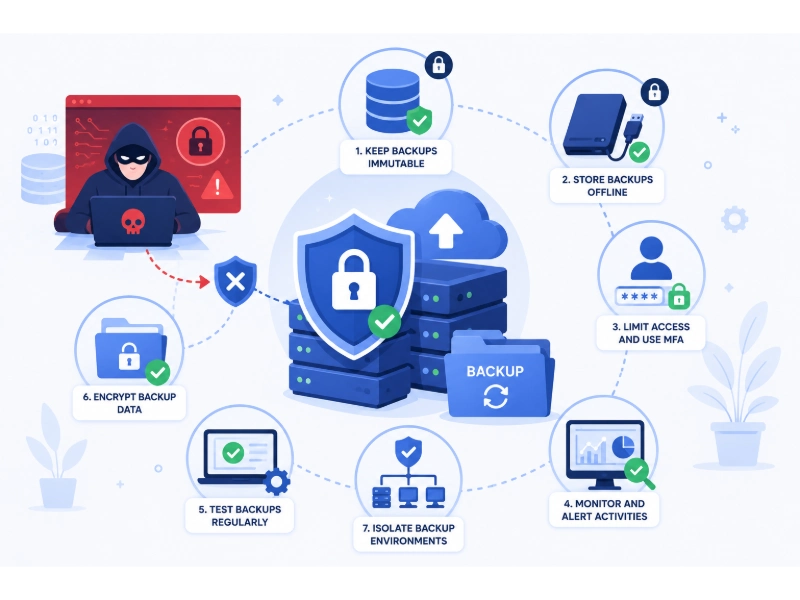
Ransomware operators stopped treating backups as an afterthought years ago. Modern ransomware groups now go after the backup environment first, on purpose, because a company that can restore its own data has no reason to pay. If the attacker can find and destroy your recovery point before triggering encryption, the ransom note stops being a negotiation and becomes a demand with no fallback. This guide walks through what that actually looks like in practice and how to build a backup environment that survives contact with a real attack, not just a test.
Why Backups Have Become the Primary Target
Early ransomware simply encrypted whatever it found on a victim’s machine and hoped nobody had a recent copy elsewhere. Attackers quickly learned that organizations with solid backups just restored their systems and ignored the demand, so the economics of ransomware shifted. Today’s intrusions typically spend days or weeks quietly mapping the network before detonating anything, and a large part of that reconnaissance is specifically aimed at finding backup servers, snapshot repositories, and any credentials that control them.
Once found, backups get attacked in a few predictable ways: deleting scheduled snapshots, revoking retention policies, encrypting backup repositories alongside production data, or simply exfiltrating sensitive files first so the attacker still has leverage even if the victim restores everything from a clean copy. That last tactic, known as double extortion, is one reason understanding how different ransomware families and their latest variants actually behave matters more than treating “ransomware” as a single generic threat. Groups like LockBit have refined this playbook considerably, and looking at how LockBit 3.0 specifically executes its attacks makes clear just how deliberately backup infrastructure gets targeted rather than being caught in generic collateral damage.
The Foundation: Backup Architecture That Assumes an Attack
Before any tool or policy decision, the underlying architecture has to assume that an intruder will eventually reach the same network your backups live on. That single assumption changes almost every design choice that follows.
Follow an extended 3-2-1 rule. The classic guidance — three copies of data, on two different media types, with one copy offsite — is still the right starting point, but modern ransomware resilience usually extends it: at least one copy should be immutable (unable to be altered or deleted, even by an administrator, for a defined retention window) and at least one copy should be offline or air-gapped entirely, disconnected from any network path an attacker could reach. Getting the fundamentals of how to back up files the right way in place first is what makes every additional layer described below actually effective rather than theoretical.
Separate backup credentials from production credentials completely. One of the most common failure patterns in real incidents is a backup system that authenticates using the same domain admin account, or the same identity provider tenant, as everything else on the network. If that account is compromised anywhere, the backups are compromised too. Backup infrastructure should have its own isolated credential set, ideally managed through a dedicated privileged access management solution rather than a shared administrator login that IT staff use for everyday tasks.
Apply least-privilege access control to who can even see the backup console. The distinction between attribute-based and role-based access control is directly relevant here: a static role of “IT admin” is often broader than it needs to be for backup operations specifically. A narrower policy — one that checks device health, location, and time of request before granting access to backup management consoles — closes off a path that attackers rely on constantly, since compromising a single over-privileged IT account is usually the fastest route to backup deletion.
Encrypting Backup Data Properly
Encryption protects backup data in two different ways that are worth separating clearly. Encrypting backups at rest means that even if an attacker manages to steal or copy the backup files themselves, the data inside them is unreadable without the correct keys. Encrypting the transport path between production systems and the backup repository closes off a separate risk: data being intercepted while it moves. Getting a working grasp of how encryption actually works helps clarify why both layers matter — encrypting only one leaves a real gap.
Key management deserves particular attention. Backup encryption keys stored on the same network as the backups they protect defeat much of the purpose, since an attacker who reaches the backup environment can potentially reach the keys too. Keeping key management genuinely separate — a different administrative domain, different credentials, ideally a hardware security module or a cloud key management service outside the reach of the backup infrastructure itself — is what actually makes data encryption function as a real control instead of a checkbox.
Network Isolation and Segmentation
Backup infrastructure should not sit on the same flat network as everyday user workstations and file servers. Segmenting the backup environment into its own isolated zone, with tightly controlled and logged access points, means that a ransomware foothold on a marketing laptop doesn’t automatically translate into a path toward the backup repository. This is one of the clearest practical applications of the broader shift toward verifying every access request individually rather than trusting anything already “inside” the network — the same thinking behind why the zero trust security model matters and how it actually works applies directly to how backup systems should be walled off from production.
Segmentation also limits blast radius from other network-level threats that often accompany a ransomware campaign, including reconnaissance traffic and distributed denial-of-service activity used to distract security teams while the actual intrusion proceeds elsewhere.
Immutable and Air-Gapped Storage in Practice
Immutability means a backup, once written, cannot be modified, encrypted, or deleted for a set retention period — not by a regular administrator, and in a properly configured environment, not even by an account that has been fully compromised. Most modern backup platforms and object storage tiers support this as a configurable retention lock, and it’s one of the single highest-value controls available against ransomware specifically, because it removes the attacker’s ability to simply delete the safety net before triggering encryption elsewhere.
Air-gapping goes a step further by physically or logically disconnecting a backup copy from any network at all, whether that’s rotated offline tape media, a disconnected external drive kept off-site, or a cloud storage tier with no standing network path back to production systems. The tradeoff is recovery speed — a fully air-gapped copy takes longer to restore from than a live replica — but that tradeoff is exactly the point: it exists as the last line of defense when every networked copy has already been compromised.
Backups in Cloud and Hybrid Environments
Cloud backup introduces its own specific risks alongside its convenience. In a hybrid cloud environment, backup data often moves between on-premises infrastructure and one or more cloud providers, and each transition point is a place where misconfiguration can quietly create exposure. A large share of cloud-related incidents trace back to misconfigured storage and public cloud data leakage rather than a sophisticated attack — an improperly permissioned storage bucket holding backup archives is functionally the same risk whether ransomware is involved or not.
Ransomware can also directly affect cloud-hosted backups, not just on-premises ones. It’s worth understanding specifically how ransomware can reach and affect cloud storage if credentials with write or delete access to that storage are compromised, since “it’s in the cloud” is not itself a security control. Organizations in regulated fields often address this by moving sensitive backup data toward private cloud infrastructure specifically because it allows tighter control over exactly which identities and networks can reach the storage layer at all.
Where cloud productivity platforms are involved, the native protections matter too. Organizations relying heavily on Microsoft 365 for daily operations should confirm that mailbox, SharePoint, and Teams data is actually covered by a real backup policy — the built-in retention features in these platforms are not a substitute for independent backup with its own immutability and recovery testing.
Monitoring for Early Warning Signs
Ransomware rarely detonates the moment it lands. There is almost always a window — hours to weeks — where attackers are exploring the network, escalating privileges, and specifically probing backup systems before triggering encryption. Catching that window is where monitoring earns its value. Unusual authentication attempts against backup consoles, unexpected changes to retention policies, a sudden spike in file modification rates, or backup jobs failing without an obvious cause are all signals worth alerting on immediately rather than investigating during the next scheduled review.
Regular vulnerability scanning of the backup infrastructure itself, not just production servers, closes a gap that’s easy to overlook — backup software has had its own share of serious vulnerabilities exploited directly by ransomware groups. Cloud-hosted backup repositories deserve the same attention through cloud-specific vulnerability scanning tools, since the shared responsibility model means the provider secures the platform, not your specific configuration choices on top of it. Broader program discipline matters here too: treating vulnerability management and attack surface management as one connected effort, and staying deliberately ahead of zero-day vulnerabilities in whatever backup software is in use, closes off exactly the kind of unpatched entry point ransomware groups actively hunt for.
Basic endpoint hygiene still matters enormously in this picture. A disciplined automated patch management process for backup servers specifically, combined with a clear understanding of how modern endpoint security differs from traditional antivirus, closes off some of the most common footholds ransomware uses to reach backup infrastructure in the first place. None of that works without a coherent approach to endpoint management across every device that has any path — even an indirect one — to the backup environment.
Data Loss Prevention and the Human Element
Technical controls only go so far if the human side of the equation is weak. Most ransomware still gets its initial foothold through a phishing email or a stolen credential, which is why recognizing and avoiding phishing attempts remains one of the highest-return training investments an organization can make, and why strong, unique passwords still matter even in an MFA-protected environment, since credential theft is almost always step one in the chain that eventually reaches backup systems.
Layering in real data loss prevention practices helps on two fronts: it limits what an attacker can exfiltrate before encrypting anything, which reduces the leverage behind double-extortion demands, and it gives security teams visibility into unusual data movement that often precedes a ransomware event by days. This connects directly to the broader question of how companies can protect customer data more generally — backup protection is one piece of a much larger data protection program, not a standalone project.
Testing Recovery, Not Just Creating Backups
A backup that has never been tested is a hypothesis, not a plan. Regular restore testing — not just verifying that a backup job completed successfully, but actually recovering systems from it into an isolated environment and confirming the data is usable — is what separates organizations that recover in hours from ones that discover their backups were corrupted or incomplete only after an attack has already happened.
This testing should be built into a formal disaster recovery plan with defined recovery time and recovery point objectives specific to ransomware scenarios, not just hardware failure or natural disaster. Ransomware recovery has different requirements than a typical DR event: you need to know which backup point predates the intrusion, since restoring from a backup taken after the attacker gained access can simply reintroduce the same compromise. Building this resilience into daily operations, rather than treating it as a document that sits untouched until an audit, is the difference described in guidance on building genuinely resilient systems for business continuity.
Understanding the mechanics of different storage types also shapes how realistic a recovery plan actually is. The difference between file, block, and object storage, and how different storage management systems handle versioning and snapshots, directly affects how fast a given backup tier can actually be restored under pressure — a detail worth working through before an incident, not during one. For larger environments, server redundancy design decisions made well ahead of any incident often determine whether a restore can happen with minimal downtime or requires rebuilding infrastructure from scratch.
Building an Incident Response Plan Specific to Backups
Knowing what to do in the first hours after ransomware is detected matters as much as the backup architecture itself. Isolating affected systems immediately, preserving forensic evidence before wiping anything, and identifying a clean restore point are all steps that should be documented and rehearsed in advance rather than figured out live. A general resource on what to do if you’re infected by ransomware is worth building into internal runbooks directly, so the decision of which backup to restore from isn’t made under pressure with incomplete information.
It also helps to be clear internally about where backup incident response fits relative to broader IT process. The difference between incident management and problem management matters here: restoring from backup is incident response, but understanding exactly how the attacker reached the backup environment in the first place — and closing that specific gap — is the problem management work that prevents a repeat. Organizations running customer-facing operations should also look at incident management practices tailored to e-commerce environments specifically, since backup recovery timelines there carry direct revenue impact in a way that internal-only systems don’t.
Governance, Compliance, and Accountability
Backup protection isn’t purely a technical exercise — it needs governance behind it. A clear acceptable use policy should spell out who can access backup systems, under what conditions, and what’s expected of anyone with that level of access. For organizations that need to demonstrate their controls to clients or partners, backup immutability, encryption, and tested recovery procedures are frequently exactly what auditors are checking for during a SOC 2 compliance review, since backup integrity sits at the center of the availability and security criteria that framework evaluates.
Industry-Specific Considerations
Small businesses often assume ransomware targets only large enterprises, but attackers frequently prefer smaller organizations precisely because their defenses tend to be thinner. Working through a proper small business network security checklist and periodically running a full network security audit closes gaps that a larger IT team might catch automatically. The broader case for why cybersecurity investment matters even for small businesses applies directly to backup protection, since the cost of a properly isolated, tested backup system is consistently far lower than the cost of a ransom payment plus downtime.
Law firms hold enormous volumes of privileged, irreplaceable client material, and law firm data breach prevention programs increasingly treat immutable, access-controlled backups as a baseline requirement rather than an optional upgrade, given the professional liability exposure if client files are lost or exposed.
Healthcare providers face both regulatory pressure and unusually high operational stakes, since ransomware against clinical systems has direct patient-care consequences. Backup architecture in this sector often leans toward private cloud deployment for exactly the tighter access control it enables.
Dental and small clinical practices are a frequent, underprotected target, and dedicated guidance on ransomware prevention tools built for dental offices reflects how differently a small practice’s backup needs look compared to a large hospital system, both in budget and in the complexity of what needs protecting.
A Practical Checklist
Pulling the guide together into something usable day to day:
- Maintain at least one immutable and one offline or air-gapped backup copy, separate from every networked system an attacker could reach.
- Use dedicated, isolated credentials for backup infrastructure, managed through privileged access controls rather than shared admin logins.
- Encrypt backup data both at rest and in transit, with keys managed independently from the backup environment itself.
- Segment backup systems onto their own network zone with tightly logged access.
- Monitor backup systems specifically for early warning signs — policy changes, failed jobs, unusual authentication attempts — not just production servers.
- Patch and scan backup infrastructure on the same rigorous schedule as any other critical system.
- Test full restores regularly into an isolated environment, not just confirm that backup jobs “completed.”
- Document and rehearse a ransomware-specific incident response plan, including how a clean restore point gets identified.
- Train staff continuously on phishing recognition and credential hygiene, since most ransomware still starts there.
- Review backup governance annually against whatever compliance framework your organization is held to.
None of these steps is sufficient alone. What actually stops a ransomware group from succeeding is the combination — immutable storage that can’t be deleted, isolated credentials that can’t be reused, and a tested recovery process that doesn’t depend on hoping the attacker missed something. Build all three together, and a ransomware incident becomes a bad day instead of an existential one.
You May Also Like
 Cybersecurity
Is Fanatical Legit and Safe? My Honest Take on Buying Game Keys
 Data Security & Privacy
Is Gameflip Legit and Safe for Gift Cards? What Buyers Should Know
 Data Security & Privacy
Is Eldorado.gg Legit and Safe in 2026? My Investigation and What Buyers Should Know
 Web Development
Supabase vs Firebase: Which Backend Platform is Right for Your Project?
 VPN & Proxy
Why Does Google Say Our Systems Have Detected Unusual Traffic From Your Computer Network?
 Web Development
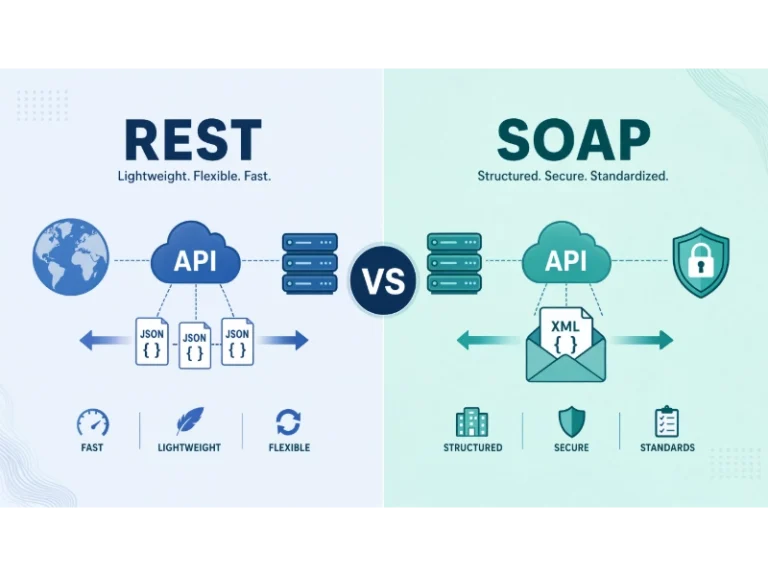
REST API vs SOAP API: Differences, Pros & Cons, and Use Cases
 Web Development
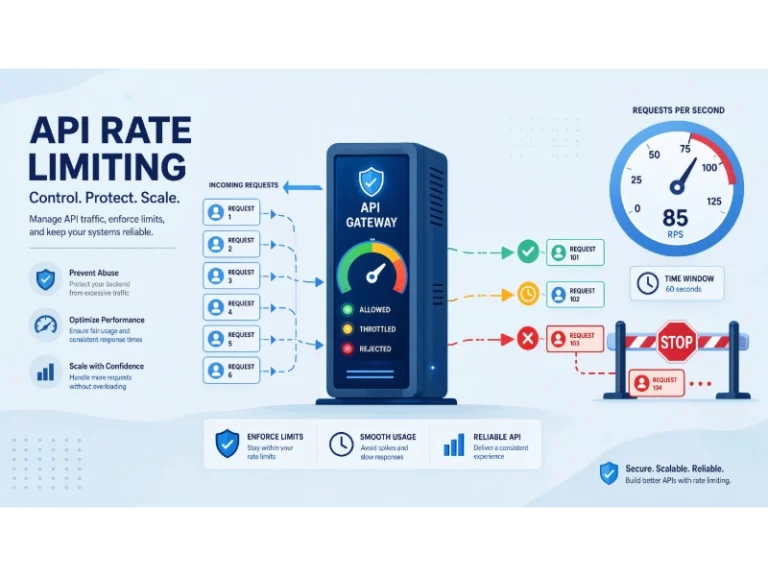
What Is API Rate Limiting? (A Practical, Simple Guide for Safer, Faster APIs)
 Cybersecurity
Is Groupon Legit? An Honest Review In 2026
 Cybersecurity