

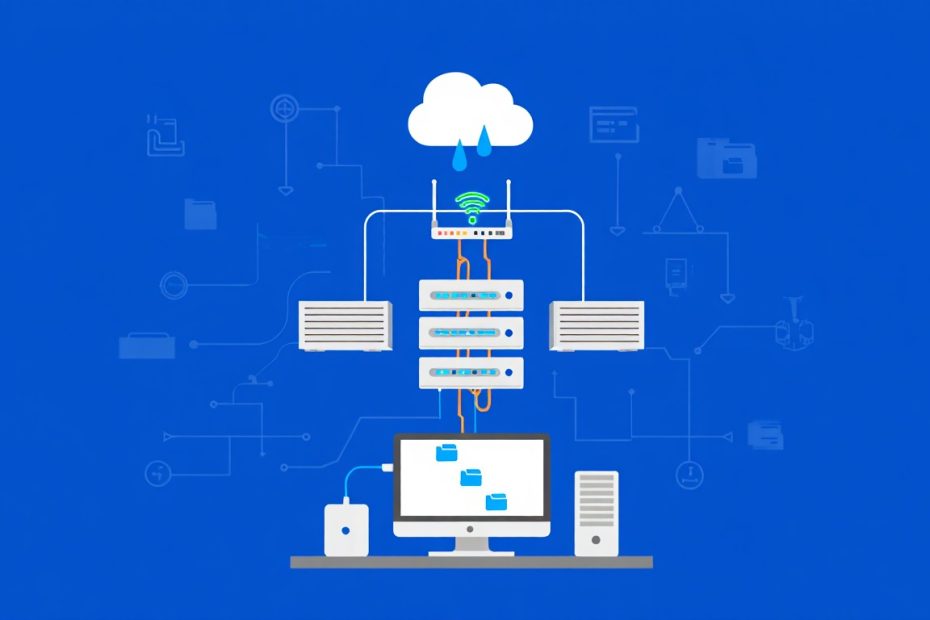
Data storage forms the backbone of every digital system, from personal computers to enterprise data centers. Understanding different types of data storage helps you choose the right storage solution for your specific needs. Storage technologies have evolved dramatically over the past decades, offering various options for storing, accessing, and managing digital information.
Modern storage systems range from traditional hard drives to advanced cloud platforms and emerging technologies. Each storage type offers unique advantages in terms of speed, capacity, cost, and accessibility. Choosing the right storage solution depends on factors like performance requirements, budget constraints, and data access patterns.
This comprehensive guide explores the major categories of data storage, their characteristics, and practical applications. You’ll learn how different storage types work, when to use each option, and how to evaluate storage solutions for your specific requirements. Understanding these fundamentals helps you make informed decisions about data storage infrastructure.
Primary Storage Types and Characteristics
Volatile Primary Storage
Random Access Memory (RAM) serves as the primary storage for active programs and data. RAM provides extremely fast read and write speeds but loses all data when power is removed. Modern systems use several types of RAM including DDR4 and DDR5 with varying speed and capacity characteristics.
Cache memory operates at even higher speeds than main memory but offers much smaller capacity. Processors use multiple cache levels (L1, L2, L3) to store frequently accessed instructions and data. Cache storage significantly improves system performance by reducing the time needed to access commonly used information.
Primary storage directly connects to the processor through high-speed buses. This direct connection enables immediate data access without the delays associated with secondary storage devices. The volatile nature of primary storage makes it unsuitable for long-term data retention.
Non-Volatile Primary Storage
Solid State Drives (SSDs) bridge the gap between traditional primary and secondary storage. Modern NVMe SSDs connect directly to motherboard slots, providing storage speeds approaching RAM performance. These devices retain data without power while offering much faster access than traditional hard drives.
Flash memory serves various primary storage roles in mobile devices and embedded systems. Different flash types including NAND and NOR, offer varying performance characteristics and durability ratings. Flash storage provides instant-on capabilities and shock resistance for portable applications.
Emerging technologies like 3D XPoint memory offer even faster non-volatile storage options. These storage media combine the speed advantages of RAM with the persistence of traditional storage devices. Such technologies represent the future direction of primary storage systems.

Secondary Storage Solutions
Mechanical Hard Disk Drives
Traditional hard disk drives (HDDs) remain popular for high-capacity storage applications. These devices use magnetic recording on spinning disks to store data permanently. HDDs offer excellent cost per gigabyte ratios, making them ideal for bulk data storage and archival purposes.
Enterprise-grade HDDs provide enhanced reliability and performance features for business applications. They include advanced error correction, vibration resistance, and extended warranty coverage. Storage management systems help optimize HDD performance and reliability in business environments.
HDD performance depends on factors like spindle speed, cache size, and interface type. Higher RPM drives provide faster data access but consume more power and generate more heat. Modern HDDs use SATA or SAS interfaces for connectivity to storage systems.
Solid State Storage Devices
SSDs offer superior performance compared to mechanical drives through flash memory technology. They provide faster boot times, application loading, and file transfers with no moving parts to fail. SSDs work well for operating system storage, frequently accessed applications, and performance-critical workloads.
Different SSD types serve various storage needs and budgets. SATA SSDs provide entry-level solid state performance at reasonable costs. NVMe SSDs deliver much higher speeds through PCIe connections but cost more per gigabyte. Enterprise SSDs offer enhanced endurance and reliability features.
SSD technology continues advancing with improved capacity, speed, and durability. 3D NAND technology allows higher storage densities while QLC flash reduces costs for high-capacity drives. These improvements make SSDs increasingly viable for more storage applications.
Optical Storage Media
Optical discs including CDs, DVDs, and Blu-ray provide removable storage for distribution and archival purposes. These media offer excellent longevity when properly stored and handle well for physical distribution of content. Optical storage remains relevant for software distribution and long-term archiving.
Different optical formats serve various capacity and performance requirements. Standard DVDs store 4.7GB while dual-layer discs hold 8.5GB. Blu-ray discs range from 25GB single-layer to 100GB triple-layer formats. Ultra HD Blu-ray supports even higher capacities for 4K content distribution.
Optical storage advantages include low cost per disc, wide compatibility, and resistance to magnetic interference. However, optical media offer slower access speeds than modern electronic storage and require physical handling for data access.
Network-Attached Storage Architectures
Network Attached Storage (NAS) Systems
NAS devices provide file-level storage access over standard network connections. These systems appear as network drives to connected computers and support multiple users accessing shared files simultaneously. NAS solutions work well for home networks, small businesses, and departmental storage needs.
Modern NAS systems offer advanced features beyond basic file sharing. They include backup services, media streaming, remote access capabilities, and application hosting. Many NAS devices support RAID configurations for data protection and performance improvement.
NAS deployment requires minimal technical expertise and integrates easily with existing networks. Most systems include web-based management interfaces and support standard network protocols like SMB, NFS, and FTP. Storage file systems determine how NAS devices organize and access stored data.
Storage Area Network (SAN) Solutions
SAN systems provide block-level storage access through dedicated high-speed networks. These solutions separate storage traffic from regular network communications, improving performance and reliability. SANs work well for enterprise applications requiring high-performance storage access.
Fibre Channel technology traditionally connects SAN components through dedicated switches and cables. Modern SAN implementations also support iSCSI over standard Ethernet networks, reducing infrastructure costs. Both approaches provide centralized storage management and improved utilization efficiency.
SAN solutions offer advanced features like storage virtualization, automated tiering, and disaster recovery capabilities. These systems require specialized knowledge for implementation and management, but provide enterprise-grade performance and reliability.

Cloud Storage Platforms and Services
Public Cloud Storage Services
Major cloud providers offer scalable storage services with pay-as-you-use pricing models. Amazon S3, Google Cloud Storage, and Microsoft Azure Blob Storage provide virtually unlimited capacity with global accessibility. These services eliminate the need for on-premises storage infrastructure investment and maintenance.
Cloud storage tiers optimize costs based on access frequency and performance requirements. Hot storage provides immediate access for frequently used data while cold storage offers lower costs for archival purposes. Some providers offer automated tiering that moves data between storage classes based on usage patterns.
Cloud storage integrates well with other cloud services and applications. APIs enable programmatic access for automated backup, content distribution, and application data storage. Global replication ensures data availability and disaster recovery capabilities across multiple geographic regions.
Private and Hybrid Cloud Storage
Private cloud storage provides cloud-like services within organization-controlled infrastructure. These solutions offer the scalability and management benefits of cloud storage while maintaining direct control over data security and compliance. Private clouds work well for organizations with strict data governance requirements.
Hybrid cloud storage combines on-premises and public cloud resources for optimal cost and performance balance. Organizations can keep sensitive data on-premises while using cloud storage for backup, archiving, and overflow capacity. This approach provides flexibility and cost optimization opportunities.
Cloud storage gateways facilitate hybrid deployments by providing on-premises appliances that connect to cloud storage services. These devices cache frequently accessed data locally while storing the complete dataset in the cloud. The approach provides cloud scalability with local performance.
Object, Block, and File Storage Models
Object Storage Architecture
Object storage organizes data as discrete objects with unique identifiers and metadata. Each object contains the data, attributes, and a globally unique identifier within a flat namespace. This architecture scales to massive capacities and works well for unstructured data like images, videos, and documents.
Object storage systems provide REST APIs for programmatic access rather than traditional file system interfaces. Applications interact with objects through HTTP requests, making object storage ideal for web applications and cloud-native development. Metadata capabilities enable rich tagging and classification of stored objects.
Popular object storage implementations include Amazon S3, OpenStack Swift, and MinIO. These systems offer features like versioning, lifecycle management, and cross-region replication. Object storage excels at handling large amounts of unstructured data with high durability and availability.
Block Storage Systems
Block storage provides raw storage volumes that appear as local disks to connected systems. Applications and operating systems manage file systems and data organization on block storage devices. This approach offers maximum flexibility and performance for database and virtual machine storage.
Block storage systems typically use protocols like iSCSI, Fibre Channel, or NVMe over Fabrics for connectivity. These protocols provide low-latency access suitable for high-performance applications. Block storage works well for transactional databases, virtual machine storage, and high-IOPS workloads.
Cloud providers offer block storage services that integrate with virtual machine instances. Amazon S3 bucket services provide scalable block storage with various performance tiers. These services include features like snapshots, encryption, and automated backup.
File Storage Solutions
File storage provides hierarchical file system access through standard protocols like NFS and SMB. This familiar interface works well for applications expecting traditional file and folder structures. File storage supports features like file locking, permissions, and symbolic links that many applications require.
Distributed file systems extend file storage across multiple servers for improved performance and capacity. Examples include GlusterFS, Ceph, and Lustre that provide scale-out file storage architectures. These systems distribute data across cluster nodes while presenting a unified file system namespace.
Cloud file storage services offer managed file systems with enterprise features. Amazon EFS, Azure Files, and Google Filestore provide scalable file storage accessible from multiple compute instances simultaneously. These services include backup, encryption, and performance optimization capabilities.

Emerging Storage Technologies
Software-Defined Storage
Software-defined storage (SDS) separates storage management software from underlying hardware. This approach enables greater flexibility, easier scaling, and reduced vendor lock-in compared to traditional storage arrays. SDS solutions run on commodity hardware while providing enterprise storage features.
SDS platforms typically include storage virtualization, automated provisioning, and policy-based management. They can aggregate different storage types into unified pools and provide consistent management interfaces. Popular SDS solutions include VMware vSAN, Red Hat Ceph, and Microsoft Storage Spaces Direct.
The software-defined approach enables rapid deployment and scaling of storage infrastructure. Organizations can start with modest hardware investments and scale by adding servers as needed. This flexibility provides better alignment between storage capacity and actual business requirements.
Persistent Memory Technologies
Persistent memory bridges the performance gap between RAM and traditional storage while retaining data without power. Technologies like Intel Optane DC Persistent Memory provide byte-addressable storage with near-memory performance. These solutions work well for in-memory databases and high-performance computing applications.
Storage Class Memory (SCM) represents the broader category of persistent memory technologies. SCM devices offer higher density than DRAM while providing much faster access than NAND flash. Applications can use SCM as either fast storage or persistent memory depending on configuration.
Persistent memory requires new programming models and file systems to realize full benefits. DAX (Direct Access) file systems enable applications to directly access persistent memory without traditional I/O overhead. This capability enables new application architectures with improved performance and simplified data management.
Edge and Distributed Storage
Edge computing drives demand for storage solutions closer to data sources and users. Edge storage systems provide local data processing and caching while maintaining connections to centralized storage. This architecture reduces latency and bandwidth requirements for distributed applications.
Distributed storage systems replicate data across multiple geographic locations for improved performance and reliability. These systems use technologies like eventual consistency and conflict resolution to maintain data integrity across distributed nodes. Examples include Amazon DynamoDB and Apache Cassandra.
Edge storage solutions must operate with limited local resources while providing reliable data services. They typically include intelligent caching, data compression, and selective synchronization features. Cloud computing essentials help organizations understand how edge storage fits into broader infrastructure strategies.
Storage Performance and Capacity Considerations
Performance Metrics and Requirements
Storage performance measurement includes several key metrics that affect application responsiveness and user experience. Input/Output Operations Per Second (IOPS) measures how many read or write operations storage can handle simultaneously. Throughput measures the amount of data transferred per unit of time, typically expressed in megabytes or gigabytes per second.
Latency represents the time delay between requesting data and receiving it from storage. Low latency storage provides immediate response for interactive applications while higher latency may be acceptable for background processing. Different storage types offer varying latency characteristics based on their underlying technology.
Sequential access patterns perform better on traditional hard drives while random access favors solid-state storage. Understanding application access patterns helps choose appropriate storage types for optimal performance. Database applications typically require low-latency random access while backup systems can use high-throughput sequential storage.
Capacity Planning and Scalability
Storage capacity planning involves predicting future storage needs based on current usage trends and business growth projections. Data growth rates vary significantly between organizations and applications. Email systems might grow steadily while multimedia applications can experience rapid capacity increases.
Scalability considerations include both vertical scaling (adding capacity to existing systems) and horizontal scaling (adding more storage nodes). Different storage architectures support varying scalability approaches. Traditional storage arrays typically scale vertically while distributed systems enable horizontal scaling.
Capacity utilization optimization helps maximize storage efficiency and reduce costs. Techniques include data compression, deduplication, and tiering based on access frequency. Storage management systems provide tools for monitoring utilization and optimizing capacity allocation.
Cost Analysis and ROI Considerations
Storage costs include initial hardware investment, ongoing maintenance, power consumption, and management overhead. Different storage types have varying cost structures that affect total cost of ownership calculations. SSDs cost more per gigabyte but may provide better performance per dollar for certain applications.
Cloud storage offers predictable operating expense models rather than large capital investments. However, data transfer costs and long-term storage fees can accumulate significantly over time. Organizations must evaluate cloud storage costs against on-premises alternatives for their specific usage patterns.
Return on investment calculations should consider performance benefits, reduced downtime, and improved productivity alongside direct cost savings. Faster storage can reduce application response times and improve user productivity. Reliable storage systems reduce costly downtime and data recovery efforts.

Data Protection and Backup Strategies
RAID and Redundancy Technologies
Redundant Array of Independent Disks (RAID) technology provides data protection and performance improvement through multiple drive configurations. RAID 1 mirrors data across drives for protection while RAID 0 stripes data for performance. RAID 5 and 6 provide protection with parity information distributed across multiple drives.
Different RAID levels offer varying balances between performance, capacity efficiency, and protection level. RAID 10 combines mirroring and striping for high performance with protection but uses 50% of raw capacity. RAID 6 can survive two drive failures but requires more overhead for parity calculations.
Modern storage systems often implement RAID functionality in software rather than dedicated hardware controllers. Software RAID provides greater flexibility and easier management while reducing dependency on proprietary hardware. Some advanced systems use erasure coding instead of traditional RAID for better efficiency.
Backup and Archive Solutions
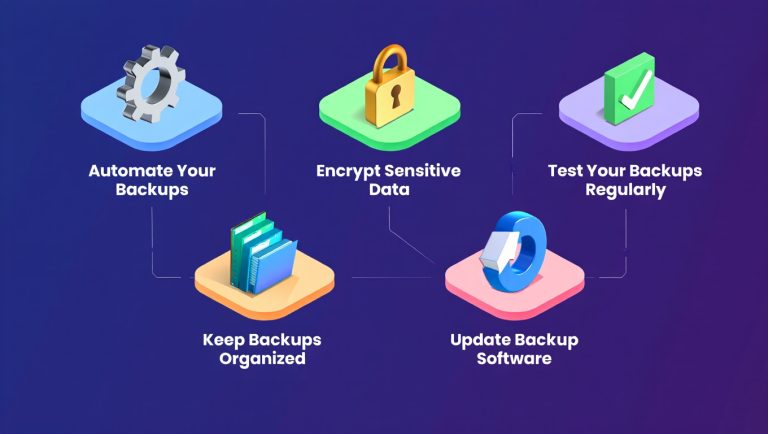
Regular data backup protects against hardware failures, data corruption, and accidental deletion. Backup strategies typically follow the 3-2-1 rule: maintain three copies of important data, store them on two different media types, and keep one copy off-site. This approach provides protection against various disaster scenarios.
Backup technologies include full backups that copy all data, incremental backups that copy only changed files, and differential backups that copy changes since the last full backup. Each approach offers different trade-offs between backup speed, storage usage, and recovery time requirements.
Archive solutions provide long-term storage for data that is accessed infrequently but must be retained for compliance or historical purposes. Archive storage typically prioritizes low cost over high performance. Data loss prevention best practices help organizations implement comprehensive data protection strategies.
Disaster Recovery Planning
Disaster recovery planning ensures business continuity when primary storage systems fail or become unavailable. Recovery strategies include hot sites with real-time replication, warm sites with regular backups, and cold sites with basic infrastructure for emergency restoration.
Recovery Time Objective (RTO) measures how quickly systems must be restored after an outage while Recovery Point Objective (RPO) measures acceptable data loss in time. Different storage technologies and replication strategies provide varying RTO and RPO capabilities based on cost and complexity.
Geographic replication distributes data across multiple locations to protect against regional disasters. Synchronous replication provides zero data loss but requires high-speed connections between sites. Asynchronous replication tolerates some data loss but works over longer distances with standard network connections.
Storage Security and Compliance
Encryption and Access Controls
Data encryption protects stored information from unauthorized access even if storage devices are compromised. Encryption can occur at multiple levels including application-level, file system-level, and device-level protection. Each approach offers different security benefits and performance implications.
Key management systems securely generate, distribute, and rotate encryption keys used to protect stored data. Proper key management is critical for encryption effectiveness and data recovery capabilities. Hardware Security Modules (HSMs) provide tamper-resistant key storage for high-security applications.
Access controls limit who can read, modify, or delete stored data based on user identity and permissions. Role-based access control (RBAC) assigns permissions based on job functions while attribute-based access control (ABAC) uses multiple attributes for more granular control. Data encryption methods provide detailed information about protecting stored data.
Compliance and Regulatory Requirements
Various regulations require specific data storage and protection measures for different industries and data types. HIPAA governs healthcare data storage while PCI DSS regulates payment card information. GDPR and similar privacy laws impose requirements for personal data protection and retention.
Compliance requirements often specify encryption standards, access logging, data retention periods, and deletion procedures. Storage systems must provide audit trails documenting who accessed what data and when. Some regulations require data to remain within specific geographic boundaries.
Compliance monitoring tools help organizations track adherence to regulatory requirements and identify potential violations. These tools can automatically apply retention policies, generate compliance reports, and alert administrators to policy violations. Data security measures help organizations maintain regulatory compliance.
Data Governance and Lifecycle Management
Data governance frameworks establish policies for data classification, retention, and disposal throughout the information lifecycle. Different data types require different protection levels and retention periods based on business value and regulatory requirements.
Information lifecycle management (ILM) automates data movement between storage tiers based on age, access frequency, and business policies. Active data might reside on high-performance storage while archived data moves to lower-cost options. Automated policies reduce management overhead and optimize storage costs.
Data classification systems categorize information based on sensitivity, business value, and regulatory requirements. Classification drives appropriate security controls, retention policies, and storage tier assignments. Machine learning systems can automate data classification based on content analysis and usage patterns.
Future Trends in Data Storage
Artificial Intelligence and Machine Learning Integration
AI-powered storage systems optimize performance and capacity allocation based on usage pattern analysis. Machine learning algorithms can predict storage failures, recommend optimal data placement, and automate tier management decisions. These capabilities reduce administrative overhead while improving system performance.
Intelligent data management systems use AI to automatically classify data, apply appropriate security policies, and enforce retention requirements. Natural language processing can analyze document content to determine appropriate storage and protection levels. Computer vision systems can classify image and video content for optimal storage strategies.
Predictive analytics help storage administrators plan capacity expansions and identify potential performance bottlenecks before they impact users. AI systems can analyze historical usage patterns and recommend optimal storage configurations for changing workload requirements.
DNA and Quantum Storage Technologies
DNA storage represents an emerging technology that can store digital data in synthetic DNA molecules. This approach offers extremely high storage density and long-term stability for archival applications. DNA storage could eventually replace traditional magnetic and optical media for long-term preservation.
Quantum storage technologies leverage quantum mechanical properties for enhanced storage capabilities. Quantum systems could provide exponentially higher storage capacities and processing speeds compared to classical systems. However, quantum storage remains largely experimental with significant technical challenges.
Both DNA and quantum storage face substantial cost and complexity barriers for practical implementation. These technologies may initially serve specialized applications before becoming viable for mainstream storage needs. Research continues to address scalability and reliability challenges.
Sustainability and Green Storage Initiatives
Environmental concerns drive development of more energy-efficient storage technologies and systems. Modern storage devices consume significantly less power per gigabyte than older generations while providing better performance. Data center operators increasingly prioritize power efficiency in storage procurement decisions.
Sustainable storage practices include lifecycle management that maximizes hardware utilization before disposal and recycling programs for end-of-life equipment. Organizations are implementing policies to reduce storage waste through better capacity planning and data management practices.
Green storage initiatives also focus on reducing carbon footprints through renewable energy usage and efficient cooling systems. Cloud storage providers increasingly offer carbon-neutral storage services powered by renewable energy sources.
Frequently Asked Questions
What are the main differences between storage types?
The primary differences between storage types include speed, capacity, cost, and persistence. Primary storage like RAM offers extremely fast access but loses data when power is removed. Secondary storage like hard drives and SSDs retain data permanently but with slower access speeds. Network storage provides shared access across multiple systems while cloud storage offers scalability and remote accessibility.
How do I choose the right storage solution for my needs?
Choosing the right storage solution depends on your performance requirements, capacity needs, budget constraints, and data access patterns. Consider factors like read/write speeds, storage capacity, reliability requirements, and whether you need local or remote access. Evaluate both initial costs and ongoing expenses including power, maintenance, and management overhead.
What is the difference between SSD and HDD storage?
SSDs use flash memory with no moving parts, providing faster speeds, lower power consumption, and better shock resistance than HDDs. HDDs use magnetic storage on spinning disks, offering higher capacity at lower cost but with slower performance and higher power usage. SSDs work better for performance-critical applications while HDDs suit bulk storage and archival needs.
Is cloud storage more secure than local storage?
Cloud storage security depends on the provider’s security measures and your configuration choices. Reputable cloud providers offer enterprise-grade security including encryption, access controls, and compliance certifications. However, local storage gives you direct control over security implementation. The best approach often combines both cloud and local storage with appropriate security measures for each.
How much storage capacity do I need?
Storage capacity requirements vary greatly based on your specific use case and data types. Consider current usage, growth projections, backup requirements, and retention policies. Text documents require minimal space while high-resolution images, videos, and databases need substantial capacity. Plan for 2-3 times your current usage to accommodate future growth.
What is the most reliable storage type?
Storage reliability depends on the specific implementation and usage conditions rather than just the storage type. Enterprise-grade drives typically offer better reliability than consumer versions regardless of technology. Redundant configurations like RAID provide better reliability than single drives. Regular backups remain essential regardless of primary storage reliability.
How do different storage types affect system performance?
Storage performance significantly impacts overall system responsiveness and application performance. SSDs provide much faster boot times and application loading than HDDs. High-IOPS storage improves database performance while high-throughput storage benefits large file transfers. Matching storage performance characteristics to application requirements optimizes system performance.
What are the cost considerations for different storage types?
Storage costs include initial purchase price, power consumption, cooling requirements, and maintenance expenses. SSDs cost more per gigabyte initially but may provide better total cost of ownership through lower power usage and higher reliability. Cloud storage offers predictable monthly costs but can become expensive for large datasets or frequent access patterns.
Conclusion
Understanding different types of data storage helps you make informed decisions about storing and managing digital information. Each storage technology offers unique advantages in terms of performance, capacity, cost, and reliability characteristics. The best storage solution depends on your specific requirements for speed, capacity, budget, and data protection needs.
Modern storage environments typically combine multiple storage types to optimize performance and costs. Primary storage handles active data processing while secondary storage provides bulk capacity for less frequently accessed information. Cloud storage adds scalability and remote accessibility while backup systems ensure data protection and disaster recovery capabilities.
Storage technology continues evolving with advances in flash memory, software-defined systems, and emerging technologies like persistent memory. Organizations should regularly evaluate their storage infrastructure to take advantage of performance improvements and cost reductions. Understanding storage architecture helps you plan storage strategies that grow with your needs.
Effective storage management requires ongoing monitoring, capacity planning, and performance optimization. Regular assessment of storage utilization, performance metrics, and cost effectiveness ensures your storage infrastructure continues meeting business requirements. Consider both current needs and future growth when selecting storage solutions for long-term success.
The key to successful data storage lies in matching storage characteristics to application requirements while maintaining appropriate levels of protection and cost efficiency. Take time to understand your specific storage needs and evaluate different options before making significant infrastructure investments.
You May Also Like
 Cloud Computing
8 Best AWS S3 Alternatives Compared: Pricing, Egress, and S3 Compatibility
 Cloud Computing
What Is Cloud Cost Optimization? Strategy & Best Practices
 Web Development
Supabase Auth Guide: Authentication, OAuth, OTP, MFA, SSO, Sessions, and Pricing
 Web Development
15 Best CyberPanel Alternatives in 2026: Free and Paid
 Web Development
Heroku vs. Netlify (2026): Pricing, Features, and Best Uses
 Cloud Computing
What Is Hybrid Cloud Computing? A Complete Guide
 Data Security & Privacy
How Can Companies Protect Customer Data? Essential Security Strategies and Compliance Guide
 Cloud Computing
11 Best Cloud Migration Service Providers in 2026
 Backup Software