

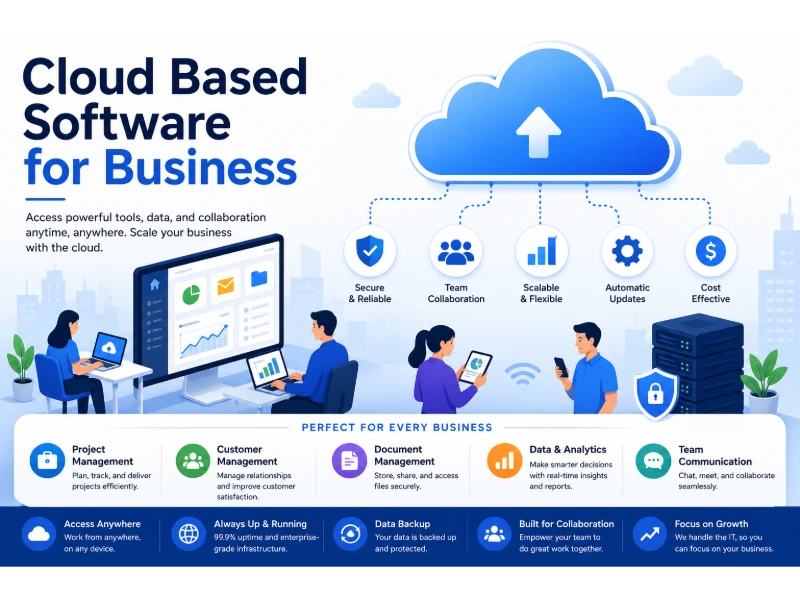
Cloud based software gives a business lower IT costs, faster tool rollout, and safe file access from any location. Most companies see IT spending drop somewhere between 20% and 40% after a well-managed move. The software runs on a provider’s servers, reached through a browser, and paid for monthly or yearly instead of bought outright.
The shift is close to finished across the market. Around 94% of enterprise organizations use cloud computing, per data compiled by G2. Roughly 60% of business data now lives in cloud storage. Eurostat recorded 66.78% of medium-sized European enterprises buying cloud services in 2025, up from 59.09% two years earlier. Software as a Service holds about 53.6% of cloud market revenue, according to Grand View Research.
What follows is written from the pattern that repeats across migrations: what improves, what breaks, what the invoice looks like in year two, and which steps to take in which order. Percentages come from published industry surveys and shift by source, company size, and sector. Read them as ranges, not guarantees.
Renting Software Instead of Owning It
Cloud based software is a program hosted on someone else’s servers and delivered over the internet. You log in. The provider handles hardware, patching, backups, and uptime. Ownership is the dividing line — on-premise means you own and maintain the stack, cloud means you rent access and someone else maintains it.
The three shapes cloud software takes
Cloud services arrive in three forms, and most businesses only ever touch the first.
- SaaS — finished applications ready to use, such as QuickBooks Online, Salesforce, Slack, and Google Workspace.
- PaaS — a build environment for developers, such as Heroku or Google App Engine.
- IaaS — raw servers and storage you configure yourself, such as Amazon EC2 or Azure Virtual Machines.
Companies without an engineering team should stay in the SaaS lane. IaaS gives more control and hands you back every maintenance job you were trying to escape.
Where on-premise still holds ground
On-premise software still fits three situations: strict data residency rules in defense or certain healthcare settings — where teams often lean on a private cloud built for healthcare organizations instead of full public cloud — factory floors with unreliable internet, and legacy systems where the vendor never built a hosted version. Everything else has a credible cloud path. A hybrid setup — sensitive records local, everyday tools hosted — covers most of the gap.
Where the 20–40% Cost Reduction Comes From
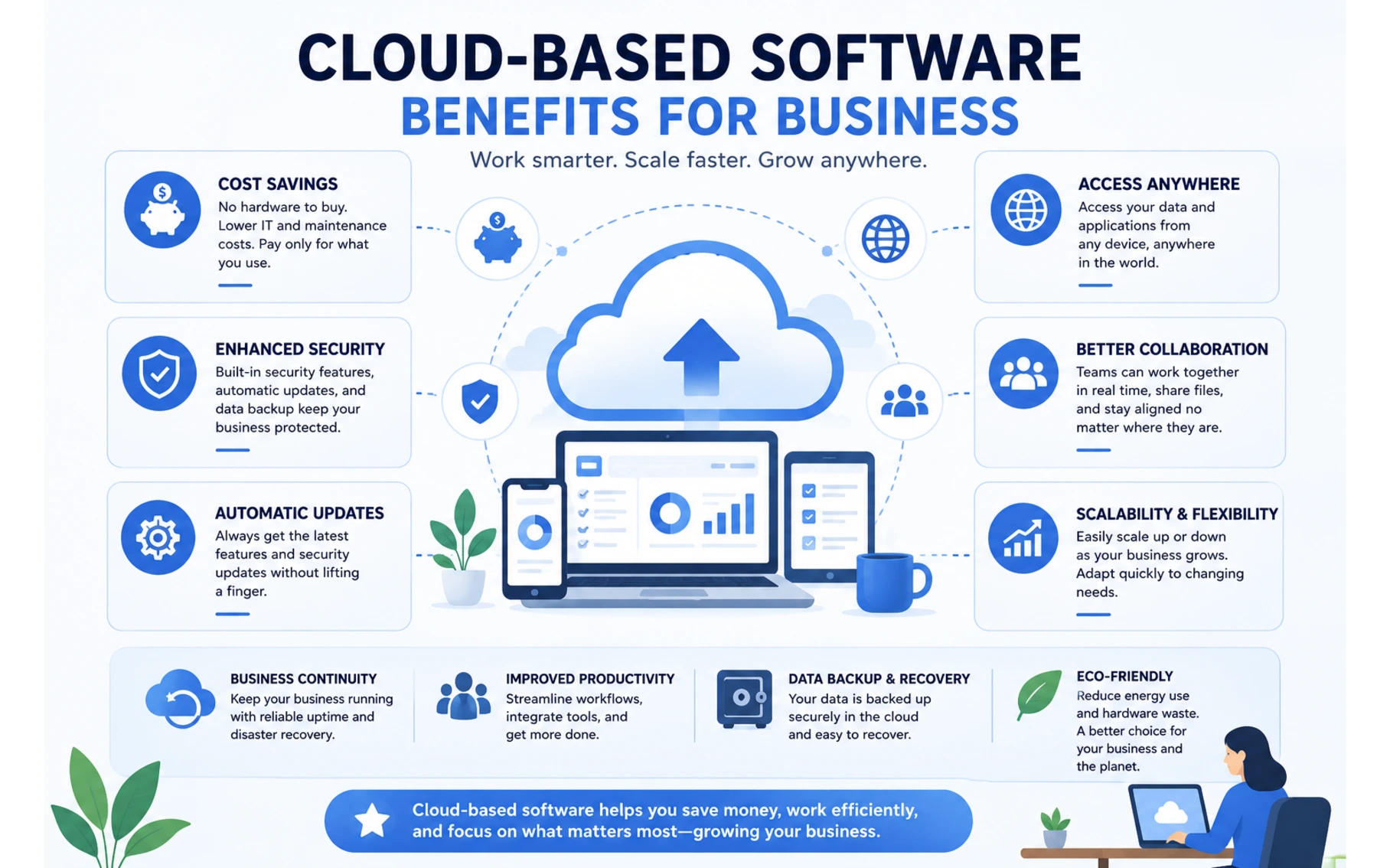
The savings come from deleting whole categories of spending, not from cheaper software. CloudZero’s cost analysis places achievable reductions in the 20–40% band, conditional on active management. Vendor-side studies commonly cite around 30% average IT savings, with 30–50% lower infrastructure cost for smaller firms in the early years.
These line items disappear:
- Server purchases and the three-to-five-year replacement cycle
- Backup hardware and off-site tape rotation
- Power, cooling, and floor space for a server closet
- Emergency callouts when a drive fails on a Friday
- Overtime for after-hours patch weekends
A three-year cost picture for a 25-person company
The table below shows how the two models compare over 36 months. Figures are illustrative and move a lot by industry.
| Cost item | On-premise | Cloud |
|---|---|---|
| Upfront hardware | $18,000–$35,000 | $0 |
| Software licenses | $12,000 one-time | $9,000–$21,000 across 3 years |
| Maintenance labor | $15,000–$25,000 | $4,000–$8,000 |
| Year-three refresh | $10,000+ | Included |
| Cash flow shape | Large lumps | Flat monthly |
The flat monthly shape matters more than the total for young companies. A $30,000 hardware purchase competes with hiring. A $900 monthly bill does not.
The waste nobody budgets for
Cloud spending is not automatically efficient. Flexera’s State of the Cloud research found estimated wasted cloud spend climbed to 29%, reversing five straight years of improvement. In the same research, 84% of respondents named cloud cost management their top challenge.
The waste has boring causes: seats assigned to people who left, oversized instances nobody resized, test environments left running since spring, and two departments paying for competing tools that do the same job. A quarterly license audit typically recovers 10–20% of seats. Put it on the calendar, because no one does it voluntarily.
What Teams Notice in Week One, Month Three, and Year Two
Benefits arrive on a schedule, and knowing that schedule prevents a premature verdict. The finance team asking for proof at day 30 is looking too early.
Week one signals
- Staff open the same file from home, office, and a client’s parking lot.
- A new tool goes live in hours rather than the 6–12 weeks a server install used to take.
- Nobody schedules a maintenance weekend.
- Phones and tablets reach the same data as laptops.
Month three signals
- Version conflicts stop. One document exists, several people edit it.
- Onboarding a hire becomes account assignment, not machine imaging.
- Backups run without anyone remembering to start them.
- Integrations begin paying off — a closed sale in the CRM posts to accounting automatically.
Year two signals
- Headcount changes no longer trigger hardware conversations.
- A recovery drill finishes in hours instead of days.
- Compliance audits move faster because providers hold SOC 2 and ISO 27001 certifications already.
- Analytics and AI features become available that would be uneconomical to build in-house.
Speed Gains Come From Removing Waiting, Not Working Faster
Cloud tools raise output by cutting dead time, not by pushing people harder. That distinction shapes what you should measure.
Three sources of gain repeat everywhere. Version control ends duplicate work, since nobody rebuilds a report from a stale copy. Fewer outages preserve billable hours, and mainstream providers commit to uptime near 99.9%, which allows roughly 8.7 hours of downtime a year. One aging office server can lose more than that in a single bad week.
Location freedom keeps schedules workable. About 22.8% of U.S. employees worked remotely at least part of the time as of March 2025. Gallup found six in ten remote-capable workers prefer hybrid arrangements, a shift that has pushed demand for time tracking software built for remote teams. Cloud software is the mechanism that makes those arrangements possible at all.
One honest caveat from watching rollouts: productivity gains stall when companies buy licenses and skip training. Teams without a structured walkthrough commonly use under half the features they pay for. Half a day of training per major tool is the cheapest line in the whole project.
The Provider Guards the Building, You Guard the Keys
Cloud platforms are secure enough for the large majority of businesses, because Amazon, Microsoft, and Google fund security teams no mid-sized company could staff. Encryption in transit and at rest is standard. Monitoring runs around the clock.
Responsibility splits, though. The provider secures infrastructure. You secure accounts, permissions, and behavior. Flexera found 77% of organizations still rank security among their leading cloud concerns, and most incidents trace to the customer side of that line: reused passwords, multi-factor authentication switched off, storage set to public, ex-employee accounts left active, and phishing clicks.
Six controls that stop most incidents
- Require multi-factor authentication on every account, with no executive exemptions.
- Grant least-privilege access so roles see only what they need.
- Review the user list monthly and disable departed staff the same day they leave.
- Turn on audit logging and assign a person to read it.
- Keep an independent backup, because the provider’s copy is not your copy.
- Run short phishing awareness sessions twice a year.
Point five carries the most weight. Cloud storage protects against hardware failure. It does not protect against a manager deleting the wrong shared folder, or against ransomware that encrypts synced files. Data loss remains common at smaller firms, and reported incident costs frequently reach six figures. A separate backup with its own retention rules closes that hole.
Paying for December Capacity in July
Cloud software scales up and down within minutes, which fixes the oldest waste problem in IT: buying for peak demand and idling the rest of the year. A retailer sizing servers for December used to carry that capacity through the following October.
Scaling happens two ways. Vertical scaling adds power to what you already run, such as more memory for a database. Horizontal scaling adds parallel instances to share load, common during traffic spikes.
A clear example sits in professional services. An accounting firm with 12 permanent staff hires 20 seasonal preparers from January through April. Cloud licensing means 32 seats for four months, then 12 for the rest of the year. The old model meant 32 licenses purchased once and 20 of them unused for two-thirds of the year.
Scaling down takes discipline. Automatic scale-up paired with manual scale-down is precisely how that 29% waste figure accumulates. Tie seat removal to your offboarding checklist.
Cloud and On-Premise, Side by Side
Both models can run a business well. They differ in who carries the risk, the labor, and the cash burden.
| Factor | Cloud based software | On-premise software |
|---|---|---|
| Upfront cost | Low, subscription-based | High, capital purchase |
| Deployment time | Hours to days | Weeks to months |
| Updates | Automatic, vendor-managed | Manual, staff-managed |
| Remote access | Built in | Requires VPN setup |
| Scaling | Minutes, both directions | New hardware purchase |
| Security burden | Shared with provider | Fully yours |
| Data control | Provider infrastructure | Your building |
| Long-run cost | Rises with headcount | Flattens after payback |
| Internet dependence | High | Low |
The long-run row is the one honest advisors flag. A stable 200-person firm running the same software for a decade can find on-premise cheaper on paper. Most firms are not stable for a decade.
The Downside Column Honest Vendors Skip
Cloud software carries five real costs, and knowing them upfront prevents resentment later.
- Internet dependence. No connection, no work. A backup line or cellular failover is not optional for operations-critical tools.
- Subscription creep. Per-seat pricing grows with headcount and never returns to zero. Model the five-year total, not the first invoice.
- Vendor lock-in. Exporting years of data into a competitor’s format is slow and sometimes lossy — a risk that runs deeper with proprietary software built on closed formats. Ask about export formats before signing, not during a dispute.
- Limited customization. SaaS bends less than software you own. Confirm your non-negotiable workflows during the trial.
- Compliance homework. Data residency rules in sectors like healthcare and finance restrict where records may sit. Verify hosting regions in writing.
A Migration Order That Keeps Payroll Running
Sequence matters more than speed, especially for a team running its first real data migration project. The pattern below avoids the classic failure of moving the accounting system first and discovering the export was incomplete on the day rent is due.
- Inventory every system in use, including the spreadsheets nobody admits to.
- Rank each one by business risk if it breaks for a day.
- Move the lowest-risk system first — usually file storage or internal chat.
- Run old and new in parallel for two to four weeks before cutting over.
- Verify the exported data against source records before switching off the old system.
- Train each team on its own tools, not on everything at once.
- Move finance, payroll, and customer records last, during a quiet period.
- Schedule a 90-day review to remove unused licenses and duplicate tools.
Two additions from experience. Assign one internal owner per system, because shared ownership means no ownership. And keep the old environment readable for 90 days after cutover, in read-only mode. It costs little and settles arguments about what a record said in March.
Numbers Worth Tracking After the Switch
Track five figures, quarterly. They tell you whether the move worked.
| Metric | How to read it |
|---|---|
| Cost per user, per month | Should flatten, then fall as duplicates are cut |
| License utilization rate | Below 80% signals paid seats going unused |
| Downtime hours per quarter | Compare against the pre-migration baseline |
| Recovery time in a test restore | Hours is good, days means the plan is theoretical |
| Support tickets per 100 staff | A drop confirms fewer local hardware problems |
Baseline these before migrating. Companies that skip the baseline lose the ability to prove anything afterward.
Frequently Asked Questions
Is cloud based software cheaper than on-premise software?
Yes, for most businesses under roughly 250 staff. The savings come from eliminating hardware purchases, refresh cycles, and maintenance labor, which is where the reported 20–40% IT cost reduction originates. The advantage narrows for large, stable organizations that run identical systems for many years and can spread capital costs across a long payback period.
Can a small business run entirely on cloud software?
Yes. Accounting, payroll, customer records, file storage, email, and project management all have mature hosted options, so a small firm can operate without a single office server. The requirement is a reliable internet connection with a backup path, since every tool depends on it.
Is data safer in the cloud than on an office server?
Yes, in most cases. Major providers maintain 24/7 monitoring, encryption at rest and in transit, and certifications such as SOC 2 and ISO 27001 that few individual companies can match. The qualifier is that account security stays your job, and most breaches begin with weak passwords or missing multi-factor authentication rather than provider failure.
Does cloud software work without internet access?
No, not fully. Some applications offer offline modes that cache recent files and sync later, but full functionality requires a connection. Businesses in areas with unstable service should budget for a secondary connection or keep critical operations on local systems.
Will switching to the cloud disrupt daily operations?
No, provided the migration runs in stages with parallel operation. Disruption happens when companies cut over everything at once or skip data verification. A phased sequence that moves low-risk systems first keeps interruptions to hours rather than days.
Do cloud subscriptions cost more over ten years?
Yes, in raw software spending. Subscriptions never end, while purchased licenses eventually stop costing money. The comparison changes once hardware refreshes, maintenance labor, and downtime are included, and it changes further if headcount fluctuates, since subscriptions shrink when the team does.
Can you move off a cloud provider later?
Yes, though the difficulty varies widely. Providers that support open export formats make migration straightforward, while platforms with proprietary data structures make it slow and expensive. Confirm the export process during evaluation, and test an actual export within the first year rather than assuming it works.
Conclusion
Cloud based software delivers three dependable outcomes for business: IT cost reductions in the 20–40% range, deployment measured in days instead of months, and work access that no longer depends on being in the building. Adoption figures near 94% among enterprises, roughly 60% of business data in cloud storage, and Eurostat’s rise to 66.78% among medium-sized European firms all point the same direction.
The results are not automatic. Flexera’s 29% waste figure and the 84% who struggle with cloud cost management describe what happens without a quarterly license audit and a named owner for each system. Security follows the same rule — the provider secures the infrastructure, you secure the accounts, and most incidents happen on your side of that line.
Start with one low-risk system. Baseline your costs and downtime before you move. Run old and new side by side, verify the data, and save finance and payroll for last. Review at 90 days and cut what nobody uses. Handled in that order, the switch turns IT from an unpredictable capital problem into a monthly line item you can actually plan around.
You May Also Like
 Cloud Computing
8 Best AWS S3 Alternatives Compared: Pricing, Egress, and S3 Compatibility
 SaaS
SaaSWhat is Confluence Used For In Project Management?
 SaaS
SaaSCognito Forms to Jira Software Cloud Integration: Setup, Automation, Field Mapping, and Best Practices
 Web Development
Building Apps with Lovable and Supabase: A Step-by-Step Guide
 Web Development
Heroku vs. Netlify (2026): Pricing, Features, and Best Uses
 Software
When Fixing Bugs Is No Longer Enough: How to Rescue a Failing Software Project
 SaaS
SaaS25 Best Pipedrive Integrations to Automate Sales and Grow Your Business
 SaaS
SaaS10 Best Virtual Phone Number Services for 2026: A Practical Buying Guide
 SaaS
SaaS