

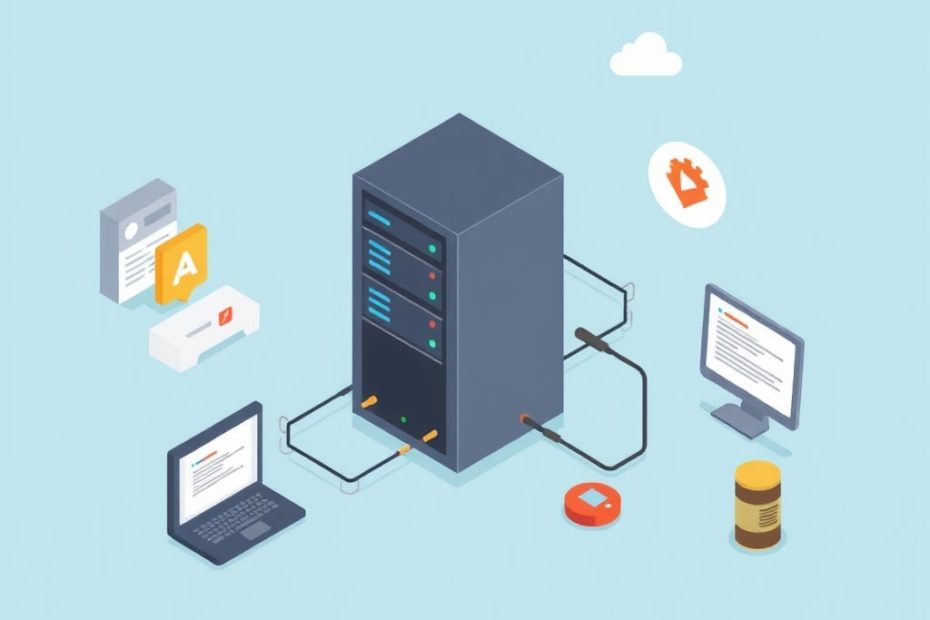
Websites need two important things to work well a host and a server. These are the basic building blocks that let your website appear online for visitors. In this guide, we explain what a host is and what a server does. We also discuss how each part affects your website’s speed, security, and overall performance. Whether you run a small blog or a busy online store, understanding these two elements can help you make better choices for your website.
Knowing the difference between a host and a server helps you choose the right services when setting up your website. When you look for web hosting, you might come across terms like shared hosting, VPS hosting, or cloud hosting. Each of these options relies on different types of servers to deliver your website to visitors. This guide will help you understand these terms and explain why they matter for website speed, reliability, and growth.
What Is a Host? Understanding the Role of Web Hosting
A host is the place where all your website files are stored. Think of it as the land on which your website is built. When you buy hosting, you are renting space on a computer that is connected to the internet. This space holds all the pages, pictures, videos, and other files that make up your website.
Web hosting providers offer many different plans. Some plans are very simple and cost little money, while others provide more space and better performance. With shared hosting, many websites live on the same computer. This option is usually the cheapest and works well for small websites or blogs. However, if your website grows, you might need more power and dedicated space.
There are also plans like Virtual Private Server (VPS) hosting and dedicated hosting. With VPS hosting, one physical computer is divided into many virtual ones. This means your website has more dedicated resources compared to shared hosting. Dedicated hosting gives you an entire computer for your website. This option is best for large websites that receive lots of visitors and need extra security and speed.

In addition to these, cloud hosting is becoming very popular. With cloud hosting, your website runs on a network of computers rather than a single machine. This setup offers great flexibility because it can easily handle changes in website traffic. Many businesses choose cloud hosting because it allows them to pay only for the resources they use.
Choosing the right host is key to making sure your website is always available. A good hosting provider will offer high uptime, strong security features, and fast network connections. These factors help ensure that your website loads quickly and stays online, even when many people visit at the same time.
What Is a Server? How a Server Works for Your Website
A server is a powerful computer that handles all the work behind your website. It processes the information and sends the right files to visitors when they request them. Think of a server as the engine in a car—it makes everything run smoothly. When someone visits your website, their browser asks the server for the needed information, and the server responds by sending back the files that create your webpage.
Servers come in many different forms. The most common type is the web server, which delivers the website pages to your visitors. This computer handles the requests and makes sure that the files stored on your host are sent quickly and correctly. Other servers include database servers, which store and manage information like user profiles or posts, and file servers, which hold large media files.

A server does more than just send files. It also manages the load on your website and keeps everything running efficiently. When a server is strong and well-managed, your website will load faster and handle more traffic. This is very important for websites that need to serve many visitors at once, like online stores or news sites. A good server also has strong security measures in place to protect sensitive data.
In addition, servers can be set up in many different ways. Some are set up as dedicated servers, which means one server is used only for your website. Others use a virtualized environment, where one physical server runs many virtual servers. This helps make better use of resources and can save money while still providing strong performance.
Overall, a server is the heart of your website’s operation. It works with your hosting service to ensure that your website’s files are always ready to be sent to visitors. When both your host and server work well together, your website runs smoothly, loads quickly, and stays secure.
Key Differences Between a Host and a Server
Although a host and a server work together, they are not the same. A host is where your website files live, while a server is the machine that sends those files to your visitors. This distinction is important because each plays a different role in how your website works.
A host provides the storage space and connectivity needed to keep your website online. It is like the foundation of a house, offering the space where all the parts of your website are kept. The quality of your hosting service can affect how fast your website loads and how often it is available. Many web hosting companies offer different plans so you can choose one that fits your needs.
On the other hand, a server is like the engine that makes sure your website functions properly. It processes requests, manages data, and ensures that visitors see your website as it should appear. A strong server with good processing power, plenty of memory, and fast connections can handle a lot of visitors at once. This is important for websites with high traffic or those that need to serve dynamic content quickly.
The two work together to create a smooth experience for your website visitors. When you choose a reliable host and a strong server, your website loads fast, stays online, and can grow with your needs. If one of them is weak, it can slow down your site or cause problems with security and uptime.
In simple terms, your host is where your website lives, and your server is what makes your website work. Both are needed for a good online presence, and choosing the right ones can have a big impact on your website’s success.
How Hosts and Servers Affect Your Website’s Performance
The performance of your website depends on both your host and your server. A fast host and a powerful server help your website load quickly and run smoothly. When someone visits your site, the host retrieves the website files and the server sends them to the visitor’s browser. If either the host or the server is slow, your website may take a long time to load.
A good hosting service usually promises high uptime, meaning your website is online almost all the time. Uptime is very important because if your site is down, visitors cannot see it. Along with uptime, the speed of the network and the processing power of the server also play big roles in website performance. Fast connections and quick file retrieval help create a smooth experience for your visitors.

Security is another important factor. A reliable host provides basic security features like backups and firewalls, while a strong server has advanced security measures to protect data. When both the host and server are secure, your website is less likely to be attacked or hacked. This protects both your data and the privacy of your visitors.
Scalability is a key advantage of modern hosting and server technology. As your website grows and you get more visitors, you might need to add more resources. Many hosting plans allow you to upgrade easily, and servers can be scaled by adding more power or using virtual setups. This flexibility helps your website handle traffic spikes without slowing down.
Together, a good host and server ensure that your website performs well. They help deliver content quickly, keep your site safe, and allow you to grow without major disruptions. This means that your visitors will have a better experience every time they visit your site.
Common Problems and How to Fix Them
Even with good hosting and servers, problems can happen. Sometimes, your website may go offline, load slowly, or face security issues. Knowing what these problems are and how to fix them is important for keeping your website running well.
One common issue is downtime. Downtime happens when your website is not available because the host is having problems. This can be caused by heavy traffic, maintenance work, or unexpected errors. To fix this, choose a host that offers a high uptime guarantee (99.9% or more) and consider having a backup plan. Regular maintenance and monitoring can also help reduce downtime.
Slow website speed is another issue. This can happen if your host is overloaded or if your server is not powerful enough. Slow speeds make visitors leave your site before it fully loads. To improve speed, you might need to upgrade your hosting plan or optimize your server settings. Using a content delivery network (CDN) can also help by storing your files closer to your visitors.
Security breaches are a serious concern for many website owners. Hackers may try to steal data or bring your website down. To prevent this, use strong security measures such as firewalls, SSL certificates, and regular backups. Both your host and server should be updated with the latest security patches. If you notice any unusual activity, it is important to contact your hosting provider right away.
Troubleshooting website problems also involves monitoring your site closely. Use online tools to check your website speed, uptime, and overall performance. These tools can alert you to problems before they affect your visitors. Regular checks and timely updates can help keep your website running smoothly.
By understanding these common problems and following simple steps to fix them, you can ensure that your website remains fast, secure, and reliable. Keeping an eye on your host and server will help you quickly address any issues that arise.
Choosing the Best Host and Server for Your Website
Picking the right host and server is a key decision when you build a website. There are many options available, and each one has its own benefits and challenges. It is important to consider what your website needs now and what it might need in the future.
Start by thinking about the size of your website and how many visitors you expect. For a small blog or a simple website, shared hosting may be enough. This type of hosting is affordable and easy to set up. However, if you expect your website to grow or if you need to run many complex features, you might need a VPS or even a dedicated server. These options give you more control and better performance.
Consider the features that are most important to you. Look for a hosting service that offers high uptime, strong security, and good customer support. Many companies also offer extra features like automatic backups, free SSL certificates, and easy-to-use control panels. These features can make managing your website much simpler. The server that runs your website should have a fast processor, plenty of memory, and enough storage space to handle your files.
Price is also an important factor. While it might be tempting to choose the cheapest option, keep in mind that quality matters. A low-cost host might not offer the best speed or security. It is often worth spending a little more for a service that you can rely on. Read reviews and compare different plans before making a decision.
Finally, think about scalability. Your website might start small, but as you add more content and attract more visitors, your needs will change. Choose a hosting plan and server setup that can grow with your website. This way, you won’t have to change providers every time your website becomes more popular.
Cloud Hosting and Virtual Servers: The New Wave in Web Technology
Cloud hosting and virtual servers are changing how websites are run today. These modern solutions offer many benefits over traditional hosting. They allow websites to be more flexible and to handle sudden increases in visitors without any problems.
With cloud hosting, your website is not stored on just one computer. Instead, it uses a network of computers that work together. This means that if one computer has an issue, another can take its place. Cloud hosting is known for its high reliability and scalability. It allows you to add more resources easily when your website grows. This setup is very popular with businesses that experience changing traffic levels.
Virtual servers work in a similar way. They use software to divide a single physical computer into several smaller virtual machines. Each virtual server works as if it were its own independent computer. This method helps use resources more efficiently and can be more cost-effective. Virtual servers give you better control and performance compared to shared hosting, without the high cost of a dedicated server.
Both cloud hosting and virtual servers come with many advantages. They provide quick scaling options, which means you can easily upgrade your resources when needed. They also tend to offer improved security features and faster response times because the load is balanced across many systems. This makes them a great choice for websites that expect growth or have unpredictable traffic patterns.
The move to cloud hosting and virtual servers is part of a larger trend towards modernizing how websites are managed. More businesses are choosing these options because they are flexible, reliable, and often more cost-effective in the long run. With these technologies, your website can stay fast and secure no matter how many people visit.
These solutions are not only for large companies. Many small businesses and even personal websites can benefit from the improved performance and reliability offered by cloud hosting and virtual servers. They make it easier to handle traffic spikes and reduce the risk of downtime, which means a better experience for your visitors.
Real-World Examples and Simple Case Studies
Real-life examples can show us how the right host and server can make a big difference for a website. When you look at simple case studies, you see how different hosting setups work for different needs.
One example is a busy online store. This store has thousands of visitors every day. It uses cloud hosting so that when many people visit at once, extra resources can be added automatically. The online store also uses a dedicated server for handling payments and sensitive customer data. This combination makes sure the website loads quickly and stays safe, even during peak shopping times.
Another example is a small local business website. This site does not get as many visitors as a large online store, so it uses shared hosting to keep costs low. However, the business also uses a virtual private server (VPS) for handling dynamic parts of the site like contact forms and booking systems. The VPS gives the website a bit more power and stability without a big increase in cost.
A personal blog is another good example. Many bloggers start with simple shared hosting because it is affordable and easy to set up. As the blog grows and attracts more readers, the owner might upgrade to a VPS or cloud hosting plan to ensure the site loads faster and handles more traffic. In this case, the blogger benefits from a hosting solution that can grow with their audience.
These examples show that there is no one-size-fits-all answer. The best host and server setup depends on the size of your website, the number of visitors, and the type of content you offer. By looking at real-world case studies, you can better understand what to expect and how to plan for future growth.
Learning from these examples helps you see how investing in a good host and server can lead to faster loading times, better security, and a smoother experience for your visitors. This, in turn, can help your website succeed and grow over time.
Step-by-Step Guide: Selecting the Right Host and Server
Making the right choice for your host and server is a process that can be broken down into clear steps. Following these steps will help you find the best solution for your website’s needs.
First, start by figuring out what your website needs. Think about how many visitors you expect, how much storage space you will need, and what kind of content you will host. If your site is simple with only a few pages and images, shared hosting might be enough. If you expect to add more features or receive lots of visitors, look into VPS, dedicated, or cloud hosting options.
Next, research different hosting companies and compare their plans. Look at the features they offer, such as uptime guarantees, security measures, customer support, and scalability options. Read reviews from other website owners to see if the host delivers on its promises. Make a list of the options that fit your budget and requirements.
After you have narrowed down your choices, check the technical specifications of the servers they use. This includes the processing power, memory, storage type (SSD or HDD), and bandwidth limits. A faster processor and more memory usually mean your website will load quicker and run smoother. Make sure the server can handle your expected traffic and can be upgraded as your website grows.
Then, test the service if possible. Many hosting companies offer a trial period or money-back guarantee. Use this time to check how quickly your website loads and whether you experience any downtime or issues. If you run into problems, contact their customer support to see how they handle technical issues. Good support is a sign of a reliable host and server.
Finally, decide on the best option based on your research and testing. Choose a host and server that offer a balance of speed, security, and scalability at a price that fits your budget. By following these steps, you can confidently select the right hosting and server setup for your website.
Frequently Asked Questions (FAQ)
Is a host the same as a server?
No. A host is the space where your website files are stored, while a server is the computer that sends these files to visitors when they ask for them. They work together, but they are not the same.
Can my website work well with only one of these parts?
No. Both a host and a server are needed for a website to work properly. The host stores the files, and the server sends them to visitors. Without one of these, your website would not be available or run smoothly.
Is shared hosting enough for every website?
No. Shared hosting is good for small websites with few visitors. As your site grows or if you use many features, you might need VPS hosting, dedicated hosting, or cloud hosting to handle more traffic and data.
Does using virtual servers help my website run faster?
Yes. Virtual servers let one computer run several small, independent servers. This makes better use of resources and can help your website load faster and handle more visitors without slowing down.
Should I upgrade my hosting plan as my website grows?
Yes. Upgrading your hosting plan or server helps keep your website fast and secure as more people visit. A plan that is easy to scale is very important for a growing website.
Are cloud hosting and virtual servers good options for beginners?
Yes. Many beginners find these options easy to use. They offer flexibility and can grow with your website, making them a good choice when you are just starting out.
Conclusion: Bringing It All Together
In this guide, we have looked at the basics of hosts and servers and how they work together to make your website work well. A host is where your website lives, while a server is the engine that delivers your content to visitors. Both parts are essential for a fast, secure, and reliable website.
A good host makes sure your website files are safe and easy to access. A strong server takes care of sending these files quickly and processing all the requests from your visitors. When you choose the right hosting and server setup, your website can grow, handle more traffic, and keep your visitors happy.
Remember that the best choices depend on your website’s size, the type of content you offer, and how many people visit your site. With careful planning and the right upgrades, you can keep your website running smoothly even as it grows. Use the tips and step-by-step guide in this article to choose the best host and server for your needs.
Keep learning, stay updated with the latest tips, and always watch your website’s performance. This way, you can make small improvements that add up to a better experience for everyone who visits your site.
You May Also Like
 Web Development
How Long Does It Take to Code an App?
 Web Development
Supabase vs Firebase: Which Backend Platform is Right for Your Project?
 Cloud Computing
8 Best AWS S3 Alternatives Compared: Pricing, Egress, and S3 Compatibility
 Web Development
SQL vs. NoSQL: How to Choose the Right Database for Your Application
 AI Technology
ChatGPT API Alternatives: 13 AI APIs and Platforms for Developers
 Web Development
Building Apps with Lovable and Supabase: A Step-by-Step Guide
 Web Development
Supabase Auth Guide: Authentication, OAuth, OTP, MFA, SSO, Sessions, and Pricing
 Web Development
15 Best CyberPanel Alternatives in 2026: Free and Paid
 Web Development