

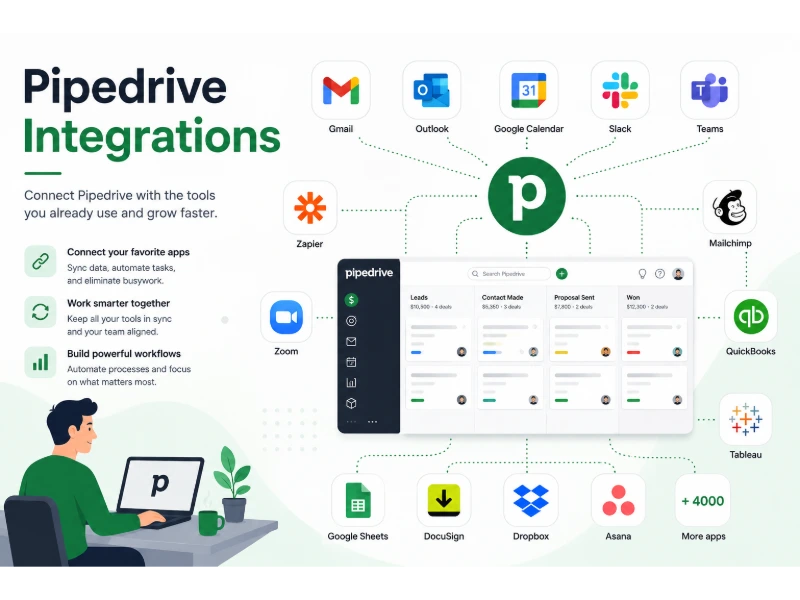
The best Pipedrive integrations connect your CRM to the tools you already use for email, calls, meetings, marketing, billing, and project delivery. They turn Pipedrive from a simple deal tracker into a full sales operating system that automatically logs activity, moves leads through your pipeline, and hands off closed deals to finance and delivery teams. In this guide, I walk through 25 integrations that most sales teams find useful, explain how they compare, and share real workflow examples you can copy today.
If you already use Pipedrive to manage your sales pipeline, the question is no longer “should I integrate?” but “which integrations are worth the setup time and monthly cost?” I’ll help you answer that based on your team size, budget, and how much manual work you want to remove. Before locking in add-ons, it’s worth stepping back to see how growing teams pick the right platform for managing customer relationships.
What Are Pipedrive Integrations?
Pipedrive integrations are connections between the Pipedrive CRM and other business apps. They let data move between systems automatically, so a form filled on your website can create a deal in Pipedrive, a Slack notification, and a task in your project tool without anyone typing anything.
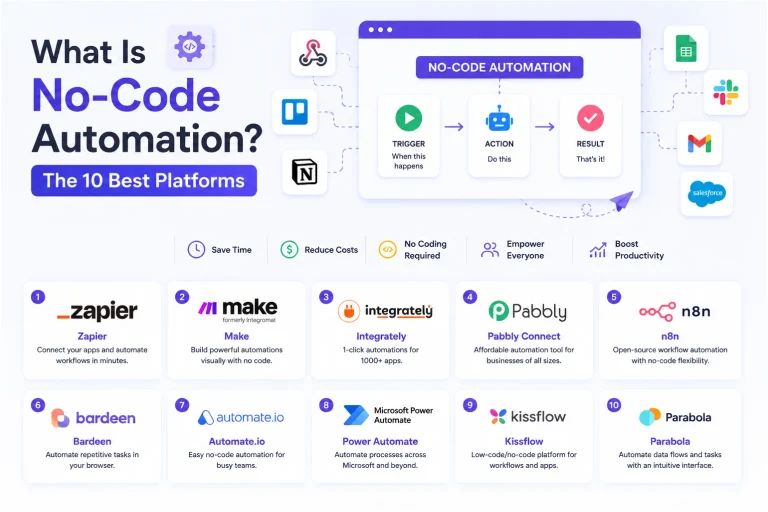
At the simplest level, an integration is a bridge. One side listens for something to happen (a new contact, a signed contract, a paid invoice), and the other side reacts to it (creates a task, sends an email, updates a record). This is the same idea explored in this overview of platforms that let non-developers wire tools together.
There are three main kinds you’ll encounter as a Pipedrive user:
- Native integrations built by Pipedrive or the app vendor and listed in the Pipedrive Marketplace.
- Third-party automation tools like Zapier and Make that connect Pipedrive to thousands of other apps using pre-built recipes.
- Custom API integrations built by developers using the Pipedrive API for unique business logic.
Each option has trade-offs in cost, speed, and how much technical skill you need. If you’re new to the whole category, this explanation of what customer relationship management tools do day to day is a useful primer before layering integrations on top.
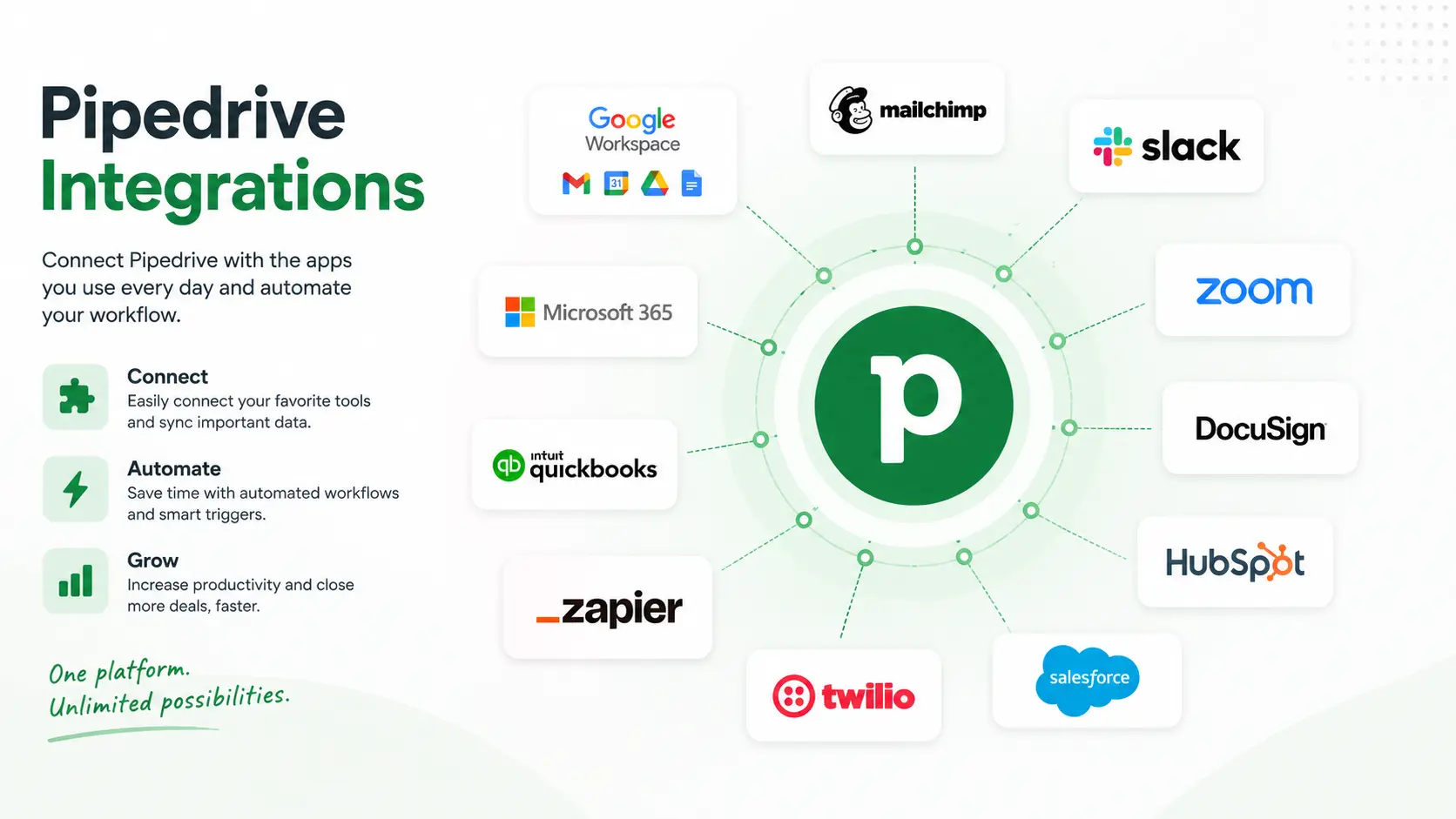
Why Businesses Use Pipedrive Integrations
Sales reps spend a large share of their week on admin work: logging calls, copying contacts, sending follow-ups, updating spreadsheets. Integrations remove most of that. They also matter because the tools around your CRM keep multiplying — running a business on connected online platforms is now the default, and every disconnected app becomes a data island.
Here is what teams gain when they connect Pipedrive with the rest of their stack:
- Less manual data entry. Contact details, meeting notes, and email history sync automatically.
- Faster response times. Leads land in the pipeline seconds after they submit a form, and reps get a Slack ping.
- Cleaner data. One source of truth avoids duplicate contacts across Gmail, Mailchimp, and QuickBooks.
- Better handoffs. Marketing, sales, finance, and customer success see the same deal information.
- Real reporting. Revenue, invoice, and support data flow back into Pipedrive dashboards.
- Scalability. Automations do the repetitive work as your team grows.
Sales leaders also use integrations to identify tools that consistently move the needle on revenue growth, from lead capture through renewal.
How Pipedrive Integrations Work
Most integrations rely on one of three technical patterns:
- OAuth-based native connections. You authorize Pipedrive to talk to another app (like Gmail or Slack) from inside settings. Data flows both ways in near real time.
- Webhooks and triggers. An event in Pipedrive (a new deal, a stage change) fires a message to another tool. Automation platforms then run “when this, do that” recipes.
- REST API calls. Developers use the Pipedrive API to read, write, or update records from custom apps or internal tools.
You do not need to know how HTTP works to use integrations. The point is that data is passed between apps by rules you set once, and it keeps running in the background. If you’re integrating in high-volume scenarios, keep an eye on how platforms throttle repeated requests to protect their systems — this affects how many syncs you can run per minute.
Native Integrations vs Third-Party Automation Tools
Choosing between a native integration, Zapier, Make, or a custom API build depends on what you need to automate and how much you want to spend.
| Type | Advantages | Disadvantages | Best For |
|---|---|---|---|
| Native integration | Built-in, low cost, usually deep two-way sync | Limited to features the vendor supports | Everyday tools like Gmail, Slack, Google Calendar |
| Zapier | 6,000+ apps, easy no-code UI, huge template library | Cost grows with task volume, some steps run slowly | Non-technical teams needing many one-way flows |
| Make | Visual scenarios, cheaper at scale, more logic control | Steeper learning curve, less mainstream support | Ops teams with complex, branching automations |
| Pipedrive API | Fully customizable, no per-task fees | Requires developer time, ongoing maintenance | Enterprises with unique data or product needs |
Pricing considerations: Native integrations are usually free or included in your Pipedrive plan. Zapier and Make charge based on how many tasks or “operations” you run per month. A custom API build is a one-time development cost plus hosting.
Maintenance: Native tools update on their own. Zapier and Make sometimes break when an app changes an endpoint, so someone needs to check on scenarios monthly. Custom code needs a developer on call.
Scalability: For small teams, native + Zapier is enough. Growing companies often shift high-volume automations to Make for cost control, and enterprises use the Pipedrive API for the parts that matter most.
Quick Comparison Table
| Provider | Category | Starting Price | Free Plan | Native Integration | Automation Support | Best For | Overall Rating |
|---|---|---|---|---|---|---|---|
| Zapier | Automation | Free tier available | Yes | Yes | Full | Non-technical teams | 4.7/5 |
| Make | Automation | Free tier available | Yes | Yes | Full | Complex scenarios | 4.6/5 |
| Slack | Communication | Free tier available | Yes | Yes | Notifications | Team alerts | 4.7/5 |
| Google Workspace | Productivity | Paid plans | No | Yes | Two-way sync | Gmail/Calendar users | 4.8/5 |
| Microsoft Teams | Communication | Paid plans | Limited | Yes | Notifications | Microsoft 365 shops | 4.5/5 |
| Calendly | Scheduling | Free tier available | Yes | Yes | Two-way | Meeting booking | 4.7/5 |
| Zoom | Communication | Free tier available | Yes | Yes | Meeting logs | Sales calls | 4.6/5 |
| Mailchimp | Marketing | Free tier available | Yes | Yes | Contact sync | Small business email | 4.4/5 |
| ActiveCampaign | Marketing | Paid plans | No | Yes | Full | Advanced automation | 4.6/5 |
| ClickUp | Project Mgmt | Free tier available | Yes | Yes | Task sync | All-in-one PM | 4.6/5 |
| Asana | Project Mgmt | Free tier available | Yes | Yes | Task sync | Project delivery | 4.5/5 |
| Trello | Project Mgmt | Free tier available | Yes | Yes | Card sync | Simple kanban | 4.4/5 |
| Notion | Productivity | Free tier available | Yes | Via Zapier | One-way | Docs and wikis | 4.5/5 |
| QuickBooks | Accounting | Paid plans | No | Yes | Invoice sync | US accounting | 4.4/5 |
| Xero | Accounting | Paid plans | No | Yes | Invoice sync | Global accounting | 4.5/5 |
| FreshBooks | Accounting | Paid plans | No | Via Zapier | Invoice sync | Freelancers | 4.3/5 |
| Stripe | Payments | Free to start | Yes | Yes | Payment sync | Online payments | 4.8/5 |
| PayPal | Payments | Free to start | Yes | Via Zapier | Payment sync | Global payments | 4.4/5 |
| PandaDoc | Documents | Paid plans | Limited | Yes | Full | Sales proposals | 4.6/5 |
| DocuSign | Documents | Paid plans | Limited | Yes | Signature sync | E-signatures | 4.7/5 |
| Dropbox | Storage | Free tier available | Yes | Yes | File sync | File sharing | 4.5/5 |
| Google Drive | Storage | Free tier available | Yes | Yes | File sync | Google users | 4.7/5 |
| OneDrive | Storage | Free tier available | Yes | Yes | File sync | Microsoft users | 4.5/5 |
| Zendesk | Support | Paid plans | No | Yes | Ticket sync | Support teams | 4.5/5 |
| Freshdesk | Support | Free tier available | Yes | Yes | Ticket sync | Small support teams | 4.4/5 |
Ratings reflect commonly cited scores across major review sites. Always verify pricing on the vendor’s official site since plans change often.
25 Best Pipedrive Integrations
1. Zapier
Zapier is the connector most Pipedrive users reach for first, and for good reason. It sits between Pipedrive and roughly six thousand other apps, listening for triggers on one side and firing actions on the other. You don’t need to write code — you drag steps into a workflow, map fields, and turn it on.
For a small sales team, this means you can push new website leads straight into Pipedrive, notify a rep in Slack, and log the same contact in your email marketing tool, all from one visual builder. It’s the same idea explored in this overview of platforms that let non-developers wire tools together.
Because it’s so widely used, Zapier has the biggest template library of any automation platform, which cuts your setup time from hours to minutes for common scenarios.
Key Features
- 6,000+ pre-built app connections
- Multi-step Zaps with filters and paths
- Built-in formatters, delays, and schedulers
- AI-powered actions and copilots
- Team folders and shared connections
Pros
- Enormous app library
- Easy for non-technical users
- Reliable uptime and strong support docs
- Huge template gallery
Cons
- Task limits on cheaper plans
- Cost climbs fast at high volume
- Complex logic can get messy
Pricing Overview: Free tier with a small monthly task allowance; paid plans scale by tasks.
Best For: Small businesses and non-technical teams. Supported Platforms: Web, mobile. Ease of Setup: Very easy. Business Benefits: Removes manual copy-paste between apps and enforces consistent data flow. Potential Limitations: Branching logic is easier in Make; long chains can slow down. Who Should Choose It: Anyone connecting Pipedrive with two or more common SaaS tools.
Workflow Example: New Typeform submission → create Pipedrive deal → send Slack alert → add row to Google Sheets.
2. Make
Make (formerly Integromat) is the automation platform that RevOps teams choose when Zapier starts feeling expensive or too rigid. Instead of a step-by-step recipe view, Make gives you a visual canvas where you drag modules, connect them with lines, and add routers or filters between them.
The big difference is pricing and logic. Make charges per operation rather than per task, which usually costs less at high volume. It also handles branching, loops, and error handling in ways Zapier can’t match without workarounds.
For Pipedrive users, Make shines when a single trigger needs to trigger many downstream actions with conditional logic — for example, splitting deals by region, running different flows for high-value vs low-value leads, or aggregating data before pushing it into a report. Teams that lean into this style often build out fully automated business models around connected apps.
Key Features
- Visual drag-and-drop scenario builder
- Routers, iterators, and aggregators
- Built-in error handling and retries
- Powerful HTTP module for custom API work
- Per-operation pricing model
Pros
- Cheaper than Zapier at scale
- Handles complex branching cleanly
- Strong debugging tools
- Robust JSON and API support
Cons
- Steeper learning curve
- Smaller community than Zapier
- Fewer polished templates
Pricing Overview: Free tier with limited operations; paid plans by operation volume.
Best For: RevOps teams and technical marketers. Supported Platforms: Web. Ease of Setup: Moderate. Business Benefits: High-volume automations at lower cost with fine-grained control. Potential Limitations: Less beginner-friendly. Who Should Choose It: Teams running thousands of automations per month.
Workflow Example: Deal won in Pipedrive → parse line items → create QuickBooks invoice → attach PDF to deal → notify finance channel.
3. Slack
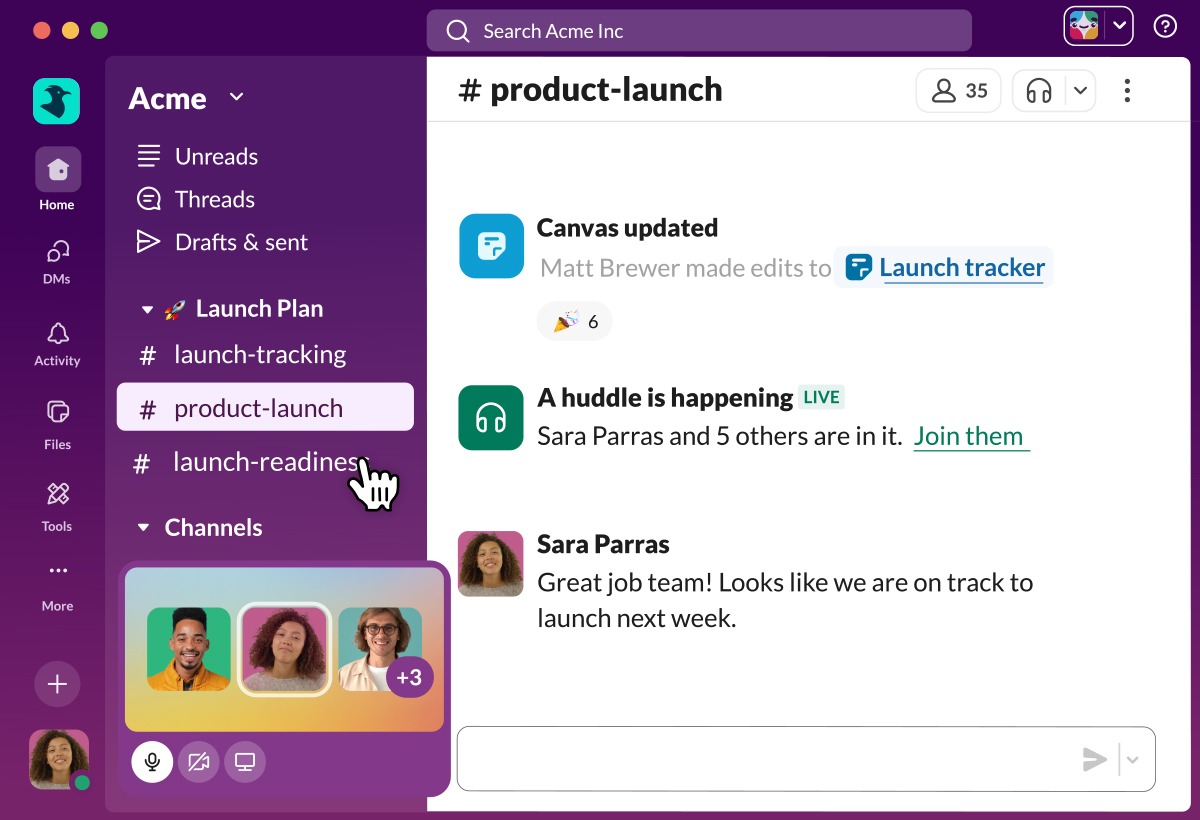
Slack is where most sales teams already live during the workday, so bringing Pipedrive events into it removes the “let me check the CRM” friction. New leads, stage changes, and won deals all appear as messages in the channels you choose.
The Pipedrive-Slack integration is one of the fastest to set up. You connect the two apps, pick which events matter, and select target channels. From there, reps get real-time nudges without needing to log in to Pipedrive constantly.
It also works the other way. Slash commands let reps create Pipedrive contacts or deals from Slack, cutting even more clicks. When paired with Zapier or Make, Slack becomes a lightweight command center for your sales stack. Many companies also use it as their main hub for internal team messaging and human-resources communication.
Key Features
- Real-time deal and activity notifications
- Custom alerts by pipeline stage or deal value
- Slash commands to create records
- Channel-based routing for teams
- Threaded conversations tied to deals
Pros
- Very fast to configure
- Keeps reps informed without extra tabs
- Works with virtually any workflow tool
- Free plan is enough for small teams
Cons
- Noisy if you don’t filter events
- No deep two-way record sync
- Message history capped on free plan
Pricing Overview: Free tier for small teams; paid plans per user per month.
Best For: Teams that already use Slack daily. Supported Platforms: Desktop, web, mobile. Ease of Setup: Very easy. Business Benefits: Faster follow-up on hot leads. Potential Limitations: Alerts can overwhelm without smart filtering. Who Should Choose It: Sales teams that respond in Slack faster than email.
Workflow Example: Deal moves to “Proposal Sent” → post summary in #sales-updates → mention deal owner → link to Pipedrive record.
4. Google Workspace
Google Workspace is arguably the most valuable Pipedrive integration because it covers three tools reps live in: Gmail, Google Calendar, and Google Drive. Once connected, emails sent from Gmail can log to Pipedrive automatically, calendar events sync both ways, and Drive files attach to deals.
The integration also enables one-click contact syncing, so a person emailed in Gmail can be added as a Pipedrive contact without switching tabs. This alone saves reps several minutes per lead.
Because so many small businesses run on Google, this integration typically pays for itself in the first week. It’s a strong fit for organizations that rely on browser-based productivity suites for remote collaboration.
Key Features
- Two-way Gmail email sync
- Calendar appointment sync
- Google Drive file attachments
- Contact syncing
- Meet integration for video calls
Pros
- Deep, reliable two-way sync
- Covers most sales rep tools
- Easy to enable per user
- Works for both individual and shared inboxes
Cons
- Requires paid Google Workspace plan
- Some features locked to Pipedrive Advanced+
- Occasional sync delays
Pricing Overview: Google Workspace paid plans start low per user; Pipedrive integration is included.
Best For: Businesses using Gmail as their main email. Supported Platforms: Web, desktop, mobile. Ease of Setup: Easy. Business Benefits: Cuts email logging time to near zero. Potential Limitations: Locked out of full features on Free Google accounts. Who Should Choose It: Almost every Pipedrive user on Gmail.
Workflow Example: Rep emails prospect from Gmail → email logs under deal → follow-up task auto-created → meeting scheduled in Google Calendar syncs to Pipedrive.
5. Microsoft Teams

For companies running on Microsoft 365, Microsoft Teams is the obvious equivalent of Slack. The Pipedrive-Teams integration pushes deal notifications into Teams channels and lets you create or view Pipedrive records without leaving the app.
Teams is more than chat. It’s also a video meeting platform, so integrating it with Pipedrive means calls can be scheduled, joined, and logged to deals in one continuous workflow. This is especially valuable for enterprise sales cycles where multiple stakeholders join calls.
Because Teams is bundled with most Microsoft 365 plans, many organizations already own it. Turning on the Pipedrive connector is often the fastest win for these teams. Enterprises should also review how the Microsoft 365 ecosystem handles compliance and data protection before enabling connectors.
Key Features
- Channel-based deal notifications
- Meeting scheduling and logging
- Adaptive cards for interactive alerts
- Search and view Pipedrive records inside Teams
- Bot-based commands
Pros
- Included with most Microsoft 365 plans
- Strong video and voice built in
- Enterprise-grade security
- Works well with Outlook
Cons
- Less flexible than Slack for third-party bots
- Setup can feel bureaucratic
- Limited real-time customization
Pricing Overview: Included in Microsoft 365 plans; free standalone tier available.
Best For: Microsoft 365 shops and enterprise sales teams. Supported Platforms: Desktop, web, mobile. Ease of Setup: Easy. Business Benefits: Keeps Microsoft-first teams in one place. Potential Limitations: Fewer community plugins. Who Should Choose It: Companies already on Outlook and Teams.
Workflow Example: New deal created → posted to #new-deals in Teams → link opens deal card → owner joins scheduled Teams call.
6. Calendly

Calendly turns “when are you free?” into a link. When a prospect books time on your calendar, Calendly can automatically create or update a Pipedrive contact and deal, log the meeting as an activity, and even move the deal to a new stage.
For inbound sales teams, this shortens time-to-meeting dramatically. A lead can go from filling out a form to booking a call in under two minutes, and Pipedrive stays perfectly in sync throughout.
Calendly also supports round-robin, group meetings, and team scheduling, which matters as your sales team grows. Reps stop double-booking themselves, and managers see a cleaner picture of who took which meeting.
Key Features
- One-click meeting booking
- Round-robin and team routing
- Automatic Pipedrive record creation
- Activity logging under deals
- Reminders and reschedule links
Pros
- Removes email back-and-forth
- Native Pipedrive support
- Easy for prospects to use
- Multiple calendar integrations
Cons
- Advanced routing needs paid plan
- Custom branding limited on free plan
- Time zone bugs can happen
Pricing Overview: Free tier with basic features; paid plans per user for team features.
Best For: Inbound sales and demo teams. Supported Platforms: Web, mobile, embedded. Ease of Setup: Very easy. Business Benefits: Higher meeting-booked rate. Potential Limitations: Not a full sales engagement platform. Who Should Choose It: Any team that hops on discovery calls.
Workflow Example: Lead books demo on Calendly → contact/deal created in Pipedrive → Slack alert to rep → Zoom link generated automatically.
7. Zoom

Zoom remains the default video conferencing tool for many sales teams. Its Pipedrive integration attaches meeting details, recordings, and transcripts directly to deals, so reps never have to remember which call happened when.
For teams doing many discovery or demo calls, this is a huge time saver. Managers can review recordings tied to a specific deal, and reps can revisit conversations before follow-ups. Combined with call intelligence tools, Zoom becomes a source of coaching data as well.
The integration also lets you generate meeting links from inside Pipedrive activities, cutting a few clicks out of the pre-meeting flow.
Key Features
- Generate Zoom links from Pipedrive
- Attach recordings and transcripts to deals
- Meeting scheduling sync
- Contact matching from participants
- Support for webinars
Pros
- Familiar to prospects
- Reliable video quality
- Automatic recording attachment
- Good mobile experience
Cons
- Storage limits for cloud recordings
- Some features need paid plan
- Occasional security concerns to review
Pricing Overview: Free 40-minute plan; paid plans by host per month.
Best For: Teams running frequent demos or discovery calls. Supported Platforms: Desktop, mobile, web. Ease of Setup: Very easy. Business Benefits: Full call history tied to each deal. Potential Limitations: Free plan capped at 40 minutes. Who Should Choose It: Anyone doing regular video sales calls.
Workflow Example: Calendly booking → Zoom meeting created → recording auto-saves to Pipedrive deal → follow-up task assigned.
8. Mailchimp

Mailchimp is the email marketing platform many small businesses start with, and its Pipedrive integration keeps contact lists in sync. When a lead lands in Pipedrive, they can be pushed to the right Mailchimp audience automatically, and campaign activity flows back to the CRM.
This is especially useful for nurturing cold leads. You keep them warm in Mailchimp with newsletters and drip campaigns, and when they show buying signals — clicks, opens, replies — Pipedrive picks them up for sales follow-up.
The two-way sync also prevents the classic small business problem of unsubscribed contacts still receiving sales emails. Because email is such a core sales channel, choosing the right platform matters — this rundown of top email marketing tools built for small businesses helps compare options.
Key Features
- Two-way audience sync
- Campaign engagement tracking
- Segmentation based on Pipedrive fields
- Automated workflows
- Templates for common sales emails
Pros
- Beginner-friendly UI
- Free plan for small lists
- Good analytics
- Reliable deliverability
Cons
- Automation limited on lower tiers
- Pricing jumps with list size
- Fewer B2B features than ActiveCampaign
Pricing Overview: Free tier for small lists; paid plans by contact count.
Best For: Small businesses starting with email marketing. Supported Platforms: Web, mobile. Ease of Setup: Easy. Business Benefits: Nurture leads without leaving your CRM out of the loop. Potential Limitations: Weaker for complex B2B nurture flows. Who Should Choose It: Small businesses and solopreneurs.
Workflow Example: New Pipedrive contact → added to “Newsletter” list in Mailchimp → clicks pricing link → deal auto-moves to “Warm Lead” stage.
9. ActiveCampaign
ActiveCampaign is the more advanced sibling of Mailchimp, favored by B2B teams that need deep automation. Its Pipedrive integration syncs contacts, deals, and custom fields, and lets you trigger email sequences from CRM events.
The strength here is behavioral automation. You can build sequences that react to site visits, email clicks, or deal stage changes, then push scored contacts back into Pipedrive when they hit a threshold. That means reps only see leads that have shown real intent.
For growing companies that want marketing automation without paying HubSpot prices, ActiveCampaign is often the sweet spot. It works especially well when paired with disciplined lead scoring inside Pipedrive.
Key Features
- Deep two-way sync with custom fields
- Behavioral automations
- Lead scoring
- SMS and email in one platform
- Site tracking
Pros
- Powerful automation logic
- Strong deliverability
- Great for B2B nurture
- Fair pricing for features
Cons
- Learning curve for automations
- UI can feel dense
- Support wait times vary
Pricing Overview: Paid plans by contact count and feature tier.
Best For: B2B teams with real nurture programs. Supported Platforms: Web, mobile. Ease of Setup: Moderate. Business Benefits: Higher-quality leads reach sales. Potential Limitations: Overkill for simple newsletter needs. Who Should Choose It: Growing companies that need marketing automation with a sales layer.
Workflow Example: New Pipedrive lead → tagged in ActiveCampaign → runs 7-email nurture → score hits 50 → deal moves to “SQL” stage in Pipedrive.
10. HubSpot Marketing Hub
HubSpot is best known as a CRM competitor to Pipedrive, but many teams use HubSpot Marketing Hub alongside Pipedrive Sales. The integration syncs contacts, form submissions, and campaign engagement between the two.
The typical setup uses HubSpot for landing pages, forms, email campaigns, and blog SEO, while Pipedrive stays the source of truth for the sales pipeline. This split gives you the best of both platforms without paying for HubSpot’s Sales Hub.
Integrations between HubSpot and Pipedrive vary in depth — some use Zapier, others rely on middleware like PieSync or Unito. Verify the current native offering before committing.
Key Features
- Landing page and form builder
- Email marketing and automation
- Lead scoring
- Campaign attribution reports
- Two-way sync via middleware
Pros
- Strong marketing feature set
- Great content and SEO tools
- Rich reporting
- Widely adopted
Cons
- Full sync often needs paid middleware
- Cost climbs quickly
- Data mapping needs planning
Pricing Overview: Free CRM tier; Marketing Hub paid plans scale by contacts.
Best For: Marketing-led B2B teams that keep Pipedrive for sales. Supported Platforms: Web, mobile. Ease of Setup: Moderate. Business Benefits: Unified view of marketing and sales activity. Potential Limitations: Duplicate data risks without careful setup. Who Should Choose It: Companies with a strong inbound marketing motion.
Workflow Example: Form submitted on HubSpot landing page → contact synced to Pipedrive → deal created → nurture continues in HubSpot until sales-ready.
11. ClickUp

ClickUp is an all-in-one project management platform, and its Pipedrive integration is popular with agencies and service businesses. When a deal is won in Pipedrive, ClickUp can automatically spin up a project, tasks, and assignments.
The point is a clean handoff. Sales closes the deal, and delivery starts immediately without a meeting to “kick things off.” Clients get faster service, and reps don’t have to email project managers manually.
If you’re weighing options in this space, this comparison of how ClickUp measures up against Notion and Coda for team work is worth reading before committing.
Key Features
- Auto-create projects from won deals
- Task and subtask sync
- Custom fields sync
- Time tracking
- Docs and dashboards
Pros
- Very feature-rich
- Fair pricing
- Flexible views (list, board, Gantt)
- Free tier available
Cons
- Can feel cluttered
- Learning curve
- Occasional performance lag
Pricing Overview: Free tier available; paid plans per user per month.
Best For: Agencies and service businesses. Supported Platforms: Web, desktop, mobile. Ease of Setup: Moderate. Business Benefits: Seamless sales-to-delivery handoff. Potential Limitations: Some sync needs Zapier. Who Should Choose It: Teams that manage client work after sales.
Workflow Example: Deal marked won → ClickUp project created from template → tasks assigned to delivery team → status flows back to Pipedrive custom field.
12. Asana
Asana is the go-to project tool for many marketing and operations teams. The Pipedrive-Asana integration creates tasks from deals, so post-sale work is captured immediately.
Compared to ClickUp, Asana feels cleaner and lighter, which works well for teams that don’t need every project view under the sun. If you’re still deciding, this look at strong Asana alternatives worth testing gives useful context.
Asana’s rules feature also lets you trigger internal work based on Pipedrive updates, without needing Zapier for every step.
Key Features
- Task creation from Pipedrive events
- Project templates
- Timeline and workload views
- Rules for internal automation
- Portfolio reporting
Pros
- Clean, intuitive UI
- Strong team collaboration
- Good free tier
- Reliable mobile apps
Cons
- Custom fields limited on free plan
- No native subtasks in some views
- Reporting basic on lower tiers
Pricing Overview: Free tier; paid plans per user per month.
Best For: Teams that want simple, structured project work. Supported Platforms: Web, desktop, mobile. Ease of Setup: Easy. Business Benefits: Cleaner post-sale execution. Potential Limitations: Less flexible than ClickUp. Who Should Choose It: Marketing and ops teams.
Workflow Example: Deal moves to “Onboarding” stage → Asana project created from template → owner and delivery team assigned → tasks scheduled.
13. Trello
Trello is the simplest project tool on this list, built around kanban boards. Its Pipedrive integration is minimal but effective: cards get created from deals, and reps can move them across a delivery board.
For freelancers and small teams, this is often enough. You don’t need a full PM platform if your workflow is “get client, do work, deliver, invoice.” A comparison of Trello against Monday.com and ClickUp for growing teams shows where each fits best.
Because Trello is free for most small use cases, it’s a low-risk starting point.
Key Features
- Kanban board interface
- Card creation from Pipedrive
- Power-Ups for extra features
- Butler automation
- Mobile-first design
Pros
- Extremely easy to learn
- Free for most users
- Fast and clean UI
- Good for visual thinkers
Cons
- Limited for complex projects
- Reporting basic
- No native Gantt
Pricing Overview: Free plan; paid plans per user per month.
Best For: Small teams and freelancers. Supported Platforms: Web, desktop, mobile. Ease of Setup: Very easy. Business Benefits: Zero-friction project tracking. Potential Limitations: Outgrown quickly by larger teams. Who Should Choose It: Solo consultants and small agencies.
Workflow Example: Deal won → Trello card created in “New Clients” list → moved through Onboarding → Delivery → Complete stages.
14. Notion
Notion is a docs-and-database hybrid many teams use for internal wikis, playbooks, and lightweight CRMs. Pipedrive doesn’t integrate with Notion natively, but Zapier or Make bridges the gap easily.
The common use case is documentation. When a deal moves to a certain stage, a Notion page is auto-created with the account details, notes, and next steps. This gives customer success and delivery teams one clean place to find everything.
Some teams also experiment with using Notion itself as a lightweight CRM before graduating to Pipedrive, and this integration bridges the two setups nicely.
Key Features
- Docs and databases in one
- Templates for account pages
- Team wiki functionality
- API for automation
- Embeddable content
Pros
- Flexible and powerful
- Great for docs
- Free personal plan
- Strong community templates
Cons
- No native Pipedrive sync
- Can get messy without structure
- Search sometimes slow
Pricing Overview: Free personal plan; paid plans per user per month.
Best For: Teams that document everything. Supported Platforms: Web, desktop, mobile. Ease of Setup: Moderate (via Zapier). Business Benefits: Central knowledge base linked to deals. Potential Limitations: Not a real CRM by itself. Who Should Choose It: Companies that live in Notion for internal docs.
Workflow Example: Deal moves to “Closed Won” → Zapier creates Notion account page with client details → success team fills in onboarding checklist.
15. QuickBooks
QuickBooks is the leading accounting platform for US small businesses. Its Pipedrive integration pushes won deals directly into QuickBooks as invoices, saving your finance team hours of retyping.
The two-way sync also flags paid invoices back to Pipedrive, so reps can see which clients are current and which are overdue. This is especially useful for teams with subscription or milestone billing.
To pair this with the right general accounting setup, this rundown of top accounting platforms for small business use is a solid reference.
Key Features
- Invoice creation from won deals
- Customer sync
- Payment status updates
- Multi-currency support
- Tax handling
Pros
- Dominant US market share
- Strong reporting
- Wide accountant support
- Good mobile app
Cons
- Pricing higher than Xero for some tiers
- Older UI in places
- Some features US-focused
Pricing Overview: Paid plans by tier and user count.
Best For: US-based small and medium businesses. Supported Platforms: Web, desktop, mobile. Ease of Setup: Moderate. Business Benefits: Faster, more accurate billing. Potential Limitations: Some sync needs Zapier or middleware. Who Should Choose It: US businesses already using QuickBooks.
Workflow Example: Deal won in Pipedrive → invoice auto-generated in QuickBooks → payment received → Pipedrive deal marked “Paid.”
16. Xero
Xero is the leading accounting platform outside the US, especially in the UK, Australia, and New Zealand. Its Pipedrive integration mirrors QuickBooks’: won deals become invoices, and payments sync back.
Xero is known for a cleaner interface and stronger multi-currency support, which matters for international teams. Its bank feeds and reconciliation features also feel more modern to many users.
For growing companies with international sales, Xero often works better than QuickBooks. Verify current features on Xero’s website since accounting integrations evolve frequently.
Key Features
- Invoice sync from Pipedrive
- Multi-currency invoicing
- Bank feed reconciliation
- Contact sync
- Reporting dashboards
Pros
- Clean, modern UI
- Strong multi-currency
- Great for international teams
- Fair pricing
Cons
- Fewer US-focused features
- Payroll add-ons vary by country
- Occasional sync lag
Pricing Overview: Paid plans by tier.
Best For: International small businesses. Supported Platforms: Web, mobile. Ease of Setup: Easy. Business Benefits: Cleaner accounting for global sales. Potential Limitations: US teams may prefer QuickBooks. Who Should Choose It: Businesses trading in multiple currencies.
Workflow Example: Deal won → Xero invoice created → sent to client → reconciled against bank feed → status updates in Pipedrive.
17. FreshBooks
FreshBooks targets freelancers and service businesses. Its Pipedrive integration, usually via Zapier, keeps clients and invoices in sync without any manual data entry.
FreshBooks is loved for its simplicity. If you send a handful of invoices per month and don’t need full double-entry accounting, it’s often faster to use than QuickBooks or Xero.
Time tracking is another strong feature, which pairs well with Pipedrive for agencies billing by the hour.
Key Features
- Simple invoicing
- Time tracking
- Expense management
- Client portal
- Payment collection
Pros
- Very easy to use
- Great for freelancers
- Solid mobile app
- Good invoicing templates
Cons
- Not full accounting for larger businesses
- Sync via Zapier only
- Fewer integrations than QuickBooks
Pricing Overview: Paid plans by client count.
Best For: Freelancers and small agencies. Supported Platforms: Web, mobile. Ease of Setup: Easy. Business Benefits: Fast, professional invoicing. Potential Limitations: Outgrown by larger accounting needs. Who Should Choose It: Solo consultants and micro-agencies.
Workflow Example: Pipedrive deal won → Zapier sends client info to FreshBooks → invoice sent → payment logged → deal closed.
18. Stripe
Stripe is the payments backbone for millions of online businesses. Its Pipedrive integration attaches Stripe payment data to deals, so you can see when a customer paid, how much, and via what method.
For SaaS companies and subscription businesses, this is essential. Deals in Pipedrive can move to “Paid” or “Renewed” automatically based on Stripe events, and failed payments can trigger tasks for account managers.
The Stripe API is also one of the cleanest in fintech, which makes custom integrations reasonable if you outgrow the native connector.
Key Features
- Payment logging on deals
- Subscription event sync
- Refund and failed payment alerts
- Multi-currency support
- Global payment methods
Pros
- Reliable and secure
- Great developer docs
- Wide payment method support
- Strong reporting
Cons
- Fees can add up
- Setup for subscriptions takes planning
- Full features often need custom work
Pricing Overview: Per-transaction pricing.
Best For: SaaS, e-commerce, and subscription businesses. Supported Platforms: Web, mobile SDKs. Ease of Setup: Moderate. Business Benefits: Real-time revenue tracking in the CRM. Potential Limitations: Deeper flows need custom API work. Who Should Choose It: Any business collecting online payments.
Workflow Example: Proposal signed → Stripe checkout link sent → payment received → Pipedrive deal marked “Won” and “Paid.”
19. PayPal
PayPal is still one of the most recognized ways to send and receive money online. Its Pipedrive integration typically runs through Zapier or Make, syncing payment events to deal records.
For international transactions and consumer-facing businesses, PayPal often has better recognition than Stripe. Buyer protection and account familiarity can nudge conversion up. To understand the safeguards behind the platform, this look at how PayPal’s security features protect transactions is worth a read.
For B2B teams, PayPal is usually a secondary payment option rather than the primary.
Key Features
- Payment logging via Zapier
- Invoicing features
- International currency support
- Buyer protection
- Recurring billing
Pros
- Widely recognized
- Easy setup
- Strong buyer trust
- Good mobile app
Cons
- Higher fees for some transactions
- Less developer-friendly than Stripe
- Reporting basic
Pricing Overview: Per-transaction fees.
Best For: Consumer businesses and international buyers. Supported Platforms: Web, mobile. Ease of Setup: Easy. Business Benefits: Broader payment acceptance. Potential Limitations: No native Pipedrive integration. Who Should Choose It: Businesses selling to consumers globally.
Workflow Example: Invoice paid in PayPal → Zapier updates Pipedrive deal to “Paid” → thank-you email triggered.
20. PandaDoc
PandaDoc is a document automation tool built for sales teams. Its Pipedrive integration lets reps generate proposals, quotes, and contracts pre-filled with deal data in a few clicks.
The value is speed and consistency. Instead of copying deal details into a Word template, reps click a button and PandaDoc creates a branded document with pricing, terms, and e-signature blocks already in place.
Sign events flow back to Pipedrive, moving deals automatically to “Contract Signed” or “Won.”
Key Features
- Template-based proposals
- Auto-fill from Pipedrive fields
- E-signatures
- Payment collection
- Engagement analytics
Pros
- Fast proposal creation
- Rich analytics on document opens
- Strong templates
- Native Pipedrive support
Cons
- Higher price than basic e-signature tools
- Learning curve for templates
- Some features on top tiers only
Pricing Overview: Paid plans per user.
Best For: Mid-market sales teams. Supported Platforms: Web, mobile. Ease of Setup: Moderate. Business Benefits: Shorter proposal-to-close cycles. Potential Limitations: Overkill for very small teams. Who Should Choose It: B2B teams sending frequent proposals.
Workflow Example: Deal reaches “Proposal” stage → PandaDoc template opened → auto-filled with deal data → sent to prospect → signed → Pipedrive deal auto-moves to “Won.”
21. DocuSign
DocuSign is the household name in e-signatures. Its Pipedrive integration pushes signed documents back to deals and updates deal stages when contracts close.
DocuSign is best when you already have contracts written in Word or PDF and just need a legally binding signature workflow. Unlike PandaDoc, it isn’t a proposal builder — it’s a signature engine.
For regulated industries like legal, healthcare, and finance, DocuSign’s compliance features are often required.
Key Features
- E-signature workflows
- Audit trail for compliance
- Bulk send
- Templates for common contracts
- Mobile signing
Pros
- Legally recognized worldwide
- Strong compliance features
- Fast signing experience
- Reliable
Cons
- Pricing higher than basic alternatives
- Not a proposal builder
- Advanced features locked to top tiers
Pricing Overview: Paid plans per user.
Best For: Regulated and enterprise sales teams. Supported Platforms: Web, mobile. Ease of Setup: Easy. Business Benefits: Fast, compliant contract signing. Potential Limitations: Doesn’t build proposals. Who Should Choose It: Teams needing enterprise-grade signatures.
Workflow Example: Contract ready → DocuSign envelope sent from Pipedrive → signed by client → signed PDF attached to deal → deal moves to “Won.”
22. Dropbox
Dropbox is one of the oldest cloud storage tools, and its Pipedrive integration lets reps attach Dropbox files directly to deals. Instead of uploading duplicates, you link to the original.
This keeps deals tidy and ensures everyone works from the current version of a proposal or spec. When Dropbox files change, the link in Pipedrive still points to the latest.
For teams juggling large attachments (design files, videos, technical specs), this is more scalable than storing files inside Pipedrive itself.
Key Features
- File linking to deals
- Shared team folders
- Version history
- Preview inside Pipedrive
- Mobile access
Pros
- Reliable sync
- Good sharing controls
- Cross-platform apps
- Wide file format support
Cons
- Free plan storage limited
- Business pricing steeper than competitors
- Some advanced features paid-only
Pricing Overview: Free 2GB plan; paid plans by user.
Best For: Teams with large file attachments. Supported Platforms: Web, desktop, mobile. Ease of Setup: Very easy. Business Benefits: Cleaner deal records, no duplicate files. Potential Limitations: Full team features need paid plan. Who Should Choose It: Design agencies, media, and manufacturing.
Workflow Example: Design brief signed → Dropbox folder created for client → linked to Pipedrive deal → all assets accessible from CRM.
23. Google Drive
Google Drive is bundled with Google Workspace and integrates natively with Pipedrive. Attach Drive files to deals with one click, and everyone with access sees the latest version instantly.
For teams already on Google Workspace, this is a no-brainer. Contracts, sheets, and slides live in Drive, and Pipedrive shows them in context on each deal.
Version control is automatic, which reduces the “which file is the latest?” chaos that plagues sales teams.
Key Features
- Native file attachments
- Real-time collaboration
- Version history
- Shared drives
- Preview inside Pipedrive
Pros
- Included with Workspace
- Excellent collaboration
- Great mobile apps
- Generous storage
Cons
- Free storage limited on personal accounts
- Sharing permissions can confuse
- Some enterprise limits
Pricing Overview: Free 15GB; Workspace plans add more.
Best For: Google Workspace users. Supported Platforms: Web, desktop, mobile. Ease of Setup: Very easy. Business Benefits: Deal files always current and accessible. Potential Limitations: Less useful outside Google ecosystem. Who Should Choose It: Any Gmail-based business.
Workflow Example: Proposal drafted in Google Docs → linked to Pipedrive deal → prospect comments → final version signed.
24. OneDrive
OneDrive is Microsoft’s cloud storage answer, bundled with Microsoft 365. Its Pipedrive integration mirrors Google Drive: attach files, preview, collaborate.
For Microsoft 365 shops, OneDrive is the default. Word, Excel, and PowerPoint files live there, and integrating with Pipedrive keeps them one click from any deal.
Its enterprise features — retention policies, compliance controls, granular sharing — make it a strong fit for larger organizations.
Key Features
- File attachments and links
- Real-time co-authoring
- Version history
- Enterprise compliance
- Mobile access
Pros
- Included with Microsoft 365
- Strong enterprise controls
- Deep Office integration
- Good mobile experience
Cons
- Weaker than Drive for non-Microsoft users
- Sharing controls complex
- Sync issues reported occasionally
Pricing Overview: Included with Microsoft 365; standalone plans available.
Best For: Microsoft 365 shops. Supported Platforms: Web, desktop, mobile. Ease of Setup: Easy. Business Benefits: Files, CRM, and Office in one loop. Potential Limitations: Weaker outside Microsoft stack. Who Should Choose It: Enterprises on Microsoft 365.
Workflow Example: Contract drafted in Word → saved to OneDrive → linked to Pipedrive deal → e-signed via DocuSign → deal closed.
25. Zendesk & Freshdesk
Zendesk and Freshdesk are the two most common help desk tools connected to Pipedrive. Their integrations sync tickets to contacts and deals, so sales sees post-sale support activity and support sees deal history.
The value is context. When a support agent opens a ticket, they see the customer’s deal size, contract terms, and account owner. When a sales rep sees a churn risk, they know exactly which tickets are open.
If you’re weighing options across price points, this guide to top help desk platforms for small businesses helps you decide which side of the market fits.
Key Features
- Ticket sync with contacts
- Deal context inside support tool
- SLA tracking
- Automation and macros
- Reporting dashboards
Pros
- Full customer view
- Faster support resolution
- Cross-team visibility
- Multi-channel support
Cons
- Pricing per agent adds up
- Setup takes planning
- Sync depth varies by tool
Pricing Overview: Paid plans per agent (Zendesk); Freshdesk has a free tier.
Best For: Support-heavy businesses. Supported Platforms: Web, mobile. Ease of Setup: Moderate. Business Benefits: Unified customer experience. Potential Limitations: Cost grows with agent count. Who Should Choose It: SaaS, e-commerce, and services companies with post-sale support.
Workflow Example: Support ticket opened → linked to Pipedrive contact → tagged as “Renewal Risk” → account manager notified in Slack.
Best Pipedrive Integrations by Category
- Sales: Zapier, Make, HubSpot, ActiveCampaign
- Marketing: Mailchimp, ActiveCampaign, HubSpot
- Communication: Slack, Microsoft Teams, Zoom
- Accounting: QuickBooks, Xero, FreshBooks
- Customer Support: Zendesk, Freshdesk
- Project Management: ClickUp, Asana, Trello
- Document Management: PandaDoc, DocuSign
- Automation: Zapier, Make
- Productivity: Google Workspace, Notion
- Storage: Dropbox, Google Drive, OneDrive
- Payments: Stripe, PayPal
Real Workflow Examples
Website lead to invoice, fully automated: Website form → Pipedrive deal created → Slack notification → Calendly link sent → demo booked → Zoom call held → PandaDoc proposal sent → contract signed → Stripe payment collected → QuickBooks invoice generated → ClickUp onboarding project created.
B2B nurture with sales handoff: Lead captured in Mailchimp form → synced to Pipedrive → ActiveCampaign nurture sequence starts → lead score hits 60 → deal moves to “SQL” → rep gets Slack alert → follow-up task created.
Post-sale customer success flow: Deal marked won in Pipedrive → Notion account page created → Zendesk customer tag applied → Google Drive shared folder set up → onboarding email sequence triggered.
How to Choose the Right Pipedrive Integration
- Business size. Small teams should start with 3–5 integrations. Larger teams can layer more but need someone to maintain them.
- Budget. Native integrations are usually free; Zapier and Make cost more as volume grows.
- Automation needs. Simple linear flows fit Zapier. Complex branching fits Make.
- CRM complexity. More custom fields mean more mapping work. Plan for it.
- International teams. Prioritize Xero, Stripe, and Google Workspace for multi-region support.
- Sales volume. High-volume teams should watch API rate limits.
- Marketing needs. Mailchimp is fine to start; move to ActiveCampaign or HubSpot when nurture gets serious.
- Customer support. Add Zendesk or Freshdesk once you have a dedicated support team.
- Reporting. If dashboards matter, pick integrations that push data back into Pipedrive.
- Scalability. Choose tools with strong APIs so you can grow without switching platforms.
Common Mistakes to Avoid
- Installing too many integrations at once. Roll them out one at a time so you can test each.
- Ignoring API limits. High-volume automations can hit Pipedrive’s rate ceiling.
- Creating duplicate contacts. Without dedupe rules, syncing tools will pile up copies.
- Poor automation planning. Sketch the flow before you build it. Include exceptions.
- Not testing workflows. Always test with a fake deal before going live.
- Security and permission issues. Review who has access to what during each connection.
Frequently Asked Questions
What integrations does Pipedrive support? Yes, Pipedrive supports hundreds of integrations through its Marketplace plus thousands more via Zapier and Make. The most-used cover email, calendar, chat, marketing, billing, and support tools.
Does Pipedrive integrate with Gmail? Yes. The Google Workspace integration allows two-way email sync, calendar sync, and Drive file attachments. It’s one of the most valuable native integrations.
Does Pipedrive work with Slack? Yes. Pipedrive’s Slack integration sends deal notifications, supports slash commands, and lets you view or create records without leaving Slack.
Can Pipedrive integrate with QuickBooks? Yes. You can auto-create QuickBooks invoices from won Pipedrive deals and sync payment status back to the CRM. Some setups use Zapier for deeper flows.
Does Pipedrive have an API? Yes. Pipedrive offers a REST API for custom integrations. Developers can read, write, and update deals, contacts, and activities.
What is the best automation tool for Pipedrive? Zapier is best for non-technical teams. Make is better for complex, high-volume scenarios and usually costs less at scale.
Are Pipedrive integrations free? Some are free, especially native ones bundled with Pipedrive. Others require paid subscriptions to the third-party tool or an automation platform.
Can I connect Pipedrive with Microsoft Teams? Yes. The native Microsoft Teams integration lets you post deal alerts to channels, view records inside Teams, and use bot commands.
How secure are Pipedrive integrations? Native integrations use OAuth and encrypted connections. Third-party tools like Zapier and Make also encrypt data in transit. Always review permissions when connecting apps.
Which integrations are best for small businesses? Google Workspace, Slack, Mailchimp, Calendly, Zapier, and Stripe cover most small business needs at a low starting cost.
Conclusion
The right mix of Pipedrive integrations depends on your team size and workflow. Small businesses do well with Google Workspace, Slack, Mailchimp, Calendly, Zapier, and Stripe. Growing companies should layer on ActiveCampaign, ClickUp or Asana, PandaDoc, and QuickBooks or Xero. Larger teams benefit most from Make for cost-effective scaling, DocuSign for compliance, Zendesk for support context, and custom Pipedrive API work for the parts unique to their business.
Start with two or three integrations, prove they work, then expand. Every additional connection needs someone to maintain it, so grow deliberately.
You May Also Like
 SaaS
SaaSWhy Cloud CRM Has Quietly Become the Backbone of Modern Customer Support
 SaaS
SaaSWhat Is No-Code Automation? How It Works, Benefits, and Risks
 Cloud Computing
8 Best AWS S3 Alternatives Compared: Pricing, Egress, and S3 Compatibility
 SaaS
SaaSWhat is Confluence Used For In Project Management?
 SaaS
SaaSCognito Forms to Jira Software Cloud Integration: Setup, Automation, Field Mapping, and Best Practices
 Web Development
Building Apps with Lovable and Supabase: A Step-by-Step Guide
 Web Development
Heroku vs. Netlify (2026): Pricing, Features, and Best Uses
 Software
When Fixing Bugs Is No Longer Enough: How to Rescue a Failing Software Project
 SaaS
SaaS