

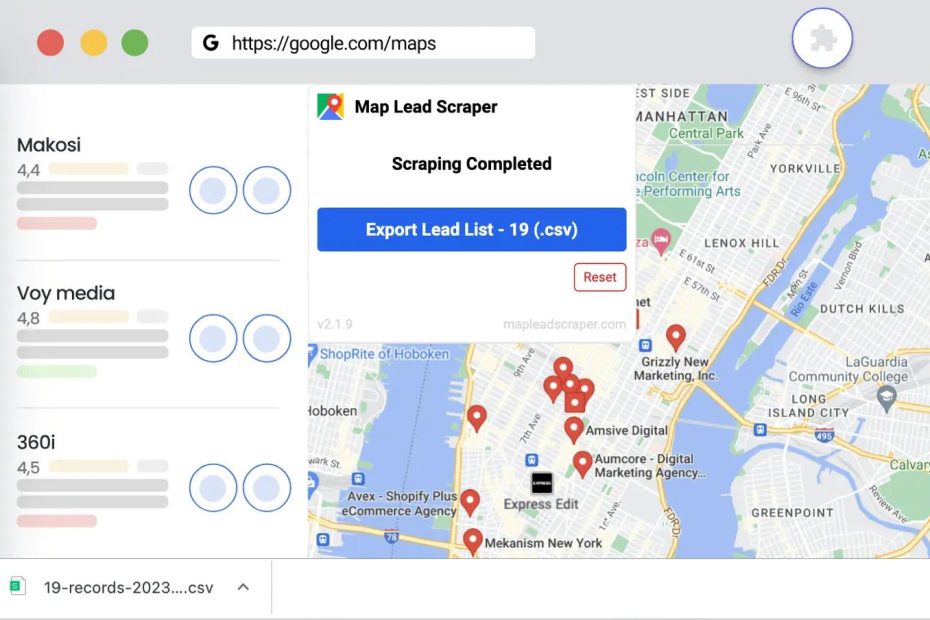
Google Maps plays an important role in how people discover local businesses and decide where to spend their money. For marketers and business owners, its listings also reveal useful information about competitors, from business categories and customer reviews to ratings, photos, and locations. Google Maps scrapers are designed to collect this information and organize it into structured datasets that teams can sort, filter, and analyze without manually opening hundreds of listings.
The appeal is easy to understand. A single extraction can return hundreds or even thousands of business records, including names, addresses, categories, ratings, phone numbers, and other available details. This can save time when researching competitors, identifying potential customers, or comparing local markets. But there is an important distinction between information being publicly visible and having permission to collect, store, or reuse it. Google’s terms address these activities directly, and the restrictions are worth understanding before building a workflow around Google Maps data.
This guide explains what Google Maps scrapers do, which data fields they can collect, and how popular tools compare. It also covers no-code extensions, AI-powered scraping platforms, Python libraries, and browser agents. Along the way, we’ll examine Google’s terms on scraping and data storage, common data-quality problems, and alternatives such as the Google Places API and licensed business data providers.
What Is a Google Maps Scraper?
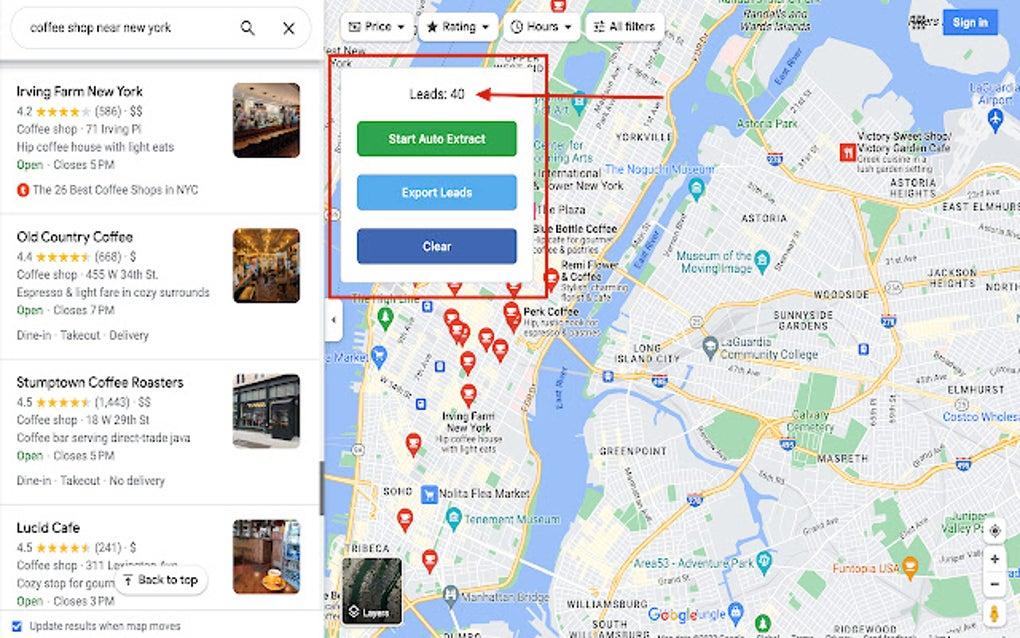
A Google Maps scraper is a tool or AI-automated workflow designed to collect information from Google Maps listings and organize it into a structured format, such as CSV, JSON, or a spreadsheet.
For example, someone researching dental practices in Austin might want to organize business names, addresses, phone numbers, websites, and review counts. Instead of opening each listing and copying the information manually, a data extraction tool can automate parts of that process.
Depending on the tool and its data source, the workflow may involve browser automation, page parsing, an API, or a third-party business database. These approaches are not interchangeable. They differ in how they access information, how reliable their output is, and what permissions apply.
What These Tools Actually Do Under the Hood
Understanding how a scraper works helps explain why some tools return incomplete records or stop working after a website changes.
- Page interaction: Browser-based tools interact with a website through a browser session. They may navigate pages, open listing details, and read information displayed on the screen.
- Page parsing: Extraction software identifies relevant elements in the page structure and converts them into fields such as business name, address, and phone number.
- JavaScript rendering: Modern websites often load content dynamically. Browser automation frameworks such as Playwright or Puppeteer can render JavaScript-heavy pages, although rendering a page does not grant permission to extract its content.
- Data processing: Extraction platforms may standardize fields, remove duplicates, and export records into spreadsheets or databases.
- Quality checks: More complete workflows validate addresses, flag missing fields, and record when information was collected.
Some tools also advertise proxy rotation, session management, or CAPTCHA handling. These are technical features, not evidence that a particular collection method complies with a platform’s terms. Avoid assuming that a tool’s ability to bypass a technical obstacle makes its use permitted.
Which Fields Can Be Extracted?
The information available depends on the listing, the collection method, and the source. A typical local business dataset may contain the following fields.
| Field Group | Examples | Reliability Notes |
|---|---|---|
| Business identity | Business name, primary category, place identifier | Names and categories can change; category labels may vary |
| Location data | Street address, city, postal code, coordinates | Accuracy depends on the listing and source |
| Contact information | Phone number, website | Contact details can become outdated |
| Reputation data | Star rating, review count, review text | Ratings and counts change over time; review text has additional usage considerations |
| Business operations | Opening hours, price level, service attributes | Some fields may be missing or updated infrequently |
| Listing content | Photos, menus, accessibility information, other attributes | Availability varies by business type |
Three types of information deserve particular attention.
Email addresses are not consistently displayed on Google Maps business listings. A tool that returns email addresses may be using external enrichment sources, such as business websites or commercial contact databases. Those records should not automatically be treated as information supplied by Google.
Customer reviews are user-generated content. Collecting, storing, displaying, or republishing review text can involve separate platform, attribution, and licensing requirements.
Popular times and other activity indicators are not ordinary business details. They may represent derived or estimated information, so they should not be treated as verified statements from the business itself.
Why Teams Collect Local Business Data
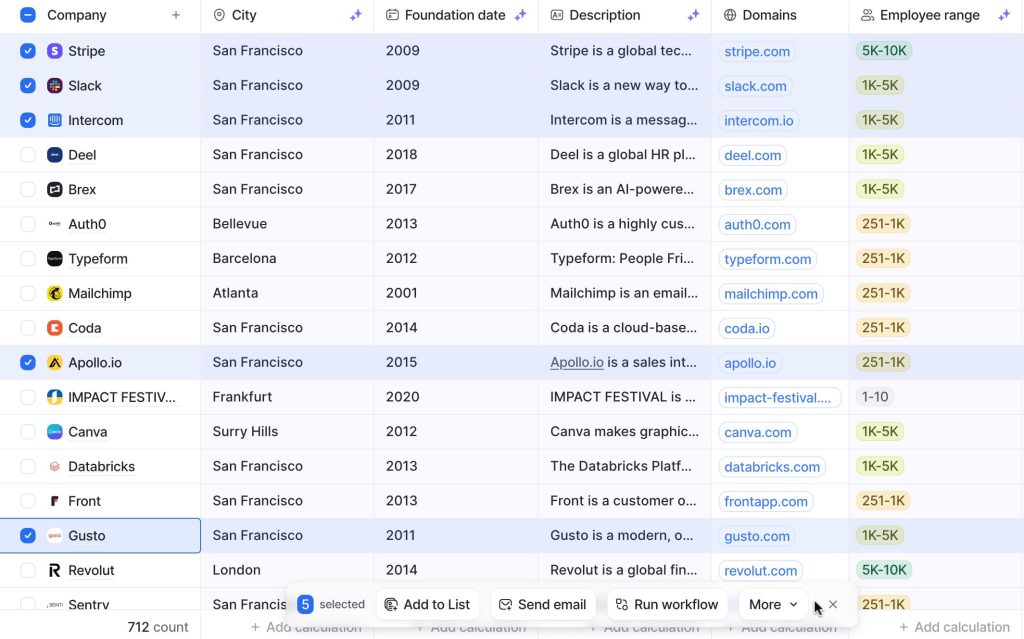
Local business data can be useful for more than finding business names and contact details. When collected and organized properly, it helps companies understand local markets, identify potential customers, monitor competitors, and make better location-based decisions.
The value depends on the business question and the information available for the intended use.
Lead Generation and Territory Prospecting
Agencies, sales teams, and service businesses use local business information to identify potential customers within specific industries and geographic areas.
For example, an HVAC company might research property management businesses across several counties, while a marketing agency might look for newly opened restaurants that could benefit from its services.
Organizing business records by category, location, website, and verified contact information can make it easier to prioritize prospects and divide sales territories.
However, outdated phone numbers, duplicate listings, and closed businesses can waste time. A prospecting dataset should be checked before it enters a CRM or sales workflow. Marketing outreach must also follow applicable privacy and communications rules.
Market Research and Site Selection
Before opening a new location, businesses need to understand the local competitive landscape.
Local business research can help answer questions such as:
- How many competitors operate in a particular area?
- Which business categories are already well represented?
- Are there neighborhoods with fewer businesses serving a particular need?
- How are competing businesses distributed geographically?
Someone considering opening a coffee shop, for example, could compare nearby cafés, their locations, ratings, and review activity.
Business listings alone cannot predict whether a location will succeed. Foot traffic, rent, demographics, accessibility, and local demand also matter. However, business data can provide a useful starting point for more detailed market research.
Local SEO Benchmarking
Local SEO professionals may examine how competitors present themselves in local search results. Relevant information can include primary and secondary business categories, ratings, review counts, recent review activity, opening hours, and profile completeness.
Comparing these details can reveal opportunities to improve a business’s own local presence. For example, a company might discover that competitors have more recent customer reviews or more complete business profiles.
One important caveat: Google Maps rankings are not fixed or universally consistent. Results can vary depending on the searcher’s location, query, device, and other contextual factors. Treat collected ranking information as a directional benchmark rather than a definitive record of local search positions.
Competitor Monitoring
Competitor research does not have to be a one-time activity. Businesses can monitor changes in their markets and investigate developments that may affect their positioning.
Depending on the available and permitted data, this research may include:
- New businesses entering a target area.
- Changes in business categories or opening hours.
- Updates to websites and contact details.
- Changes in ratings and review counts.
- New customer feedback and review trends.
These indicators do not explain why a competitor is performing well or poorly. They simply highlight changes worth investigating further.
Business Directories and Data Enrichment
Companies that maintain business directories, supplier databases, or CRM systems often need accurate information about the organizations they work with.
Business data can help identify incomplete records, standardize categories, and flag details that require verification. For example, a directory operator might use a licensed business dataset to identify duplicate company records or missing website information.
Collected information should not automatically be treated as current. Businesses move, close, change phone numbers, and update their services. Regular verification and deduplication are essential for maintaining a useful database.
Franchise and Multi-Location Expansion
Franchises and multi-location businesses can use local market research to compare potential expansion areas.
A fitness franchise, for example, might compare neighborhoods based on the number and distribution of existing gyms. The findings can then be combined with population data, household income, commercial rental costs, and accessibility.
This approach does not replace a full feasibility study. It helps expansion teams narrow their options and identify locations that deserve closer investigation.
Responsible Local Business Data Collection
Publicly accessible information is not automatically free to collect, reuse, or redistribute for every purpose.
Before building a dataset, teams should review the relevant platform terms, data licenses, and applicable privacy laws. They should also avoid collecting unnecessary personal information, particularly when a business listing includes details about an individual rather than a company.
For outreach campaigns, businesses should separately consider applicable marketing and communications rules. Keeping records accurate, removing outdated information, and respecting requests to stop communications are also important parts of responsible data management.
A useful dataset should be relevant to its intended purpose, reasonably accurate, regularly reviewed, and collected under an appropriate legal and contractual basis.
Popular Methods and Tools for Data Scraping
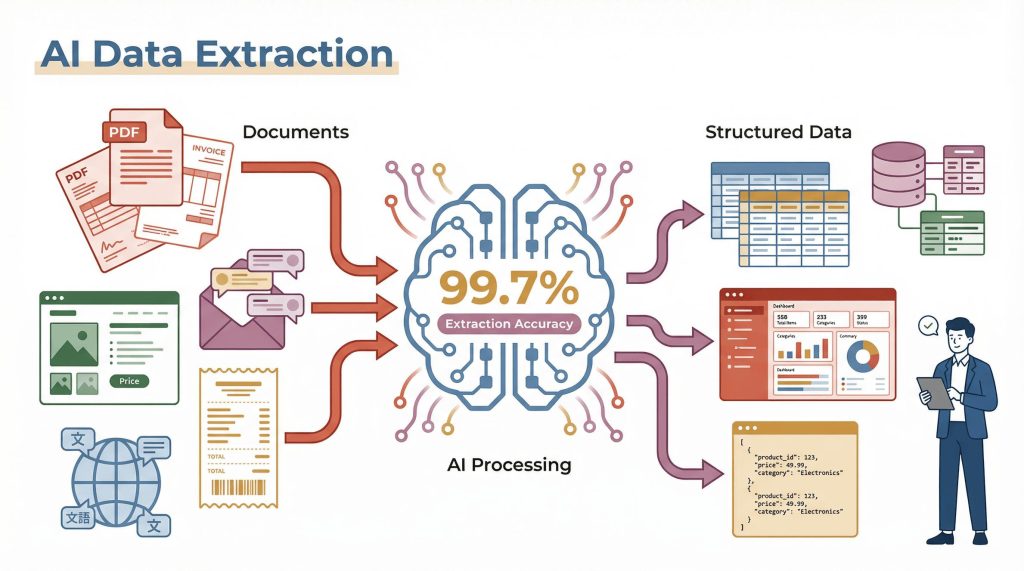
There is no single approach to collecting local business information. The right method depends on the source, the type of information required, the technical skills available, and the rights associated with the data.
Most approaches fall into five broad categories:
- Browser extensions and no-code scraping tools.
- AI-powered data extraction platforms.
- Developer-focused scraping libraries and APIs.
- Official data APIs and licensed business databases.
- AI browser agents that automate multi-step research tasks.
These categories can overlap. For example, a no-code platform may use AI to identify fields, while a developer platform may offer both conventional extraction and AI-assisted workflows.
No-Code Extensions
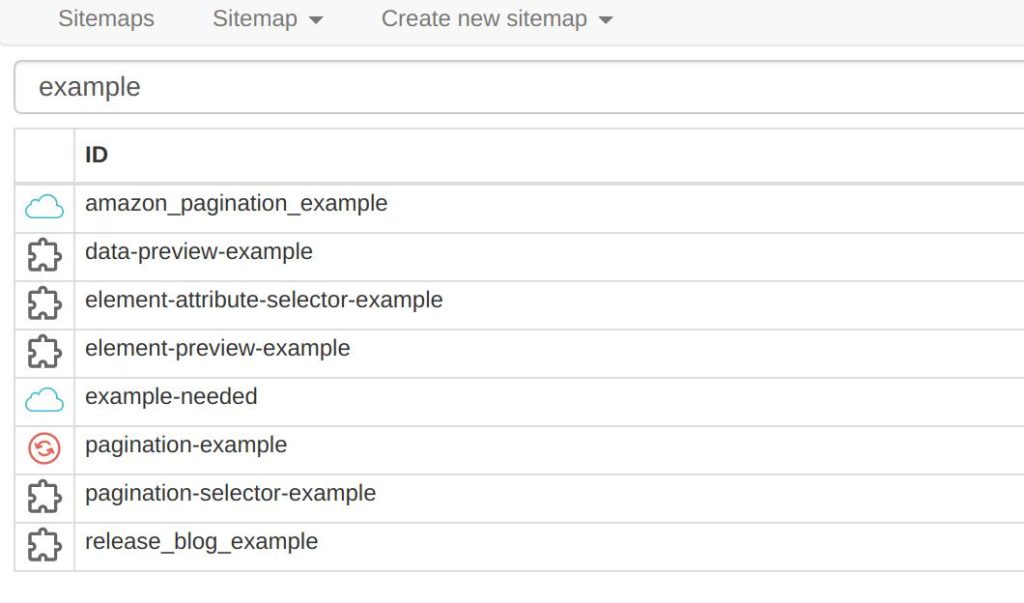
No-code scraping extensions are designed for people who want to collect information from a browser without writing code. They typically provide a visual interface for selecting page elements, identifying data fields, and exporting results.
Some tools use predefined extraction recipes, while others let users create their own workflows.
Examples worth knowing:
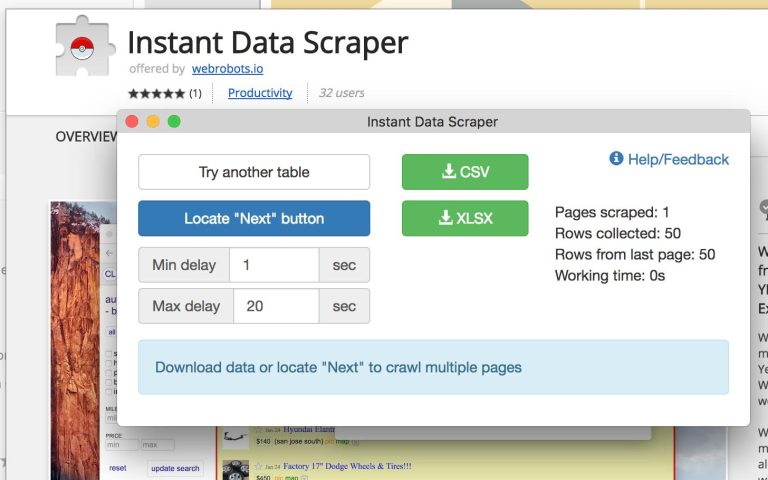
- Instant Data Scraper: A browser extension designed to detect structured data on web pages and export it. It can be useful for simple, small-scale extraction tasks when the information is visible and the source permits collection.
- Data Miner: A Chrome and Edge extension that offers predefined extraction recipes and custom rules. Its features include collecting visible page data and exporting results to CSV or Excel.
- Thunderbit: An AI-assisted Chrome extension that can identify fields from a page and organize the results into structured columns. Its advertised features also include templates for websites such as Google Maps.
- Web Scraper: A browser-based visual scraping tool that uses configurable selectors and sitemaps to collect information from supported websites.
When this approach makes sense:
- You need a small dataset for a one-time research task.
- You prefer a visual interface over writing scripts.
- The information is already displayed in a structured page.
- You want to test an extraction workflow before building a larger system.
Limitations to consider:
Browser extensions can struggle with dynamic pages, nested listing details, pagination, and large extraction jobs. Their results may also depend on the current page layout and the browser session.
A tool being easy to install does not mean every website or data field can be collected freely. Check the source’s terms and the extension’s own privacy and data-handling practices before using it.
AI-Powered Scraping
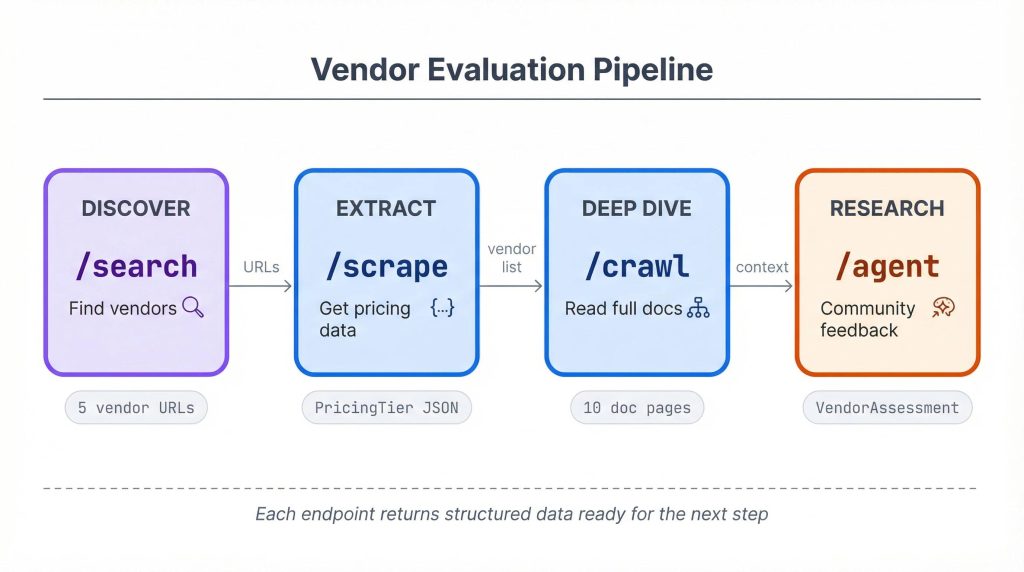
AI-powered scraping tools use language models or machine learning to help identify information, interpret page content, and organize extracted data.
Traditional scraping often relies on fixed selectors, CSS rules, or predefined templates. When a website changes its layout, those rules may need to be updated.
AI-assisted extraction can reduce some of that manual setup. A user might describe the information they want in plain English, such as:
“Find the business name, address, website, phone number, and business category from each record.”
The tool then attempts to map the page content to the requested fields.
Examples include:
- Browse AI: A no-code platform focused on training website-monitoring robots and extracting structured information from supported pages.
- Thunderbit: Combines browser-based extraction with AI-assisted field detection and data formatting.
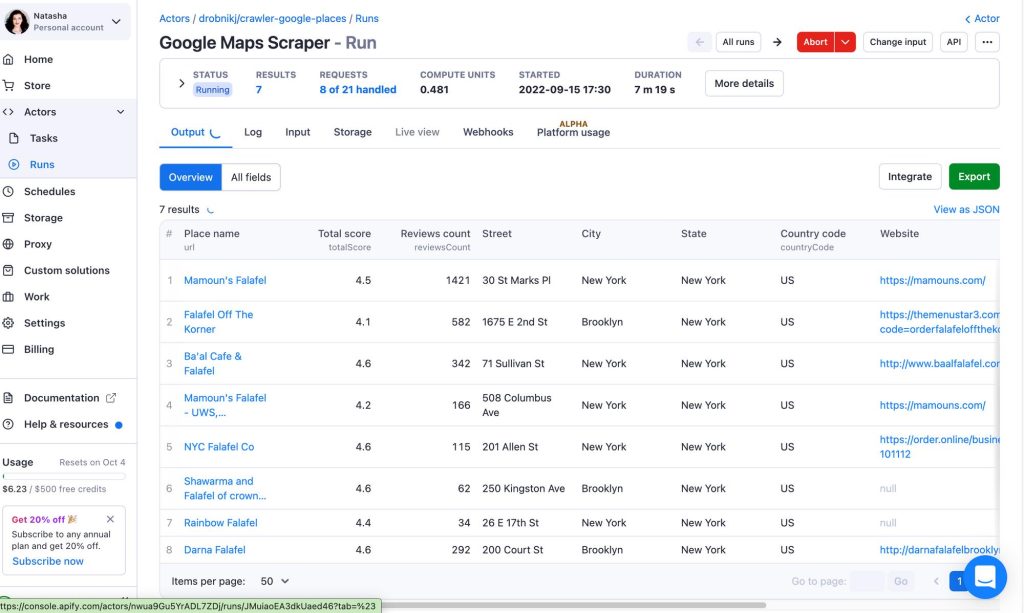
- Apify: A cloud automation and scraping platform built around reusable Actors. Its marketplace includes different data extraction workflows, and individual Actors may offer AI-assisted features.
- Firecrawl: A developer-focused service that converts web pages into structured, LLM-ready content and supports extraction workflows for AI applications.
- Kadoa: Offers AI-assisted data extraction and managed data workflows for structured information projects.
AI can help with tasks such as:
- Identifying business names and contact fields.
- Converting inconsistent page content into structured records.
- Categorizing businesses using a predefined taxonomy.
- Summarizing text from sources that permit its use.
- Flagging missing or inconsistent values.
- Producing JSON or spreadsheet-ready output.
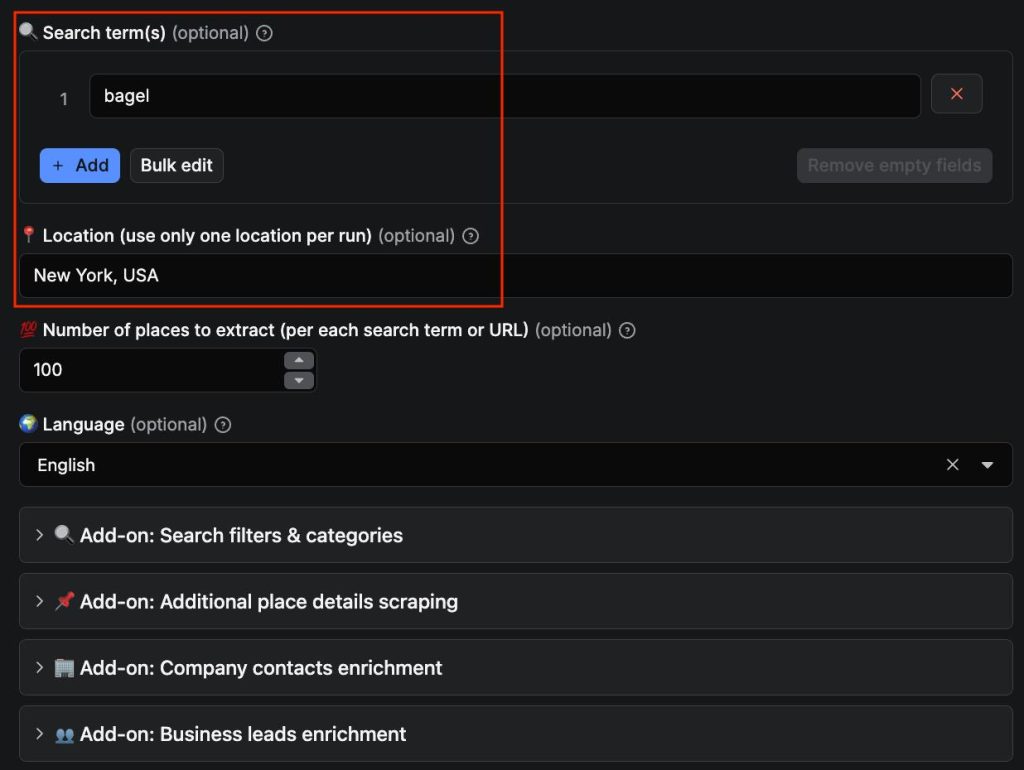
However, AI extraction is not automatically accurate. A model can misinterpret a label, infer a missing value, or place information in the wrong column. Important fields should be validated against the original source.
It is also important to distinguish between AI extraction and permission to collect data. An AI-powered tool does not override website terms, licensing conditions, or privacy obligations.
AI-Native Python Libraries
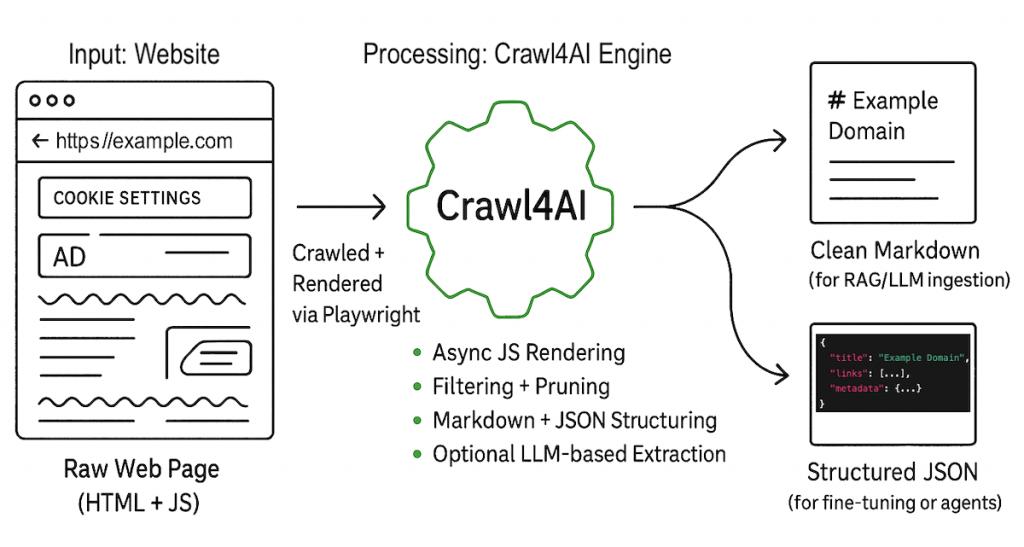
Developers who need more control over data extraction can use Python libraries and frameworks that integrate large language models (LLMs), browser automation, intelligent crawling, or structured extraction.
Unlike a ready-made Chrome extension, these tools require development work. They can be useful when a team needs custom data pipelines, validation rules, database integration, AI-powered automation, or repeatable workflows.
ScrapeGraphAI
ScrapeGraphAI uses large language models and graph-based workflows to extract information from web pages and documents. Developers can describe the information they want using natural-language instructions and define structured outputs.
It is useful for projects where page structures vary and conventional selectors require substantial maintenance. The trade-off is that LLM-based extraction needs validation and may introduce additional model-related costs and processing time.
Crawl4AI
Crawl4AI is an open-source Python web crawler designed to produce clean, LLM-friendly content. It supports Markdown generation, structured extraction, browser rendering, and integration with AI workflows.
It can be useful for collecting and preparing content from websites that permit automated access. It is not a dedicated Google Maps extraction API, and developers remain responsible for configuring the crawler and respecting source restrictions.
Playwright
Playwright is a browser automation framework rather than an AI scraping library. It allows developers to control browsers, interact with dynamic pages, and retrieve information from rendered content.
It is often used as the browser layer in custom scraping systems. AI models can be added separately to interpret page content or determine which actions to take.
Scrapy
Scrapy is a mature Python framework for building structured web crawlers. It is not inherently AI-powered, but it can be combined with language models, data validation tools, and other components to build more advanced extraction pipelines.
It is generally better suited to developers who need predictable, rule-based crawling and structured data processing. For JavaScript-heavy websites, it can also be integrated with Playwright through the Scrapy-Playwright extension.
Browser Use
Browser Use is an open-source Python library that enables AI agents to interact with web browsers. It connects language models with browser automation, allowing agents to navigate websites, click elements, fill out forms, and retrieve information using natural-language instructions.
It is useful for automating complex browsing tasks and extracting information from websites with changing layouts. However, autonomous browser interactions require monitoring and validation to prevent incorrect actions and unreliable results.
Instructor
Instructor is a Python library that generates structured and validated outputs from LLMs using Pydantic models. It supports schema-based extraction, validation, and automatic retries.
In data extraction workflows, developers can use Instructor to convert unstructured website content into consistent JSON data, including business names, addresses, contact information, product prices, and categories.
Unlike web crawlers, Instructor does not collect website content by itself. It works alongside tools such as Playwright, Scrapy, or Crawl4AI.
Pydantic AI
Pydantic AI is a Python framework for building LLM-powered agents with typed inputs, tools, dependencies, and structured outputs.
It allows developers to build AI agents that coordinate multiple operations, interact with external tools, and return validated data using Pydantic models.
In a web scraping pipeline, Pydantic AI can act as the orchestration layer. For example, an agent can receive an extraction task, interact with a browser automation tool, interpret retrieved content, and return the results in a predefined JSON structure.
When should you use a Python library?
A custom Python workflow may make sense when you need:
- Repeatable data processing and validation.
- Integration with a CRM, database, or internal application.
- Custom JSON schemas and category mapping.
- Control over infrastructure and data retention.
- AI-powered automation combining browser interaction and structured extraction.
- A workflow that combines multiple authorized data sources.
The main trade-off is maintenance. Your team is responsible for deployment, monitoring, error handling, data quality, and compliance. An AI model may reduce some manual work, but it does not remove the need for engineering oversight.
AI Agents for Scraping Google Maps
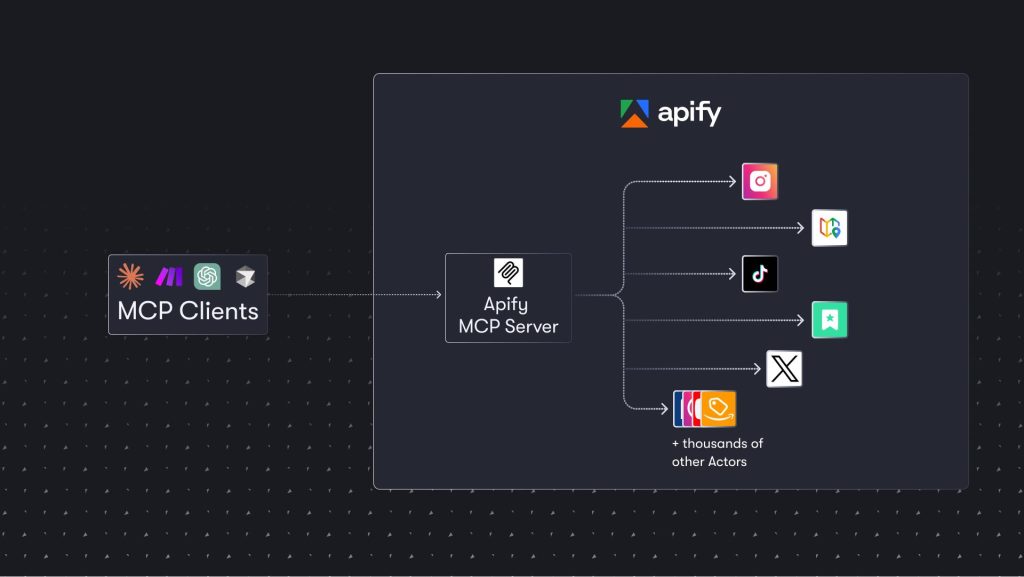
AI browser agents take automation a step further. Rather than following only a fixed set of selectors or extraction rules, an agent can interpret a task, navigate a browser, inspect page content, and decide what action to take next.
For example, a browser agent might be instructed to research a list of businesses from an approved source, visit their official websites, and organize permitted information into a structured report.
Some frameworks and platforms associated with this approach include:
- Browser Use: An open-source browser agent framework with Python and hosted options. It allows AI agents to interact with web pages through browser automation.
- Stagehand: A browser-agent SDK that combines familiar browser automation methods with AI-powered actions, observation, and structured extraction.
- Apify: Provides cloud-based Actors and automation workflows that can be connected to broader data pipelines.
- Firecrawl: Offers extraction and agent-oriented capabilities for research and data workflows.
An AI agent can potentially handle a sequence of tasks such as:
- Open an approved data source.
- Search for a specific business category or location.
- Identify relevant records.
- Visit business websites where permitted.
- Extract selected fields.
- Validate the output against a schema.
- Save the results in a database or spreadsheet.
The advantage is flexibility. An agent can interpret page content and adapt to some changes that would otherwise require manual selector updates.
However, agents introduce their own risks. They can click the wrong element, misunderstand page content, repeat actions, or return incomplete information. They may also incur additional model and browser costs.
Most importantly, an AI agent does not make Google Maps scraping permissible. Automating a browser with natural-language instructions does not change Google’s terms or the legal obligations associated with the source data. Use agents with approved sources, authorized workflows, or data for which you have the necessary rights.
Official Google Places API vs. AI-Powered Scrapers
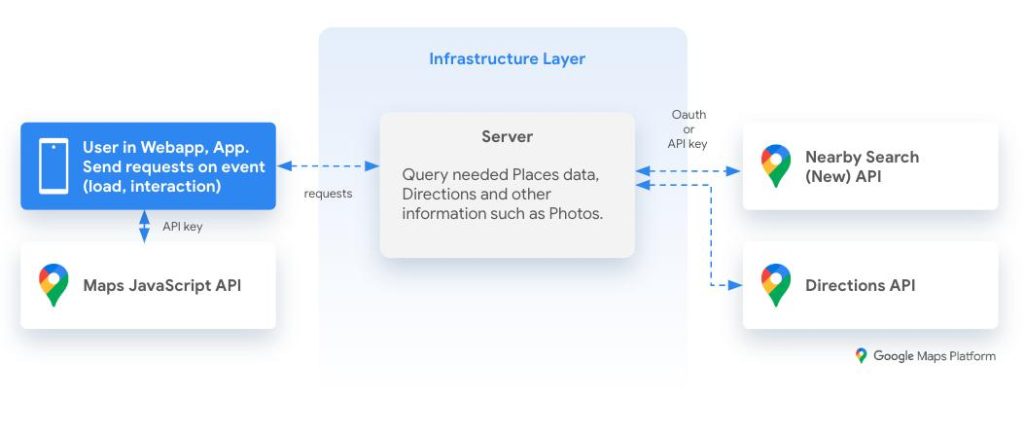
The Google Places API and AI-powered scraping tools solve different problems. The API provides an official way to retrieve supported place information for applications that follow Google’s policies. AI scrapers are designed to interpret and extract information from web pages or other supported data sources.
| Comparison | Google Places API | AI-Powered Scraping Tools |
|---|---|---|
| Main purpose | Retrieve supported place information through an official API | Extract and structure information from supported web sources |
| Setup | Requires API configuration and billing setup | Varies from browser extensions to developer APIs |
| Data structure | Defined API fields and response formats | Depends on the source and extraction instructions |
| Custom extraction | Limited to supported API fields | Can support flexible schemas and field definitions |
| Data freshness | Retrieved through API requests | Depends on the source and collection schedule |
| Validation | Structured API responses | May require additional checks, especially with LLM output |
| Storage rules | Subject to Google Maps Platform policies | Subject to the source’s terms, data licenses, and applicable law |
| Best fit | Applications using Google Maps Platform data | Workflows involving other permitted web sources or licensed datasets |
The Places API is often the more appropriate choice when an application needs official place search and place details within Google’s permitted usage model.
AI-powered extraction may be useful when working with other authorized sources, such as company websites, licensed directories, or internal business records.
Neither option should be treated as an unrestricted way to build a commercial database from Google Maps listings. Review the applicable terms before choosing a data source.
How the Popular Google Maps Scrapers Compare
Google Maps-related extraction tools differ in their service models, setup requirements, and advertised capabilities. Some provide self-service interfaces, while others offer cloud automation, custom extraction, or managed data services.
The following comparison describes general product categories and advertised features. It is not a hands-on performance benchmark, and individual features, pricing, and usage limits can change.
| Tool | Service Model | Reported Strengths | What to Consider |
|---|---|---|---|
| Apify Google Maps Scraper | Cloud scraping platform with individual Actors | Configurable workflows, API access, scheduling, and integrations | Different Actors have different capabilities, costs, and terms |
| Outscraper | Self-service platform with API access | Business search, review-related services, exports, and enrichment options | Verify the source and accuracy of enriched contact information |
| PhantomBuster | No-code automation platform | Visual workflows, reusable automations, and scheduled tasks | Check current Google Maps workflow availability and supported fields |
| Octoparse | Visual web scraping software | Point-and-click workflows, templates, and configurable extraction | Templates may require maintenance when website layouts change |
| ScrapeHero | Managed data extraction service | Custom collection projects and managed delivery | Usually requires a clear specification and project budget |
| Browse AI | No-code AI extraction platform | Visual robots, monitoring, and structured data extraction | Check supported sources and how extraction failures are handled |
| Thunderbit | AI-powered browser extension | AI-assisted field detection and spreadsheet exports | Validate extracted fields and review current usage limits |
| Licensed business data providers | Commercial data subscriptions or datasets | Structured business records and contractual licensing options | Coverage, data sources, refresh schedules, and redistribution rights vary |
The right choice depends on how often you need the data and how much work your team can handle internally. A small research project may not require a managed service. A recurring project involving large datasets may benefit from a provider that handles data preparation, quality checks, and scheduled updates.
Before choosing a tool, check its current pricing, extraction limits, supported fields, data sources, privacy practices, and terms of use. Also distinguish between information collected directly from a source and information enriched from other websites or databases.
What Google’s Terms Actually Say About Scraping
Google Maps scraping is not just a technical question. The platform’s terms, the source of the data, and the intended use all matter.
It is important to distinguish between whether a particular scraping activity is unlawful under applicable law and whether it is permitted under Google’s contractual terms. These are separate questions, and one does not automatically settle the other.
The No-Scraping Clause
Section 3.2.3(a) of the Google Maps Platform Terms of Service contains an explicit restriction against scraping Google Maps Content for use outside the services.
The provision gives several examples, including:
- Pre-fetching, indexing, storing, resharing, or rehosting Google Maps Content outside the services.
- Bulk downloading place information and other Maps content.
- Copying and saving business names, addresses, or user reviews.
This is particularly relevant to local business data projects because these are often the exact fields people want to collect and store.
The restriction does not provide a general allowance based on collecting a smaller number of records. However, its contractual scope should be understood in context: these are Google Maps Platform terms governing customers and their use of the covered services. The terms alone should not be treated as a complete legal analysis of every method of accessing publicly visible Google Maps pages.
Caching and Derived Data Restrictions
Section 3.2.3(b) also restricts caching Google Maps Content unless the applicable service-specific terms expressly permit it.
Section 3.2.3(c) addresses content derived from Google Maps Content. One example in Google’s policy involves using latitude and longitude values from Places API as inputs for point-in-polygon analysis.
That distinction matters for businesses building geographic databases or location intelligence products. Even when information is available through an official API, that does not mean it can automatically be extracted, stored, transformed, and reused for unrelated purposes.
Google does provide specific exceptions. For example, Place IDs are exempt from the general caching restrictions and can be stored indefinitely, subject to applicable policies. Google also recommends refreshing older Place IDs when necessary.
See the official Places API policies for current storage, caching, and attribution requirements.
Attribution Requirements
Attribution is another important consideration when using Google Maps Platform content in an application.
Section 3.2.2(b) requires customers to display the attribution provided by Google or specified in the relevant service terms. The Places API policies also explain how to display Google branding and attribute third-party content.
For example, applications displaying Places data without a Google Map must follow Google’s branding requirements. Photos and reviews may also require attribution to their respective authors.
These requirements apply to the relevant Google Maps Platform content and should not be confused with general permission to redistribute scraped listings.
Where the Law and the Contract Diverge
A website’s terms of service and applicable law answer different questions.
In the United States, the Computer Fraud and Abuse Act (CFAA) has been central to several disputes involving automated data collection. One notable example is hiQ Labs v. LinkedIn, in which the Ninth Circuit examined whether accessing publicly available profile information could constitute unauthorized access under the CFAA.
However, that decision does not establish that all scraping is legal. It addressed specific circumstances and a particular legal question. Other claims, contractual restrictions, privacy laws, and intellectual property issues can still matter.
A few additional considerations are worth keeping in mind:
- Privacy: Personal information included in business records, reviews, or contact details may trigger privacy obligations under applicable laws.
- Data licensing: Public accessibility does not automatically grant permission to reproduce or commercially redistribute information.
- Platform restrictions: Terms of service and technical access restrictions may create additional contractual or legal risks.
- Client responsibilities: Companies collecting data for clients should establish who is responsible for permissions, record maintenance, and compliance obligations.
The practical takeaway is that a scraper working successfully does not establish that its use is permitted. Before starting a project, review the applicable platform terms and the laws governing the collection and intended use of the data.
The Compliant Path: Places API and Licensed Data
If your goal is to work with reliable local business information, there are alternatives to building a scraping workflow. The right option depends on whether you need data inside an application, a standalone business database, or information for a specific research project.
Use the Google Places API Within Its Policies
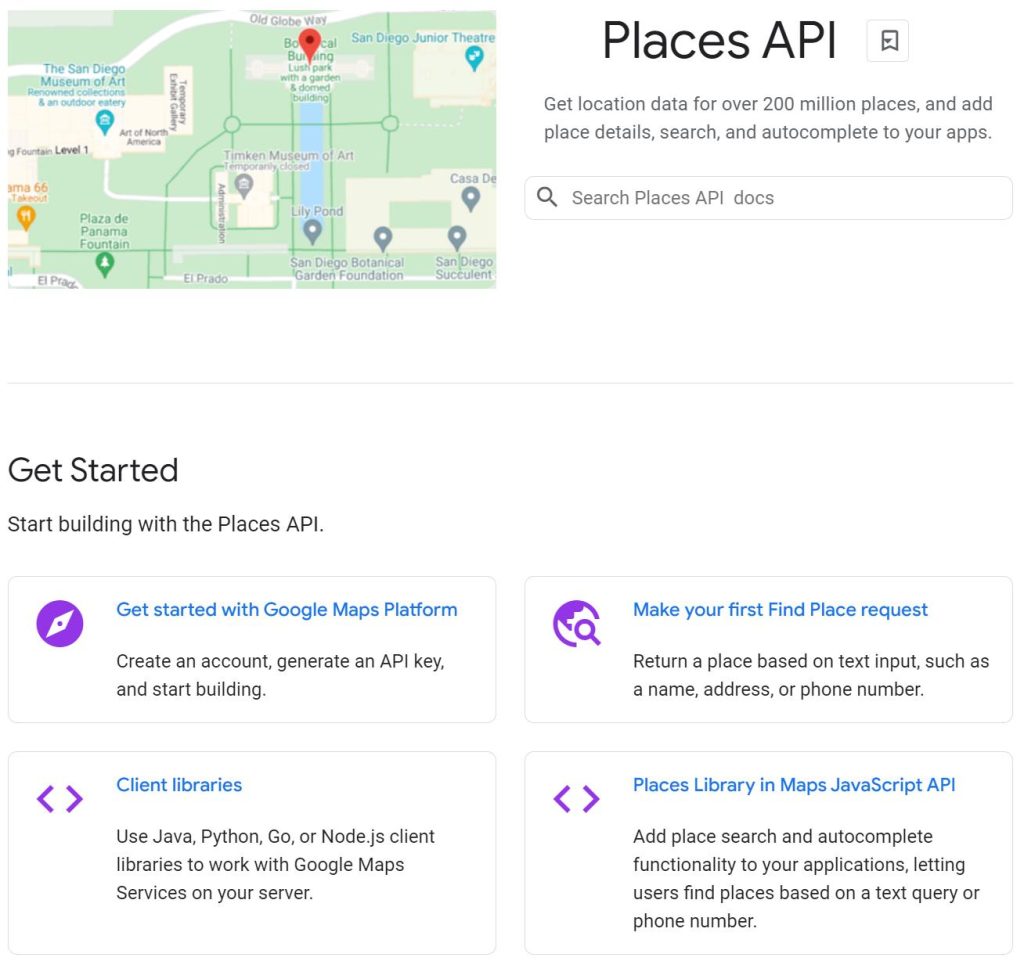
The Google Places API provides an official way to retrieve place information for supported applications.
The API supports features such as place search and place details. Developers can use field masks to request specific information rather than retrieving every available field.
There are also important storage and display restrictions. Place IDs are exempt from the general caching restrictions, while other Places content is subject to applicable storage, attribution, and usage requirements.
For this reason, Places API is useful for applications that need to retrieve or display business information within Google’s permitted usage model. It should not be treated as a general-purpose bulk export service for building an unrestricted business directory.
Consider a Licensed Business Data Provider
Commercial data providers offer business records under their own licensing arrangements. Depending on the provider, these datasets may include business names, addresses, websites, phone numbers, categories, and other company information.
Some providers also offer API access, bulk exports, and scheduled data updates.
Before purchasing, ask for clear documentation covering:
- Where the data originally comes from.
- Whether the provider has the rights to supply it.
- Which commercial uses are permitted.
- Whether you can store, modify, or redistribute the records.
- How frequently the dataset is refreshed.
- What happens if the provider discovers inaccurate or improperly licensed records.
A paid dataset is not automatically compliant simply because it comes from a commercial provider. Its value depends on the quality of the information and the rights granted under the agreement.
Collect Only the Data You Actually Need
A project does not necessarily become more useful because it contains 40,000 business records instead of 600.
If your goal is to identify qualified prospects in a specific service area, a smaller and properly verified dataset may be more valuable than a large export containing duplicates, outdated listings, and irrelevant businesses.
Keeping the scope focused also makes data validation, maintenance, and compliance easier to manage.
Whichever approach you choose, document the source of the information, the permissions or licensing basis, the intended use, and the retention period. This gives your team a clearer record of how the dataset was obtained and why it can be used.
Where Google Maps Scrapers Break Down
Even when a collection method is permitted, extracting useful business information is not always straightforward. Several technical and data-quality issues can affect the final results.
Coverage gaps:
- Search results can vary depending on the query, location, and search area.
- A search for coffee shops in Chicago, for example, may not return every relevant business across the city.
- Dividing a research area into smaller geographic sections may improve coverage, but overlapping searches can produce duplicate records.
Drift and outdated information:
- Business hours, ratings, review counts, and contact details can change over time.
- An exported dataset represents information captured at a particular moment, not a permanent record of the business.
- Include collection dates and establish how long the information remains useful.
Inconsistent data fields:
- Business categories and attributes may differ between listings.
- Some businesses provide detailed information, while others leave fields blank.
- Missing information should not automatically be interpreted as a negative result. For example, an empty accessibility field does not necessarily mean a venue is inaccessible.
Blocking and incomplete extractions:
- Automated collection can encounter rate limits, CAPTCHAs, access restrictions, or changes to website layouts.
- A process may stop early or return incomplete records without making the problem immediately obvious.
- Compare the number of records requested with the number successfully delivered, and investigate any unexpected gaps.
Hidden data-cleaning work:
- Removing duplicates and standardizing addresses can take considerable time.
- Category mapping and contact detail verification may require additional manual work.
- Include these tasks when estimating the actual cost of a data project.
Running a Local Business Data Project End to End
A useful dataset starts with a clear objective, not a particular scraping tool. Whether you use an authorized collection method, an API, or a licensed provider, the following workflow can help keep the project manageable.
- Define the research question. Be specific about the information you need. For example, identifying dental offices in five ZIP codes is more manageable than collecting every dentist in an entire state.
- Check the source and its terms. Review the applicable platform policies, licensing conditions, and legal requirements before collecting information. If the intended use is not permitted, choose another source.
- Choose the right collection model. A small research project may only need a limited dataset. Recurring projects may benefit from a managed service, API integration, or licensed data provider.
- Start with a small sample. Review an initial batch of records manually. Check whether the information is relevant, whether important fields are populated, and whether duplicate entries are common.
- Reconcile the results. Compare the expected number of records with the actual delivery. Investigate missing records, unexpected duplicates, and incomplete fields before expanding the project.
- Clean and standardize the data. Normalize addresses and phone numbers, remove duplicate records, and map different business category labels to a consistent internal taxonomy. Verify important contact details before using them.
- Document data sources and freshness. Record the collection date, source, query scope, provider, and relevant licensing information. This makes it easier to trace individual records and investigate problems later.
- Set a refresh or retirement schedule. Decide how often the information needs to be checked and when outdated records should be removed. A stale dataset can create problems when used for sales outreach, market research, or business decisions.
For teams that want to understand the broader techniques behind automated data collection, our overview of web scraping and web crawling explains the difference between the two practices. Our guide to the Instant Data Scraper Chrome extension also covers a lightweight option for small, ad hoc data collection tasks.
Quick Answers
Is Scraping Google Maps Legal?
There is no single answer that applies to every scraping project. In the United States, collecting publicly accessible information is not automatically unlawful, but that does not mean every scraping method or use is permitted.
Google Maps Platform terms explicitly prohibit exporting, extracting, or scraping Maps content for use outside its services. Other considerations may include contractual obligations, privacy laws, intellectual property rights, and how the information is collected.
The legality of a particular project depends on its circumstances and applicable law. If the project involves large-scale commercial collection, seek qualified legal advice before proceeding.
What Data Can You Collect From Google Maps Listings?
Depending on the listing and the collection method, available information may include:
- Business name and category.
- Street address and geographic location.
- Phone number and website.
- Average rating and review count.
- Business hours.
- Photos and other listing details.
Not every listing contains all these fields. Email addresses are also not consistently available directly from Google Maps. Tools advertising email enrichment may obtain those details from business websites or other external sources.
Always check where enriched information comes from rather than assuming it was provided by Google Maps.
What Is the Difference Between a Google Maps Scraper and an AI Scraper?
A Google Maps scraper describes a tool or workflow designed to collect information associated with Google Maps listings. An AI scraper describes a broader category of extraction tools that use language models or machine learning to identify, interpret, and structure information.
An AI scraper may work with many types of websites, not just Google Maps. It can help identify fields from page content, but its output still needs validation and its use remains subject to the source’s terms and applicable rules.
Is the Google Places API a Replacement for Scraping?
It can replace scraping for many application-based use cases, but it is not a direct replacement for unrestricted bulk data extraction.
Places API provides an official way to retrieve supported place information. However, Google applies restrictions on data storage, caching, attribution, and redistribution.
Place IDs can be stored indefinitely under the applicable exception, but other information is subject to additional rules. Developers should review the current Places API policies before designing their data workflows.
Can AI Agents Scrape Google Maps Automatically?
AI agents can automate browser tasks, interpret page content, and organize information into structured output. However, their technical capabilities do not change the terms governing the source data.
Before using an AI agent, confirm that the source and intended collection method are permitted. For projects involving Google Maps content, review the applicable Google terms and consider approved API or licensed data alternatives.
Why Do Google Maps Scraped Lists Have Duplicates and Missing Businesses?
Search results can vary across queries and geographic areas. When several overlapping searches are combined, the same business may appear multiple times. Meanwhile, a search covering only one starting location may miss businesses elsewhere in the target area.
Data cleaning, consistent geographic coverage, and appropriate deduplication methods can help reduce these problems. However, no collection method should be assumed to capture every business in a market.
How Accurate Is Scraped Local Business Data?
Accuracy depends on the source, collection method, and age of the dataset.
Ratings and review counts can change, business hours may become outdated, and some listings contain incomplete information. Contact details can also become invalid when businesses move or close.
Treat collected information as a snapshot rather than a guaranteed current record. Verify important fields before using them for outreach, reporting, or business decisions.
Conclusion
Google Maps contains useful local business information, and scraping tools make it technically possible to collect and organize that information at scale. However, successful extraction does not automatically mean the data can be stored, reused, or redistributed without restrictions.
There are several ways to approach local business research, from no-code browser extensions and AI-powered extraction platforms to Python libraries, browser agents, and official APIs. Each has different technical requirements, costs, and limitations. The right choice depends on the source of the information and what you are allowed to do with it.
Google Maps Platform terms explicitly restrict extracting or scraping Maps content for use outside its services. For applications that need Google place information, the Places API provides an official option within its usage and storage policies. Licensed business data providers may offer standalone datasets, but their source documentation and usage rights still need to be checked.
The most useful approach is to start with the business question, choose an appropriate data source, and make sure the information can be used for its intended purpose. A smaller, well-maintained dataset with clear provenance is often more valuable than thousands of unverified records.
Ultimately, good local business data work is not just about collecting more listings. It is about knowing where the information came from, how reliable it is, and whether you have the right to use it.
You May Also Like
 Web Scraping
10 Best ScrapingBee Alternatives: Real Cost per 1,000 Pages
 Web Scraping
8 Best Web Scraping APIs for E-commerce Sites
 Web Scraping
Instant Data Scraper: Features, How to Use It, and Honest Limitations
 Web Scraping
Are Web Scraping and Web Crawling the Same Thing?
 Web Development
REST API vs SOAP API: Differences, Pros & Cons, and Use Cases
 Data Security & Privacy
API Security Best Practices for Data Collection Platforms
 Web Development
What Is API Rate Limiting? (A Practical, Simple Guide for Safer, Faster APIs)
 Web Scraping
TinyFish.ai Review: Is It the Best AI Agent for Web Scraping
 VPN & Proxy
