

ScrapingBee is a solid API that gets expensive the moment your targets need JavaScript rendering or premium proxies, because each of those consumes extra credits per request. The strongest replacements, split by reason: Scrape.do if you want the same feature set without credit gates, Scrapingdog if you want the lowest published floor at volume ($0.09 per 1,000 requests on its $90 plan), ZenRows if you want the cheapest paid entry at $16/mo with failures uncharged, Firecrawl if you need LLM-ready markdown, and Apify if you would rather not write a parser at all. If you only need one number: ScrapingBee’s $99 Startup plan works out to about $0.099 per 1,000 credits, and that cost multiplies with every rendering and proxy flag you enable.
The problem with ScrapingBee isn’t always that the service fails. Sometimes, it’s that the final bill doesn’t match what users expected. You buy 1,000,000 credits, scrape 190,000 pages, and suddenly the dashboard shows that your credits are gone. Nothing broke. The credit multiplier simply used them faster than you anticipated.
That is the whole problem with comparing scraping APIs on sticker price. A plan that reads “$99 for 1M credits” and a plan that reads “$0.09 per 1,000 requests” can be the same product at wildly different real costs, depending on whether your targets render client-side, sit behind Cloudflare, or need a residential exit.
This comparison focuses on one key metric: effective cost per 1,000 requests, calculated using each vendor’s published pricing tiers and adjusted for any applicable multipliers.
Prices are based on the vendors’ official pricing pages. Keep in mind that credit bundles, usage rates, and multipliers can change frequently. Check the vendor’s pricing page before committing to a plan. After all, a pricing comparison that hasn’t been updated in several months can be more misleading than helpful.
Why Teams Leave ScrapingBee
Four reasons come up repeatedly, and only one of them is about price.
Credits do not equal pages. ScrapingBee’s plans are quoted in API credits, with JavaScript rendering, premium proxies, screenshots, and extraction rules all consuming more than one credit per call. Their pricing page lists those features as “included” on the $19 plan and up, which is accurate, and also the point. Included does not mean free. A hard target can cost many multiples of a plain fetch, so the headline credit count is an upper bound, not a page count.
Concurrency is a real ceiling. Hobby gives you 25 concurrent requests at $19/mo; Freelance 50 at $49; Startup 100 at $99. If you run nightly catalog refreshes instead of continuous crawling, that is fine. If you push thousands of URLs in a burst, you will spend your evening staring at 429 responses.
Support sits behind a paywall. Priority email support, a dedicated account manager, and team management all start at the $249 Business plan. Below that, you are on standard support. For a solo developer, that is irrelevant. For a team that has to explain an outage upward, it matters.
The tool itself is fine. Documentation is genuinely good, the API is clean, and extraction rules save time on long-tail sites. This is not an article about a bad product — it is an article about picking the right one for your workload shape. If you want the mechanics of what these APIs replace, start with what a web scraping API actually does.
The 10 Best ScrapingBee Alternatives
| Tool | Best for | Entry paid | Free tier | Effective cost per 1,000 simple requests |
|---|---|---|---|---|
| Scrape.do | Success rate on defended targets | $29/mo | 1,000 credits/mo, all features | ~$0.11 (Hobby), ~$0.08 (Pro) |
| ScraperAPI | Predictable credit budgeting | $49/mo | 1,000 credits | No flat rate — 5 credits per Amazon page, 25 per Google |
| ZenRows | Cheapest entry, failures uncharged | $16/mo | 5,000 credits/mo | ~$0.36 (Build) down to ~$0.09 (Scale) |
| Scrapfly | Anti-bot plus browser control | $30/mo | 1,000 credits, no expiry | ~$0.15 (Discovery), ~$0.10 (Pro) |
| Scrapingdog | Lowest floor at volume | $40/mo | 100 credits | ~$0.20 (Lite) down to ~$0.067 (Pro) |
| Firecrawl | LLM-ready output | $19/mo | 1,000 credits/mo | ~$3.80 (Hobby) down to ~$0.75 (Scale) |
| Zyte | Mixed-difficulty portfolios | Pay-as-you-go | 30-day trial, no commitment | $0.13 to $1.27, tiered by site difficulty |
| Apify | No-code Actors and scheduling | $19/mo + usage | $5/mo platform credit | Varies by Actor and compute |
| Bright Data | Prebuilt retail and market datasets | Pay-as-you-go | 5,000 records/mo | Per-dataset, quoted by collector |
| Oxylabs | Cheapest Amazon result | $15/mo | $5 welcome credit | $0.50 per 1,000 Amazon non-JS results |
1. Scrape.do — Best Overall ScrapingBee Alternative
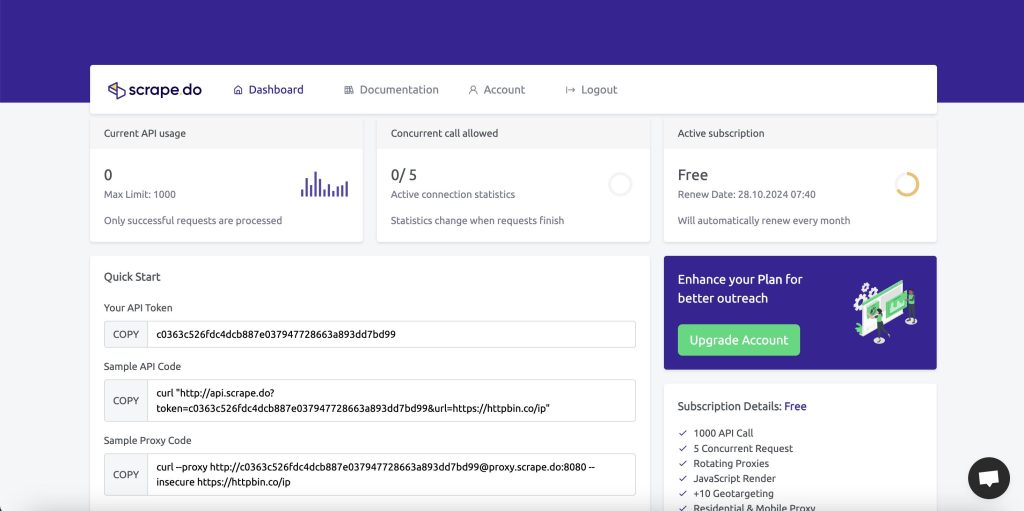
Best for: Teams that want ScrapingBee’s feature set without the credit gates. Every capability is unlocked on every plan, including the free one, which is unusual in this market.
Features: Built-in WAF bypass, 150M+ IPs described as ethically sourced, geo-targeting across 160+ countries, JavaScript rendering, sticky sessions, and a “Play With Browser” mode for interactive pages. Datacenter, residential, and mobile proxies are all available rather than tiered. Unlimited bandwidth.
Pricing: Free at $0 for 1,000 successful API credits per month with 5 concurrent requests, no card required. Hobby $29/mo for 250,000 credits and 10 concurrent ($0.11 per 1,000). Pro $99/mo for 1,250,000 credits and 50 concurrent (~$0.08). Business $249/mo for 3,500,000 credits and 100 concurrent (~$0.07). Advanced $699/mo for 10,000,000 credits and 200 concurrent (~$0.06). Annual billing gives two months free on every non-enterprise plan.
The billing detail that matters: you are charged only when a request returns a successful response with valid content. Timeouts, blocks, and errors cost nothing, and if you receive a 200 OK whose body is not valid content, their FAQ says support will credit it back. That is a stronger guarantee than most vendors publish.
Pros:
- No feature gates at any tier — residential proxies and JS rendering on the free plan
- Success-only billing, with a stated path to reclaim credits on invalid content
- Flat per-credit pricing with no hidden multipliers to model
- Concurrency scales to 200 without an enterprise contract
Cons:
- Less name recognition than Bright Data or Oxylabs, which can slow procurement
- Fewer prebuilt parsers than the dataset-first vendors
- Enterprise terms are sales-led
Details: Scrape.do pricing
2. ScraperAPI — Best for Predictable Budgeting
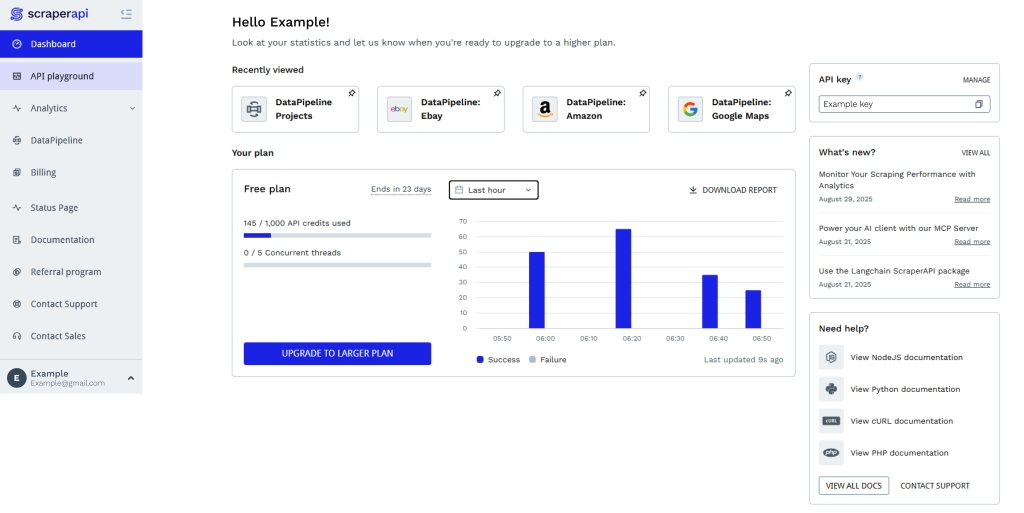
Best for: Teams that want to know what a page costs before they send the request. ScraperAPI publishes fixed credit multipliers per domain, which is the opposite of guesswork.
Features: Automatic retries, JavaScript rendering, rotating proxies, geotargeting, and dedicated structured-data endpoints for Amazon, Google, and Walmart. A max_cost parameter caps what a single scrape may consume, and the dashboard’s Domain Cost Estimator prices any URL before you run it.
Pricing: 1,000 free credits on signup with a 5-concurrent-request cap. Self-serve plans start at $49/mo (Hobby) and $149/mo (Startup), with larger tiers above. Published multipliers: a standard page costs 1 credit, Amazon 5, Google and Bing 25, LinkedIn 30, and pages behind Cloudflare, DataDome, or PerimeterX add 10 when bypass engages. Credits do not roll over, and a 7-day no-questions-asked refund applies.
Pros:
- Multipliers are public, so you can forecast a mixed workload accurately
max_costprevents a single hard page from eating the month- Amazon at 5 credits is cheap against generic 25–30 credit targets
- Cost Estimator turns pricing into a lookup rather than a spreadsheet
Cons:
- No rollover on unused credits
- Concurrency caps on lower tiers surface as
429s rather than queued work - No published per-1,000-request rate, which makes cross-vendor math harder
Details: ScraperAPI pricing
3. ZenRows — Cheapest Paid Entry
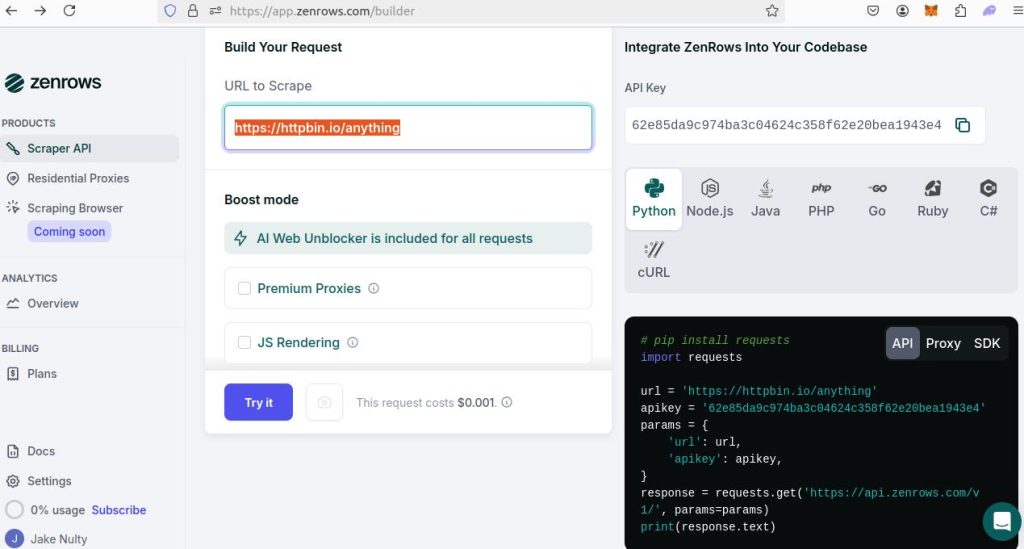
Best for: Budget-constrained projects where a meaningful share of requests fail. ZenRows does not charge for failed requests and counts 404 and 410 as usable results.
Features: One credit balance across Fetch, Extract, Crawl, Batch, and Browser. Extract auto-detects JSON without a schema you maintain, at no extra cost on top of the Fetch behind it. Anti-bot handling, CAPTCHA solving, and fingerprint evasion apply to every primitive, not just basic fetch. MCP server, CLI, and SDKs ship with the API.
Pricing: Free plan with 5,000 credits per month, 5 concurrent requests, no card, everything unlocked except standalone residential proxies. Build $16/mo for 45,000 credits and 20 concurrent (~$0.36 per 1,000). Launch $58/mo for 250,000 credits and 50 concurrent (~$0.23). Growth $166/mo for 1,200,000 credits and 100 concurrent (~$0.14). Scale $458/mo for 5,000,000 credits and 200–400 concurrent (~$0.09). Enterprise adds SLA, SOC 2, ISO 27001, and a DPA. Credit costs: 1 standard, 5 with JS rendering, 10 with premium proxies, 25 with both. Residential bandwidth draws 25,000 credits per GB.
Pros:
- Lowest paid entry in this comparison at $16/mo
- Failed requests are free, which changes the math on defended sites
- Extract returns JSON at no surcharge
- Free tier of 5,000 monthly credits is enough for a real evaluation
Cons:
- The 25-credit combined multiplier means 5M credits is 200,000 hard pages, not 5M
- Compliance add-ons sit behind Enterprise
- Fewer prebuilt site-specific parsers than Bright Data or Oxylabs
Details: ZenRows pricing
4. Scrapfly — Best for Anti-Bot and Browser Control
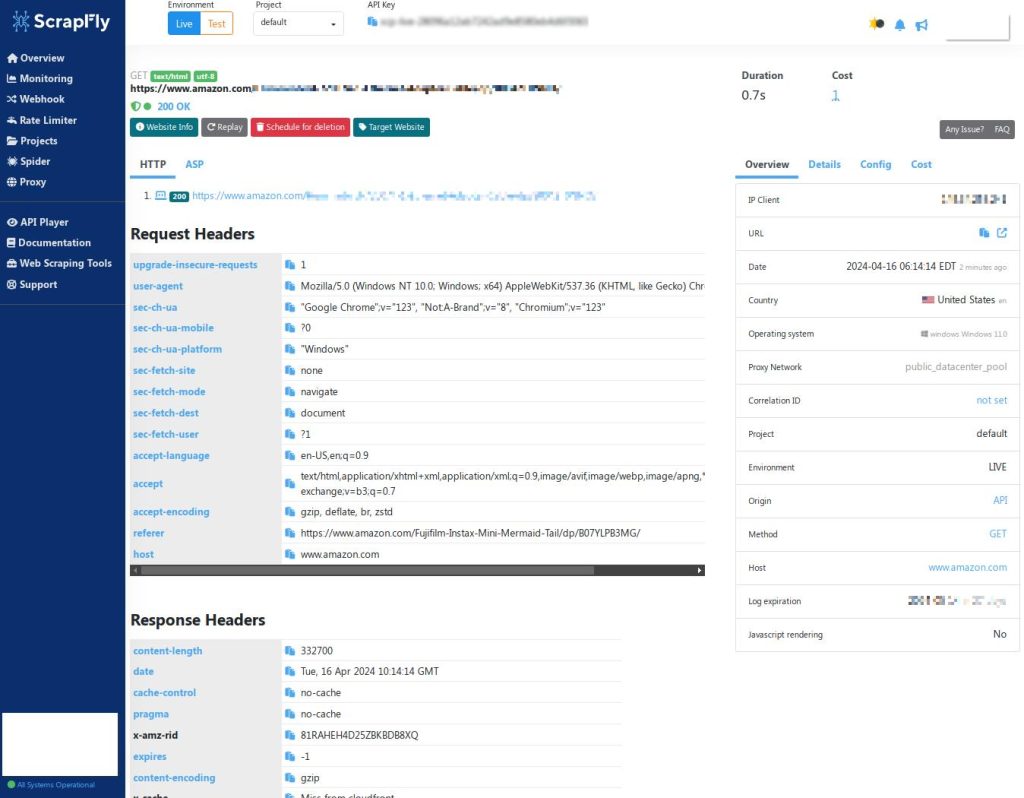
Best for: Targets that actively fight back, and teams that need real browser control rather than a black-box fetch.
Features: A scraping API with an anti-bot bypass layer and cloud headless browsers you can drive with your own Playwright or Puppeteer code — including session, proxy, and wait control. JS rendering, screenshots, and extraction are all configurable per request. Scrapfly advertises ranked success rates on public benchmarks and a 4.9/5 Capterra rating from 238 reviews.
Pricing: Free with 1,000 credits on signup, no card, no expiry. Discovery $30/mo for 200,000 credits and 5 concurrent ($0.15 per 1,000). Pro $100/mo for 1,000,000 credits and 20 concurrent (~$0.10). Startup $250/mo for 2,500,000 credits and 50 concurrent (~$0.10). Enterprise $500/mo for 5,500,000 credits and 100 concurrent (~$0.09). Custom negotiates volume. Credit costs: 1 for an HTTP scrape on a datacenter IP, 5 with JS rendering or the Unblocker, 25 with residential proxies, 60 for a full-page screenshot. Failed requests are never charged.
Pros:
- Free credits never expire — genuinely useful for a prototype
- Anti-bot bypass applies across the product, not just the basic fetch
- Real browser control for multi-step interactions
- Transparent per-feature credit table
Cons:
- Residential proxies at 25 credits push hard-page costs to roughly 5x the base rate
- Screenshots at 60 credits are expensive for visual monitoring
- Concurrency is low on the $30 tier
Details: Scrapfly pricing · JavaScript rendering docs
5. Scrapingdog — Lowest Published Floor at Volume
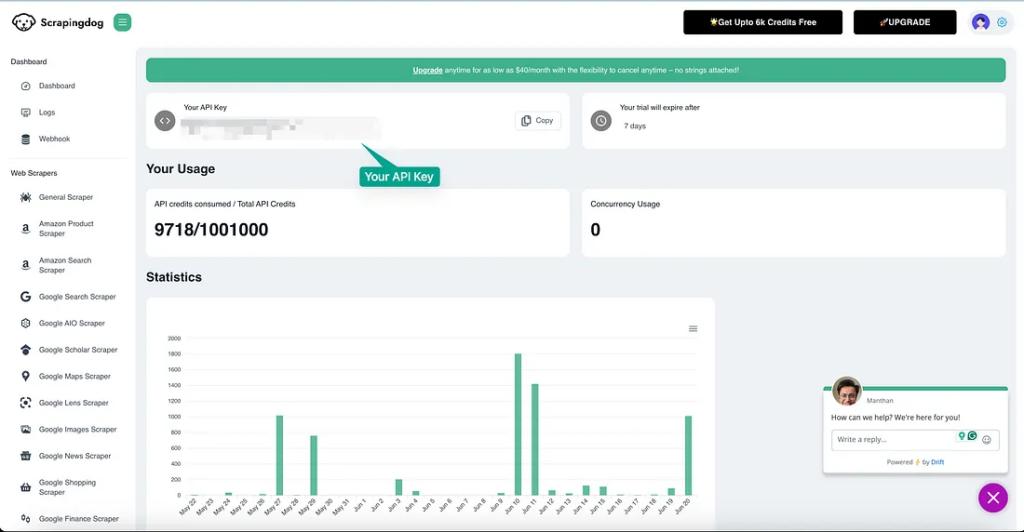
Best for: High-volume, cost-sensitive crawling where per-request price dominates the decision and the targets are not especially defended.
Features: Rotating proxies on every request by default, JavaScript rendering and premium proxies as opt-in multipliers, and dedicated APIs for Amazon, Google, and other structured sources. Coverage is broader than its price suggests, but the differentiation is arithmetic: their published rate card is the cheapest in this list at scale.
Pricing: Free forever with 100 credits and 1 concurrent request — the smallest free tier here, so treat it as a smoke test only. Lite $40/mo for 200,000 credits and 5 concurrent ($0.20 per 1,000). Standard $90/mo for 1,000,000 credits and 50 concurrent ($0.09 per 1,000). Pro $200/mo for 3,000,000 credits and 100 concurrent (~$0.067 per 1,000). Premium $350/mo for 6,000,000 and 150 concurrent (~$0.058). The ladder continues to a Nova Pro plan at $30,000/mo for 1.1B credits and 2,200 concurrent — 28 tiers in total, which tells you they are optimizing for volume buyers. Multipliers: JS rendering 5 credits, premium proxy 10 credits, rotating proxy 1 credit.
Pros:
- $0.09 per annum-1,000 at the $90 tier undercuts most of this list on list price
- Published per-1,000 rates at every tier — no reverse-engineering needed
- Concurrency scales aggressively once you are above the entry plans
- Rotating proxy at 1 credit means the base rate applies to most requests
Cons:
- Free tier is effectively a demo at 100 credits
- 28 plan tiers is decision fatigue, and the cheapest per-unit rates require large commitments
- Failed-request billing is not stated on the pricing page — confirm before you rely on it
Details: Scrapingdog pricing
6. Firecrawl — Best LLM-Ready Output
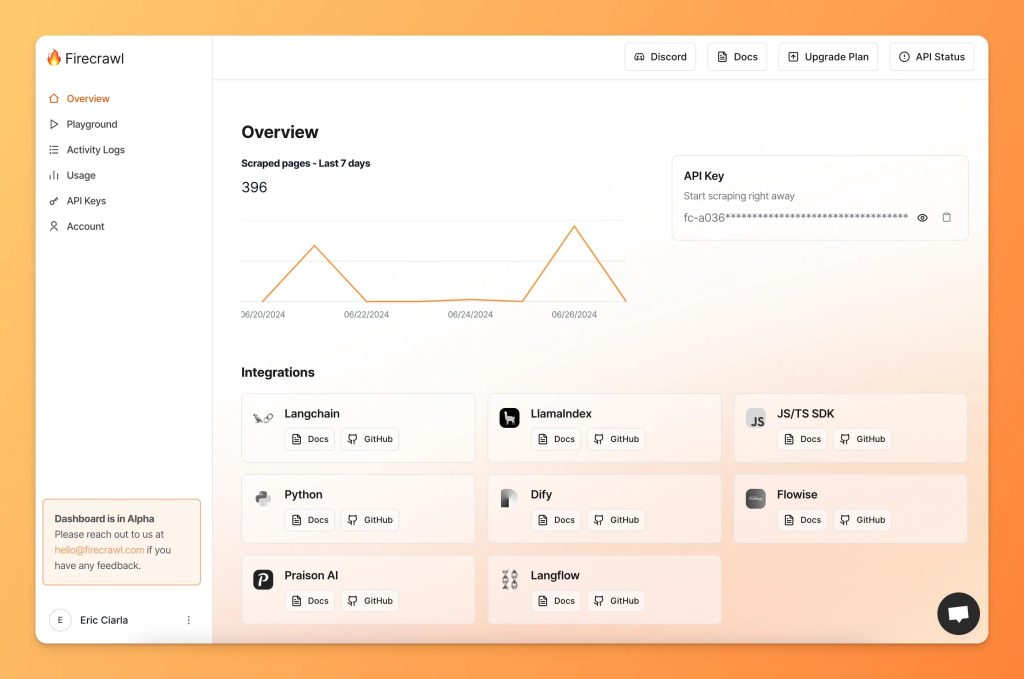
Best for: AI pipelines. If the destination is a vector store or a language model rather than a database row, Firecrawl’s output format is the reason to switch, not its price.
Features: Scrape, Crawl, Map, Search, Extract, and Interact endpoints that return clean markdown or structured JSON instead of raw HTML. One credit per page on Scrape and Crawl with no rendering surcharge — browsers are a concurrency dimension rather than a billing one, which is a genuinely different pricing philosophy from ScrapingBee. JSON, Question, and Highlight formats add 4 credits per page; Monitor bills 7 credits per page per check.
Pricing: Free tier with 1,000 credits every month, refreshed, 2 concurrent browsers. Hobby $19/mo for 5,000 credits and 5 browsers (~$3.80 per 1,000). Standard $99/mo for 100,000 credits and 25 browsers (~$0.99). Growth $399/mo for 500,000 credits and 50 browsers (~$0.80). Scale $749/mo for 1,000,000 credits and 100 browsers (~$0.75). Annual billing cuts those roughly 16%.
Pros:
- Rendering included at 1 credit per page — no multiplier shock
- Markdown output removes an entire parsing stage in AI pipelines
- Crawl and Map make site-wide discovery a single call
- Free tier refreshes monthly forever
Cons:
- Expensive per page against pure-HTML competitors — $0.99 per 1,000 on Standard versus $0.09 for Scrapingdog
- Low concurrency ceilings even on paid plans
- Optimized for content extraction, not for high-frequency price polling
Details: Firecrawl pricing · related reading: what AI web scraping changes
7. Zyte — Best Cost Curve for Mixed Difficulty
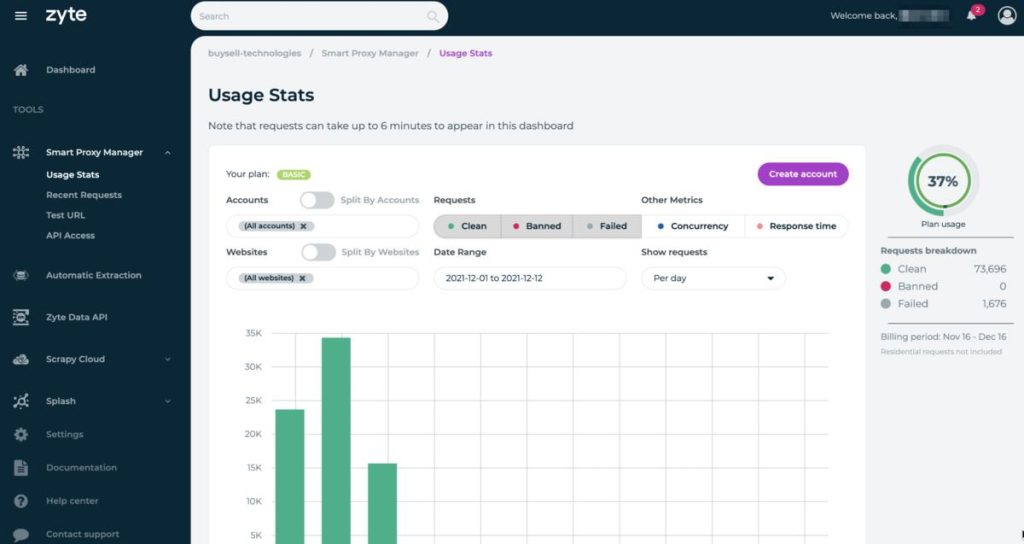
Best for: Portfolios where some sites are wide open and some are defended. Zyte prices each website into one of five difficulty tiers, so you stop paying hard-target rates for easy pages.
Features: One API that decides per request whether to use HTTP, a browser, datacenter proxies, or residential proxies — and bills only for what was needed. Automatic extraction returns structured data without a schema you maintain, billed per data type. Batch mode handles large async jobs with queues, retries, and webhooks. Deep Scrapy heritage makes migration from an open-source crawler short.
Pricing: Pay as you go runs $0.13 to $1.27 per 1,000 HTTP response bodies across the five tiers, and $1.01 to $16.08 per 1,000 browser-rendered pages. Committing $100/mo lowers those to $0.10–$0.95 and $0.75–$12.00; $200/mo to $0.08–$0.76 and $0.60–$9.60; $500/mo to $0.06–$0.61 and $0.48–$7.68. Automatic extraction adds $0.27 to $1.07 per 1,000 per data type. A 30-day trial requires no commitment, and you can price a specific URL from the pricing page before signing.
Pros:
- Tiered pricing avoids subsidizing easy pages
- Per-URL price lookup means you can quote a client accurately
- Automatic extraction removes selector maintenance
- Scrapy lineage shortens migration for Python teams
Cons:
- Site tiers are reassessed, so per-page cost can move without a plan change
- The hardest browser tier reaches $16.08 per 1,000 on pay-as-you-go
- The $0.06 floor is only reachable through commitments
Details: Zyte API pricing
8. Apify — Best When You Do Not Want to Write the Scraper
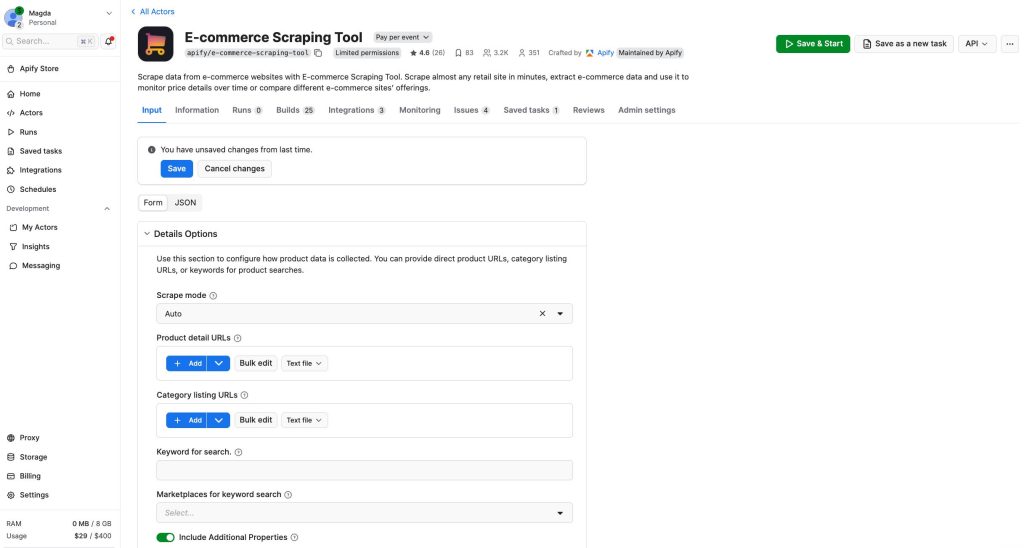
Best for: Teams that would rather configure than code. If your alternative to ScrapingBee is “hire someone to build this,” Apify is the shortcut.
Features: A Store of more than 116,000 ready-made Actors covering e-commerce, social, search, and maps, with a dedicated web scraping category. Scheduling, request queues, dataset storage, webhooks, proxy rotation, an Unblocker, and Google SERP proxies are platform features rather than code you maintain. The generic Web Scraper Actor doubles as a forkable template.
Pricing: Free plan with $5/mo of prepaid usage, 5 concurrent runs, and 5 datacenter proxy IPs, no card. Starter $19/mo plus pay-as-you-go. Scale $199/mo. Business $999/mo. Enterprise custom. Compute runs $0.20 per compute unit (1 GB RAM per hour) on Free and Starter, $0.16 on Scale, $0.13 on Business. Residential proxies are $8/GB. Actors bill either per event or per usage, and most pay-per-event Actors fold platform usage into the event price.
Pros:
- You can skip parser development entirely by forking an existing Actor
- Infrastructure — scheduling, storage, retries — is included, not bolted on
- Pay-per-result Actors make per-record cost calculable
- Free credit is enough to validate an approach
Cons:
- Cost stays opaque until you confirm whether an Actor bills per event or per usage
- You inherit third-party code quality and maintenance cadence
- Free-plan usage blocks at the billing cycle rather than throttling gracefully
Details: Apify pricing
9. Bright Data — Best Prebuilt Datasets
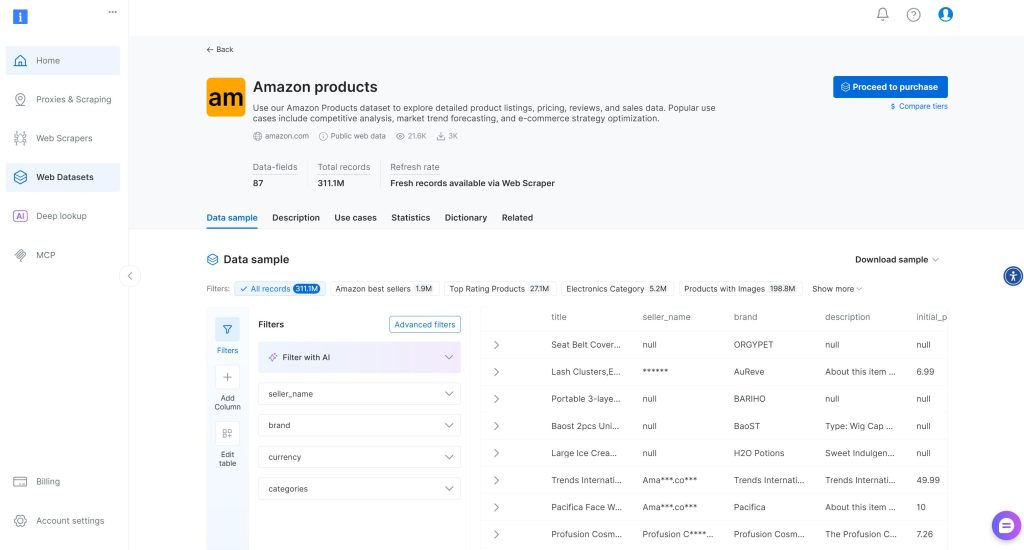
Best for: Teams that want the data without running the infrastructure, and procurement teams that need documented sourcing and compliance posture.
Features: The Web Scraper API ships prebuilt collectors for Amazon products, Amazon Reviews, Walmart products, TikTok Shop, LinkedIn, Instagram, Google Maps, and more, with hundreds of millions of records in the dataset catalogue. A separate Scraping Browser handles Puppeteer and Playwright workflows, and Scraper Studio bills only for successful requests. Their e-commerce scraper API claims coverage across 800+ domains.
Pricing: Free tier of 5,000 records per month, then pay-as-you-go on per-record rates that vary by dataset — so the number depends on which collector you run. A third-party benchmark from Scrape.do puts the Web Scraper API at a flat $1.50 per 1,000 records; treat that as directional and confirm against your own dataset quote. Dataset subscriptions are available if you would rather not run anything at all.
Pros:
- Widest prebuilt catalogue in this comparison
- Dataset subscription removes infrastructure entirely
- Success-only billing on Scraper Studio
- Enterprise compliance documentation is more mature than most competitors
Cons:
- Per-dataset pricing makes forecasting harder than a flat credit plan
- Sales-led motion on upper tiers
- Overkill if you need one endpoint, not a data platform
Details: Bright Data Web Scraper pricing
10. Oxylabs — Cheapest Structured Result per Page
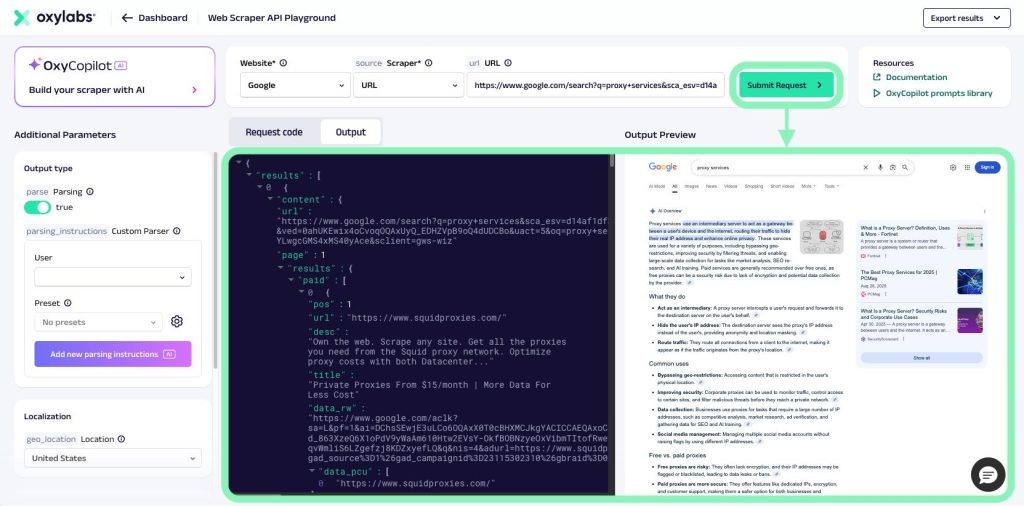
Best for: High-volume structured extraction where the per-result rate matters more than flexibility. The $15 entry plan is the lowest real subscription here.
Features: A Web API with dedicated endpoints for Amazon, Google (JS and non-JS), and custom-domain scraping, plus AI-oriented search APIs for ChatGPT, Perplexity, and Gemini. Results come back as parsed JSON. Rendering splits from non-rendering pricing, so static listings do not carry a browser surcharge.
Pricing: A free “Welcome credits” tier gives $5 toward any product. Starter $15/mo covers up to 10,000 scrape results at $0.50 per 1,000. Basic $100/mo, Flexible $500/mo. The scrape ladder runs $0.50 per 1,000 up to 30K results, $0.45 to 222K, $0.35 to 1.43M, and $0.25 at 10M+. Amazon non-JS follows the same ladder. Custom-domain scraping with JavaScript runs $1.50 per 1,000 at the low tier down to $1.22, and the /Search endpoint is metered separately at $1 per 1,000 searches.
Pros:
- $0.50 per 1,000 structured Amazon results is the lowest published rate in this list
- JS and non-JS split means no rendering surcharge on static pages
- $15 entry plan allows cheap validation
- Clean volume ladder with no credit multipliers
Cons:
- Narrower prebuilt catalogue than Bright Data — Amazon is the deep one
- Search and scrape bill on separate meters, so blended jobs need two forecasts
- JavaScript rendering roughly triples the per-result cost
Details: Oxylabs pricing
ScrapingBee Alternatives Worth Knowing (Not in the Top 10)
Decodo — The rebranded Smartproxy, and the most generous free tier in this market: $0 for up to 5,000 crawls or 10,000 scraped pages per month with JS rendering and 100+ templates included on every plan. Paid tiers start at $19/mo. Worth a look if a free pilot at real volume is the priority.
Crawlbase — Progressive volume pricing rather than discrete plans: about $0.76 per 1,000 at 100,000 requests, $0.53 at 1M, $0.15 at 10M. JavaScript rendering doubles the credits, while proxies and anti-bot handling are never charged separately. New accounts start with 1,000 free credits, up to 5,000 after setup.
ScrapingAnt — Frequently listed as a ScrapingBee alternative. I was unable to load its pricing page during this review, so I am not quoting numbers for it. Check the vendor site directly rather than trusting a comparison table that may be stale.
How to Choose: A 20-Minute Method
Step 1 — Count your hard pages. Pull 200 URLs from your actual target list and check how many need JavaScript. If 15% do, a vendor with a 5-credit rendering multiplier costs meaningfully more than one with flat per-page pricing like Firecrawl. This single test eliminates half the list.
Step 2 — Do the per-1,000 math yourself. Divide the plan price by included credits, then multiply by the credit cost of your typical request. Concrete examples from this review:
- ScrapingBee Startup: $99 ÷ 1,000,000 credits = $0.099 per 1,000 credits. Plain fetch $0.099 per 1,000; at 5 credits $0.495; at 25 credits $2.48.
- Scrapfly Discovery: $30 ÷ 200,000 = $0.15. With rendering or Unblocker (5 credits) → $0.75. With residential (25) → $3.75.
- Scrapingdog Standard: $90 ÷ 1,000,000 = $0.09. With rendering (5) → $0.45; with premium proxy (10) → $0.90.
- Firecrawl Standard: $99 ÷ 100,000 = $0.99, rendering already included at 1 credit.
That last line is the whole argument for output-format-first thinking. Firecrawl looks expensive per request until you notice its competitors charge 5x for the same rendering.
Step 3 — Price the failure. If a failed request costs nothing at ZenRows and Scrape.do but consumes credits elsewhere, a 20% failure rate on defended targets completely reorders your shortlist. Model it at your real failure rate, not at 100%.
Step 4 — Test the same 50 URLs on two vendors. Log success rate, median latency, p95 latency, and a hash of each response body. Diff the hashes against a direct fetch. If two vendors return different content for the same URL in the same hour, one of them is being manipulated or geolocated differently — and that is worth knowing before you sign anything. The validation pattern is spelled out in the web scraping API guide to data extraction.
Step 5 — Check the exit country control. If regional accuracy matters, confirm you can pin the proxy country per request, not just globally. Free proxies and cheap rotating pools are where regional data silently goes wrong; the mechanics are covered in why free proxies break scraping pipelines and datacenter versus residential proxies.
Which One Should You Actually Pick?
You left ScrapingBee over cost. Scrapingdog at $0.09 per 1,000 on the $90 plan, or Scrape.do Pro at roughly $0.08 with success-only billing.
You left because hard targets burned your credits. ZenRows (failures free, 25-credit ceiling disclosed up front) or Scrapfly (Unblocker at 5 credits, browser control included).
You are building an AI pipeline. Firecrawl. Markdown and schema-matched JSON at 1 credit per page beats cheap HTML you then have to parse.
You do not want to maintain a parser. Apify for general sites, Bright Data for e-commerce and marketplace datasets, Oxylabs when per-result cost is the deciding factor.
You want one vendor with a smooth cost curve across mixed sites. Zyte. Tiered pricing by site difficulty is the only model here that stops you overpaying for easy pages.
If you are still deciding whether you need an API at all, read what a web scraping API replaces first, and if you plan to self-host, Scrapy in Python and Selenium for rendering cover the build path. For a broader tool comparison that includes AI agent options, see this review of an AI web scraping agent.
Frequently Asked Questions
What is the cheapest ScrapingBee alternative?
On published list price at volume, Scrapingdog is lowest at roughly $0.067 per 1,000 requests on its $200 Pro plan, and $0.09 on the $90 Standard plan. For small budgets, ZenRows at $16/mo is the cheapest paid entry, and Scrape.do’s free tier at 1,000 monthly credits is the most capable free plan because it unlocks every feature including residential proxies.
Is ScrapingBee still worth using in 2026?
Yes, for the right workload. Its documentation and extraction rules are better than most competitors, all features are included from the $19 plan, and concurrency of 25 at that price is competitive. It stops making sense when your targets need heavy rendering or premium proxies, because credits per page then multiply and the headline credit count becomes misleading.
Do these scraping APIs charge for failed requests?
Some do not. ZenRows states credits are spent only on successful requests, with 404 and 410 counted as usable results. Scrape.do charges only for successful responses with valid content and lets you claim credits back if a 200 body is invalid. Scrapfly does not charge for failed requests. Firecrawl bills 1 credit per scrape attempt. Scrapingdog does not state a policy on its pricing page — confirm with support before relying on it.
Which alternative handles JavaScript-heavy sites best?
Two different answers depending on what “handles” means. For bypassing anti-bot defenses with rendering included, Scrapfly and ZenRows both apply protection across every primitive rather than only the basic fetch. For cost efficiency on rendering-heavy workloads, Firecrawl is hard to beat because rendering is 1 credit per page instead of a 5x multiplier. If you need to drive the browser yourself, Scrapfly’s headless browser control is the closest match to a real Playwright workflow.
Can I switch without rewriting my scraper?
Usually yes, with a day of work. These APIs are HTTP-based: swap the endpoint, move the API key into an environment variable, and re-map query parameters. The expensive part is not the integration — it is re-validating output, because response shapes and field names differ between vendors. Budget time for a diff against your existing dataset rather than for the code change.
How many requests can I make on a free plan?
Published free tiers in this comparison: ZenRows 5,000 credits per month, Bright Data 5,000 records per month, Scrape.do 1,000 credits per month with all features, ScrapingBee 1,000 credits, ScraperAPI 1,000 credits, Scrapfly 1,000 credits with no expiry, Firecrawl 1,000 credits refreshed monthly, Apify $5 of monthly platform usage, Oxylabs $5 welcome credit, Scrapingdog 100 credits, Zyte a 30-day trial with no commitment. Only ZenRows, Bright Data, Scrape.do, and Firecrawl give you enough monthly volume for a genuine pilot.
Is web scraping with these APIs legal?
A scraping API changes the network path; it does not change what the site’s terms permit. Legality depends on the data collected, the access method, the applicable contract, and the jurisdiction. Most large marketplaces restrict automated collection in their terms, and some enforce it. Read whether web scraping is legal and, specifically for API-mediated collection, the legal status of scraping APIs. Also note that the Robots Exclusion Protocol in RFC 9309 is explicit that robots.txt is not a form of access authorization — it is a crawler preference, not a permission slip.
Which has the best support?
Scrape.do answers with engineers rather than tickets on all paid plans and publishes a sub-5-minute average response time; Business and Enterprise add a dedicated account manager and priority response. ScrapingBee gates priority support and a dedicated account manager behind the $249 Business plan. Bright Data and Oxylabs both offer mature enterprise support, but you will talk to sales before you talk to an engineer.
Conclusion
The reason ScrapingBee appears in so many “alternatives” searches is not that it underperforms. It is that credit-based pricing hides the real cost of hard targets, and most buyers only discover that after their targets get harder.
Three things decide the switch. Does the vendor publish its multipliers, or do you find out from the invoice? Does a failed request cost you anything? And does rendering carry a 5x surcharge or is it priced at one credit per page?
Answer those three against your own URL list, run 50 pages through two vendors, hash the responses, and let the numbers pick. Scrape.do or Scrapingdog for cost, ZenRows or Scrapfly for defended targets, Firecrawl for AI pipelines, Zyte for mixed portfolios, Apify or Bright Data when you would rather buy the parser than build it.
Whichever you choose, keep response validation in your own code. An API removes infrastructure work. It does not remove data quality work — and that is where scraping budgets actually get wasted.
You May Also Like
 Web Scraping
8 Best Web Scraping APIs for E-commerce Sites
 Web Scraping
Instant Data Scraper: Features, How to Use It, and Honest Limitations
 Web Scraping
Are Web Scraping and Web Crawling the Same Thing?
 Web Scraping
Google Maps Scrapers: Guide for Local Business Data Extraction
 Web Development
REST API vs SOAP API: Differences, Pros & Cons, and Use Cases
 Data Security & Privacy
API Security Best Practices for Data Collection Platforms
 Web Development
What Is API Rate Limiting? (A Practical, Simple Guide for Safer, Faster APIs)
 Web Scraping
TinyFish.ai Review: Is It the Best AI Agent for Web Scraping
 VPN & Proxy
