

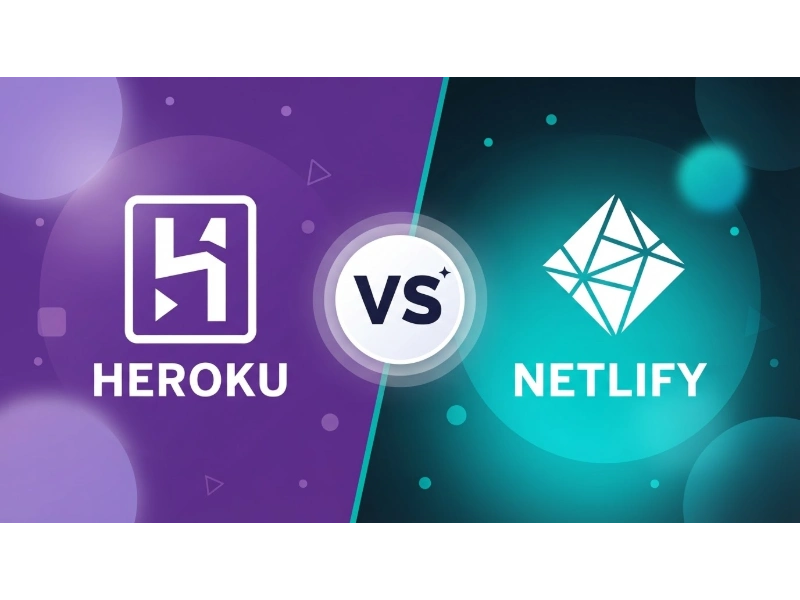
Heroku and Netlify can both deploy modern web applications, but they are built around different operating models. Heroku is generally a better fit for applications that rely on long-running server processes, background workers, and managed data services. Netlify is often a stronger fit for frontend-focused and serverless applications that benefit from Git-based deployments, deploy previews, and global content delivery.
The old shorthand—“Heroku for dynamic apps and Netlify for static sites”—is no longer fully accurate. Netlify now supports server-side rendering, API routes, background functions, authentication, storage, and managed PostgreSQL. Heroku, meanwhile, remains particularly well suited to conventional Rails, Django, Node.js, Java, PHP, Go, and similar backend applications.
This guide compares Heroku and Netlify across architecture, pricing, deployment, databases, performance, scaling, security, and developer experience. It also highlights limitations and potential costs that may not be obvious from either platform’s starting price.

Heroku vs. Netlify: The Quick Answer
Choose Heroku when your application is designed around persistent web processes, worker processes, scheduled jobs, or a conventional backend framework. Examples include Django applications, Ruby on Rails products, Node.js APIs with queues, internal business applications, and SaaS products that rely heavily on PostgreSQL.
Choose Netlify when your project benefits from pre-rendering, serverless functions, edge delivery, automated preview environments, or close integration between frontend development and deployment. Examples include marketing websites, documentation portals, content-driven sites, ecommerce frontends, and many modern Next.js applications.
| Project requirement | Usually the better starting point | Why |
|---|---|---|
| Rails, Django, or conventional backend application | Heroku | Its dyno-based process model naturally supports web servers, workers, and scheduled jobs. |
| Static marketing or documentation site | Netlify | Git-based deployment, global asset delivery, and deploy previews are built into the workflow. |
| Full-stack Next.js application | It depends | Netlify supports modern Next.js features, but Heroku may be preferable when the application needs a conventional Node.js server or specialized workers. |
| Long-running background workers | Heroku | Worker dynos provide a clear process model for queue consumers and continuous background work. |
| Preview URL for every pull request | Netlify | Deploy Previews are central to Netlify’s development workflow. |
| Managed PostgreSQL with a broad add-on ecosystem | Heroku | Heroku provides mature managed data services and marketplace integrations. |
| Database branches for preview deployments | Netlify | Netlify Database can create isolated database branches for preview deployments. |
| Global delivery of cacheable frontend assets | Netlify | Static and cached content can be distributed through Netlify’s global edge network. |
What Is Heroku?
Heroku is a platform as a service, or PaaS, for building, deploying, and operating applications without directly managing virtual machines. Application code runs inside isolated containers called dynos.
A Heroku application can define multiple process types:
- Web dynos handle incoming HTTP requests.
- Worker dynos process queues and background jobs.
- Clock or scheduler processes trigger recurring work.
- One-off dynos handle migrations, administrative tasks, and console sessions.
Heroku uses buildpacks to identify an application’s language, install dependencies, compile assets, and produce a deployable artifact. Its officially supported languages include Ruby, Python, Java, Clojure, Node.js, Scala, Go, PHP, and .NET, according to the Heroku buildpack documentation.
Heroku also provides managed services such as:
- Heroku Postgres
- Heroku Key-Value Store
- Apache Kafka on Heroku
- Monitoring and observability integrations
- Third-party services from the Heroku Elements Marketplace
Where Heroku Fits Best
Heroku is often a strong fit for:
- Ruby on Rails, Django, Flask, Express, Spring, and Laravel applications
- REST or GraphQL APIs running as conventional application servers
- SaaS applications with substantial server-side business logic
- Applications with queue consumers and background workers
- Systems that use PostgreSQL as a central transactional database
- Teams that want managed infrastructure without adopting a serverless-first architecture
Important Heroku Limitations
Before choosing Heroku, consider the following:
- Heroku no longer offers free dynos.
- Eco dynos sleep after 30 minutes without web traffic.
- The dyno filesystem is ephemeral, so durable files must be stored elsewhere.
- Common Runtime applications operate in one selected region.
- Native autoscaling is not available on every dyno tier or runtime generation.
- Databases, worker dynos, caching, monitoring, and add-ons can increase the total monthly cost.
What Is Netlify?
Netlify is a cloud platform for building and delivering modern web applications through Git-based workflows, serverless compute, managed web services, and a global edge network.
Netlify became popular as a platform for static sites and Jamstack projects. However, describing it as a static-only hosting platform is now inaccurate.
Netlify can support:
- Static site generation
- Server-side rendering
- Incremental Static Regeneration
- React Server Components
- Server Actions
- API routes and route handlers
- Serverless Functions
- Background and Scheduled Functions
- Edge Functions
- Managed PostgreSQL
- Blob storage
- Authentication
- Form processing
- Image optimization and delivery
Netlify currently supports major Next.js capabilities through its OpenNext adapter, including the App Router, SSR, ISR, Server Components, Server Actions, middleware, streaming, and image optimization. See the official Next.js on Netlify documentation for current compatibility details.
Where Netlify Fits Best
Netlify is often a strong fit for:
- Marketing websites and landing pages
- Documentation portals
- Company blogs
- Content-driven websites
- Headless CMS architectures
- Frontend applications connected to external APIs
- Modern Next.js applications
- Teams that need preview environments for pull requests
- Projects that benefit from global delivery of static and cached content
Important Netlify Limitations
Netlify also has trade-offs:
- Serverless and edge runtimes are not equivalent to an unrestricted, continuously running server.
- Functions have execution, memory, payload, and runtime constraints.
- Long-running queue consumers may fit Heroku’s worker model more naturally.
- Credit consumption can increase with deployments, bandwidth, compute, database usage, and web requests.
- Existing applications may require architectural changes if they assume persistent local processes or storage.
Heroku vs. Netlify Feature Comparison
| Category | Heroku | Netlify |
|---|---|---|
| Primary operating model | Containerized web and worker processes | Static, serverless, edge, and managed web services |
| Typical use cases | Backend applications, APIs, workers, and SaaS products | Frontend-focused, content-driven, serverless, and edge-delivered applications |
| Technology support | Official buildpacks for Ruby, Python, Java, Clojure, Node.js, Scala, Go, PHP, and .NET | Major JavaScript frameworks, static site generators, serverless functions, and framework adapters |
| Server process | Long-running dyno process | Primarily request-driven serverless or edge execution |
| Background work | Worker dynos, one-off dynos, and scheduler integrations | Background Functions and Scheduled Functions, subject to platform limits |
| Database options | Heroku Postgres, Key-Value Store, Kafka, and marketplace add-ons | Netlify Database and external database integrations |
| Persistent file storage | External object storage or an add-on is required | Netlify Blobs or an external storage provider |
| Global asset delivery | Often paired with a separate CDN | Integrated global edge network and CDN |
| Pull-request previews | Review Apps through Heroku Pipelines | Deploy Previews integrated into the standard workflow |
| Scaling model | Increase dyno size or count; eligible tiers support autoscaling | Managed scaling for functions and distributed delivery |
| Automatic TLS | Free Automated Certificate Management | Free managed TLS certificates |
| Lowest-cost option | $5/month Eco plan | $0 Free plan with a 300-credit monthly limit |
| Pricing model | Primarily dynos and attached services | Credits covering deploys, compute, bandwidth, and requests |
Eight Key Differences Between Heroku and Netlify
1. Architecture and Runtime Model
Heroku runs application processes inside dynos. A web dyno can keep an application server running, while separate worker dynos can continuously consume jobs from a queue.
This process model is familiar to teams using:
- Ruby on Rails
- Django
- Laravel
- Express
- Spring
- Other conventional backend frameworks
Netlify normally executes backend code in response to:
- Web requests
- Scheduled events
- Deployment events
- Form submissions
- Authentication events
- Other supported platform events
Static and cached files can be delivered from Netlify’s global edge network, while Functions perform server-side work in ephemeral runtime environments.
Neither model is universally better. The practical question is whether the application expects continuously running processes or can be divided into request-driven and event-driven functions.
2. Supported Application Types
Heroku is often a natural fit for:
- Conventional server-rendered applications
- APIs with substantial backend logic
- Applications with background queues
- Multi-process systems
- Products built around PostgreSQL
- Applications requiring custom process types
Netlify is often a natural fit for:
- Pre-rendered or heavily cached websites
- Serverless web applications
- Headless CMS architectures
- Modern Next.js applications
- Frontends connected to third-party APIs
- Projects with frequent design and content reviews
A full-stack application can potentially run on either platform. The decision depends more on process behavior, runtime limits, data requirements, and expected traffic than on whether the application is labeled “static” or “dynamic.”
3. Deployment and Collaboration
Both platforms can connect to Git repositories and deploy code automatically, but they emphasize different workflows.
Heroku provides:
- Git-based deployments
- Heroku Pipelines
- Separate development, staging, and production environments
- Review Apps for pull requests
- Release promotion between pipeline stages
- Command-line tools for deployment, logs, configuration, and scaling
Netlify provides:
- Deploy Previews for pull requests
- Branch-specific deployments
- Atomic production deployments
- Rollback to an earlier deployment
- Framework detection
- Build configuration
- Preview environments connected to database branches
Netlify’s preview workflow is particularly useful for designers, developers, editors, and marketing teams that need to review a complete website before publishing it.
Heroku’s pipelines are often better aligned with teams that manage several backend environments and promote releases through a conventional application-delivery process.
4. Backend Processes and Scheduled Work
Heroku’s process model is one of its clearest advantages. Teams can define web, worker, clock, and other custom process types, then scale each process independently.
This model is useful for:
- Email queues
- Payment-processing jobs
- Data imports and exports
- Media processing
- Queue consumers
- Scheduled reports
- Long-running business workflows
Netlify provides:
- Regular Functions
- Background Functions
- Scheduled Functions
- Edge Functions
- Event-triggered functions
These options cover many common backend tasks, but they remain subject to platform-specific execution limits. A continuously running worker or workload requiring specialized system behavior may fit Heroku more naturally.
5. Databases and Persistent Storage
Heroku provides an established managed-data ecosystem. Heroku Postgres is closely integrated with the platform, while Key-Value Store, Kafka, and third-party marketplace services support additional workloads.
Netlify now offers Netlify Database, a managed PostgreSQL service integrated with Functions, Edge Functions, deployments, migrations, and preview environments.
Database branching can provide a preview deployment with an isolated copy of production data and schema. This reduces the risk that testing a pull request will modify the live production database.
Netlify applications can also connect to external providers such as:
The right database setup depends on:
- Connection behavior
- Geographic location
- Database latency
- Connection pooling
- Preview-environment requirements
- Backup and recovery policies
- Expected query volume
Neither platform should use its application filesystem as permanent storage. Images, user uploads, generated files, and backups should be stored in a durable storage service.
6. Performance and Global Delivery
Netlify can deliver static and cached assets through its global edge network. This may reduce network distance for visitors and lower the amount of work performed by serverless functions or an origin service.
Heroku Common Runtime applications operate in a selected US or EU region. Private Spaces provide additional regional choices, but each application still runs within its selected region. Current region details are available in the Heroku regions documentation.
Teams commonly place a CDN in front of a Heroku application when they need global caching for images, JavaScript, stylesheets, downloads, and other cacheable assets.

It would be misleading to claim that one platform is always faster. Real-world performance depends on:
- Application architecture
- Server-side processing
- Cache configuration
- Database location
- Database query performance
- Function cold starts
- JavaScript and image size
- Visitor location
- Third-party APIs
- Selected plan and runtime
Hosting alone also does not guarantee better search rankings. Google recommends evaluating the complete page experience, including Core Web Vitals, HTTPS, mobile usability, intrusive elements, and content clarity. See Google’s guidance on page experience in search results.
7. Scaling and Traffic Management
Heroku applications can scale vertically by selecting a larger dyno or horizontally by increasing the number of dynos.
Web and worker processes can be scaled independently. For example, an application may use:
- Two web dynos for incoming traffic
- Four worker dynos for background jobs
- One scheduled process for recurring tasks
Heroku’s native autoscaling is currently limited to eligible Performance, Private, and Shield dynos. It is not available on every tier and, as of this review, is not available for Fir-generation applications. See the official Heroku autoscaling documentation.
Netlify automatically manages infrastructure scaling for static delivery and Functions. Developers do not need to provision individual web servers, but increased usage can consume more credits.
Usage may include:
- Bandwidth
- Web requests
- Function compute
- Database compute
- Production deployments
- AI inference
- Other metered platform services
For either platform, adding more application instances may not solve:
- Slow database queries
- Poor cache configuration
- Constrained database connections
- Inefficient application code
- Slow third-party APIs
- Large client-side JavaScript bundles
8. Pricing and Cost Predictability
Heroku and Netlify use different billing models, so their entry prices are not directly comparable.
Heroku primarily charges for:
- Running dynos
- Managed databases
- Caching
- Worker processes
- Monitoring
- Marketplace add-ons
This can make conventional application costs relatively easy to model, but the complete monthly bill may be significantly higher than the price of one web dyno.
Netlify uses credits for several kinds of activity, including:
- Production deployments
- Compute
- Bandwidth
- Web requests
- Database usage
- AI inference
The credit model can work well for smaller projects, but teams should estimate traffic, compute, and deployment frequency rather than comparing only the monthly subscription price.
Heroku Pricing in 2026
Heroku discontinued its free dyno, free PostgreSQL, and free Redis plans in November 2022. The lowest-cost compute option is now the Eco plan.
| Common Runtime dyno | Monthly price | Memory | Important detail |
|---|---|---|---|
| Eco | $5 flat fee | 0.5 GB | Includes a shared pool of 1,000 Eco dyno hours; web dynos sleep after 30 minutes without traffic. |
| Basic | $7 | 0.5 GB | Suitable for low-cost applications that should remain available. |
| Standard-1X | $25 | 0.5 GB | General-purpose production dyno. |
| Standard-2X | $50 | 1 GB | Provides more compute capacity than Standard-1X. |
| Performance-M | $250 | 2.5 GB | Dedicated compute for higher-performance workloads. |
| Performance-L | $500 | 14 GB | Dedicated compute with substantially more memory. |
Heroku also offers larger Performance dynos and separate Private and Shield options.
Database and add-on charges are not included in these dyno prices. Check the official Heroku pricing page and dyno specifications before estimating production costs.
Netlify Pricing in 2026
New Netlify accounts use credit-based pricing. Existing customers may remain on legacy plans with different allowances.
| Plan | Monthly price | Included credits | Team access |
|---|---|---|---|
| Free | $0 | 300 credits | One team owner |
| Personal | $9 | 1,000 credits | One team owner |
| Pro | Starts at $20 | Starts at 3,000 credits | Unlimited members |
| Enterprise | Custom | Custom | Enterprise access controls and support |
At the time of review, Netlify applies credits to common usage categories as follows:
- Production deployments: 15 credits each
- Compute: 10 credits per GB-hour
- Bandwidth: 20 credits per GB
- Web requests: 2 credits per 10,000 requests
- Deploy Previews and branch deployments: no deployment credits
- Form submissions: free on credit-based plans
The Free plan has a hard monthly limit. According to the Netlify credit documentation, projects are paused when the available credit balance is exhausted.
Personal and Pro customers can purchase additional credits or enable automatic recharge. Teams should monitor this setting if they want to prevent unexpected usage charges.
Why the Lowest Monthly Price Can Be Misleading
A $7 Heroku Basic dyno and a $9 Netlify Personal plan do not provide equivalent infrastructure.
- A Heroku dyno represents a running application process.
- Netlify credits are shared across multiple metered resources.
- A Heroku application may also need a database, worker, cache, and monitoring.
- A Netlify application may consume credits through traffic, functions, database compute, and production deployments.
- Legacy Netlify plans may use different billing rules.
Estimate the complete application architecture rather than comparing only the first price listed by each platform.
Security, Custom Domains, and Reliability
Both platforms support custom domains and automated TLS certificates.
- Heroku includes Automated Certificate Management for applications and uses Let’s Encrypt to provision and renew certificates. See Heroku Automated Certificate Management.
- Netlify provides free managed TLS certificates for sites and custom domains, with automatic renewal. See Netlify HTTPS and TLS documentation.
Netlify advertises a 99.99% uptime SLA for Enterprise customers. This should not be interpreted as the same contractual guarantee for every plan.
Heroku availability commitments should also be evaluated against the applicable product, contract, region, and support plan instead of assuming that one uptime percentage applies to every customer.
Security still depends on application-level decisions, including:
- Secret and environment-variable management
- Dependency updates
- Authentication and authorization
- Database permissions
- Rate limiting
- Logging and monitoring
- Backup and recovery procedures
- Incident-response planning
When Should You Choose Heroku?
Heroku is usually the more natural choice when several of the following are true:
- Your application uses Rails, Django, Laravel, Spring, Express, or another conventional backend framework.
- You need long-running web or worker processes.
- You have queues that must be consumed continuously.
- You want to scale web and worker processes independently.
- Your application relies heavily on PostgreSQL.
- You need custom process types.
- You run recurring administrative or data-processing jobs.
- Your team prefers a PaaS model over a serverless-first architecture.
- Moving to request-driven functions would require extensive application changes.
Example Heroku Architecture
A subscription application could use:
- A web dyno for the Rails or Django application
- Heroku Postgres for transactional data
- A key-value store for caching and queue management
- A worker dyno for email, billing, and data-processing jobs
- Object storage for user-uploaded files
- Heroku Pipelines for staging and production
This is an architectural example rather than a claim about a specific Heroku customer.
When Should You Choose Netlify?
Netlify is usually the more natural choice when several of the following are true:
- Your project is primarily a website or web frontend.
- Most pages can be pre-rendered, cached, or regenerated incrementally.
- You want automatic preview URLs for pull requests.
- Your content comes from a headless CMS or external API.
- Your backend requirements fit serverless or edge execution.
- You want integrated global delivery for static and cached assets.
- You are building with Next.js or another supported framework.
- You want preview deployments connected to isolated database branches.
Example Netlify Architecture
A content-driven product website could use:
- Next.js for pre-rendered and server-rendered pages
- A headless CMS for editorial content
- Netlify Functions for forms and API operations
- Netlify Database or Supabase for relational data
- Deploy Previews for editorial and design review
- Netlify’s edge network for static and cached assets
The same platform can support ecommerce frontends, authenticated dashboards, and other full-stack experiences, provided their runtime and data requirements fit Netlify’s architecture.
Decision Matrix by Project Type
| Project type | Likely starting point | Main consideration |
|---|---|---|
| Personal portfolio | Netlify | Simple deployment, global delivery, and a usable free plan |
| Company marketing website | Netlify | Preview workflow, CMS integration, and cacheable pages |
| Technical documentation | Netlify | Static generation and branch previews |
| Ruby on Rails SaaS | Heroku | Conventional web processes, workers, and PostgreSQL |
| Django application with Celery | Heroku | Independent web and worker processes |
| Node.js REST API | It depends | Heroku for a persistent server; Netlify when the API fits request-driven functions |
| Full-stack Next.js application | It depends | Compare framework support, workers, database design, and usage-based cost |
| Ecommerce frontend | Netlify | Edge delivery and serverless integrations may be sufficient |
| Application with continuous queue consumers | Heroku | Worker dynos are aligned with continuously active jobs |
| High-traffic content site | Netlify | Edge delivery suits cacheable assets, but bandwidth credits still matter |
| Internal business application | Heroku | A conventional backend and database architecture may be simpler |
| Hybrid frontend and API | Both | Netlify can host the frontend while Heroku runs the API and workers |
Can You Use Heroku and Netlify Together?
Yes. A hybrid architecture can use each platform for the part it handles best.
For example:
- Deploy the frontend to Netlify.
- Run the API and background workers on Heroku.
- Store transactional data in Heroku Postgres.
- Use Netlify Deploy Previews for frontend changes.
- Expose the Heroku API through an API subdomain.
This approach can provide a modern frontend workflow without forcing an existing backend into a serverless model.
A hybrid architecture also introduces additional considerations:
- Cross-origin resource sharing
- Authentication across domains
- Cookie configuration
- Centralized monitoring
- Logs distributed across platforms
- Separate deployment workflows
- Separate billing systems
Migration Considerations
Moving from Heroku to Netlify
A migration may be straightforward when the Heroku application mainly serves static assets. It becomes more involved when the application depends on:
- Persistent server processes
- Long-running workers
- Local filesystem behavior
- Long-lived database connections
- WebSocket or real-time connection behavior
- Framework features that do not map cleanly to functions
- Custom runtime dependencies
The migration may require separating the frontend, converting routes into functions, moving files to durable storage, and redesigning background jobs.
Moving from Netlify to Heroku
Moving a static frontend to Heroku is technically possible, but it may add unnecessary server infrastructure and cost.
The migration becomes more reasonable when the application needs:
- A continuously running application server
- Persistent worker processes
- More control over the runtime
- A conventional backend framework
- A process-oriented scaling model
- Background jobs that exceed serverless runtime constraints
A gradual migration can keep the frontend on Netlify while introducing a Heroku-hosted backend.
Frequently Asked Questions
Is Heroku or Netlify Better?
Neither platform is better for every project. Heroku is generally stronger for conventional backend applications and long-running processes. Netlify is generally stronger for frontend-oriented, serverless, and edge-delivered web applications.
Does Heroku Have a Free Plan?
No. Heroku ended its free dyno and free data-service plans in November 2022. The lowest-cost dyno option is the $5-per-month Eco plan, which includes a shared pool of 1,000 dyno hours.
Does Netlify Have a Free Plan?
Yes. Netlify’s current Free plan includes 300 credits per month with a hard usage limit. New accounts use credit-based pricing, while some existing customers may remain on legacy plans.
Can Netlify Run Backend Code?
Yes. Netlify supports serverless Functions, Background Functions, Scheduled Functions, Edge Functions, framework-generated server routes, and platform-event handlers.
These runtimes have specific limits and should not be treated as unrestricted persistent servers.
Does Netlify Provide a Database?
Yes. Netlify Database is a managed PostgreSQL service integrated with Functions, deploy previews, database branching, and migrations.
Netlify applications can also connect to external providers such as Supabase, Firebase, Neon, and MongoDB Atlas.
Can Heroku Host Static Websites?
Yes, but Heroku normally needs an application process to serve the files. A platform designed around edge-delivered static assets may be simpler and less expensive for a purely static site.
Which Platform Is Better for Next.js?
Netlify provides direct support for major Next.js features through its OpenNext adapter and is often the simpler choice for framework-native deployments.
Heroku may be preferable when a Next.js application is part of a larger Node.js system with persistent processes, specialized workers, or custom server behavior.
Which Platform Is Better for SEO?
Neither platform guarantees higher search rankings.
Netlify can simplify fast delivery of static and cached assets, but SEO also depends on:
- Content quality
- Search intent alignment
- Rendering and crawlability
- Internal linking
- Structured data
- Mobile usability
- Core Web Vitals
- Backlinks and site authority
Which Platform Scales Better?
They scale differently.
Netlify manages distributed asset delivery and function infrastructure without requiring users to provision individual servers. Heroku provides direct control over the number and size of web and worker dynos.
The better model depends on whether the workload is cacheable, request-driven, stateful, or process-oriented.
Can the Same Application Run on Both Platforms?
Sometimes. A static frontend may run on either platform with relatively minor changes.
A full-stack application may require different adapters, storage services, database connection strategies, or background-job architecture.
Do Both Platforms Support Custom Domains and HTTPS?
Yes. Heroku and Netlify both support custom domains and automated TLS certificates. Correct DNS configuration is still required before certificates can be issued successfully.
Can Heroku and Netlify Be Used Together?
Yes. A common hybrid setup hosts the frontend on Netlify while running the API, database, and workers on Heroku.
Final Verdict
Choose Heroku when your application is organized around conventional web servers, background workers, managed data services, and independently scalable processes. It remains a strong option for Rails, Django, Node.js, Java, PHP, Go, and similar backend workloads.
Choose Netlify when your application benefits from a frontend-centered workflow, deploy previews, serverless or edge execution, and global delivery of static or cached content. Netlify is no longer limited to static websites and can support many full-stack applications, including modern Next.js projects.
For mixed architectures, using both platforms can be practical. Netlify can host and deliver the frontend while Heroku runs the API, workers, and backend services.
The final decision should be based on:
- Application process model
- Framework compatibility
- Database requirements
- Background-job requirements
- Expected traffic
- Deployment frequency
- Team workflow
- Runtime limits
- Regional requirements
- Complete monthly cost
The choice should not be based on the outdated assumption that Heroku is only for dynamic sites and Netlify is only for static pages.
You May Also Like
 SaaS
SaaSWhat Is No-Code Automation? How It Works, Benefits, and Risks
 Web Development
Supabase vs Firebase: Which Backend Platform is Right for Your Project?
 Cloud Computing
8 Best AWS S3 Alternatives Compared: Pricing, Egress, and S3 Compatibility
 Web Development
SQL vs. NoSQL: How to Choose the Right Database for Your Application
 Cloud Computing
What Is Cloud Cost Optimization? Strategy & Best Practices
 SaaS
SaaSWhat is Confluence Used For In Project Management?
 AI Technology
ChatGPT API Alternatives: 13 AI APIs and Platforms for Developers
 SaaS
SaaSCognito Forms to Jira Software Cloud Integration: Setup, Automation, Field Mapping, and Best Practices
 Web Development