

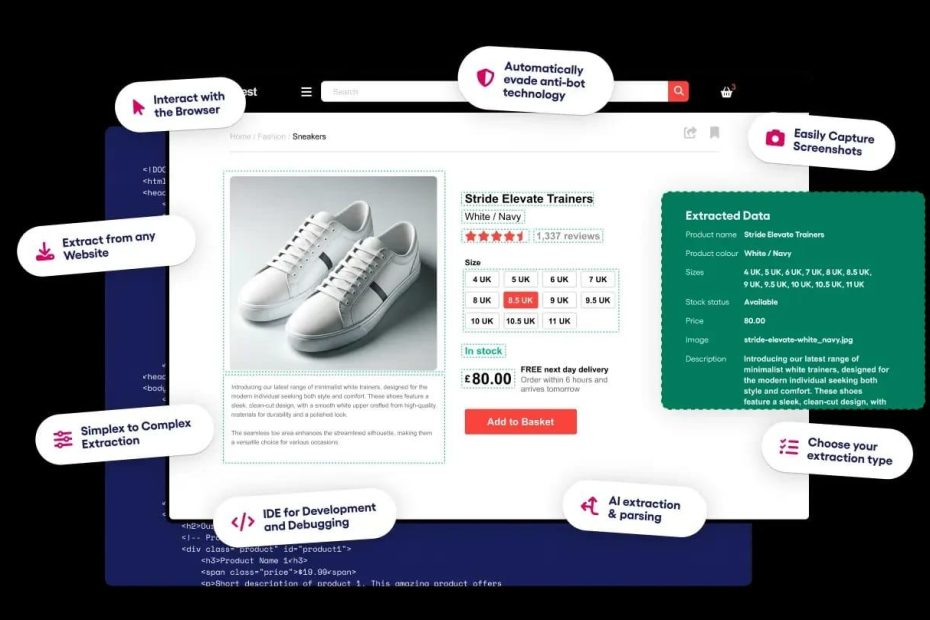
For e-commerce work, pick a web scraping API by what it returns, not by how many proxies it claims. Bright Data has the widest catalogue of prebuilt Amazon and Walmart datasets; Oxylabs has the cheapest published per-result Amazon rate at $0.50 per 1,000 results; ZenRows is the cheapest entry point at $16/mo and does not charge for failed requests; and Decodo is the only one here with a real free tier at 10,000 scraped pages per month. For a price monitoring API you can ship this quarter, start with Oxylabs or Zyte. If you need a shelf of retail parsers without writing any, start with Bright Data or Apify.
Competitor price monitoring, assortment gap analysis, review velocity tracking, stockout detection – every one of those jobs opens with the same painful step: getting a product page to return the same structured JSON twice.
Retail sites are close to the worst possible target for a generic scraper. Product listings render client-side, prices get personalized by region and cookie, bot walls fire on the fourth request, and the DOM shifts for A/B tests you will never see. That is why the useful question is not “which scraping API is fastest” but “which ecommerce scraper API already knows what a product listing looks like.”
Below are eight that do. I ranked them on four things: whether they ship a retail-specific parser, how they bill (per result, per credit, per compute minute), what you get before you pay, and how much control you keep when an anti-bot wall fires. Prices are the published numbers from each vendor’s pricing page as of November 2026; treat them as the start of a quote, not the end, because every one of these companies adjusts tiers.
At a Glance
- Widest prebuilt catalogue: Bright Data — Amazon, Walmart, TikTok Shop, Amazon Reviews
- Cheapest per Amazon result: Oxylabs — $0.50 per 1,000 results on the Amazon endpoint
- Smoothest cost curve across mixed difficulty: Zyte — five site tiers from $0.13 to $1.27 per 1,000 HTTP responses
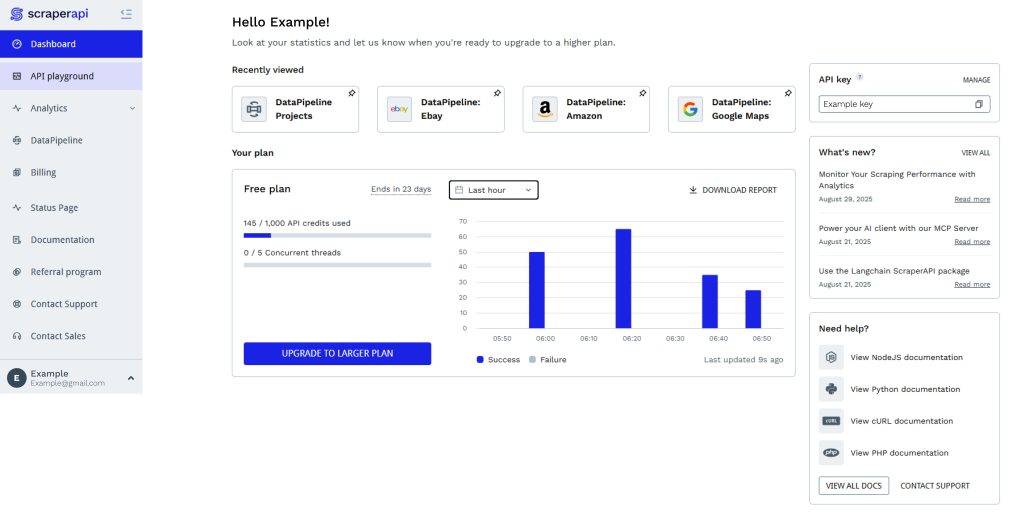
- Most predictable budgeting: ScraperAPI — an Amazon page costs a fixed 5 credits
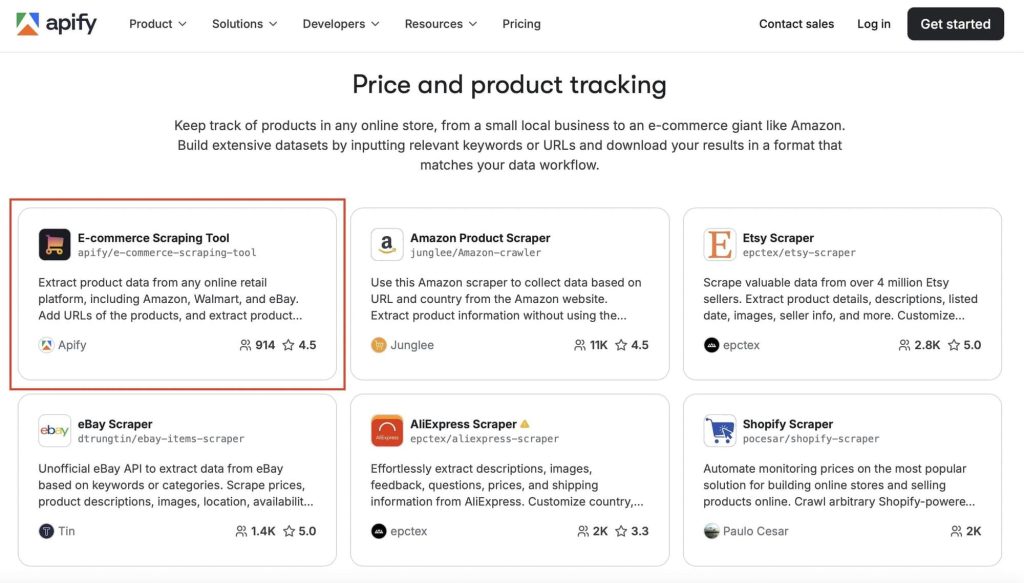
- Best ready-made scraper marketplace: Apify — e-commerce Actors you can schedule without a server
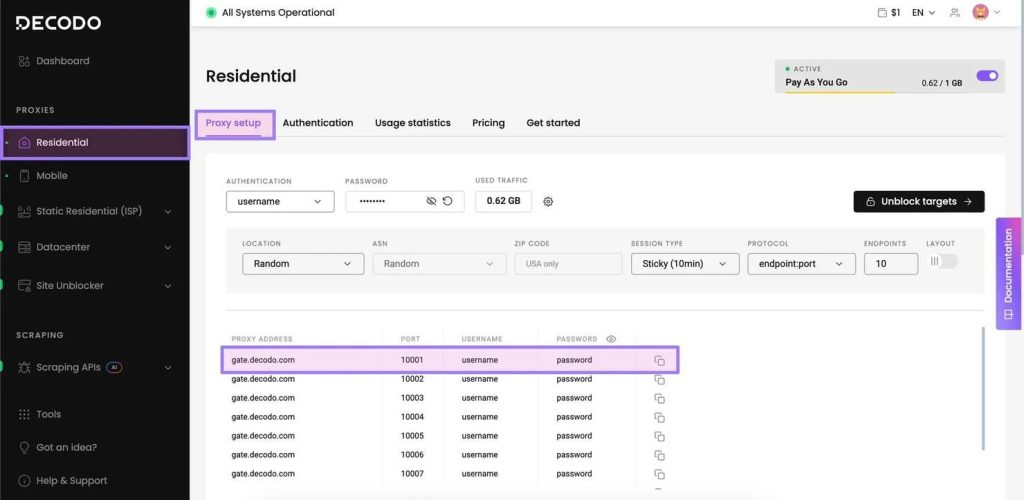
- Best free tier: Decodo — 10,000 scraped pages per month at $0
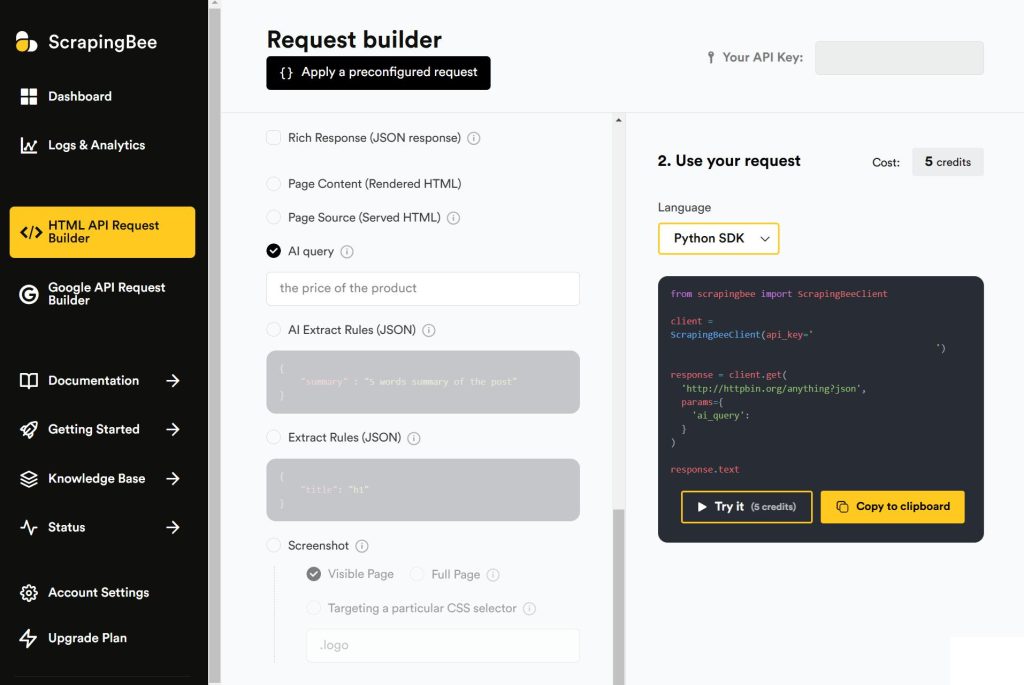
- Most features on a cheap plan: ScrapingBee — JavaScript rendering and premium proxies from $19
- Lowest paid entry: ZenRows — $16/mo, failures uncharged
What an E-commerce Scraping API Actually Has to Do
A generic scraper returns HTML. A product data extraction API needs to return a price, a currency, a stock state, and an identifier that survives the next site redesign. Those are different products with different failure modes.
Structured product JSON. You want {"asin": "B08N5WRWNW", "price": 249.00, "currency": "USD", "availability": "in_stock"}, not a 400KB blob you then write thirty CSS selectors against. Every vendor below offers this to some degree. The difference is whether the schema is maintained by them or by you.
Regional exit control. Retail pricing is localized. A US exit sees USD and US promotions; a German exit sees EUR and different VAT treatment. If your pipeline cannot pin the exit country, your price history is fiction. This is the same failure mode covered in datacenter versus residential proxies — the IP class changes which data you receive, not just whether you get blocked.
JavaScript rendering, priced honestly. A product grid loaded by XHR needs a headless browser. Rendering costs 5x to 25x a plain fetch at most vendors, and that multiplier — not the headline rate — sets your actual bill.
A way to tell that a request succeeded. A 200 with a CAPTCHA inside it is the most expensive failure in e-commerce scraping, because it writes a null price into a table that otherwise looks fine. If you are validating your own responses, the web scraping API guide to data extraction walks through the checks worth automating.
The 8 Best E-commerce Scraper APIs
1. Bright Data — Best for Prebuilt Retail Datasets
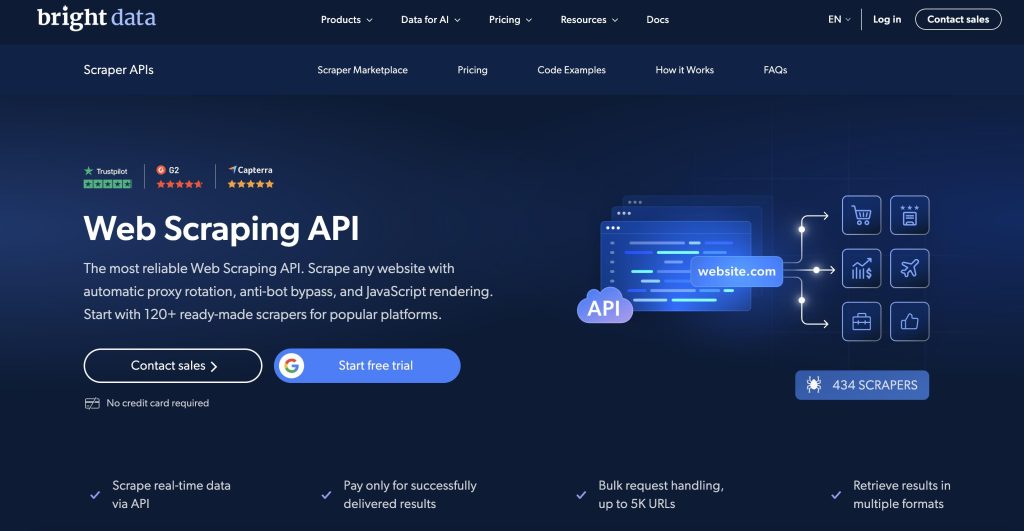
Best for: Teams that want product data now and would rather buy a maintained parser than build one. Also the right call when procurement needs a documented sourcing and compliance posture.
E-commerce features: The widest catalogue of ready-made retail scrapers in this list. The Web Scraper API ships dedicated Amazon collectors with fields for title, seller name, brand, description, initial price, currency, availability, and review count — plus variants that collect by best-seller category URL, by specific category URL, by keyword, and by UPC. Walmart gets the same treatment: final price, SKU, currency, GTIN, specifications, image URLs, and top reviews, collected by category URL, keyword, or SKU. There are also Amazon Reviews and TikTok Shop collectors, so review velocity and marketplace coverage come in the same account. Information on their site puts coverage at 800+ domains.
Pricing: A free tier of 5,000 records per month, then pay-as-you-go on per-record rates that vary by dataset — so the number depends on which collector you run. A third-party benchmark from Scrape.do puts the Web Scraper API at a flat $1.50 per 1,000 records; treat that as directional and confirm against your own dataset quote.
Pros:
- Five distinct Amazon collection methods, including UPC lookup — genuinely useful for catalog matching
- Walmart and TikTok Shop covered alongside Amazon
- Dataset subscription option if you would rather not run infrastructure at all
- A separate Scraping Browser for Puppeteer and Playwright workflows
Cons:
- Per-record pricing that differs by dataset makes forecasting harder than a flat credit plan
- Enterprise sales motion on the upper tiers
- No Shopify-specific parser in the catalogue — Shopify stores need the general scraper or a generic Shopify route
Details: Bright Data Web Scraper pricing
2. Oxylabs — Best Price per Amazon Result
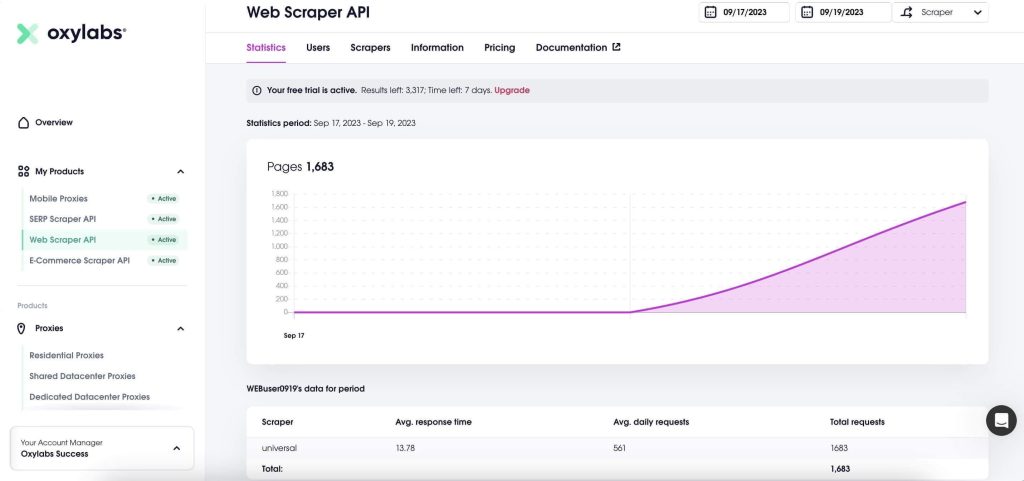
Best for: High-volume Amazon and search-result collection on a tight per-unit budget. The $15 entry plan is the lowest real subscription here.
E-commerce features: A dedicated Amazon scraper API endpoint returns product details, reviews, offers, and search results as structured JSON from a single request. Pricing splits by rendering: the Amazon non-JS endpoint handles listings that ship server-side HTML, while custom-domain scraping is available with or without JavaScript. New accounts get $5 in welcome credits toward any product, enough to test a few thousand results before committing.
Pricing: Published per-result rates, tiered by volume. The /Scrape endpoint starts at $0.50 per 1,000 results up to 10,000, holds at $0.50 to 30K, then $0.45 to 222K, $0.35 to 1.43M, and $0.25 per 1,000 at 10M+. Amazon non-JS follows the same ladder at $0.50 / $0.50 / $0.45 / $0.35 / $0.25. Custom-domain scraping with JavaScript runs $1.50 per 1,000 at the low tier, falling to $1.22. Plans: free welcome credits, Starter $15/mo (up to 10K results), Basic $100/mo, Flexible $500/mo. The /Search endpoint is metered separately at $1 per 1,000 searches.
Pros:
- $0.50 per 1,000 Amazon results is the cheapest published e-commerce rate in this list
- Separate JS and non-JS pricing lets you avoid paying for rendering on static listings
- $15 entry plan means you can validate the endpoint cheaply
- Clean volume ladder with no credit multipliers to reverse-engineer
Cons:
- JavaScript rendering roughly triples the per-result cost
- Narrower prebuilt catalogue than Bright Data — Amazon is the deep one
- Search and scrape bill on separate meters, so a blended job needs two forecasts
Details: Oxylabs pricing · Amazon scraper endpoint
3. Zyte — Best Cost Curve for Mixed-Difficulty Targets
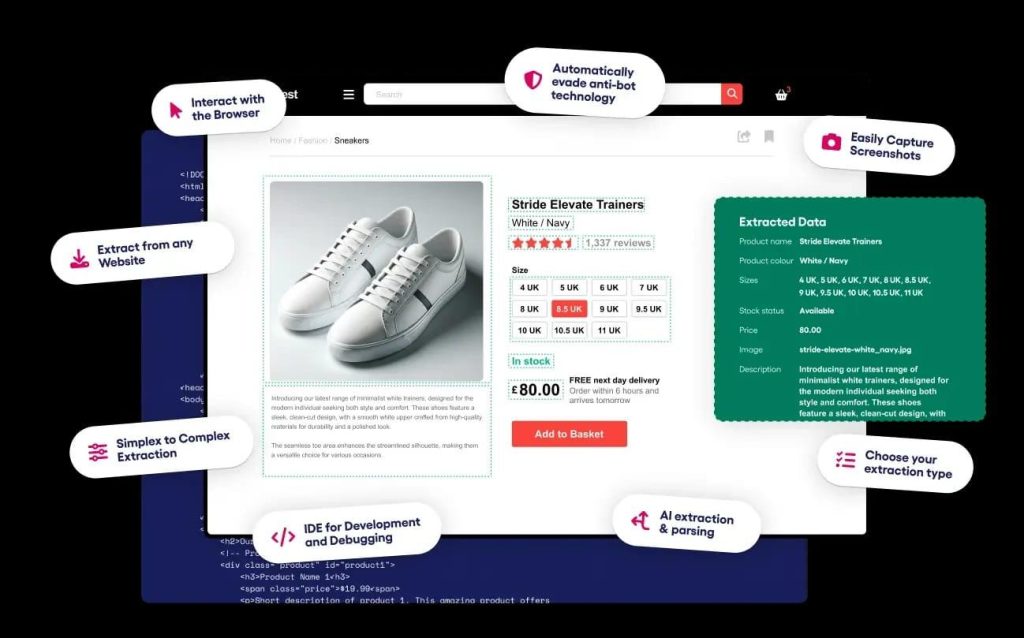
Best for: Portfolios that mix easy and hard sites. Zyte prices each website into one of five difficulty tiers, so an open Shopify catalog and a defended marketplace do not cost the same per page.
E-commerce features: One API handles HTTP fetching, browser rendering, and proxy selection, then bills only for what the request needed — datacenter, residential, or rendering. Automatic extraction returns structured product data without a schema you maintain, billed per data type at $0.27 to $1.07 per 1,000. That combination suits retail catalogs where the product schema is stable but the anti-bot defenses are not.
Pricing: Pay as you go runs $0.13 to $1.27 per 1,000 HTTP response bodies across the five tiers, and $1.01 to $16.08 per 1,000 browser-rendered pages. Committing $100/mo lowers those to $0.10–$0.95 and $0.75–$12.00; $200/mo to $0.08–$0.76 and $0.60–$9.60; $500/mo to $0.06–$0.61 and $0.48–$7.68. A 30-day trial needs no commitment, and you can price a specific URL from the pricing page before signing anything.
Pros:
- Tiered pricing means you stop subsidizing easy pages
- Automatic extraction removes selector maintenance on product fields
- Transparent per-URL lookup, so you can quote a client accurately
- Deep Scrapy heritage — the migration from an open-source crawler is short
Cons:
- Website tiers get reassessed periodically, so per-page cost can move without a plan change
- Browser rendering at the hardest tier reaches $16.08 per 1,000 on pay-as-you-go
- The $0.06 floor is only reachable through commitment tiers
Details: Zyte API pricing
4. ScraperAPI — Best Flat Credit Model
Best for: Teams that want a predictable monthly invoice. The whole pitch is that you know what a product page costs before you send the request.
E-commerce features: A dedicated Amazon endpoint returns product details, reviews, offers, and search results in JSON, and the broader e-commerce solution covers Amazon, Walmart, eBay, and Google Shopping. Multipliers are published and fixed: a standard page costs 1 credit, Amazon 5, Google and Bing 25, LinkedIn 30, and pages behind Cloudflare, DataDome, or PerimeterX add 10 when the bypass engages. You can set a max_cost per scrape so one hard request cannot blow the monthly allowance, and the dashboard’s Domain Cost Estimator prices any URL before you run it.
Pricing: 1,000 free credits on signup with 5 concurrent requests. Self-serve plans start at $49/mo (Hobby) and $149/mo (Startup), with Business, Scaling, Professional, Advanced, and Enterprise tiers above. Higher tiers add pay-as-you-go overage at a fixed per-credit rate up to a cap you set. Credits reset at renewal and do not roll over. A 7-day no-questions-asked refund applies.
Pros:
- Fixed credit costs per domain make budgeting straightforward
- Amazon at 5 credits is cheap relative to generic 25–30 credit targets
max_costguardrail prevents runaway spend on protected pages- Estimator lets you price a batch before committing
Cons:
- No rollover — unused credits are gone at renewal
- Five credits per Amazon page means the effective price is 5x the sticker rate per credit
- Concurrency caps on lower plans surface as
429responses rather than queued work
Details: ScraperAPI pricing · Amazon scraper endpoint
5. Apify — Best Ready-Made Scraper Marketplace
Best for: Analysts and small teams who want a working retailer scraper today and would rather configure than code. Strong too if the collection has to run on a schedule without anyone maintaining a server.
E-commerce features: The Apify Store holds more than 116,000 tools, with an e-commerce scrapers category covering product data for competitive intelligence, dynamic pricing, and analytics — including third-party Shopify and Amazon Actors. The generic Web Scraper Actor collects and monitors product prices and doubles as a template you fork and modify. Everything runs on the platform with built-in scheduling, request queues, dataset storage, proxy access, an Unblocker, and Google SERP proxies, so retries and storage are platform features rather than code you own.
Pricing: Free plan with $5/mo of prepaid usage, no card, 5 concurrent runs, and 5 datacenter proxy IPs. Starter $19/mo plus pay-as-you-go; Scale $199/mo; Business $999/mo; Enterprise custom. Compute runs $0.20 per compute unit (1 GB RAM per hour) on Free and Starter, $0.16 on Scale, $0.13 on Business. Residential proxies are $8/GB. Actors bill either per event or per usage, and most pay-per-event Actors fold platform usage into the event price.
Pros:
- Start from someone else’s Amazon or Shopify Actor and skip the parser entirely
- Scheduling, storage, retries, and webhooks are platform features
- Pay-per-result Actors make cost per product record easy to calculate
- Free tier is usable for a real prototype
Cons:
- Cost stays opaque until you know whether an Actor bills per event or per usage
- You inherit third-party code quality and its maintenance schedule
- Free-plan usage blocks at the billing cycle rather than throttling
Details: Apify pricing · E-commerce scrapers
6. Decodo — Best Free Tier for Real Volume
Best for: Pilots that need genuine page volume before anyone approves a budget. Ten thousand scraped pages a month for $0 is enough to validate a price monitor against a live catalog.
E-commerce features: The Web Data API exposes /scrape, /search, /map, and /crawl behind one key, with a dedicated Amazon product endpoint and more than 100 pre-built templates for retail sites. Parsed output covers product, price, review, and stock data across 50+ marketplaces in 195+ locations, returned as HTML, Markdown, XHR, or JSON where supported. JavaScript rendering is included on every plan rather than sold as an add-on, and the platform draws on 125M+ proxies for unblocking. Decodo is the rebranded Smartproxy, so most Smartproxy-era documentation still applies.
Pricing: Free at $0/mo with 10 requests per second, covering up to 5,000 crawls or 10,000 scraped pages. Then $19/mo for up to 19K crawls or 38K pages at 10 req/s; $49/mo for 65K crawls or 122K pages at 25 req/s; $99/mo for 141K crawls or 330K pages at 50 req/s; $249/mo for 383K crawls or 1.2M pages at 100 req/s. Every tier includes the same feature set, a 14-day money-back window, and 24/7 support.
Pros:
- The most generous free tier here for actual e-commerce volume
- JavaScript rendering and templates included at every price point
- One key for scrape, search, map, and crawl — fewer credentials to rotate
- Templates cut setup time on common retail platforms
Cons:
- Quoting both crawls and pages makes cost-per-product ambiguous until you test
- The Smartproxy-to-Decodo rebrand still confuses older docs and forum threads
- Concurrency is tied to tier, so a bursty catalog refresh hits the ceiling early
Details: Decodo Web Data API pricing
7. ScrapingBee — Best Feature Set on Cheap Plans
Best for: Teams that want JavaScript rendering, premium proxies, and geotargeting without jumping to a $250 plan. All three are included from the $19 tier up.
E-commerce features: JavaScript rendering, rotating and premium proxies, geotargeting, screenshots, and extraction rules are included on every standard plan, alongside dedicated scraping APIs. Extraction rules are the useful part for retail: define CSS selectors once and get clean product JSON back, which covers the long tail of smaller stores where nobody ships a parser. Geotargeting supports regional price comparison, though confirm which countries your tier unlocks before planning a multi-market study.
Pricing: 1,000 free API credits, no card. Hobby $19/mo for 75,000 credits and 25 concurrent requests; Freelance $49/mo for 250,000 credits and 50 concurrent; Startup $99/mo for 1M credits and 100 concurrent; Business $249/mo for 3M credits and 200 concurrent; Business+ $599/mo for 8M credits and 400 concurrent. Enterprise tiers run $999 to $5,799/mo for 14M to 120M credits and 500 to 900 concurrent, adding priority support and team management. Feature access is identical across tiers — only volume and concurrency change.
Pros:
- No feature paywalls below Enterprise: JS rendering and premium proxies from $19
- Extraction rules handle long-tail retailers without custom code
- Concurrency to 900 on the top plan suits large catalog refreshes
- Credit volume per dollar is strong at Startup and Business
Cons:
- Credits burn at multipliers for rendering and premium proxies, so 75,000 credits is far fewer than 75,000 product pages
- Amazon support is a general dedicated API, not a deeply specialized product parser
- Priority support and team management only arrive at $249/mo
Details: ScrapingBee pricing
8. ZenRows — Best for Paying Only for Usable Pages
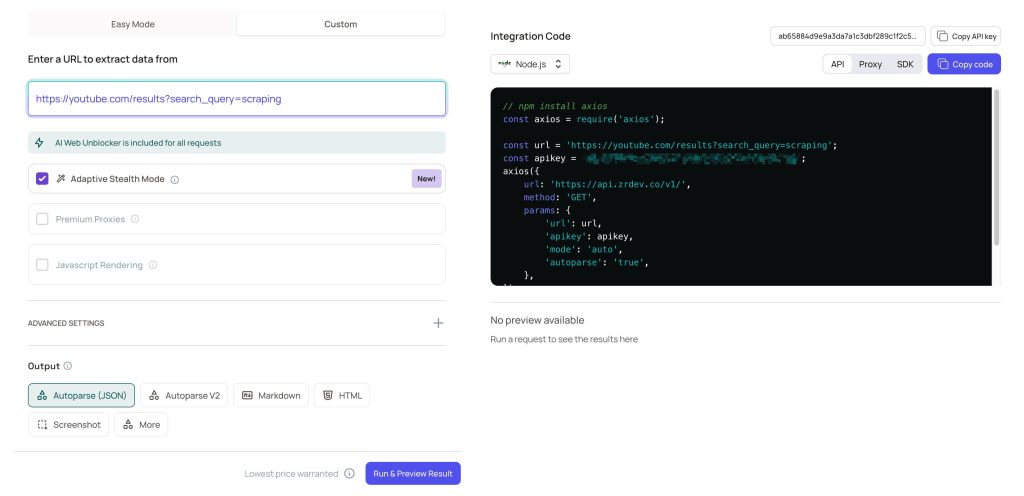
Best for: Projects where a meaningful share of requests fail. ZenRows does not charge for failed requests, and it counts 404 and 410 as real answers — which matters when you track SKUs that genuinely go out of stock and delist.
E-commerce features: One credit balance covers Fetch, Extract, Crawl, Batch, and Browser, so a single product-page fetch and a full catalog crawl bill the same way. Extract auto-detects JSON from a page without a schema you write, and it currently costs nothing on top of the Fetch request behind it. Every primitive handles anti-bot walls, CAPTCHAs, and fingerprint checks — not just the basic fetch call. An MCP server, CLI, and SDKs ship with the API, which helps if your price monitor feeds an internal agent.
Pricing: Free plan with 5,000 credits per month, no card, 5 concurrent requests, everything unlocked except standalone residential proxies. Build $16/mo for 45,000 credits and 20 concurrent; Launch $58/mo for 250,000 credits and 50 concurrent; Growth $166/mo for 1.2M credits and 100 concurrent; Scale $458/mo for 5M credits and 200 to 400 concurrent; Enterprise custom with SLA, SOC 2, ISO 27001, and a DPA. Credit costs: 1 for a standard page, 5 with JavaScript rendering, 10 with premium proxies, 25 with both. Residential bandwidth draws 25,000 credits per GB.
Pros:
- Cheapest paid entry in this comparison at $16/mo
- Failed requests are free, which changes the math on defended retail sites
- Extract returns JSON without a schema at no extra cost
- One balance across fetch, crawl, batch, and browser
Cons:
- A page needing both rendering and premium proxies costs 25 credits, so 5M credits is 200,000 hard pages, not 5M
- Compliance add-ons like SOC 2 and a DPA sit behind Enterprise
- Smaller catalogue of prebuilt retail parsers than Bright Data
Details: ZenRows pricing
Comparison Table
| API | Best for | Retail parser included | Free tier | Entry paid |
|---|---|---|---|---|
| Bright Data | Prebuilt retail datasets | Amazon, Walmart, TikTok Shop, Amazon Reviews | 5,000 records/mo | Pay-as-you-go, per-dataset quote |
| Oxylabs | Cost per Amazon result | Amazon endpoint, JSON output | $5 welcome credit | $15/mo (up to 10K results) |
| Zyte | Mixed-difficulty portfolios | Automatic extraction, billed per data type | 30-day trial, no commitment | From $0.13 per 1,000 HTTP responses |
| ScraperAPI | Flat credit budgeting | Amazon endpoint, fixed 5 credits | 1,000 credits | $49/mo (Hobby) |
| Apify | No-code Actors and scheduling | Store category with e-commerce scrapers | $5/mo platform usage | $19/mo (Starter) |
| Decodo | Free tier with real volume | Amazon product endpoint, 100+ templates | $0 — 10,000 pages/mo | $19/mo |
| ScrapingBee | Features on cheap plans | Dedicated scraping APIs plus extraction rules | 1,000 credits | $19/mo (Hobby) |
| ZenRows | Paying only for successes | Auto-extract JSON at no extra cost | 5,000 credits/mo | $16/mo (Build) |
How to Choose Without Wasting a Month
Count your hard pages first. Pull 200 URLs from the target catalog and check how many need JavaScript. If 15% do, a plan priced on rendering multipliers costs very differently from one priced on flat credits. This single test eliminates half the list.
Compare price per product record, not per credit. ZenRows gives 5M credits for $458, but a defended page with rendering costs 25 credits — that is 200,000 pages. ScrapingBee gives 3M credits for $249, and an Amazon page costs 5, so roughly 600,000 Amazon pages. Compare those two numbers, not the two credit counts.
Test SKU matching, not just fetching. The real work in e-commerce product data scraping is deciding that Amazon’s B08N5WRWNW, Walmart’s item ID, and a Shopify handle describe the same physical product. Whichever API returns the most stable identifiers — ASIN, GTIN, SKU, MPN — saves the most downstream effort. Bright Data’s UPC-based Amazon collection and Walmart’s GTIN field are worth testing for exactly this reason, and JSON-LD on the page is often the cheapest fallback when a vendor’s parser misses a field.
Price the failure, not just the request. If your monitor writes a null price when a block page comes back, you need body validation regardless of vendor. A hash-and-selector check before insert costs a day of engineering and prevents months of bad data. The same discipline described in rate limiting an API applies outbound: how your scraper behaves toward someone else’s server is a design decision, not an afterthought.
If you are weighing a custom build, the tradeoffs between a paid API and a self-managed crawler are in what a web scraping API actually replaces, and the Python path is covered in Scrapy in Python. For background on the underlying process, start with what data scraping involves.
Legal and Ethical Ground Rules
An API abstracts away proxy rotation and rendering. It does not abstract away the terms of service of the site you are scraping, and it does not transfer liability to the vendor.
Read robots.txt, and understand what it is. The Robots Exclusion Protocol in RFC 9309 states plainly that its rules are not a form of access authorization and are not a substitute for real content security measures. Honoring it is good practice and reduces unnecessary load. Treating it as either a legal shield or a legal wall misreads the specification.
Read the terms for what you are actually doing. Most large marketplaces restrict automated collection of prices and reviews in their terms, and some enforce it. A scraping API changes the network path; it does not change what the contract says. Where the line falls between unlawful access and lawful collection of public data depends on jurisdiction and facts — covered in whether web scraping is legal and, specifically for API-mediated collection, the legal status of scraping APIs.
Do not confuse a vendor’s compliance page with your own compliance. SOC 2 and a DPA describe how the vendor handles your data. They say nothing about whether you may collect a given marketplace’s pricing. If the output feeds repricing decisions or gets republished, get that reviewed by counsel rather than a comparison article.
Keep volume proportionate. Rotating IPs does not reduce server load — 10,000 requests through 50 proxies are still 10,000 requests. Deduplicate the queue, cap concurrency, back off on errors, and prefer incremental updates. The line between aggressive scraping and a small denial-of-service event is mostly volume plus intent. For the proxy-side view of staying under block thresholds, see using proxies without getting blocked.
Frequently Asked Questions
What is the best web scraping API for e-commerce?
It depends on which cost dominates your workload. For Amazon-heavy price monitoring, Oxylabs has the cheapest published per-result rate at $0.50 per 1,000. For a mixed portfolio where some sites are wide open and some are defended, Zyte’s five-tier pricing avoids overpaying on easy pages. For breadth of prebuilt parsers across Amazon, Walmart, and TikTok Shop, Bright Data leads. There is no single winner because the products are priced on different axes.
Do I need a scraping API or just proxies?
A proxy only changes the address the target sees. It does not render JavaScript, parse a product page, or tell you whether the HTML you got back was a block screen. If your targets ship server-side HTML and you already own the parser, proxies are cheaper. If pages render client-side or sit behind Cloudflare, a scraping API absorbs the rendering and anti-bot work — which is most of the engineering. The case against free proxies is worth reading before you decide to self-manage either layer.
How much does e-commerce scraping cost per 1,000 products?
Published rates span a wide band: Oxylabs at $0.50 per 1,000 Amazon results, Zyte from $0.13 per 1,000 HTTP responses up to $16.08 for the hardest rendered tier, ScraperAPI at 5 credits per Amazon page, ScrapingBee from $19 for 75,000 credits, and ZenRows at 1 credit for a standard page up to 25 for rendering plus premium proxies. The useful number is per product record after deduplication — which is always higher than per request, because retries, pagination, and regional variants all consume credits without producing a new row.
Can I scrape Shopify stores with these APIs?
Yes, though none of the eight ships a first-party Shopify parser. Apify has third-party Shopify Actors in its Store, and Bright Data has published guidance on the products.json route that many Shopify storefronts expose. For your own store, the Shopify Admin API is the correct answer and scraping is unnecessary. For competitor stores, a generic scraper plus products.json usually beats a bespoke parser.
Is a web scraping API better than a price monitoring tool like Prisync or Price2Spy?
They solve different problems. Prisync, Price2Spy, and Pricefy are finished products: you add competitor URLs, they match products and alert you. A scraping API is a primitive — you get product JSON and build the matching, storage, and alerting yourself. Choose a finished tool if you want competitor price tracking next week with no engineers. Choose an API if you need custom fields, unusual marketplaces, or the data feeding something else, like a repricing engine or an internal dashboard.
Do these APIs charge for failed requests?
Mostly no, but check. ZenRows is explicit that credits are spent only on successful requests, with 404 and 410 counted as usable results. Bright Data’s Scraper Studio bills only for successful requests. Credit-based vendors like ScraperAPI and ScrapingBee generally do not charge for hard failures, but rendering and proxy add-ons consume credits on requests that return content you cannot use — which is a different thing from a failed request.
Which API has the best free tier?
Decodo, at $0 for up to 10,000 scraped pages per month with JavaScript rendering and templates included. ZenRows’ 5,000 monthly credits and Bright Data’s 5,000 records per month are both usable for evaluation, and Apify’s $5 monthly platform credit covers a prototype. Oxylabs’ $5 welcome credit is the smallest, though its $15 Starter plan is the cheapest way to reach real volume.
Conclusion
For an e-commerce web scraping API, the deciding factors are narrower than the marketing suggests: does it return product JSON you can trust, does it let you pin the exit country, and does it tell you when a page came back wrong. Everything else — proxy pool size, country count, dashboard polish — is secondary to those three.
Start with your hard-page ratio, then price per product record, then test SKU matching against two vendors rather than one. Oxylabs or Zyte if you are optimizing cost per result; Bright Data or Apify if you want parsers you do not maintain; Decodo for a free trial at real volume; ZenRows if your targets fight back and you refuse to pay for failures.
Whatever you pick, the pipeline still needs response validation, recorded exit location, and deduplication. An API removes infrastructure work. It does not remove data quality work, and that is where price monitoring projects actually fail.
You May Also Like
 Web Scraping
10 Best ScrapingBee Alternatives: Real Cost per 1,000 Pages
 Web Scraping
Instant Data Scraper: Features, How to Use It, and Honest Limitations
 Web Scraping
Are Web Scraping and Web Crawling the Same Thing?
 Web Scraping
Google Maps Scrapers: Guide for Local Business Data Extraction
 Web Development
REST API vs SOAP API: Differences, Pros & Cons, and Use Cases
 Data Security & Privacy
API Security Best Practices for Data Collection Platforms
 Web Development
What Is API Rate Limiting? (A Practical, Simple Guide for Safer, Faster APIs)
 Web Scraping
TinyFish.ai Review: Is It the Best AI Agent for Web Scraping
 VPN & Proxy
