

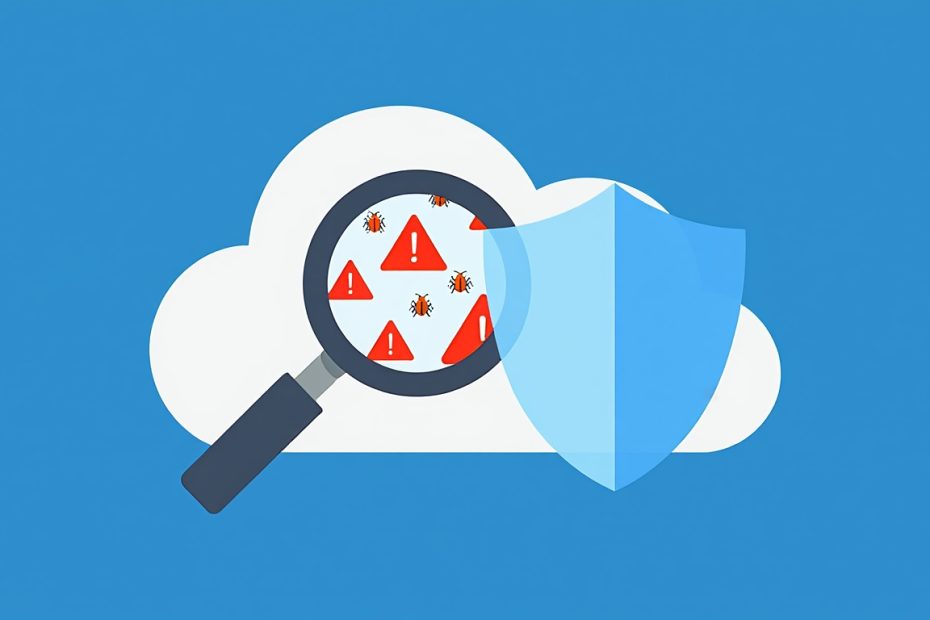
Vulnerability scanning is the automated process of checking your systems, networks, and applications for known security weaknesses — before a cybercriminal finds and exploits them. It uses specialized software tools that scan through your entire IT environment and compare what they find against large databases of documented security flaws. When the scanner spots a match, it flags it so your security team knows exactly what needs to be fixed.
Here is something most people overlook: your network is never static. New devices get connected, software gets updated, cloud services get reconfigured — and every one of those changes can quietly introduce a new security gap. Vulnerability scanning keeps a continuous eye on all of it so nothing slips through unnoticed.
Whether you are running a growing business, managing IT infrastructure for an organization, or just learning cybersecurity from the ground up — this guide answers everything. You will understand what vulnerability scanning is, how it works step by step, what types exist, which tools security teams actually use, how it connects to compliance, and what common mistakes can make even the best scan useless. No padding, no jargon walls. Just real, practical answers you can use.
What Is Vulnerability Scanning?
Vulnerability scanning is the automated identification, analysis, and reporting of security weaknesses across an organization’s IT infrastructure, including networks, systems, applications, and cloud environments. The National Institute of Standards and Technology (NIST) officially defines it as “a technique to identify hosts and host attributes and associated vulnerabilities.” In plain terms, it is your system’s regular health check — except instead of checking blood pressure, it checks open ports, outdated software, weak passwords, and dangerous misconfigurations.
Scanners do not just look around randomly. They work by comparing everything they find against documented CVEs (Common Vulnerabilities and Exposures) — a global catalog of known security flaws maintained by NIST and CISA. Think of CVEs as a public record of every door that has ever been found unlocked in the world of software. Your scanner checks whether any of those unlocked doors exist in your environment.
According to IBM’s X-Force Threat Intelligence Index, vulnerability exploitation ranks among the top cyberattack vectors used by criminals worldwide. In 2024, NIST published over 29,000 new CVEs — roughly 80 new documented flaws every single day. If your organization is not scanning regularly, it is almost certain that some of those flaws exist in your environment right now, quietly waiting.
What Is a Security Vulnerability and Why Does It Matter?
A security vulnerability is any weakness in the structure, code, or configuration of an IT asset that an attacker can exploit to gain unauthorized access or cause harm. It is not always a dramatic software bug. Sometimes it is a cloud storage bucket accidentally left open to the public. Sometimes it is a router still using the factory default password. Sometimes it is an old library bundled inside an application that nobody remembered to update.
The 4 main categories of vulnerabilities that scanners detect are:
- Coding flaws — Weaknesses inside application code, such as SQL injection vulnerabilities and cross-site scripting (XSS) flaws, where poor input handling lets attackers manipulate your systems directly through a browser or form field
- Misconfigurations — Incorrect security settings on servers, cloud services, firewalls, or databases that leave sensitive data or access controls wide open
- Unpatched software — Operating systems, third-party libraries, and applications that have not received vendor-issued security updates, leaving known flaws unaddressed
- Weak or default credentials — Passwords that were never changed from factory defaults or passwords simple enough that attackers crack them within minutes using brute-force tools
Every one of these categories represents a real attack path. The Log4Shell vulnerability (CVE-2021-44228) in 2021 affected millions of systems worldwide and was exploited within hours of public disclosure. WannaCry ransomware in 2017 spread across 150 countries by exploiting a single unpatched Windows flaw (CVE-2017-0144). These were not mysterious zero-day attacks. They were known, documented vulnerabilities — exactly the kind a vulnerability scanner is built to catch.
How Does Vulnerability Scanning Actually Work? A 6-Step Breakdown
Vulnerability scanning works by building a complete inventory of your assets, probing each one for documented weaknesses, scoring the findings by severity, and delivering an actionable report your team can use to fix what matters most. The full process runs through 6 clear steps.
Step 1 — Asset Discovery: Know What You Are Protecting
The scanner starts by finding every device, system, application, and cloud resource connected to your environment. This includes servers, laptops, workstations, mobile devices, virtual machines, cloud instances, databases, IoT devices, and web applications. Some scanners use agents — lightweight software installed directly on each device — to collect this data. Others scan externally by probing open ports and querying active services. Many modern tools combine both methods for complete coverage.
You cannot protect what you do not know exists. Shadow IT — devices and services deployed without IT’s knowledge — creates blind spots that attackers love. Asset discovery closes those gaps.
Step 2 — Attack Surface Scanning: Looking for Weaknesses
With the asset inventory in place, the scanner probes each asset. It checks open network ports, identifies running services and their software versions, reviews configuration settings, tests authentication mechanisms, and analyzes application code. Authenticated scans log in with valid credentials to see deeper into the system. Unauthenticated scans examine the asset the way an outside attacker would — without any login access.
Step 3 — Database Comparison: Matching Findings to Known Flaws
Here is where the real intelligence happens. The scanner takes everything it found and compares it against vulnerability databases. It cross-references the NIST National Vulnerability Database (NVD), CISA’s Known Exploited Vulnerabilities Catalog, and in many tools, proprietary threat intelligence feeds. If your web server is running a version of Apache with a documented flaw, the scanner matches that version number to the CVE record and flags it immediately.
Step 4 — Detection and Classification: Sorting What It Found
The scanner then classifies every vulnerability it detected. It looks at factors like how easily an attacker can exploit it, whether it requires physical or remote access, whether it needs user interaction, and what kind of damage it can cause — data theft, system takeover, denial of service, and so on. This classification feeds directly into the next step.
Step 5 — Prioritization Using CVSS Scores: What to Fix First
The CVSS (Common Vulnerability Scoring System) scores every vulnerability on a scale from 0 to 10, where 10 represents the most severe and immediately dangerous flaws. The 4 severity levels are:
| CVSS Score Range | Severity Level | What It Means |
|---|---|---|
| 0.1 – 3.9 | Low | Minimal impact, low urgency |
| 4.0 – 6.9 | Medium | Moderate risk, needs attention soon |
| 7.0 – 8.9 | High | Significant damage potential, fix quickly |
| 9.0 – 10.0 | Critical | Severe risk, immediate action required |
Most environments generate hundreds — sometimes thousands — of vulnerability findings per scan. CVSS scoring helps your team cut through the noise and focus on the issues that actually put your organization at serious risk. Without prioritization, teams waste hours patching low-impact issues while a critical flaw sits ignored in the backlog.
Step 6 — Reporting and Remediation: Turning Findings into Action
The scanner compiles a full report detailing every vulnerability it found, its CVSS score, which assets are affected, how it can be exploited, and what steps will fix it. More advanced scanners compare results against previous scans so your team can track progress over time. From there, your security team applies patches, corrects misconfigurations, closes unnecessary ports, and rescans to verify the fix worked.
What Are the Different Types of Vulnerability Scans?
Vulnerability scanning includes 9 distinct scan types, each designed to examine a specific part of your environment or approach your assets from a different angle. Using only one type gives you a partial picture. Most mature security programs combine several.
Network Vulnerability Scanning
Network vulnerability scanning identifies weaknesses across your entire network infrastructure — routers, switches, firewalls, servers, endpoints, and all connected devices. It detects open ports, weak network protocols like outdated SSL/TLS versions, unauthorized devices, and misconfigured firewall rules. This is typically the most common starting point for any organization new to scanning.
Web Application Vulnerability Scanning
Web application vulnerability scanning focuses specifically on browser-accessible applications to detect flaws like SQL injection, cross-site scripting (XSS), cross-site request forgery (CSRF), broken authentication, and insecure direct object references. Web applications are among the most targeted attack surfaces because they are publicly accessible and often built with third-party libraries that carry their own vulnerabilities.
Host Vulnerability Scanning
Host vulnerability scanning examines individual servers, workstations, and endpoints for operating system vulnerabilities, insecure configurations, missing patches, and exposed services. It goes deeper than a network scan because it looks inside the specific machine rather than just probing from the outside.
Database Vulnerability Scanning
Database vulnerability scanning probes your database management systems — like MySQL, PostgreSQL, Oracle, and Microsoft SQL Server — for misconfigurations, default credentials, excessive permissions, and known software vulnerabilities. Databases hold your most sensitive data, which makes them a primary target for attackers.
Cloud Vulnerability Scanning
Cloud vulnerability scanning identifies weaknesses inside cloud environments such as AWS, Microsoft Azure, and Google Cloud Platform. It checks for misconfigured storage buckets, overly permissive identity and access management (IAM) roles, exposed APIs, insecure serverless functions, and vulnerabilities inside containerized workloads and virtual machines. Cloud environments change rapidly, so this type of scanning needs to run continuously rather than periodically.
Container and Image Scanning
Container vulnerability scanning checks Docker images, Kubernetes workloads, and container registries for vulnerabilities and dangerous dependencies before they get deployed into production. Finding a vulnerability in an image before it is deployed is far less costly than patching it after it is running across thousands of instances.
Authenticated Scanning
Authenticated scanning uses valid login credentials to examine systems from the inside. It reveals configuration problems, user privilege issues, and vulnerabilities that are completely invisible from outside the system. This approach is more thorough than unauthenticated scanning and provides a much more realistic view of what an insider threat or a compromised account could access.
Unauthenticated Scanning
Unauthenticated scanning examines your systems from an outsider’s perspective, without any login access. It identifies open ports, exposed services, and externally visible misconfigurations — essentially showing you exactly what an attacker on the internet sees when they scan your environment. While less thorough than authenticated scanning, it is valuable for understanding your external attack surface.
Internal and External Scanning
Internal vulnerability scanning examines assets inside your network perimeter to find what an attacker could do after bypassing your defenses. External vulnerability scanning focuses on internet-facing systems — your public websites, APIs, email servers, and remote access points — to identify how an attacker would get in through the front door. Both are essential and serve different parts of your threat model.
Vulnerability Scanning vs. Penetration Testing: What Is the Difference?
Vulnerability scanning is an automated, ongoing process that identifies potential weaknesses across your environment, while penetration testing is a manual, time-limited exercise where skilled security professionals actively attempt to exploit those weaknesses. Both serve different roles, and confusing them leads to gaps in your security program.
Here is a direct comparison:
| Factor | Vulnerability Scanning | Penetration Testing |
|---|---|---|
| Method | Automated | Manual |
| Scope | Broad — entire environment | Narrow — specific targets |
| Depth | Surface-level detection | Deep exploitation and chaining |
| Duration | Minutes to 72 hours per scan | Days to several weeks |
| Frequency | Daily, weekly, or continuous | Once or twice per year |
| Output | List of detected vulnerabilities | Simulated attack findings with proof of exploitation |
| Cost | Lower | Significantly higher |
Vulnerability scanning tells you what weaknesses exist. Penetration testing tells you how far an attacker can actually get by exploiting those weaknesses. Security teams use scanning to maintain ongoing awareness of their environment and use penetration testing to validate their defenses and understand real-world attack scenarios. Together, they create a much stronger security posture than either one alone.
What Are the 7 Key Benefits of Vulnerability Scanning?
Vulnerability scanning delivers measurable security improvements across your organization. Here are 7 concrete benefits your security program gains from regular scanning.
- First, it reduces your risk of a costly data breach. The average cost of a data breach reached $4.88 million in 2024, according to IBM’s Cost of a Data Breach Report. Identifying and patching vulnerabilities before attackers exploit them directly reduces the probability of a breach. Every vulnerability you close is one less path an attacker can take.
- Second, it improves your compliance posture. Regulations like PCI DSS, HIPAA, GDPR, SOC 2, and ISO 27001 all require some form of regular security testing. PCI DSS Requirement 11.2 specifically mandates internal and external vulnerability scans at least once every 90 days. HIPAA’s updated requirements now require covered entities to conduct vulnerability scans at least every 6 months. Skipping scans puts you at risk of regulatory fines that can reach millions of dollars.
- Third, it gives your team a complete picture of your attack surface. Many organizations are genuinely surprised by what a first scan reveals — forgotten servers still running in production, an old application nobody maintained, a misconfigured cloud bucket sitting wide open. Scanning forces visibility onto assets that might otherwise be invisible to your team.
- Fourth, it enables proactive rather than reactive security. Attackers actively scan the internet for vulnerable systems every single day using automated tools. Vulnerability scanning puts you in the same position, giving you the chance to find and close weaknesses before those automated attacks reach your systems.
- Fifth, it strengthens your patch management process. Without scanning, IT teams often apply patches on a schedule without knowing which systems need them most urgently. Scanning ties patch prioritization directly to CVSS severity scores, so your team fixes the most dangerous issues first instead of patching in alphabetical order.
- Sixth, it builds trust with customers and partners. Organizations that scan regularly and maintain documented vulnerability management programs demonstrate a measurable commitment to data security. This matters in sales conversations, vendor assessments, and customer trust evaluations.
- Seventh, it reduces long-term security costs. Fixing a vulnerability during a routine scan takes minutes to hours. Fixing the same vulnerability after it gets exploited in a breach costs weeks of incident response, legal fees, regulatory penalties, and reputational damage. Prevention is dramatically cheaper than remediation after the fact.
What Are the Most Common Challenges of Vulnerability Scanning?
Vulnerability scanning is genuinely useful, but it is not perfect. Knowing its limitations upfront helps you build a program that actually works rather than one that only looks good on paper.
- The snapshot effect is one of the biggest limitations. A scan captures your environment at a single point in time. The moment it finishes, new devices might be connected, new software deployed, and new vulnerabilities disclosed. Continuous scanning tools address this directly, but periodic scans always leave windows of exposure between runs.
- Alert fatigue causes real problems in security teams. A single scan in a mid-sized organization can generate thousands of vulnerability findings. When every alert looks equally urgent, teams stop treating anything as truly urgent. This is why CVSS-based prioritization and contextual risk scoring are not optional extras — they are essential to making scan results actionable.
- False positives consume time and erode trust in scan results. A scanner might flag a vulnerability in a software version your environment actually patched at the OS level, not the package level. Developers get frustrated, security teams lose credibility, and the noise makes it easier to miss real threats hidden among the false ones.
- Only known vulnerabilities get detected. Vulnerability scanners compare findings against documented CVE databases. They do not detect zero-day vulnerabilities — flaws that have been discovered and are being actively exploited but have not yet been publicly documented. This is a structural limitation of the technology, not a flaw in any specific tool. Supplementing scanning with runtime detection and threat intelligence feeds addresses this gap.
- Scanning can strain network performance. Active, credentialed scans that deeply probe systems require significant bandwidth and processing resources. Running a heavy scan during peak business hours can slow down production systems. Most security teams schedule scans during off-peak windows to minimize disruption.
What Tools Do Security Teams Use for Vulnerability Scanning?
The 5 most widely used vulnerability scanning tools are Tenable Nessus, Qualys VMDR, Rapid7 InsightVM, OpenVAS, and Wiz, each serving different use cases and organizational needs.
Tenable Nessus is the industry standard for on-premises and hybrid environment scanning. It maintains one of the largest vulnerability databases available — over 180,000 plugins — and supports both authenticated and unauthenticated scanning across networks, systems, and applications. Nessus Professional is widely used by individual security practitioners and small security teams, while Tenable.sc and Tenable.io serve enterprise environments.
Qualys VMDR (Vulnerability Management, Detection, and Response) is a cloud-based platform that combines vulnerability scanning, patch management, and security configuration assessment in a single unified tool. It excels at discovering cloud assets and provides continuous visibility with strong compliance reporting built in. Organizations managing large, distributed environments across multiple cloud providers often choose Qualys for its scalability.
Rapid7 InsightVM integrates vulnerability scanning with real-time risk scoring and connects directly into broader security operations workflows. Its Live Dashboards give security teams instant visibility into their current vulnerability posture, and it integrates with ticketing systems like Jira and ServiceNow to streamline remediation tracking.
OpenVAS (Open Vulnerability Assessment Scanner) is the leading open-source option and the community-driven core of the Greenbone Vulnerability Management platform. It is free to use, highly configurable, and supported by a large active community. OpenVAS is best suited for organizations with in-house security expertise that want flexibility and cost control over a commercially supported solution.
Wiz focuses specifically on cloud-native environments and delivers agentless vulnerability scanning across AWS, Azure, and GCP without requiring any software installation on target systems. It correlates vulnerability findings with cloud context — checking whether a vulnerable asset is internet-facing, what data it can access, and whether there is a realistic attack path — to reduce noise and prioritize what truly matters.
Other tools worth knowing include Burp Suite for web application scanning, Nmap for network discovery and port scanning, Acunetix for web vulnerability detection, and AWS Inspector for native AWS environment scanning.
How Often Should You Run Vulnerability Scans?
The minimum recommended frequency for vulnerability scanning is once every quarter, though most security frameworks and real-world best practices call for monthly or continuous scanning depending on the environment and risk profile.
Compliance frameworks set the floor, not the ceiling. PCI DSS Requirement 11.2 requires internal and external scans at least every 90 days and after any significant infrastructure change. HIPAA’s Security Rule updates require covered entities and business associates to conduct vulnerability scans at minimum every 6 months, with penetration testing at least annually. ISO 27001 and SOC 2 do not specify a fixed frequency but require evidence of regular and systematic vulnerability assessment as part of your information security management system.
The real-world recommendation is more aggressive than any compliance floor. Critical assets like production databases, authentication servers, and internet-facing web applications benefit from weekly or continuous scanning. Less critical internal systems can be scanned monthly. Any time you deploy new infrastructure, push a major application update, add new cloud services, or make network configuration changes, run a targeted scan immediately rather than waiting for the next scheduled window.
What Are the Best Practices for Vulnerability Scanning That Actually Work?
Running a vulnerability scanner and building an effective vulnerability scanning program are two different things. Here are 8 practices that separate programs that actually reduce risk from ones that just check a compliance box.
- Start with a complete and current asset inventory. Your scanner can only protect what it knows about. Before running a single scan, invest time in building an accurate inventory of every device, application, cloud service, and network segment in your environment. Update it every time something changes.
- Combine authenticated and unauthenticated scans. Unauthenticated scans show you your external exposure. Authenticated scans show you everything an insider or a compromised account can reach. Using both gives you the full picture.
- Prioritize by exploitability, not just CVSS score. A Critical CVSS 9.5 vulnerability on an isolated internal test server with no network exposure is less urgent than a High CVSS 7.5 vulnerability on an internet-facing authentication server. Context matters. Always evaluate severity alongside actual exposure and asset criticality.
- Scan after every major change. New code deployments, infrastructure upgrades, cloud migrations, and network reconfigurations all introduce new risk. Build scanning into your change management process so new vulnerabilities get caught before they reach production at scale.
- Use at least 2 scanning tools. No single scanner catches everything. Different tools use different detection methods, different vulnerability databases, and different scanning plugins. Running a second tool fills coverage gaps left by the first.
- Track remediation, not just findings. A list of vulnerabilities with no follow-through is just documentation of your weaknesses. Assign owners to critical findings, set remediation deadlines based on severity, and rescan after fixes are applied to confirm they worked.
- Document everything. Compliance auditors want evidence of your scanning program, not just a report you ran last week. Maintain historical scan records, remediation timelines, and rescanned results to demonstrate continuous improvement over time.
- Treat scanning as the first step, not the whole program. Vulnerability scanning feeds into a broader vulnerability management lifecycle that includes assessment, prioritization, remediation, verification, and continuous monitoring. Scanning without a management program behind it generates noise without producing security outcomes.
How Does Vulnerability Scanning Connect to Vulnerability Management?
Vulnerability scanning is the first and most critical step in the broader vulnerability management lifecycle, which is the ongoing organizational process of discovering, assessing, prioritizing, remediating, and verifying security weaknesses across all IT assets.
Many people use the two terms interchangeably, but they are not the same. Scanning finds the vulnerabilities. Vulnerability management is the full system your organization builds to do something about them on a continuous basis. The lifecycle runs through 5 stages: identification (scanning), assessment (understanding context and severity), prioritization (deciding what to fix first), remediation (patching, configuring, or mitigating), and verification (rescanning to confirm fixes worked).
Without scanning, you have no data to feed into that cycle. Without the full management program, your scanning produces reports that gather dust. Both are necessary, and scanning is always where the cycle starts.
What Regulations Require Vulnerability Scanning?
Vulnerability scanning is not just a security best practice — for many industries, it is a legal or contractual requirement. Here is what 5 major compliance frameworks require:
- PCI DSS (Payment Card Industry Data Security Standard) requires internal and external vulnerability scans at least quarterly (every 90 days) and after any significant system change. External scans must be conducted by an Approved Scanning Vendor (ASV) from the PCI Security Standards Council’s approved vendor list. Organizations that handle credit card data and skip these scans face card brand fines and loss of payment processing privileges.
- HIPAA (Health Insurance Portability and Accountability Act) requires healthcare organizations and their business associates to regularly evaluate the security of systems that store or transmit protected health information (PHI). HIPAA Security Rule updates explicitly require vulnerability scans at least every 6 months and penetration testing at least once per year.
- GDPR (General Data Protection Regulation) requires organizations processing personal data of EU citizens to implement “appropriate technical and organizational measures” to protect that data. Regular vulnerability scanning is a direct component of demonstrating those measures are in place, particularly given GDPR’s requirement for breach notification within 72 hours.
- SOC 2 (Service Organization Control 2) evaluates the security controls of service organizations against 5 Trust Service Criteria. Vulnerability scanning is a key control expected by SOC 2 auditors, specifically under the Common Criteria related to risk assessment and monitoring of system performance.
- ISO 27001 requires organizations to conduct systematic vulnerability assessments of their information systems as part of the Information Security Management System (ISMS). The standard requires documented processes and evidence of regular, risk-based scanning aligned with the organization’s threat landscape.
Conclusion
Vulnerability scanning is not optional — it is one of the most foundational practices in any serious cybersecurity program. Your systems are changing every day. New flaws are being documented every hour. Attackers are scanning the internet constantly, looking for exactly the weaknesses that a regular scan would have caught and closed.
What you get from a well-run vulnerability scanning program is clarity. You know what is in your environment. You know what is weak. You know what needs fixing, in what order, and why. That clarity is what separates organizations that respond to breaches from organizations that prevent them.
Start with a complete asset inventory. Pick a scanning tool that fits your environment and budget. Run authenticated and unauthenticated scans. Prioritize by exploitability and asset criticality, not just CVSS numbers alone. Build remediation into your workflow and rescan after every fix. And never treat a scan as a one-time event — your threat landscape changes too fast for that.
Vulnerability scanning is the first step in controlling your own security story. The organizations that scan regularly, act on their findings, and improve continuously are the ones that stay ahead. The ones that wait find out about their vulnerabilities from attackers instead.
You May Also Like
 Cybersecurity
Is Fanatical Legit and Safe? My Honest Take on Buying Game Keys
 Data Security & Privacy
Is Gameflip Legit and Safe for Gift Cards? What Buyers Should Know
 Data Security & Privacy
Is Eldorado.gg Legit and Safe in 2026? My Investigation and What Buyers Should Know
 Web Development
Supabase vs Firebase: Which Backend Platform is Right for Your Project?
 VPN & Proxy
Why Does Google Say Our Systems Have Detected Unusual Traffic From Your Computer Network?
 Web Development
REST API vs SOAP API: Differences, Pros & Cons, and Use Cases
 Web Development
What Is API Rate Limiting? (A Practical, Simple Guide for Safer, Faster APIs)
 Cybersecurity
Is Groupon Legit? An Honest Review In 2026
 Cybersecurity