

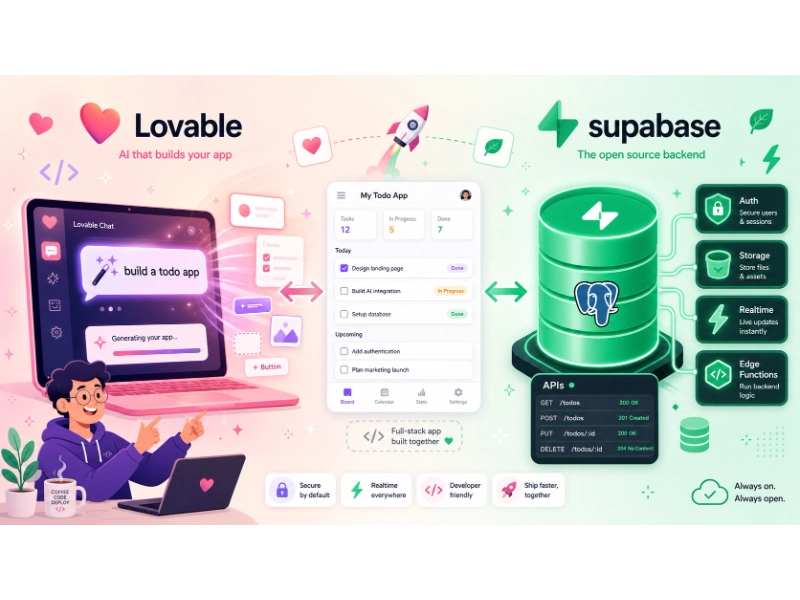
Building an application with Lovable and Supabase can shorten the distance between an idea and a working product. Lovable generates and edits a React-based application through natural-language instructions, while Supabase provides a PostgreSQL database, authentication, file storage, real-time updates, generated APIs, and serverless Edge Functions.
The combination is particularly useful for internal tools, SaaS prototypes, customer portals, dashboards, directories, marketplaces, and workflow applications. It can also support production software, but reaching production requires more than generating a polished interface. Database design, authorization, testing, email delivery, backups, monitoring, and cost controls still need deliberate attention.
One detail is especially important: Lovable now offers two backend paths. You can use its built-in backend, called Lovable Cloud, or connect a Supabase project that your team owns directly. Both paths use Supabase-compatible foundations, but infrastructure ownership, billing, configuration, and migration options differ.
If you are evaluating the broader market before committing, compare the best Backend-as-a-Service providers and review our detailed Supabase vs. Firebase comparison.
Note: Last reviewed: September 1, 2026. Product features, workflow details, limits, and pricing were checked against official Lovable and Supabase documentation. Both platforms change frequently, so confirm plan limits and production requirements before deployment.
Lovable and Supabase at a Glance
| Component | Primary responsibility |
|---|---|
| Lovable | AI-assisted application generation, visual editing, frontend development, previews, and publishing |
| Supabase Postgres | Relational database, SQL, relationships, constraints, and extensions |
| Supabase Auth | Registration, login, sessions, OAuth, OTP, MFA, and SSO |
| Row Level Security | Database-level authorization and data isolation |
| Supabase Storage | User uploads, images, documents, and other files |
| Supabase Realtime | Live database updates, broadcast, and presence |
| Supabase Edge Functions | Server-side logic, webhooks, payments, email, and external APIs |
| GitHub or GitLab | Source control, collaboration, code review, and external deployment |
| Lovable hosting | Managed frontend publishing, HTTPS, custom domains, and deployment snapshots |
How Lovable and Supabase Fit Together
Lovable is an AI application-building platform, not merely a design framework or collection of user-interface components. You describe the application or feature you want, and Lovable can generate or modify the frontend, database schema, authentication flow, storage integration, and server-side functions.
When you connect a Supabase project you own, Lovable can:
- Design PostgreSQL tables and relationships
- Generate reviewed SQL migrations
- Connect frontend components to Supabase
- Add registration and login pages
- Create Row Level Security policies
- Configure file-upload workflows
- Create and deploy Supabase Edge Functions
- Add real-time database subscriptions
- Generate TypeScript types
- Store backend code and migrations in the project repository
Lovable can accelerate implementation, but generated code and policies still need human review. Treat it like a capable development partner rather than an unquestionable source of architectural truth.
What is Lovable?
Lovable is an AI-assisted application development platform. It can generate standard Vite and React applications from conversational prompts, provide a visual editor and preview environment, connect backend services, and publish applications.
Depending on the project configuration, Lovable can work with:
- Its built-in Lovable Cloud backend
- A Supabase project owned by your team
- GitHub or GitLab
- External APIs
- Payment services
- Email platforms
- AI model providers
- External frontend hosting
Lovable is useful for people with different levels of technical experience. A founder or product manager can use it to explore a workflow, while an experienced developer can review its React components, migrations, Edge Functions, and Git history.
The tool does not eliminate software engineering. It changes where much of the initial implementation work happens.
What is Supabase?
Supabase is a PostgreSQL-centered development platform that provides:
- A managed Postgres database
- Authentication and user management
- Auto-generated APIs
- File storage
- Real-time capabilities
- Edge Functions
- Database extensions
- Backups and observability features
- Local-development and migration tooling
Supabase is often described as a Backend-as-a-Service platform. Unlike many NoSQL-first services, its database is PostgreSQL, so applications can use relational tables, foreign keys, transactions, SQL queries, views, database functions, and Row Level Security.
If you are deciding between relational and document-oriented data models, our SQL vs. NoSQL guide explains the broader trade-offs.
Choose Your Backend Before Building Too Much
Lovable projects can use either the built-in Lovable Cloud backend or a Supabase project your team manages directly.
This choice affects where you manage users, billing, backups, secrets, authentication providers, and infrastructure settings.
| Consideration | Lovable Cloud | Your own Supabase project |
|---|---|---|
| Initial setup | Automatic | Requires a Supabase account and project |
| Backend ownership | Managed through Lovable | Managed in your Supabase organization |
| Backend billing | Lovable Cloud run credits | Separate Supabase billing |
| Database management | Lovable Cloud interface | Supabase dashboard and tooling |
| Authentication configuration | Managed in Lovable | Managed in Supabase |
| Social login setup | Managed through Lovable features | OAuth providers configured in Supabase |
| Service-role or direct database access | Not provided directly | Available to authorized project administrators |
| Infrastructure configuration | Managed by Lovable | Managed through Supabase |
| Best fit | Fast setup and integrated management | Direct infrastructure ownership and deeper control |
| Migration between options | Not automatic | Not automatic |
Choose Lovable Cloud when
Lovable Cloud may be a practical starting point when:
- You want the shortest route from a prompt to a working application.
- You prefer to manage the frontend and backend from one interface.
- Your team does not need direct database credentials.
- Built-in Lovable features are more important than infrastructure control.
- You are still validating the product and data model.
Choose your own Supabase project when
Connecting a Supabase project you own may be a better fit when:
- Your team wants direct access to the Supabase dashboard.
- Database ownership and infrastructure visibility are priorities.
- You need direct control over authentication providers.
- You want to manage Supabase billing independently.
- Developers need SQL Editor, CLI, logs, backups, or database connection access.
- You expect to integrate the backend with systems outside Lovable.
- Your organization has specific operational or governance requirements.
Neither path is universally better. The right choice depends on how much control your team needs and who will be responsible for operating the backend.
Decide early
Lovable’s documentation states that there is no one-click migration between Lovable Cloud and a user-owned Supabase project.
Although data and code can be exported, migration may involve:
- Applying database migrations
- Moving table data
- Transferring stored files
- Reconfiguring authentication providers
- Recreating secrets
- Updating environment variables
- Asking users to reset passwords
- Revalidating RLS policies
- Testing integrations and webhooks
Choose the backend deliberately before onboarding many users or storing important production data.
How the Lovable–Supabase Architecture Works
A typical application follows this path:
User
  ↓
Lovable-generated React interface
  ↓
Supabase Auth creates a user session
  ↓
Supabase client sends a JWT with the request
  ↓
Postgres grants and RLS policies evaluate access
  ↓
Database, Storage, Realtime, or Edge Functions respond
The browser can communicate directly with Supabase for many routine operations. That is safe only when database grants, Row Level Security, Storage policies, and authentication rules are correctly configured.
Privileged operations should run through trusted server-side code, usually a Supabase Edge Function. Examples include:
- Creating payment sessions
- Processing Stripe webhooks
- Sending transactional emails
- Calling an AI provider with a secret key
- Performing administrative database operations
- Generating signed URLs
- Moderating user-generated content
- Synchronizing data with external systems
Before You Start
A practical setup usually requires:
- A Lovable account
- A Supabase account
- A Supabase organization and project
- A clear description of the application’s users
- A basic data model
- Defined public and private data
- A GitHub or GitLab account for source control
- Provider accounts for optional services such as Stripe, Resend, or an AI API
You do not need to finalize every feature before building. However, you should understand what data the application stores and who should be allowed to access it.
Define the first user journey
Start with one complete user journey rather than requesting an entire platform in one prompt.
For a project-management application, the first journey might be:
- A user creates an account.
- The user creates a workspace.
- The user creates a project.
- The user adds a task.
- The task appears only to authorized workspace members.
- The user signs out.
- Another user cannot access that workspace without membership.
This gives Lovable a concrete workflow and gives you a testable authorization boundary.
Step 1: Create a Focused Lovable Project
A broad prompt such as “build a complete SaaS platform” often leaves important decisions unstated. A better prompt defines the audience, workflow, data, permissions, and visual direction.
For example:
Build a responsive project-management application for small creative teams.

Users should be able to:
- Create an account and sign in
- Create a workspace
- Invite workspace members
- Create projects inside a workspace
- Add, assign, update, and archive tasks
- Filter tasks by status, due date, and assignee
- View a dashboard with project progress

Use a clean, accessible interface with clear labels, visible keyboard focus states, responsive layouts, and sufficient color contrast.

Do not create the database yet. First propose the page structure, user journeys, data model, and authorization rules for review.
The last sentence matters. It asks Lovable to explain the design before making database changes.
Build in reviewable stages
A safer sequence is:
- Generate the interface and page structure.
- Review the user journeys.
- Review the proposed database schema.
- Connect the backend.
- Add authentication.
- Apply RLS policies.
- Add Storage or Edge Functions.
- Test authorized and unauthorized behavior.
- Connect Git.
- Publish only after security review.
Small, reviewable changes are easier to understand and reverse than one large prompt that changes the entire application.
Step 2: Connect Supabase
The official Lovable Supabase integration is available across Lovable plans.
Connecting it involves two related actions:
- A workspace owner or administrator links a Supabase organization to the Lovable workspace.
- An authorized project editor connects a Lovable project to a project inside that Supabase organization.
After connection, Lovable can inspect the database schema, propose migrations, deploy Edge Functions, and connect the application to Supabase services.
Important workspace consideration
A linked Supabase organization becomes available to eligible members of the Lovable workspace. Review workspace membership and permissions before connecting a sensitive organization.
For production environments, consider separating:
- Development
- Staging
- Production
Avoid connecting experimental projects to a production database unless there is a clear operational reason.
Confirm which backend you are using
Lovable Cloud and a connected Supabase project can look similar from the application layer. Confirm the backend before following infrastructure instructions.
According to Supabase’s troubleshooting documentation:
- If Lovable provides built-in database, user, and storage management views, the project is likely using Lovable Cloud.
- If the interface displays a Supabase project name and links to the Supabase dashboard, the project is connected to a Supabase project your team manages.
This distinction determines where you configure authentication, billing, backups, OAuth credentials, and infrastructure settings.
Step 3: Design the Database Before Generating It
Lovable can generate database tables from a plain-language description. That is convenient, but the quality of the result depends on the clarity of the requested data model.
For a multi-user project-management application, a reasonable starting model might include:
| Table | Purpose | Important relationships |
|---|---|---|
| profiles | Application profile for each authenticated user | References auth.users.id |
| workspaces | Organization or team container | Has an owner |
| workspace_members | Connects users to workspaces | References users and workspaces |
| projects | Projects inside a workspace | References a workspace |
| tasks | Work items inside a project | References project, creator, and assignee |
| comments | Discussion attached to a task | References task and author |
| attachments | Metadata for uploaded files | References task and uploader |
Ask for constraints, not only columns
A useful schema prompt might be:
Propose a normalized PostgreSQL schema for this application.

Include:
- UUID primary keys
- Foreign-key relationships
- Created and updated timestamps
- Appropriate unique constraints
- Status values with database validation
- Indexes for common filters and RLS checks
- Cascading behavior that avoids accidental data loss
- Separate membership records for multi-tenant access
- RLS requirements for every exposed table

Explain the schema and authorization model before creating the migration.
This encourages Lovable to consider data integrity rather than merely generating fields that match the interface.
Review generated migrations
When connected to your own Supabase project, Lovable can show proposed SQL and request approval before running schema-changing migrations. Approved migrations are stored under:
supabase/migrations/
Review migrations for:
- Destructive
DROPstatements - Unexpected data deletion
- Missing foreign keys
- Nullable columns that should be required
- Incorrect cascading deletes
- Missing indexes
- Public grants
- Missing RLS
- Overly permissive policies
- Security-definer functions
- Changes to existing production data
Never approve a database migration solely because the preview interface looks correct.
Step 4: Add Supabase Authentication
Supabase Auth supports authentication methods such as:
- Email and password
- Magic links
- Email OTP
- Phone OTP
- Social login
- Anonymous sign-in
- Multi-factor authentication
- SAML SSO on eligible plans
Our complete Supabase Auth guide covers OAuth, OTP, MFA, SSO, Auth Hooks, sessions, and pricing in more detail.
Add the initial authentication flow
You can prompt Lovable with:
Add Supabase email-and-password authentication.

Create:
- A sign-up page
- A sign-in page
- An email-confirmation notice
- A forgot-password flow
- A reset-password page
- A protected dashboard
- A profile menu with sign-out
- Loading, success, and error states

Do not rely only on frontend route protection. Ensure private database operations are protected with Row Level Security.
The final requirement is essential. Hiding a page from unauthenticated visitors is not the same as protecting its data.
Configure authentication in the right dashboard
If the application uses a Supabase project you own, authentication settings and social providers are configured in the Supabase dashboard.
If the application uses Lovable Cloud, configuration is managed through Lovable’s Cloud features.
For social login, you generally need to:
- Create OAuth credentials with the provider.
- Add the Supabase callback URL to the provider.
- Enable the provider in Supabase.
- Configure allowed application redirect URLs.
- Ask Lovable to add the corresponding login button.
- Test local, preview, and production redirects separately.
Use production email delivery
Supabase’s built-in email delivery has restrictive limits and is primarily suitable for evaluation. Production applications should normally configure a custom SMTP service.
Set up:
- A verified sender domain
- SPF
- DKIM
- DMARC
- Branded email templates
- Bounce handling
- Delivery monitoring
- Appropriate rate limits
Test email confirmation, password recovery, and email-change workflows before launch.
Step 5: Protect Data with Row Level Security
Authentication identifies the user. Authorization determines what that user can access.
Supabase commonly enforces authorization using PostgreSQL Row Level Security.
Lovable can generate RLS policies and scan them for common problems, but the team remains responsible for confirming that the policies match the intended rules.
Example: owner-only task access
A simple personal task table could use policies like these:
alter table public.tasks enable row level security;

revoke all on public.tasks from anon, authenticated;
grant select, insert, update, delete
on public.tasks
to authenticated;

create policy "Users can read their own tasks"
on public.tasks
for select
to authenticated
using ((select auth.uid()) = owner_id);

create policy "Users can create their own tasks"
on public.tasks
for insert
to authenticated
with check ((select auth.uid()) = owner_id);

create policy "Users can update their own tasks"
on public.tasks
for update
to authenticated
using ((select auth.uid()) = owner_id)
with check ((select auth.uid()) = owner_id);

create policy "Users can delete their own tasks"
on public.tasks
for delete
to authenticated
using ((select auth.uid()) = owner_id);

create index tasks_owner_id_idx
on public.tasks (owner_id);
This example is appropriate only when each task has one owner. A team application needs membership-aware policies rather than a simple owner check.
Multi-tenant authorization
For a workspace application, authorization might depend on:
- Workspace membership
- Member role
- Project membership
- Record ownership
- Invitation status
- Subscription entitlements
- Administrative privileges
A useful prompt is:
Review the RLS policies for every exposed table.

The application is multi-tenant:
- Users must not access workspaces they do not belong to.
- Workspace members may read projects and tasks in their workspace.
- Only workspace owners and admins may invite or remove members.
- Task assignees may update status but may not change workspace ownership.
- Anonymous users must not read private workspace data.

Create separate policies for select, insert, update, and delete. Explain each policy before applying it.
Test negative cases
Do not test only whether the intended user can access data. Also test whether an unauthorized user is denied.
Use at least two test accounts:
- User A creates a workspace and records.
- User B tries to access User A’s records.
- User B joins the workspace and repeats the test.
- User B leaves or is removed.
- User B attempts access again.
- An unauthenticated browser attempts the same requests.
A secure application should fail safely in each unauthorized case.
Do not expose privileged keys
The Supabase publishable key, or legacy anonymous key, is intended for client-side use when RLS is correctly configured.
The following must remain server-side:
- Supabase secret key
- Legacy
service_rolekey - Database password
- Payment-provider secret keys
- Email-provider API keys
- AI-provider API keys
- Webhook signing secrets
The service_role bypasses RLS. Exposing it would undermine the application’s database authorization model.
Step 6: Add File Uploads with Supabase Storage
Supabase Storage can store:
- Profile photos
- Documents
- Product images
- Audio and video
- Generated reports
- Task attachments
- Other user-uploaded content
Lovable can create upload components, Storage buckets, and the application logic for retrieving files.
Public versus private buckets
Use a public bucket only for content intended to be publicly accessible.
Private or user-specific content should generally use:
- Private buckets
- Storage access policies
- Authenticated downloads
- Signed URLs where appropriate
- Restricted object paths
- File-type and size validation
A clear prompt might be:
Add private task attachments using Supabase Storage.

Requirements:
- Only workspace members may upload or view files.
- Store files under a path containing the workspace ID and task ID.
- Validate file type and size before upload.
- Do not make the bucket public.
- Use signed URLs for downloads.
- Add Storage policies that match the database membership rules.
File-upload risks
A production upload feature should consider:
- Unexpected file types
- Oversized uploads
- Malware
- Filename collisions
- Personal information in filenames
- Public URL exposure
- Orphaned files after record deletion
- Storage and egress costs
- Retention requirements
Storage policies deserve the same level of review as database RLS.
Step 7: Use Edge Functions for Server-Side Logic
Supabase Edge Functions are appropriate for operations that should not run in the browser.
Common use cases include:
- Calling AI model APIs
- Sending transactional email
- Creating payment sessions
- Handling payment webhooks
- Performing privileged database operations
- Calling third-party services
- Generating signed resources
- Processing scheduled work
- Validating sensitive business rules
Lovable can generate, deploy, and update Edge Functions through chat when connected to Supabase.
Example prompt
Create a Supabase Edge Function that sends a project-invitation email through Resend.

Requirements:
- Require a valid authenticated session.
- Verify that the caller is an admin or owner of the workspace.
- Validate the email address and workspace ID.
- Do not expose the Resend API key to the browser.
- Store the API key as a Supabase secret.
- Return generic client-facing errors.
- Add structured server-side logs without recording tokens or sensitive personal data.
- Add rate limiting or abuse controls for repeated invitations.
This is more defensible than saying only “add invitation email,” because it defines authorization, validation, secret handling, logging, and abuse controls.
Store secrets correctly
When a connected feature requires a private API key, Lovable can request it through a secure secret input. For user-owned Supabase projects, secrets are stored for Edge Functions rather than committed to frontend code.
Do not paste active secrets into:
- Frontend source files
- Public Git repositories
- Screenshots
- Chat prompts
- Client-side environment variables
- Error messages
- Analytics events
Variables prefixed with VITE_ are embedded into the frontend build and should be treated as public. Only use them for values designed for client exposure, such as a Supabase project URL and publishable key.
Apply rate limiting
Authentication, invitations, AI generation, file processing, and email endpoints can be abused even when they require login.
Consider controls based on:
- User ID
- Organization
- IP address
- Subscription tier
- Time window
- Operation cost
Our API rate-limiting guide explains token buckets, sliding windows, HTTP 429 responses, and retry behavior.
Step 8: Add Realtime Features Carefully
Supabase Realtime can support:
- Live dashboards
- Collaborative task boards
- Notifications
- Chat
- Presence indicators
- Progress updates
- Activity feeds
A prompt could be:
Update the task board in real time when an authorized workspace member creates, updates, or deletes a task.

Keep the existing RLS policies in place. Clean up the Realtime subscription when the component unmounts, avoid duplicate subscriptions, and show a recoverable connection state if live updates are interrupted.
Realtime should improve the experience rather than become the application’s only source of truth. The application should still fetch a reliable initial state and recover from disconnected or missed events.
Monitor:
- Concurrent connections
- Message volume
- Duplicate subscriptions
- Reconnection behavior
- Authorization
- Subscription cleanup
- Usage-based cost
Step 9: Connect GitHub Early
Lovable supports two-way Git synchronization with GitHub and GitLab. Connecting a repository early gives the project an independent code history and makes review easier.
With GitHub connected:
- Lovable changes sync to the repository.
- Changes pushed to the active branch can sync back to Lovable.
- Developers can clone and edit the project locally.
- Teams can use branches and pull requests.
- External hosting platforms can deploy from the repository.
- Automated tests and dependency checks can run in CI.
According to the Lovable GitHub integration documentation, each Lovable project connects to one repository and Lovable edits one active branch at a time.
Important GitHub limitations
Current limitations include:
- Existing GitHub repositories cannot be imported into Lovable through this integration.
- Lovable creates a new repository when connecting a project.
- Reconnecting after disconnection creates a new repository rather than reconnecting the original one.
- Repository synchronization is not a replacement for code review.
Recommended branch workflow
A practical workflow is:
- Keep
mainas the production-ready branch. - Create a branch for each meaningful feature.
- Let Lovable work on the selected feature branch.
- Review the migration and code diff.
- Run automated and manual tests.
- Open a pull request.
- Merge only after review.
- Deploy from the approved branch.
AI-generated code should enter the same review process as human-written code.
Step 10: Test More Than the Happy Path
A working preview is evidence that one path worked once. It is not proof that the application is secure, accessible, resilient, or ready for real users.
Test at least these categories:
Authentication tests
- New account registration
- Email confirmation
- Sign-in and sign-out
- Expired confirmation links
- Password reset
- Invalid credentials
- Session refresh
- Multiple browser tabs
- Social-login cancellation
- Incorrect OAuth redirects
Authorization tests
- Signed-out access
- Cross-user access
- Cross-workspace access
- Role changes
- Removed members
- Ownership transfer
- Direct API requests
- Unauthorized Storage access
- Privileged Edge Function calls
Database tests
- Required fields
- Duplicate data
- Invalid statuses
- Foreign-key behavior
- Deletion behavior
- Empty states
- Concurrent updates
- Migration rollback
- Large result sets
Interface and accessibility tests
- Keyboard navigation
- Visible focus indicators
- Form labels
- Screen-reader-friendly error messages
- Color contrast
- Mobile layouts
- Zoomed text
- Loading states
- Slow connections
- Empty and error states
- Reduced-motion preferences
Operational tests
- SMTP delivery
- Email bounces
- SMS failure
- Payment webhook retries
- Edge Function timeouts
- API rate limits
- Backup restoration
- Monitoring alerts
- Deployment rollback
For broader quality planning, use our software testing basics and full-stack application release checklist.
Security Review Before Publishing
Lovable provides automated security tooling, including Basic and Deep scans. According to the Lovable security documentation, scans can review areas such as:
- RLS policy coverage
- Database schema and access rules
- Vulnerable dependencies
- Exposed secrets
- Unsafe input handling
- Missing authentication on backend endpoints
- Cross-site scripting risks
- Information leakage
- Functions that may bypass RLS
These scans are useful, but Lovable explicitly notes that they do not replace a thorough security review.
Security checklist
Before publishing:
- Resolve all critical scan findings.
- Enable RLS on every exposed table.
- Review PostgreSQL grants.
- Test policies with multiple users.
- Review Storage access policies.
- Protect all backend endpoints.
- Remove hardcoded secrets.
- Rotate any secret previously exposed.
- Validate all untrusted input.
- Review error messages for sensitive details.
- Enable CAPTCHA where appropriate.
- Configure authentication rate limits.
- Use custom SMTP for production.
- Protect Lovable, Supabase, GitHub, and domain accounts with MFA.
- Review dependencies for known vulnerabilities.
- Confirm backups and restoration procedures.
- Document administrative access.
- Review personal-data collection and retention.
If the application stores customer information, our guide on protecting customer data provides a broader governance and security framework.
Publishing and Deployment Options
Lovable can host a published application and provide HTTPS. Publishing deploys a snapshot of the current project version. Later changes are not automatically visible until the project is republished.
Option 1: Publish on Lovable
This is usually the simplest approach.
Benefits include:
- Integrated publishing
- Managed HTTPS
- Lovable subdomain
- Custom-domain support on eligible plans
- Security checks in the publishing flow
- Integrated preview and editing workflow
Before publishing, configure:
- Page title
- Meta description
- Favicon
- Open Graph image
- Canonical URL
- Robots directives
- Public-site visibility
- Custom domain
- Analytics and consent settings
On Free and Pro plans, Lovable documentation indicates that published applications are externally accessible to anyone with the link. Business and Enterprise plans provide additional audience controls for internally published applications.
Option 2: Deploy the frontend elsewhere
Lovable applications are standard Vite and React projects. After syncing to GitHub, the frontend can be deployed to platforms such as:
- Netlify
- Cloudflare Pages
- Vercel
- AWS Amplify
- AWS S3 and CloudFront
- Azure Static Web Apps
- Google Cloud Storage and CDN
- Containers or virtual machines
If you are evaluating frontend deployment platforms, our Heroku vs. Netlify comparison explains how process-based hosting differs from frontend-focused deployment.
For a typical external build:
Build command: npm run build
Output directory: dist/
Recommended Node version: 22
Environment variables beginning with VITE_ are embedded at build time. The Supabase URL and publishable key can be provided to the frontend, but secret and service-role keys must remain server-side.
Option 3: Use a hybrid architecture
A hybrid setup might use:
- Lovable for AI-assisted development
- GitHub for source control
- Netlify or Cloudflare Pages for frontend hosting
- A user-owned Supabase project for database and backend services
- Supabase Edge Functions for privileged logic
- An external SMTP provider for authentication emails
- Stripe for payments
- A monitoring platform for production alerts
This approach provides more infrastructure control but adds configuration and operational responsibility.
Pricing and Cost Planning
Building with Lovable and Supabase can involve separate bills:
- Lovable plan and build credits
- Lovable Cloud or runtime AI credits, if used
- Supabase subscription and usage, if using your own project
- Email or SMS delivery
- AI model usage
- Payment-processing fees
- External hosting
- Monitoring and observability tools
Lovable pricing snapshot
According to the current Lovable subscription documentation:
| Plan | Starting price | Typical fit |
|---|---|---|
| Free | $0 | Evaluation and smaller projects |
| Pro | From $25/month for 100 monthly credits | Individuals and product teams |
| Business | From $50/month for 100 monthly credits | Teams needing additional governance |
| Enterprise | Custom | Organizations with advanced control requirements |
The Free plan currently provides five daily build credits, capped at 30 per calendar month, plus monthly Cloud and AI grants. Paid-plan credits, rollover rules, and usage costs vary, so check the official pricing page before budgeting.
The Supabase connector itself is available across Lovable plans.
Supabase pricing considerations
If you connect a Supabase project you own, Supabase bills it separately.
Costs can depend on:
- Plan subscription
- Database compute
- Database size
- Storage
- Network egress
- Monthly active users
- SSO users
- Edge Function invocations
- Realtime messages and connections
- Backups and point-in-time recovery
- Custom domains
- Log drains
- Additional projects
See our Supabase pricing guide for a broader explanation, but use the official Supabase pricing page as the final source because quotas and rates can change.
Estimate by workflow, not only user count
A small application can still create meaningful costs if it:
- Stores large media files
- Generates many AI requests
- Sends frequent SMS messages
- Maintains many Realtime connections
- Transfers large files repeatedly
- Runs expensive database queries
- Invokes Edge Functions on every page load
Estimate cost using representative user behavior rather than relying only on monthly account totals.
Common Mistakes and How to Avoid Them
Asking for the entire application in one prompt
Why it causes problems: Important assumptions about data, permissions, and failure behavior remain hidden.
Better approach: Build one user journey at a time and review each migration.
Treating authentication as authorization
Why it causes problems: A logged-in user may still access another user’s data.
Better approach: Enforce permissions through grants, RLS, Storage policies, and server-side checks.
Using frontend filtering as a security control
Why it causes problems: A user can bypass the interface and call the API directly.
Better approach: Enforce data access in PostgreSQL.
Approving generated migrations without review
Why it causes problems: A migration can delete data, weaken constraints, or expose tables.
Better approach: Review SQL, test in staging, and keep migrations in Git.
Storing secrets in frontend variables
Why it causes problems: Vite variables are embedded in the browser bundle.
Better approach: Store private credentials in Supabase secrets and call them from Edge Functions.
Connecting directly to production too early
Why it causes problems: Experimental schema changes can affect real data.
Better approach: Separate development, staging, and production projects.
Trusting security scans as a complete audit
Why it causes problems: Automated tools may miss business-logic flaws and project-specific risks.
Better approach: Combine scans with manual review, policy tests, dependency checks, and independent assessment for sensitive applications.
Ignoring email and OAuth setup until launch
Why it causes problems: Sign-up and recovery flows may work in preview but fail on the production domain.
Better approach: Test production SMTP, callback URLs, redirects, and email templates before inviting users.
Skipping Git synchronization
Why it causes problems: Code review, rollback, CI, and external deployment become more difficult.
Better approach: Connect GitHub or GitLab early and use reviewable branches.
A Practical Prompt Sequence
Instead of one oversized instruction, use a sequence like this:
Prompt 1: Product and interface
Create the responsive interface for a team project-management app. First propose the page structure, user journeys, reusable components, and accessibility requirements. Do not create the database yet.
Prompt 2: Database design
Propose a normalized PostgreSQL schema for profiles, workspaces, workspace members, projects, tasks, comments, and attachments. Include relationships, constraints, indexes, and authorization requirements. Show the design before creating migrations.
Prompt 3: Authentication
Add Supabase email-and-password authentication with sign-up, email confirmation, sign-in, forgot-password, password-reset, sign-out, and protected application routes.
Prompt 4: Authorization
Create separate RLS policies for select, insert, update, and delete. Users must not access workspaces unless they have an active membership. Explain each policy and include negative test cases.
Prompt 5: Storage
Add private task attachments using Supabase Storage. Restrict upload and download access to authorized workspace members, validate file type and size, and use signed URLs.
Prompt 6: Server-side workflow
Create an authenticated Edge Function for workspace invitations. Verify the caller's role, validate input, store provider credentials in secrets, apply abuse controls, and avoid logging sensitive values.
Prompt 7: Quality review
Review the application for broken states, inaccessible controls, missing loading indicators, weak error handling, duplicated components, authorization gaps, exposed secrets, and overly permissive RLS policies. Explain each proposed change before applying it.
Prompt 8: Release review
Prepare a production-readiness report covering authentication, authorization, database migrations, RLS, Storage policies, Edge Functions, rate limits, SMTP, OAuth redirects, backups, monitoring, accessibility, SEO metadata, and rollback procedures.Lovable with Supabase may be a good fit for:
- SaaS prototypes
- Internal business tools
- Customer portals
- Workflow applications
- Content-management tools
- Project dashboards
- Membership applications
- Directories and marketplaces
- CRUD-heavy web applications
- Products built around relational data
It may require additional engineering for:
- Complex financial systems
- Strictly regulated workloads
- Highly customized identity management
- Applications requiring unusual networking
- Large offline-first mobile systems
- Complex event-driven architectures
- Workloads with demanding latency or data-residency requirements
The combination can still participate in those systems, but it should not be assumed to satisfy every requirement without additional architecture and validation.
Frequently Asked Questions
Can Lovable build a full-stack application with Supabase?
Yes. Lovable can generate a React frontend, create Supabase database migrations, add authentication, configure Storage, deploy Edge Functions, and connect real-time subscriptions. The generated system should still be reviewed and tested before production.
Is Lovable the same as Supabase?
No. Lovable is an AI-assisted application development and hosting platform. Supabase is a PostgreSQL-centered backend platform. Lovable can use either its built-in Cloud backend or a Supabase project owned by your team.
Does Lovable Cloud use Supabase?
Lovable states that its built-in Cloud backend uses Supabase’s open-source foundation. However, a Lovable Cloud project is managed through Lovable and does not appear as a project in your personal Supabase dashboard.
Should I use Lovable Cloud or my own Supabase project?
Lovable Cloud provides the more integrated setup. A user-owned Supabase project provides direct infrastructure ownership, dashboard access, and independent billing. The right choice depends on your team’s operational and governance needs.
Can Lovable create Supabase tables?
Yes. When connected to Supabase, Lovable can propose and run SQL migrations after review and approval. Migration files are stored in the project’s supabase/migrations directory.
Can Lovable configure Supabase authentication?
Lovable can generate the application’s sign-up and login interface. When using your own Supabase project, authentication settings and social OAuth providers are configured in the Supabase dashboard.
Is Lovable with Supabase secure?
The stack provides useful security features, including authentication, RLS, secret storage, and automated scans. Security still depends on configuration, policy design, code quality, operational controls, and testing. Automated scans should not be treated as a complete security audit.
Can I export a Lovable project to GitHub?
Yes. Lovable supports GitHub and GitLab synchronization. The code can be cloned, reviewed, changed locally, and deployed outside Lovable.
Can I host a Lovable application on Netlify or Vercel?
Yes. Lovable projects are standard Vite and React applications that can be synced to Git and deployed to compatible frontend hosting platforms. You must configure build settings, environment variables, redirects, and production monitoring.
Does Lovable replace developers?
Lovable can reduce repetitive implementation work and make application development more accessible. It does not remove the need for product decisions, database design, security review, testing, operations, and long-term maintenance. The level of human engineering required increases with application complexity and risk.
Can I migrate away from Lovable?
Lovable supports Git synchronization and external deployment. Frontend code can be moved independently. Backend migration is also possible, but moving data, files, users, secrets, and provider configuration may require manual work.
Final Verdict
Lovable and Supabase can form a productive full-stack development workflow. Lovable helps translate product requirements into a React application, while Supabase provides PostgreSQL, authentication, authorization, Storage, Realtime, and Edge Functions.
The combination is most effective when the team uses AI generation to accelerate understandable, reviewable work—not to avoid architecture and security decisions.
Start with one user journey, choose the backend ownership model early, connect Git, review every database migration, enforce authorization with RLS, keep secrets in server-side functions, and test what unauthorized users cannot do. Those practices make the difference between an impressive prototype and an application that is more defensible in production.
You May Also Like
 SaaS
SaaSWhy Cloud CRM Has Quietly Become the Backbone of Modern Customer Support
 Web Development
How Long Does It Take to Code an App?
 SaaS
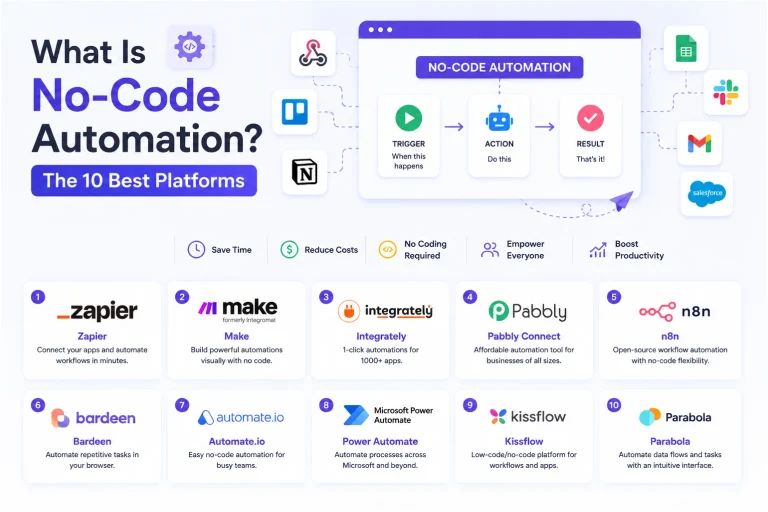
SaaSWhat Is No-Code Automation? How It Works, Benefits, and Risks
 Web Development
Supabase vs Firebase: Which Backend Platform is Right for Your Project?
 Cloud Computing
8 Best AWS S3 Alternatives Compared: Pricing, Egress, and S3 Compatibility
 Web Development
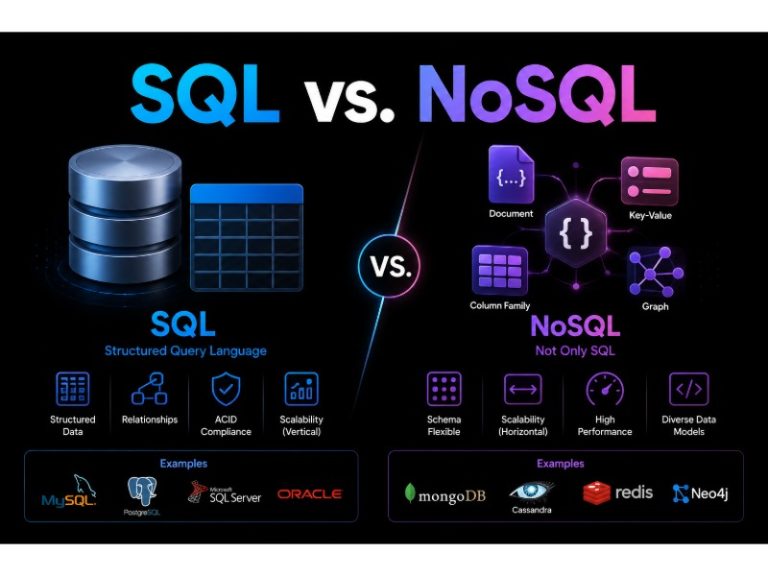
SQL vs. NoSQL: How to Choose the Right Database for Your Application
 SaaS
SaaSWhat is Confluence Used For In Project Management?
 Web Scraping
TinyFish.ai Review: Is It the Best AI Agent for Web Scraping
 AI Technology