


Customer Relationship Management (CRM) software is a technology platform businesses use to manage interactions with current and potential customers, centralizing data to improve sales, marketing, and customer service processes. At our company, we’ve seen firsthand how a good CRM doesn’t just store names and numbers — it becomes the heartbeat of how teams connect with people. Whether you’re following up on a lead, sending a personalized offer, or helping a frustrated customer, the right CRM keeps everyone on the same page.
We started using CRM tools years ago when our spreadsheets got too messy and our team kept missing follow-ups. Since then, we’ve helped dozens of businesses — from coffee shops to tech startups — find the right system for their needs. It’s not magic. It’s about organization, automation, and putting the customer at the center of every decision. This guide breaks down what CRM really is, how it works in the real world, why it matters, and what to expect when you bring one into your business. No fluff. Just what actually works.
What is CRM Software and Why Do Companies Need It?
CRM stands for Customer Relationship Management. Think of it as your business’s digital memory. It remembers who your customers are, what they bought, when they last called, what emails they opened, and even what they complained about. At our company, we call it “the single source of truth” — because when everyone’s working from the same set of facts, things just run smoother.
We’ve watched teams go from chasing down sticky notes and lost emails to having every customer detail right in front of them. Sales knows what marketing sent. Support knows what the customer bought last month. No more “I thought you were handling that.” A CRM stitches it all together — calls, emails, deals, support tickets — into one living profile per customer.
There’s no one-size-fits-all. Some CRMs focus on helping sales close deals faster. Others help marketing send smarter campaigns. Some are built for support teams to resolve issues quickly. We help businesses pick the right flavor — or mix — based on what they’re trying to fix or grow.
How Do Businesses Actually Use CRM Software in Their Day-to-Day Operations?
Businesses use CRM software to streamline and automate core functions like sales, marketing, and customer support, making these processes more efficient and data-driven. In our own office, we live in our CRM. It’s not some dusty tool we log into once a week. It’s where the work happens.
Here’s how real teams — including ours — use it every day:
- Sales teams track every step of a deal. From the first “Hey, I’m interested” email to the signed contract, it’s all logged. We set reminders, assign tasks, and see which deals are stuck. No more “Did you follow up with them?”
- Marketing sends the right message to the right person. Instead of blasting everyone the same promo, our CRM lets us group people by behavior — like “opened last 3 emails” or “abandoned cart.” Then we send them something that actually matters to them.
- Support solves problems faster. When a customer calls, the agent sees their full history — past tickets, purchases, even notes from last year’s chat. No more “Can you tell me your order number again?”
- Everyone logs interactions automatically. Emails sent? Logged. Calls made? Logged. Website visits? Logged. It builds a timeline without anyone having to type a thing.
- Leaders see what’s working. Dashboards show us which campaigns convert, which reps are closing fastest, and where customers are dropping off. We adjust fast, based on real numbers — not guesses.
It’s not about replacing humans. It’s about giving them superpowers — less admin, more connection.
What Are the Key Benefits of Implementing CRM Software for a Business?
Implementing CRM software offers businesses significant benefits, including improved customer relationships, increased sales, enhanced team productivity, and better data-driven decision-making. We’ve seen clients double their follow-up rate, cut response time in half, and even increase average deal size — all because they finally had clarity.
Here’s what changes when you bring in a CRM:
- Everything’s in one place. No more digging through Gmail, Excel, and Slack. Customer info? One click. Deal status? One click. Last support ticket? One click.
- Customers feel known. When your team remembers their preferences, past issues, and purchase history, customers feel valued. That’s how loyalty is built.
- Sales stop slipping through cracks. Automated reminders and pipeline views mean no lead gets forgotten. We’ve recovered deals that were dead for 60 days — just because the CRM nudged someone to follow up.
- Marketing stops wasting money. Targeted campaigns mean higher open rates, more clicks, and better ROI. You’re not shouting into the void — you’re talking to people who actually care.
- Teams waste less time on busywork. Auto-fill forms, template emails, scheduled follow-ups — it all adds up. Our clients report saving 5–10 hours per person each week.
- Departments actually talk to each other. Sales sees what marketing promised. Support knows what product the customer bought. Everyone’s aligned.
- You can predict what’s next. Forecast next quarter’s revenue based on real pipeline data. Spot trends before they become problems.
- Decisions get smarter. Instead of “I think this is working,” you get “This campaign converted 22% of leads — let’s do more like it.”
At our company, we measure success by how much quieter the office gets. Fewer “Where’s that file?” or “Who’s handling this?” — more calm, focused work.
How Does CRM Software Work Internally? Understanding Data Flow and User Roles
CRM software works by collecting customer data from various sources, storing it in a central database, and making it accessible to different users based on their roles and permissions, often integrating with other business tools to automate workflows. Behind the scenes, it’s like a well-organized library — but for customer info.
Here’s how it flows in practice:
Data comes in from everywhere — your website form, your support chat, your email replies, even your calendar. The CRM grabs it, tags it, and files it under the right customer. Then, it can trigger actions: assign a task, send a welcome email, alert a manager if a deal is stuck.
Permissions matter. Not everyone needs to see everything. Our support team can’t see financial notes. Our sales team doesn’t need access to HR files. We set roles so people only see what helps them do their job — nothing more, nothing less.
Integrations make it seamless. Our CRM talks to our email, our billing system, our project tool. When someone pays, their account updates automatically. When a deal closes, the project kicks off without anyone having to manually enter anything. Less typing. Fewer errors.
What Are the Most Common Challenges Businesses Face When Implementing CRM Software?
The most common challenges businesses face when implementing CRM software include low user adoption, unclear strategy, data migration issues, and difficulties with system integration. We’ve been through this with clients — and learned the hard way what works.
Here’s what usually trips people up — and how we help them through it:
- “My team won’t use it.” If it feels like extra work, they won’t. We start simple. Train them on just 2–3 features that make their life easier. Show them how it saves time, not adds steps. Celebrate early wins.
- “We didn’t know what we wanted it to do.” “Get organized” isn’t a goal. “Reduce missed follow-ups by 50%” is. We help clients define 2–3 clear targets before they even log in.
- “Our old data is a mess.” Trying to import 10 years of messy spreadsheets? Don’t. Start fresh. Bring in only what’s active and useful. Clean as you go.
- “It doesn’t talk to our other tools.” We check integrations early. If your accounting software isn’t compatible, pick a CRM that is — or use Zapier as a bridge. Don’t force a square peg.
- “It’s taking forever and costing too much.” Start with core features. Add bells and whistles later. Set a 60-day deadline for “good enough” and improve from there.
The secret? Treat it like a team member — onboard it slowly, train it well, and give it clear responsibilities.
What Does the Future Hold for CRM Software? Key Trends to Watch
The future of CRM software is centered on artificial intelligence (AI), hyper-personalization, and deeper integration, transforming CRM from a record-keeping tool into an active, intelligent engagement platform. We’re already testing some of this with our own clients — and it’s wild how fast it’s moving.
Here’s what’s coming — and what we’re excited about:
- AI that does the boring stuff. Imagine your CRM drafting replies, logging calls automatically, or even suggesting the perfect time to follow up. We’re testing tools that do exactly that — and our team loves getting hours back.
- Messages that feel like they’re just for you. Not “Hi [First Name]” — but “Hi, since you bought X last month, here’s how to get the most out of it.” CRMs will help you personalize at scale without lifting a finger.
- One conversation, everywhere. Start a chat on your phone, continue it via email, finish it on a call — and the CRM remembers it all as one thread. No more “Let me catch you up.”
- Everything connects. Your CRM will pull data from your website, your ads, your warehouse, and even your smart devices. Want to know if a customer’s product is low on battery? Soon, you might.
- Privacy-first, always. With new laws and evolving customer expectations, CRMs will enable easy permission requests, data deletion, and compliance — without compromising insight.
We tell clients: Don’t chase every shiny feature. Pick a CRM that grows with you — and lets you turn on these upgrades when you’re ready.
Frequently Asked Questions About CRM Software
Is CRM software only for large businesses?
No. We’ve set up CRMs for solo consultants, family-run shops, and 3-person startups. If you talk to customers, you need to remember what you talked about. Simple, affordable tools exist for every size. We started with one ourselves.
Do I need technical skills to use CRM software?
No. If you can use Gmail or Excel, you can use most modern CRMs. We pick tools with clean, simple interfaces. And we train you — not just once, but as you grow. No jargon. Just “click here, type this, done.”
Is implementing CRM software expensive?
Not anymore. Cloud tools start at $10–$20/user/month. Many have free tiers for small teams. We’ve helped clients get started for under $100/month total. It’s cheaper than losing one good customer because you forgot to follow up.
Will CRM software replace my sales or customer service team?
No. It makes them better. Your team still closes deals and solves problems. The CRM just handles the paperwork, the reminders, the data entry. Think of it as their assistant — not their replacement.
How long does it take to implement CRM software?
As little as a weekend — or as long as a few months. Depends on how much you’re bringing in and how fancy you want to get. We recommend starting simple: import active contacts, set up 2–3 automations, train the team. Go live in 2 weeks. Tweak forever.
Can CRM software integrate with my existing tools like email or accounting software?
Yes, almost always. Gmail, Outlook, QuickBooks, Shopify, Mailchimp — if it’s popular, it probably connects. We check this before we even recommend a CRM. If it doesn’t plug in, we find one that does — or build a simple bridge.
Conclusion
CRM software is a vital business tool that centralizes customer data to enhance sales, marketing, and service efficiency, ultimately driving growth and customer loyalty. At our company, we don’t sell CRMs. We help businesses find the one that fits — then make sure it actually gets used.
We’ve watched teams go from overwhelmed and disorganized to calm and in control. Deals don’t slip away. Customers feel heard. Marketing dollars work harder. It’s not about the software. It’s about the clarity it brings.
The future? Even smarter, even more helpful. But you don’t need to wait. Start small. Pick one problem — missed follow-ups, messy data, slow replies — and fix that first. The rest will follow.
If you’re tired of chasing information, forgetting promises, or guessing what’s working, a CRM isn’t just a tool. It’s peace of mind. And we’re here to help you find yours.
You May Also Like
 SaaS
SaaSWhy Cloud CRM Has Quietly Become the Backbone of Modern Customer Support
 SaaS
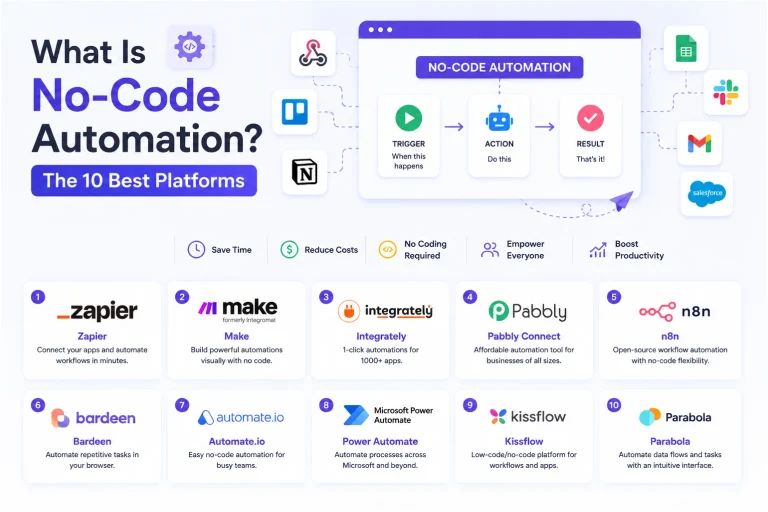
SaaSWhat Is No-Code Automation? How It Works, Benefits, and Risks
 Software
9 Best Free Laser Engraver Software Tools in 2026
 Cloud Computing
8 Best AWS S3 Alternatives Compared: Pricing, Egress, and S3 Compatibility
 SaaS
SaaSWhat is Confluence Used For In Project Management?
 SaaS
SaaSCognito Forms to Jira Software Cloud Integration: Setup, Automation, Field Mapping, and Best Practices
 Web Development
Building Apps with Lovable and Supabase: A Step-by-Step Guide
 Web Development
Heroku vs. Netlify (2026): Pricing, Features, and Best Uses
 Software