

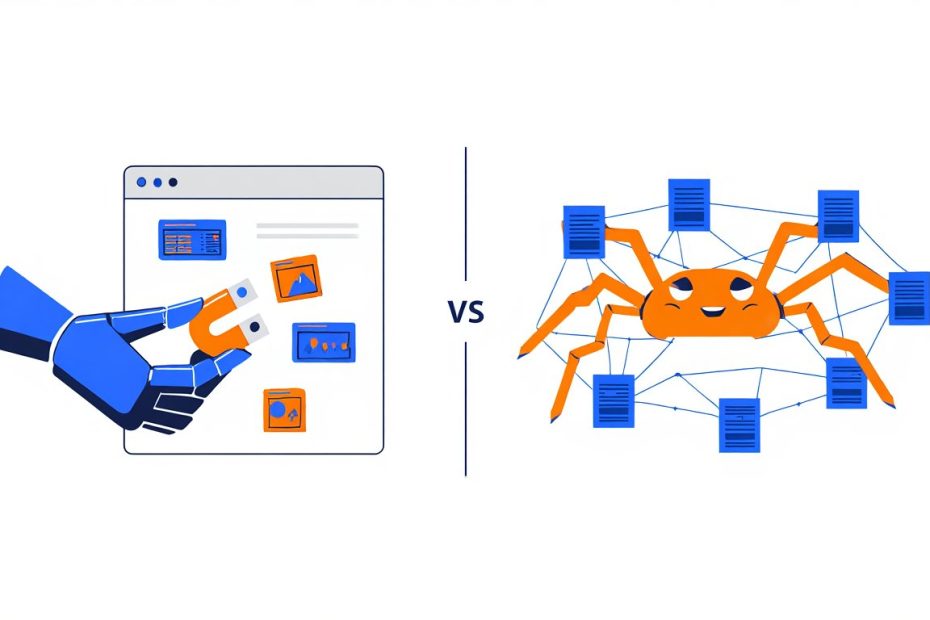
I remember the first time someone asked me to “crawl a website and scrape the data.” I nodded like I completely understood. Then I opened my laptop and sat there for a solid five minutes thinking — wait, are those the same thing? Do I need two tools? One tool? Am I supposed to crawl first and then scrape? Or does scraping already include crawling?
So I did what most people do. I Googled it. And honestly? The results made it more confusing. Half the articles used the terms as if they were interchangeable. The other half explained the difference in language that felt like it was written for someone with a computer science degree. Neither one actually helped me understand what I was supposed to do.
From experience, that confusion is incredibly common. I have talked to developers, marketers, data analysts, and researchers who all thought web scraping and web crawling meant the same thing. And to be fair, they are related. They often work together. Many tools do both. But once you understand what each one actually does, it clicks instantly and stays with you.
Here is what I eventually figured out, and what I wish someone had just told me plainly from the start. Scraping is about collecting data from a page you already know about. Crawling is about exploring the web to find pages in the first place. One reads. One explores. That is the core difference — and everything else flows from there.
In this guide, I’ll walk you through both — what they are, how they each work, when to use each one, and how they actually fit together in real projects. No complicated jargon. No assuming you already know this stuff. Just a clear, honest explanation from someone who had to figure it out the hard way.
Are Web Scraping and Web Crawling the Same Thing?
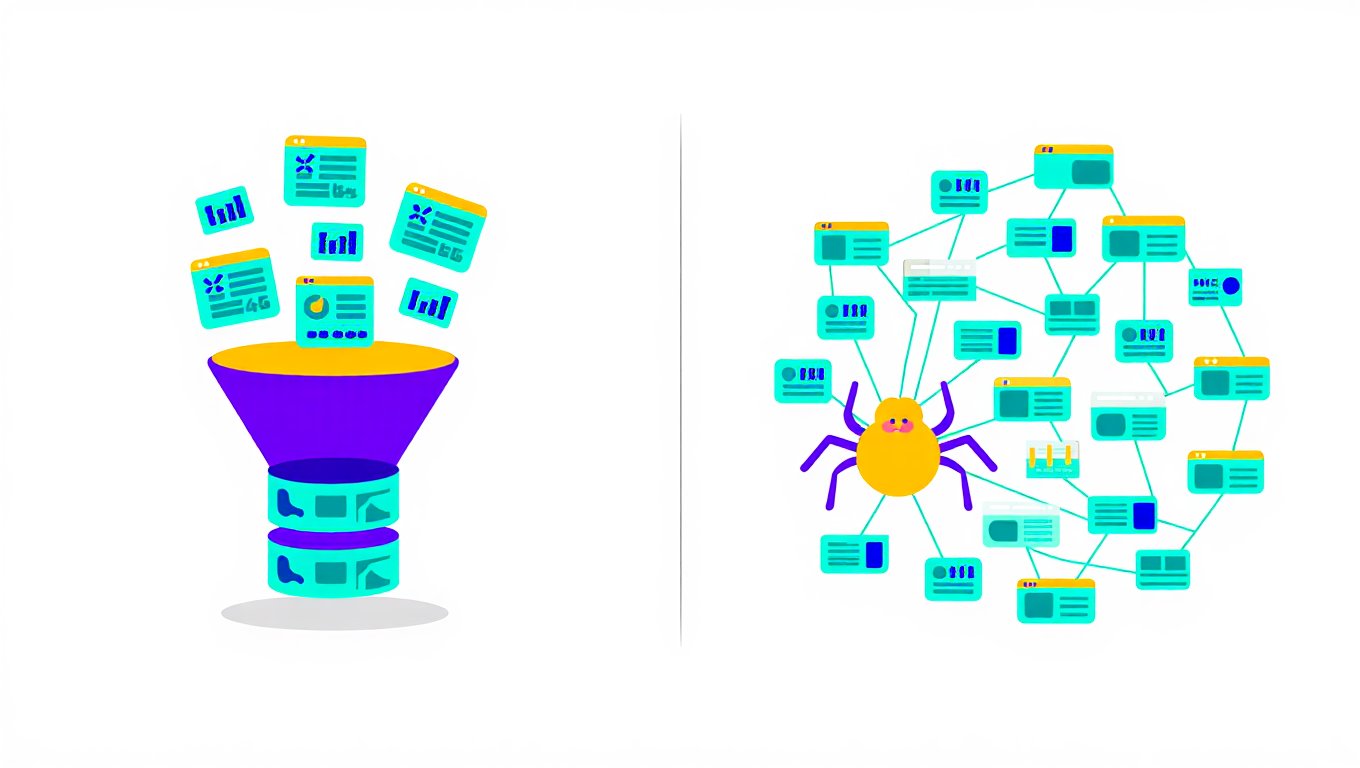
No. Web scraping and web crawling are not the same thing. They are related — and yes, they often work together — but they do two very different jobs.
Here is the simplest way I can put it:
- Web crawling is about finding pages
- Web scraping is about reading pages and pulling out specific data
A crawler explores. A scraper extracts. One comes before the other. Think of crawling as the map and scraping as the treasure hunt. You need the map to know where to go. But the map itself is not the treasure — the data you pull out is.
Still fuzzy? That is okay. Let’s go deeper into each one and it will make a lot more sense.
What Is Web Crawling?
Web crawling is the process of automatically following links across the internet to discover web pages. A web crawler — also called a spider or bot — starts at one web page, reads all the links on that page, then visits each of those links. From each new page, it finds more links. And so on. It keeps going, mapping out pages as it goes.
You have actually seen the results of web crawling every single day. Every time you search on Google, you are looking at information that Google’s crawler — called Googlebot — collected by doing exactly this. Googlebot starts at known URLs. It follows every link. It visits billions of pages. It builds a giant map of the internet. That map is what Google uses to show you search results.
Interestingly, Googlebot alone accounts for more than 25% of all verified bot traffic on the internet right now, according to research from ALM Corp. That gives you a sense of just how massive web crawling is at scale.
But Google is not the only one crawling. Bing does it. DuckDuckGo does it. Archive.org does it. Companies do it internally to map out their own websites for SEO audits. And data teams do it to discover all the product pages on a retailer’s site before they scrape pricing data.
The key thing to understand about crawling: the main output is a list of URLs. The crawler is saying — “here are all the pages I found.” It is not pulling out prices, headlines, or phone numbers. It is just building a map of what exists and where things live.
How Does Web Crawling Work?
A web crawler works by starting at a seed URL, reading the page, collecting every link on it, adding those links to a queue, and repeating that process until it is done. Here is how that plays out step by step.
Step 1 — Start With a Seed URL
Every crawler begins somewhere. That starting point is called a seed URL. It could be a homepage, a sitemap, or just a list of URLs someone provided. This is the front door.
Step 2 — Read the Page and Collect Links
The crawler visits the seed URL and reads the HTML. It looks for every <a href> tag — those are the links on the page. It collects all of them.
Step 3 — Add New Links to the Queue
All those newly discovered links go into a waiting list called the crawl queue. Think of it like a to-do list. The crawler works through it one by one.
Step 4 — Visit Each Link and Repeat
The crawler visits the next URL in the queue. It reads that page, collects its links, adds any new ones to the queue, and moves on. This cycle repeats over and over.
Step 5 — Avoid Going in Circles
Good crawlers track every URL they have already visited so they do not waste time on the same page twice. This is called deduplication. Without it, a crawler could loop around the same pages forever.
Step 6 — Stop When Done
The crawler stops when it runs out of new URLs to visit, hits a page limit you set, or reaches a maximum depth — meaning it has followed links X levels deep from the starting point and will not go further.
Behind the scenes, there is one important rule every responsible crawler should follow. Before visiting any website, it checks a file called robots.txt. This is a plain text file that website owners use to tell bots which pages they are allowed to visit and which ones to skip. A well-built crawler reads those rules and respects them. Ignoring robots.txt is considered bad practice — and in some cases, it can get your IP address blocked immediately.
What Is Web Scraping?
Web scraping is the process of visiting a specific web page and extracting particular pieces of data from it. You already know which page you are going to. You go there and pull out exactly what you need — prices, product names, job listings, contact details, reviews, or whatever the target data is.
The first time I ran a real web scraper, I was trying to pull product prices from about 50 different pages on an electronics website. I already had all 50 URLs. I just needed the price and product name from each one. That is a perfect scraping job — targeted, specific, clean.
The output from scraping is much richer than the output from crawling. Instead of just a list of URLs, you get actual structured data. Things like:
- A spreadsheet with 1,000 product names and their current prices
- A CSV file with job titles, company names, and locations
- A JSON file with news article headlines, dates, and summaries
- A database of real estate listings with addresses and square footage
Scraping is faster than crawling because it does not explore. It goes directly to known pages and pulls data. There is no wandering around following links — just precise, targeted extraction.
How Does Web Scraping Work?
Web scraping works by sending a request to a web page, reading its HTML code, identifying the specific data you want, extracting it, and saving it. Here is that process in plain steps.
Step 1 — Send a Request
Your scraper sends an HTTP request to the target URL — exactly like what your browser does when you type in a web address and hit enter. The website’s server responds by sending back the page’s HTML content.
Step 2 — Read the HTML
Every web page is built with HTML. That code holds all the text, prices, images, and links you see on screen. Your scraper reads through that code to find the right pieces.
Step 3 — Locate the Target Data
Here is where the scraper looks for the data you actually want. Product price? It finds the HTML tag that holds that number. Job title? It finds the tag with that text. The scraper uses selectors — rules that say “find me the element with this class name” or “find me all the text inside these tags.”
Step 4 — Extract the Values
Once located, the scraper pulls out the actual values — the numbers, text, or links inside those HTML elements.
Step 5 — Save It
Finally, the scraped data gets saved in a usable format. That might be a CSV file, a JSON file, a spreadsheet, or a database. From there, you can analyze it, share it, or plug it into another tool.
Now, here is something worth noting. A lot of modern websites load their content using JavaScript after the initial page loads. If you send a basic request to one of these sites, you get back an empty shell — the HTML structure with no actual content in it. I ran into this constantly early on and it was incredibly frustrating.
The fix is to use a tool that runs a real browser — like Selenium or Playwright — which waits for the JavaScript to finish loading before it tries to extract anything. Once I started using Playwright for these kinds of sites, my success rate went from about 40% to nearly 100% on dynamic pages.
The One-Sentence Difference Worth Remembering
Here is the clearest version of the difference I have come across, and the one that finally stuck for me when I was learning this:
“Crawling asks: what pages exist? Scraping asks: what data is on this page?”
That is it. Keep that in your head and you will never mix them up again.
A Side-by-Side Comparison
Let’s put both side by side so you can see exactly how they compare across the things that matter most.
| Web Crawling | Web Scraping | |
|---|---|---|
| Main job | Discovering pages | Extracting data |
| Starting point | One seed URL | Known target URL(s) |
| Output | List of URLs | Structured data — CSV, JSON, database |
| Speed | Slower — has to explore | Faster — targets known pages |
| Scale | Large — entire websites or the web | Targeted — specific pages or sections |
| Needs to follow links | Yes — that is the whole point | Not necessarily |
| Used by | Search engines, SEO tools, site mappers | Businesses, researchers, data analysts |
| Example tools | Scrapy, Apache Nutch, Heritrix | BeautifulSoup, Selenium, Playwright |
Real-World Examples That Make It Click
Sometimes the fastest way to understand something is to see it used in real life. Here are 6 examples — 3 for crawling, 3 for scraping — that show exactly what each one does in practice.
Web Crawling in the Real World
Google Search. This is the most famous example of web crawling in existence. Googlebot starts with known URLs, follows every link it finds, and maps out billions of pages across the entire internet. That map is what powers Google Search. Without crawling, search engines simply could not exist.
SEO Site Audits. When an SEO tool like Screaming Frog or Ahrefs analyzes a website, it crawls the entire site first. It follows every internal link and builds a complete map of all the pages, their titles, their meta descriptions, and their status codes. That map is what the tool uses to show you broken links, missing tags, and duplicate content. The crawler does not care about specific content — it is just finding and cataloging pages.
Archive.org (The Wayback Machine). Archive.org uses web crawlers to visit billions of web pages and save snapshots of what they look like at a given moment in time. That is how you can go back and see what a website looked like in 2003. The crawler is not extracting prices or reviews — it is discovering and archiving pages at massive scale.
Web Scraping in the Real World
Price Monitoring. An e-commerce business already knows exactly which competitor product pages to check. They do not need to discover pages — they need to read specific pages and pull the current price. A scraper visits those known pages, reads the price from the HTML, and saves it. This happens constantly in retail — some large retailers update their prices millions of times per day based on scraped competitor data.
Job Board Aggregators. Sites that collect job listings from hundreds of company career pages use scrapers to visit those known URLs, pull out job titles, locations, salaries, and descriptions, and add them to one central database. They already know where to go. They are just pulling the data.
Real Estate Data. An investor who wants to track housing prices in a specific zip code might scrape Zillow, Redfin, or Realtor.com listing pages. They already have the URLs. A scraper reads each listing page and pulls the address, price, square footage, and number of bedrooms. Clean, targeted, specific.
How Crawling and Scraping Work Together
Here is the thing nobody tells you at the beginning: in most real projects, you actually need both. Crawling and scraping are not competing methods — they are two phases of the same pipeline.
From experience, this is by far the most common real-world setup. You do not always know all the page URLs upfront. Most of the time, you know the website but not the specific pages. That is where crawling comes in first.
Here is how a typical combined workflow plays out:
Phase 1 — Crawl. You start at a website’s homepage or category page. Your crawler follows links across the site, collecting every product page URL. By the end, you have a list of 5,000 product page URLs.
Phase 2 — Scrape. You take that list of 5,000 URLs and feed them into your scraper. The scraper visits each one, pulls out the product name, price, rating, and description, and saves everything into a spreadsheet.
The crawler did the exploration. The scraper did the extraction. Neither one could have done the full job alone.
Zyte — one of the most respected web data companies in the industry — puts it simply: “Usually, in web data extraction projects, you need to combine crawling and scraping. So you first crawl — or discover — the URLs, download the HTML files, and then scrape the data from those files.”
That matches exactly what I have seen in practice. The two methods are partners, not competitors.
Tools for Web Crawling
There are 4 widely used tools for web crawling, ranging from lightweight Python frameworks to heavy-duty open-source platforms built for large-scale jobs.
Scrapy
Scrapy is a Python-based framework that handles both crawling and scraping. It is probably the most popular tool among developers who want control over the full process. Scrapy manages the crawl queue, handles requests, deals with retries, and lets you define exactly what data to extract from each page. It is fast, flexible, and well-documented. If you know Python and want to build a serious crawling pipeline, Scrapy is a strong first choice.
Apache Nutch
Apache Nutch is a heavyweight open-source web crawler built for large-scale operations. It integrates with the Apache Hadoop ecosystem, which means it can handle crawling jobs across distributed computing clusters. Companies and research institutions that need to crawl millions or billions of pages use Nutch. It is more complex to set up than Scrapy, but the scale it can handle is on a completely different level. This is not a beginner tool — it is built for teams with serious infrastructure.
Heritrix
Heritrix is the official web archiver used by the Internet Archive — the people behind the Wayback Machine. It is a Java-based crawler designed for archiving web content at institutional scale. If your goal is saving snapshots of web pages over time rather than extracting structured data, Heritrix is built exactly for that use case. It is not commonly used by individual developers, but it is worth knowing it exists.
Screaming Frog SEO Spider
Screaming Frog is a desktop app that crawls websites for SEO analysis. It follows links, maps the entire site structure, and reports on things like broken links, duplicate content, missing meta tags, and page speed issues. It is not a data extraction tool — it is an SEO audit tool. But at its core, it is doing exactly what any web crawler does: following links and mapping pages. It is a great option for anyone who needs site crawling results without writing any code.
Tools for Web Scraping
There are 5 main tools for web scraping, each suited to a different level of complexity and technical skill.
BeautifulSoup
BeautifulSoup is a Python library that parses HTML and XML documents. It is the most beginner-friendly scraping tool available. You send a request to a page, hand the HTML to BeautifulSoup, and it lets you search through tags and pull out the data you need. It is fast, clean, and simple to learn. The limitation is that it cannot handle JavaScript-heavy pages on its own — it only reads static HTML. For simple pages, though, it is perfect.
Scrapy
Yes, Scrapy is on both lists. That is because it handles crawling and scraping within the same framework. As a scraping tool, Scrapy lets you define exactly which data fields to extract, handles pagination automatically, and saves output to CSV, JSON, or a database. For large-scale scraping jobs where you need to process thousands of pages, Scrapy is one of the most efficient options available.
Selenium
Selenium controls a real web browser through code. It opens Chrome or Firefox, loads the page, waits for JavaScript to execute, and then lets you extract data from the fully rendered result. It is the go-to solution for scraping dynamic websites that load content through JavaScript. The downside is that it is slower than tools that just send HTTP requests — because it is actually running a browser. But for JavaScript-heavy sites, it is often the only option that actually works reliably.
Playwright
Playwright is a newer browser automation tool from Microsoft. It supports Chrome, Firefox, and Safari, and it is generally faster and more stable than Selenium for modern websites. Once I switched from Selenium to Playwright on a project involving several React-based e-commerce sites, my scraping jobs ran noticeably faster and crashed far less often. Developers who already know Selenium tend to move to Playwright once they try it.
Octoparse
Octoparse is a no-code desktop scraping tool. You point and click on the elements you want to collect, and Octoparse builds the scraper for you — no coding required. It handles dynamic content, JavaScript rendering, and multi-step interactions like clicking through menus or logging in. For marketers, analysts, and researchers who need data but are not developers, Octoparse is one of the most accessible options out there.
5 Common Mistakes People Make With Both
From experience, most of the frustration people feel when starting out comes from a handful of avoidable mistakes. Here are the 5 most common ones — and how to fix them.
Mistake 1 — Ignoring robots.txt. This is the most common mistake I see with beginners. The robots.txt file at any website’s root URL tells bots which pages they are allowed to access. Ignoring it is bad practice. It can get your IP blocked instantly. It can create legal exposure. And frankly, it is just not respectful. Always check robots.txt before you start any crawl or scrape.
Mistake 2 — Sending requests too fast. When you first write a scraper and it works, it is tempting to run it as fast as possible. Sending hundreds of requests per second is how you get your IP banned within minutes. It can also overload a website’s server, which is both harmful and potentially illegal. Always add delays between requests — at least 1 to 2 seconds between each one for most sites.
Mistake 3 — Using a scraper on a JavaScript-heavy page. If your scraper returns empty results or incomplete data, the most likely reason is that the page loads its content using JavaScript after the initial HTML loads. A basic BeautifulSoup script will not see that content. The fix is to use Selenium or Playwright, which run a real browser and wait for the JavaScript to finish before extracting anything.
Mistake 4 — Not handling pagination. A lot of scrapers work perfectly on page 1 of a search result or product listing — then stop. The scraper does not know there are pages 2, 3, and 4. Always check whether the site paginates its results and build logic into your scraper to follow those next-page links.
Mistake 5 — Confusing crawling with scraping and using the wrong tool. This goes back to the whole point of this article. If you need to discover pages you do not know about yet — crawl. If you already have the URLs and just need data — scrape. Using a heavy-duty crawler when you just need to read 10 known pages is wasteful. Using a simple scraper when you do not have the URLs yet means you will be manually copying URLs for hours. Match the tool to the actual job.
When Should You Crawl? When Should You Scrape?
Here is a simple decision guide you can come back to whenever you are starting a new project.
Use web crawling when:
- You do not know all the page URLs upfront
- You need to map out an entire website or section of a website
- You are building a search index or content archive
- You want to find all product pages before scraping them
- You are doing an SEO audit and need a full picture of a site’s structure
Use web scraping when:
- You already have the specific URLs you need to visit
- You want specific data fields — prices, names, reviews, contacts
- You are doing price monitoring, lead generation, or market research
- You need the output in a spreadsheet, database, or JSON file
- You want clean, structured data you can analyze or share
Use both together when:
- You need to discover pages first and then extract data from each one
- You are working with a large website where the full URL list is not known
- You are building an automated data pipeline that runs on a schedule
- You want to monitor an entire website for price or content changes over time
In practice, most real data projects end up using both. The crawl phase discovers the pages. The scrape phase reads them.
A Quick Summary Table
Let’s wrap up with a side-by-side summary of everything covered in this article.
| Topic | Web Crawling | Web Scraping |
|---|---|---|
| What it does | Discovers web pages | Extracts data from pages |
| Main question it answers | What pages exist? | What data is on this page? |
| Output | List of URLs | Structured data — CSV, JSON, DB |
| Speed | Slower | Faster |
| Needs the URLs upfront | No — finds them | Yes — requires known URLs |
| Popular tools | Scrapy, Apache Nutch, Heritrix | BeautifulSoup, Selenium, Playwright |
| Common use cases | SEO audits, search indexing, site mapping | Price monitoring, lead gen, research |
| Works with JavaScript | Depends on the tool | Requires Selenium or Playwright |
| Often combined? | Yes — crawl first, then scrape | Yes — scrape after crawling |
Frequently Asked Questions
Are web scraping and web crawling the same thing?
No. They are two different processes that often work together. Web crawling discovers pages by following links. Web scraping extracts specific data from pages. The simplest way to remember: crawling finds pages, scraping reads them.
Do I need to crawl before I scrape?
Not always. If you already know the URLs of the pages you want data from, you can skip crawling entirely and go straight to scraping. Crawling is only necessary when you do not know the specific pages upfront and need to discover them first.
Can one tool do both crawling and scraping?
Yes. Scrapy, for example, handles both in the same framework. Many commercial scraping platforms also handle both. In practice, the line between the two blurs when a single tool manages the full pipeline — discovering pages and extracting data in one automated workflow.
Is web crawling legal?
Crawling publicly accessible pages is generally legal in the United States, based on the hiQ v. LinkedIn court ruling that confirmed accessing public web data does not violate the Computer Fraud and Abuse Act. However, you must respect the website’s robots.txt rules, their Terms of Service, and any applicable privacy laws like GDPR or CCPA. Crawling behind login walls or bypassing security measures is a different matter entirely.
What is a web spider?
A web spider is the same thing as a web crawler. The terms spider, crawler, and bot are all used to describe the same type of automated program that follows links across the internet to discover and index pages. Googlebot is technically a spider. So is any custom crawler you build with Scrapy.
Why does my scraper return empty results?
The most likely reason is that the page loads its content using JavaScript after the initial HTML loads. Basic scrapers using HTTP requests and BeautifulSoup only see the initial HTML — not the content that loads dynamically afterward. The fix is to use Selenium or Playwright, which run a real browser and wait for the JavaScript to execute before extracting anything.
How fast should my crawler or scraper run?
Slow it down more than you think you need to. A good rule of thumb is at least 1 to 2 seconds between requests for most sites. For sensitive or smaller sites, 3 to 5 seconds is more respectful. Sending too many requests too fast is the fastest way to get your IP blocked — and it puts real strain on the website’s server.
What is the best tool for a complete beginner?
For scraping, start with BeautifulSoup in Python — it is the most beginner-friendly option for static pages and has excellent documentation. For dynamic pages, move to Playwright next. For no-code scraping, Octoparse is excellent. For crawling, Scrapy is the most practical starting point — it handles both crawling and scraping and has a large community with lots of tutorials available.
Let’s Wrap Up
So, are web scraping and web crawling the same thing? Definitely not. But they are a team.
Crawling is the explorer. It goes out into the web, follows links, and maps out what pages exist. It does not care much about the content on those pages — it just wants to know where everything is.
Scraping is the extractor. It goes directly to known pages and pulls out the specific data you need. It does not wander around following links — it is precise and targeted.
In real projects, you almost always need both. The crawler builds the map. The scraper does the work. Together, they form the foundation of nearly every serious data collection pipeline in use today — from search engines and price comparison tools to real estate platforms and job boards.
The next time someone says “crawl this website and scrape the data,” you will know exactly what that means. Crawl it first to find all the pages. Then scrape each page to pull the data. Two steps. Two tools. One clean result.
You May Also Like
 Web Scraping
TinyFish.ai Review: Is It the Best AI Agent for Web Scraping
 VPN & Proxy
Mobile Proxies vs. Residential Proxies: Differences, Costs, and Use Cases
 VPN & Proxy
Datacenter vs. Residential Proxies: Differences, Costs, and Use Cases
 Web Scraping
Reasons Why You Should Avoid Using Free Proxies For Web Scraping
 Web Scraping
How to Use Proxies for Web Scraping Without Getting Blocked
 Web Development
REST API vs SOAP API: Differences, Pros & Cons, and Use Cases
 Web Development
What Is API Rate Limiting? (A Practical, Simple Guide for Safer, Faster APIs)
 Web Scraping
Python vs R for Data Analysis: Which Language is Best for You?
 Web Scraping