

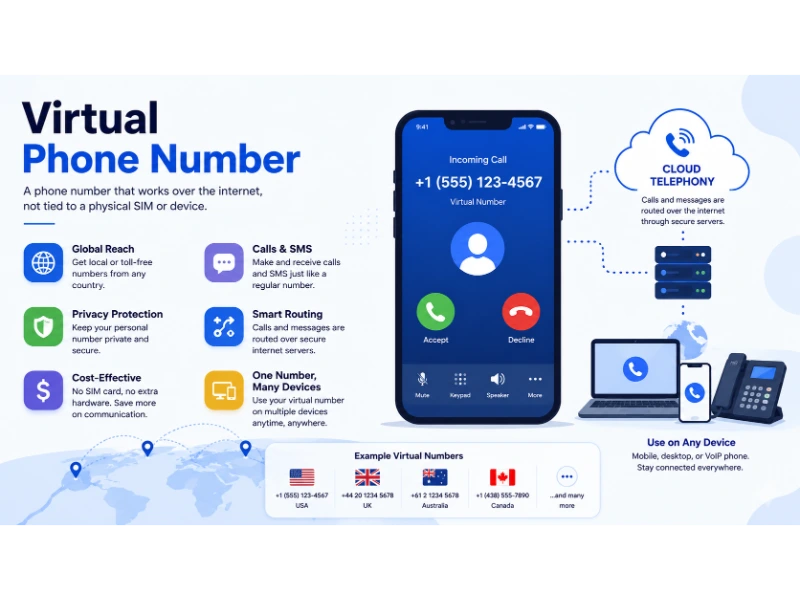
A virtual phone number lets you make and receive calls over the internet instead of through a traditional phone line — no SIM card, no desk phone, and no physical address required. The best virtual phone number services combine calling, texting, call routing, and CRM integration into a single app that works on your smartphone, laptop, or desk computer. This guide compares 10 leading providers — including OpenPhone, Grasshopper, RingCentral, Nextiva, Zoom Phone, Dialpad, 8×8, Vonage, Google Voice, and Twilio — based on pricing, features, limitations, and real-world use cases so you can choose the right fit without overpaying.
If you are a small business owner trying to separate work calls from personal ones, a startup building a customer support line, or a freelancer who needs a professional phone presence, a virtual phone number solves these problems without requiring hardware or long-term contracts. But not every provider fits every situation. Some excel at affordability, others at enterprise features, and a few specialize in specific use cases like AI-driven call coaching or deep CRM integration.
All pricing and features in this guide reflect publicly available information as of 2026 research and are subject to change. Always verify current rates on each provider’s website before subscribing.
Quick answer: If you’re a freelancer or small team, OpenPhone (from $15/user/month) and Grasshopper (from $14/month with unlimited users) offer the best value. For larger organizations, RingCentral (from $20/user/month) and Nextiva (from $15/user/month) deliver enterprise-grade reliability. For developers building custom communication workflows, Twilio (pay-as-you-go from $1.15/month per number) is unmatched. For solo users who already use Google Workspace, Google Voice ($10/user/month) is hard to beat.
What Is a Virtual Phone Number?
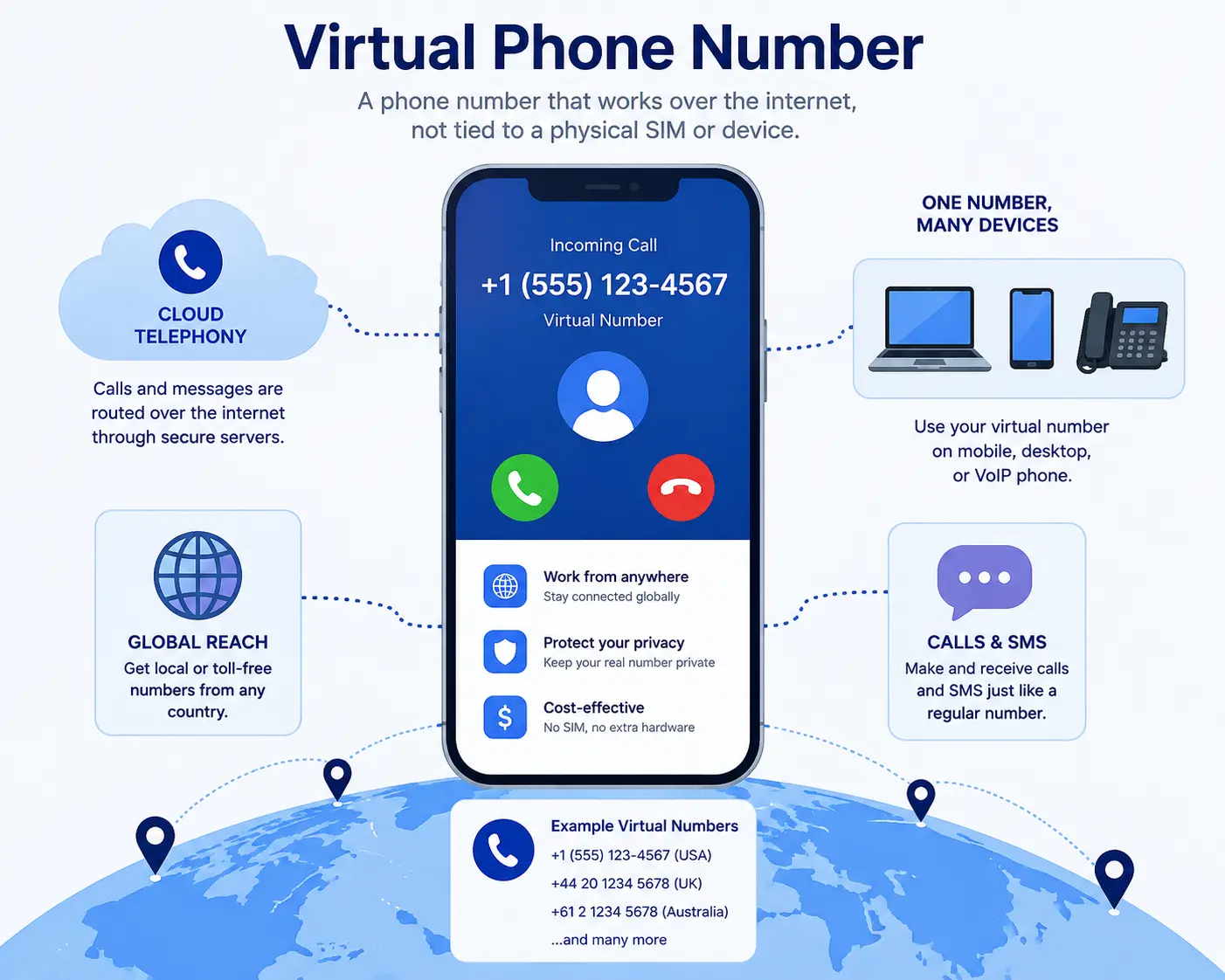
A virtual phone number is a telephone number that isn’t tied to a specific physical phone line or SIM card. Instead of routing through copper wires to a desk phone on your wall, it routes through the internet using Voice over IP (VoIP) technology. That means you can use the same number on your mobile phone, your laptop, a tablet, or a desktop computer — often simultaneously.
Think of it like email: you don’t need a special device to check your email. You can do it from any screen that’s connected to the internet. A virtual phone number works the same way with voice calls and text messages.
Virtual numbers can be local (a number with a specific area code, like 212 for Manhattan), toll-free (800, 888, 877 prefixes that are free for callers), or international (a number that appears local in another country, even if you’re sitting in the United States). This flexibility is what makes them so popular with remote teams, online sellers, and businesses that serve customers across multiple regions.
How Does a Virtual Phone Number Work?
When someone dials your virtual phone number, their call travels through the traditional phone network (called the PSTN, or Public Switched Telephone Network) until it reaches your VoIP provider’s gateway. From there, the voice signal is converted into data packets and sent over the internet to whatever device you’ve connected to the service — your phone app, your computer’s softphone, or even a desk phone configured with SIP (Session Initiation Protocol) settings.
Here’s a simplified version of the journey:
- Caller dials your virtual number → The call enters the PSTN.
- VoIP gateway receives the call → Your provider converts the analog voice signal into digital data.
- Call routes to your connected device(s) → The call rings on your smartphone app, desktop, or both at the same time (a feature called simultaneous ringing).
- You answer → The connection is established over the internet, and voice data flows in both directions in real time.
Text messages (SMS and MMS) work similarly. When someone texts your virtual number, the message arrives in your provider’s app or dashboard, and you can respond from there — just like a normal texting conversation.
Most providers also offer call forwarding, which means if you don’t answer on one device, the call can automatically route to another number, to voicemail, or to a team member. This is powered by a Cloud PBX (Private Branch Exchange) — a virtual switchboard that handles routing, extensions, auto-attendants, and more without any physical hardware on your premises.
Why Businesses Use Virtual Phone Numbers

Businesses switch to virtual phone numbers for several practical reasons:
1. Cost savings. Traditional phone lines require hardware, wiring, and monthly line rental fees. A cloud phone system replaces all of that with a software subscription that’s typically 40–70% cheaper. Nextiva, for example, advertises that businesses save nearly 70% on communication costs compared to legacy systems.
2. Remote work readiness. Since virtual numbers work on any internet-connected device, your team can make and receive business calls from home, a coffee shop, or another country. There’s no need to be sitting at a specific desk in a specific office.
3. Professional image. A local virtual phone number with a recognized area code makes a solo freelancer look like an established local business. A toll-free number adds credibility for customer support. An international virtual phone number lets you appear local to customers in other countries without opening a physical office there.
4. Scalability. Adding a new team member to a traditional phone system often means installing new wiring and buying new hardware. With a cloud PBX, you simply add a user in your admin dashboard and assign them a number — sometimes in under five minutes.
5. Feature richness. Most virtual phone services include features that traditional carriers charge extra for or don’t offer at all: auto attendant (a virtual receptionist that routes callers to the right department), IVR (Interactive Voice Response menus), call recording, voicemail-to-email, business texting, CRM integration, and analytics dashboards.
6. Number porting. If you already have a business number you’ve printed on business cards and listed on your website, most providers support number porting — transferring your existing number to their platform. This means you don’t lose the number your customers already know.
How to Get a Virtual Phone Number
Getting a virtual phone number is straightforward. Here are the general steps:
- Choose a provider based on your needs (see the comparison framework later in this guide).
- Sign up for an account on the provider’s website or app.
- Select a phone number. Most providers let you choose a local number (by area code), a toll-free number, or port an existing number. Some also offer international numbers for specific countries.
- Pick a plan that matches your team size and feature requirements.
- Download the provider’s app on your phone, tablet, or computer.
- Configure your settings — set up call forwarding, voicemail greetings, auto-attendant menus, business hours, and CRM integrations as needed.
- Start making and receiving calls and texts from your new virtual number.
Most providers activate your number within minutes, though porting an existing number can take anywhere from a few days to two weeks depending on your current carrier.
Best Virtual Phone Number Services
Below is a detailed breakdown of 10 leading virtual phone number providers. All pricing is based on publicly available information as of 2026 research and is subject to change. Always verify current pricing on the provider’s website before subscribing.
1. OpenPhone (Now Rebranded as Quo)
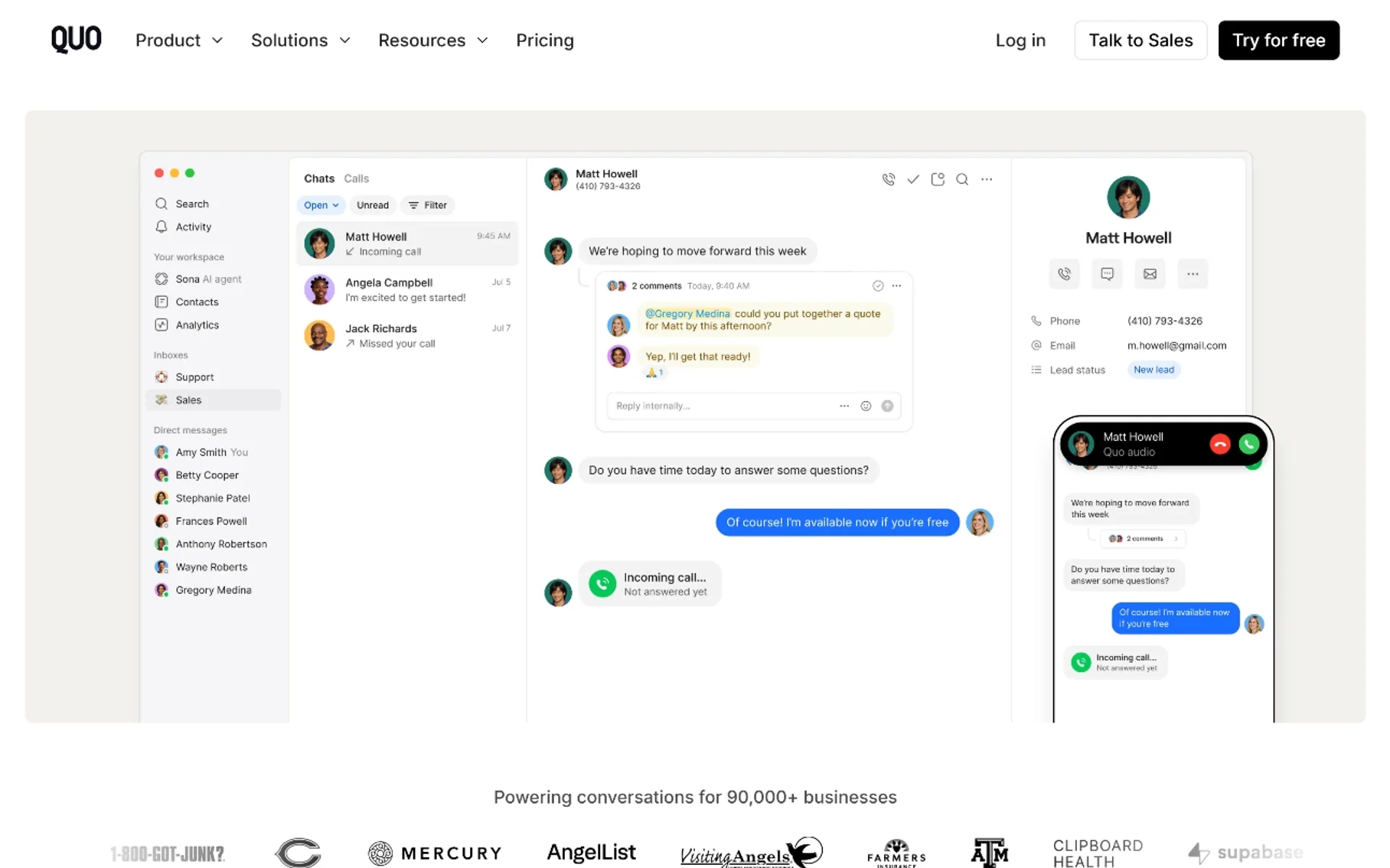
OpenPhone — recently rebranded under the parent brand Quo — has built a strong reputation as a modern, app-first virtual phone service designed for startups, small teams, and freelancers. It focuses on simplicity, shared numbers, and integrations with tools like Slack, HubSpot, and Salesforce.
Best For: Small teams, startups, and solopreneurs who want a clean, modern interface with strong texting and CRM integration.
Key Features
- One local or toll-free number per user included
- Shared numbers (multiple team members can call and text from the same number)
- Business texting (SMS and MMS)
- Call recording, voicemail transcription, and call forwarding
- Auto-attendant and IVR on higher-tier plans
- Integrations with HubSpot, Salesforce, Slack, and Zapier
- Mobile apps (iOS and Android) and desktop app
Pros
- Clean, intuitive interface that’s easy to set up
- Shared inbox feature lets teams collaborate on calls and texts
- Strong CRM integration options
- Free trial available
- Affordable entry point for small teams
Cons
- Additional numbers cost extra ($5 each per month)
- A2P 10DLC registration fees ($1.50–$3/month) for business texting compliance
- Limited international number availability compared to enterprise providers
- Some advanced features (analytics, integrations) locked behind higher tiers
Pricing Overview
- Starter: $15/user/month (billed annually) or $19/user/month (billed monthly) — includes one local or toll-free number, unlimited calls and texts in the US and Canada
- Business: $35/user/month (billed annually) — adds auto-attendant, CRM integrations, analytics, and call recording
- Additional numbers: $5/month each
- A2P 10DLC fees: $1.50–$3/month (required for business SMS in the US)
Supported Countries: US and Canada primarily; limited international number availability
Business Features: Shared numbers, auto-attendant (Business tier), CRM integrations, call recording, voicemail transcription, analytics
Limitations: Not ideal for large call centers or organizations needing extensive international coverage. No built-in video conferencing.
Who Should Choose It: A 2–25 person team that values a clean interface, strong texting, and CRM integration. If you live in Slack and HubSpot, OpenPhone fits naturally into your workflow.
2. Grasshopper

Grasshopper is one of the oldest virtual phone services, owned by Nextiva. It’s built for solopreneurs and very small businesses who need a professional phone presence without the complexity of a full VoIP phone system. Instead of per-user pricing, Grasshopper charges per number — making it one of the most affordable options for teams that share a single business line.
Best For: Solo entrepreneurs, freelancers, and micro-businesses that need one or two business numbers shared across a small team.
Key Features
- Virtual phone number (local, toll-free, or vanity)
- Unlimited calls and texts within the US and Canada
- Call forwarding to any phone number
- Voicemail-to-email and voicemail transcription
- Custom greetings and extensions
- Mobile app (iOS and Android) and desktop app
Pros
- Very affordable — no per-user fees; unlimited users can share extensions
- Simple setup with no technical knowledge required
- Vanity numbers available
- Reliable call forwarding
- 7-day free trial
Cons
- Lacks modern features like CRM integration, analytics, and call recording (on base plan)
- No auto-attendant or IVR on the entry-level plan
- No international numbers
- No built-in team messaging or video
- Limited scalability for growing businesses
Pricing Overview
- True Solo: $14/month (1 phone number, 1 extension)
- Solo Plus: $25/month (1 number, unlimited extensions)
- Small Business: $55/month (3 numbers, unlimited extensions)
- Annual billing discounts available
- One-time setup fee may apply (~$19)
Supported Countries: US and Canada only
Business Features: Extensions, call forwarding, voicemail transcription, custom greetings, vanity numbers
Limitations: No CRM integration, no call analytics, no international numbers, no auto-attendant on base plan. Essentially a call-forwarding and texting service rather than a full unified communications platform.
Who Should Choose It: A solo consultant, real estate agent, or independent contractor who wants a professional business number that forwards to a personal cell phone. If you don’t need CRM integrations or team collaboration features, Grasshopper keeps things simple and cheap.
3. RingCentral

RingCentral is an enterprise-grade cloud virtual phone number service provider trusted by over 600,000 businesses. It offers a full suite of voice, video, team messaging, and contact center features. If you need a phone system that can scale from 5 users to 5,000, RingCentral is one of the most battle-tested options on the market.
Best For: Mid-size to large businesses that need a robust, scalable unified communications platform with advanced call management and integration capabilities.
Key Features
- Unlimited calling in the US and Canada (Core plan and above)
- Auto-attendant and IVR
- Call routing, call queues, and call recording
- Voicemail-to-email and voicemail transcription
- Team messaging and video conferencing (built-in)
- CRM integrations with HubSpot, Salesforce, Zendesk, and more
- Open API for custom integrations
- HD voice quality
- Toll-free and local numbers
- International numbers available (add-on)
Pros
- Extremely reliable infrastructure with 99.99% uptime SLA
- Rich feature set across all tiers
- Built-in video and team messaging reduces need for separate tools
- Strong CRM and API integration ecosystem
- Scales seamlessly from small teams to enterprise deployments
- 15-day free trial
Cons
- Higher starting price than most competitors
- Interface can feel complex for small teams
- Extra charges for additional numbers ($4.99/user/month for local, $14.99/user/month for international toll-free)
- Onboarding may require IT support for larger deployments
- Promotional pricing expires after initial term
Pricing Overview
- Core: $20/user/month (billed annually, regular ~$30/user/month) — unlimited calling, auto-attendant, call recording, voicemail, team messaging
- Advanced: $25/user/month (billed annually, regular ~$35/user/month) — adds call queues, SMS/MMS, video conferencing for up to 100 participants
- Ultra: $35/user/month (billed annually, regular ~$45/user/month) — adds advanced analytics, unlimited video (up to 200 participants), open API access
- Additional local numbers: $4.99/user/month
- Additional international toll-free numbers: $14.99/user/month
Supported Countries: Over 40 countries supported for international numbers
Business Features: Auto-attendant, IVR, call queues, call recording, CRM integration, team messaging, video conferencing, analytics, API access
Limitations: Pricing complexity with add-ons. The learning curve can be steep for non-technical users. Overkill for solo users or micro-businesses.
Who Should Choose It: A growing company with 25+ employees that needs a full unified communications platform — voice, video, messaging, and CRM integration in one system. If you anticipate scaling significantly, RingCentral’s infrastructure can handle it.
4. Nextiva

Nextiva positions itself as the communication platform built for customer experience. In addition to its VoIP phone service, Nextiva offers a CRM-like customer interaction tracking tool and a full contact center solution. It’s known for reliability, strong customer support, and a reputation for serving small and mid-size businesses well.
Best For: Small to mid-size businesses that want reliable VoIP service with built-in CRM features and excellent customer support.
Key Features
- Unlimited calling in the US and Canada
- Auto-attendant and IVR
- Call routing, call queues, and call recording
- Voicemail-to-email and voicemail transcription
- Unlimited call recordings (Core plan and above)
- CRM integration with HubSpot, Salesforce, and Zendesk
- Team chat and video conferencing
- Analytics and reporting dashboards
- Toll-free and local numbers included
- Number porting
Pros
- Excellent reliability and uptime
- Strong customer support (24/7 on higher tiers)
- Built-in CRM features reduce need for separate software
- Transparent pricing with no hidden fees on core features
- Easy setup with a guided onboarding process
- Free trial available
Cons
- Higher-tier plans (Scale, Contact Center) can get expensive ($75/user/month+)
- Mobile app has historically received mixed reviews compared to competitors
- International number availability is more limited than RingCentral or 8×8
- Some advanced features only available on higher plans
Pricing Overview
- Core: $15/user/month (billed annually) — unlimited calling, auto-attendant, call recording, voicemail, team chat, video for up to 4 participants
- Engage: $25/user/month (billed annually) — adds CRM integration, advanced call routing, video for up to 25 participants
- Scale: $75/user/month (billed annually) — adds advanced analytics, unlimited video (up to 250 participants), API access
- Contact Center: Custom pricing — full omnichannel contact center with AI-powered routing
Supported Countries: US and Canada primarily; limited international number availability
Business Features: Auto-attendant, IVR, call queues, call recording, CRM integration, team chat, video conferencing, analytics, customer interaction tracking
Limitations: Not the best choice if you need extensive international coverage. Higher-tier pricing jumps significantly from Engage to Scale.
Who Should Choose It: A business with 5–100 employees that values reliability and customer support. If your priority is keeping customers happy with a dependable phone system and integrated CRM tracking, Nextiva is a strong choice.
5. Zoom Phone
Zoom Phone extends Zoom’s popular video conferencing platform into a full cloud phone system. If your team already uses Zoom for meetings, adding Zoom Phone is a natural extension — it integrates seamlessly with Zoom Workplace and provides calling, SMS, and video in one unified app.
Best For: Teams already using Zoom for video meetings who want to consolidate calling and meetings into a single platform.
Key Features
- Unlimited domestic calling (US & Canada Unlimited plan)
- Metered pay-as-you-go option for low-volume users
- SMS and MMS messaging
- Call routing, call forwarding, and voicemail
- Auto-attendant and IVR
- Call recording (add-on or included on higher plans)
- Voicemail-to-email
- CRM integrations with Salesforce, HubSpot, and Zendesk
- Tight integration with Zoom Meetings and Zoom Team Chat
- Global Select plan for international calling
- Call queues and call monitoring (higher tiers)
Pros
- Seamless integration if you already use Zoom
- Metered plan ($10.50/user/month) is one of the cheapest entry points for low-volume callers
- Clean, familiar interface for existing Zoom users
- Reliable call quality on Zoom’s global infrastructure
- Free trial includes 100 minutes
Cons
- Phone features are basic on lower-tier plans
- Advanced features (call recording, analytics, call queues) require add-ons or higher tiers
- Doesn’t include a full team messaging platform (Zoom Team Chat is separate)
- International calling add-on costs $10/user/month extra
- Some features feel bolted-on rather than purpose-built for telephony
Pricing Overview
- US & Canada Metered: $10.50/user/month — pay-as-you-go outbound calling, unlimited inbound
- US & Canada Unlimited: $15–16/user/month — unlimited domestic outbound calling
- Global Select: $20/user/month — unlimited calling in select countries
- International Calling Add-on: $10/user/month
- Additional numbers: $5/month each
- Call recording: add-on pricing varies by plan
Supported Countries: 40+ countries on Global Select plan
Business Features: Auto-attendant, IVR, call routing, CRM integration, call recording (add-on), voicemail, SMS/MMS
Limitations: Feature depth is shallower than dedicated VoIP providers like RingCentral. Team messaging requires Zoom Team Chat (separate product). Not ideal as a standalone phone system if you don’t use Zoom Meetings.
Who Should Choose It: Any team already paying for Zoom Workplace. If you’re running Zoom Meetings daily, adding Zoom Phone keeps everything in one app and avoids paying for a separate phone service.
6. Dialpad
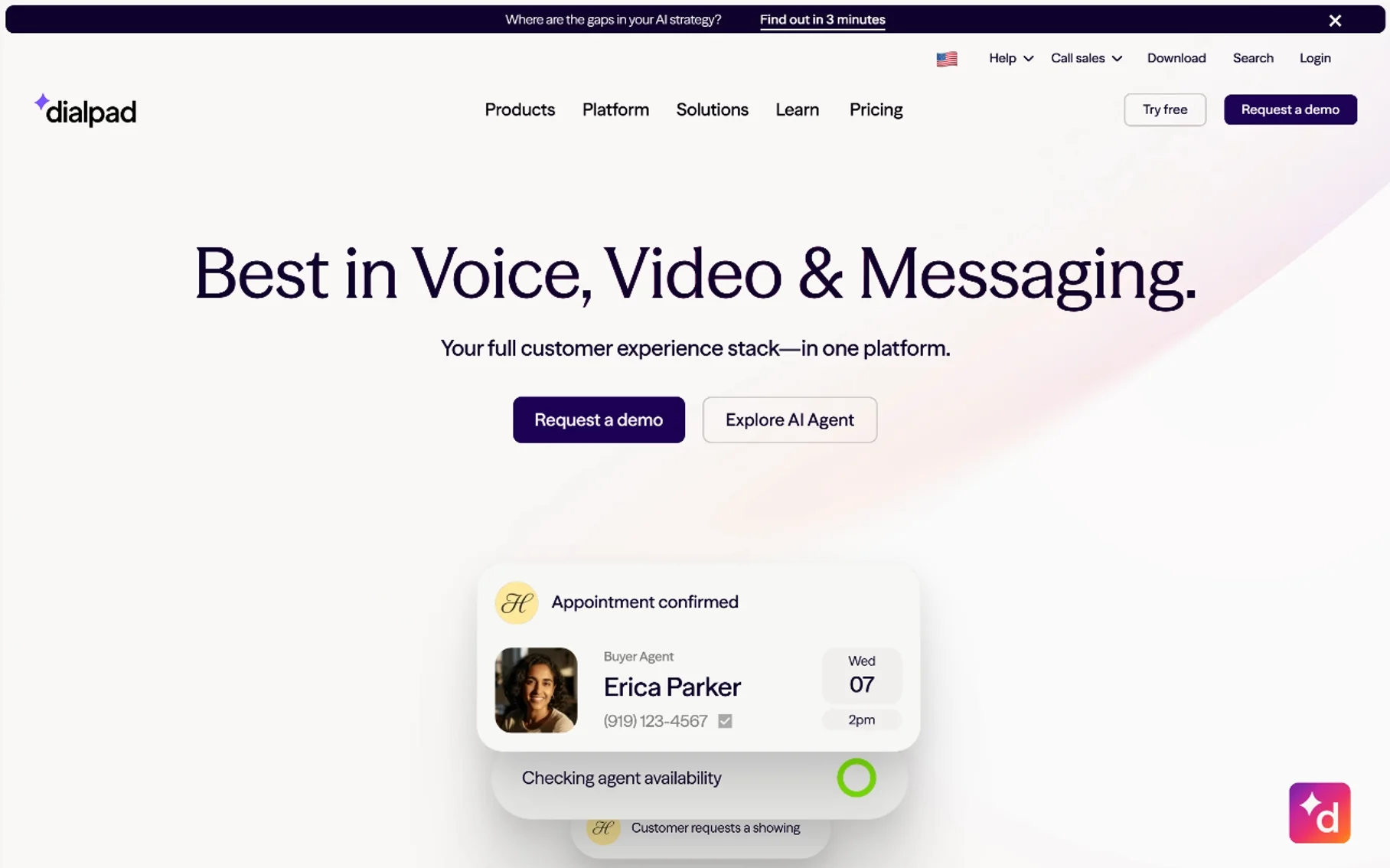
Dialpad differentiates itself through AI. Its proprietary AI engine, Dialpad Ai, provides real-time transcription, sentiment analysis, coaching cues, and post-call summaries. If your business runs a sales or support team that benefits from conversation intelligence, Dialpad is purpose-built for that use case.
Best For: Sales teams, support teams, and businesses that want AI-powered conversation intelligence built into their phone system.
Key Features
- One local virtual phone number per user included
- Unlimited calling in the US, Canada, and your country of origin
- Real-time AI transcription and sentiment analysis
- AI-powered coaching cues and post-call summaries
- SMS and MMS messaging
- Auto-attendant and IVR
- Call routing and call recording
- Voicemail transcription
- CRM integration with Salesforce, HubSpot, Zendesk, and ServiceNow
- Integrations with Microsoft Teams and Slack
- Mobile and desktop apps
Pros
- Industry-leading AI features (transcription, sentiment, coaching)
- Clean, modern interface
- Strong CRM integration ecosystem
- Microsoft Teams integration available
- Free trial available
- AI features included on base plan (not locked behind higher tiers)
Cons
- Contact Center pricing can get expensive ($49+/user/month)
- Smaller market presence than RingCentral or Nextiva (smaller user community for troubleshooting)
- International number availability varies
- Some users report occasional transcription accuracy issues with strong accents
Pricing Overview
- Standard: $15/user/month — includes 1 local number, unlimited calling (US/Canada), SMS, AI transcription, auto-attendant, call routing, voicemail
- Pro: $25/user/month — adds CRM integration, call recording, analytics, international SMS, API access
- Enterprise: Custom pricing — adds SSO, advanced security, dedicated support
- Contact Center: Starts at $49/user/month — full omnichannel contact center with advanced AI routing
Supported Countries: US, Canada, and limited international; varies by plan
Business Features: AI transcription, sentiment analysis, coaching cues, auto-attendant, IVR, call recording, CRM integration, analytics
Limitations: The AI features are the star, but if you don’t need conversation intelligence, you’re paying for capabilities you won’t use. Contact Center pricing is significantly higher than base plans.
Who Should Choose It: A sales or customer support team that wants to analyze every call for coaching, QA, and customer sentiment. If your manager wants to know “how did that sales call go?” without listening to the recording, Dialpad’s AI summary answers that in seconds.
7. 8×8

8×8 is a global cloud communications provider that serves both small businesses and large enterprises. Its strongest selling point is global reach — 8×8 offers calling in over 100 countries and operates its own global network infrastructure, making it a strong choice for businesses with international operations.
Best For: Businesses with international operations that need reliable calling across multiple countries and regions.
Key Features
- Unlimited calling in up to 48 countries (X2 plan) or 14 countries (X1 plan)
- Business SMS and MMS
- Auto-attendant and IVR
- Call routing, call queues, and call recording
- Voicemail-to-email
- Team messaging and video conferencing
- CRM integrations with Salesforce, Zendesk, and ServiceNow
- Fax-to-email
- Toll-free and local numbers
- International numbers available
- Advanced analytics and reporting (higher tiers)
- Open API
Pros
- Best-in-class international calling coverage (up to 48 countries on a single plan)
- Owns and operates its own global network (not reselling another provider’s infrastructure)
- Strong contact center capabilities
- HIPAA-compliant options available
- Reliable uptime
Cons
- Pricing can escalate quickly for full-featured plans (up to $140/user/month for omnichannel)
- Interface is more utilitarian than modern competitors like OpenPhone or Dialpad
- Setup can be complex for smaller teams
- Some features locked behind higher-tier plans
- No transparent published pricing for higher tiers (contact sales required)
Pricing Overview
- Core (X1): ~$15/user/month — unlimited calling in 14 countries, business SMS, auto-attendant, voicemail, video for up to 4 participants
- Advanced (X2): ~$24/user/month — unlimited calling in 48 countries, call recording, SMS/MMS, video for up to 25 participants
- Contact Center plans: $24–$140/user/month — omnichannel contact center with advanced routing and analytics
- Exact pricing varies; 8×8 requires contacting sales for most tiers
Supported Countries: 48+ countries for unlimited calling; 100+ countries for international numbers
Business Features: Auto-attendant, IVR, call queues, call recording, CRM integration, team messaging, video conferencing, advanced analytics, API access, HIPAA compliance options
Limitations: Higher-tier pricing is opaque. The interface isn’t as polished as newer entrants. Overkill for small domestic teams that don’t need international coverage.
Who Should Choose It: A company with offices or customers in multiple countries. If your team spans New York, London, and Singapore and you need everyone on the same phone system, 8×8’s global network is purpose-built for that scenario.
8. Vonage
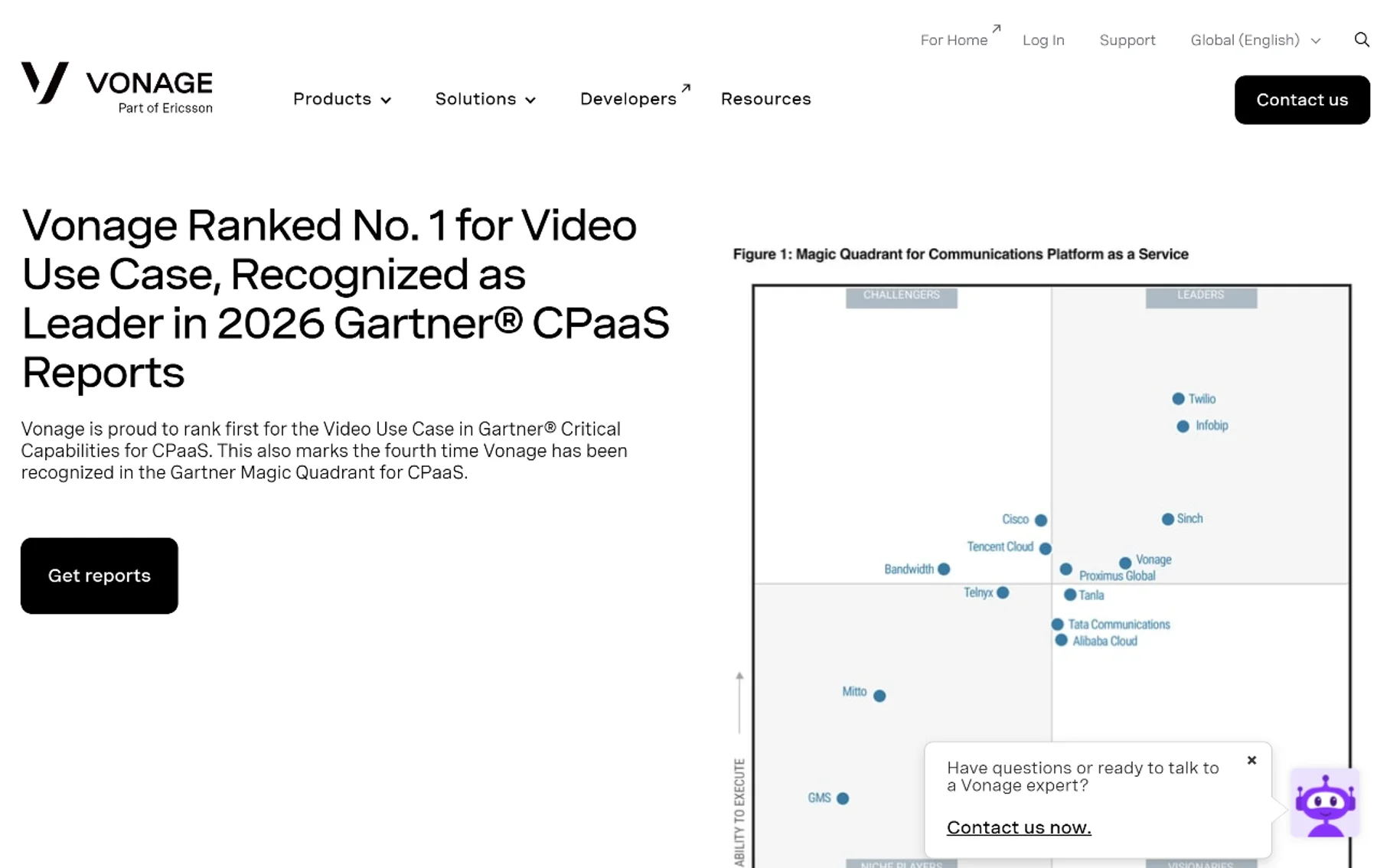
Vonage is one of the most established names in VoIP, having offered internet phone service since the early 2000s. Its business communications platform (Vonage Business Communications, or VBC) offers over 50 features across its plans, making it a feature-rich option for small to mid-size businesses. Vonage was acquired by Ericsson in 2022, which has invested in its CPaaS (Communications Platform as a Service) capabilities.
Best For: Small to mid-size businesses that want a feature-rich VoIP system with flexible pricing tiers based on team size.
Key Features
- 50+ voice and phone features included across all plans
- Unlimited domestic calling
- SMS and MMS messaging (Premium plan and above)
- Auto-attendant
- Call routing, call forwarding, and call recording
- Voicemail-to-email
- Video conferencing (Premium and above)
- CRM integrations with Salesforce, HubSpot, and Zendesk
- Team messaging
- Toll-free numbers (additional cost)
- Visual voicemail
- Number porting
- Mobile and desktop apps
Pros
- 50+ features included even on base plans (more than most competitors at similar prices)
- Pricing tiers adjust based on team size (larger teams get lower per-user rates)
- Strong feature-to-price ratio
- Established, reliable provider with a long track record
- Desktop and mobile apps available
Cons
- Interface feels dated compared to newer competitors
- Promotional pricing expires after the initial term (12-month promo period)
- Some features (video, advanced analytics) only on higher tiers
- Customer support quality has received mixed reviews
- SMS/MMS not available on the base Mobile plan
Pricing Overview
- Mobile: $13.99/user/month (promo) / $19.99/user/month (regular) — unlimited domestic calling, voicemail, 50+ features; no SMS
- Premium: $20.99/user/month (promo) / $29.99/user/month (regular) — adds SMS/MMS, video conferencing, visual voicemail
- Advanced: $27.99/user/month (promo, 5–19 users) — adds call recording, analytics, Salesforce integration, API access
- Pricing varies by team size: larger teams (20+ users) get lower per-user rates
- Promo rates typically valid for 12 months, then revert to regular pricing
Supported Countries: US, Canada, and select international; varies by plan
Business Features: Auto-attendant, call routing, call recording (Advanced), SMS/MMS (Premium+), video conferencing (Premium+), CRM integration, team messaging, analytics
Limitations: Promotional pricing creates budget unpredictability after the first year. Interface isn’t as modern as OpenPhone or Dialpad. Base plan lacks SMS.
Who Should Choose It: A business that wants a lot of features included without paying for add-ons. If you value getting 50+ features on the base plan rather than paying extra for each one, Vonage’s approach is appealing — just plan for the price increase after your promo period ends.
9. Google Voice
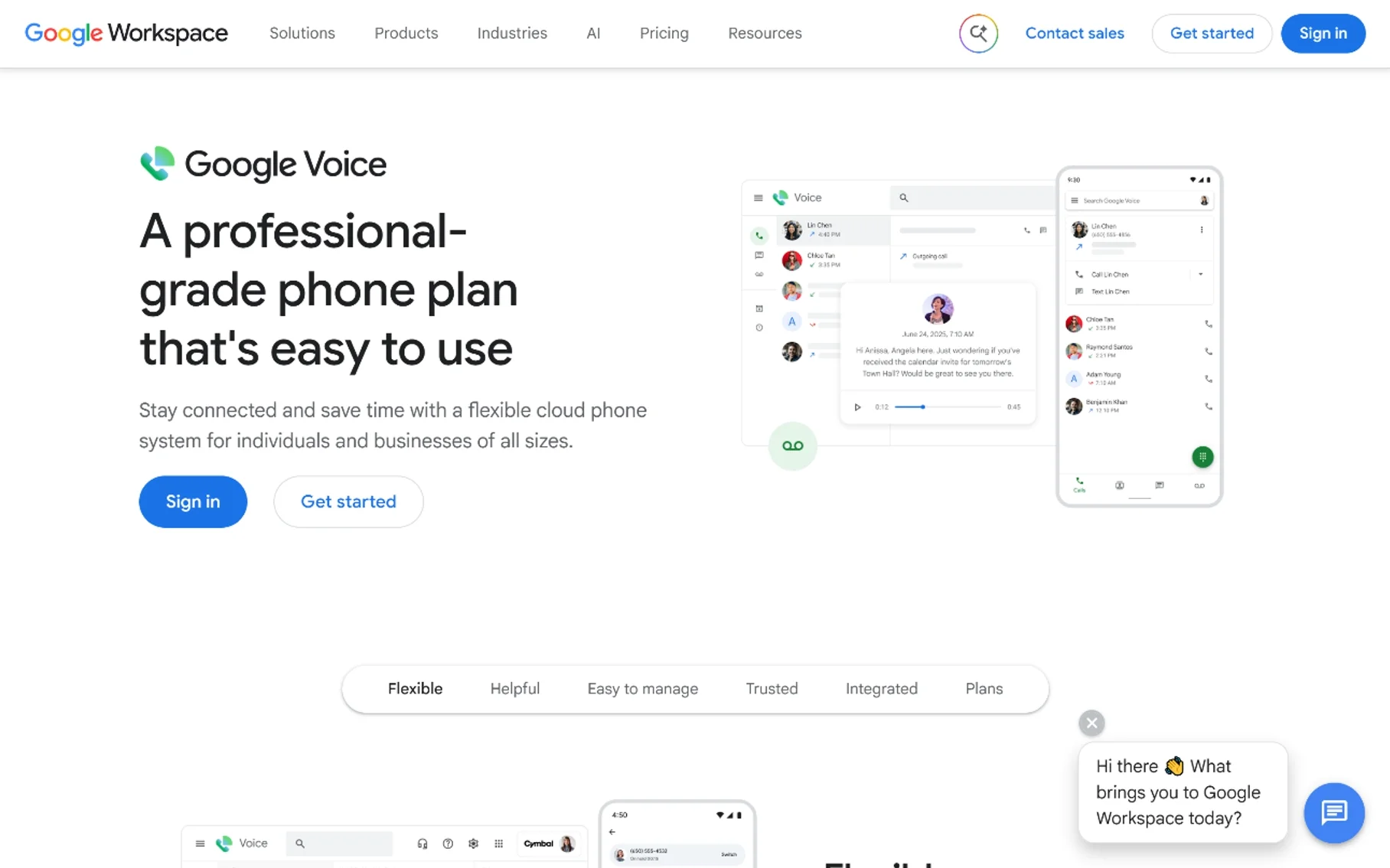
Google Voice offers a free personal tier and three business tiers (Starter, Standard, Premier) integrated with Google Workspace. For individuals and very small businesses already embedded in Google’s ecosystem, it’s one of the simplest and most affordable options available.
Best For: Solo users and small teams already using Google Workspace who want a no-frills virtual number with minimal setup.
Key Features
- Free personal tier (one number, calls and texts within the US)
- Voicemail transcription
- Call forwarding to any linked number
- SMS and MMS
- Spam filtering
- Do Not Disturb / business hours
- Integration with Google Calendar, Contacts, and Meet
- Ring groups (Standard and Premier)
- Auto-attendant (Standard and Premier)
- Advanced reporting (Premier)
- Desk phone support (Premier)
Pros
- Free personal tier — genuinely free, not a trial
- Dead-simple setup if you already use Google Workspace
- Voicemail transcription is excellent (powered by Google’s speech engine)
- Tight integration with Google Calendar, Contacts, and Meet
- Very affordable for businesses ($10/user/month on Starter)
- No additional hardware required
Cons
- Business plans require a Google Workspace subscription (which adds cost)
- Limited CRM integrations (no native HubSpot or Salesforce integration)
- No call recording on Starter plan
- No advanced call routing or IVR on lower tiers
- Available only in select countries
- Limited international number availability
- No built-in team messaging (relies on Google Chat separately)
Pricing Overview
- Personal: Free — one number, US calling and texting, voicemail, call forwarding
- Starter: $10/user/month — for up to 10 users; includes voicemail transcription, SMS, basic features
- Standard: $20/user/month — unlimited users; adds ring groups, auto-attendant, desk phone support
- Premier: $30/user/month — adds advanced reporting, multi-level auto-attendant, advanced desk phone support
- Note: Business plans also require an active Google Workspace subscription ($6–$18/user/month), which increases the effective cost
Supported Countries: US, Canada, UK, and select European countries and Japan (business); US only for personal
Business Features: Voicemail transcription, call forwarding, SMS/MMS, ring groups (Standard+), auto-attendant (Standard+), Google Workspace integration
Limitations: Requires Google Workspace for business plans, which pushes real costs to $16–$48/user/month combined. No native CRM integrations. Feature set is basic compared to dedicated VoIP providers. Not suitable for contact center use.
Who Should Choose It: A solo entrepreneur or tiny team that already pays for Google Workspace and just needs a simple business number with voicemail and texting. If you don’t need CRM integration, call recording, or advanced routing, Google Voice gets the job done at the lowest possible cost.
10. Twilio
Twilio is fundamentally different from every other provider on this list. It’s not a phone service you sign up for and start using through an app. Twilio is a Communications Platform as a Service (CPaaS) — a set of APIs that developers use to build custom communication workflows into their own applications. If you’ve ever received a verification code from an app, there’s a good chance Twilio sent it.
Best For: Developers, engineering teams, and businesses that need to programmatically send SMS, make calls, or provision numbers as part of a custom application.
Key Features
- Programmable SMS and MMS
- Programmable Voice (make and receive calls via API)
- Phone number provisioning via API (local, toll-free, and international)
- SIP trunking
- Twilio Flex (custom contact center framework)
- Verify API for OTP/verification codes
- WhatsApp Business API
- WebRTC for browser-based calling
- Detailed logs and webhooks for every event
- Pay-as-you-go pricing (no monthly minimum on standard tier)
Pros
- Maximum flexibility — build exactly what you need
- Pay-as-you-go means you only pay for what you use
- US local numbers start at just $1.15/month
- Global number availability in 100+ countries
- Extensive documentation and developer community
- Can power everything from simple SMS alerts to full contact centers
- Free trial with trial credit
Cons
- Requires development expertise — no out-of-the-box phone app for end users
- No auto-attendant, IVR, or call routing out of the box (you build these yourself)
- No CRM integration out of the box (you build these yourself)
- Costs are unpredictable — usage-based pricing means a spike in traffic means a spike in cost
- Not suitable for non-technical users or businesses that just want a phone service
- Compliance (A2P 10DLC, GDPR, HIPAA) is your responsibility to implement
Pricing Overview
- US local numbers: $1.15/month per number
- SMS (US): ~$0.008 per outbound message
- Voice (US, outbound): ~$0.014 per minute
- Voice (US, inbound): ~$0.0085 per minute
- Toll-free numbers: $1.15/month + usage
- International numbers: Varies by country
- No monthly subscription required for standard usage
Supported Countries: 100+ countries for number provisioning; global SMS and voice support
Business Features: Programmable everything — SMS, voice, verification, SIP trunking, custom contact center (Twilio Flex). But all features require development to implement.
Limitations: This is a platform for builders, not a product for users. If you don’t have a developer on your team (or aren’t one yourself), Twilio is the wrong choice. There’s no app to download, no dashboard for non-technical staff, and no pre-built auto-attendant or IVR.
Who Should Choose It: A startup building an app that needs SMS verification. A SaaS company that wants to send appointment reminders from its own platform. An engineering team building a custom contact center. If your use case starts with “I need to programmatically…” then Twilio is your answer.
Comparison Table
| Provider | Starting Price | Free Trial | SMS Support | International Numbers | Key Business Features | Best For |
|---|---|---|---|---|---|---|
| OpenPhone | $15/user/mo (annual) | Yes | Yes (SMS/MMS) | Limited | Shared numbers, CRM integration, auto-attendant | Small teams, startups |
| Grasshopper | $14/mo (1 number) | 7-day trial | Yes (US/Canada) | No | Extensions, call forwarding, vanity numbers | Solopreneurs, micro-businesses |
| RingCentral | $20/user/mo (annual) | 15-day trial | Yes (Advanced+) | Yes (40+ countries) | Full UC platform, API, CRM, video, analytics | Mid-size to large businesses |
| Nextiva | $15/user/mo (annual) | Yes | Yes | Limited | CRM, call recording, analytics, customer tracking | SMBs valuing reliability |
| Zoom Phone | $10.50/user/mo (metered) | Yes (100 min) | Yes | Yes (Global Select) | Zoom integration, auto-attendant, CRM | Teams already using Zoom |
| Dialpad | $15/user/mo | Yes | Yes (SMS/MMS) | Limited | AI transcription, sentiment analysis, coaching | Sales and support teams |
| 8×8 | ~$15/user/mo | Yes | Yes (SMS/MMS) | Yes (48+ countries) | Global calling, contact center, HIPAA options | International businesses |
| Vonage | $13.99/user/mo (promo) | Yes | Yes (Premium+) | Select countries | 50+ features, CRM, video, team messaging | Feature-seeking SMBs |
| Google Voice | Free (personal) / $10/user/mo (business) | N/A (free tier) | Yes | Limited | Voicemail transcription, Google Workspace integration | Google Workspace users |
| Twilio | $1.15/mo per number (usage-based) | Free trial credit | Yes (programmable) | Yes (100+ countries) | APIs for SMS, voice, verification, SIP | Developers and custom apps |
All pricing is based on publicly available information as of 2026 research and may change. Verify current rates on each provider’s website.
Free Virtual Phone Number Services
A free virtual phone number sounds appealing, and in some cases, it’s a legitimate option. But it’s important to understand what “free” actually means in practice.
What’s Actually Free
Google Voice Personal is the most well-known genuinely free option. You get a US phone number, unlimited domestic calling and texting, voicemail with transcription, and call forwarding — at no cost. The catch? It’s designed for personal use, not business. You can’t port a business number to a free personal account, and Google’s terms discourage using the personal tier for commercial purposes.
Some apps (like TextNow, TextFree, or Burner’s limited tier) offer free or trial numbers with advertising support. These typically come with significant restrictions:
- Ad-supported interfaces that can be disruptive
- Limited or no SMS verification — many services (banks, social platforms, verification systems) block VoIP numbers, so free numbers often can’t receive OTP codes
- Temporary numbers that expire after a period of inactivity
- No business features — no auto-attendant, no call recording, no CRM integration
- Privacy concerns — some free apps monetize user data
Free vs. Paid: What’s the Real Difference?
| Feature | Free Services | Paid Services |
|---|---|---|
| Number reliability | Numbers may expire or be recycled | Numbers are yours as long as you pay |
| SMS verification | Often blocked by platforms | Generally supported (with A2P 10DLC compliance) |
| Call quality | Variable, ad-supported | HD voice, QoS guarantees |
| Business features | None | Auto-attendant, IVR, call recording, CRM, analytics |
| Customer support | Community forums or none | Phone, chat, and email support |
| Compliance | Not applicable | HIPAA, GDPR, SOC 2 options |
| Scalability | Single user | Unlimited users, teams, departments |
Sources: Tossable Digits · DID Logic
When Free Makes Sense (and When It Doesn’t)
Free works for: A personal second number, testing a service before subscribing, or very occasional use where reliability doesn’t matter.
Free doesn’t work for: Business communication, customer support, SMS verification for important accounts, or any scenario where a missed call costs you money or credibility.
Virtual Phone Number for Business
A virtual business phone does more than just make and receive calls. It serves as the communication backbone for your company. Here’s why businesses upgrade from personal phone lines to a dedicated business phone service:
Core Business Benefits
1. Professional identity. Customers call a business number, not your personal cell. This separation protects your privacy and projects professionalism. A local virtual phone number with a recognized area code builds trust with local customers.
2. Team collaboration. Shared numbers let multiple team members answer calls and respond to texts from the same business number. OpenPhone, RingCentral, and Nextiva all support this. A customer doesn’t need to know that three different people are handling their messages — it all looks like one company.
3. Call routing and auto-attendant. An auto-attendant (virtual receptionist) greets callers and routes them: “Press 1 for sales, 2 for support, 3 for billing.” This eliminates the need for a human receptionist and ensures callers reach the right person quickly.
4. Business texting. SMS is increasingly the preferred communication channel for customers. Business texting lets you send appointment reminders, shipping notifications, and support updates — all from your business number. Most providers now include SMS/MMS, though some (like Vonage’s base plan and Grasshopper) have limitations.
5. CRM integration. When your phone system connects to your CRM (HubSpot, Salesforce, Zendesk), every call and text is automatically logged to the customer’s record. This eliminates manual data entry and gives your team complete context for every conversation.
6. Analytics and reporting. Business phone systems track call volume, duration, answer rates, and peak times. This data helps you staff appropriately and identify missed opportunities.
When Should a Business Upgrade?
Consider upgrading from a basic or free service to a full business phone system when:
- ✅ You have 2+ people who need to share a business number
- ✅ You’re missing calls because your personal phone is also your business phone
- ✅ You need call routing (different people handle sales vs. support)
- ✅ You want call recording for quality assurance or compliance
- ✅ You need SMS/MMS for customer communication
- ✅ You use a CRM and want calls and texts logged automatically
- ✅ You’re expanding to new locations and need local numbers
- ✅ You need toll-free numbers for customer support
- ✅ You’re subject to compliance requirements (HIPAA, SOC 2, etc.)
- ✅ You need analytics to understand call patterns and team performance
Online Phone Number vs Traditional Phone Number
| Feature | Online (Virtual) Phone Number | Traditional Phone Number |
|---|---|---|
| Setup | Sign up online, activate in minutes | Requires physical line installation, technician visit |
| Hardware | No hardware required (works on existing devices) | Requires desk phones, wiring, PBX hardware |
| Mobility | Works anywhere with internet | Tied to a physical location |
| Cost | $10–$35/user/month typically | $40–$80+/line/month (including hardware and maintenance) |
| Scalability | Add users in seconds via dashboard | Requires new wiring and hardware for each line |
| Features | Auto-attendant, CRM, SMS, analytics included | Limited; advanced features cost extra or unavailable |
| Reliability | Depends on internet connection | Works during power outages (traditional copper lines) |
| Number porting | Supported by most providers | Supported but often slower |
| International calling | Generally cheaper, included in some plans | Expensive per-minute rates |
| Maintenance | Provider handles updates in the cloud | You maintain hardware, wiring, and firmware |
The main trade-off is reliability during internet outages. Traditional copper landlines work without electricity, while VoIP phones need an active internet connection. However, most virtual phone services offer call forwarding to a mobile number as a fallback, so even if your office internet goes down, calls can route to your cell phone automatically.
Virtual Phone Number vs Google Voice
Google Voice is often the first service people consider, so it deserves a direct comparison to dedicated virtual phone number providers.
| Aspect | Google Voice | Dedicated Providers (OpenPhone, RingCentral, etc.) |
|---|---|---|
| Free tier | Yes (personal, US only) | No (free trials only) |
| Business starting price | $10/user/month + Google Workspace ($6+/user/month) | $10–$20/user/month (all-in) |
| Setup complexity | Very simple (if you use Google Workspace) | Simple to moderate |
| CRM integration | None native | Native with HubSpot, Salesforce, Zendesk |
| Call recording | Not on Starter plan | Included on most base plans |
| Auto-attendant | Standard plan ($20) and above | Included on most base plans |
| International numbers | Very limited | Available from most providers |
| Team messaging | Requires Google Chat (separate) | Built into most platforms |
| Video conferencing | Requires Google Meet (separate) | Built into RingCentral, Nextiva, 8×8 |
| API access | No | Yes (RingCentral, Twilio, Dialpad, 8×8) |
| Customer support | Google Workspace support | Dedicated phone, chat, and email support |
| Best for | Individuals and tiny teams in Google’s ecosystem | Businesses that need integrated communications |
Bottom line: Google Voice is excellent for a solo user or a 2–3 person team that lives inside Google Workspace. The moment you need CRM integration, advanced call routing, call recording, or a unified communications platform, a dedicated provider offers better value — even if the per-user price looks similar, because Google Voice’s real cost includes the Google Workspace subscription.
Common Mistakes When Choosing a Provider
1. Choosing Based on Price Alone
The cheapest plan isn’t always the cheapest in practice. A $13.99/month Vonage promo sounds great until it reverts to $19.99 after 12 months. Google Voice’s $10/user/month looks unbeatable until you add the required Google Workspace subscription. Always calculate the effective monthly cost including all required add-ons, not just the headline number.
2. Ignoring SMS Verification Limitations
If you need a virtual phone number for SMS verification (receiving OTP codes from banks, social platforms, or other services), not all numbers work. Some platforms actively block VoIP numbers. Free services are especially problematic here. If SMS verification is critical, choose a provider that supports A2P 10DLC registration (the compliance framework for business texting in the US), which improves SMS deliverability and reduces the likelihood of your messages being flagged as spam. Providers like OpenPhone, RingCentral, and Dialpad support A2P 10DLC registration. Free services and some cheap virtual phone number apps do not — meaning your verification texts may never arrive.
3. Overlooking Promotional Pricing
Vonage and RingCentral both advertise promotional rates that expire after an initial term (typically 12 months). When the promo ends, your bill can jump 30–50%. If you’re budgeting for the long term, always look at the regular (non-promotional) price when comparing providers. A $13.99 promo that becomes $19.99 is effectively $16.99 averaged over two years — which is more than Nextiva’s $15 Core plan that doesn’t use promotional pricing.
4. Assuming All Virtual Numbers Support SMS
Not all virtual phone numbers can send and receive text messages. Some providers only support voice calls on their base plans (Vonage Mobile, for example). Others support SMS but charge per message. If business texting is important to your operation, verify SMS and MMS support before signing up — and check whether it’s included in your plan or costs extra.
5. Ignoring International Number Availability
If your business serves customers in other countries, you need a provider with genuine international virtual number coverage. 8×8 and Twilio offer the broadest international reach. Google Voice and Grasshopper are essentially US/Canada-only. Don’t assume a provider supports the country you need — verify specific country availability on their website.
6. Not Planning for Scalability
A solution that works for 3 people may not work for 30. Grasshopper is great for a solo entrepreneur but has no CRM integration or advanced call routing. Google Voice Starter caps at 10 users. If you expect your team to grow, choose a provider that scales without requiring you to migrate to a different platform.
7. Forgetting About Compliance Requirements
If your business operates in healthcare, finance, or any regulated industry, you may need HIPAA, SOC 2, or GDPR compliance. Not all providers offer these. 8×8 offers HIPAA-compliant options. RingCentral and Nextiva offer enterprise-grade security. Free services and low-tier plans generally do not meet compliance requirements. Check before you commit.
8. Skipping the Free Trial
Most providers offer a free trial ranging from 7 to 15 days. Use it. Test call quality, SMS delivery, the mobile app interface, and CRM integration before committing to a paid plan. A trial reveals whether the service works well on your specific devices and network — something no review can tell you.
How to Choose the Right Service
Choosing the right virtual phone number service comes down to matching your specific needs with what each provider does well. Here is a decision framework based on the factors that matter most:
1. Budget
| Budget Range | Recommended Providers |
|---|---|
| Free or minimal | Google Voice (Personal, free); Twilio (usage-based, ~$1.15/number) |
| $10–$15/user/month | Zoom Phone (metered), Grasshopper, Google Voice (Starter), OpenPhone (Starter), Dialpad (Standard), 8×8 (Core) |
| $15–$25/user/month | Nextiva (Core–Engage), Vonage (Mobile–Premium), RingCentral (Core–Advanced) |
| $25–$50/user/month | RingCentral (Ultra), Nextiva (Engage), Dialpad (Pro), 8×8 (X2) |
| $50+/user/month | Nextiva (Scale), 8×8 (Contact Center), Dialpad (Contact Center), RingCentral (Contact Center) |
2. Business Size
- Solo / Freelancer: Grasshopper, Google Voice, OpenPhone (Starter)
- 2–10 people: OpenPhone, Nextiva (Core), Zoom Phone, Dialpad (Standard)
- 10–50 people: RingCentral (Core), Nextiva (Engage), 8×8 (X2), Vonage (Premium)
- 50+ people: RingCentral (Advanced/Ultra), 8×8, Nextiva (Scale), Dialpad (Pro/Enterprise)
3. International Needs
- US/Canada only: Any provider on this list works
- A few international numbers: RingCentral, 8×8, Twilio
- Global operations (many countries): 8×8 (48+ countries unlimited), Twilio (100+ countries)
- Specific country needed: Check each provider’s country availability list before deciding
4. SMS Verification
- Need OTP/verification codes: Choose providers with A2P 10DLC support (OpenPhone, RingCentral, Dialpad, Nextiva). Avoid free services.
- Need business texting (customer communication): OpenPhone, Nextiva, RingCentral, Dialpad all include SMS on most plans
- Minimal SMS needs: Grasshopper (US/Canada texts included), Zoom Phone (verify plan)
5. Customer Support
- 24/7 support needed: Nextiva (higher tiers), RingCentral, 8×8
- Business hours support: OpenPhone, Dialpad, Vonage
- Self-service / community only: Google Voice (free tier), Twilio (documentation + tickets)
6. Scalability
- Expect rapid growth: RingCentral, Nextiva, 8×8 (all scale to thousands of users)
- Stable small team: OpenPhone, Grasshopper, Dialpad
- Building a custom platform: Twilio (scales with your code)
7. CRM Integration
| CRM | Best Provider Matches |
|---|---|
| HubSpot | OpenPhone, RingCentral, Nextiva, Dialpad, Vonage |
| Salesforce | RingCentral, Dialpad, Vonage (Advanced), Nextiva (Engage+) |
| Zendesk | RingCentral, Dialpad, 8×8 |
| Slack | OpenPhone, Dialpad, RingCentral |
| Google Workspace | Google Voice (native), Dialpad, Zoom Phone |
| Microsoft Teams | Dialpad, RingCentral, Zoom Phone |
8. Compliance
- HIPAA: 8×8, RingCentral (with BAA), Nextiva (with BAA)
- SOC 2: RingCentral, 8×8, Nextiva
- GDPR: Most major providers comply; verify specific certifications on their security pages
- A2P 10DLC (US business SMS): OpenPhone, RingCentral, Dialpad, Nextiva
9. Security
- SSO (Single Sign-On): RingCentral (Ultra), Dialpad (Enterprise), 8×8 (higher tiers), Nextiva (Scale)
- End-to-end encryption: Check provider-specific documentation; most offer encryption in transit and at rest
- Admin controls: RingCentral, Nextiva, 8×8 offer the most granular admin controls
- Data residency: 8×8 and RingCentral offer options for specific data residency requirements
Quick Decision Checklist
Ask yourself these questions before choosing:
- ☐ How many people need a phone number?
- ☐ Do I need SMS/texting capabilities?
- ☐ Do I need SMS verification (OTP codes)?
- ☐ Do I need international numbers? Which countries?
- ☐ What CRM or business tools do I already use?
- ☐ Do I need call recording for compliance or training?
- ☐ Do I need an auto-attendant or IVR?
- ☐ Am I subject to HIPAA, SOC 2, or other compliance requirements?
- ☐ What is my actual monthly budget (including add-ons)?
- ☐ Do I expect my team to grow significantly in the next 12 months?
Your answers to these questions will narrow the field to 2–3 providers. From there, sign up for free trials and test each one before committing.
Frequently Asked Questions
1. Can I use a virtual phone number for SMS verification?
Yes, but with caveats. A virtual phone number can receive SMS verification codes, but some platforms (banks, social media sites, certain online services) actively block VoIP numbers. Using a paid provider that supports A2P 10DLC registration (like OpenPhone, RingCentral, or Dialpad) improves deliverability. Free virtual phone number apps are the most likely to be blocked.
2. Is a virtual phone number legal?
Yes. Virtual phone numbers are completely legal for personal and business use in the United States and most countries. However, they must comply with relevant regulations — for example, A2P 10DLC rules for business texting in the US, and TCPA (Telephone Consumer Protection Act) rules for outbound calls. Your provider typically handles regulatory compliance as part of their service.
3. Can I keep my existing phone number?
Yes, in most cases. Number porting is supported by virtually every paid provider on this list. The process involves submitting a porting request to your new provider, who coordinates with your current carrier. Porting typically takes 3–10 business days. You cannot port a number to Google Voice’s free personal tier, but you can port to Google Voice business plans.
4. Do I need internet to use a virtual phone number?
Yes, for calling through the VoIP app. Virtual phone numbers rely on an internet connection to make and receive calls through the provider’s app. However, most providers offer call forwarding to a traditional mobile number, so even without internet, calls can route to your cell phone over the cellular network.
5. What is the cheapest virtual phone number service?
Google Voice Personal is free for US users (one number, calls and texts). For business use, Grasshopper ($14/month for one number) and Zoom Phone Metered ($10.50/user/month) are the cheapest paid options. Twilio offers the lowest per-number cost ($1.15/month) but requires development expertise, so it’s only cheap if you can build what you need yourself.
6. Can I get a virtual phone number for another country?
Yes, depending on your provider. 8×8 offers numbers in 48+ countries. Twilio supports 100+ countries. RingCentral supports 40+ countries. Google Voice and Grasshopper are limited to the US and Canada. Some countries have regulatory requirements (proof of local address, local identity) that may restrict who can purchase local numbers.
7. Can I have multiple virtual phone numbers?
Yes. Most providers allow you to purchase additional numbers. OpenPhone charges $5/month per additional number. RingCentral charges $4.99/user/month for additional local numbers. Twilio charges ~$1.15/month per US local number. Having multiple numbers is useful for businesses that serve different markets or want separate numbers for different departments.
8. Are virtual phone numbers traceable?
Yes, to law enforcement with proper legal process. Virtual phone numbers are not anonymous — providers maintain records of account holders and are subject to lawful subpoena. For everyday callers, your virtual number appears on caller ID just like any other phone number. If privacy is a concern, some providers (like Twilio) allow you to programmatically manage numbers, but the underlying account is still identifiable.
9. What is the difference between a virtual phone number and a VoIP phone number?
They are essentially the same thing. A virtual phone number is the number itself — a phone number that isn’t tied to a physical line. A VoIP phone number specifically refers to the technology used to deliver calls (Voice over Internet Protocol). All VoIP numbers are virtual, and most virtual numbers use VoIP. The terms are used interchangeably in practice.
10. Can I use a virtual phone number without a smartphone?
Yes. Virtual phone numbers work on any internet-connected device — smartphones, tablets, laptops, and desktop computers. Most providers offer desktop apps or web-based dashboards where you can make calls, send texts, and manage settings without a phone. You can also forward calls to a traditional landline or basic cell phone.
11. Do virtual phone numbers work with WhatsApp or Telegram?
It depends. WhatsApp and Telegram sometimes block VoIP numbers for verification. A paid virtual number with proper A2P 10DLC registration is more likely to work than a free VoIP number. Twilio numbers sometimes work with WhatsApp (especially through Twilio’s WhatsApp Business API), but consumer WhatsApp registration with VoIP numbers is inconsistent.
12. How long does it take to set up a virtual phone number?
Minutes for a new number; days for porting. If you’re choosing a new number from a provider’s available pool, activation is typically instant or takes a few minutes. If you’re porting an existing number from another carrier, the process takes 3–10 business days on average, sometimes longer for complex porting scenarios.
Conclusion
The best virtual phone number service depends entirely on your situation — there is no single “best” provider for everyone. Here are practical recommendations based on common needs:
For solo entrepreneurs and freelancers: Start with Grasshopper ($14/month) if you just need a professional number that forwards to your cell. If you want a more modern app with texting and contact management, OpenPhone Starter ($15/user/month) is the better choice. If you already use Google Workspace, Google Voice Personal (free) covers the basics.
For small teams (2–10 people): OpenPhone offers the best combination of shared numbers, CRM integration, and affordability. Nextiva Core ($15/user/month) is a strong alternative if reliability and customer support are your top priorities. Dialpad Standard ($15/user/month) is ideal if you want AI-powered call insights for sales coaching.
For growing businesses (10–50 people): RingCentral Core ($20/user/month) provides the most complete unified communications platform. Nextiva Engage ($25/user/month) adds CRM integration and advanced routing. Vonage Premium ($20.99/user/month promo) packs 50+ features but watch for the price increase after the promo period.
For enterprises and large organizations: RingCentral and 8×8 are the two strongest options. RingCentral offers the most comprehensive feature set and integrations. 8×8 excels for international operations with its global network. Both scale to thousands of users without performance degradation.
For businesses with international operations: 8×8 is the clear leader with unlimited calling in 48+ countries. Twilio offers the widest number availability (100+ countries) for developers building custom solutions. RingCentral supports 40+ countries for international numbers.
For developers and custom applications: Twilio is the only real choice. Its APIs let you build SMS verification, programmable calling, custom IVR, and full contact centers from scratch. No other provider on this list offers comparable developer flexibility.
For teams already using Zoom: Zoom Phone is the obvious choice. The metered plan at $10.50/user/month is competitive, and consolidation into one app for voice and video reduces tool fatigue.
For budget-conscious teams in Google’s ecosystem: Google Voice Starter at $10/user/month (plus Google Workspace) is the cheapest legitimate business option — but calculate the total cost including your Google Workspace subscription, and recognize the limitations (no CRM integration, basic features only).
The virtual phone number market is competitive, and providers frequently update their pricing and features. The recommendations in this guide reflect publicly available information as of 2026 research. Before committing, take advantage of free trials, test the service on your actual devices and network, and verify that the features you need are included in the plan you’re considering.
You May Also Like
 SaaS
SaaSWhy Cloud CRM Has Quietly Become the Backbone of Modern Customer Support
 SaaS
SaaSWhat Is No-Code Automation? How It Works, Benefits, and Risks
 Cloud Computing
8 Best AWS S3 Alternatives Compared: Pricing, Egress, and S3 Compatibility
 SaaS
SaaSWhat is Confluence Used For In Project Management?
 SaaS
SaaSCognito Forms to Jira Software Cloud Integration: Setup, Automation, Field Mapping, and Best Practices
 Web Development
Building Apps with Lovable and Supabase: A Step-by-Step Guide
 Web Development
Heroku vs. Netlify (2026): Pricing, Features, and Best Uses
 Software
When Fixing Bugs Is No Longer Enough: How to Rescue a Failing Software Project
 SaaS
SaaS