

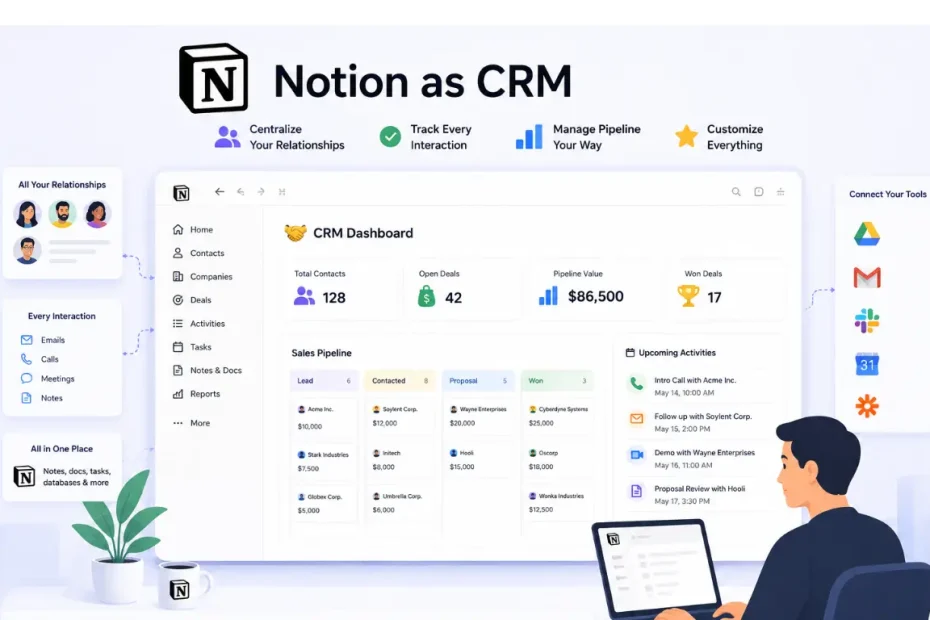
Our team had to make a tough call about our sales stack. We were paying roughly $1,400 a month for Salesforce, and out of eight sales reps, only three logged in on a given day. The rest showed up for mandatory pipeline reviews and nothing else. That’s not a tooling problem you fix with more training — it’s a sign the tool doesn’t fit how the team actually works.
So we moved everything into Notion. This is our six-month field report on running sales operations inside it: what worked, what broke, what it costs in 2026, and where it stops being a reasonable substitute for a dedicated CRM.
Key Takeaways
- Switching off Salesforce saved us over $1,300 a month in software costs alone.
- Merging project tracking and client data into one workspace cut down on daily app-switching.
- Setup took longer than a plug-and-play CRM — we spent about three weeks building and testing before it felt stable.
- Adoption went from 60% to effectively 100% of the team within the first month.
- Notion Mail and the newer AI agents close some of the gaps we hit early on, but they don’t make Notion a full replacement for sales-specific software.
Why We Decided to Use Notion as a CRM
Our team was already using Notion for notes and projects, so moving our CRM there felt like a natural evolution rather than a leap.
Keeping client data in a system nobody wanted to open was quietly wrecking our data quality. Reps entered deals late, skipped fields, or duplicated records because logging into Salesforce felt like an extra chore layered on top of their actual work. Tools that don’t match a team’s workflow don’t get abandoned all at once — they just slowly stop being trusted, and the data rot follows.
We were already living in Notion for docs, meeting notes, and project tracking, so folding the CRM into that same workspace wasn’t a leap of faith — it was closing a gap between where the client conversation happened and where the client record lived. That turned out to matter more than any individual CRM feature: reps stopped treating data entry as separate from their actual job.
Setting Up Our Workflow in Notion
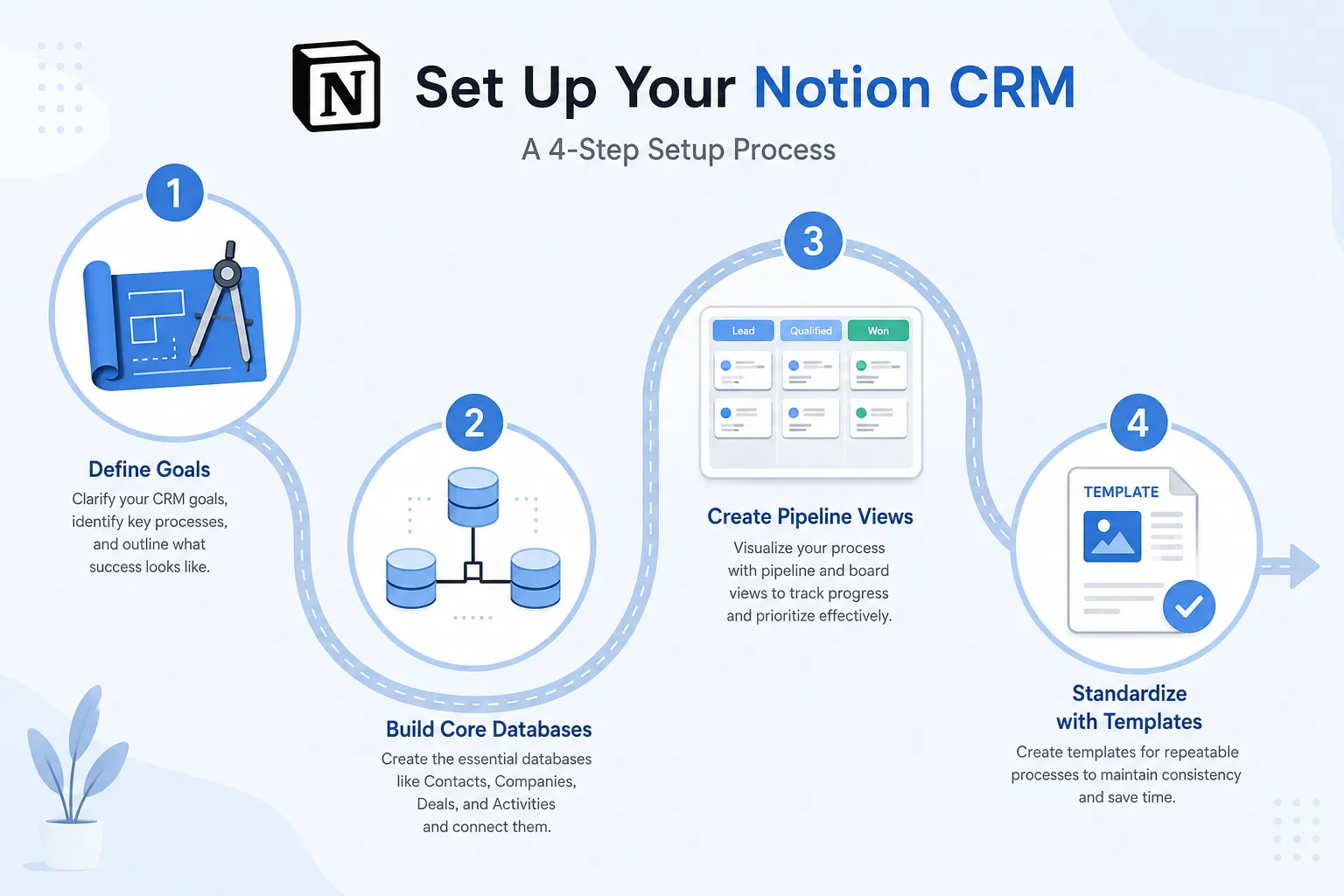
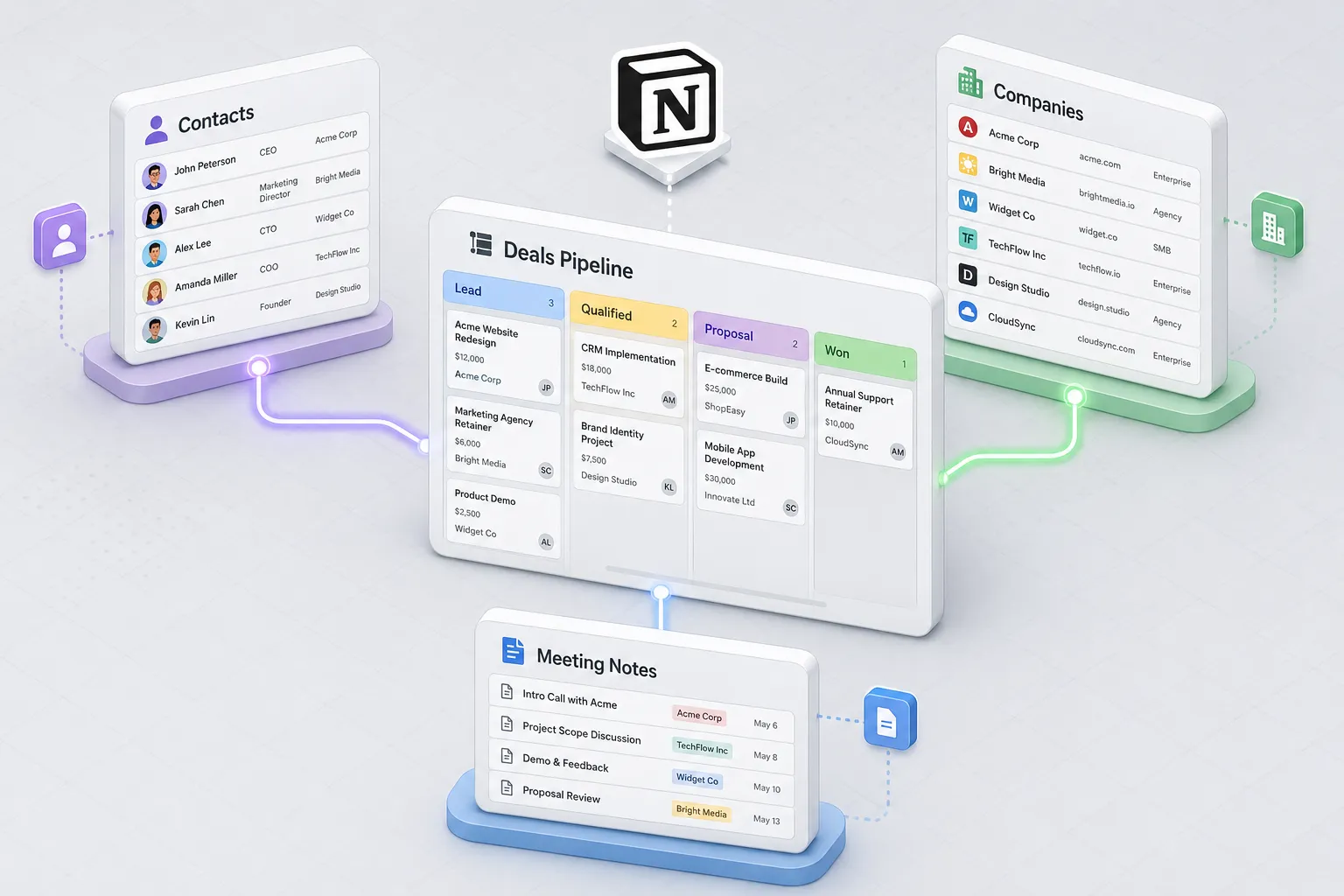
We built four linked databases: Contacts, Companies, Deals, and Activities. Companies acts as the anchor record, Contacts holds the individual stakeholders tied to each account, and Deals links back to both so a rep can open one page and see the full picture — who’s involved, what’s been discussed, and where the opportunity stands.
| Database | Primary Function | Key Data Point |
|---|---|---|
| Contacts | Individual profiles | Email and Phone |
| Companies | Account management | Industry and Size |
| Deals | Revenue tracking | Pipeline Stage |
| Activities | Task logging | Follow-up Date |
The pipeline lives as a board view grouped by deal stage, so a rep can see at a glance where every prospect sits and where deals are stalling. Building the property structure and getting reps to actually use it consistently was the real work — not the database creation itself, which took an afternoon.
The Latest Notion CRM Features Worth Knowing About in 2026

Notion’s CRM-relevant feature set has moved fast over the past year, and a review written before early 2026 is already out of date on a few fronts.
- Notion Mail. Notion now has its own email client that turns your inbox into a Notion-style database, with AI auto-labeling, custom views by project or priority, and a
/schedulecommand for booking meetings without leaving the thread. This directly addresses what used to be Notion’s biggest CRM gap — no connection between email and client records. It still isn’t a sequencing tool, but it closes the “context lives in two places” problem. - Notion Agent and Custom Agents. The Personal Agent can now work in the background on a task for up to 20 minutes without you babysitting it — draft a follow-up, pull data from Calendar or Slack, summarize a thread. Custom Agents go further: you set triggers or a schedule and they run unattended, which teams are using for things like auto-triaging inbound requests or compiling a daily pipeline briefing. Business and Enterprise plans get full access; Custom Agents run on a metered credit system on top of your seat cost once the trial period ends.
- AI Autofill for databases. This is the feature that meaningfully reduces the manual data-entry problem we describe below. It can enrich and categorize records automatically across a database — filling in company size, tagging leads, flagging stale deals — instead of a rep doing it by hand.
- Notion Forms. Built-in forms with conditional logic now feed directly into a database, which covers a chunk of what teams used to reach for Typeform or a Zapier webhook to do — useful for a lightweight “contact us” or lead-capture flow that drops straight into your Deals database.
- MCP and external AI integrations. Notion opened up Model Context Protocol connections, so tools like Claude or Cursor can read from and write back to your workspace. For a CRM built on Notion, that means an AI assistant can query a pipeline database directly rather than you exporting data to ask questions about it.
None of this makes Notion a sales-automation platform. But it meaningfully narrows the distance between “flexible workspace” and “usable CRM” compared to where things stood even a year ago.
Companies Using Notion as a CRM: Where It Actually Fits
Notion doesn’t show up as a CRM in the way HubSpot or Salesforce do — there’s no dedicated CRM product page — but it’s a recognizable pattern among a specific kind of company: small teams, service businesses, and early-stage startups that are already living in Notion for docs and project management and don’t want to fragment their workflow across another tool before they’ve proven they need one.
The profile that tends to succeed with it looks like ours did at the start: fewer than 20 people, a sales motion that’s relationship-driven rather than high-volume, and a team that already trusts Notion enough to open it every day. Agencies managing client accounts, consultants tracking a modest pipeline, and pre-seed or seed-stage startups validating a sales process before they’ve earned the right to spend on Salesforce all fit this pattern well. The appeal isn’t that Notion out-features a CRM — it’s that a workspace people already use beats a “correct” tool they ignore.
Where it breaks down is predictable: once a sales org needs multi-step email sequences, lead scoring, forecasting, or a team large enough that manual data hygiene stops being sustainable, teams either bolt on a Notion-native CRM layer (tools like Attio or folk are built specifically to sit next to Notion and take over the contacts/pipeline/reporting layer) or migrate to a dedicated platform outright. That transition point is usually a headcount or deal-volume threshold, not a feature complaint — teams tend to outgrow Notion-as-CRM the same way they outgrow a shared spreadsheet.
The Performance Reality: Where Notion Shines
Rolling the CRM into our existing workspace visibly changed adoption. We went from 60% of reps engaging with Salesforce regularly to effectively the full team using Notion daily, because it wasn’t a separate destination — it was where they were already taking notes.
Treating each account as a living page rather than a rigid record turned out to be the biggest unlock. Reps write the way they’d write a doc, not the way they’d fill out a form, and that produced richer account history than we got out of Salesforce’s structured fields. The board view gives a real-time read on pipeline health without anyone running a report.
The Limitations We Hit (Updated for 2026)

Our original complaints centered on two things: no native email automation, and messy data from unenforced field rules. Both are less severe than they were, but neither is solved.
Email is better, but it’s still not sequencing. Notion Mail fixed the disconnect between inbox and CRM record — you can now see and act on email in the same place your client data lives. What it still doesn’t do is what a dedicated CRM does natively: multi-step drip sequences triggered automatically by a stage change, deliverability tracking, or A/B testing on subject lines. We still route true outbound sequencing through a separate tool.
Data entry is less manual, but discipline still matters. AI Autofill genuinely cuts down on the busywork of tagging and enriching records. It does not enforce required fields or stop a rep from creating a duplicate company record with a slightly different name. Notion still has no hard validation layer — you’re trading rigidity for flexibility, and flexibility means someone on the team needs to own data hygiene as an ongoing job, not a one-time setup task.
Reporting is still the weak point. Board and table views give you a live snapshot, but multi-database rollups, forecasting, and cohort analysis are either manual or require formulas that get fragile at scale. This is the single biggest reason teams eventually graduate off Notion as their system of record for revenue.
Notion CRM Pros and Cons (Updated)
Advantages of Running CRM Inside Notion
- One workspace, not five tabs. Client notes, contracts, project docs, and the pipeline all link together, which cuts the time reps spend hunting for context before a call.
- Views adapt to how each person works. Kanban for pipeline, table for reporting, calendar for follow-ups — same data, different lens, no separate tool.
- AI now does real enrichment work. Autofill and Custom Agents handle a meaningful share of the manual upkeep that used to make Notion-as-CRM tedious at scale.
- Cost. Even on the Business plan with full AI access, per-seat pricing sits well below most dedicated CRM contracts, especially for teams under 20 people.
- Email is no longer a separate silo, thanks to Notion Mail.
Real Downsides, Still Present in 2026
- No hard data validation. Duplicate and inconsistent records are still a manual cleanup problem, not something the platform prevents.
- No native sequencing or lead scoring. You can automate individual actions with agents, but there’s no built-in equivalent to a CRM’s marketing/sales automation engine.
- Reporting doesn’t scale past a certain point. Fine for a few thousand records and a handful of pipeline views; painful for multi-team forecasting or complex attribution.
- Full AI access requires the Business plan, and Custom Agents run on a metered credit system on top of that — the “free” AI story from a couple of years ago doesn’t really exist anymore for teams that want the deeper automation.
- Setup and ongoing maintenance take real time. A dedicated CRM is closer to plug-and-play; Notion-as-CRM is closer to a light internal-tools project that someone has to keep owning.
| Feature | Notion CRM | Dedicated CRM |
|---|---|---|
| Customization | High | Low to Moderate |
| Data validation | Minimal, manual cleanup required | Enforced field rules |
| Email sequencing | Not native | Native |
| AI-assisted data enrichment | Yes (Business plan+) | Varies by vendor |
| Reporting/forecasting | Manual/formula-based | Automated |
| Typical monthly cost per seat | $0–$24 | $50–$150+ |
Free Notion CRM vs. Paid CRM Software: What You Actually Get
This is where a lot of “just use Notion, it’s free” advice oversimplifies things. Here’s what each tier actually gets you as of mid-2026.
- Notion Free ($0/seat). Unlimited pages and blocks for a solo user, but the moment you add a second workspace member, collaborative blocks hit a trial cap. Page history is capped at 7 days and file uploads at 5MB each. Workable for a true solo founder testing the idea; not workable for even a two-person sales team running real client data.
- Notion Plus (~$10/seat/month billed annually, $12 monthly). Removes the collaboration caps — unlimited file uploads, 30-day version history, unlimited guests. This is the realistic entry point for a small team actually running a CRM in Notion. It does not include full AI features.
- Notion Business (~$20/seat/month billed annually, $24 monthly). This is the tier that unlocks full Notion AI — Notion Agent, AI Autofill across databases, 90-day history, SAML SSO, and private teamspaces. If AI-driven data enrichment is part of your CRM plan, this is the plan you actually need, not Plus.
- Notion Enterprise (custom pricing). Adds zero-data-retention AI, SCIM provisioning, audit logs, and unlimited history — relevant mainly for compliance-driven organizations, not the small-team use case this article is about.
- Against a dedicated CRM: entry-level paid tiers of HubSpot, Pipedrive, or similar tools typically start somewhere in the $15–$30 per seat range and climb quickly once you add marketing automation, advanced reporting, or higher contact limits — often landing well above $50–$100 per seat per month at the tier most growing sales teams actually need. Salesforce, which is what we left, regularly runs into the hundreds of dollars per seat for anything beyond entry-level.
The honest math: for a team under 15–20 people with a straightforward sales motion, Notion Plus or Business will almost always be cheaper than a dedicated CRM’s paid tier, even accounting for the setup time you’ll spend building it yourself. Once you need automation the platform doesn’t do natively, the calculation flips — the “savings” get eaten by workarounds, add-on tools, or lost deals from manual follow-up gaps.
Comparing Notion Against Traditional CRM Software
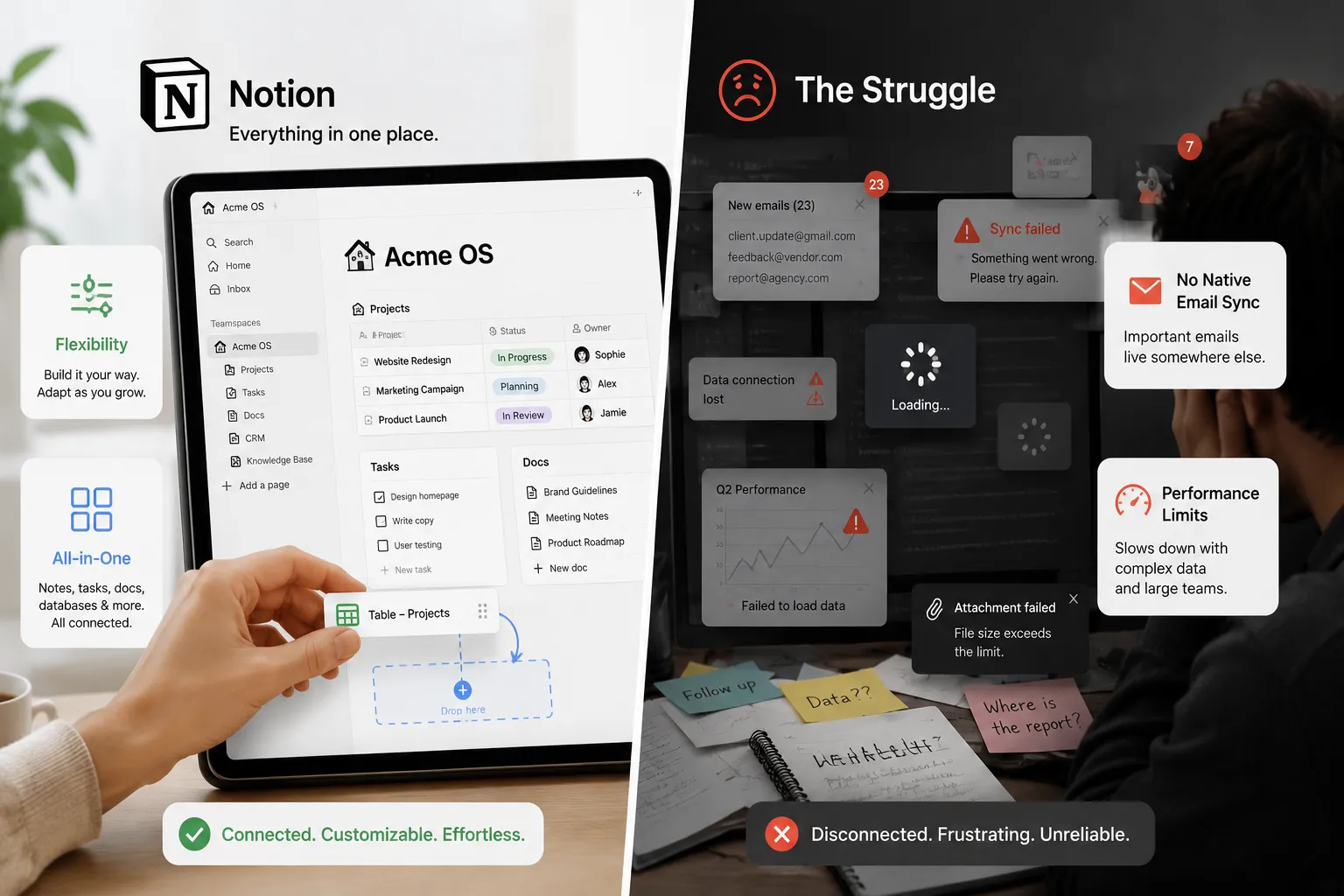
Notion is a general-purpose workspace with a strong database engine bolted on. Salesforce and HubSpot are purpose-built for sales operations at scale. Both statements can be true, and the right answer depends on which constraint matters more to you: cost and flexibility, or automation and enforcement.
| Feature | Notion | Dedicated CRM |
|---|---|---|
| Customization | High | Moderate |
| Automation | Improving (agents, autofill) but manual by default | Advanced/native |
| Reporting | Simple views, manual rollups | Complex analytics, forecasting |
Move to a dedicated platform when your sales process outgrows what board views and manual data hygiene can support — usually signaled by a sales team large enough that nobody owns data quality, or a need for automated sequences and forecasting that Notion still can’t natively replicate.
Is Notion CRM Good Enough for Small Business?
For most small businesses under roughly 50 total clients and a sales team under 15 people, yes — with the caveat that “good enough” means you’re trading automation for flexibility and cost, and someone on the team needs to own data hygiene as an ongoing responsibility, not a one-time setup task.
It’s a strong fit if: your sales process is relationship-driven rather than high-volume, you’re already living in Notion for other work, and you don’t need multi-step automated sequences or forecasting to run the business today.
It’s the wrong fit if: you’re already running enough volume that manual data entry is a bottleneck, you need marketing automation baked into the same system, or your team is large enough that inconsistent data entry from one rep breaks reporting for everyone else. In our experience, that inflection point tends to show up somewhere around 15–20 sales reps or a few thousand active contacts — well before Notion’s technical limits, and closer to when the manual-discipline model stops holding up socially across a bigger team.
Tips for Optimizing Your Notion CRM
- Use AI Autofill and Custom Agents for enrichment, not judgment calls. Let automation handle tagging, categorizing, and flagging stale deals. Keep qualification and next-step decisions with a human — that’s still where Notion’s flexibility is a strength rather than a liability.
- Set up Notion Forms for lead capture. It removes the need for a separate intake tool and puts new leads directly into your Deals database with the right properties already filled.
- Treat data hygiene as a role, not a policy. Naming conventions and “required” fields only work if someone actually audits the database on a schedule. Automated reminders for stale deal statuses help, but they don’t replace an owner.
- Connect Notion Mail before you connect anything else. Of everything we tested, closing the gap between inbox and CRM record produced the most immediate day-to-day time savings for reps.
Conclusion
Six months in, our take hasn’t changed much, but the tool has: Notion is a genuinely capable CRM for a small, relationship-driven sales team, and the 2026 additions — Notion Mail, AI Autofill, and Custom Agents — have closed real gaps that used to make it feel like a workaround. It is still not a replacement for a dedicated CRM once you need automated sequencing, enforced data validation, or serious forecasting.
If you’re already living in Notion and your sales process is still simple enough to track by hand, test it before you sign a CRM contract. If you’re past that point, the honest move is a hybrid: Notion for the workspace your team actually opens every day, and a dedicated platform for the parts of revenue operations that genuinely need automation.
FAQ About Notion as a CRM
Is Notion a good CRM option for growing sales teams?
It works well up to roughly 15–20 reps with a straightforward sales process. Past that, manual data entry and the lack of native automation become real bottlenecks.
How does Notion CRM compare to HubSpot?
Notion wins on cost and on unifying documentation with your pipeline. HubSpot wins on built-in automation, email sequencing, and reporting — at a meaningfully higher price per seat.
Can Notion track or send emails automatically now?
Notion Mail connects your inbox to Notion and lets AI auto-label and organize messages, but it still doesn’t run automated multi-step sequences the way a dedicated CRM’s marketing automation does.
What does Notion CRM actually cost in 2026?
Free for a solo user with real limits, about $10/seat/month (annual) on Plus for small-team collaboration, and about $20/seat/month (annual) on Business if you want full AI features like Autofill and Notion Agent.
What are the biggest notion CRM pros and cons?
Pros: low cost, a single connected workspace, and AI features that now handle real enrichment work. Cons: no enforced data validation, no native sales automation, and reporting that doesn’t scale past a few thousand records.
Is Notion the best CRM for small businesses on a budget?
For teams already using Notion, yes — it’s the cheapest way to get a working CRM without a second subscription. For teams starting from zero, it’s worth comparing against a CRM’s own free tier before assuming Notion is automatically the cheaper path.
What was our honest takeaway after six months?
Better data quality through higher adoption, real savings versus Salesforce, but more ongoing manual discipline required than a dedicated tool would demand.
You May Also Like
 SaaS
SaaSWhy Cloud CRM Has Quietly Become the Backbone of Modern Customer Support
 SaaS
SaaSWhat Is No-Code Automation? How It Works, Benefits, and Risks
 Cloud Computing
8 Best AWS S3 Alternatives Compared: Pricing, Egress, and S3 Compatibility
 SaaS
SaaSWhat is Confluence Used For In Project Management?
 SaaS
SaaSCognito Forms to Jira Software Cloud Integration: Setup, Automation, Field Mapping, and Best Practices
 Web Development
Building Apps with Lovable and Supabase: A Step-by-Step Guide
 Web Development
Heroku vs. Netlify (2026): Pricing, Features, and Best Uses
 Software
When Fixing Bugs Is No Longer Enough: How to Rescue a Failing Software Project
 SaaS
SaaS