

An obfuscated VPN is a special type of VPN that disguises your encrypted traffic as regular internet activity. This technology makes it impossible for governments, ISPs, and network administrators to detect that you’re using a VPN at all.
Think about it this way: regular VPNs are like wearing a mask in public. People can see you’re hiding your face, even if they don’t know who you are. Obfuscated VPNs are more like blending into a crowd. Nobody even notices you’re there.
In 2025, internet censorship continues to grow worldwide. Countries like China, Russia, and Iran block VPN connections using sophisticated detection systems. Schools and workplaces restrict VPN usage to control access. Even streaming services block VPNs to enforce regional content restrictions. This is where obfuscation becomes essential. This guide explains everything you need to know about obfuscated VPNs, from how they work to when you actually need one.
What Is an Obfuscated VPN?
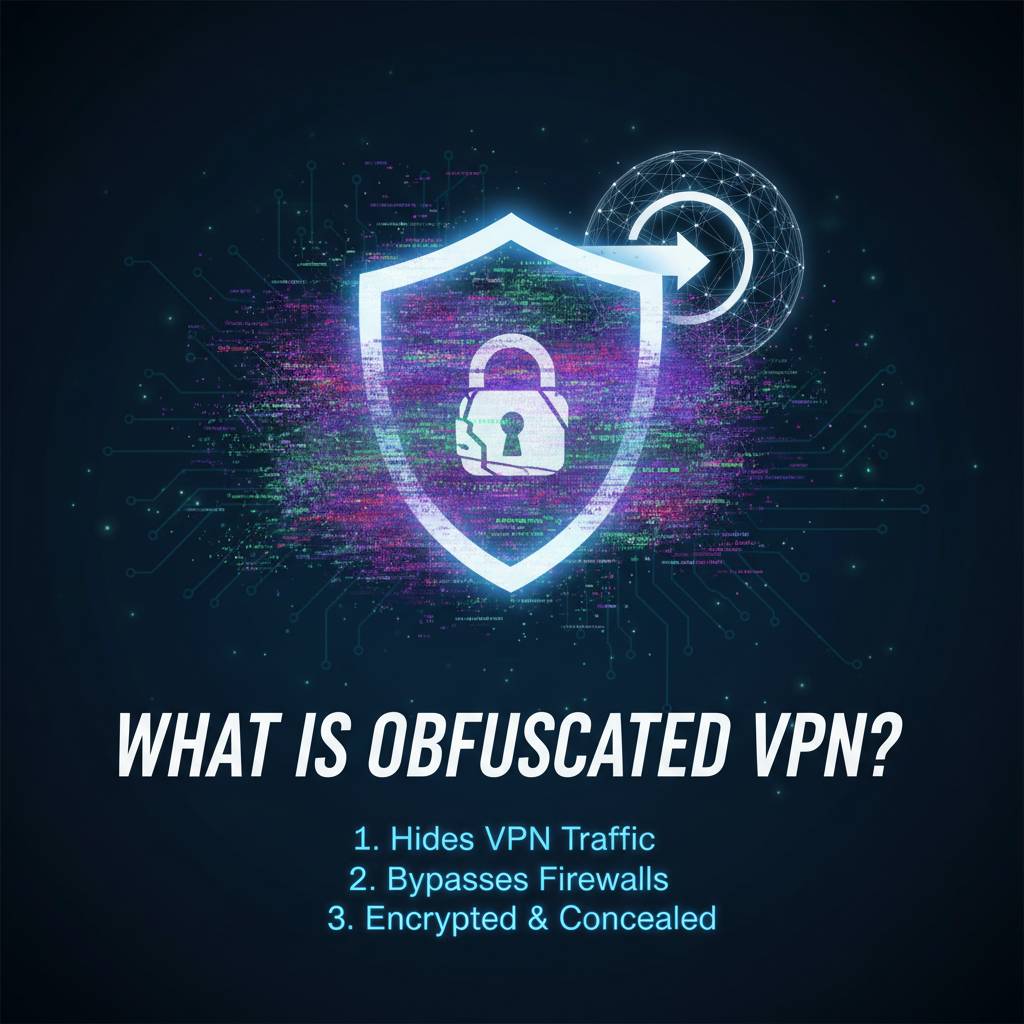
An obfuscated VPN uses specialized technology to hide the fact that you’re using a VPN by making your encrypted traffic look like normal HTTPS web browsing. Standard VPNs leave identifiable patterns that detection systems can spot. Obfuscated VPNs remove these patterns completely.
Regular VPNs encrypt your data to protect your privacy. This is similar to how encryption works in general. However, the encryption itself creates recognizable signatures. Network monitoring tools called Deep Packet Inspection (DPI) can identify these signatures even without seeing what’s inside the encrypted data.
Obfuscation adds an extra layer that scrambles these identifiable patterns. The result looks identical to regular encrypted web traffic from sites like Facebook or Google. Detection systems cannot tell the difference between your VPN connection and normal browsing activity.
The Problem Obfuscated VPNs Solve
Standard VPNs face three major detection methods:
Port blocking happens when networks block the specific ports VPNs typically use. OpenVPN commonly uses port 1194. Network administrators simply block this port to prevent VPN connections.
Protocol detection identifies VPN traffic by analyzing packet structure. Each VPN protocol (OpenVPN, WireGuard, IKEv2) creates unique patterns in how data packets are organized. DPI systems recognize these patterns instantly.
IP blacklisting occurs when authorities compile lists of known VPN server addresses. When your device connects to a blacklisted IP, the connection gets blocked immediately.
Obfuscated VPNs solve all three problems simultaneously. They use standard HTTPS ports like 443 that websites require. They eliminate protocol signatures that DPI detects. They make traffic analysis impossible because the data stream appears completely normal.
How Does VPN Obfuscation Work?
VPN obfuscation works by wrapping your encrypted VPN traffic in an additional layer that mimics standard HTTPS traffic, removing all identifiable VPN characteristics. Different obfuscation methods use various techniques to achieve this disguise.
Obfuscation Methods Explained
Obfsproxy was originally developed for the Tor network. This method transforms OpenVPN traffic to look like random data streams. Obfsproxy pluggable transports create different “shapes” for your traffic. The most common variant, obfs4, adds random padding and changes packet timing patterns. Network observers see what appears to be generic encrypted traffic with no distinguishing features.
Stunnel takes a different approach. It wraps VPN connections inside TLS/SSL encryption, the same technology websites use for HTTPS. When you connect through Stunnel, your VPN traffic travels through what looks exactly like a secure connection to a website. This is particularly effective because blocking Stunnel would mean blocking all HTTPS traffic, breaking the entire internet. Understanding SSL certificate providers helps explain why this approach works so well.
Shadowsocks was specifically designed in China to bypass the Great Firewall. This lightweight proxy uses SOCKS5 protocol with custom encryption. The traffic pattern mimics ordinary web browsing so closely that detection becomes nearly impossible. Shadowsocks has become popular globally for its speed and effectiveness. If you want to learn more about proxy protocols, check out this guide on types of proxies explained.
Proprietary protocols are custom obfuscation methods developed by VPN providers. NordVPN created NordLynx, which combines WireGuard with obfuscation. ExpressVPN developed Lightway with built-in stealth capabilities. These protocols offer optimized performance while maintaining strong obfuscation.
The Technical Process
When you connect to an obfuscated VPN, here’s what happens:
- Initial Connection: Your device establishes what appears to be a normal HTTPS connection to the VPN server using port 443, the standard port for encrypted web traffic.
- Obfuscation Layer Activation: The obfuscation layer wraps your VPN protocol inside the HTTPS tunnel, removing all VPN-specific signatures from data packets.
- Data Encryption: Your actual data gets encrypted and transmitted through this disguised tunnel with multiple encryption layers protecting your information.
- Server Processing: The VPN server receives your traffic, removes the obfuscation layer, and processes your requests normally while return traffic follows the same process in reverse.
The entire connection appears as innocent HTTPS activity to any observer. This is similar to how VPN encryption protects your data, but with an additional stealth layer.
When Do You Need an Obfuscated VPN?
You need an obfuscated VPN when you face active VPN blocking, government censorship, or network restrictions that prevent standard VPN connections from working. Not everyone requires obfuscation features.
Countries With Heavy Internet Censorship
China operates the most sophisticated internet censorship system globally, known as the Great Firewall. Standard VPNs stopped working there years ago. The government continuously updates detection methods to identify and block VPN traffic. Only obfuscated VPNs can reliably bypass these restrictions. Understanding countries where VPN usage is illegal helps you assess regional risks.
Russia implemented laws requiring VPN providers to connect to government databases and log user activity. The government actively blocks non-compliant VPN services. Obfuscated VPNs help Russian citizens access uncensored information despite these restrictions.
Iran blocks most VPN protocols during politically sensitive periods. The government increases censorship during protests or elections. Citizens rely on obfuscated VPNs to communicate with the outside world and access blocked social media platforms.
Turkey restricts access to social media, news sites, and VPN services during certain events. Standard VPN connections face intermittent blocking. Obfuscated connections maintain reliability during these crackdowns.
United Arab Emirates makes VoIP services like WhatsApp calling illegal. Many people need VPNs to make international calls affordably. However, the UAE also restricts VPN usage. Obfuscated VPNs provide a solution, though users should understand the legal risks. Learn more about using VPN for WhatsApp call in UAE.
Workplace and School Networks
Many organizations block VPN traffic to enforce acceptable use policies. IT departments configure firewalls to detect and prevent VPN connections. Employees working remotely may need to bypass these restrictions for legitimate reasons. Understanding why you need a VPN when working remotely becomes important here.
Educational institutions often restrict network access to prevent bandwidth abuse. Students cannot access certain websites or services. Standard VPNs get blocked immediately. Obfuscated VPNs allow students to maintain privacy and access educational resources blocked by overly restrictive filters.
Public WiFi networks in hotels, airports, and cafes sometimes block VPN usage. The network owners want to monitor traffic or enforce content restrictions. Obfuscated VPNs work on these networks without triggering blocks. This is particularly important when you need to bypass WiFi restrictions.
ISP Throttling and Discrimination
Internet service providers sometimes slow down specific types of traffic. They throttle streaming video, file sharing, or VPN connections to manage bandwidth. When ISPs detect VPN usage, they may deliberately reduce your connection speed.
Obfuscated VPNs prevent ISPs from identifying your traffic type. The ISP cannot throttle what it cannot detect. Your connection maintains full speed because the traffic appears as normal web browsing. This relates to the broader question of whether a VPN can improve your internet speed.
Some ISPs engage in discriminatory practices against VPN users. They assume VPN usage indicates copyright infringement or other prohibited activities. Obfuscation prevents this unfair treatment by making your VPN invisible.
Streaming and Geo-Blocking
Netflix, Hulu, BBC iPlayer, and other streaming platforms actively block VPN connections. They must enforce regional licensing agreements for content. These services maintain databases of known VPN server IP addresses and block them. Many people wonder if using VPN to watch Netflix is legal.
Obfuscated VPNs help bypass these blocks by hiding VPN signatures. The streaming service cannot detect that you’re using a VPN. However, success rates vary. Some providers work better than others for specific streaming services. You’ll need to test different servers and protocols. Learn more about how a VPN can help bypass geo-blocking restrictions.
Sports streaming services like ESPN+ or DAZN also block VPNs. Obfuscation increases your chances of accessing content, though it’s not guaranteed. Regional content restrictions remain challenging to circumvent consistently.
Obfuscated VPN vs Regular VPN: What’s the Difference?
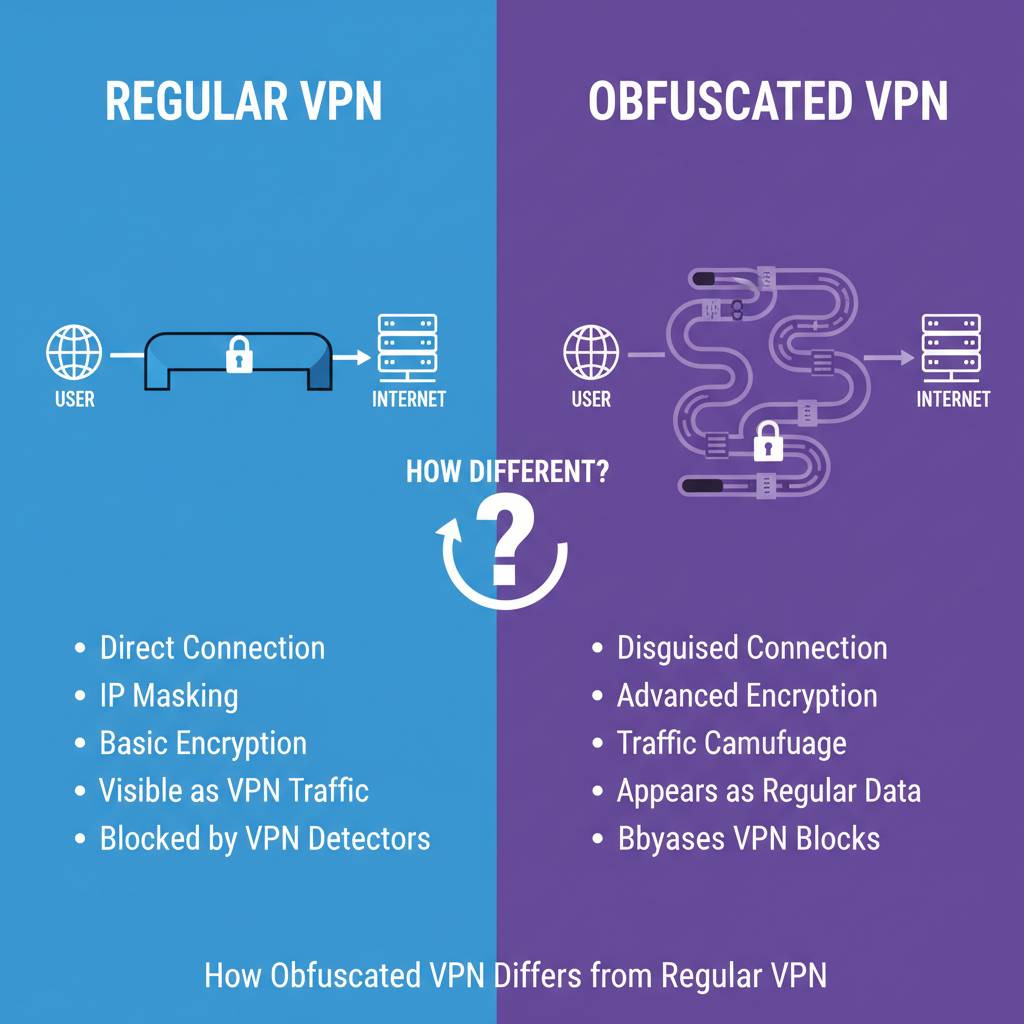
Regular VPNs encrypt your data but leave detectable patterns, while obfuscated VPNs hide both your data and the fact that you’re using a VPN. The main differences affect performance, detection, and use cases.
Detection and Blocking
Regular VPNs use standard protocols like OpenVPN, WireGuard, or IKEv2. These protocols have specific signatures that network monitoring tools can identify. DPI systems scan traffic patterns and match them against known VPN signatures. When a match occurs, the network blocks or throttles the connection.
Obfuscated VPNs eliminate these detectable signatures completely. The traffic looks identical to normal HTTPS connections. DPI systems cannot distinguish between your VPN session and someone browsing Facebook. This makes blocking nearly impossible without breaking all encrypted web traffic.
Speed and Performance
Regular VPNs typically offer faster speeds because they use less complex encryption processes. WireGuard, for example, provides excellent performance with minimal overhead. The streamlined code runs efficiently on all devices.
Obfuscated VPNs add extra processing steps that can reduce speed by 10-30%. The additional obfuscation layer requires more computational resources. Your device must wrap and unwrap the extra encryption. However, modern obfuscation protocols like Shadowsocks minimize this performance penalty. The speed difference often goes unnoticed during normal browsing.
Compatibility and Setup
- Regular VPNs: Work on all devices with simple one-click setup, supported natively by most operating systems, and require minimal configuration.
- Obfuscated VPNs: May require manual configuration, not supported on all devices without additional software, and sometimes need specific apps or settings enabled.
Security Levels
Both regular and obfuscated VPNs provide strong encryption for your data. The security of your actual information remains the same. Obfuscation adds protection against detection, not against hackers trying to decrypt your data.
Regular VPNs protect you from hackers, ISP snooping, and third-party tracking. They secure your connection on public WiFi. They prevent websites from seeing your real IP address, which is important when you want to hide your real IP address.
Obfuscated VPNs provide all the same security benefits plus invisibility. They protect you from all the same threats while also preventing detection of VPN usage itself. This extra layer matters when using a VPN is prohibited or restricted.
Cost Considerations
Regular VPN services typically cost between $3 to $12 per month. Many providers offer free versions with limited features. Competition keeps prices reasonable for standard VPN services.
Obfuscated VPN services usually cost slightly more, ranging from $5 to $15 per month. The additional infrastructure and development costs justify the higher price. Free VPNs rarely offer obfuscation features. Understanding the benefits of a paid VPN over a free VPN helps explain this price difference.
Use Case Summary
| Scenario | Regular VPN | Obfuscated VPN |
|---|---|---|
| Privacy on public WiFi | ✓ Sufficient | ✓ Works but unnecessary |
| Bypass school/work blocks | ✗ Often blocked | ✓ Highly effective |
| Countries with censorship | ✗ Usually blocked | ✓ Essential |
| Streaming services | △ Sometimes works | ✓ Better success rate |
| ISP throttling | △ May be detected | ✓ Prevents detection |
| General privacy | ✓ Sufficient | ✓ Works but unnecessary |
Types of VPN Encryption Protocols That Support Obfuscation
OpenVPN, Shadowsocks, and proprietary protocols offer the best obfuscation capabilities, while WireGuard requires additional tools for effective traffic disguise. Each protocol handles obfuscation differently.
OpenVPN With Obfuscation
OpenVPN remains the most popular protocol for obfuscated connections. It works with multiple obfuscation methods including Obfsproxy, Stunnel, and XOR patching. Most VPN providers that offer obfuscation use OpenVPN as the base protocol.
XOR patching is a simple obfuscation method that scrambles OpenVPN packets. It adds a layer of XOR encryption that removes obvious OpenVPN signatures. While not the strongest obfuscation method, XOR patching works well against basic detection systems.
Stunnel wraps OpenVPN inside SSL/TLS encryption. This makes the traffic appear identical to HTTPS connections. Stunnel obfuscation defeats even sophisticated DPI systems because blocking it would require blocking all secure websites.
Shadowsocks Protocol
Shadowsocks was specifically designed for obfuscation from the ground up. Chinese developers created it to bypass the Great Firewall. The protocol uses SOCKS5 proxy with custom encryption that mimics regular web traffic.
Shadowsocks offers excellent speed because it’s lightweight. The protocol requires fewer resources than OpenVPN with obfuscation. It works particularly well on mobile devices where battery life matters.
The protocol supports multiple encryption ciphers including AES-256-GCM and ChaCha20-Poly1305. Users can choose between security and speed based on their needs. Shadowsocks has proven highly effective against censorship for over a decade.
WireGuard and Obfuscation
WireGuard is a modern VPN protocol known for exceptional speed and security. However, WireGuard was not designed with obfuscation in mind. The protocol has a very distinctive signature that’s easy to detect.
To use WireGuard with obfuscation, you need additional tools. Projects like wg-obfuscator wrap WireGuard traffic in obfuscation layers. Some VPN providers combine WireGuard with proprietary obfuscation methods. These hybrid approaches attempt to combine WireGuard’s speed with stealth capabilities. Learn more about different types of VPN encryption protocols.
IKEv2/IPsec Limitations
IKEv2/IPsec offers strong security and works well on mobile devices. However, this protocol is difficult to obfuscate effectively. The protocol structure makes it easy for DPI systems to identify.
Few VPN providers offer IKEv2 obfuscation. When they do, the implementation often involves significant speed penalties. For obfuscation purposes, OpenVPN or Shadowsocks provide better results.
Proprietary Protocols
Several VPN providers developed custom protocols with built-in obfuscation:
- NordLynx (NordVPN): Combines WireGuard’s speed with proprietary obfuscation technology for both performance and stealth.
- Lightway (ExpressVPN): Built from scratch with obfuscation capabilities integrated into the core protocol design.
- Chameleon (VyprVPN): Scrambles OpenVPN packet metadata to prevent DPI detection while maintaining high connection speeds.
- Catapult Hydra (Hotspot Shield): Proprietary protocol that claims to offer both speed and obfuscation, though independent testing is limited.
These proprietary solutions often provide the best balance between speed and obfuscation. However, they lack the transparency of open-source protocols. Security researchers cannot audit the code to verify security claims.
How to Choose an Obfuscated VPN Service
Choose an obfuscated VPN based on the obfuscation methods offered, server locations in unrestricted countries, no-logs policy verification, and proven effectiveness in your specific region. Not all obfuscated VPNs work equally well everywhere.
Obfuscation Technology Assessment
First, verify which obfuscation methods the VPN provider offers. Ask specifically about the technologies used. Providers should clearly state whether they use Obfsproxy, Stunnel, Shadowsocks, or proprietary methods.
Test the obfuscation before committing to a long-term subscription. Most reputable providers offer money-back guarantees. Use this trial period to verify the service works in your specific situation. Test from your actual location with your actual network.
Check if obfuscation is automatic or manual. Some services automatically detect blocking and enable obfuscation. Others require you to manually select obfuscated servers or enable specific settings. Automatic obfuscation is more convenient but may not always choose the optimal method.
Server Network Considerations
The server location matters significantly for obfuscated VPNs. Servers must be located in countries with strong internet freedom. Avoid VPN providers with servers only in censored regions.
Look for providers with servers near your location. Closer servers typically offer better speeds. However, also ensure servers exist in your desired destination countries. If you want to access US content, the provider needs US servers that work with obfuscation.
Check the total number of servers available. More servers mean less crowding and better performance. Premium obfuscated VPN services typically offer thousands of servers across 50+ countries.
Privacy and Logging Policies
- No-logs policy: The provider should not record your browsing activity, connection times, IP addresses, or DNS queries.
- Independent audits: Look for providers that have undergone third-party security audits to verify their no-logs claims.
- Jurisdiction matters: Choose providers based in privacy-friendly countries outside surveillance alliances like Five Eyes, Nine Eyes, or Fourteen Eyes.
- Payment options: Anonymous payment methods like cryptocurrency indicate strong privacy commitment.
Privacy becomes especially important when using obfuscated VPNs in restricted regions. If the provider logs your activity, authorities could obtain this information. This relates to broader questions about whether VPNs are really safe to use.
Performance and Reliability
Speed tests matter, but take advertised speeds with skepticism. Test the actual performance yourself. Obfuscated connections will be slower than regular VPN connections. Expect 10-30% speed reduction.
Connection reliability is more important than raw speed for obfuscated VPNs. A slightly slower connection that never drops is better than a fast connection that frequently disconnects. Frequent disconnections expose your real IP address.
Check if the provider offers split tunneling. This feature lets you route only specific apps through the VPN. You can obfuscate your sensitive traffic while allowing other apps to connect directly. This improves overall performance.
Customer Support Quality
Good customer support is essential for obfuscated VPNs. The technology can be complex to configure. You may need help troubleshooting connection issues.
Look for providers offering:
- 24/7 live chat support for immediate assistance
- Email support for detailed technical questions
- Comprehensive knowledge base with setup guides
- Community forums where users share solutions
Test the support before purchasing. Ask specific questions about obfuscation. The quality of responses indicates the provider’s expertise and commitment to helping users.
Price and Value Analysis
Obfuscated VPN services typically cost more than regular VPNs. Expect to pay $5-15 per month. Longer subscription periods usually offer better per-month pricing.
Avoid extremely cheap providers. Quality obfuscation infrastructure costs money to maintain. Providers charging $2-3 per month likely cut corners somewhere. This might mean poor server quality, weak obfuscation, or questionable privacy practices.
Free VPNs almost never offer real obfuscation. Free services make money by selling user data or showing ads. They lack the resources to maintain sophisticated obfuscation technology. The benefits of paid VPN over free VPN become especially clear with obfuscation features.
Device and Platform Support
Verify the VPN works on all your devices. Most providers offer apps for:
- Windows, macOS, and Linux computers
- iOS and Android smartphones
- Router installation for whole-home protection
- Browser extensions for quick access
Check simultaneous connection limits. Quality providers allow 5-10 simultaneous connections. This lets you protect multiple devices with one subscription.
Some providers offer specific apps for obfuscated connections. Others require manual configuration. An easier setup means you’re more likely to use the service correctly and consistently.
Setting Up and Using an Obfuscated VPN
Set up an obfuscated VPN by downloading the provider’s app, enabling obfuscation in settings, connecting to a recommended server, and verifying the connection works through testing. The exact process varies by provider.
Initial Setup Process
Start by choosing a reputable obfuscated VPN provider. Complete the signup process and download the appropriate app for your device. Install the app following the standard installation procedure for your operating system.
Launch the app and log in with your credentials. Most modern VPN apps have clean, simple interfaces. Look for a settings or preferences menu. This is where you’ll enable obfuscation features.
Enabling Obfuscation Features
Different providers handle obfuscation differently:
Automatic obfuscation activates when the app detects VPN blocking. You simply connect normally, and the app handles the rest. This is the easiest option for non-technical users.
Manual obfuscation requires you to enable a specific setting. Look for options labeled “Obfuscated Servers,” “Stealth Mode,” “Camouflage Mode,” or similar terms. Enable this setting before connecting.
Server-specific obfuscation means only certain servers offer obfuscation. The app will display these servers with special labels. Connect specifically to these marked servers.
Choosing the Right Server
- Geographic proximity: Select servers close to your physical location for better speeds
- Server load: Choose servers with lower user counts to avoid congestion
- Specific capabilities: Some servers may work better with certain streaming services or websites
- Protocol selection: Pick the obfuscation protocol that works best in your situation
Many apps show server load percentages. Servers at 80-100% capacity will be slower. Try different servers to find the best performance.
Testing Your Connection
After connecting, verify that obfuscation is working. Visit websites that detect VPN usage. Several online tools can check if your connection appears to be using a VPN.
Test your IP address to confirm it changed. Your real IP should be hidden. The displayed IP should match the VPN server location you selected.
Check for DNS leaks that could expose your real location. DNS leak test tools show which DNS servers are handling your requests. They should belong to your VPN provider, not your ISP. This is part of basic network security practices.
Try accessing previously blocked websites. If obfuscation is working correctly, you should be able to access restricted content. If sites remain blocked, try different servers or obfuscation methods.
Troubleshooting Common Issues
Connection failures often mean the selected server is down or overcrowded. Switch to a different server. If problems persist, try changing the obfuscation protocol in settings.
Slow speeds can result from server distance or overcrowding. Connect to closer servers with lower load. Disable features you don’t need, like kill switch or split tunneling, to improve performance.
Detection and blocking means the obfuscation method isn’t working for your situation. Try different obfuscation protocols. Contact customer support for server recommendations specific to your location and needs.
App crashes or freezes might indicate software conflicts. Close other VPN or security software. Restart your device. Reinstall the VPN app if problems continue.
Advanced Configuration
Technical users may want to configure obfuscation manually. This involves setting up OpenVPN configuration files with obfuscation parameters. Manual configuration offers more control but requires technical knowledge.
Download OpenVPN configuration files from your provider’s website. Edit these files to include obfuscation parameters. Import the modified configuration into an OpenVPN client. This approach works well on devices where the provider doesn’t offer a native app.
Router installation protects all devices on your network automatically. This requires a router that supports VPN client functionality. Flash custom firmware like DD-WRT or Tomato if needed. Configure the router to connect to obfuscated VPN servers. Every device connecting to your WiFi will automatically use the obfuscated VPN.
Limitations and Drawbacks of Obfuscated VPNs
Obfuscated VPNs have slower speeds, higher costs, limited server options, and may not work 100% reliably against the most advanced detection systems. Understanding these limitations helps set realistic expectations.
Speed Reduction
Obfuscation adds processing overhead that reduces connection speeds. The extra encryption layer requires additional computational resources. Your device must wrap data in obfuscation, send it, then the server must unwrap it.
Expect speed reductions of 10-30% compared to regular VPN connections. Already, regular VPNs reduce speeds by 20-50% compared to direct connections. Obfuscated VPNs compound this reduction. A 100 Mbps connection might deliver only 35-65 Mbps through an obfuscated VPN.
For basic web browsing and messaging, this speed reduction rarely causes problems. However, bandwidth-intensive activities like 4K streaming or large file downloads become noticeably slower. Online gaming may experience increased latency. Understanding if 1000 Mbps is good for gaming helps contextualize these speed impacts.
Higher Service Costs
Quality obfuscated VPN services cost more than standard VPNs. The infrastructure requirements are greater. Providers must maintain specialized servers and develop complex obfuscation technology.
Expect to pay $8-15 per month for reliable obfuscated VPN service. Budget providers charging $3-5 monthly may offer weak obfuscation that doesn’t work effectively. Premium pricing doesn’t guarantee better service, but extremely cheap options rarely deliver quality obfuscation.
The higher cost becomes a barrier for users in economically disadvantaged regions. Ironically, these regions often face the strictest censorship. Some providers offer regional pricing or special programs for activists and journalists.
Limited Server Selection
- Fewer obfuscated servers: Providers typically offer obfuscation on a subset of their total servers
- Concentrated locations: Obfuscated servers are usually available in major countries only
- Higher server load: Fewer servers means more users competing for the same resources
- Less optimal routing: You may not find an obfuscated server close to your physical location
These limitations affect performance and reliability. During peak hours, obfuscated servers can become overcrowded. Users experience slower speeds and connection difficulties.
Detection Arms Race
Censorship systems continuously evolve to detect new obfuscation methods. Governments invest heavily in DPI technology. When a new obfuscation technique emerges, censors work to identify and block it.
China’s Great Firewall regularly receives updates that detect previously working obfuscation methods. A VPN that works perfectly today might stop working next month. This constant cat-and-mouse game means no obfuscation method is permanently effective.
Users in heavily censored regions must stay informed about which providers currently work. Online communities and forums share real-time information about VPN effectiveness. However, this information becomes outdated quickly.
Technical Complexity
Setting up obfuscated VPNs can be more complex than standard VPNs. Not all providers offer automatic obfuscation. Manual configuration requires technical knowledge that average users may lack.
Troubleshooting connection problems with obfuscated VPNs is more difficult. Multiple layers of technology mean more potential failure points. Is the problem with your internet, the VPN connection, the obfuscation layer, or the destination website?
Some devices don’t support obfuscation without additional software. Mobile devices, smart TVs, and gaming consoles may not work with obfuscated connections. This limits where you can use the technology.
Legal and Ethical Considerations
Using obfuscated VPNs to bypass censorship may be illegal in some countries. China, Russia, Iran, and other nations have laws restricting or banning VPN usage. Penalties range from fines to imprisonment for serious violations. Understanding VPN restrictions in your region is crucial.
Even where VPNs are legal, using them to access prohibited content might not be. Accessing gambling sites in countries where gambling is illegal remains illegal, even through a VPN. The obfuscation doesn’t change the legal status of the underlying activity.
Employers and schools may have acceptable use policies that prohibit VPN usage. Violating these policies can result in job termination or academic discipline. The fact that they can’t easily detect your VPN doesn’t make using it acceptable.
False Sense of Security
Obfuscated VPNs hide VPN usage but don’t make you completely anonymous. Determined adversaries with sufficient resources can still identify users through various methods. Traffic correlation attacks, browser fingerprinting, and account-based tracking remain effective.
Users sometimes believe obfuscation provides complete protection. This overconfidence leads to risky behavior. You still need to practice good security habits like using HTTPS websites, avoiding suspicious downloads, and being careful about what information you share online.
Real-World Use Cases and Examples
Obfuscated VPNs help journalists report from restrictive countries, enable citizens to access uncensored information, allow travelers to maintain access to home services, and help businesses operate in censored regions. These practical examples show how the technology makes a difference.
Journalism in Restrictive Countries
Foreign correspondents and local journalists working in censored countries rely on obfuscated VPNs daily. They need to communicate with editors, access research materials, and file stories without government interference.
A reporter in Belarus uses an obfuscated VPN to access blocked news websites and social media platforms. Standard VPNs stopped working after the 2020 protests when the government intensified internet restrictions. Shadowsocks-based obfuscation allows the journalist to continue working despite the blocks.
Investigative journalists researching corruption in authoritarian regimes need to protect their sources. Obfuscated VPNs help them communicate securely while hiding the fact that they’re using encryption tools. This additional layer of protection can be literally life-saving.
Accessing Blocked Social Media
Citizens in countries with social media restrictions use obfuscated VPNs to stay connected with the world. During political unrest, governments often block Facebook, Twitter, WhatsApp, and other platforms.
Iranian students use obfuscated VPNs to access Instagram and Telegram. These platforms are officially banned but widely used. Regular VPNs get detected and blocked within hours. Obfuscated connections using Shadowsocks protocol remain functional for months.
Chinese users access YouTube, Google, and international news sites through obfuscated VPNs. The Great Firewall blocks these services permanently. Obfuscation technology specifically designed to defeat Chinese censorship systems makes access possible. This connects to broader considerations about how important cybersecurity is for small businesses operating globally.
Business Operations Across Borders
- Remote teams: Companies with employees in censored countries need reliable communication tools that obfuscated VPNs provide
- Market research: Businesses researching international markets access blocked websites to understand local competition and consumer behavior
- Cloud services: Companies relying on blocked cloud services like Google Workspace or Dropbox need obfuscated VPNs for business continuity
- Customer support: International companies providing support to customers in restricted regions maintain accessibility through obfuscation
Student and Academic Research
University students conducting research often need access to academic resources blocked in their countries. Research papers, journals, and educational websites may be inaccessible due to government censorship or institutional restrictions.
A graduate student in Turkey researching political science needs access to blocked news archives and academic databases. Standard institutional VPNs get blocked during politically sensitive periods. An obfuscated personal VPN provides reliable access to required research materials.
International students studying abroad want to access educational resources from their home countries. Some educational platforms are geographically restricted. Obfuscated VPNs help students access both their home country resources and international materials simultaneously.
Travelers and Expats
People traveling to or living in countries with internet restrictions need obfuscated VPNs to maintain access to normal services. This includes business travelers, expatriates, and tourists.
An American expat working in Saudi Arabia wants to video call family using services that are blocked or unreliable. Obfuscated VPN allows consistent access to FaceTime, Skype, and other communication platforms.
Business travelers visiting China need to access their company’s cloud services, email, and collaboration tools. Most Western business tools are blocked by the Great Firewall. Obfuscated VPN configured before arrival ensures uninterrupted business operations during the trip.
Whistleblowers and Activists
Human rights activists and whistleblowers face severe risks when exposing corruption or human rights abuses. They need maximum protection when communicating with journalists or international organizations.
An activist documenting human rights violations uses obfuscated VPN to upload evidence to international human rights groups. The combination of encryption and obfuscation makes it extremely difficult for authorities to detect and intercept communications.
Corporate whistleblowers exposing illegal practices need secure channels to contact regulators or media. Obfuscated VPNs provide a layer of protection when accessing secure document submission platforms. This ties into broader concerns about how to handle sensitive information.
Streaming and Entertainment
People living in or visiting countries with limited streaming content use obfuscated VPNs to access their subscription services. Someone who pays for Netflix in the US wants to watch their shows while traveling abroad.
Obfuscated VPN helps bypass Netflix’s VPN detection systems. While not foolproof, it significantly increases success rates compared to regular VPNs. Users can watch region-specific content that wouldn’t otherwise be available.
Sports fans wanting to watch live events blocked in their region use obfuscated VPNs to access international streaming services. Regional broadcasting restrictions mean some games aren’t available locally. Obfuscation helps access these streams without detection. Some users question if streaming movies with a VPN is legal, which depends on local laws and terms of service.
Security Best Practices When Using Obfuscated VPNs
Combine obfuscated VPN with other security measures including HTTPS Everywhere, strong authentication, regular software updates, and careful browsing habits to maximize protection. Obfuscation alone doesn’t guarantee complete security.
Enable Kill Switch Feature
A kill switch automatically disconnects your internet if the VPN connection drops. This prevents your real IP address from being exposed during connection failures. Without a kill switch, moments of disconnection could reveal your identity or location.
Enable the kill switch in your VPN app settings. Test it by manually disconnecting the VPN while loading a website. The page should fail to load rather than connecting through your regular internet. This simple feature provides critical protection.
Use HTTPS Websites Only
HTTPS encryption protects your data even within the VPN tunnel. Visit only websites that use HTTPS (look for the padlock icon in your browser). HTTP websites can expose information to your VPN provider or anyone intercepting traffic at the VPN server.
Install browser extensions like HTTPS Everywhere that automatically redirect you to HTTPS versions of websites. This adds another encryption layer on top of your VPN protection. Understanding how encryption works helps you understand why multiple layers matter.
Combine With Additional Privacy Tools
- Privacy-focused browsers: Use Firefox or Brave instead of Chrome to reduce tracking and telemetry
- Ad blockers: Block advertising networks that track your browsing habits across websites
- Cookie management: Regularly clear cookies and use containers to isolate website tracking
- Search engines: Use DuckDuckGo or Startpage instead of Google to avoid search history tracking
Regular Software Updates
Keep your VPN app updated to the latest version. Updates often include security patches and improved obfuscation methods. Outdated apps may have vulnerabilities that compromise your protection.
Enable automatic updates if available. Many VPN apps can update themselves in the background. If manual updates are required, check weekly for new versions.
Keep your operating system and other software updated too. A compromised device undermines VPN protection. Malware can steal information before it enters the encrypted VPN tunnel.
Use Strong Authentication
- Strong passwords: Create unique, complex passwords for your VPN account using a password manager
- Two-factor authentication: Enable 2FA on your VPN account to prevent unauthorized access even if your password is compromised
- Biometric protection: Use fingerprint or face recognition to lock your VPN app on mobile devices
Understanding why strong passwords are important applies equally to VPN accounts as any other service.
Avoid Free WiFi Without VPN
Public WiFi in cafes, airports, and hotels is notoriously insecure. Never connect to public WiFi without your obfuscated VPN active. These networks are prime targets for hackers who intercept unencrypted traffic.
Even with VPN protection, avoid accessing highly sensitive accounts on public WiFi. Use your mobile data connection for banking and other critical services when possible.
Regular DNS Leak Tests
Perform DNS leak tests regularly to ensure your VPN isn’t exposing your queries. DNS leaks reveal which websites you visit even when your traffic is encrypted. Visit DNS leak test websites to check if your ISP’s DNS servers appear in results.
If leaks occur, configure your device to use your VPN provider’s DNS servers exclusively. Most VPN apps handle this automatically, but manual configuration may be necessary on some devices.
Split Tunneling Configuration
Use split tunneling carefully if your VPN offers this feature. Split tunneling lets you choose which apps use the VPN and which connect directly. This improves speed but can create security gaps.
Only route sensitive apps through the VPN if you use split tunneling. Banking apps, messaging, and browsers should always use the VPN tunnel. Less sensitive apps like music streaming can connect directly to save bandwidth.
Monitor for IP Leaks
- Before connecting: Note your real IP address
- After connecting: Verify your IP changed to the VPN server location
- During use: Periodically recheck your IP address to ensure the VPN remains connected
- After disconnecting: Confirm your real IP address returns
IP leak test websites show your current IP address, location, ISP, and whether you’re using a VPN. Bookmark these tools and check them regularly. This is particularly important when your VPN is safe for online shopping.
Frequently Asked Questions About Obfuscated VPNs
What is the main purpose of an obfuscated VPN?
The main purpose of an obfuscated VPN is to hide VPN usage from detection systems by disguising encrypted traffic as normal HTTPS web browsing. This allows users to bypass censorship, firewalls, and VPN blocking technologies that standard VPNs cannot defeat. The technology adds a layer that removes identifiable VPN signatures while maintaining data encryption.
Can an obfuscated VPN completely hide my internet activity?
No, an obfuscated VPN cannot make you completely anonymous or hide all internet activity. While it hides VPN usage and encrypts your traffic, determined adversaries can still track users through other methods like account-based tracking, browser fingerprinting, or traffic correlation analysis. Obfuscation protects against VPN detection specifically but doesn’t provide complete anonymity. You need additional privacy tools and practices for comprehensive protection.
Are obfuscated VPNs legal to use?
Yes, obfuscated VPNs are legal in most countries, but legality varies by jurisdiction and how you use the technology. Countries like the United States, Canada, and most European nations permit VPN usage without restrictions. However, nations including China, Russia, Iran, Iraq, Belarus, Turkey, and the UAE restrict or ban VPN usage. Using obfuscated VPNs in these countries may violate local laws. Check your local regulations before using obfuscation technology. Legal use doesn’t automatically make all activities through the VPN legal.
Do I need an obfuscated VPN for regular browsing?
No, most users don’t need an obfuscated VPN for regular browsing and privacy protection. Standard VPNs provide sufficient security for typical use cases like protecting data on public WiFi, hiding your IP address, or maintaining general privacy. You only need obfuscation when facing active VPN blocking from governments, ISPs, workplaces, schools, or streaming services. Obfuscated VPNs cost more and run slower, making them unnecessary overhead for users not facing detection and blocking.
Will an obfuscated VPN slow down my internet speed?
Yes, obfuscated VPNs reduce internet speeds by an additional 10-30% compared to regular VPN connections. The extra obfuscation layer requires additional processing power to wrap and unwrap data packets. Regular VPNs already reduce speeds by 20-50% compared to direct connections. Combined, you might experience 30-60% total speed reduction with obfuscation. Modern obfuscation protocols like Shadowsocks minimize this impact. For basic browsing and messaging, the speed reduction rarely causes noticeable problems.
Can I use free VPNs with obfuscation features?
No, free VPNs almost never offer genuine obfuscation capabilities. Quality obfuscation infrastructure requires significant investment in technology and servers. Free VPN services lack the resources to maintain effective obfuscation. They typically monetize through advertising or selling user data, which conflicts with privacy protection. Some free services claim obfuscation but offer weak implementations that don’t work against sophisticated detection. Reliable obfuscation requires paid VPN services from reputable providers.
Does obfuscation work against all VPN blocking systems?
No, obfuscation doesn’t work 100% reliably against all blocking systems. While highly effective against most detection methods, the most sophisticated censorship systems like China’s Great Firewall continuously evolve. Authorities develop new detection techniques, and VPN providers respond with improved obfuscation. This ongoing arms race means no obfuscation method remains permanently effective. Success rates vary by location, provider, and current censorship technology. Users in heavily censored regions need to stay informed about which methods currently work.
Can I set up obfuscation on my router?
Yes, you can configure obfuscation on routers that support VPN client functionality, though setup is more complex than using apps. You need a router running custom firmware like DD-WRT, Tomato, or Merlin that supports OpenVPN. Download obfuscated configuration files from your VPN provider and import them into your router. This protects all devices on your network automatically. Router-level obfuscation provides whole-home protection but requires technical knowledge to configure correctly.
How is obfuscated VPN different from Tor?
Obfuscated VPNs and Tor serve different purposes, though both hide online activity. Obfuscated VPNs disguise VPN usage to bypass detection while providing fast speeds suitable for streaming and downloading. Tor routes traffic through multiple random relays for maximum anonymity but operates very slowly. Obfuscated VPNs require trusting a single provider, while Tor distributes trust across multiple volunteer-run nodes. Tor excels at anonymity but struggles with speed. Obfuscated VPNs balance privacy, speed, and usability.
Will obfuscation help me access Netflix or other streaming services?
Yes, obfuscation increases success rates for accessing geo-restricted streaming services, though it’s not guaranteed to work. Streaming platforms like Netflix use multiple detection methods beyond simple VPN identification. They maintain databases of known VPN server IP addresses and block them. Obfuscation hides the VPN protocol but doesn’t change the server IP address. Success depends on whether the streaming service has blacklisted your specific VPN server. Some providers offer dedicated streaming servers with frequently rotated IP addresses that work better.
Conclusion
Obfuscated VPNs provide essential technology for maintaining internet freedom in an increasingly censored digital world. This specialized VPN type disguises encrypted traffic as normal HTTPS browsing, making VPN detection nearly impossible. While regular VPNs protect your data, obfuscated VPNs also hide the fact that you’re using protection at all.
You need obfuscation when facing government censorship, workplace restrictions, ISP throttling, or streaming service blocks. The technology uses methods like Obfsproxy, Stunnel, Shadowsocks, and proprietary protocols to remove identifiable VPN signatures. Each method offers different strengths for specific situations.
Obfuscated VPNs have limitations including slower speeds, higher costs, and ongoing detection battles. However, for users in restricted regions, these trade-offs are worthwhile for maintaining access to open internet. Combine obfuscation with other security practices like HTTPS browsing, strong authentication, and regular software updates for maximum protection.
Choose your obfuscated VPN provider carefully based on proven effectiveness in your region, strong privacy policies, quality customer support, and transparent technology. Test services during money-back guarantee periods to verify they work for your specific needs.
As internet censorship continues expanding globally, obfuscated VPN technology becomes increasingly important. Whether you’re a journalist reporting from restrictive countries, a student accessing educational resources, or someone wanting to maintain privacy rights, understanding and using obfuscation technology helps preserve your digital freedom.
Take action today: Research obfuscated VPN providers suitable for your situation, test their services, and implement proper security practices. Your online privacy and freedom deserve protection with the best available technology. Don’t wait until you face restrictions to start protecting your digital rights.
For more information about online privacy and security, explore our comprehensive guides on network security, data protection, and cybersecurity best practices at Software Cosmos.
You May Also Like
 VPN & Proxy
Why Do CAPTCHAs Appear When You Use a VPN?
 VPN & Proxy
Why Does Google Say Our Systems Have Detected Unusual Traffic From Your Computer Network?
 VPN & Proxy
How to Block Ads on Pinterest: A Simple Guide
 VPN & Proxy
10 Best VPNs for California in 2026: Privacy, Speed, and Security
 VPN & Proxy
Mobile Proxies vs. Residential Proxies: Differences, Costs, and Use Cases
 VPN & Proxy
Datacenter vs. Residential Proxies: Differences, Costs, and Use Cases
 Web Scraping
Reasons Why You Should Avoid Using Free Proxies For Web Scraping
 Web Scraping
How to Use Proxies for Web Scraping Without Getting Blocked
 VPN & Proxy