

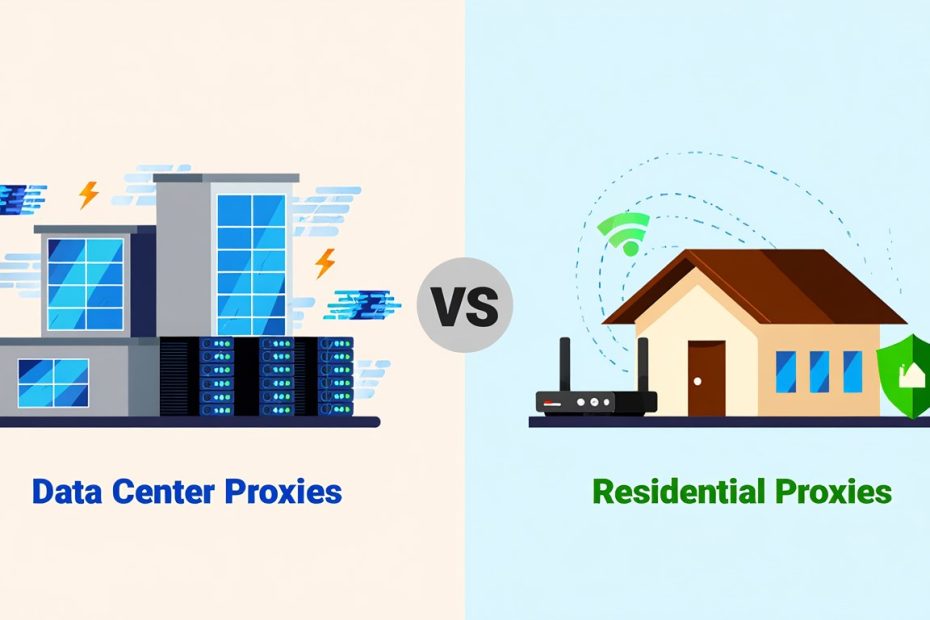
You may need a proxy for authorized web scraping, regional testing, ad verification, application development, or business research. The first decision is usually whether to use a datacenter or residential proxy.
A datacenter proxy uses an IP address associated with a hosting or cloud network. A residential proxy routes traffic through an IP associated with a consumer internet service provider. That distinction can affect latency, cost, geographic coverage, session stability, and the likelihood of encountering IP-based access challenges.
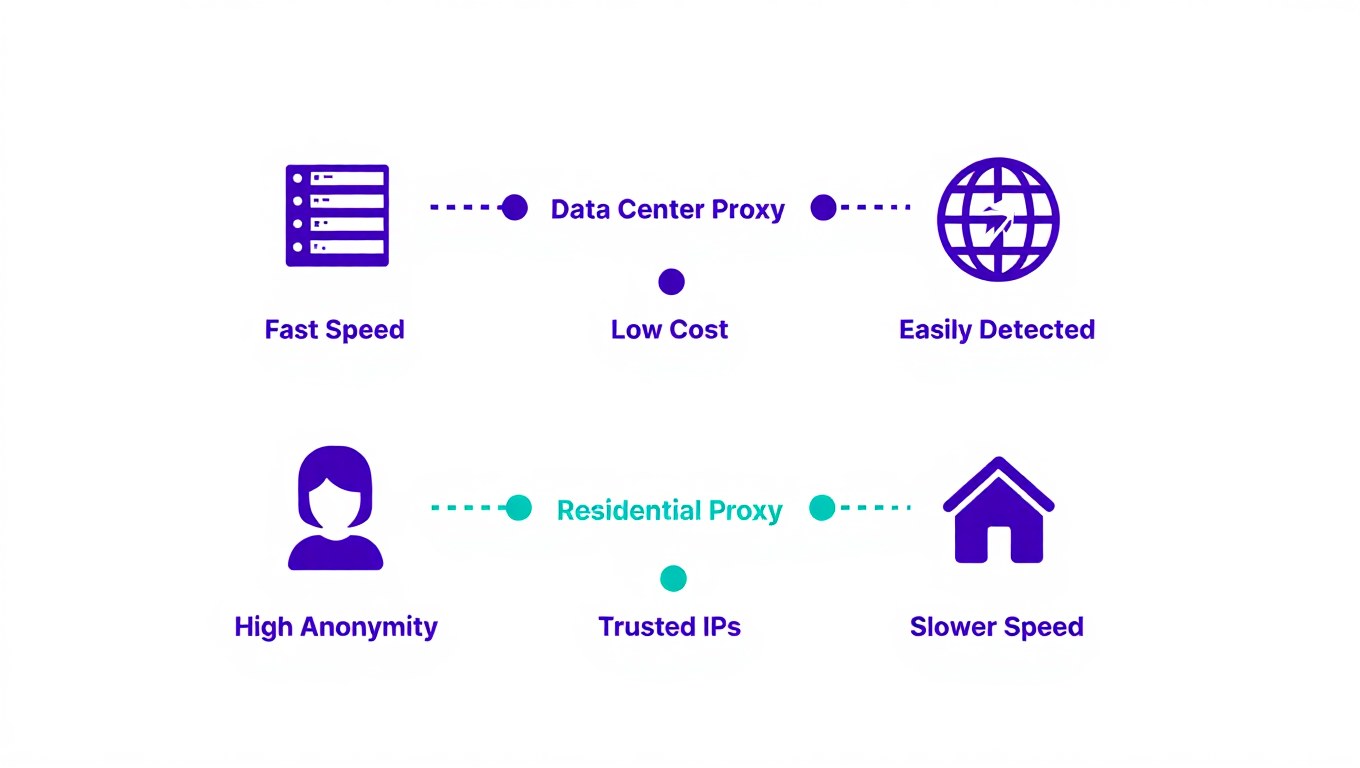
Neither type is universally better. Datacenter proxies are generally faster and less expensive. Residential proxies may be more suitable when an authorized task requires consumer-network geolocation or when hosting-network IP reputation causes avoidable access failures.
Short answer: Start with the least expensive proxy type that meets your authorized use case. Test it against your actual workload, measure valid-response rate and effective cost, and upgrade only when the results justify it.
Editorial note: Provider prices, pool sizes, and promotions were checked on August 31, 2026. Unless otherwise noted, these figures are reported by the providers and have not been independently verified. Pricing and availability can change without notice.
Datacenter vs. Residential Proxies at a Glance
| Factor | Datacenter Proxies | Residential Proxies |
|---|---|---|
| IP source | Hosting, cloud, or data center networks | Consumer ISP networks |
| Typical performance | Usually faster and more consistent | May have more variable latency |
| Common pricing model | Per IP, bandwidth, or monthly plan | Usually per GB of traffic |
| IP classification | Hosting-network IPs may be easier to identify | May avoid some hosting-network reputation issues |
| Geographic coverage | Limited by available server locations | Often available across more countries and consumer networks |
| Location targeting | Usually country or city, depending on the provider | May include country, state, city, ISP, ASN, or ZIP code |
| Session options | Static, shared, dedicated, or rotating | Rotating or sticky sessions |
| Common authorized uses | Development, QA, permitted monitoring, and high-volume public-data workflows | Regional testing, ad verification, localization research, and permitted collection requiring consumer-network coverage |
| Main limitation | Some destinations apply stricter controls to hosting-network traffic | Higher cost and less predictable performance or availability |
These are general patterns, not guaranteed results. Proxy performance can vary by provider, plan, exit location, destination, traffic volume, session configuration, and the requested resource.
What Is a Datacenter Proxy?
A datacenter proxy uses an IP address associated with a hosting provider, cloud platform, or commercial data center rather than a consumer broadband connection.
When you send an authorized request through a datacenter proxy, the basic route is:
- Your application connects to the proxy endpoint.
- The proxy forwards the request using its assigned IP address.
- The destination sees the proxy IP rather than your direct connection.
- The response returns through the proxy.
Datacenter proxies can be deployed at scale on high-capacity server infrastructure. This often makes them fast, stable, and comparatively inexpensive.
The main limitation is network classification. A destination can examine the IP’s autonomous system number, or ASN, and determine whether it belongs to a hosting network. Some websites apply stricter rate limits, verification steps, or access policies to traffic from those networks.
That does not mean every datacenter request will be blocked. Results depend on the destination, its policies, the requested resource, IP reputation, traffic volume, and other request-level signals.
Shared vs. Dedicated Datacenter Proxies
Datacenter proxies are commonly offered in two forms:
- Shared proxies: Multiple customers may use the same IPs. They generally cost less, but another customer’s activity can affect IP reputation.
- Dedicated proxies: The IP is assigned to one customer for the subscription period. This provides greater control but does not guarantee acceptance by every destination.
Some providers also offer rotating datacenter pools that assign an IP automatically for each request or session.
What Is a Residential Proxy?
A residential proxy routes traffic through an IP address associated with a consumer ISP network. Depending on the provider’s sourcing model, the exit connection may come from an opted-in device, a software partnership, or another approved network arrangement.
The typical route is:
- Your application connects to the provider’s gateway.
- The gateway selects an available exit based on your location and session settings.
- The destination receives the request from a consumer-network IP.
- The response returns through the provider’s gateway.
A residential IP can avoid one common datacenter signal: an address associated with a hosting or cloud ASN. It does not make automated traffic indistinguishable from ordinary browsing.
Websites may also evaluate request frequency, cookies, session continuity, browser behavior, JavaScript execution, device signals, connection characteristics, and historical reputation. Cloudflare, for example, describes bot management as a combination of IP reputation, behavioral analysis, rate limiting, and interactive challenges, not IP classification alone.
Why Residential Proxy Sourcing Matters
The technical performance of a residential network is only part of the evaluation. Buyers should also understand how the provider obtains and manages its residential IPs.
Before purchasing, ask:
- Do network participants provide informed and meaningful consent?
- Does the provider clearly explain how bandwidth and device resources may be used?
- Can participants opt out without unnecessary friction?
- Are bandwidth, battery, and resource limits documented?
- Does the provider screen customers and enforce an acceptable-use policy?
- Are abuse reports investigated?
- Does the provider distinguish between monthly unique IPs and IPs available at a given moment?
Some providers publish sourcing standards and opt-in requirements. Bright Data, for example, states that residential network participants opt in through approved applications. That statement applies to Bright Data’s network and should not be generalized to every provider.
How Do Datacenter and Residential Proxies Differ in Practice?
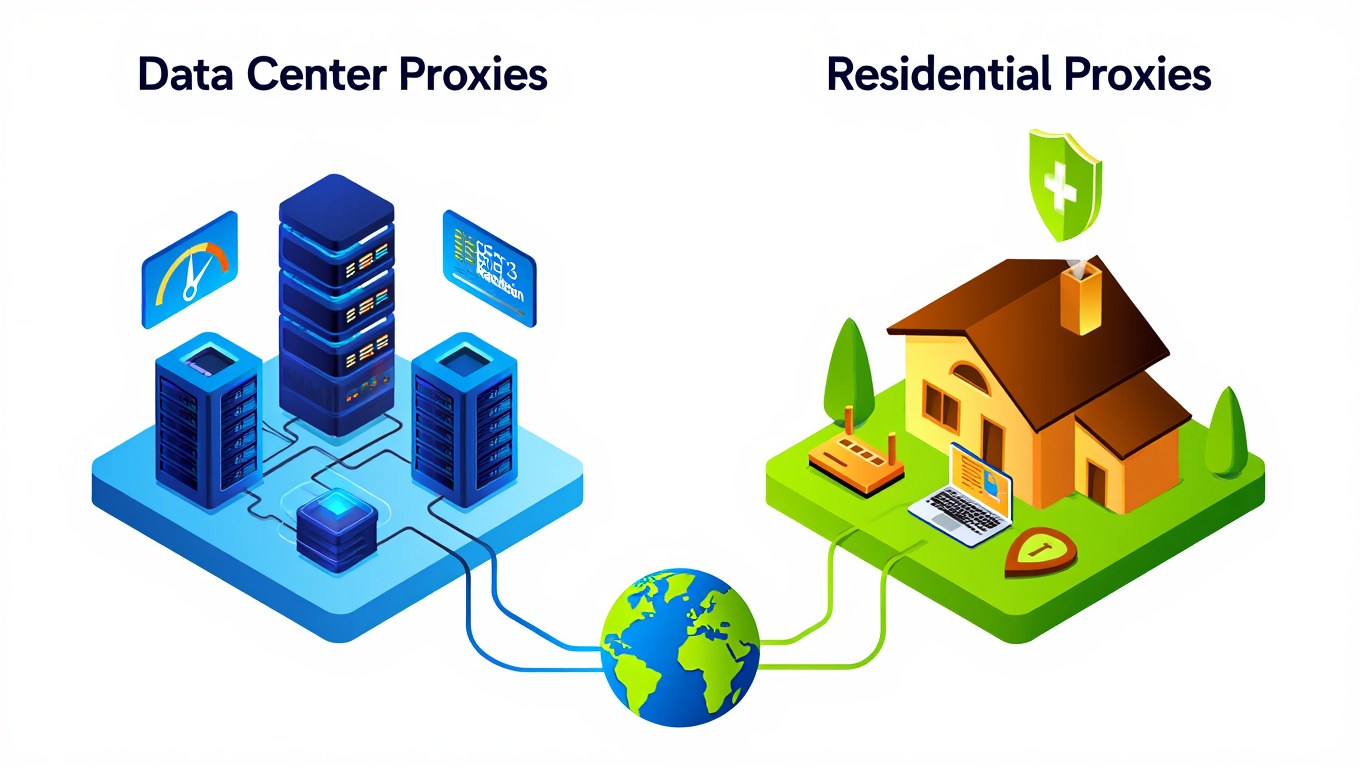
Both proxy types replace your direct IP address with another network endpoint. The practical differences become clearer when you compare latency, cost, session behavior, location coverage, and the destination’s access policies.
Speed and Latency
Datacenter proxies are generally faster because they operate on high-capacity server infrastructure with predictable network connectivity.
Residential connections can be less consistent. Performance may depend on the participating device, local ISP, geographic distance, network congestion, and whether the selected exit remains available.
Avoid relying on a universal claim such as “residential proxies are 20% slower.” A more useful comparison includes:
- Median latency
- 95th-percentile latency
- Connection failure rate
- Valid-response rate
- Retry rate
- Data transferred
- Cost per valid response
For real-time monitoring or latency-sensitive testing, datacenter proxies will often have an advantage. For less time-sensitive workflows, the difference may not materially affect the outcome.
Access Challenges and IP Reputation
Datacenter IPs may receive more scrutiny because hosting-network ranges are relatively easy to classify. Residential IPs can reduce this specific signal because they are associated with consumer ISP networks.
However, proxy type is only one input. A residential IP does not guarantee uninterrupted access, and a datacenter IP is not automatically rejected.
Modern access-control and bot-management systems may consider:
- Network and IP reputation
- Request volume and frequency
- Cookies and session continuity
- HTTP behavior
- JavaScript execution
- Browser and device characteristics
- Previous activity from the same IP
- Account history
- Interactive verification results
The appropriate goal is not to make automation “undetectable.” It is to use authorized access methods, follow applicable rules, and select infrastructure that performs reliably for the permitted workload.
Cost
Datacenter proxies usually cost less. Depending on the provider, they may be priced per IP, per GB, or through a monthly bandwidth plan.
Residential proxies are commonly priced by traffic volume. This means media-heavy pages, large responses, unnecessary assets, and repeated retries can increase costs quickly.
The advertised price is not always the most useful metric. A better measure is effective cost per valid result:
Effective cost per valid result = Total proxy cost ÷ Number of valid responses
For example, suppose:
- Option A costs $50 and returns 8,000 valid results.
- Option B costs $80 and returns 18,000 valid results.
The effective costs are:
- Option A: $0.00625 per valid result
- Option B: approximately $0.00444 per valid result
Although Option B costs more upfront, it is less expensive per usable result.
Geographic Coverage
Residential networks often provide broader geographic coverage because they use IPs associated with consumer networks across many locations.
Depending on the provider and available inventory, targeting may include:
- Country
- State or region
- City
- ISP
- ASN
- ZIP code
Datacenter coverage is tied more closely to available hosting infrastructure. Major technology hubs and metropolitan areas are usually better represented than smaller or rural locations.
Location targeting is not always exact. IP geolocation databases can disagree, and a provider’s advertised location may not match every third-party database. Test against the geolocation source that matters to your application.
Rotation and Session Control
Both datacenter and residential proxies can support rotation, but the implementation may differ.
Datacenter options can include:
- A fixed IP list
- Dedicated static IPs
- Shared IPs
- A rotating gateway
- Per-request rotation
Residential networks commonly use a gateway that selects an available exit from the provider’s pool.
Typical session modes include:
- Rotating sessions: The provider may assign a different IP for each request.
- Sticky sessions: The provider attempts to retain the same IP for a defined period.
- Location-based sessions: The provider selects an exit that matches the requested geographic criteria.
Sticky sessions do not always guarantee that an IP will remain available for the entire requested period. Residential devices can disconnect, change networks, or leave the provider’s pool.
A More Defensible Comparison Framework
A generic success-rate claim cannot tell you how a proxy will perform against your specific workload. Run a controlled pilot instead.
Track at least the following metrics:
| Metric | What It Tells You |
|---|---|
| Valid-response rate | Percentage of requests that returned the expected content |
| HTTP error rate | Frequency of 403, 429, 5xx, and other error responses |
| Challenge rate | Frequency of CAPTCHA or additional verification |
| Median latency | Typical response speed |
| p95 latency | Performance during slower requests |
| Retry rate | How often a request must be repeated |
| Data usage | Bandwidth consumed by the workload |
| Session continuity | Whether long-running sessions remain stable |
| Location accuracy | Whether exits match the requested geography |
| Effective cost | Cost per valid result rather than advertised unit price |
Define “Success” Before Testing
A successful request should mean more than receiving an HTTP 200 response. A page can return 200 while displaying:
- A verification page
- Empty content
- A consent wall
- A regional error
- A login page
- Incomplete data
- A soft block
Define success as receiving the correct content and expected fields. Report retries separately so they do not inflate the apparent success rate.
When Should You Use Datacenter Proxies?
Datacenter proxies are often a practical starting point when speed, predictable performance, and cost efficiency matter more than consumer-network geolocation.
Authorized High-Volume Data Collection
Datacenter proxies may work well for public datasets, government portals, academic archives, or permitted catalogs that do not impose strict network-level restrictions.
Before collecting data:
- Review the site’s terms and applicable policies.
- Prefer an official API or data export when available.
- Respect rate limits and access controls.
- Avoid collecting unnecessary personal information.
- Use caching to reduce repeated requests.
A datacenter proxy can lower infrastructure costs, but it does not provide permission to access or reuse data.
Application Development and QA
Datacenter proxies are useful for:
- Testing IP-based behavior
- Checking regional API responses
- Validating allowlists
- Testing authentication flows you control
- Reproducing network-related bugs
- Confirming that internal systems handle proxy headers correctly
Their relatively stable latency makes performance measurements easier to compare.
Uptime and Availability Monitoring
Businesses may use datacenter proxies to confirm that their own services are reachable from different regions.
For meaningful monitoring, use multiple providers or networks. A single proxy location cannot reliably represent every user in a country or region.
SEO Monitoring and Search Testing
Datacenter proxies may support authorized ranking checks and localization testing, but search engines can restrict automated queries. Google’s terms prohibit sending automated queries without permission.
For search monitoring, consider:
- An approved search API
- Licensed search-data providers
- Google Search Console for properties you manage
- Lower-frequency manual verification
Avoid claiming that major SEO platforms use a particular proxy type unless you have a reliable source describing their current infrastructure.
Ad Verification
Datacenter proxies may be sufficient for broad ad-delivery checks on sites that permit automated verification. Residential or ISP proxies may be more useful when consumer-network geography is essential.
The correct choice depends on:
- Required location accuracy
- Mobile vs. desktop delivery
- ISP-specific campaigns
- Fraud-detection requirements
- Session duration
- The publisher’s access policy
When Should You Use Residential Proxies?
Residential proxies may be appropriate when an authorized workflow needs consumer-network coverage, detailed geolocation, or a lower dependence on hosting-network IP reputation.
Regional Content and Localization Testing
A residential proxy can help a business verify how its own site, app, pricing, or localized content appears from a selected market.
Possible uses include:
- Confirming regional landing pages
- Checking language selection
- Validating location-based redirects
- Reviewing currency presentation
- Testing local promotions
- Confirming content availability
Do not assume that an IP alone reproduces the complete user experience. Websites may also consider device settings, account location, cookies, language preferences, GPS data, payment method, or browser configuration.
Ad Verification
Residential proxies can help authorized ad-verification teams evaluate campaigns from consumer-network locations.
They may be useful for checking:
- Whether an advertisement appears in the intended market
- Whether localization is correct
- Whether the destination page matches the advertisement
- Whether unauthorized intermediaries alter the ad experience
City- or ISP-level targeting can be helpful, but verify its accuracy before relying on it for compliance reporting.
Market and Pricing Research
Residential proxies may support permitted research into publicly available product information, availability, and regional pricing.
If you are evaluating ecommerce platforms such as Amazon, consider whether an official API, licensed dataset, or specialized Amazon scraping API provides a more reliable and compliant route.
When collecting public data, minimize load, avoid personal information where possible, and retain only what is necessary for the stated purpose.
Content Localization and Quality Assurance
Publishers, software companies, and international businesses can use residential exits to inspect how content appears in different markets.
This is particularly useful for:
- Translation QA
- Country-specific disclosures
- Regional product availability
- Localized support content
- Tax and currency presentation
- Rights-managed content you are authorized to review
Authorized Account Testing
Residential or ISP proxies may be useful when a company needs to test accounts it owns across permitted regions. This can include internal QA, fraud-prevention testing, or customer-support reproduction with platform approval.
Using proxies to create deceptive identities, evade account limits, or bypass enforcement can violate platform rules and create legal or operational risks. The proxy should support an authorized workflow, not conceal unauthorized activity.
What Are ISP Proxies?
ISP proxies—sometimes called static residential proxies—combine characteristics of datacenter and residential networks.
They are typically hosted on server infrastructure but use IP ranges associated with or registered to internet service providers. This can provide:
- More stable sessions than rotating residential exits
- Lower latency than many peer-based residential routes
- A consistent IP for long-running authorized tasks
- Consumer-ISP network classification in some databases
The terminology is not standardized. Before purchasing, ask the provider:
- Who owns and announces the IP range?
- Is the IP hosted in a data center?
- Is the IP dedicated or shared?
- Which geolocation databases recognize the advertised location?
- How long can a session remain active?
- Is bandwidth unlimited or subject to fair-use limits?
ISP proxies may suit approved regional testing, account QA, streaming verification, or other tasks that need a stable IP. They do not guarantee that a destination will treat the traffic as residential.
What Are Mobile Proxies?
Mobile proxies route traffic through IPs associated with cellular networks such as 4G or 5G providers.
Mobile carriers often use carrier-grade network address translation, or CGNAT, which can place many subscribers behind shared public IPs. This can make IP-only classification less conclusive, but it does not make mobile traffic exempt from access controls.
Mobile proxies are typically:
- More expensive than datacenter proxies
- More variable in latency
- Dependent on cellular network conditions
- Available in fewer locations
- Useful for authorized mobile-specific testing
Potential uses include:
- Testing mobile advertising
- Reviewing carrier-specific content
- Validating mobile localization
- QA for apps and services you control
- Reproducing cellular-network issues
Mobile proxies should not be described as guaranteed access or a universal “last resort.” Their performance still depends on the destination, provider, network, and workload.
Datacenter vs. Residential vs. ISP vs. Mobile Proxies
| Proxy Type | Network Classification | Typical Strength | Typical Limitation | Suitable Authorized Uses |
|---|---|---|---|---|
| Datacenter | Hosting or cloud network | Speed and cost efficiency | May receive more hosting-network scrutiny | Development, monitoring, permitted public-data collection |
| Residential | Consumer ISP network | Broad geographic coverage | Higher bandwidth cost and variable availability | Localization, ad verification, permitted regional research |
| ISP | ISP-associated IP hosted on stable infrastructure | Longer sessions and relatively stable performance | Smaller inventory and higher per-IP cost | Approved account QA, regional testing, long sessions |
| Mobile | Cellular carrier network | Carrier-specific testing | High cost and variable latency | Mobile QA, carrier testing, mobile ad verification |
How to Choose the Right Proxy Type
Use the following decision process rather than choosing from a generic “best proxy” list.
Step 1: Confirm That the Activity Is Authorized
Ask:
- Does the destination provide an API?
- Do its terms permit the planned activity?
- Are you authorized to access the relevant account or content?
- Will you collect personal or regulated data?
- Are there geographic or contractual restrictions?
- Are you respecting rate limits and technical controls?
A proxy changes network routing. It does not create permission.
Step 2: Define the Required Location
Determine whether you need:
- No specific location
- Country-level targeting
- State or regional targeting
- City-level targeting
- ISP-specific targeting
- Cellular carrier targeting
Do not pay for granular targeting unless it is necessary and verifiably accurate.
Step 3: Define the Session Requirement
Choose between:
- A new IP for each request
- A stable IP for several minutes
- A static IP for hours or days
- A dedicated IP that is not shared with other customers
Long-session workflows may favor dedicated datacenter or ISP proxies. Rotating residential networks may be appropriate when the exit does not need to remain fixed.
Step 4: Estimate Bandwidth
Residential proxy pricing is often based on data transferred. Estimate:
- Average response size
- Images and media loaded
- JavaScript and API requests
- Retry volume
- Monthly request count
If a page transfers 2 MB and you load it 100,000 times, the theoretical transfer is approximately 200 GB before retries and overhead. Blocking unnecessary assets—when technically and contractually appropriate—can reduce cost.
Step 5: Run a Small Controlled Test
Test at least two suitable options using:
- The same target
- The same geographic region
- The same request schedule
- The same content validation
- The same retry policy
- A clearly defined success metric
Avoid evaluating a provider only from a dashboard speed test or a small number of successful requests.
Step 6: Compare Effective Cost
Use:
Effective monthly cost = Proxy fees + required tooling + retry overhead + operational time
The lowest advertised price does not always produce the lowest operational cost.
A Practical Hybrid Approach
Some teams use more than one proxy type, but a hybrid setup is not automatically necessary.
A cost-conscious architecture might use:
- Direct access or an official API when available.
- Datacenter proxies for permitted workloads that perform reliably.
- Residential or ISP proxies when consumer-network geography is necessary.
- Mobile proxies only for authorized carrier-specific testing.
This approach avoids paying residential or mobile bandwidth rates for tasks that do not require them.
Build fallbacks around documented performance thresholds rather than assumptions. For example, review a route when:
- Valid-response rate falls below the agreed target.
- Latency exceeds the application’s service-level objective.
- Location accuracy becomes unreliable.
- Effective cost exceeds an alternative.
- The destination changes its terms or access policy.
Proxy Providers to Consider
There is no universal “best” proxy provider. The right option depends on location coverage, traffic volume, session control, sourcing, support, contract terms, and performance against your authorized workload.
The providers below are included because they offer established proxy products and publish information about their networks. Inclusion is not an endorsement or a guarantee of performance.
Provider-Reported Residential Network Information
| Provider | Advertised Residential Network | Published Entry Pricing | Important Context |
|---|---|---|---|
| Bright Data | 400M+ monthly IPs in 195 countries | Standard PAYG listed at $8/GB; promotional pricing may be lower | “Monthly IPs” does not mean all IPs are concurrently available |
| Oxylabs | 175M+ residential IPs | Starter plan listed at $6/GB | Lower unit pricing requires larger commitments |
| Decodo | 115M+ IPs in 195+ locations | PAYG listed at $4/GB | Volume plans may advertise lower per-GB pricing |
| SOAX | 155M+ IPs in 195 countries | PAYG listed at $5/GB | Subscription tiers may reduce the unit price |
| IPRoyal | 64M+ residential IPs | Plans start at $7/GB; bulk pricing may reach $1.75/GB | The lowest advertised price requires substantially more volume |
Pricing note: Promotional prices, taxes, minimum commitments, location-targeting fees, and bandwidth expiration policies can materially change the final cost. Confirm current pricing on the provider’s official page before purchasing.
Bright Data
Bright Data offers residential, datacenter, ISP, and mobile networks, along with tools such as scraping APIs and data services. Its residential page advertises more than 400 million monthly IPs across 195 countries.
The large published number should be interpreted carefully. “Monthly IPs” generally describes unique IPs observed over a period, not the number simultaneously available in every location.
Bright Data may suit organizations that need:
- Multiple proxy types
- Detailed location controls
- Enterprise contracts
- Compliance documentation
- Managed web scraping APIs
Its pricing and product structure can be more complex than those of smaller providers, so calculate the full cost for the exact configuration you need.
Oxylabs
Oxylabs advertises more than 175 million residential IPs and publishes residential plans from $6/GB for a small starter package. Larger plans reduce the unit price.
Its product range includes residential, datacenter, ISP, mobile, and managed data-collection services.
Oxylabs may be worth evaluating when you need:
- Enterprise support
- Multiple network types
- Formal account management
- Broad geographic coverage
- Managed collection products
Provider-published success rates should be treated as vendor metrics unless the testing method and target mix match your workload.
Decodo
Decodo, formerly Smartproxy, advertises more than 115 million residential IPs in over 195 locations. Its published pay-as-you-go residential price is $4/GB, while volume packages may offer lower unit rates.
It also offers datacenter, ISP, and mobile products.
Decodo may suit teams looking for:
- A relatively accessible self-service platform
- Multiple proxy categories
- Flexible session controls
- City- and ZIP-level targeting where available
- Lower minimum commitments than some enterprise-focused options
As with every provider, test the actual locations and targets that matter to your project.
SOAX
SOAX advertises more than 155 million residential IPs across 195 countries, along with mobile, ISP, and datacenter options. Its pricing page lists pay-as-you-go usage at $5/GB, with lower unit pricing available through subscriptions.
SOAX may be relevant for:
- Regional testing
- ISP and ASN targeting
- Teams that need several network types
- Businesses comparing usage-based and subscription pricing
Before purchasing, confirm whether the required targeting dimensions are included in the selected plan.
IPRoyal
IPRoyal advertises more than 64 million residential IPs. Its residential pricing begins at $7/GB for smaller purchases and may decrease to $1.75/GB at substantially higher volumes.
It also offers dedicated datacenter, ISP, and mobile proxies.
IPRoyal may be worth considering when you need:
- Non-expiring residential traffic under the applicable plan terms
- A smaller initial purchase
- Both rotating and sticky sessions
- Dedicated datacenter IPs
- Straightforward self-service purchasing
Do not describe $1.75/GB as the standard entry price. It is an advertised bulk rate rather than the typical cost for a small first purchase.
Webshare
Webshare offers datacenter, static residential, and rotating residential products. It is often considered by developers and smaller teams because of its self-service interface and entry-level options.
Webshare may suit:
- Development and testing
- Smaller proxy deployments
- Teams that want simple IP-list management
- Workloads that do not require enterprise support
Check current limits for bandwidth, concurrency, location selection, authentication, and renewal before comparing its price with another provider.
How to Evaluate a Proxy Provider
Pool size should not be your only criterion. A larger advertised pool does not guarantee better availability in the specific city, ISP, or time period you need.
Evaluate providers across the following areas.
Network and Performance
- Valid-response rate on your permitted targets
- Median and p95 latency
- Session stability
- Location accuracy
- IP replacement policy
- Retry and timeout behavior
Commercial Terms
- Minimum monthly commitment
- Per-IP or per-GB price
- Overage pricing
- Bandwidth expiration
- Refund policy
- Taxes and location-targeting fees
- Contract duration
Ethics and Compliance
- Residential network sourcing
- Participant consent
- Opt-out process
- Customer screening
- Acceptable-use enforcement
- Abuse reporting
- Privacy and data-retention policy
Technical Support
- HTTP, HTTPS, SOCKS5, or HTTP/3 availability
- Username/password and IP allowlist authentication
- Rotation controls
- Sticky-session duration
- Usage analytics
- API and integration documentation
- Support response times
Transparency
- Clear explanation of pool-size methodology
- Public status page
- Uptime methodology
- Testing methodology for success-rate claims
- Disclosed ownership and company information
- Contract and billing terms available before purchase
Frequently Asked Questions
Are Datacenter Proxies Still Useful?
Yes. Datacenter proxies remain useful for authorized tasks that benefit from speed, stable infrastructure, and lower cost.
Examples include:
- Application testing
- Uptime monitoring
- Regional QA
- Permitted public-data collection
- API development
- Internal business workflows
They may perform less consistently when a destination applies strict controls to hosting-network traffic. That limitation does not make them obsolete.
Can a Website Detect a Residential Proxy?
A website may not be able to identify a residential proxy from IP classification alone, but IP type is only one signal.
A destination may also evaluate:
- Browser and device characteristics
- Cookies
- Session behavior
- Request frequency
- JavaScript execution
- Historical IP activity
- Account activity
- Interactive challenges
Residential IPs can reduce some hosting-network reputation issues, but they do not make traffic undetectable.
Which Proxy Type Is Better for Web Scraping?
It depends on the target, authorization, location requirements, response size, and budget.
Choose a datacenter proxy first when:
- The target permits the planned collection.
- Hosting-network traffic performs reliably.
- Speed and cost are priorities.
- Consumer-network geography is unnecessary.
Consider a residential proxy when:
- The authorized task requires consumer-network location coverage.
- Datacenter IP reputation creates measurable access failures.
- The additional valid-response rate offsets the higher bandwidth cost.
Before proceeding, review whether web scraping is legal for your specific jurisdiction and use case. Scraping is not governed by a single universal rule.
How Much Should You Budget?
Budgeting depends on the pricing model.
For datacenter proxies, calculate:
Number of IPs × monthly price per IP
Then add bandwidth fees, if applicable.
For residential proxies, calculate:
Expected monthly traffic in GB × price per GB
Add a buffer for retries, redirects, connection overhead, and unexpected response size.
For example, a project using 50 GB per month would cost:
- $200 at $4/GB
- $300 at $6/GB
- $400 at $8/GB
These calculations exclude taxes, minimum commitments, managed tooling, and additional targeting fees.
Do You Need More Than One Proxy Type?
Not necessarily.
A single proxy type may be enough when the workload is consistent. A hybrid setup can be useful when you operate across different targets, geographic requirements, or latency thresholds.
Start with the simplest compliant setup. Add another network type only when testing shows a clear performance, location, or cost benefit.
Are Residential Proxies Legal?
Residential proxies are not inherently unlawful, but their sourcing and use matter.
Before using one, confirm that:
- Network participants have provided meaningful consent.
- Your activity complies with applicable laws.
- You respect privacy and data-protection requirements.
- You have permission to access relevant accounts or systems.
- You understand the destination’s terms and technical controls.
- You do not use the proxy to misrepresent identity or evade enforcement.
In the United States, there is no single law that resolves every web-scraping scenario. Legal risk can depend on whether the information is public, the type of data collected, contractual terms, access controls, privacy laws, copyright, and how the data is reused. For sensitive, regulated, or large-scale projects, consult qualified legal counsel.
Are Provider-Reported Pool Sizes Comparable?
Not always.
A provider may report:
- Monthly unique IPs
- Total IPs observed over time
- Currently active IPs
- IPs available across all locations
- A theoretical network maximum
These are not equivalent measurements. Ask how the provider defines its pool size and how many exits are normally available in the locations you need.
Does a Residential IP Guarantee Accurate Geolocation?
No.
IP geolocation databases can disagree, and locations may become outdated. A proxy provider might classify an IP in one city while the destination’s database places it in another.
Test the selected exits against the geolocation database or destination relevant to your application.
Should You Choose the Cheapest Provider?
Not automatically.
A low advertised price can be offset by:
- Higher failure rates
- More retries
- Poor location accuracy
- Unstable sessions
- Limited support
- Expiring bandwidth
- Additional targeting fees
- Unclear network sourcing
Compare effective cost per valid result rather than price per IP or GB alone.
Responsible Proxy Use Checklist
Before launching a proxy-based workflow:
- Confirm that the activity is authorized.
- Prefer official APIs, exports, or licensed datasets where practical.
- Review applicable terms and policies.
- Respect access controls and rate limits.
- Avoid unnecessary personal-data collection.
- Apply data-minimization and retention limits.
- Do not create deceptive identities or evade account enforcement.
- Verify residential-network consent and sourcing.
- Monitor load and reduce duplicate requests.
- Secure proxy credentials and access logs.
- Document your purpose, legal basis, and testing method.
- Reassess the workflow when the destination or applicable rules change.
Final Recommendation
Datacenter and residential proxies solve different infrastructure problems.
Datacenter proxies generally offer:
- Lower cost
- Faster and more stable connections
- Easier capacity planning
- Strong performance for development, monitoring, and permitted high-volume workflows
Residential proxies generally offer:
- Broader consumer-network coverage
- More granular geographic options
- Reduced dependence on hosting-network IP reputation
- Better suitability for authorized regional testing and verification
ISP proxies can provide stable, long-running sessions with ISP-associated IP ranges. Mobile proxies are most relevant when a task specifically requires cellular-network testing.
The most reliable selection process is straightforward:
- Confirm that the activity is authorized.
- Define the location and session requirements.
- Estimate bandwidth.
- Test a small sample.
- Measure valid responses, latency, and effective cost.
- Choose the least expensive option that consistently meets the requirement.
Avoid choosing a proxy based only on an advertised pool size, generic success-rate claim, or promotional price. Real-world testing—and clear legal and ethical boundaries—will tell you more than a provider comparison table alone.
You May Also Like
 VPN & Proxy
Why Do CAPTCHAs Appear When You Use a VPN?
 VPN & Proxy
Why Does Google Say Our Systems Have Detected Unusual Traffic From Your Computer Network?
 VPN & Proxy
How to Block Ads on Pinterest: A Simple Guide
 Web Scraping
TinyFish.ai Review: Is It the Best AI Agent for Web Scraping
 VPN & Proxy
10 Best VPNs for California in 2026: Privacy, Speed, and Security
 VPN & Proxy
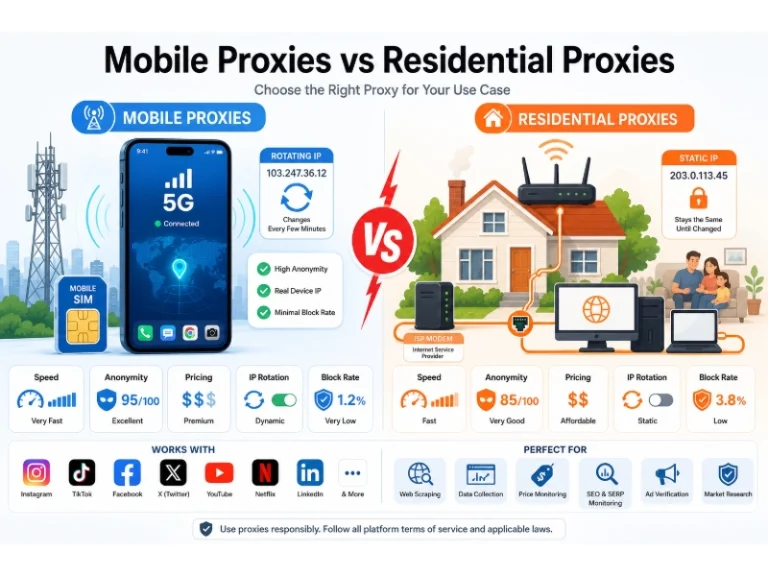
Mobile Proxies vs. Residential Proxies: Differences, Costs, and Use Cases
 Web Scraping
Reasons Why You Should Avoid Using Free Proxies For Web Scraping
 Web Scraping
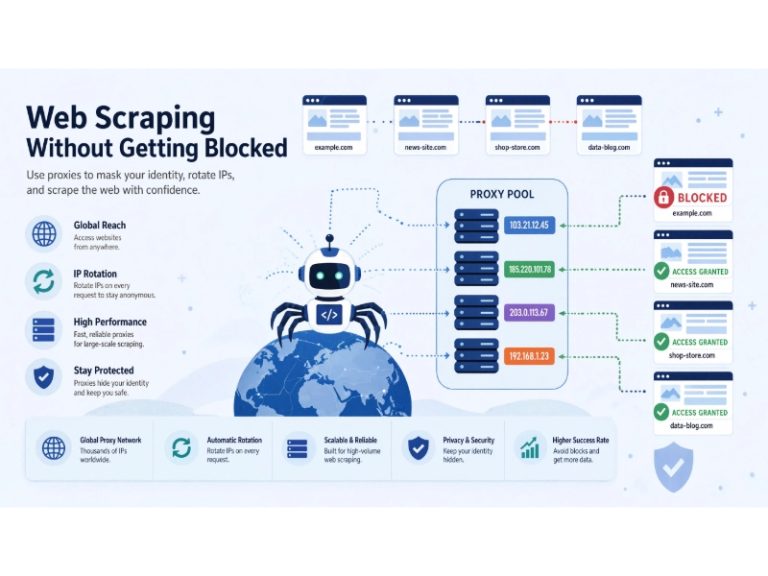
How to Use Proxies for Web Scraping Without Getting Blocked
 Web Development