

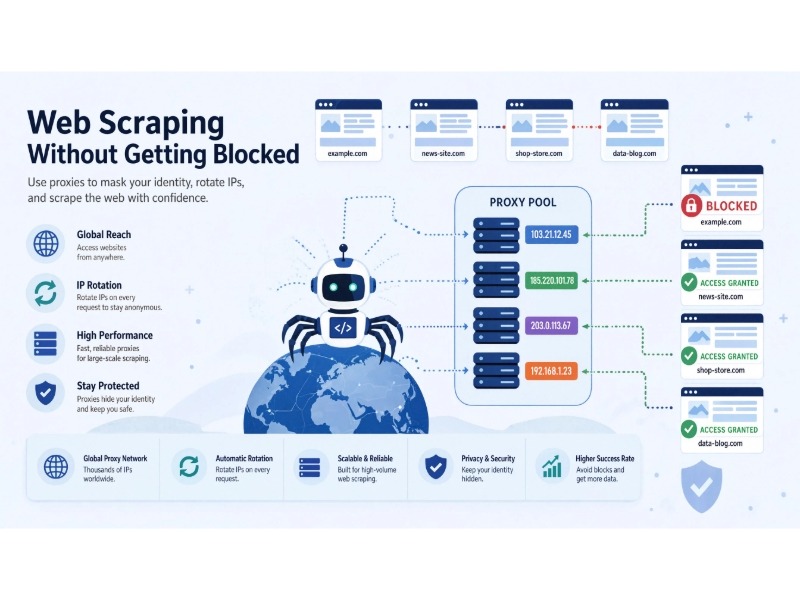
You start a scraper, send a few requests, and everything looks fine.
Then the responses slow down.
A few requests return 403 Forbidden. Then you get a 429 Too Many Requests. Eventually, the site serves a CAPTCHA or stops responding altogether.
It is tempting to blame the proxy provider at this point. Sometimes the proxy is part of the problem. But in many scraping projects, the bigger issue is that the target website is evaluating much more than the IP address.
A proxy can change the source IP of your request. It cannot automatically make the rest of your traffic look like a normal browser session.
That distinction matters.
A reliable scraping setup usually depends on several things working together: request rate, session management, headers, cookies, browser behavior, proxy quality, error handling, and the rules of the website you are accessing.
This guide explains how proxies fit into that system, when different proxy types make sense, how to configure them in common scraping tools, and how to troubleshoot blocking without assuming that changing IPs will solve everything.
Why Websites Block Scrapers
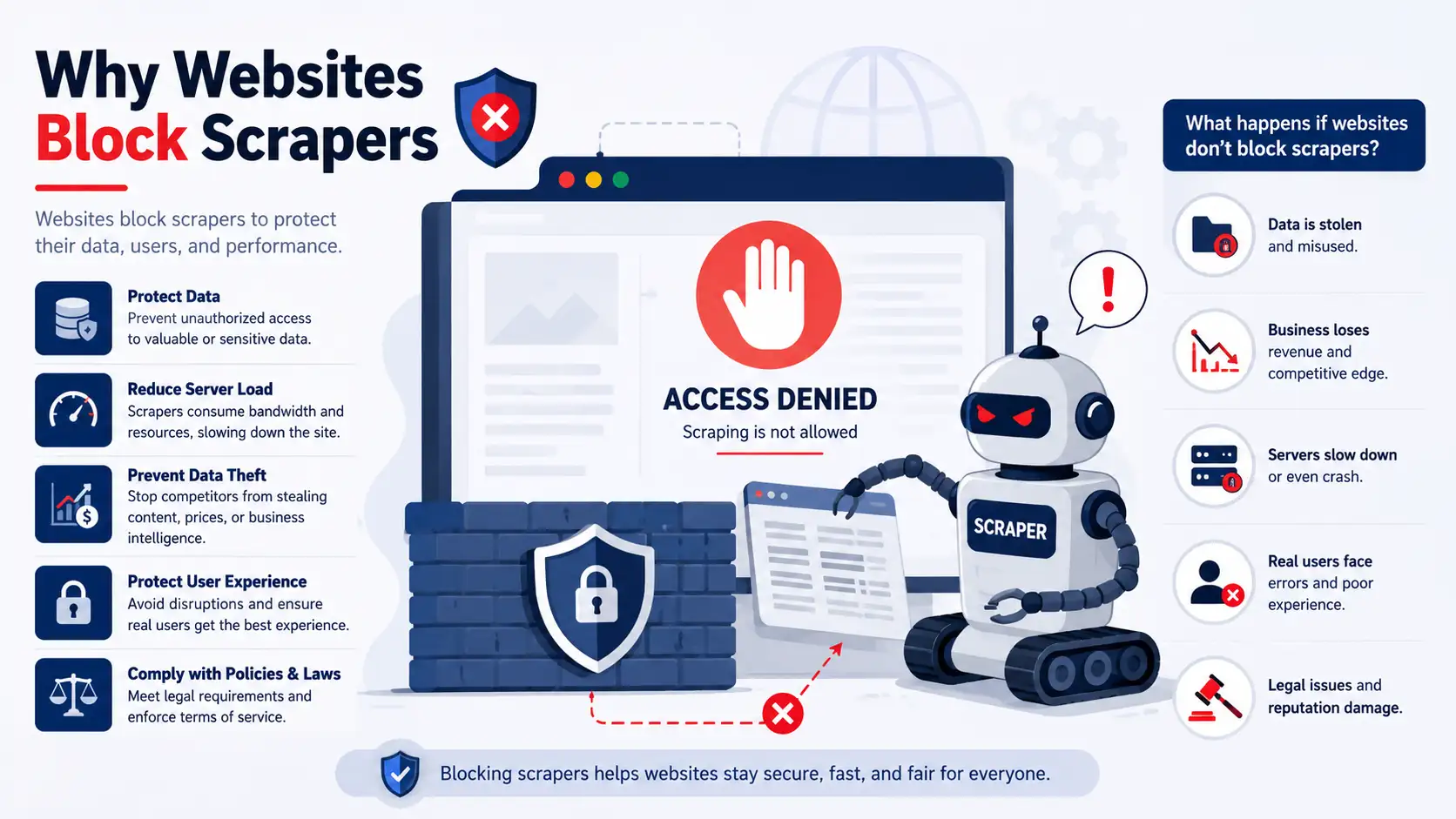
Websites generally do not need to identify you personally before they can limit automated traffic. They can make decisions based on patterns in your requests.
The exact signals differ between websites, but common ones include:
- Request frequency: A large burst of requests can trigger rate limiting.
- HTTP behavior: Headers, methods, cookies, and other request details can reveal inconsistencies.
- IP reputation: Some addresses are associated with cloud infrastructure, VPNs, proxies, or previous abuse.
- Session behavior: Repeatedly changing IPs while keeping the same account or session can look unusual.
- Browser signals: Browser-based systems can evaluate JavaScript execution and other client characteristics.
- Response behavior: Repeated retries, failed challenges, or requests for the same resources can create recognizable patterns.
This is why a proxy should not be treated as an anti-detection switch.
For example, imagine a scraper making 1,000 requests from a single address in a short period. Moving those requests through a rotating proxy pool changes the source IPs, but the application may still generate the same request pattern, use the same cookies, and make requests at the same unusual rate.
The IP changed. The behavior did not.
That is an important distinction throughout this article.
What Is a Proxy?
A proxy server sits between your application and the destination server.
Instead of:
Scraper → Website
the connection looks more like:
Scraper → Proxy → Website
For a normal HTTP request, the proxy forwards traffic to the destination and relays the response back to your application.
A basic flow looks like this:
- Your scraper creates a request.
- The request is sent to the proxy.
- The proxy connects to the target website.
- The target sends a response back through the connection.
- Your scraper receives the response.
The target website will normally see the network address used for the outbound connection rather than your original client address.
That makes proxies useful for several legitimate scraping tasks, including:
- distributing requests across different network addresses
- testing geographically different responses
- isolating workloads
- maintaining separate sessions
- reducing dependence on a single outbound IP
But a proxy does not make a request anonymous, trustworthy, or human-like by itself.
Which Proxy Type Should You Use?
There is no universal “best proxy.”
The right choice depends on the target, request volume, geographic requirements, session behavior, and budget.
The four categories most commonly discussed in scraping are datacenter, residential, mobile, and ISP proxies.
Datacenter Proxies
Datacenter proxies come from hosting or data-center networks rather than typical residential access networks.
Their biggest advantage is usually performance and cost.
They can make sense when:
- the target has limited protection
- you need high throughput
- the website does not require residential-looking addresses
- your workload is primarily backend-to-backend
The downside is that some websites can identify or score cloud and hosting IP ranges differently from residential networks.
That does not mean every datacenter proxy will be blocked. It means IP reputation can be one factor in the decision.
Residential Proxies
Residential proxies use addresses associated with consumer internet connections.
They are often used when the target website treats hosting-network traffic differently from consumer ISP traffic.
Residential proxies can be useful for:
- geographically distributed collection
- websites where network reputation matters
- workloads that need a broad range of ISP-associated addresses
They are normally more expensive than basic datacenter proxies, and their performance can vary.
There is another issue worth understanding: “residential” does not automatically mean “high quality.”
A provider can have a large pool and still deliver poor results for your particular target.
Look at actual success rates, latency, availability, geographic coverage, and the provider’s sourcing practices rather than choosing a service solely because it advertises a large IP pool.
Mobile Proxies
Mobile proxies use addresses associated with cellular networks.
Mobile networks often have different IP allocation characteristics from fixed broadband networks, including shared addresses and carrier-grade NAT.
They can be useful when your application genuinely needs mobile-network locations.
However, they tend to be more expensive and can have different latency and connection characteristics.
They are not automatically a solution for every protected website.
ISP Proxies
ISP proxies are generally marketed as addresses associated with internet service providers while being delivered through infrastructure designed for proxy workloads.
They are often positioned between traditional datacenter and residential offerings.
Their appeal is straightforward: some projects want relatively stable addresses while still using ISP-associated network space.
Whether they perform well depends on the provider, the target website, and how the traffic is used.
Proxy Comparison
| Proxy type | Typical advantage | Common drawback | Good fit |
|---|---|---|---|
| Datacenter | Fast and efficient | Hosting IP reputation may matter | High-volume, lightly protected targets |
| Residential | Broad ISP/location coverage | Higher cost and variable performance | Geo-specific or more sensitive workloads |
| Mobile | Cellular network coverage | Cost and variable connectivity | Mobile-network testing and specialized collection |
| ISP | Stable ISP-associated addresses | Quality varies by provider | Workloads needing stable network identity |
Do not choose a proxy type solely from this table.
A better approach is to test a representative sample of your actual targets.
How Proxy Rotation Works
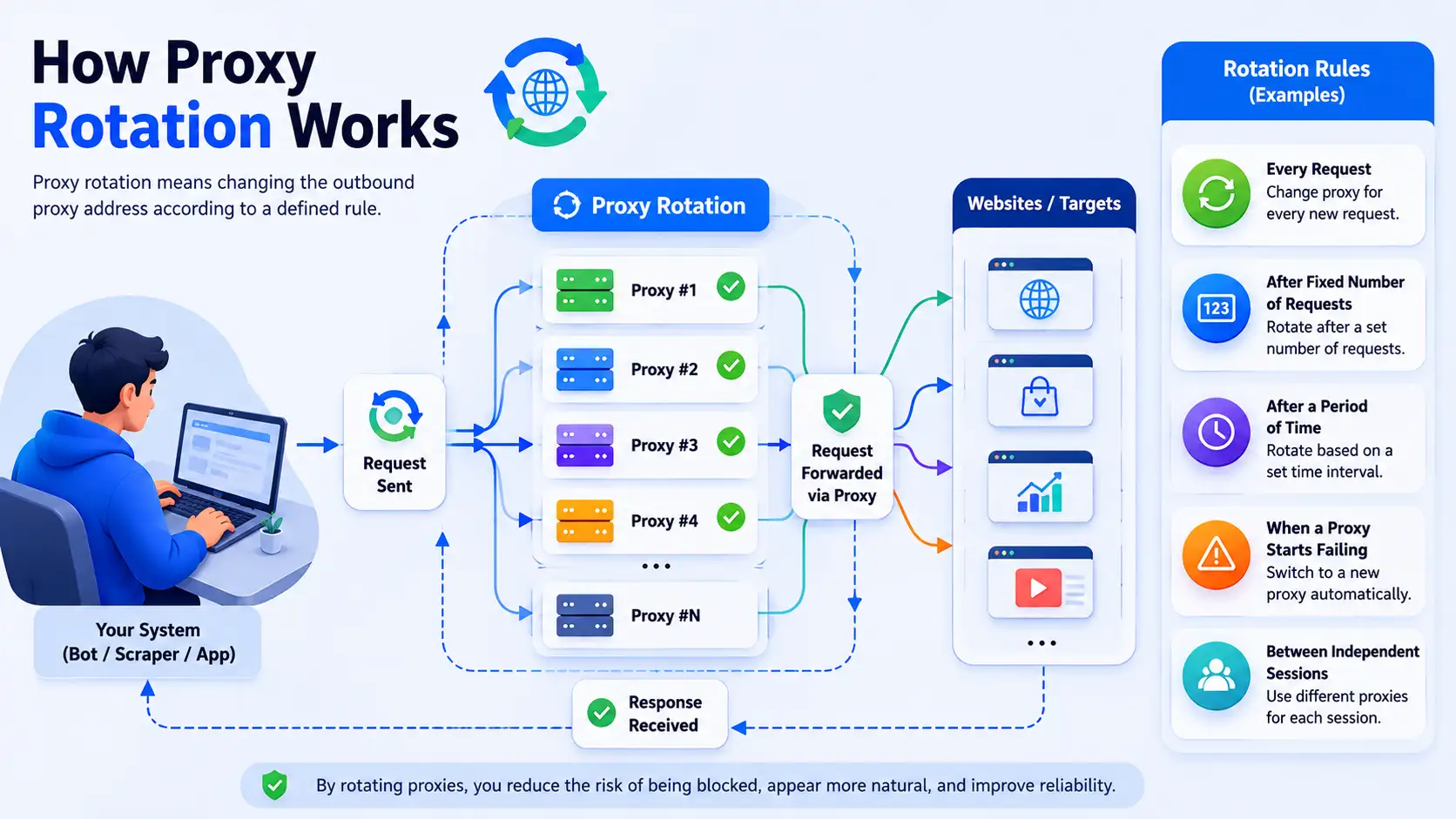
Proxy rotation means changing the outbound proxy address according to a defined rule.
The rule might be:
- every request
- after a fixed number of requests
- after a period of time
- when a proxy starts failing
- between independent sessions
A provider may expose this through a single gateway endpoint.
Your application connects to something like:
gateway.example.com:7777
The provider then decides which proxy in the pool handles the outbound connection.
This is often easier than maintaining a large list of individual IP addresses in your application.
But there is a common mistake here:
More rotation does not always mean better scraping.
Suppose a website expects a session to remain consistent while you navigate through several pages.
If the IP changes on every request, you may create a less consistent session rather than a better one.
This is where sticky sessions become useful.
When Should You Use Sticky Sessions?
A sticky session keeps the same proxy identity for multiple requests for a period of time.
That can help with workflows such as:
- authenticated sessions
- multi-page navigation
- carts and checkout flows
- form submissions
- applications that associate session state with network information
For example:
Request 1 → Proxy A
Request 2 → Proxy A
Request 3 → Proxy A
Request 4 → Proxy A
Instead of:
Request 1 → Proxy A
Request 2 → Proxy B
Request 3 → Proxy C
Request 4 → Proxy D
The correct choice depends on how the target application manages sessions.
There is no universally correct rotation interval.
Start from the application’s session requirements, not from a generic rule such as “rotate every five requests.”
Do Not Assume Per-Request Rotation Is Always Better
Per-request rotation can be useful for workloads where requests are largely independent.
For example, a job collecting unrelated public product pages may not need a persistent session.
An authenticated workflow is different.
Changing the proxy identity in the middle of a session can contribute to:
- authentication failures
- session invalidation
- additional challenges
- inconsistent application state
- harder-to-debug failures
This is one reason why scraping architecture should be designed around the target workflow rather than simply maximizing the number of available IPs.
Setting Up a Proxy in Python Requests
Python’s Requests library supports proxy configuration through the proxies parameter.
A basic example:
import requests

proxies = {
    "http": "http://user:[email protected]:7777",
    "https": "http://user:[email protected]:7777",
}

response = requests.get(
    "https://example.com",
    proxies=proxies,
    timeout=30,
)

print(response.status_code)
For production workloads, add error handling and sensible timeouts.
For example:
import requests

proxies = {
    "http": "http://user:[email protected]:7777",
    "https": "http://user:[email protected]:7777",
}

try:
    response = requests.get(
        "https://example.com",
        proxies=proxies,
        timeout=30,
    )

    response.raise_for_status()
    print(response.text[:500])

except requests.Timeout:
    print("The request timed out.")

except requests.RequestException as exc:
    print(f"Request failed: {exc}")
That is more useful than simply changing proxies after every exception.
A scraper should distinguish between temporary network failure, rate limiting, authentication problems, and permanent HTTP errors.
Manual Proxy Rotation in Python
You can also maintain your own proxy pool.
import random
import requests

proxy_list = [
    "http://user:[email protected]:8000",
    "http://user:[email protected]:8000",
    "http://user:[email protected]:8000",
]

proxy = random.choice(proxy_list)

proxies = {
    "http": proxy,
    "https": proxy,
}

response = requests.get(
    "https://example.com",
    proxies=proxies,
    timeout=30,
)

print(response.status_code)
In a real application, random selection is only the beginning.
A better proxy manager can keep track of:
- recent failures
- response time
- last-used time
- authentication errors
- temporary rate limits
- proxy health
That lets your application stop repeatedly sending requests through a proxy that is already failing.
Using Proxies with Scrapy
Scrapy supports proxy settings through request metadata.
A simplified example:
import scrapy

class ExampleSpider(scrapy.Spider):
    name = "example"

    def start_requests(self):
        yield scrapy.Request(
            "https://example.com",
            meta={
                "proxy": "http://user:[email protected]:7777"
            },
        )
For larger projects, proxy selection is better handled in middleware or another centralized component.
This makes it easier to apply the same rules to every outgoing request instead of repeating proxy logic across spiders.
Using Proxies with Selenium
Browser automation tools can also use proxies.
For Selenium:
from selenium import webdriver
from selenium.webdriver.chrome.options import Options

options = Options()
options.add_argument(
    "--proxy-server=http://gateway.example.com:7777"
)

driver = webdriver.Chrome(options=options)

driver.get("https://example.com")
print(driver.title)

driver.quit()
The exact configuration can differ depending on the browser, Selenium version, authentication method, and proxy provider.
Using Proxies with Playwright
Playwright supports proxy configuration when launching a browser.
A simplified example:
from playwright.sync_api import sync_playwright

with sync_playwright() as p:
    browser = p.chromium.launch(
        proxy={
            "server": "http://gateway.example.com:7777",
            "username": "user",
            "password": "password",
        }
    )

    page = browser.new_page()
    page.goto("https://example.com")

    print(page.title())

    browser.close()
Browser-level scraping changes the problem somewhat.
You now have a complete browser environment that may include cookies, JavaScript, storage, navigation state, and other characteristics that are not present in a simple HTTP client.
That can make browser automation useful for dynamic sites, but it also introduces more complexity and resource usage.
Proxies Are Only One Part of the System
This is where many proxy guides oversimplify things. A proxy changes how your requests reach a website, but it does not automatically hide or change everything about your scraping setup. A website can still look at different parts of the connection and the way your scraper behaves to determine whether the traffic looks legitimate.
Request Rate
Start here before buying a larger proxy pool.
If your scraper sends requests too aggressively, rotating through more addresses may simply distribute an overly aggressive workload.
Instead, introduce appropriate concurrency limits and respect the site’s published or observed rate limits.
Headers
HTTP headers provide information about the request environment.
Common headers include:
User-AgentAcceptAccept-LanguageAccept-EncodingReferer
The important principle is consistency.
Do not randomly combine browser versions, operating systems, and header sets that do not make sense together.
A fake browser signature can be worse than a clear, stable client identity when the target expects predictable API or application behavior.
Cookies and Sessions
Cookies are a normal part of how websites remember users and maintain a session.
If your scraper deletes every cookie after each request, it may behave very differently from a normal browser that keeps cookies throughout a session. That difference can sometimes cause unexpected logins, broken sessions, or other application behavior.
Before changing how your scraper handles cookies, first understand what the target website actually needs.
For authenticated workflows, keeping a valid session is often more important than simply switching to a different IP address. A new IP does not help much if the session itself keeps getting reset.
Browser Characteristics
When you use a browser automation tool, a website can receive more information about your client than it would from a basic HTTP request.
For example, JavaScript can expose details about the browser environment, device configuration, and other client-side characteristics. A website may consider these details alongside other signals when evaluating a request.
The takeaway is not that you need to change every browser fingerprint.
In most cases, it is more useful to keep the browser environment consistent and make sure it behaves normally for the workflow you are running.
TLS and HTTP Client Characteristics
Different HTTP clients can have different network-level characteristics, including differences in how they establish connections and format requests.
These characteristics can be useful as part of broader traffic analysis, but they are not definitive proof that a request comes from a scraper. No single TLS or HTTP signal tells the whole story.
That’s why fingerprinting is better understood as one signal among many, rather than a magic detector that can automatically identify every scraper.
Add Delays for Reliability, Not to Pretend to Be Human
Random delays are often recommended as an anti-bot trick.
A better way to think about delays is workload control.
For example:
import random
import time

time.sleep(random.uniform(1.5, 4.0))
A variable delay can reduce bursts and help keep your crawler within a reasonable request rate.
But there is an important distinction:
A random delay does not make a scraper human.
A crawler sending thousands of requests with slightly different delays can still be clearly automated.
Use delays to control load and comply with reasonable limits, not as a guarantee of evading detection.
What to Do When You Receive 403 or 429
Do not immediately rotate to a new proxy and repeat the same request.
First identify what happened.
HTTP 403
403 Forbidden means the server understood the request but is refusing to authorize it.
The reason can vary.
It may involve access controls, authentication, policy restrictions, or automated traffic detection.
HTTP 429
429 Too Many Requests indicates that the client has sent too many requests in a given period.
This is a strong reason to reduce request frequency rather than simply increasing proxy rotation.
A sensible response is:
- Respect the server’s retry information when provided.
- Reduce concurrency.
- Increase the delay before another request.
- Check whether your crawler is accidentally duplicating requests.
- Review the site’s documented limits.
- Pause the affected workload when necessary.
A proxy change should not be the first response to every 429.
Build Retry Logic Carefully
A weak scraper often does this:
Request fails
↓
Change proxy
↓
Retry immediately
↓
Request fails
↓
Change proxy
↓
Retry immediately
That can turn a small problem into a much larger traffic spike.
A more robust design includes backoff:
Request
↓
Temporary failure?
↓
Wait
↓
Retry
↓
Still failing?
↓
Increase backoff
↓
Stop after retry limit
For example:
import time
import requests

for attempt in range(4):
    try:
        response = requests.get(
            "https://example.com",
            timeout=30,
        )

        if response.status_code == 429:
            wait = 2 ** attempt
            time.sleep(wait)
            continue

        response.raise_for_status()
        print("Success")
        break

    except requests.RequestException as exc:
        wait = 2 ** attempt
        print(f"Request failed: {exc}")
        time.sleep(wait)
Production systems should use more sophisticated handling, but the principle is important: retries should reduce pressure rather than multiply it.
Monitor More Than Success Rate
A single success-rate metric can hide important problems.
For scraping workloads, track at least:
- Success rate: How many requests return the expected result?
- Latency: Is the target becoming slower?
- Status-code distribution: Are
403,429,5xx, or redirects increasing? - Challenge rate: Are CAPTCHA or verification pages appearing more frequently?
- Proxy health: Are particular IPs or regions failing more often?
- Data quality: Are successful HTTP responses actually containing the data you expected?
That last metric is easy to overlook.
A 200 OK response does not necessarily mean successful extraction.
The page could contain:
- an error message
- a login page
- a challenge page
- an incomplete response
- placeholder content
A scraper should validate the returned content, not only the HTTP status.
A Better Proxy Strategy
Instead of trying to build the largest possible proxy pool, start with a smaller and measurable system.
A practical workflow looks like this:
Step 1: Understand the target
Identify whether the target is:
- static HTML
- JavaScript-heavy
- login-based
- geographically personalized
- rate limited
- protected by an anti-automation service
Step 2: Start conservatively
Use low concurrency and a reasonable request rate.
Measure what happens before scaling.
Step 3: Choose the simplest proxy type that works
Do not automatically buy residential or mobile proxies when a datacenter setup is sufficient.
Step 4: Separate sessions where necessary
Authenticated and multi-step workflows often benefit from session persistence.
Step 5: Track failures
Store enough information to answer:
- Which endpoint failed?
- Which proxy was used?
- Which status code was returned?
- How long did the request take?
- Did the response contain the expected data?
Step 6: Back off when the target signals overload
A 429 is information.
Treat it as information rather than as an invitation to send the next request through ten more IP addresses.
Step 7: Scale only after validation
Once the crawler works reliably at a small scale, increase concurrency gradually.
This approach makes troubleshooting much easier because you can identify which change caused performance to improve or deteriorate.
How Many Proxies Do You Need?
There is no reliable universal number.
The answer depends on:
- requests per minute
- concurrency
- session requirements
- target rate limits
- geographic coverage
- proxy quality
- response time
- how many separate websites you are accessing
For example, a crawler making 500 slow requests per day does not have the same requirements as a system making thousands of concurrent requests.
A large pool can also be unnecessary if your real bottleneck is:
- browser rendering
- database writes
- parsing
- authentication
- JavaScript execution
- target-side rate limiting
Think in terms of workload capacity instead of IP count.
How to Evaluate a Proxy Provider
Provider marketing often focuses on pool size.
That is useful, but it is not enough.
Before choosing a provider, evaluate:
Network coverage
Does the provider have the countries, regions, cities, or network types your application actually needs?
Reliability
Look at connection success, uptime, timeout behavior, and how often endpoints become unavailable.
Rotation controls
Can you use both rotating and sticky sessions when required?
Authentication
Check whether the provider supports the authentication method your infrastructure expects.
Protocols
Make sure the service supports the protocols and software you use.
Monitoring
A useful dashboard can help you understand bandwidth, errors, session usage, and proxy health.
Pricing model
Compare the pricing unit with your workload.
A low per-gigabyte price is not necessarily cheaper if your requests generate large browser payloads.
Sourcing and compliance
For residential and mobile networks especially, understand how the provider obtains access to its IP pool.
This is not just a legal question. It is also a trust and reliability consideration.
Should You Use a Proxy or a VPN?
They solve different problems.
A VPN generally routes broader device or network traffic through a VPN server.
A proxy is usually configured for a particular application, protocol, or workload.
For a scraping application that needs different outbound addresses or per-session network routing, proxies can be more flexible.
But saying “proxies are always better for scraping” is too broad.
A VPN can still be useful for:
- securing developer traffic
- connecting to a private environment
- testing regional access
- protecting administrative connections
Choose the tool based on the networking problem you are actually solving.
What About Free Proxies?
Free public proxies are generally a poor choice for production scraping.
The issue is not simply speed.
You also have limited control over:
- availability
- reliability
- IP reputation
- ownership
- logging practices
- abuse history
- geographical accuracy
A free proxy may work for a quick connectivity test, but it is difficult to build a dependable production data pipeline around an unknown public proxy.
For production workloads, use a provider you can evaluate and hold accountable.
The Legal and Ethical Side of Web Scraping
Technical access and legal permission are not the same thing.
A page being publicly accessible does not automatically mean that every possible way of collecting, storing, republishing, or using its data is permitted.
Depending on the jurisdiction and the project, you may need to consider:
- website Terms of Service
- privacy and personal-data laws
- copyright
- database rights
- authentication restrictions
- contractual obligations
- computer misuse or unauthorized-access laws
- industry-specific requirements
U.S. court decisions involving public website data have shaped the discussion around unauthorized access and scraping, but those cases should not be interpreted as a blanket statement that all public-web scraping is legal.
The details matter.
For a commercial or high-risk project, obtain appropriate legal advice rather than relying on a generic scraping guide.
Practical rules for responsible scraping
- Check the site’s published policies.
- Respect technical access restrictions.
- Follow applicable rate limits.
- Avoid collecting unnecessary personal information.
- Store collected data securely.
- Stop when the target clearly indicates that automated access is not permitted.
- Do not assume that a proxy makes a prohibited activity acceptable.
A technically successful scraper can still be a poorly designed system if it ignores these considerations.
Troubleshooting Checklist
When scraping suddenly stops working, work through the problem systematically.
The entire crawler fails
Check:
- proxy credentials
- DNS resolution
- proxy connectivity
- network firewall rules
- provider outage
- destination availability
Only some targets fail
Check:
- target-specific rate limits
- IP reputation
- geographic restrictions
- authentication
- target-specific application behavior
You receive many 429 responses
Reduce:
- concurrency
- request frequency
- duplicate requests
- retry speed
Check the response for retry guidance.
You receive 403 responses
Review:
- access permissions
- request headers
- session state
- cookies
- target-side policies
- whether the resource requires authentication
Do not assume that replacing the proxy is enough.
HTTP requests work but browser automation fails
Check:
- proxy configuration
- browser startup
- authentication
- JavaScript behavior
- cookies and session storage
- resource consumption
Requests return 200 but extraction is broken
Validate the actual response body.
Look for:
- login pages
- challenge pages
- empty templates
- error messages
- unexpected redirects
- changed HTML structure
This is one of the most important production lessons: HTTP success is not the same as extraction success.
A Practical Architecture for Reliable Scraping
A mature scraping system can be separated into several layers:
                 ┌──────────────────┐
                 │   Scraper Queue   │
                 └────────┬─────────┘
                          │
                          ▼
                 ┌──────────────────┐
                 │ Request Manager  │
                 └────────┬─────────┘
                          │
                ┌─────────┴─────────┐
                ▼                   ▼
        ┌──────────────┐    ┌──────────────┐
        │ Session Mgmt │    │ Rate Control │
        └──────┬───────┘    └──────┬───────┘
               │                   │
               └─────────┬─────────┘
                         ▼
                 ┌──────────────────┐
                 │  Proxy Manager   │
                 └────────┬─────────┘
                          │
                          ▼
                    Target Website
                          │
                          ▼
                 ┌──────────────────┐
                 │ Response Parser  │
                 └────────┬─────────┘
                          │
                          ▼
                 ┌──────────────────┐
                 │ Data Validation  │
                 └──────────────────┘
Notice that the proxy manager is only one component.
That is deliberate.
The most reliable systems do not treat proxies as the entire scraping strategy.
Frequently Asked Questions
Do proxies prevent IP bans?
No.
A proxy can change the IP address visible to the destination, but websites may use many other signals to identify or limit automated traffic.
Think of a proxy as a networking tool, not a guarantee against blocking.
Does rotating proxies make a scraper look human?
No.
Rotation changes network identity. It does not recreate human browsing behavior.
Cookies, sessions, request timing, browser state, client characteristics, and navigation patterns can all remain different from a real user.
Should I rotate the IP on every request?
Not necessarily.
Per-request rotation can work for independent requests, but session-based workflows may benefit from a stable proxy for multiple requests.
Choose rotation behavior based on the application.
Are residential proxies always better than datacenter proxies?
No.
Residential proxies can be useful when network reputation or geographical coverage matters, but datacenter proxies can be faster, simpler, and more cost-effective for suitable targets.
Test the workload rather than assuming one proxy category always wins.
Can websites detect residential proxies?
Yes.
“Residential” describes the network type, not an undetectable status.
A website can use signals other than the IP address.
Is a 429 response a sign that I need more proxies?
Not automatically.
A 429 Too Many Requests response is primarily a signal that the request rate is too high for the server’s current policy.
Reduce request pressure first.
What is better for login-based scraping?
A stable session is often more useful than aggressive IP rotation.
Keep the session, cookies, authentication state, and proxy behavior consistent unless the target application requires something different.
How do I know whether my proxy is the problem?
Test the same workload with controlled variables.
Compare:
- direct connection
- proxy A
- proxy B
- different geographic locations
- different concurrency levels
Keep the target, request pattern, and application behavior as consistent as possible.
This gives you much better evidence than switching several variables at once.
Final Takeaway
A proxy can be an important part of a web scraping infrastructure, but it is not a magic shield that prevents websites from blocking your scraper.
The biggest improvements usually come from treating scraping as a complete system rather than relying on a single trick.
Start by understanding what the target website actually requires. Keep request rates reasonable, maintain sessions when the application depends on them, and monitor both HTTP responses and the content you receive. Choose the simplest proxy setup that works reliably, add sensible retries with backoff, and measure the results before increasing your workload.
Most importantly, changing your IP address does not make your scraper invisible.
A reliable scraping setup combines several pieces: predictable network behavior, sensible session management, stable infrastructure, proper error handling, and careful monitoring. It should also take into account the technical rules and legal requirements that apply to the websites being accessed.
This approach is not only more sustainable. It also makes your scraper easier to troubleshoot, more predictable under load, and often less expensive to operate as your workload grows.
Evidence and Technical References
For the technical concepts covered in this guide, the following primary or authoritative sources are useful starting points:
- Python Requests documentation: Proxy configuration and HTTP request handling.
- Scrapy documentation: Request metadata, downloader middleware, and proxy configuration.
- Selenium documentation: Browser configuration and proxy capabilities.
- Playwright documentation: Browser and context proxy configuration.
- RFC 6585: Defines HTTP
429 Too Many Requests. - RFC 9110: Covers HTTP semantics and status codes, including
403 Forbidden. - RFC 9309: Defines the Robots Exclusion Protocol (
robots.txt). - Applicable laws and court decisions: For legal questions, use primary sources relevant to the jurisdiction rather than relying on general scraping guides.
Keep provider-specific information such as pricing, proxy pool sizes, performance claims, and benchmark results separate from the technical fundamentals. These details can change over time, so they should be checked against current provider documentation or independent testing before publication.
You May Also Like
 Web Development
What Is API Rate Limiting? (A Practical, Simple Guide for Safer, Faster APIs)
 Web Development
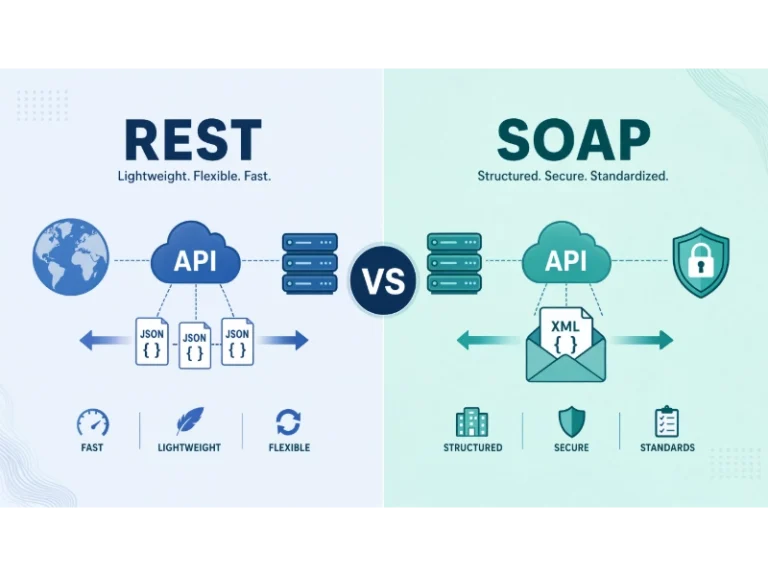
REST API vs SOAP API: Differences, Pros & Cons, and Use Cases
 VPN & Proxy
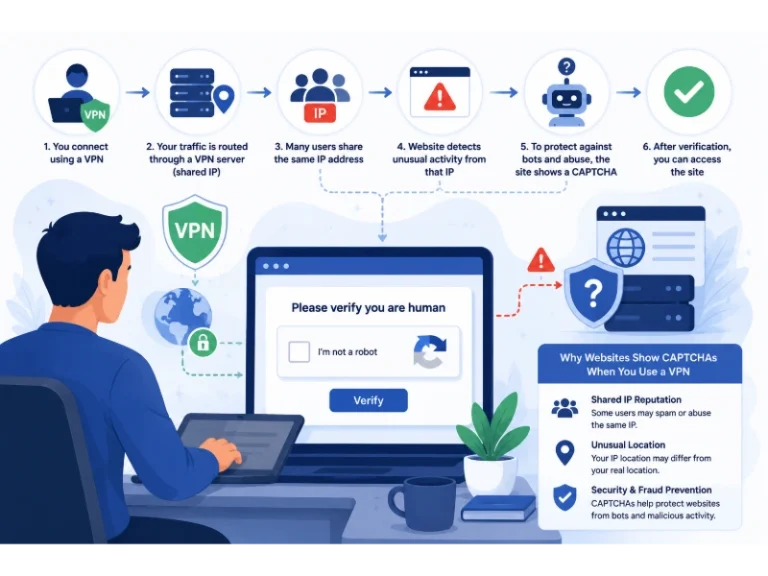
Why Do CAPTCHAs Appear When You Use a VPN?
 VPN & Proxy
Why Does Google Say Our Systems Have Detected Unusual Traffic From Your Computer Network?
 VPN & Proxy
How to Block Ads on Pinterest: A Simple Guide
 Web Scraping
TinyFish.ai Review: Is It the Best AI Agent for Web Scraping
 VPN & Proxy
10 Best VPNs for California in 2026: Privacy, Speed, and Security
 VPN & Proxy
Mobile Proxies vs. Residential Proxies: Differences, Costs, and Use Cases
 VPN & Proxy