

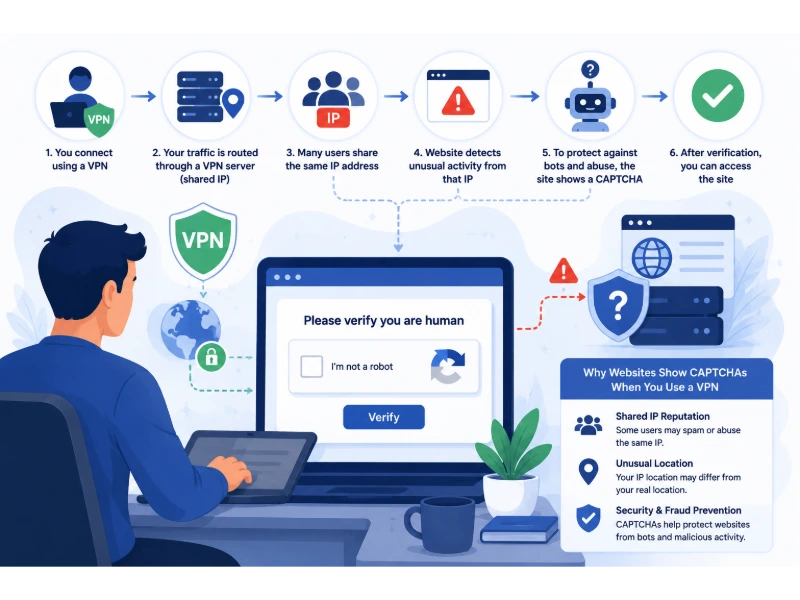
You turn on your VPN, open a familiar website, and instead of getting on with what you came to do, you’re asked to identify traffic lights or click every square containing a bus. It’s annoying enough once. When it keeps happening, it can make a perfectly ordinary browsing session feel like a chore.
I’ve run into this myself while using Windscribe. I was browsing normally when a CAPTCHA suddenly appeared, and I found it frustrating. I wasn’t trying to automate anything or send a flood of requests; I just wanted to use the site. I couldn’t tell from the challenge why it had appeared, and that’s often the problem: websites rarely explain which signal made them ask for another check.
A VPN can lead to more CAPTCHAs when a website flags its exit IP address, sees an unusual request pattern, or notices other signals it considers risky. Shared IP addresses are one possible reason, but they’re not the whole story. A CAPTCHA also doesn’t mean your VPN is broken—or prove that it’s protecting your real IP address properly.
Key Takeaways
- Other VPN users can affect the same IP address. When many people share an exit IP, a site’s view of that address may reflect their combined traffic.
- Datacenter IPs aren’t automatically suspicious. Some security systems treat hosting-network traffic differently, but the address alone doesn’t prove that a visitor is a bot.
- Websites look at more than IP addresses. Request patterns, browser signals, account activity, and location changes can all play a part.
- Paying for a VPN doesn’t guarantee fewer CAPTCHAs. It depends on the provider, the server and IP you get, and the site’s own security settings.
- Try another server first. If the challenge keeps coming back, check the browser and the specific website before changing lots of settings.
What Is a CAPTCHA Actually Checking?
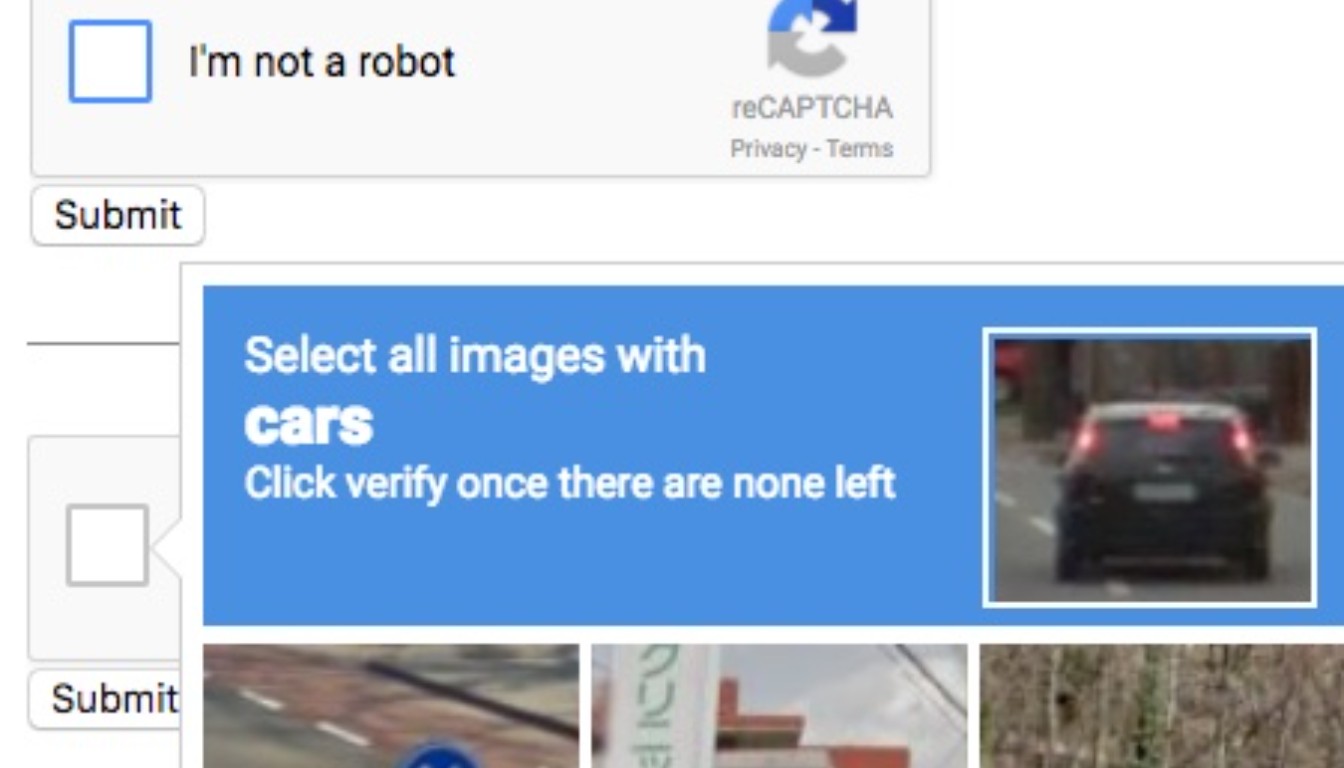
CAPTCHA stands for “Completely Automated Public Turing test to tell Computers and Humans Apart.” Websites use CAPTCHAs and other anti-bot checks to limit activity such as spam, fake account creation, credential-stuffing attempts, and automated scraping.
Not every check asks you to solve a picture puzzle. Some systems assess activity in the background and let the website decide whether to allow a request, ask for more verification, or block it. Google’s reCAPTCHA v3 documentation, for example, explains a score-based approach that doesn’t always require a visible challenge.
So a CAPTCHA doesn’t tell you exactly what went wrong. It tells you the site wants another check before letting you continue.
Why a VPN Can Trigger a CAPTCHA
1. You May Be Sharing an IP Address With Other People
Many consumer VPNs send traffic from several customers through the same public exit IP address. That makes it possible for a provider to serve many users without giving everyone a separate public address.
A website may therefore see requests from lots of people arriving under one IP. If that address has been associated with abusive activity, or suddenly sends a large number of requests, the site may ask visitors using it to verify that they’re human. You can get caught up in that check even when your own activity is completely ordinary.
People sometimes call this the “bad neighbor” effect: other users’ activity can affect how a shared address is treated. It’s a plausible explanation for a CAPTCHA, not proof of what triggered a particular one. Sites use different reputation systems and rules, and they don’t always reveal why they challenged a visitor.
2. The VPN Address May Come From a Datacenter
Many VPN servers use infrastructure provided by hosting companies or cloud and datacenter networks. Security systems can use network information, including an IP address’s Autonomous System Number (ASN), to identify the type of network a request comes from.
Datacenters host plenty of legitimate services, of course, but they’re also convenient places to run automated tools at scale. Some websites treat traffic from certain hosting networks more cautiously than traffic from a residential internet provider. That doesn’t make every datacenter address suspicious, and it doesn’t mean a CAPTCHA will appear whenever you use one.
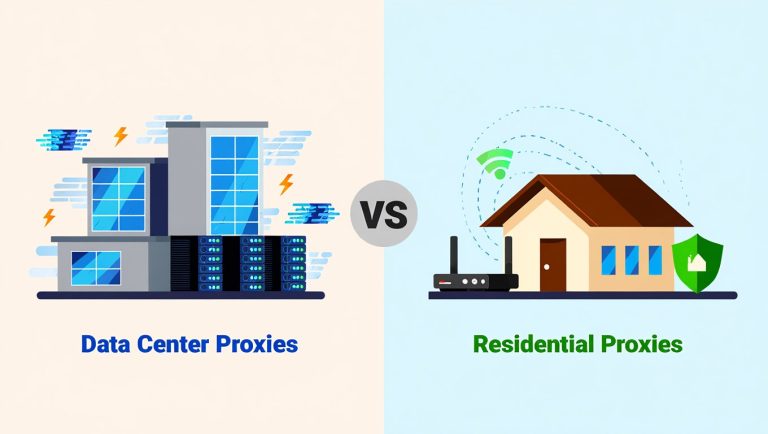
If you’d like more background on the distinction, see our guide to data center proxies vs. residential proxies.
3. The Combined Traffic May Look Unusual
A busy VPN exit IP can carry requests from many people at once. If those requests reach the same website in a short period, its rate limits or anti-bot systems may ask for extra verification. From the site’s point of view, it’s not always easy to tell whether a burst came from lots of ordinary visitors or from an automated script.
This isn’t a guarantee that a busy server will cause trouble. Traffic volume is one possible signal, and each website decides how to handle it.
4. Your Apparent Location Has Changed
A VPN can make your connection appear to come from another city or country. If you sign in to an account from a location it doesn’t usually see, the service may ask for an extra check—particularly before a sensitive action such as resetting a password or making a payment.
That doesn’t mean changing countries with a VPN is inherently suspicious. A location difference is simply one detail a service may consider alongside device, account, session, and network information.
5. The Site May Be Looking at Browser or Session Signals
Your IP address isn’t the only clue a site’s security system can use. Depending on the service, it may also consider request patterns, browser-side signals, or the way a session behaves. Cloudflare, for example, documents several bot-detection methods, including heuristic checks and JavaScript detections. The methods available depend on the site’s products and configuration; see Cloudflare’s bot detection documentation.
That’s why switching servers sometimes fixes the problem and sometimes changes nothing. If a different signal is driving the challenge, a new IP address may not be enough.
Do Free VPNs Cause More CAPTCHAs Than Paid VPNs?
They can, especially when a service has a small pool of heavily shared IP addresses. An address that carries lots of traffic or has built up a poor reputation may attract more checks. But this isn’t a reliable rule for every free and paid VPN.
A paid VPN can use shared addresses too, and some of its servers may still trigger CAPTCHAs. Price alone doesn’t tell you whether a particular IP has a good reputation or how a website will treat it.
When choosing a VPN, look beyond CAPTCHA frequency. Privacy practices, security features, reliability, available server locations, and independent reviews matter too. We cover the trade-offs in the benefits of a paid VPN over a free VPN.
Not All CAPTCHA Prompts Have the Same Cause
Google’s “Unusual Traffic” Warning
Google may show an unusual-traffic warning when activity from a network looks automated. Its guidance notes that searches from other people using the same VPN or internet connection can be a factor, so the warning doesn’t automatically mean you personally sent suspicious requests.
Follow the instructions on the page and consult Google’s official explanation of unusual traffic if the warning keeps appearing. We also explain what the message “Our systems have detected unusual traffic from your computer network” means and what you can try.
CAPTCHAs on Login or Payment Pages
A challenge during sign-in, account recovery, or checkout may be part of the site’s protection for a sensitive action. The service could be responding to an unfamiliar location, a new device, an unusual session, or a network signal. The prompt alone doesn’t identify which one mattered most.
Cloudflare and Other Website Challenges
Websites using Cloudflare or another security provider can apply their own rules. Even two sites using the same provider may be configured differently, which helps explain why a VPN IP might work on one site but trigger a challenge on another. A challenge on several sites doesn’t, by itself, prove that the same reputation score is being applied everywhere.
What to Try When CAPTCHAs Keep Appearing
1. Switch VPN Servers
Start here. A different server may give you a different exit IP address with a different traffic pattern or reputation. If the challenge disappears, that suggests the original connection may have been part of the issue, though it doesn’t prove the exact cause.
2. Try a Server Near Your Usual Location
If the challenge appears when you connect through another country, try a server in your usual country or a nearby one. This may help when location differences are part of the site’s concern. It won’t necessarily improve the IP address’s reputation, so don’t treat it as a sure fix.
3. Give the Site a Moment
If a request fails, avoid clicking submit over and over. Pause, follow the site’s instructions, and complete any challenge it presents. Repeated attempts can add more requests to a pattern that already looks unusual.
4. Consider a Dedicated IP
Some VPN providers sell a dedicated IP address that isn’t shared with the provider’s other customers. That can reduce the chance that other customers’ traffic affects the address you use, but it won’t guarantee fewer CAPTCHAs. The site can still consider its existing reputation, your session, or other signals.
There’s also a privacy trade-off. A shared IP puts many users behind one address; a dedicated IP is more consistently associated with your connection. Weigh the cost and the privacy implications before paying extra for one.
5. Use Split Tunneling Only When It Makes Sense
Split tunneling lets you choose which apps or traffic pass through the VPN. Routing a particular site outside the VPN may avoid a problem with the VPN’s exit IP, but the site will then see your regular public IP address, and that traffic won’t have the VPN’s protection.
Use this as a deliberate trade-off, not a default fix—especially for activities where keeping your IP address private matters.
6. Check Your Browser and Cookies
Extensions, blocked cookies, disabled JavaScript, or a browser session that’s gone awry can sometimes interfere with a site’s verification process. Try the site in a private window or another up-to-date browser. If it works there, review your extensions and site settings before clearing everything.
Clearing cookies isn’t a guaranteed fix, either. On Cloudflare-protected sites, a valid cf_clearance cookie can remember that you’ve passed a challenge for a configured period. Deleting it may mean facing the challenge again. Cloudflare explains how this works in its Challenge Passage documentation. Keep in mind that clearing site data can also sign you out.
7. Choose a VPN for More Than CAPTCHA Avoidance
VPN providers differ in their server networks, IP options, and how they manage abuse on their infrastructure. Those differences can affect the experience on particular sites, but there’s no provider that can promise you’ll never see a CAPTCHA.
Look at a provider’s overall security and privacy record rather than judging it on this one issue. For one example, see our review of whether ExpressVPN is safe.
Does a CAPTCHA Mean Your VPN Is Working?
No—not on its own. A CAPTCHA means the website has asked for another check. It doesn’t confirm that your real IP address is hidden, nor does it show whether DNS or WebRTC information is leaking.
To check those things, use reputable IP-address, DNS-leak, and WebRTC-leak tests. Each checks something different, so don’t treat one result—or the appearance of a CAPTCHA—as proof that your VPN is or isn’t protecting you properly.
Could Browser Fingerprinting Be Involved?
If the CAPTCHA follows you across several VPN servers, browser-related signals could be part of the picture. Browser fingerprinting uses a combination of technical characteristics, such as browser settings and supported features, to help distinguish one browser from another. It’s different from your public IP address, though a security system may consider both.
Try updating your browser, checking that the site can use the scripts and cookies it needs, and temporarily testing without extensions that change how pages work. These are troubleshooting steps, not proof that fingerprinting caused the challenge. For more background, see our guide to Pixelscan and browser fingerprint checks.
Frequently Asked Questions
Why does Google ask for a CAPTCHA when I use a VPN?
Google may see automated-looking search activity coming from the VPN’s shared network. Other users may contribute to that activity, so the warning doesn’t necessarily point to anything you did. Follow the on-screen instructions and Google’s guidance if it continues.
Will a paid VPN stop CAPTCHAs?
No VPN can promise that. A paid service may offer more server choices or a dedicated IP, but websites can still ask for verification because of IP reputation, request patterns, location, or browser and session signals.
Will a dedicated IP eliminate CAPTCHA prompts?
No. It means fewer customers share that address, but the website may still challenge it or consider other signals.
Should I turn off my VPN whenever a CAPTCHA appears?
Not necessarily. Try another VPN server first. Disconnecting can help you work out whether the exit IP is involved, but the website will then see your regular public IP address. Decide whether that trade-off makes sense for the site you’re visiting.
Final Thoughts
My experience with Windscribe was a reminder of how irritating these prompts can be: you’re trying to browse normally, and suddenly you have to prove you’re human. The challenge itself doesn’t reveal why it appeared. A shared IP address is one possibility, but traffic patterns, location, browser signals, and a site’s own rules can also matter.
Try another server first, then check whether the problem is limited to one site or follows you across browsers and servers. You might reduce the number of interruptions, but no VPN setting can guarantee a CAPTCHA-free experience everywhere.
You May Also Like
 VPN & Proxy
Why Does Google Say Our Systems Have Detected Unusual Traffic From Your Computer Network?
 VPN & Proxy
How to Block Ads on Pinterest: A Simple Guide
 VPN & Proxy
10 Best VPNs for California in 2026: Privacy, Speed, and Security
 VPN & Proxy
Mobile Proxies vs. Residential Proxies: Differences, Costs, and Use Cases
 VPN & Proxy
Datacenter vs. Residential Proxies: Differences, Costs, and Use Cases
 Web Scraping
Reasons Why You Should Avoid Using Free Proxies For Web Scraping
 Web Scraping
How to Use Proxies for Web Scraping Without Getting Blocked
 VPN & Proxy
Residential Proxies in 2026: Our 90-Day Benchmark of IPRoyal, Proxy-Seller, and RoundProxies
 VPN & Proxy