

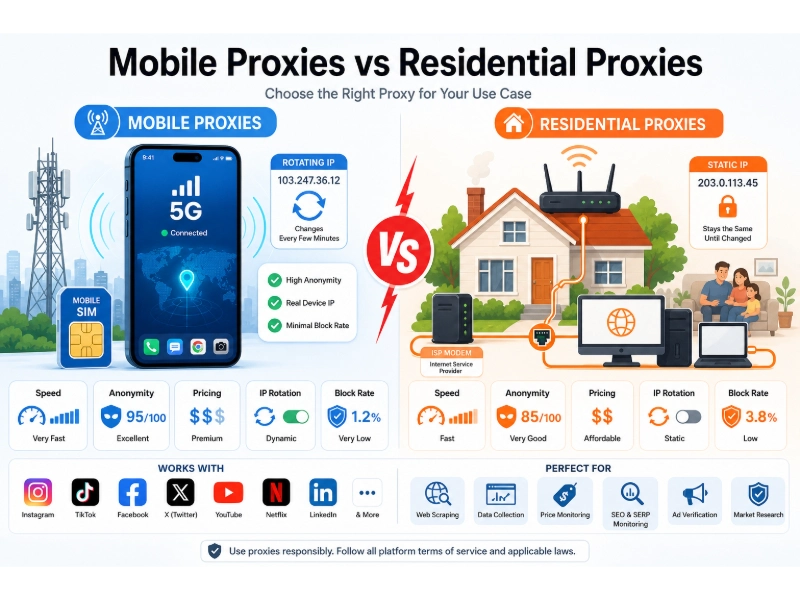
Mobile and residential proxies can look similar from the outside, but both replace the requester’s original IP address with one associated with a consumer-facing network. Under the surface, however, they rely on different infrastructure. Residential proxies typically use fixed broadband connections, while mobile proxies route traffic through cellular carriers that may place many subscribers behind shared public IP addresses.
That technical difference can affect cost, latency, session stability, geographic targeting, and how a destination classifies the traffic. Mobile proxies are often associated with stronger IP reputation because cellular addresses may be shared through Carrier-Grade NAT, or CGNAT. Still, that does not make mobile traffic anonymous or undetectable. Modern websites can evaluate browser characteristics, cookies, request behavior, account history, and network patterns in addition to the IP address.
For most authorized web-scraping projects, residential proxies provide a more practical balance of price, coverage, and scalability. Mobile proxies become more relevant when a task specifically depends on a cellular carrier, mobile ASN, or mobile-network experience. This guide explains where each option performs well, where it may fall short, and how to compare the two using valid-result rates and effective cost rather than marketing claims alone.
Key Takeaways
- Main difference: Residential proxies use IP addresses associated with consumer broadband connections, while mobile proxies use addresses associated with cellular carriers and mobile networks.
- CGNAT advantage: Mobile carriers frequently use CGNAT, which can place many legitimate subscribers behind the same public IP address. This may make broad IP-only blocking less precise, but it does not make mobile proxies invisible or impossible to restrict.
- Best for general web scraping: Residential proxies are usually the more practical option for authorized, location-sensitive web scraping because they tend to provide broader geographic coverage at a lower cost per GB.
- Best for mobile-specific testing: Mobile proxies are generally more appropriate when a workflow specifically requires a cellular carrier, mobile ASN, or mobile-network route.
- Anonymity: Both proxy types hide the requester’s direct IP from the destination. Neither provides complete anonymity because browser, account, behavioral, and network signals may still identify unusual activity.
- Success rates: Neither proxy type has a universal success rate. Performance depends on the target, authorization, provider, location, request volume, session settings, validation rules, and site defenses.
- Cost: Mobile proxy traffic generally costs more per GB. That premium may be justified for carrier-specific QA or mobile ad verification, but it is often unnecessary for ordinary public-web research.
- Ethical sourcing: A provider should explain how network participants consent, whether they are compensated, how they can opt out, how customers are screened, and how abuse reports are handled.
- Legal responsibility: A proxy changes the network path of a request. It does not create permission to access private data, bypass authentication, disregard privacy laws, or violate contractual restrictions.
Mobile Proxies vs. Residential Proxies at a Glance
| Factor | Residential Proxies | Mobile Proxies |
|---|---|---|
| IP source | Consumer broadband ISP connections | Cellular carrier networks |
| Typical network | Cable, fiber, DSL, or fixed wireless | 3G, 4G, LTE, or 5G |
| ASN classification | Consumer ISP or residential network | Mobile carrier or cellular operator |
| CGNAT usage | Possible, depending on the ISP | Common across many mobile networks |
| Public IP sharing | May serve one household or multiple customers through NAT | Often shared by many subscribers through CGNAT |
| Perceived trust level | Often treated as consumer-network traffic | Often treated as mobile consumer traffic |
| Anonymity | Hides the requester’s direct IP, but not all identity signals | Hides the requester’s direct IP and may blend into carrier traffic, but not all identity signals |
| Detection risk | Still detectable through behavioral and technical signals | Still detectable despite CGNAT |
| Rotation | Per request, timed, or sticky | Per request, timed, provider-controlled, or carrier-driven |
| Session persistence | Usually configurable, but peer availability can change | May be affected by carrier reassignment or gateway reconnection |
| Speed | Usually moderate | Often moderate, but potentially more variable |
| Stability | Generally moderate to high with a reputable provider | Can vary with congestion, signal conditions, and carrier routing |
| Geographic coverage | Usually broad | Often narrower, especially for specific carrier and city combinations |
| Carrier targeting | Usually unavailable | Frequently available |
| City or ZIP targeting | Common with larger providers | Available from some providers, but inventory may be limited |
| Protocol support | Commonly HTTP, HTTPS, and SOCKS5 | Commonly HTTP, HTTPS, and sometimes SOCKS5 |
| Pricing model | Usually per GB | Per GB, port, device, SIM, or monthly gateway |
| Relative cost | Usually lower | Usually higher |
| Pool size | Typically larger | Typically smaller |
| Best for general scraping | Usually the better balance | Often unnecessary unless mobile routing matters |
| Best for mobile QA | Limited because the IP is not necessarily mobile | Strong fit |
| Best for mobile ad verification | May cover broad regional checks | Better when carrier-level delivery matters |
| Primary limitation | Variable endpoint quality and sourcing concerns | Higher cost, variable latency, and smaller inventory |
Important: Trust level in this comparison refers to network classification, not a guarantee that a destination will accept the traffic.
What Is a Residential Proxy?
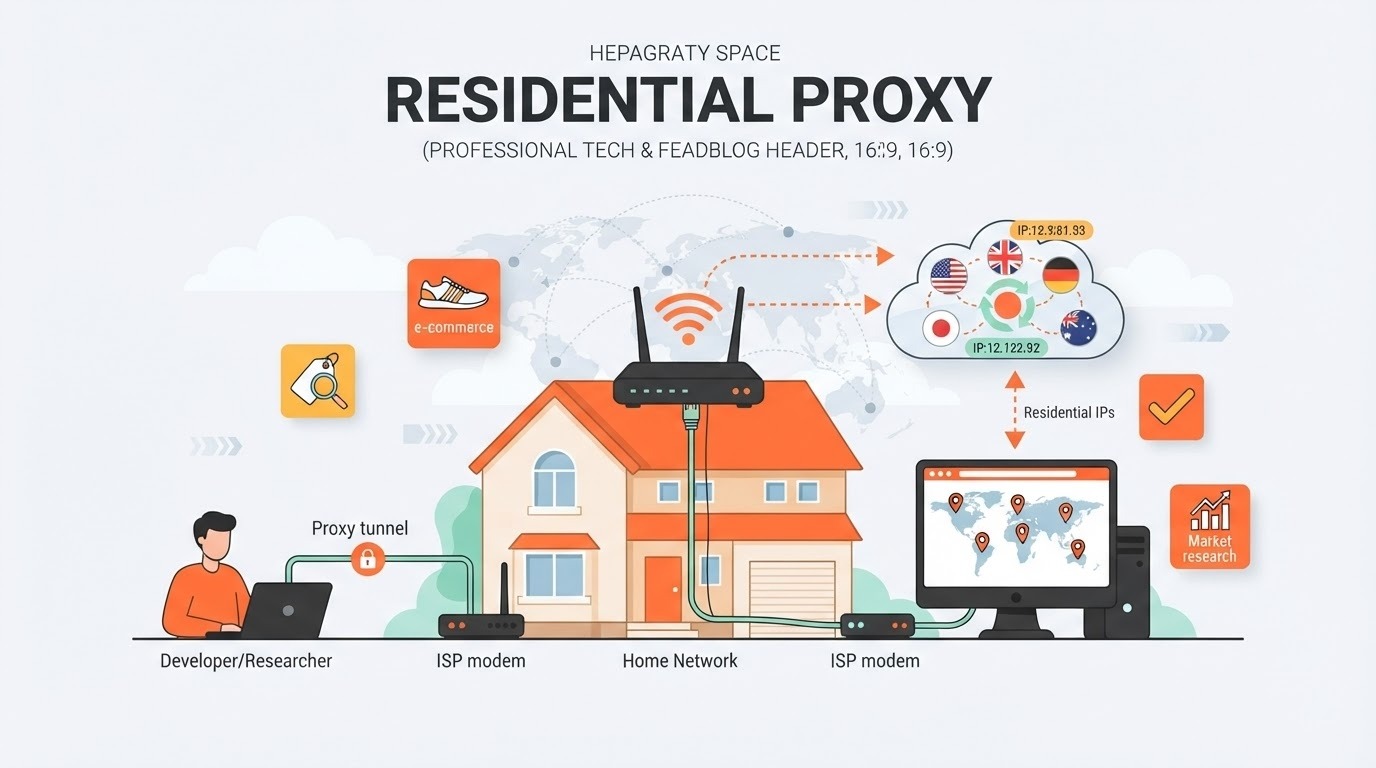
A residential proxy routes an internet request through an IP address associated with a consumer internet service provider. The destination sees the residential exit IP instead of the requester’s original connection.
A typical request follows this path:
- An authorized application connects to the provider’s proxy gateway.
- The provider selects an available residential exit.
- The request leaves through the selected consumer-network IP.
- The destination sends the response back through the proxy gateway.
Residential proxy networks may obtain capacity through opted-in applications, compensated bandwidth-sharing programs, direct network partnerships, or other disclosed arrangements. Because sourcing models vary substantially, the word “residential” does not by itself prove informed consent or ethical procurement.
For a broader explanation, see What Are Residential Proxies?.
Rotating Residential Proxies
Rotating residential proxies: These assign a different IP per request, after a defined interval, or when a session ends.
They can be suitable for authorized data-collection workflows where requests do not require a long-lived identity. Rotation should still be proportionate to the use case and destination policy.
Sticky Residential Sessions
Sticky residential sessions: These attempt to keep the same residential IP for a specified period.
Sticky sessions can help with:
- Shopping-cart QA
- Regional user-journey testing
- Multi-page localization checks
- Authorized login-flow testing
- Workflows requiring consistent geography
A sticky session is not always guaranteed to last for the maximum advertised duration. The exit device may disconnect, change networks, or leave the pool.
Residential Proxies vs. ISP Proxies
Residential proxy: Usually routes through a consumer endpoint and may rotate as devices enter or leave the network.
ISP proxy: Often uses an ISP-associated IP hosted on server infrastructure, providing a more persistent connection.
Provider terminology is not always consistent. If a workflow requires the same IP for several hours or days, a static ISP proxy may be more suitable than a rotating residential proxy.
What Is a Mobile Proxy?
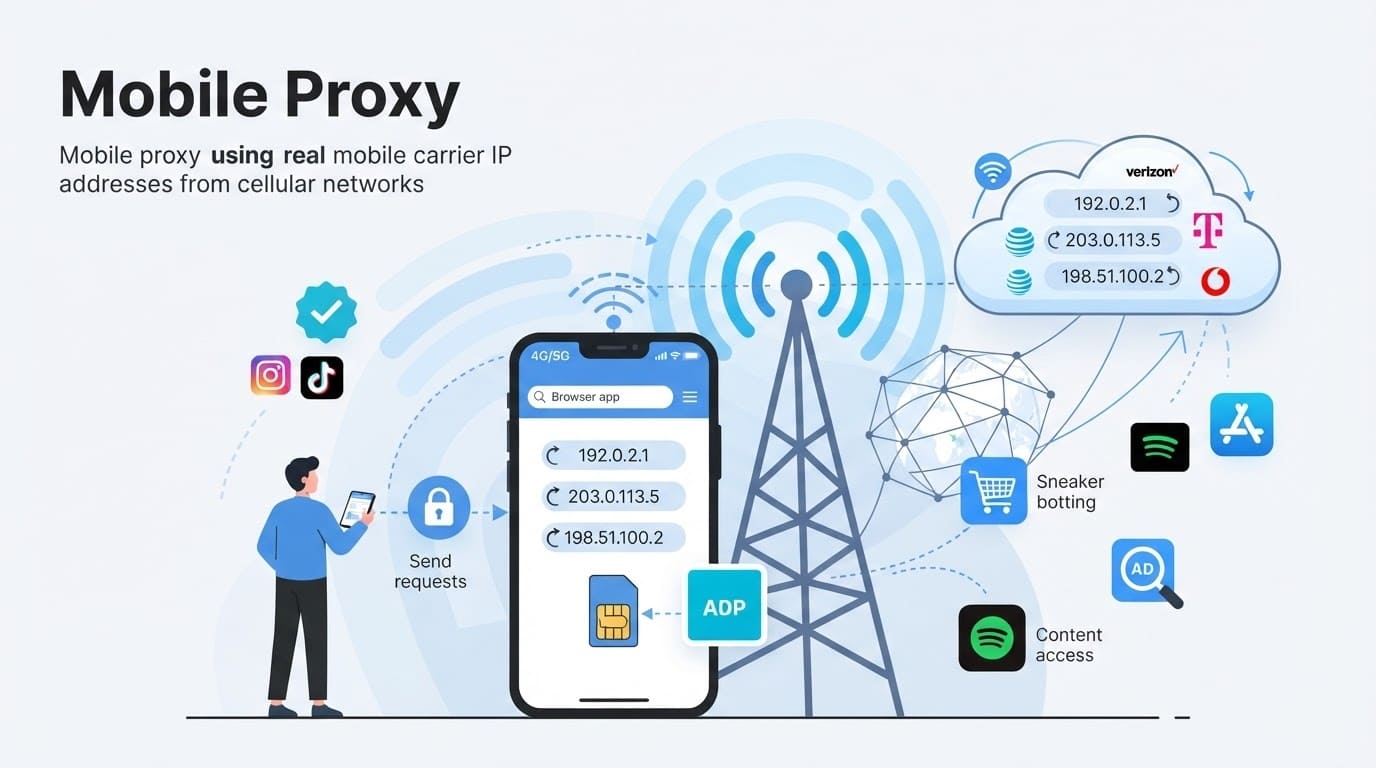
A mobile proxy routes traffic through an IP address associated with a cellular carrier. Depending on the product, the exit may come from a physical smartphone, modem, SIM-based gateway, or capacity supplied through a larger mobile network.
The typical route is:
- An application connects to the proxy provider.
- The provider selects a mobile exit based on location and carrier settings.
- Traffic leaves through the cellular network.
- The destination sees an IP associated with the mobile carrier.
Mobile proxies are often marketed as 3G, 4G, LTE, or 5G proxies. These labels describe the access network, but they do not guarantee a specific speed. Performance also depends on congestion, carrier routing, gateway capacity, location, and provider infrastructure.
Shared Mobile Proxies
Shared mobile proxies: Multiple customers may use the same gateway, port, or IP pool.
Shared plans generally cost less, but activity from other customers may affect performance, reputation, or availability.
Dedicated Mobile Proxies
Dedicated mobile proxies: A modem, SIM, port, or gateway may be reserved for one customer.
Dedicated access can offer more control, but it does not necessarily mean the public IP is used by only one person. A cellular carrier may still place the connection behind CGNAT with unrelated subscribers.
Rotating Mobile Proxies
Rotating mobile proxies: These change the visible public IP through provider-controlled rotation, modem reconnection, carrier reassignment, or another documented process.
Frequent rotation is not automatically better. If a destination expects a consistent session, repeated IP or location changes can create authentication or continuity problems.
How CGNAT Affects Mobile Proxies
CGNAT is one of the most important technical differences between many mobile and residential proxy services.
CGNAT: Carrier-Grade Network Address Translation allows an internet provider to place multiple subscribers behind a smaller number of public IPv4 addresses.
The IETF’s RFC 6598 reserves 100.64.0.0/10 as shared address space for service-provider CGN deployments. This internal address range differs from the public IP visible to a destination.
Why Mobile Carriers Use CGNAT
Mobile carriers can serve millions of connected devices. Assigning a unique public IPv4 address to each device may be impractical, so carriers can translate traffic from many subscribers through shared public addresses.
Why CGNAT Can Affect IP-Based Controls
Shared public identity: One mobile public IP may represent many unrelated subscribers.
Collateral impact: Blocking an entire mobile IP could affect legitimate people sharing that address.
Changing assignments: Mobile IPs may be reassigned as devices reconnect or move between network infrastructure.
These characteristics can make simple IP-only enforcement less precise. However, CGNAT does not prevent a destination from evaluating individual requests, browsers, devices, sessions, or accounts.
Websites may consider:
- Browser and device characteristics
- TLS and HTTP fingerprints
- Cookies and local storage
- Account history
- Request frequency
- Navigation behavior
- JavaScript execution
- Geographic consistency
- Network latency
- Historical IP activity
- Interactive verification
Cloudflare’s residential-proxy detection research describes how defensive systems can combine request fingerprints, network signals, latency, behavior, and global traffic statistics. The research demonstrates why a consumer or mobile IP should not be treated as automatically undetectable.
Core Differences Between Mobile and Residential Proxies
Mobile and residential proxies both replace the requester’s original IP, but they do not provide identical network conditions. The most important differences involve where the IP comes from, how the connection is shared, how stable it remains, and whether the workflow requires cellular routing.
1. IP Source and Network Classification
Residential proxies: Use IP addresses associated with household or consumer broadband providers, including cable, fiber, DSL, and fixed wireless connections.
Mobile proxies: Use IP addresses associated with cellular carriers and mobile networks such as 3G, 4G, LTE, or 5G.
This difference matters when a workflow requires a specific network classification. A residential proxy may be enough for checking regional prices or localized content. A mobile proxy is more appropriate when the test must originate from a mobile carrier or cellular ASN.
IP classification is not always perfectly consistent. A provider, destination website, and third-party geolocation database may classify the same address differently.
2. Public IP Sharing and CGNAT
Residential connections: May serve one household, several devices behind a home router, or multiple customers when the ISP uses CGNAT.
Mobile connections: Frequently place many subscribers behind shared public addresses through carrier-grade NAT.
Because a mobile public IP may represent many legitimate subscribers, broad IP blocking can create false positives. This may make IP-only enforcement less precise, but it does not stop a destination from restricting a particular request, session, device, or account.
3. Speed and Latency
Residential proxies: Often provide moderate and relatively predictable performance, although speed depends on the endpoint, broadband provider, gateway, and distance.
Mobile proxies: May have higher or more variable latency because traffic can pass through cellular infrastructure, carrier NAT, and the proxy provider’s gateway.
A 5G label does not guarantee faster proxy performance. Actual results can be affected by:
- Cellular congestion
- Signal quality
- Carrier routing
- Gateway hardware
- Provider capacity
- Destination-server performance
- Distance from the exit
- Concurrent customer traffic
As a provider-reported example, Oxylabs lists an average response time of approximately 0.6 seconds for its residential proxy service and approximately 1.1 seconds for its mobile service. Those numbers describe the provider’s own measurements and should not be treated as universal market averages.
When comparing services, measure median latency, p95 latency, timeout rate, and valid-result rate rather than relying on a single advertised average.
4. Stability and Availability
Residential proxies: Can maintain stable short-term sessions, but an exit may disappear when the participating device disconnects, changes networks, or leaves the pool.
Mobile proxies: Can experience IP reassignment, tower handoffs, modem reconnections, carrier maintenance, and changing network conditions.
Neither category guarantees that a sticky session will remain available for its advertised maximum duration.
For multi-step workflows, test:
- How long the same IP remains active
- What happens when an exit disconnects
- Whether the provider replaces the IP automatically
- Whether the replacement stays in the requested location
- Whether credentials continue working
- Whether an unexpected IP change interrupts the workflow
5. Geographic and Carrier Targeting
Residential proxies: Commonly offer country, state, city, ZIP code, ISP, or ASN targeting, depending on provider inventory.
Mobile proxies: May offer country, state, city, ASN, and carrier targeting.
Highly specific combinations can reduce available inventory. A provider may advertise millions of global IPs but have relatively few exits for a particular carrier and city at a given time.
Geolocation should be independently validated. A provider may identify an IP as belonging to one location while the destination or another database treats it differently.
6. Cost and Billing Model
Residential proxies: Commonly use per-GB pricing, although providers may also offer monthly commitments or dedicated pools.
Mobile proxies: May be billed per GB, port, modem, SIM, device, or monthly gateway.
Mobile proxies generally cost more because cellular capacity may require:
- Mobile data plans
- SIM cards or eSIMs
- Modems and gateway hardware
- Carrier management
- Smaller location-specific inventories
- Ongoing device maintenance
The lower sticker price is not always the more economical option. Compare effective cost after accounting for failed requests, retries, unused traffic, targeting fees, and engineering time.
7. Anonymity and Detection
Residential proxies: Hide the requester’s original IP and replace it with an IP associated with a consumer broadband network.
Mobile proxies: Also hide the original IP and may route traffic through a cellular address shared by many subscribers.
Neither type provides complete anonymity. A proxy changes the visible network route, but the destination may still evaluate:
- Browser and device characteristics
- Cookies and local storage
- TLS and HTTP fingerprints
- Request timing
- Navigation patterns
- JavaScript behavior
- Account history
- Language and time-zone settings
- IP-to-location consistency
- DNS behavior
- Previous activity associated with the exit IP
Mobile proxies are sometimes described as “undetectable” because of CGNAT. That description is misleading. Shared public IP usage may make broad IP blocking less precise, but it does not make an individual session indistinguishable from legitimate traffic.
Anonymity and detection: Mobile and residential proxies hide the requester’s original IP address, but neither provides complete anonymity. Mobile CGNAT may make broad IP-only blocking less precise because many subscribers can share a public address. Websites can still evaluate cookies, browser fingerprints, request behavior, account history, location consistency, and other network signals.
A proxy should be understood as a routing and location tool—not proof of anonymity or authorization.
8. IP Reputation and Abuse History
Residential IP reputation: May initially resemble ordinary broadband traffic, but individual exits can still develop poor reputation because of prior misuse, malware, spam, or excessive automation.
Mobile IP reputation: May benefit from being part of a cellular network shared by legitimate subscribers. However, mobile addresses can still be challenged, monitored, or restricted.
IP source and IP reputation are related but not identical.
A residential or mobile IP may have poor reputation if:
- Previous customers used it irresponsibly
- Too many sessions share the exit
- The IP appears in threat-intelligence databases
- Its geographic classification changes unexpectedly
- Request behavior conflicts with the claimed environment
- The provider repeatedly reuses a small pool
Ask providers whether they monitor unhealthy exits, refresh inventory, and accept reports about inaccurate or problematic IP addresses.
9. Session and Identity Consistency
Residential sessions: Usually support per-request rotation or sticky sessions. The same IP may remain available for several minutes, but actual duration depends on endpoint availability.
Mobile sessions: May support timed rotation, manual rotation, or automatic reconnection. The visible address can also change because of carrier-level reassignment.
The appropriate session mode depends on the workflow:
- Independent public-page requests: Rotation may be suitable.
- Shopping-cart QA: A sticky session is usually more consistent.
- Account-based testing: Unexpected IP changes may trigger additional verification.
- Carrier localization: Rotation should remain within the required country and carrier.
- Long-running workflows: A static ISP proxy may be more appropriate.
Rotating more frequently does not automatically improve results. If the destination expects continuity, repeated IP changes may make the session less consistent.
10. Protocol, DNS, and IPv6 Support
Protocol support: Both mobile and residential services may support HTTP, HTTPS, or SOCKS5, but availability varies by provider and plan.
DNS behavior: DNS lookups may occur locally or through the proxy, depending on the protocol and client configuration. Local resolution can create geographic inconsistencies or reveal information about the requester’s environment.
IPv6 support: Mobile carriers may use IPv6, dual-stack connectivity, or translation technologies, but the proxy product may expose only an IPv4 exit. Residential IPv6 availability also varies.
Before purchasing, confirm:
- Whether HTTP, HTTPS, and SOCKS5 are supported
- Whether DNS is resolved locally or remotely
- Whether IPv4, IPv6, or dual-stack exits are available
- Whether WebSocket connections work
- Whether UDP is supported
- Whether authentication uses credentials or IP allowlisting
- Whether the service supports your applications and libraries
For a broader discussion of proxy protocols, see Types of Proxies Explained: HTTP, HTTPS, and SOCKS5.
Strengths and Limitations of Residential Proxies
Residential Proxy Strengths
- Broad geographic inventory: Major providers may cover many countries, states, and cities.
- Lower relative cost: Residential traffic is generally less expensive than mobile traffic.
- Good fit for public-web research: It can support authorized price monitoring, localization, and market research.
- Flexible rotation: Most providers offer rotating and sticky sessions.
- Scalability: Residential pools are often larger than mobile pools.
- Consumer-network classification: Residential IPs avoid the obvious hosting-ASN signal associated with many datacenter proxies.
Residential Proxy Limitations
- Variable endpoint quality: Performance may depend on the participating device and local ISP.
- Session interruptions: Peer devices can disconnect.
- Bandwidth-based billing: Images, scripts, large responses, and retries can increase costs.
- Sourcing uncertainty: Not every provider offers meaningful consent or procurement transparency.
- No guaranteed access: Modern websites evaluate more than the IP type.
- Inconsistent geolocation: Different databases may classify an exit differently.
- Shared reputation: Other customers’ behavior may affect an IP’s reputation.
Strengths and Limitations of Mobile Proxies
Mobile Proxy Strengths
- Cellular network representation: Useful when a task must originate from a mobile carrier.
- Carrier-specific targeting: Supports mobile app QA and carrier-based content checks.
- CGNAT environment: Shared public addresses can make indiscriminate IP blocking less precise.
- Mobile ad verification: Helps verify campaigns delivered through cellular networks.
- Realistic mobile routing: Useful for reproducing issues that appear on mobile networks but not fixed broadband.
Mobile Proxy Limitations
- Higher price: Mobile traffic generally costs more per GB or gateway.
- Variable latency: Cellular routing and congestion can make performance less predictable.
- Smaller inventory: Specific country, city, and carrier combinations may have limited availability.
- Rotation uncertainty: Public IP changes may partly depend on the carrier.
- No guaranteed anonymity: CGNAT does not conceal cookies, browser characteristics, or account behavior.
- Limited value for general scraping: Paying for mobile capacity may offer little benefit when the target does not differentiate cellular and fixed networks.
- Incomplete mobile simulation: A mobile IP does not reproduce every smartphone signal.
When to Use Residential Proxies
Authorized Web Scraping
Best fit: Residential proxies are generally the better starting point when an approved data-collection project needs consumer-network geography and lower-cost options have not met measured requirements.
Potential applications include:
- Public product and price monitoring
- Regional availability checks
- Market research
- Review monitoring
- Public catalog collection
- Travel and hospitality research
- Localization testing
- Ad placement verification
Use an official API, licensed dataset, or partner feed when one can satisfy the requirement more reliably and with lower compliance risk.
Regional Website Testing
Best fit: Use residential proxies to evaluate how a site you own or are authorized to test behaves across consumer markets.
Possible checks include:
- Currency selection
- Language defaults
- Regional redirects
- Tax presentation
- Local disclaimers
- Product availability
- Country-specific promotions
Ecommerce and Pricing Research
Best fit: Residential proxies can help verify public prices and product availability when consumer-network location affects the response.
IP location may not be the only variable. Account country, cookies, browser language, delivery address, payment method, and previous sessions may also influence the displayed experience.
Desktop and Regional Ad Verification
Best fit: Residential proxies are often sufficient when a campaign targets general consumer geography rather than cellular carriers.
Localization and Content QA
Best fit: Residential exits can help teams verify translations, local pages, and country-specific content without paying mobile rates.
When to Use Mobile Proxies
Mobile App Testing
Best fit: Use mobile proxies when testing depends on a cellular route, carrier, or mobile ASN.
Examples include:
- Reproducing carrier-specific API behavior
- Checking app performance through mobile networks
- Testing mobile-only redirects
- Reviewing cellular authentication flows you own
- Verifying carrier-specific availability
A proxy does not reproduce every mobile-device signal. Device model, operating system, GPS, SIM country, app integrity, and account settings may still influence the result.
Mobile Ad Verification
Best fit: Mobile proxies may justify their additional cost when a campaign is restricted by mobile carrier, mobile network, or cellular geography.
They can help check:
- Whether an ad appears on the intended carrier
- Whether a landing page matches the campaign
- Whether mobile-only creative is displayed
- Whether carrier-specific pricing appears correctly
- Whether an authorized publisher follows campaign requirements
Carrier-Specific Localization
Best fit: Use mobile proxies when the exact carrier or cellular ASN matters. A residential proxy cannot reliably recreate this condition.
Mobile-Network Troubleshooting
Best fit: Engineering and support teams may use mobile exits to investigate problems that occur only through cellular networks.
Possible issues include:
- API timeouts
- IPv4 or IPv6 routing differences
- Carrier DNS behavior
- Media-delivery failures
- Mobile location mismatches
- Mobile login or verification errors
Mobile Web Research
Conditional fit: Mobile proxies can support authorized research into mobile-specific public content, but they may be unnecessarily expensive if residential connections return the same data.
Which Is Better for Web Scraping?
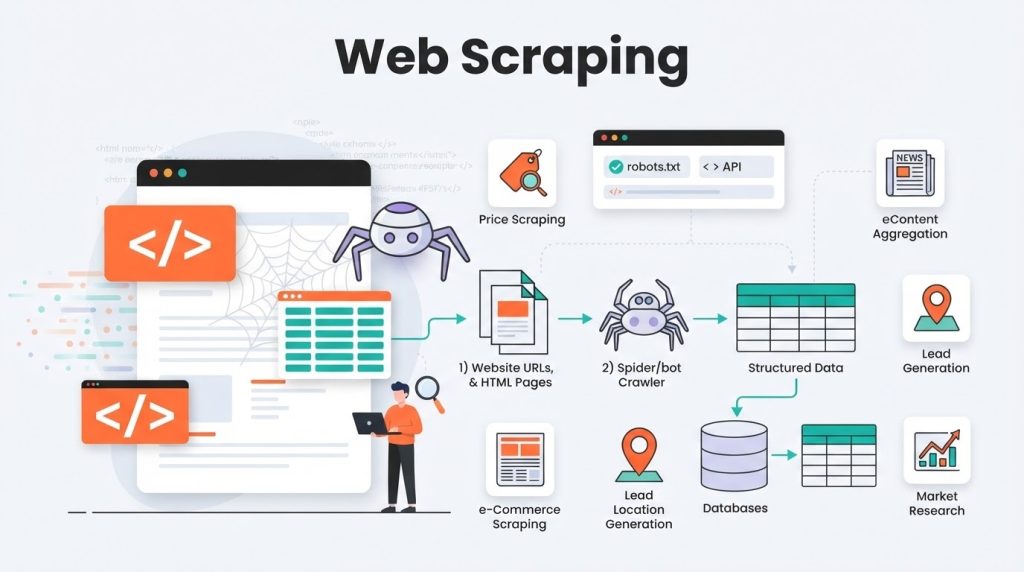
For most authorized web-scraping workloads, residential proxies are usually the better balance of price, geographic coverage, scalability, and performance.
That does not mean every scraping project needs residential proxies. A sensible infrastructure hierarchy is:
- Official API or licensed feed: Use this when it satisfies the requirement.
- Direct access: Appropriate when permitted and technically reliable.
- Datacenter proxy: Usually the lowest-cost proxy option.
- Residential proxy: Use when consumer geography or measured network-reputation differences justify the cost.
- Mobile proxy: Use when the workflow specifically requires a cellular carrier or mobile-network route.
For additional context, see Datacenter vs. Residential Proxies.
Residential Proxies Are Usually Better When
- The workflow involves authorized public data.
- Country, state, city, or ZIP targeting is needed.
- Mobile carrier selection is unnecessary.
- The project transfers moderate or large amounts of data.
- Cost per valid result matters.
- A large rotating pool is required.
- Fixed broadband behavior is representative enough.
Mobile Proxies May Be Better When
- The destination returns carrier-specific mobile content.
- The workflow involves mobile ad verification.
- A cellular ASN is required.
- The team needs to reproduce mobile-network conditions.
- Controlled testing shows enough improvement to justify the added cost.
Mobile Proxies Are Not Automatically Better for Scraping
Mobile proxies cannot compensate for:
- Unauthorized access
- Excessive request volume
- Poor content validation
- Incorrect session handling
- Invalid browser behavior
- Missing cookies or JavaScript
- Privacy-law violations
- Contractual restrictions
- Inconsistent account activity
The best proxy for web scraping is the least expensive compliant option that reliably returns valid data for the specific authorized workload.
Understanding Proxy Success Rates
Success rate is commonly used as a headline metric, but providers and buyers may define “success” differently.
What Does Success Mean?
Network success: The proxy established a connection.
HTTP success: The destination returned an HTTP response, possibly status 200.
Content success: The response contained the expected page or data.
Workflow success: The response passed validation and was usable downstream.
A high connection rate does not necessarily mean the requested data was returned. An HTTP 200 page can contain a consent wall, verification screen, login page, incorrect region, or incomplete content.
A More Defensible Success-Rate Formula
Valid-result rate = Valid completed responses ÷ Total attempted requests × 100
A valid result should meet the project’s defined requirements, such as:
- Correct destination
- Expected content
- Required fields present
- Correct geographic version
- No verification or block page
- No duplicate caused by retries
- Acceptable response time
Provider-Reported Success Rates
Oxylabs publishes an average success rate of 99.95% for its residential proxy product. This is a provider-reported figure and should not be assumed to apply to every site, country, session mode, or workload.
SoftwareCosmos’ 90-day residential proxy benchmark measured 2.4 million requests and reported a 97.8% successful extraction rate for one controlled residential workflow, compared with a 71.4% datacenter baseline.
Those results provide evidence for the tested conditions, but they do not establish a universal residential success rate or a direct residential-versus-mobile result.
Why Mobile and Residential Success Rates Cannot Be Generalized
Results may change based on:
- Target category
- Access policies
- Requested location
- Time of day
- Provider inventory
- Session duration
- Browser or HTTP client
- Request frequency
- Concurrency
- Response size
- Account history
- Validation rules
- Retry policy
No defensible comparison should promise that mobile proxies always achieve a higher success rate.
How to Run a Fair Mobile vs. Residential Proxy Test
Step 1: Confirm Authorization
Authorization: Document why the systems or data may be accessed and whether an official API, licensed feed, or written permission is available.
Step 2: Use the Same Workload
Controlled workload: Use the same permitted URLs, locations, schedules, headers, browser versions, validation rules, and retry limits for both proxy types.
Step 3: Separate First Attempts from Retries
First-attempt rate: Measures how reliably the network succeeds without additional attempts.
Retry recovery rate: Measures how many initial failures are recovered later.
Combining first attempts and retries can make an unreliable service appear stronger than it is.
Step 4: Measure Latency Distribution
Median latency: Shows typical performance.
P95 latency: Shows how slow the worst five percent of successful requests become.
Average latency alone may conceal severe slowdowns.
Step 5: Validate Geography and Carrier
Location accuracy: Confirm whether the destination treats the IP as belonging to the requested country, city, or carrier.
Do not rely only on the provider dashboard. Compare the classification used by the destination or a relevant third-party database.
Step 6: Validate the Content
Content validation: Check page structure, required fields, expected language, regional currency, and signs of verification pages.
An HTTP 200 status alone should not count as a valid result.
Step 7: Calculate Effective Cost
Effective cost per valid result = Total proxy and operational cost ÷ Number of valid results
Include proxy traffic, retries, browser infrastructure, engineering time, and unusable responses.
Mobile vs. Residential Proxy Cost Analysis
Proxy prices vary by provider, location, volume, session type, and promotion. The following figures illustrate how to compare costs and should not be treated as permanent market averages.
Editorial note: Prices, product specifications, and provider-reported performance figures were reviewed on September 1, 2026. Proxy inventory, promotions, and pricing can change, so confirm current terms before purchasing.
Current Provider Pricing Example
At the time of review, Oxylabs listed residential plans including:
- Residential Starter: 5 GB for $30, or $6/GB
- Residential Basic: 20 GB for $100, or $5/GB
- Residential Advanced: 125 GB for $500, or $4/GB
- Residential Corporate: 1 TB for $2,500, or $2.50/GB
Its mobile pricing page listed:
- Mobile Starter: 4 GB for $30, or $7.50/GB
- Mobile Basic: 15 GB for $100, or approximately $6.67/GB
- Mobile Advanced: 100 GB for $500, or $5/GB
These are provider-specific list prices and may exclude taxes. Promotions, enterprise discounts, and overage rates can change the actual cost.
Small-Project Cost Example
Suppose a project transfers 20 GB:
- Residential example: 20 GB at $5/GB = $100
- Mobile example: 20 GB at $6.67/GB = approximately $133.40
In this simplified example, mobile traffic costs approximately $33.40 more.
Medium-Project Cost Example
Suppose a project needs about 100 GB:
- Residential example: A 125 GB plan costs $500, leaving 25 GB unused.
- Mobile example: A 100 GB plan costs $500.
The invoice is the same in this example, but the residential plan includes more traffic. The better value still depends on how much data is usable.
Cost per Valid Result Example
Assume two routes process 100,000 authorized requests:
| Metric | Residential | Mobile |
|---|---|---|
| Proxy spend | $400 | $500 |
| Valid-result rate | 94% | 97% |
| Valid results | 94,000 | 97,000 |
| Proxy cost per valid result | $0.00426 | $0.00515 |
Even though the hypothetical mobile route produces 3,000 additional valid results, residential remains less expensive per valid result.
Now add retry and operational costs:
| Metric | Residential | Mobile |
|---|---|---|
| Proxy spend | $400 | $500 |
| Retry and operating cost | $180 | $40 |
| Total cost | $580 | $540 |
| Valid results | 94,000 | 97,000 |
| Effective cost per valid result | $0.00617 | $0.00557 |
Under the broader calculation, mobile becomes more economical. These numbers are illustrative, but they show why sticker price alone is not enough.
Hidden Costs to Include
- Retry bandwidth: Failed responses may still consume billable traffic.
- Browser assets: Images, video, fonts, and scripts can multiply usage.
- Targeting fees: Carrier, city, or ZIP filters may cost more.
- Unused commitment: Monthly traffic may expire.
- Engineering time: Unstable routes require more maintenance.
- Compliance review: Enterprise providers may require KYC or use-case approval.
- Managed tools: Browser APIs or unlocker services may be billed separately.
- Taxes: VAT and other taxes may apply.
- Session failures: Broken sessions can require restarting an entire workflow.
Ethics and Compliance
A technically capable proxy is not necessarily an ethically sourced or appropriate proxy.
Verify How Proxy IPs Are Sourced
Informed consent: Network participants should understand that their connection may route third-party traffic.
Clear disclosure: Consent should not be hidden inside vague or unrelated terms.
Voluntary participation: People should be able to decline without deceptive pressure.
Accessible opt-out: Participants should be able to leave the network without unnecessary friction.
Fair compensation: If compensation is offered, the calculation and requirements should be understandable.
Resource protections: Providers should disclose possible bandwidth, data-plan, battery, and device impacts.
Decodo states in its ethical residential proxy sourcing documentation that its partners must explain data sharing, obtain consent, and allow participants to opt out. This is a provider representation, so business buyers should request contractual, audit, or certification evidence when the risk justifies it.
Evaluate Customer Governance
A responsible provider should offer:
- Customer-verification or KYC controls
- A published acceptable-use policy
- An accessible abuse-reporting channel
- Investigation and account-termination procedures
- Restricted-target policies
- Secure credential management
- Account and access logs
- Privacy and retention documentation
Customer screening cannot eliminate every misuse, but it may demonstrate stronger governance than unrestricted and anonymous proxy access.
Respect Privacy and Data-Protection Requirements
Public availability does not automatically remove privacy obligations.
The UK Information Commissioner’s Office and other global privacy authorities have warned that mass scraping of publicly accessible personal information can create significant privacy risks. Their guidance calls for lawful processing, layered safeguards, data minimization, and appropriate contractual controls.
Before collecting personal information, assess:
- Applicable privacy laws
- Lawful basis
- Purpose limitation
- Data minimization
- Accuracy requirements
- Retention limits
- Security controls
- Transparency obligations
- Individual rights
- Cross-border transfers
For broader legal context, read Is Web Scraping Legal?.
Respect robots.txt—but Understand Its Scope
The Robots Exclusion Protocol in RFC 9309 allows site operators to communicate crawler-access preferences. The specification also states that robots.txt is not a form of access authorization.
That distinction matters:
- An allowed path does not automatically create legal permission.
- A disallowed path should not be ignored merely because robots.txt is not authentication.
- Authentication, contracts, privacy rules, and other restrictions must be evaluated separately.
Avoid High-Risk Uses
Do not use residential or mobile proxies for:
- Unauthorized system access
- Credential theft
- Account takeover
- Deceptive account creation
- Circumventing authentication
- Evading account enforcement
- Bypassing purchase restrictions
- Collecting protected personal data without a lawful basis
- Overloading a service
- Concealing fraud
- Violating privacy, copyright, or computer-misuse laws
How to Choose Between Mobile and Residential Proxies
Choose Residential Proxies When
- General web scraping: The approved project needs consumer-network IPs but not cellular carriers.
- Budget matters: You need a lower cost per GB.
- Broad coverage matters: You need many countries or cities.
- Volume matters: The workflow transfers substantial data.
- Flexible rotation matters: You need both rotating and sticky sessions.
- Regional QA matters: You are testing localized content on a site you manage.
Choose Mobile Proxies When
- Carrier targeting matters: The task requires a particular cellular carrier or ASN.
- Mobile ads matter: You must verify mobile-only or carrier-specific campaigns.
- Cellular troubleshooting matters: You need to reproduce behavior occurring on mobile networks.
- Mobile localization matters: The experience differs between cellular and fixed networks.
- Testing supports the premium: Measured improvements justify the additional cost.
Consider ISP Proxies When
- A persistent IP matters: The workflow requires a long-lived address.
- Lower latency matters: Peer-based residential or mobile exits are too variable.
- Long sessions matter: The task needs consistent geography for hours or days.
- Consumer classification matters: A hosting ASN is unsuitable, but rotation is unnecessary.
Consider Datacenter Proxies When
- The destination permits them: Hosting-network traffic works reliably.
- Cost is the priority: You need less expensive infrastructure.
- Speed matters: The workload is latency-sensitive.
- Consumer geography is unnecessary: Regional data-center routing is sufficient.
Practical Decision Matrix
| Use Case | Recommended Starting Point | Why |
|---|---|---|
| Public price monitoring | Residential | Balances consumer geography and cost |
| High-volume collection from permissive sources | Datacenter | Usually faster and less expensive |
| Mobile ad verification | Mobile | Can represent a cellular carrier |
| Desktop ad verification | Residential | Mobile routing may be unnecessary |
| Mobile app QA | Mobile | Better reflects cellular routing |
| Website localization testing | Residential | Broad country and city coverage |
| Carrier-specific content testing | Mobile | Carrier ASN may be required |
| Long-lived authorized session | ISP/static residential | Generally more stable than rotating peers |
| Search monitoring | Approved API first | Search platforms may restrict automated requests |
| Ecommerce availability checks | Residential | Consumer-network geography is often sufficient |
| Cellular troubleshooting | Mobile | Reproduces mobile routing conditions |
| Uptime monitoring | Datacenter | Predictable and cost-effective |
| Large media-heavy pages | Datacenter or residential | Mobile bandwidth may become expensive |
| Privacy-sensitive research | API or licensed dataset | Reduces collection and compliance risk |
Common Mistakes to Avoid
Assuming Mobile Proxies Cannot Be Detected
Reality: CGNAT may make broad IP blocking less precise, but destinations can apply behavioral, account-level, device-level, and request-level controls.
Buying Mobile Traffic for a Non-Mobile Use Case
Reality: If residential proxies produce the same valid data, paying a mobile premium may not improve the business outcome.
Treating HTTP 200 as Success
Reality: A 200 response can contain a verification page, incorrect region, consent wall, login prompt, or incomplete data.
Rotating Too Frequently
Reality: Changing IPs during a continuous session can create geographic, account, or identity inconsistencies.
Ignoring Bandwidth
Reality: Full browser pages, video, fonts, scripts, and retries can make per-GB plans expensive.
Trusting Advertised Pool Size
Reality: A large global pool does not guarantee adequate inventory for a specific city and carrier.
Ignoring Sourcing
Reality: Poorly sourced endpoints can expose participants, customers, and buyers to security, reputational, and compliance risks.
Treating a Proxy as Permission
Reality: Network access and legal authorization are different questions.
Frequently Asked Questions
Are mobile proxies better than residential proxies?
Short answer: Not universally. Mobile proxies are more suitable for cellular-network and carrier-specific testing. Residential proxies are generally more economical for authorized web scraping, regional QA, and market research.
Which proxy is best for web scraping?
Best general choice: Residential proxies are usually the stronger option when consumer-network geography is required. Start with an official API, direct access, or datacenter proxy where appropriate, and move to residential when testing justifies it. Use mobile proxies when the data genuinely depends on a mobile carrier.
Why are mobile proxies more expensive?
Primary reasons: Mobile capacity may involve data plans, SIMs, modems, gateway hardware, carrier limitations, and smaller location-specific inventories.
Does CGNAT make mobile proxies anonymous?
No: CGNAT shares public IPs among subscribers, but it does not hide cookies, browser characteristics, account behavior, behavioral patterns, or every network signal.
Are residential proxies faster than mobile proxies?
Often, but not always: Fixed broadband may provide lower and more stable latency than cellular connections. Actual performance depends on the provider, location, congestion, endpoint, and destination.
Do mobile proxies have higher success rates?
Not necessarily: Mobile proxies may perform better for some mobile-specific destinations, but there is no universal success-rate advantage. Run a controlled test using your authorized workload.
Can websites detect mobile and residential proxies?
Yes: Consumer and mobile IPs reduce reliance on hosting-ASN classification, but websites can still analyze request fingerprints, cookies, latency, browser behavior, account activity, IP history, and session patterns.
Are mobile proxies legal?
Generally, the technology itself is not inherently unlawful: Legality depends on sourcing, authorization, purpose, data type, jurisdiction, access controls, and contractual terms. This article is not legal advice.
Are residential proxies safe?
It depends on the provider: Choose a service with transparent sourcing, informed consent, clear privacy documentation, customer verification, secure authentication, and abuse controls.
Should I use rotating or sticky sessions?
Rotating sessions: Better for authorized independent requests that do not require continuity.
Sticky sessions: Better for multi-step workflows that require consistent geography and IP identity.
Can a mobile proxy reproduce the full experience of a smartphone?
No: A mobile IP reproduces only part of the environment. Device model, operating system, GPS, SIM country, app integrity, language, browser characteristics, and account settings may also influence the experience.
Is a free proxy a good alternative?
Usually not: Free proxies may have unclear sourcing, weak security, unstable performance, compromised endpoints, or data-interception risks. Business workflows should use providers that publish their sourcing, security, ownership, and abuse policies.
Final Verdict
Choose residential proxies: When you need an economical and scalable option for authorized web scraping, regional testing, price monitoring, localization, or consumer-network research.
Choose mobile proxies: When the workflow specifically depends on cellular routing, mobile carriers, mobile advertising, or carrier-level QA.
Choose neither automatically: Begin with the least intrusive and least expensive authorized source. An official API, licensed dataset, direct connection, datacenter proxy, or static ISP proxy may be more appropriate.
For most web-scraping projects, residential proxies provide the better overall balance. Mobile proxies can deliver meaningful value, but mainly when “mobile” is an actual technical requirement rather than a synonym for higher perceived trust.
You May Also Like
 Web Development
What Is API Rate Limiting? (A Practical, Simple Guide for Safer, Faster APIs)
 Web Development
REST API vs SOAP API: Differences, Pros & Cons, and Use Cases
 VPN & Proxy
Why Do CAPTCHAs Appear When You Use a VPN?
 VPN & Proxy
Why Does Google Say Our Systems Have Detected Unusual Traffic From Your Computer Network?
 VPN & Proxy
How to Block Ads on Pinterest: A Simple Guide
 Web Scraping
TinyFish.ai Review: Is It the Best AI Agent for Web Scraping
 VPN & Proxy
10 Best VPNs for California in 2026: Privacy, Speed, and Security
 VPN & Proxy
Datacenter vs. Residential Proxies: Differences, Costs, and Use Cases
 Web Scraping