

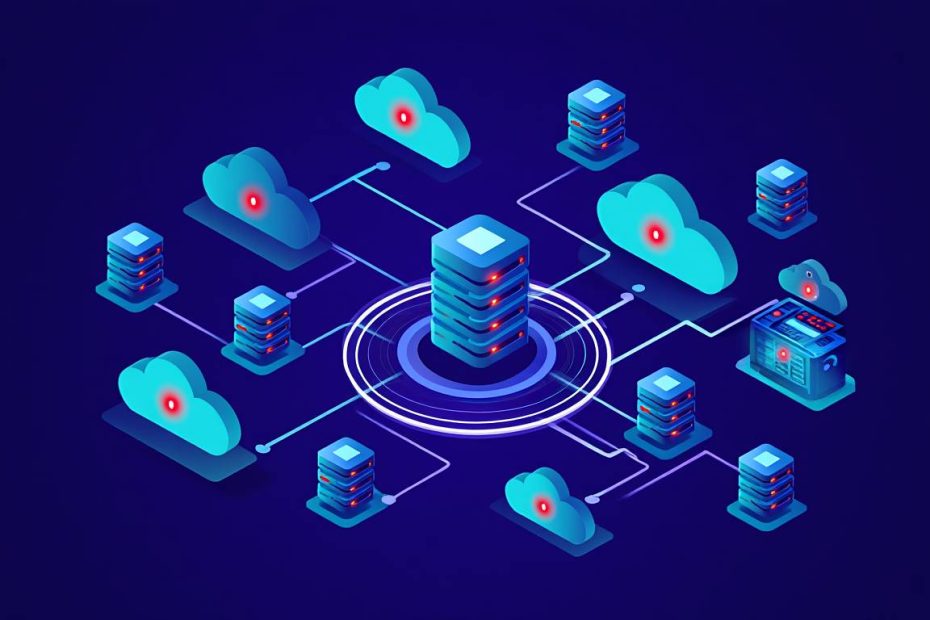
Cloud vulnerability scanning is the automated process you use to find security weaknesses in your cloud-based systems like servers, storage, and networks. These tools help your business identify risks such as outdated software, weak passwords, and misconfigured settings that hackers could exploit. Using these tools ensures that your digital assets remain protected from cyberattacks.
Protecting cloud environments requires constant monitoring because cloud settings change every single hour. Most cloud scanners work by checking your infrastructure against a giant list of known security threats and compliance standards like GDPR or HIPAA. By using one of the 8 best cloud vulnerability scanning tools, you can fix security gaps before they lead to data breaches or service downtime.
Cloud vulnerability scanning is a security practice that uses automated software to detect, analyze, and report security flaws in cloud environments. These tools provide you with a clear view of your security posture across platforms like Amazon Web Services (AWS), Microsoft Azure, and Google Cloud Platform (GCP). Implementing a scanner allows your team to automate security checks and maintain a safe online presence.
What is Cloud Vulnerability Scanning and Why Do You Need It?
Cloud vulnerability scanning is an automated technology that inspects your cloud infrastructure to identify security holes and configuration errors. This process involves scanning your virtual machines, containers, and serverless functions to ensure they meet safety requirements. It acts as a digital guard that constantly looks for open doors that might let in unauthorized users.
Regular scanning is essential because cloud environments are dynamic. They scale up or down based on your customer demand. When you add new resources, they might not have the correct security settings right away. A scanner finds these issues immediately. It checks for common problems like:
- Exposed storage buckets that let anyone see your private files.
- Unpatched software that has known bugs.
- Default passwords that are easy for hackers to guess.
- Insecure network ports that allow restricted traffic into your system.
By identifying these issues, the scanning tool helps your IT teams prioritize which problems to fix first based on how dangerous they actually are. For a deeper look at how this fits into your broader safety strategy, you might want to explore the differences between vulnerability management and vulnerability assessment to see how scanning is just one part of the puzzle.
How Does Cloud Vulnerability Scanning Work for Your Business?
Cloud vulnerability scanning works by connecting to your cloud provider via an API to inspect resources and compare them against security databases. The scanner looks at your configuration files and the actual running software to see if anything is out of place. It uses a library of “signatures” or patterns that represent known vulnerabilities.
The process typically follows four main steps:
- Discovery: The tool finds all assets in your cloud account, such as databases and virtual servers.
- Assessment: It checks each asset for vulnerabilities like old versions of code or open ports.
- Reporting: The scanner creates a list of found issues with details on how you can fix them.
- Remediation: Some advanced tools can automatically fix simple issues or suggest the exact code you need to repair the flaw.
This cycle repeats daily or weekly to ensure new threats are caught quickly. If you are just starting out with security, learning about software testing basics can help you understand how these automated checks fit into your development life cycle.
Why is Cloud Vulnerability Scanning Important Today?
Cloud vulnerability scanning is important because it prevents data breaches by finding security weaknesses before attackers do. Most hackers use automated bots to look for easy targets on the internet. If your cloud setup has a simple mistake, these bots will find it within minutes. A scanner gives you the same advantage as the hacker but allows you to fix the problem first.
Security scanners also help you with “Compliance,” which means following laws about data privacy. Laws like CCPA and PCI-DSS require companies to prove they are checking for security risks. Having a report from a scanner shows regulators that you are taking data protection seriously. Furthermore, scanning reduces the workload for your security teams by automating the boring task of checking thousands of lines of code manually.
The 8 Best Cloud Vulnerability Scanning Tools
Choosing the right tool depends on your specific cloud setup and budget. Here are the 8 best cloud vulnerability scanning tools available today:
1. Wiz
Wiz is a cloud-native security platform that provides a full view of security risks across all cloud layers without using software agents. It connects to your cloud environment in minutes and scans everything from the operating system to the applications running on it.
I have found that Wiz is most famous for its “Security Graph.” This feature shows how different risks are connected. For example, it can show if a vulnerable server is also connected to a database with sensitive customer info. This helps you understand which problems are the most critical to tackle first.
Key Features of Wiz:
- Agentless scanning which means you don’t have to install extra software on every server.
- Prioritization of risks based on how easy they are to exploit.
- Support for multiple clouds including AWS, Azure, GCP, and Oracle Cloud. Official Site: Wiz.io
2. Tenable.cs
Tenable.cs is a cloud security tool that focuses on checking Infrastructure as Code (IaC) to stop vulnerabilities before they are even deployed. It helps your developers find mistakes in their setup files while they are still writing the code.
By catching errors early, Tenable.cs reduces the “attack surface” of your cloud. It also scans running environments to make sure no one has changed the settings manually, which is a common cause of security leaks.
Key Features of Tenable.cs:
- DevOps integration to check code in tools like GitHub or GitLab.
- Policy enforcement to make sure all cloud resources follow company rules.
- Continuous monitoring of active cloud environments for changes. Official Site: Tenable
3. Orca Security
Orca Security uses “SideScanning” technology to read your cloud’s block storage and find vulnerabilities without affecting system performance. It provides deep visibility into virtual machines, containers, and serverless functions without needing agents.
Orca is very good at finding hidden risks like “shadow IT,” which are cloud resources that your IT team might not even know exist. It uncovers malware, misconfigurations, and leaked passwords across your entire cloud footprint.
Key Features of Orca Security:
- SideScanning for deep visibility without installing agents.
- Context-aware alerts that tell you if a bug is actually reachable by a hacker.
- Wide coverage for over 100 different cloud services. Official Site: Orca Security
4. Qualys Cloud Platform
Qualys Cloud Platform is a comprehensive security suite that offers global visibility into all cloud assets and their security status. It is one of the oldest and most trusted names in the security industry.
Qualys uses a mix of agents and scanners to get a very detailed look at your systems. It is excellent for large companies that need to manage thousands of servers and need very detailed reports for auditors.
Key Features of Qualys:
- Real-time detection of new vulnerabilities as they are discovered globally.
- Compliance monitoring for various international security standards.
- Patch management features that help you update software directly from the tool. Official Site: Qualys
5. Aqua Security
Aqua Security is a specialized tool designed specifically for securing containers and cloud-native applications. It focuses on the entire lifecycle of an application, from the moment it is built to when it is running on the internet.
If your company uses Docker or Kubernetes, Aqua Security is a top choice. It prevents unauthorized images from running and monitors container behavior to stop attacks in real-time.
Key Features of Aqua Security:
- Container image scanning to find bugs in your app building blocks.
- Runtime protection to block suspicious activity while the app is live.
- Serverless security for protecting functions in AWS Lambda or Azure Functions. Official Site: Aqua Security
6. Rapid7 InsightVM
Rapid7 InsightVM is a vulnerability management tool that provides clear data on cloud risks and helps teams collaborate on fixing them. It uses a lightweight agent to collect data and provides a live dashboard of your security health.
InsightVM is great for teams that want to see how their security is improving over time. It gives every vulnerability a “Real Risk” score, which considers how likely it is that a hacker will use that specific bug.
Key Features of Rapid7 InsightVM:
- Cloud configuration monitoring to find settings that aren’t safe.
- IT-integrated workflows to send tickets directly to the people who can fix them.
- Global threat feed that updates the tool with the latest hacker techniques. Official Site: Rapid7
7. Prisma Cloud by Palo Alto Networks
Prisma Cloud is a broad security platform that combines cloud security posture management (CSPM) and workload protection in one place. It is designed to protect complex, “hybrid” clouds where some data is on-site and some is in the cloud.
Prisma Cloud uses machine learning to understand what “normal” behavior looks like in your cloud. If it sees something strange, like a server sending data to a random country, it alerts you immediately.
Key Features of Prisma Cloud:
- Machine learning to detect unusual and dangerous activities.
- Automated remediation to fix security errors as soon as they happen.
- Huge library of policies to check your cloud against hundreds of safety rules. Official Site: Prisma Cloud
8. Lacework
Lacework is an automated cloud security platform that uses data science to find threats and vulnerabilities without manual rules. It acts like a “flight recorder” for your cloud, keeping track of every action and event.
Because Lacework uses data analysis, it can find “zero-day” attacks, which are new types of attacks that haven’t been seen before. It reduces “alert fatigue” by only telling you about important events rather than every tiny detail. If you want to dive deeper into how hackers find these flaws, check out penetration testing: your digital security health check for a more manual perspective.
Key Features of Lacework:
- Polygraph technology to visualize how your cloud assets interact.
- Automated threat detection that doesn’t require humans to write rules.
- Fast setup that starts finding risks within a few hours. Official Site: Lacework
Comparison of Top Cloud Scanners
The following table compares the top 3 tools based on their primary features:
| Tool Name | Scanning Method | Best For | Top Feature |
|---|---|---|---|
| Wiz | Agentless | Overall Visibility | Security Graph |
| Orca Security | SideScanning | Deep Inspection | No-impact scanning |
| Aqua Security | Agent/Sidecar | Containers & K8s | Runtime Protection |
Key Benefits of Using Cloud Vulnerability Scanners
Using cloud vulnerability scanners provides 5 key benefits that improve your business safety and efficiency. These benefits help both your technical teams and your business leaders understand the value of security.
- Saves Time: Automated scans are much faster than humans checking settings manually.
- Reduces Human Error: Computers don’t get tired or miss small details in thousands of lines of code.
- Better Visibility: You get a single map of everything you own in the cloud, including things you might have forgotten.
- Faster Fixing: Most tools tell you exactly how to fix the bug, which makes the repair process quicker.
- Lower Costs: Fixing a bug is much cheaper than paying for the damages of a major data breach. For those worried about specific types of attacks, knowing how companies can stop ransomware attacks is a vital next step after your scan.
How to Choose the Best Cloud Vulnerability Scanner for Your Team
To choose the best cloud vulnerability scanner, you must evaluate your specific cloud environment and technical needs. Not every tool is right for every company. Small startups have different needs than giant banks.
Follow these 4 steps to pick the right tool:
- Check Cloud Support: Make sure the tool works with the providers you use, like AWS or Azure.
- Look at Installation: Decide if you want “agentless” tools (easier to start) or “agent-based” tools (more detailed).
- Review Reporting: Ensure the reports are easy to read and provide clear instructions for your developers.
- Test the Speed: The tool should scan quickly without slowing down your website or apps.
Step-by-Step Guide to Implementing a Cloud Scanner
Implementing a cloud scanner involves a clear sequence of steps to ensure full coverage of your digital assets. Follow this process to get started:
- Create a Service Account: Set up a special user in your cloud console with “Read-Only” permissions.
- Connect the Tool: Enter the account details into your chosen scanner so it can “see” your cloud.
- Run an Initial Scan: Start the first scan to find all current vulnerabilities.
- Analyze the Results: Look at the “Critical” and “High” risks first.
- Assign Tasks: Send the fix instructions to your IT or dev team.
- Schedule Daily Scans: Set the tool to run automatically every day to stay safe.
Common Vulnerabilities You Might Find in Your Cloud
Cloud scanners frequently find 4 common types of vulnerabilities that put your business at risk. Knowing these helps you understand what the tools are actually looking for.
- Misconfigured S3 Buckets: These are storage folders that are accidentally left open to the public. If you want to prevent this, learn how to prevent public cloud leakage for more specific tips.
- Default Passwords: Using “admin” or “password123” on cloud databases.
- Outdated Operating Systems: Running old versions of Linux or Windows that have known security holes.
- Excessive Permissions: Giving a simple app the power to delete your entire cloud account.
Mind Map Keywords for Cloud Security
To better understand this topic, it is helpful to know the related terms and concepts. These keywords form the “mind map” of cloud vulnerability scanning:
- CSPM: Cloud Security Posture Management (Checking settings).
- CWPP: Cloud Workload Protection Platform (Checking running apps).
- CI/CD: Continuous Integration and Continuous Deployment (The process of building apps).
- CVE: Common Vulnerabilities and Exposures (The ID number for a specific bug).
- Remediation: The act of fixing a security flaw.
- False Positive: When a scanner says there is a bug, but there actually isn’t one.
Frequently Asked Questions (FAQ)
Is cloud vulnerability scanning different from traditional scanning?
Yes. Traditional scanning focuses on physical hardware and office networks. Cloud scanning focuses on virtual resources, APIs, and shared responsibility models between you and the cloud provider.
Can these tools fix bugs automatically?
Yes. Many modern tools like Wiz and Prisma Cloud offer “auto-remediation” for simple problems like closing an open port. However, complex bugs still require a human to review the fix first.
Do I need a scanner if I only have one server?
Yes. Even a single server can be hacked if it has a vulnerability. Automated scanners are often very cheap for small setups and provide you with peace of mind.
Are agentless scanners better than agent-based ones?
Yes. Agentless scanners are generally preferred because they are easier for you to set up and do not slow down your servers. However, agents can sometimes provide deeper data for very specific security needs.
Does cloud scanning cause downtime?
No. Cloud scanners are designed to read data and configurations without interfering with your live website or application traffic.
Is vulnerability scanning the same as a penetration test?
No. Vulnerability scanning is an automated search for known bugs. A penetration test is a manual attempt by a human expert to break into your system using creative methods.
Conclusion
Cloud vulnerability scanning is an essential practice for any business operating in the digital age. By using one of the 8 best tools mentioned above, you can protect your company from data breaches and financial loss. Tools like Wiz, Orca Security, and Prisma Cloud provide you with the visibility needed to manage complex cloud environments effectively.
Managing security manually is no longer possible due to the speed at which cloud technology changes. Automating your security checks ensures that your data remains safe 24 hours a day. Start by evaluating your current cloud needs, choosing a tool that fits your workflow, and setting up a regular scanning schedule.
Building a strong security foundation today will prevent major headaches tomorrow. Keep your software updated, your permissions limited, and your scanner running to maintain a healthy and secure cloud environment.
You May Also Like
 Web Development
What Is API Rate Limiting? (A Practical, Simple Guide for Safer, Faster APIs)
 Web Development
REST API vs SOAP API: Differences, Pros & Cons, and Use Cases
 Cybersecurity
What Is Zero Trust Network Access (ZTNA)? How It Works, How It Differs From a VPN, and When to Use It
 Cybersecurity
What Is Netskope? Cloud Security, SASE, and Zero Trust Explained
 Cybersecurity
Is Fanatical Legit and Safe? My Honest Take on Buying Game Keys
 Data Security & Privacy
Is Gameflip Legit and Safe for Gift Cards? What Buyers Should Know
 Data Security & Privacy
Is Eldorado.gg Legit and Safe in 2026? My Investigation and What Buyers Should Know
 Web Development
Supabase vs Firebase: Which Backend Platform is Right for Your Project?
 VPN & Proxy