

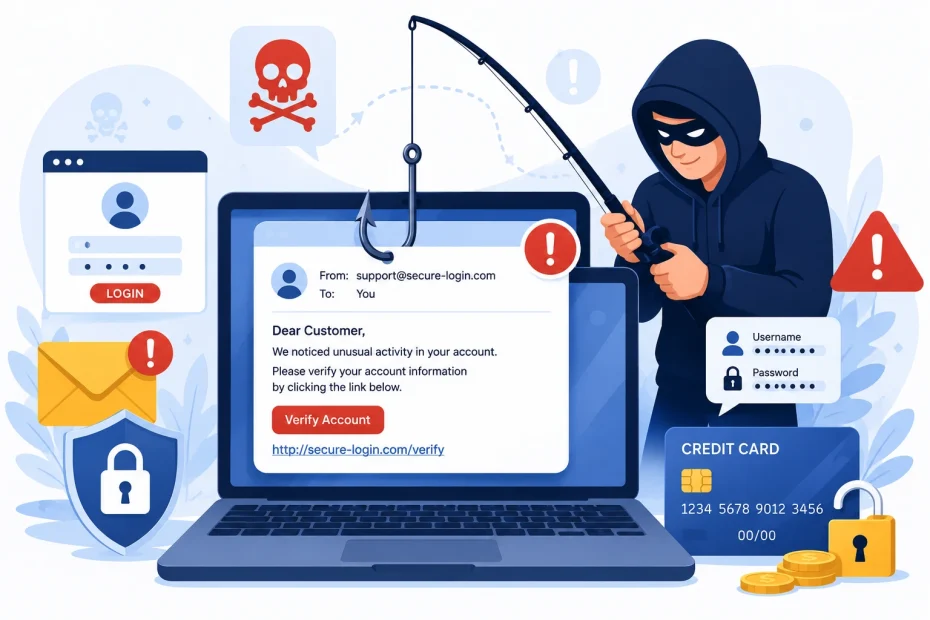
Phishing is the reason most data breaches don’t start with a brilliant hack. They start with someone clicking something they shouldn’t have. A fake login page. A fake invoice. A fake message from someone they trust. The technology behind phishing has gotten more convincing over the years, but the core idea hasn’t changed since the term was first coined in the 1990s: trick a person into handing over something valuable, using a message that looks like it came from somewhere legitimate.
This guide breaks down what phishing actually is, the different forms it takes today, why it works even on careful people, and what actually stops it, both for individuals and for the businesses that lose real money to it every year.
Key Takeaways
- Phishing is a trust attack, not just a technical one. It works by impersonating a person, brand, or institution you already trust, then asking you to act quickly before you think it through.
- It’s not just email anymore. Phishing now spreads through text messages, phone calls, social media, and fake websites, each with its own name (smishing, vishing, pharming) but the same underlying trick.
- Phishing remains the most common starting point for major breaches. Stolen credentials and deceptive emails consistently rank among the top entry points security researchers track year after year.
- Most phishing attempts share the same handful of warning signs, once you know to look for them: urgency, a mismatched sender address, a link that doesn’t match its text, and a request for something no legitimate organization actually asks for over email.
- The fix isn’t paranoia, it’s a habit. A short pause before clicking, plus a couple of verification habits, blocks the overwhelming majority of phishing attempts without requiring any technical skill.
What Is Phishing, Really?
Phishing is a type of scam where someone pretends to be a trustworthy person, company, or organization in order to trick you into giving up sensitive information, clicking a malicious link, or sending money. The name is a deliberate play on “fishing,” since the attacker is casting out bait (a fake email, text, or website) and waiting to see who bites.
The earliest documented phishing attacks targeted America Online users in the mid-1990s, with scammers posing as AOL staff to steal account passwords. The basic method has barely changed since then. What’s changed is scale and sophistication. Modern phishing attacks can be sent to millions of people at once, personalized using data pulled from social media, and built with fake websites nearly indistinguishable from the real thing.
At its core, phishing exploits a simple truth: people are far more likely to click a link or open an attachment if it appears to come from someone or something they already trust. A message from “your bank” gets far less scrutiny than a message from a stranger, even if both are equally fake.
How Phishing Actually Works
A typical phishing attack follows a predictable pattern, even when the details change from one attempt to the next.
The Setup
An attacker chooses a brand, person, or organization to impersonate, usually one the target is likely to already trust or expect contact from, like a bank, a delivery company, an employer, or a well-known software provider. This choice determines almost everything else about how convincing the attack will feel.
The Bait
A message is crafted to look legitimate, often copying real logos, formatting, and language from the organization being impersonated. It usually includes a reason to act, an unpaid invoice, a security alert, a missed delivery, something time-sensitive enough that hesitating feels risky.
The Hook
The message includes a link, an attachment, or a direct request. The link typically leads to a fake website designed to look identical to the real login page of whatever service is being impersonated. Anything typed into that fake page, a password, a card number, a security answer, goes straight to the attacker.
The Payoff
Once the attacker has what they wanted, they use it immediately or sell it. Stolen login credentials get used to access real accounts, drain funds, or launch further attacks using the victim’s own contacts as new targets.
What makes this effective at scale is that it doesn’t require breaking through any firewall or security system. It just requires one person, out of potentially thousands who received the same message, to click.
The Many Types of Phishing You’ll Actually Encounter
Phishing isn’t a single technique anymore. It’s a family of related tricks, each adapted to a different channel or a more specific target.
Email Phishing
This is the classic, broadest form: mass emails sent to as many addresses as possible, impersonating a well-known brand and hoping a small percentage of recipients click without checking closely. These are usually generic, sent to thousands of people with no personalization beyond the company being impersonated.
Spear Phishing
Spear phishing narrows the target to a specific person or small group, using real details, a real name, a real job title, a real recent event, to make the message far more convincing than a generic blast. This takes more effort from the attacker but has a much higher success rate, since the message feels personally relevant.
Whaling
Whaling is spear phishing aimed specifically at executives or high-level decision makers, since a single successful attack on a CEO or CFO can authorize large wire transfers or unlock access to far more sensitive systems than a regular employee’s account.
Smishing
Smishing is phishing carried out through text messages instead of email, often claiming to be a delivery notification, a bank alert, or a prize notification, relying on the fact that people tend to trust text messages more than email and often view them on a phone where links are harder to inspect carefully.
Vishing
Vishing is voice phishing, done over a phone call, sometimes using a real or AI-generated voice impersonating a trusted figure. A caller might pose as tech support, a bank’s fraud department, or even a company executive, using urgency and authority to extract information or push a victim toward an action like transferring money.
Clone Phishing
Clone phishing takes a real, previously delivered email and creates an almost identical copy, replacing a legitimate link or attachment with a malicious one, then resending it as if it were an update or a resend of the original.
Pharming
Pharming is a more technical variation that redirects you to a fake website even when you type the correct address yourself, by tampering with how your device or network resolves web addresses. I cover exactly how this works and how to protect against it in what is pharming in cyber security, since it behaves differently from a typical phishing link.
Angler Phishing
Angler phishing happens on social media, often through fake customer service accounts that respond to a person’s public complaint about a company, offering to “help” through a direct message that leads to a phishing link.
Business Email Compromise (BEC)
Business email compromise is a highly targeted form where an attacker impersonates an executive, vendor, or trusted partner, usually requesting a wire transfer, a change to payment details, or the purchase of gift cards. This category alone accounts for billions of dollars in reported losses every year, largely because a single successful message can result in an enormous, one-time payout for the attacker.
Why Phishing Works, Even on Smart, Careful People
Phishing doesn’t succeed because people are careless. It succeeds because it’s specifically designed around how human attention and decision-making actually work.
Urgency Shuts Down Careful Thinking
A message that claims your account will be locked in an hour, or that a payment is already overdue, triggers a fast, reactive response instead of a slow, analytical one. Scammers rely on you acting before you’ve had time to notice something’s wrong.
Authority Makes People Comply
A message that appears to come from a boss, a bank, or a government agency taps into a deeply ingrained habit of deferring to authority, especially in a workplace setting where questioning a request from a superior can feel awkward.
Familiarity Lowers Your Guard
A logo you recognize, a sender name you’ve seen before, or a writing style that matches a real company’s usual tone all reduce the natural suspicion you’d apply to a message from a total stranger.
Curiosity and Reward Override Caution
Messages promising a refund, a prize, or an unexpected benefit tap into a very normal desire to not miss out on something good, making people more willing to click first and question later.
Fear of Consequences Pushes People to Comply Quietly
Threats involving legal trouble, tax problems, or account suspension create a strong incentive to resolve the “problem” immediately rather than risk a real penalty, even if pausing to verify would reveal it’s fake.
Attackers Exploit Busy Moments on Purpose
Phishing emails are frequently timed around Monday mornings, end-of-day rushes, or right after major news events and shopping holidays, specifically because people are moving faster and paying less attention during those windows.
None of these tactics require the target to be unintelligent or untrained. They require the target to be human, which is exactly why phishing remains effective even at organizations with strong technical security in place.
The Real Cost of Phishing
Phishing isn’t a minor nuisance sitting in a spam folder. It remains one of the most consistently cited entry points in major data breach investigations year after year, and business email compromise specifically has resulted in billions of dollars in reported losses in a single year, according to FBI Internet Crime Complaint Center data. A single successful phishing email aimed at the right employee can lead to a real wire transfer, a compromised network, or a full-scale data breach, the kind of incident that now averages millions of dollars in total cost once you account for investigation, notification, legal exposure, and lost business. I go into more detail on what these breach costs actually look like today, and what companies are expected to do about it, in how can companies protect customer data.
The financial cost is only part of the picture. Phishing attacks also cause real reputational damage, since customers and partners tend to lose trust in an organization that’s been successfully breached, even when the breach started with a single employee clicking a convincing fake email rather than any failure of the company’s technology itself.
The Warning Signs Worth Memorizing
Most phishing attempts, even sophisticated ones, share a handful of recurring signs. Learning to spot these takes far less effort than most people expect.
A Sender Address That Doesn’t Quite Match
The display name might say “Microsoft Security,” but the actual email address behind it is a random string or an unrelated domain. This mismatch is one of the most reliable signs of a fake message, and it takes only a second to check by clicking or tapping on the sender’s name.
A Generic Greeting Where a Real One Should Be Personal
“Dear Customer” or “Dear User” instead of your actual name is common in mass phishing attempts, since the attacker usually doesn’t actually have your name, just your email address.
Links That Don’t Match Their Visible Text
A button that says “Verify Your Account” might actually point to a completely unrelated web address. Hovering your mouse over a link, or pressing and holding it on a phone, reveals the real destination before you commit to clicking.
Requests That No Legitimate Organization Actually Makes
Real banks don’t ask you to confirm your full password over email. Real employers don’t usually ask for gift cards as payment for anything. When a request breaks an obvious, common-sense rule like this, that’s the message, not the rule, that’s wrong.
Unexpected Attachments
Attachments that require you to “enable content” or “enable macros” are a common way malware gets installed, since the attachment itself often looks harmless until a hidden script is allowed to run.
Spelling and Formatting That’s Just Slightly Off
Real companies proofread their communications. Small, repeated errors, awkward phrasing, or inconsistent formatting compared to previous legitimate emails from the same company are worth noticing.
A Tone That Pushes You Toward Secrecy
Messages that specifically ask you not to tell anyone else, or to skip your organization’s usual approval steps “just this once,” are a strong sign something is wrong, since legitimate urgent requests rarely require secrecy.
How to Actually Avoid Falling for Phishing Emails
Knowing the warning signs matters, but building a few consistent habits is what actually keeps you protected day to day, even when you’re tired, busy, or distracted.
Pause Before Clicking Anything Urgent
The single most effective habit against phishing is simply slowing down for a few seconds on any message that pushes you to act immediately. Legitimate deadlines almost never depend on you clicking within minutes of receiving an email.
Verify the Sender’s Actual Email Address
Checking the real address behind the display name takes a couple of seconds and catches an enormous share of phishing attempts on its own, since the display name is trivial to fake but the underlying address is much harder to disguise convincingly.
Hover Over Links Before Clicking
Comparing the real destination address to what the email claims takes almost no effort once it becomes a habit, and it catches most fake links immediately, whether you’re on a computer or checking the preview on a phone.
Go Directly to the Source
If a message claims to be from your bank, employer, or a service you use, open a new browser tab and type the company’s real address yourself, or use a bookmark you already trust, rather than clicking through the email at all.
Never Provide Passwords Through an Email Link
Legitimate companies essentially never ask you to type your password into a page you reached by clicking a link inside an email. If a login prompt shows up this way, treat it as suspicious by default.
Use Multi-Factor Authentication Everywhere It’s Offered
Even if a phishing attempt successfully steals your password, multi-factor authentication means the attacker still can’t get into your account without a second verification step they don’t have access to.
Use a Password Manager and Avoid Reusing Passwords
If one account does get compromised through a successful phishing attempt, unique passwords stop that single breach from spreading to every other account you own. I go into why this matters so much in why strong passwords are important.
Verify Unusual Requests Through a Separate Channel
If an email, text, or call asks for money, gift cards, or sensitive data, confirm it through a phone call to a number you already know is correct, not one provided in the suspicious message itself.
Keep Your Software and Browser Updated
Many phishing attacks pair a deceptive message with malware that exploits outdated software, so regular updates close off one of the paths attackers rely on once someone does click.
Use Spam Filtering and Reporting Tools
Most major email providers include a “report phishing” option, and using it consistently helps train filters to catch similar messages before they even reach your inbox in the future.
Treat Calls and Texts With the Same Suspicion
Since vishing and smishing use the exact same psychological tactics as email phishing, the same pause-and-verify habit applies regardless of which channel the message arrives through. If you’ve received a suspicious call recently, the patterns are covered in more depth in what are scam likely calls.
What Organizations Should Do Differently
Individual habits matter, but phishing is ultimately a numbers game for attackers, and organizations that rely only on employee vigilance are leaving themselves exposed to the inevitable moment someone is tired, distracted, or simply unlucky.
Run Regular, Realistic Phishing Simulations
Sending safe, simulated phishing emails to employees and tracking who clicks helps identify where additional training is genuinely needed, rather than assuming a single onboarding presentation is enough.
Require Multi-Factor Authentication Company-Wide
This single control blocks a huge share of account takeovers even when a phishing attempt does succeed in stealing a password, and it shouldn’t be treated as an optional setting left up to individual employees.
Set Up Clear Verification Procedures for Financial Requests
Any request to change payment details, send a wire transfer, or purchase gift cards should require verification through a separate channel by policy, not by individual judgment, so employees have a clear, defensible process to follow instead of having to decide alone under pressure.
Invest in Email Filtering and Domain Protection
Technical controls that flag look-alike domains and suspicious attachments catch a meaningful share of phishing attempts before they ever reach an employee’s inbox.
Build a Fast, Blame-Free Reporting Culture
Employees who accidentally click a phishing link need to feel safe reporting it immediately, since a fast report can be the difference between a contained incident and a full breach. A workplace culture where mistakes are hidden out of fear of punishment consistently leads to worse outcomes.
Review Vendor and Partner Communication Patterns
A surprising number of successful business email compromise attacks come through a compromised vendor’s real email account, which makes basic verification of unusual requests important even when a message technically comes from a legitimate, trusted address. This is a particular concern in industries handling highly sensitive client information, which is why I covered it specifically in law firm data breach prevention, though the same logic applies to any business handling sensitive data or financial transactions.
Treat This as an Ongoing Program, Not a One-Time Training
Phishing techniques evolve constantly, and a security awareness program that isn’t refreshed regularly tends to fall behind new tactics fairly quickly. Smaller organizations without a dedicated security team can start with a straightforward small business network security checklist to build this into a repeatable habit rather than a one-time project.
What to Do If You Already Fell for a Phishing Attack
Realizing you’ve clicked a phishing link or responded to a fake message is uncomfortable, but acting quickly matters far more than feeling embarrassed about it.
Change Your Password Immediately
Update the password for the account involved, and for any other account sharing that same password, since attackers frequently try a stolen password across multiple sites right away.
Enable Multi-Factor Authentication
If it isn’t already active on the affected account, turning it on now closes off the most common way a stolen password gets turned into full account access.
Contact Your Bank Directly
If you entered any payment information, call the number on the back of your card rather than anything provided in the suspicious message.
Run a Full Security Scan
Use trusted antivirus software to check whether anything installed itself in the background, particularly if you downloaded an attachment. If you’re unsure which security software is actually worth trusting, I reviewed one honestly in is Kaspersky legit and safe antivirus.
Report It to Your IT Team
If this happened on a work account or device, report it immediately. A fast report gives your IT team a real chance to contain the situation before it spreads to other systems or coworkers.
Watch Your Accounts Closely Afterward
Unusual login attempts, unexpected password reset emails, or unfamiliar transactions can show up days or even weeks after the original incident, so continued attention matters even after the immediate cleanup is done.
Final Thoughts
Phishing succeeds by borrowing trust, urgency, and familiarity, not by outsmarting technology. That’s exactly why the best defense isn’t a single tool or piece of software. It’s a habit: a short pause before clicking, a quick check of the real sender address, and a willingness to verify anything unusual through a separate, trusted channel before acting on it. None of that requires technical expertise. It just requires knowing what to look for and building the pause into how you handle email, texts, and calls by default, whether you’re protecting your own inbox or an entire organization’s.
You May Also Like
 Web Development
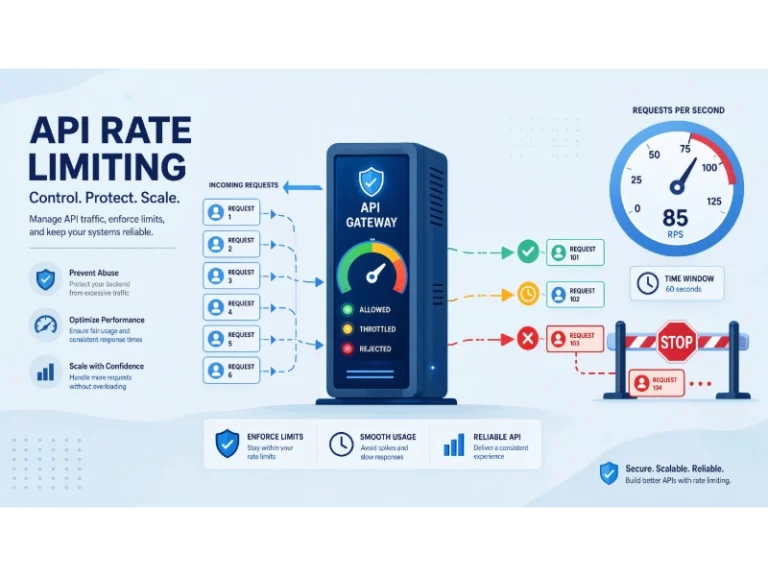
What Is API Rate Limiting? (A Practical, Simple Guide for Safer, Faster APIs)
 Web Development
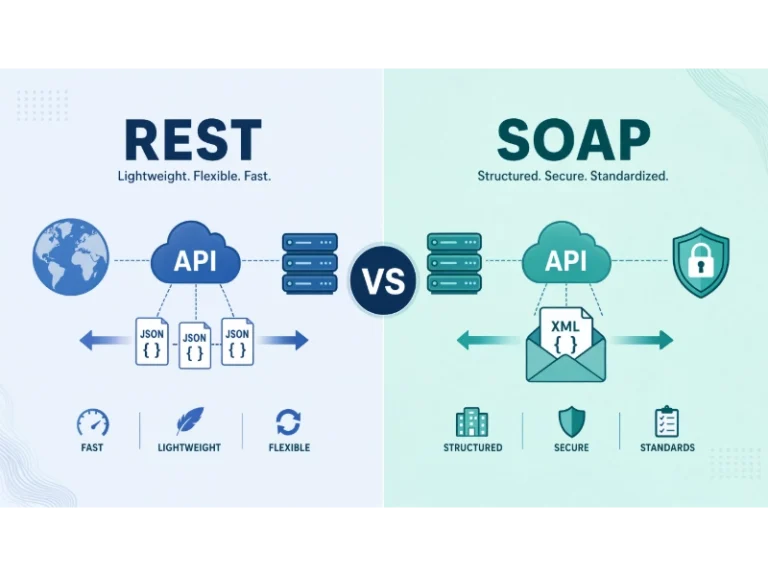
REST API vs SOAP API: Differences, Pros & Cons, and Use Cases
 Cybersecurity
What Is Zero Trust Network Access (ZTNA)? How It Works, How It Differs From a VPN, and When to Use It
 Cybersecurity
What Is Netskope? Cloud Security, SASE, and Zero Trust Explained
 Cybersecurity
Is Fanatical Legit and Safe? My Honest Take on Buying Game Keys
 Data Security & Privacy
Is Gameflip Legit and Safe for Gift Cards? What Buyers Should Know
 Data Security & Privacy
Is Eldorado.gg Legit and Safe in 2026? My Investigation and What Buyers Should Know
 Web Development
Supabase vs Firebase: Which Backend Platform is Right for Your Project?
 VPN & Proxy