

TinyFish is a strong option for dynamic, multi-step, and login-protected websites, where a script would need constant maintenance. It is not the right tool for every scraping job. For high-volume crawling of static HTML pages, traditional frameworks cost far less per page.
Short answer: choose TinyFish when a task needs a browser that can click, log in, and work out where the data is. Choose Scrapy when you are fetching millions of simple pages. Choose Playwright when you need to control every interaction yourself.
TinyFish is a web agent platform built by TinyFish Inc., a company founded in 2024 and led by co-founder and CEO Sudheesh Nair. The company raised $47 million in a Series A round led by ICONIQ Capital in August 2025, with participation from USVP, MongoDB Ventures, and Sandberg Bernthal Venture Partners, according to Reuters. Its core product line has four APIs: Agent, Search, Fetch, and Browser. The Agent API is the main offering. You send a URL and a plain-English goal, and it returns structured JSON.
This review covers seven areas: extraction quality, dynamic site handling, bot-protection resistance, setup difficulty, pricing, documented limitations, and how TinyFish compares with Playwright, Scrapy, Browserbase, and Firecrawl. The verdict at the end says who should adopt it and who should skip it. If the concept is new to you, the guide to AI Web Scraping explains how agent-based extraction differs from selector-based scripts.
How Was This Review Put Together?
This review is based on TinyFish’s public documentation, pricing page, benchmark pages, and published run traces, checked on October 1, 2026. It does not include our own test runs. That means every performance number below is either TinyFish’s own result or math based on TinyFish’s published prices, and the text says so wherever a claim comes from the vendor. The last section explains how to run your own test before you commit.
What Is TinyFish and What Does It Actually Do?
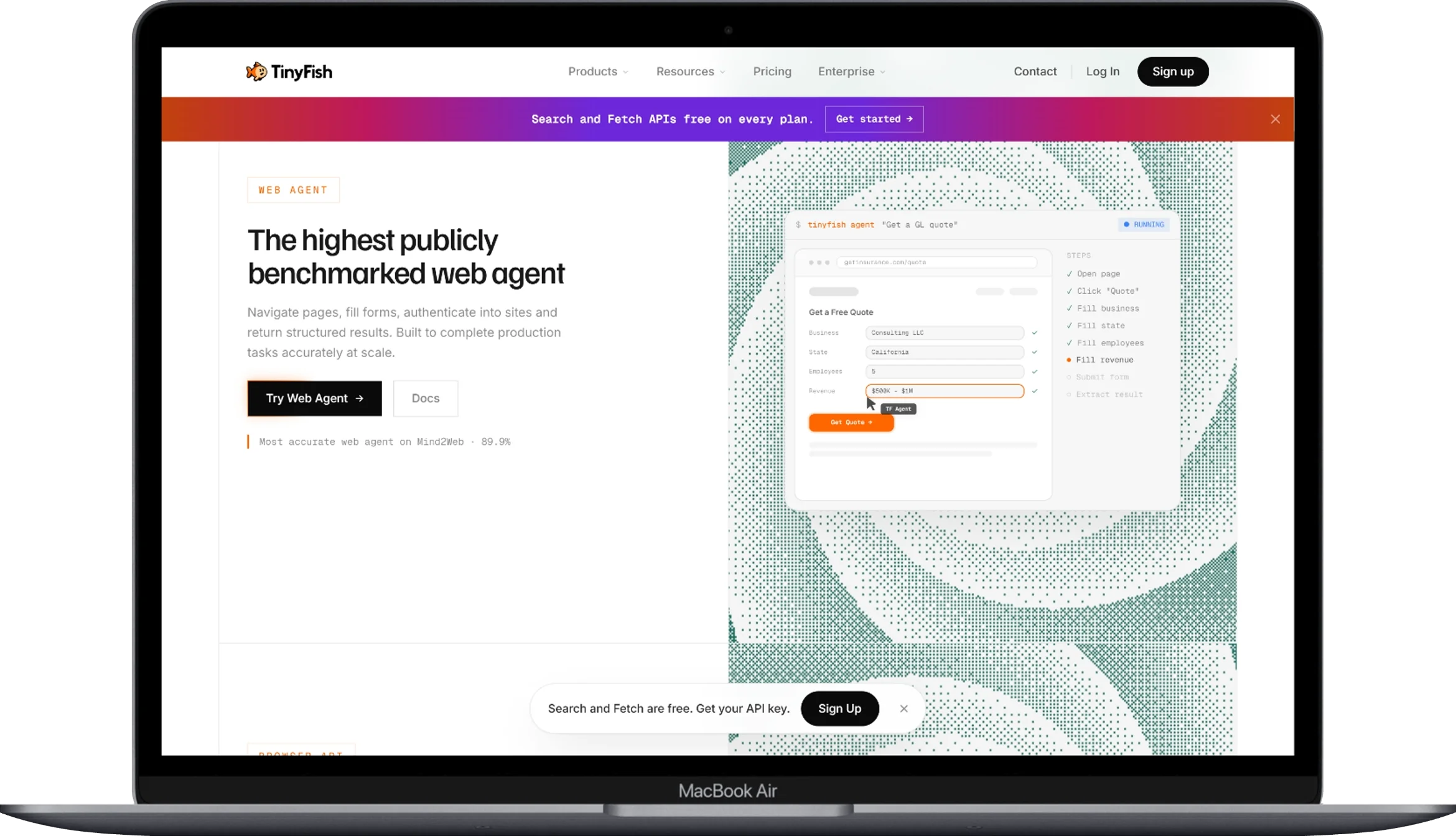
TinyFish is hosted infrastructure for AI web agents. An agent can navigate a website, log in, extract data, and return structured output from a single API call. It replaces the usual stack of browser scripts, proxy pools, CAPTCHA handling, and LLM parsing with one service.
The four core APIs solve separate problems:
| API | Function | Price | Limit on pay-as-you-go |
|---|---|---|---|
| Search | Returns ranked results with titles, snippets, and URLs | Free | 30 requests/min, 500/hour |
| Fetch | Returns clean page text and renders JavaScript | Free | 150 URLs/min, 1,000/day |
| Agent | Executes a natural-language goal on a live site | $0.016 per step | 2 concurrent runs |
| Browser | Returns a remote browser you control with Playwright | $0.002 per minute | 5 concurrent sessions |
TinyFish’s documentation also lists a Research API for source-backed reports, and its site lists a web-native model called Mako. This review does not cover either one.
The Agent API is the reason most developers evaluate TinyFish. A request needs two main fields: url and goal. The agent decides which elements to click, which forms to fill, and which values to return. Three endpoints control how you run it:
/runblocks until the task finishes./run-asyncreturns a run ID that you poll for results./run-ssestreams live events over server-sent events (SSE), in the orderSTARTED → STREAMING_URL → PROGRESS → COMPLETE.
The Browser API hands you a Chrome DevTools Protocol (CDP) connection, the same control channel Playwright uses. It is the fallback when you want to write the clicks yourself.
On its blog, TinyFish names DoorDash, ClassPass, and Google Hotels as customers. These are vendor claims, so they show deployment scale rather than independent validation.
How Does the TinyFish AI Web Agent Work?
TinyFish splits each web task into a reasoning layer and an execution layer. Many agents instead take a screenshot, ask a large model what to click, and repeat. TinyFish says only about 20–30% of steps in a typical workflow need real reasoning, such as interpreting an unusual layout or choosing between two valid paths. The rest are mechanical: picking dates, selecting dropdown values, submitting forms, and paginating.
A run uses three layers:
- Reasoning layer: large models handle ambiguous decisions.
- Execution layer: small, task-specific models handle mechanical actions. TinyFish says they respond in milliseconds and return the same action for the same input.
- Infrastructure layer: proxy routing, geographic distribution, and bot-check handling.
The split targets compounding error, the main reason long web workflows fail. If each step is 95% accurate, a 3-step task succeeds 86% of the time and a 10-step task only 60%. At 90% per step, the 10-step task succeeds just 35% of the time. TinyFish’s argument is that fewer steps handled by a non-deterministic model (one that can choose differently given the same input) means a more reliable run. The math supports that direction, but how much it helps on your sites is something only a test can show. The same reliability logic applies to the workflows in AI Agent Use Cases for Business, where one broken step can ruin the whole job.
How Good Is TinyFish at Extracting Structured Data?
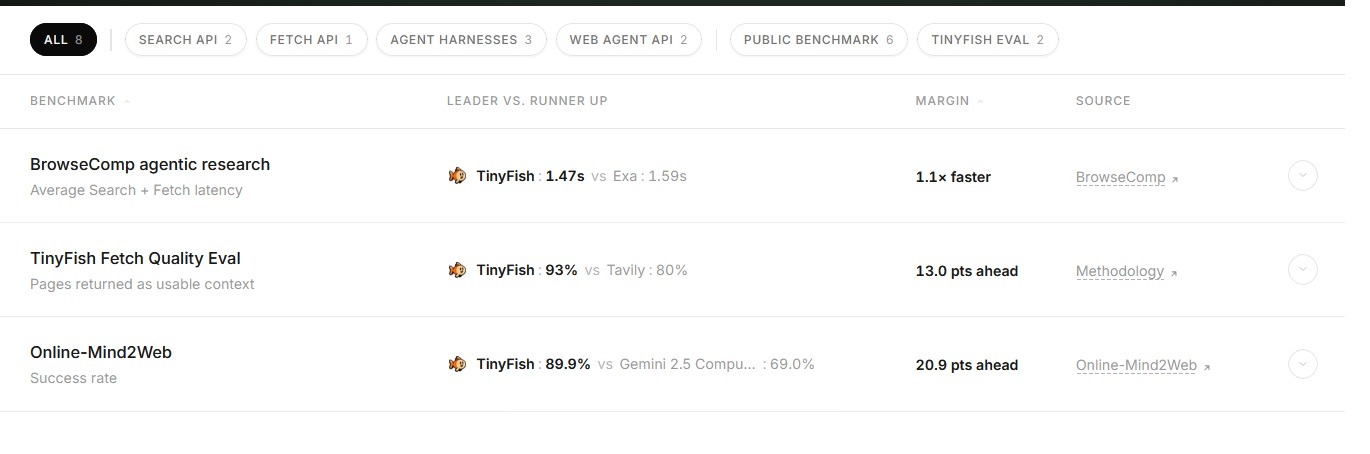
Benchmark chart published by TinyFish, not an independent evaluation.
TinyFish reports an 89.9% success rate on Online-Mind2Web, a public benchmark with 300 tasks across 136 live websites and three difficulty levels. The evaluation was run by TinyFish itself, so it is a vendor result. Here are the overall scores TinyFish lists on its benchmarks page, last updated in July 2026:
| Agent | Overall success rate |
|---|---|
| TinyFish | 89.9% |
| Gemini 2.5 Computer Use | 69.0% |
| OpenAI Operator | 61.3% |
| Claude Computer Use | 56.3% |
The competitor entries are the product versions TinyFish lists, and newer versions may score differently. On the hardest tasks, TinyFish’s February 2026 post reports about 81% for itself versus about 43% for OpenAI Operator. The same post says TinyFish’s own score fell roughly 16 points between easy and hard tasks. Hard tasks chain many steps, so a small drop suggests the agent copes well with compounding errors.
One inconsistency is worth knowing about. The blog post documents 40 failed tasks out of 300, which works out to about 87%. The benchmarks page shows 89.9%. Neither page explains the gap. A later run is the likely reason, but that is our inference, not something TinyFish states. A fair summary is “high 80s.” TinyFish also said it planned to submit to the official leaderboard, and this review could not confirm that it appears there.
TinyFish did publish all 300 execution traces, including every failure, in a public spreadsheet linked from its post. That lets readers check individual results for themselves. The company also notes that benchmarks rarely predict real-world performance, which is a fair caution to keep in mind.
Extraction quality also depends on how you write the goal. A vague goal such as “get the products” tends to produce inconsistent field names. A goal that names the fields, data types, null handling, and limits produces steadier JSON. For example:
Open the pricing page. Return JSON with plan_name (string) and
monthly_price_usd (number, or null if not listed). Do not click
Buy or enter any payment details.
TinyFish also documents an output_schema option for constraining the shape of the response.
Structured output compared with traditional parsing
Traditional scrapers extract raw HTML and need a separate parsing step. TinyFish returns JSON straight from the agent run. Teams that already maintain a parsing layer can compare the two approaches with this guide to Open Source Models and Tools for Extracting JSON Data. For documents rather than web pages, see the Best API for PDF Data Extraction.
Can TinyFish Handle JavaScript-Heavy and Dynamic Websites?
Yes. Every Agent run executes in a real browser session, so content that appears only after JavaScript runs is available to the agent. You do not write manual wait conditions or selector timing logic.
Three common dynamic-site situations work like this:
- Client-rendered content loads before extraction begins.
- Infinite scroll and pagination work best when you list them as numbered steps in the goal.
- Cookie banners and modals close when the goal tells the agent to dismiss them.
The Fetch API also renders JavaScript and returns clean text. It is a cheaper option when you know the URL and need rendering but no clicking.
Runs have a time limit of roughly five minutes, so long workflows must be split into smaller runs. That adds orchestration work for very deep flows.
Can TinyFish Bypass Bot Protection and Access Authenticated Sites?
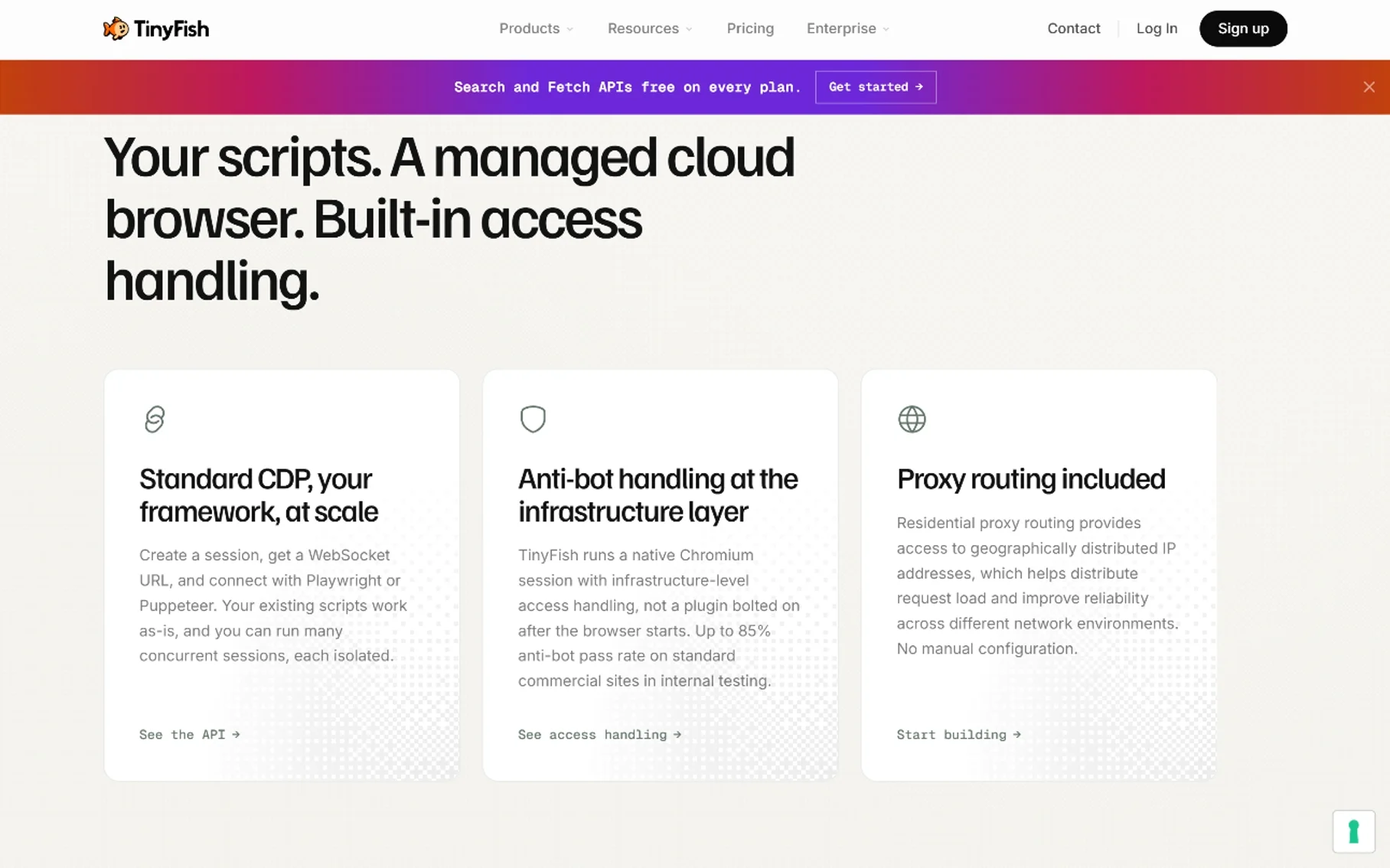
TinyFish handles many bot checks at the infrastructure layer, but aggressive protection systems still cause documented failures. There are two browser profiles. lite is the default, and stealth adds deeper handling for sites that block standard automation.
Residential proxies are included in the step price, with country routing for the US, GB, CA, DE, FR, JP, and AU. That saves you a separate vendor, but it also means you cannot tune the proxy pool yourself. Before deciding whether bundled proxies are enough, compare the options in What Are Residential Proxies and Data Center Proxies vs Residential Proxies.
The failure data in TinyFish’s February post is specific. Of 40 failed benchmark tasks, 12 were anti-bot blocks, and 8 of those came from apartments.com alone. Four failures came from widget types the execution layer does not support yet, and 24 were edge cases. In one documented case, a Kaggle task that failed on a bot block succeeded on a re-run after the system switched proxies without human input. That is one example, not a guarantee of how every blocked run behaves.
You can handle logins three ways:
- Pass credentials inside the goal text.
- Store them in Vault Credentials.
- Reuse a logged-in session through Browser Profiles.
Use Vault Credentials in production, because credentials written into a goal can show up in run logs.
Every automation stack runs into blocks. For background, see Prevent IP Bans During Web Scraping and Why CAPTCHAs Appear When You Use a VPN.
How Easy Is TinyFish to Set Up?
Setup takes an API key and one HTTP request, so you can run a first task without standing up any browser infrastructure. Account creation at agent.tinyfish.ai needs no credit card, and new accounts start with $8 in Wallet funds.
Getting started takes four steps:
- Create a free account and generate an API key.
- Export the key as the
TINYFISH_API_KEYenvironment variable. - Send a curl request to
/run-ssewith a URL and a goal. - Install the Python or Node SDK for production error handling.
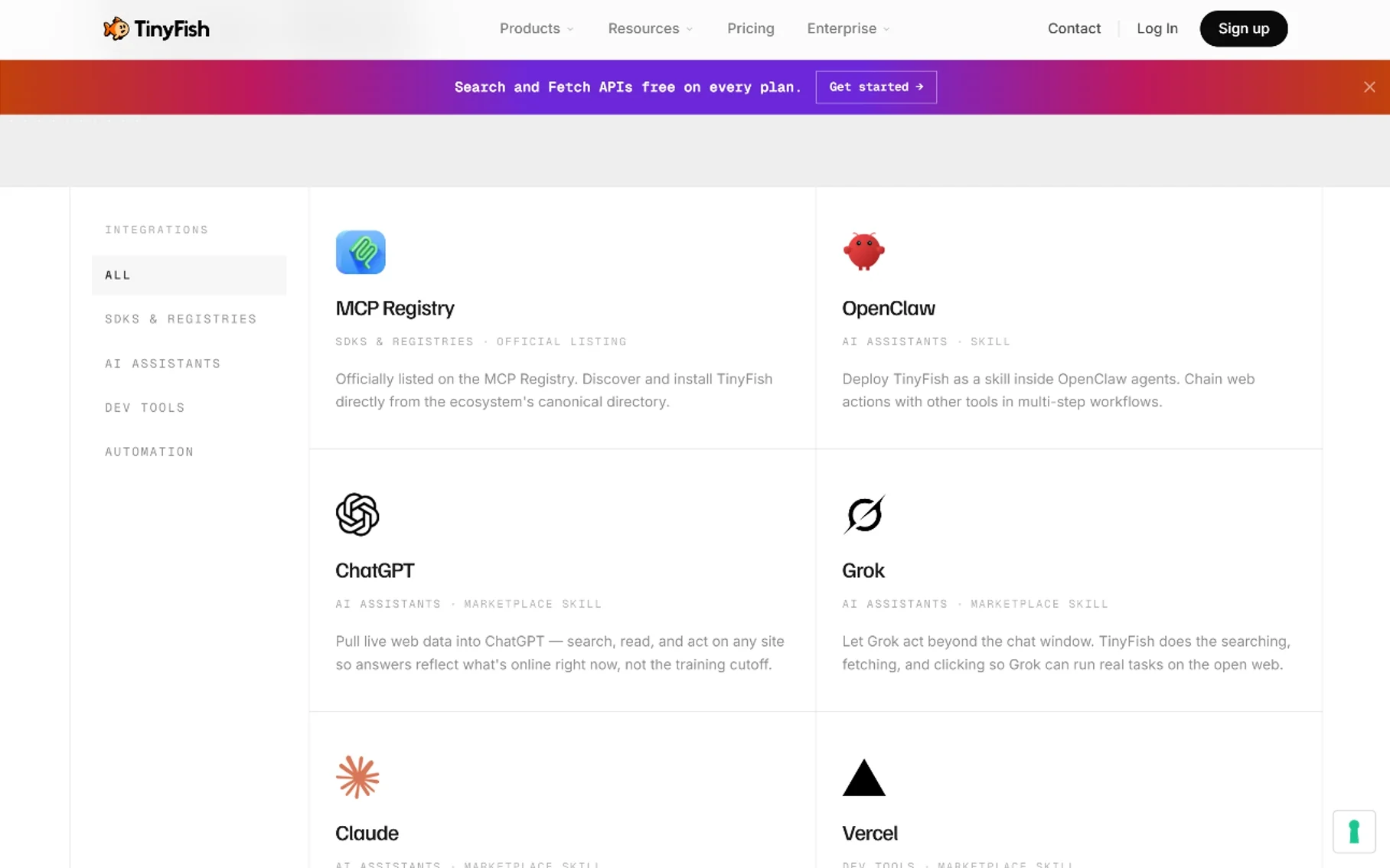
Other ways in include a command-line tool, an MCP server for assistants such as Claude and Cursor, and an n8n node for no-code workflows. The MCP and n8n options open the tool to non-programmers, part of the shift described in What Is No-Code Automation.
The COMPLETED status trap
One behavior needs attention before production. A COMPLETED status means the infrastructure worked, not that your goal succeeded. TinyFish’s run documentation describes two layers of failure:
- Infrastructure failures return
FAILED. - Goal failures return
COMPLETEDwithresult.status = "failure"and a reason.
Code that checks only the outer status will quietly save empty results across a batch. Check both layers:
if (run.status === "COMPLETED" && run.result?.status !== "failure") {
  save(run.result);
} else {
  logFailure(run);
}
Runs started through /run cannot be cancelled. Runs started through /run-async or /run-sse can be cancelled with a POST to /v1/runs/{id}/cancel.
How Much Does TinyFish Cost?
TinyFish charges $0.016 per Agent step and $0.002 per Browser minute. Search and Fetch are free within their rate limits. A step is one action on a live website, such as a page load, click, form fill, or scroll. The price includes browser execution, residential proxies, LLM inference, anti-bot handling, and storage for screenshots and logs.
There are no plans or monthly minimums. You fund a prepaid Wallet (the minimum deposit is $10), and Agent and Browser draw from it as they run. If the Wallet hits $0, Search and Fetch keep working, and an Agent run already in progress finishes.
Typical step counts by task type:
- Single-page extraction: 2–5 steps
- Filtered search and extraction: 5–10 steps
- Login, navigate, and extract: 10–20 steps
At the published rate, a 15-step authenticated workflow costs about $0.24 per run, and 1,000 such runs cost about $240. That is expensive compared with raw HTML crawling and inexpensive compared with an engineer maintaining a fragile script. The $8 starting credit covers roughly 500 steps, or about 30 runs of that 15-step workflow, which is enough for a real trial.
Two cautions apply. First, TinyFish’s pricing has changed during 2025–2026, and the pricing page still refers to legacy credit plans for older accounts. Treat the live pricing page as the only reliable source. Second, new accounts start at 2 concurrent Agent runs and 5 Browser sessions. Those limits can be raised, but only through a conversation with sales. Free Search and Fetch are also rate-limited, a constraint explained in API Rate Limiting.
What Are the Main Limitations of TinyFish?
TinyFish has six limitations that can affect a purchase decision, and the company documents several of them itself.
- Cost per page is high for static sites. A 3-step extraction costs about $0.048, while a Scrapy request costs a fraction of a cent.
- Compliance information is limited. TinyFish’s pricing page lists ISO 27001 under its Enterprise offering. This review did not find a published SOC 2 or HIPAA attestation, and the TinyFish Trust Center page did not show readable content when we checked. Confirm current status with TinyFish if you need either one. Teams with strict requirements can start with what is SOC 2 compliance.
- Low-level control is reduced. If you need to control every interaction, you must drop down to the Browser API and write Playwright code.
- Aggressive protection systems still block runs. In TinyFish’s own benchmark, 12 of 40 failures were blocks.
- The roughly five-minute run limit constrains deep workflows. Long processes need manual splitting.
- Default concurrency is low. Two concurrent Agent runs cap throughput until you arrange a higher limit.
Legal exposure stays with the operator no matter which tool you use. Read Is Web Scraping Legal and Is Scraping Zillow Legal before you deploy.
How Does TinyFish Compare With Playwright, Scrapy, Browserbase, and Firecrawl?
TinyFish competes on delivering the outcome, while Playwright, Scrapy, and Browserbase compete on control and cost per page. This table maps each tool to its best scenario:
| Tool | Model | Best use case | Main weakness |
|---|---|---|---|
| TinyFish | Goal-based agent | Dynamic, authenticated, multi-step tasks | Cost per page, low default concurrency |
| Playwright | Local browser library | Fine-grained interaction control | Selector maintenance, infrastructure work |
| Scrapy | Async crawling framework | High-volume static HTML crawling | No JavaScript rendering by default |
| Browserbase | Managed cloud browsers | Running existing Playwright code in the cloud | Orchestration and AI logic remain yours |
| Firecrawl | Crawl and extract API | Feeding clean content to LLMs | Weaker on complex interactive flows |
Browserbase is TinyFish’s closest architectural rival, and TinyFish’s own comparison material points to three differences. Browserbase starts a new session per request with roughly 5–10 seconds of setup, while TinyFish reports a cold start under 250 ms.
Browserbase meters browser hours, proxy bandwidth, search calls, fetch pages, and your own LLM spend separately, while TinyFish bills one unit. Browserbase also expects you to build agent logic in Stagehand or your own framework, while TinyFish includes the reasoning. These figures come from TinyFish, so treat the framing as vendor-sourced even though the architectural differences are easy to verify.
Firecrawl sits closer to Fetch than to Agent. It turns pages into clean content for LLMs and suits crawl-and-feed pipelines. TinyFish is the better fit when the page must be clicked through first. TinyFish’s own benchmarks page also shows Firecrawl slightly ahead on one agentic-research completion metric, 96 of 100 tasks versus 95 for TinyFish. That small gap suggests the two overlap more than their marketing implies.
For simple work, the older tools win on cost. Scrapy is still the cheaper choice for large static crawls, as covered in Scrapy in Python. Selenium Web Scraping still fits teams with existing selector-based suites. The Web Scraping API guide covers managed endpoints that sit between the two extremes, and single-site products such as the Best Amazon Scraping APIs are often more reliable than a general agent on their one domain.
Who Should Use TinyFish and Who Should Not?
TinyFish fits five groups well:
- AI developers who need live web access for their agents, alongside options from Free AI APIs for Developers
- Data engineers pulling structured records from dynamic dashboards
- Startup teams automating repetitive workflows without a dedicated infrastructure engineer
- Analysts tracking prices, listings, and availability across many sites
- Non-technical operators using the n8n node or MCP server
It is a poor fit for three groups: teams crawling millions of static pages where cost per page decides everything, engineers who need step-by-step browser control, and organizations that require SOC 2 or HIPAA documentation today.
Frequently Asked Questions
Is TinyFish the best AI agent for web scraping?
Often, for dynamic and login-protected sites. On the benchmark TinyFish ran itself, it scored 89.9% overall, ahead of the other agents it listed. It is not the best choice for high-volume static crawling, where Scrapy costs far less.
Is TinyFish free to use?
Partly. Search and Fetch are free within their rate limits, and new accounts get $8 in Wallet funds. After that, Agent steps and Browser minutes are billed from your Wallet.
Can TinyFish scrape sites behind a login?
Yes. You can pass credentials in the goal, store them in Vault Credentials, or reuse a logged-in session through Browser Profiles. Vault Credentials is the safer choice for production.
Does TinyFish replace Playwright completely?
No. Playwright is still the right tool when you need step-level control, and TinyFish’s own Browser API exists so developers can drive Playwright or CDP directly.
Is TinyFish cheaper than Scrapy for large crawls?
No. Scrapy runs on your own compute at a fraction of a cent per request, while TinyFish bills $0.016 per step, so static high-volume crawling costs more.
Does TinyFish handle CAPTCHAs and bot protection reliably?
Partly. The stealth profile and included residential proxies clear many checks, but 12 of the 40 failures in TinyFish’s published benchmark were bot blocks, including 8 on apartments.com.
Is a COMPLETED status proof that the task succeeded?
No. COMPLETED confirms that the infrastructure ran. Production code should also check result.status for a goal-level failure.
Is TinyFish suitable for regulated industries?
It depends on your requirements. TinyFish lists ISO 27001 for Enterprise customers, but this review found no published SOC 2 or HIPAA attestation. Confirm directly with TinyFish before you commit.
Conclusion
TinyFish is a strong choice for complex, interactive, and authenticated websites. Its benchmark claims are backed by public traces that anyone can inspect, although the evaluation was run by the vendor and the headline number differs between TinyFish’s own pages. Single-meter pricing, free Search and Fetch, and included residential proxies also remove a lot of setup work.
It is not a universal replacement. Scrapy wins on cost for static crawls, Playwright wins on control, and Browserbase suits teams that already have automation code and engineers to maintain it. TinyFish also has real constraints: a roughly five-minute run limit, low default concurrency, limited public compliance documentation, and documented failures on the most aggressive protection systems.
The practical advice is to test before you commit:
- Pick one workflow that currently eats engineering time.
- Run it against your real target sites using the $8 starting credit.
- Record steps per run, success rate, and cost per successful result.
- Compare that total against what your current stack costs, including maintenance.
Teams that spend more on script maintenance than on data volume will likely come out ahead. Teams that scrape simple pages at scale will not.
You May Also Like
 AI Technology
ChatGPT API Alternatives: 13 AI APIs and Platforms for Developers
 VPN & Proxy
Mobile Proxies vs. Residential Proxies: Differences, Costs, and Use Cases
 Web Development
Building Apps with Lovable and Supabase: A Step-by-Step Guide
 VPN & Proxy
Datacenter vs. Residential Proxies: Differences, Costs, and Use Cases
 Web Scraping
Reasons Why You Should Avoid Using Free Proxies For Web Scraping
 Web Scraping
How to Use Proxies for Web Scraping Without Getting Blocked
 Web Development
REST API vs SOAP API: Differences, Pros & Cons, and Use Cases
 Web Development
What Is API Rate Limiting? (A Practical, Simple Guide for Safer, Faster APIs)
 Web Scraping