

You do not need a big budget to start building automated businesses with AI. If you have an idea for a chatbot, a side project, or a class assignment, plenty of free AI APIs let you start experimenting today.
The problem is not finding free options. The problem is understanding what “free” actually means at each company. One provider gives you an ongoing free tier. Another gives you a one-time pile of credits. A third limits you to a small daily request cap that runs out faster than you expect.
That is what this guide is for. We compare 15 free AI APIs for developers, explain what you actually get at no cost, and flag the limits that matter before you build around them. The goal is to help you pick one or two APIs worth testing first.
This list focuses on text and chat-style APIs, since that covers most developer use cases. It does not include image- or video-only generation APIs like Replicate, which deserve their own comparison. It also does not include OpenAI or Anthropic. Neither runs an ongoing free tier the way Gemini or Groq do — OpenAI gives new accounts a small one-time trial grant, and Anthropic’s API has no standing free tier at all. Both are worth knowing about, just not for this specific list.
A quick word on method. Every free-access detail below comes from official provider documentation or pricing pages where available. This space moves fast, so treat any quota as a snapshot and double-check the provider’s current page before a big build.
What Is an AI API?
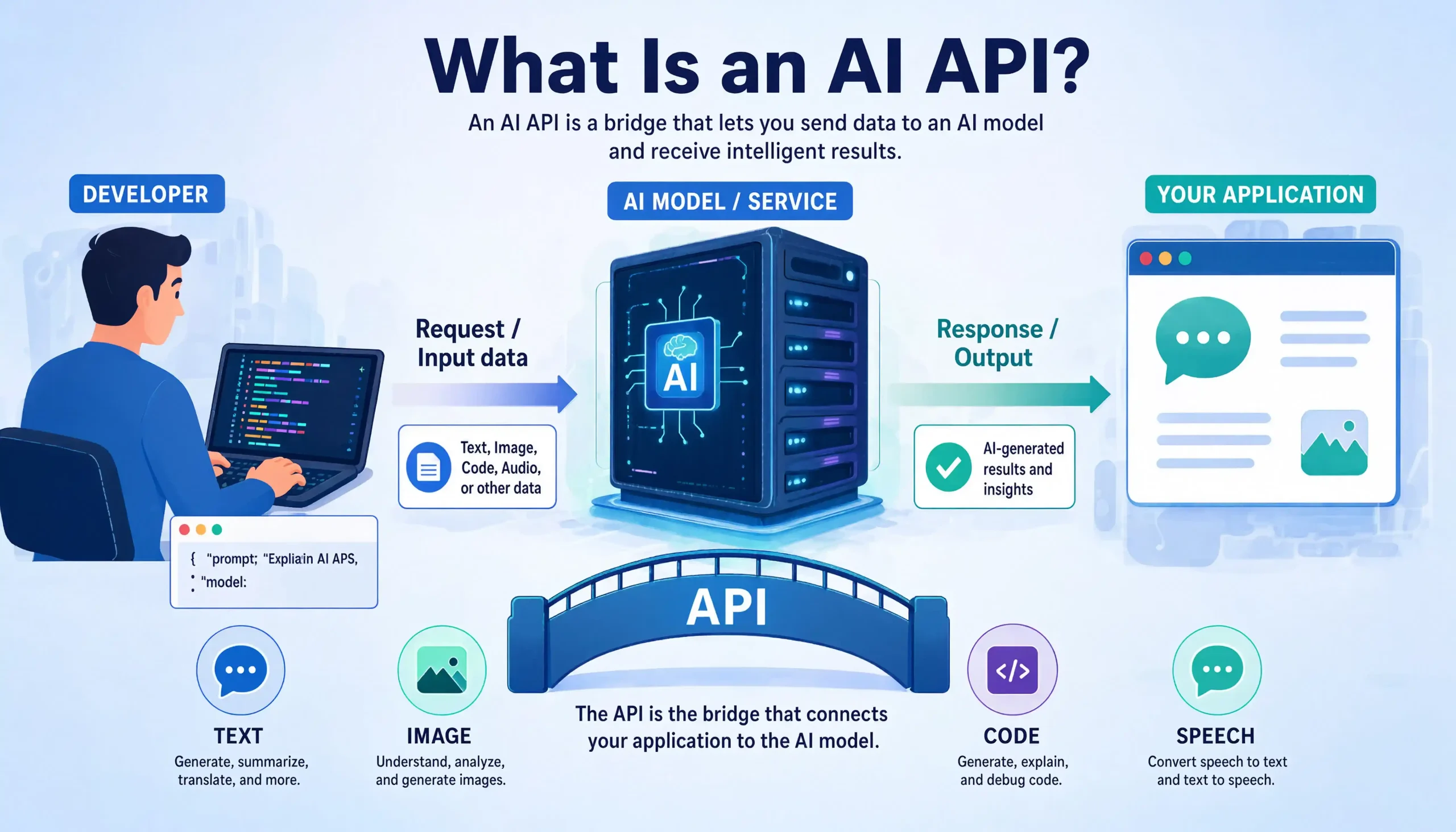
An AI API is a web service that lets your app use an AI model through code. You send a request, such as a prompt or an audio file, and the AI processes it to generate things like images, text, videos, or even build apps. Most AI APIs work over HTTPS with a simple REST pattern and JSON data. You authenticate each request with an API key.
A free AI API gives you some of that access at no cost. But “free” comes in several forms, and they are not the same thing:
- Free tier: A limited amount of usage at no cost, usually ongoing and resetting daily or monthly.
- Free credits: A one-time balance you spend on API calls until it runs out.
- Limited free access: Specific models or endpoints are free under set conditions, like a daily request cap.
- Free trial: Free access for a limited time or promotional period.
- Completely free: The service itself is free software you run yourself, with no per-request bill.
Free usage and billing requirements are separate questions. Some providers let you start with no credit card. Others ask for a verified payment method even for free access. Do not assume “free” means “no account” or “no card.”
Why Use a Free AI API for Your Project?
For most developers, the honest answer is learning and de-risking. A free AI API lets you test whether an idea works before you spend a dollar on it.
Think of it this way: free tiers exist in a natural lifecycle. You experiment on a free tier, build a prototype, watch your usage grow, and only then move to a paid plan. Jumping straight to paid API access before you know what your app needs is how indie hackers burn money on the wrong model.
Free access is especially useful for:
- Prototypes: Prove the concept before investing.
- School projects: Learn real API skills without a budget.
- Side projects: Keep a hobby app at zero cost.
- Model comparison: Send the same prompt to several free APIs and compare answers.
- Interview prep and portfolios: Build something real you can demo.
Are Free AI APIs Really Safe?
The simple answer: the API connection itself is usually secure, but what you send and how you handle keys is on you.
Major providers encrypt traffic over HTTPS, so the transport is not the weak point. The real risks are practical. Free tiers sometimes have different data-handling terms than paid tiers, and some providers may use free-tier traffic to improve their services. Check each provider’s data usage policy before sending anything sensitive. Never paste private user data, secrets, or credentials into prompts during testing.
Your API key is the other big risk. Treat it like a password. We cover key safety in detail in the best practices section below.
What Are the Limitations of Free AI APIs?
Free access always comes with trade-offs. Here are the ones that bite developers most often:
- Rate limits: A rate limit controls how many requests you can send in a set period. Free tiers get the tightest limits.
- Usage caps: Daily request caps, monthly call caps, or token quotas that stop you mid-project.
- Model restrictions: Free access often covers older or smaller models, not the flagship.
- Credit expiration: One-time credits can expire in weeks or months.
- Terms restrictions: Some free tiers ban production or commercial use entirely.
- Changing terms: Providers adjust free quotas with little notice. Google and others have done this repeatedly.
- No guaranteed uptime: Free tiers rarely come with service-level commitments.
None of this makes free APIs bad. It just means you should design your prototype so swapping providers later is easy.
Free AI API vs. Paid API: What’s the Difference?
In simple terms, you are trading money for headroom and guarantees.
| Free AI API | Paid AI API | |
|---|---|---|
| Cost | $0 within limits | Per token or per request |
| Rate limits | Tight | Much higher |
| Model access | Often smaller or older models | Full catalog |
| Best phase | Learning, prototyping | Production, growth |
| Support | Community or docs | Priority support |
| Uptime guarantees | Usually none | SLA options |
A useful starting point: prototype on free tiers, then pay only when real users show up.
How to Choose the Right Free AI API
Before you commit to any option, walk through these questions:
- What are you building? A chatbot needs a chat model. A voice app needs speech-to-text. Match the API type to the project.
- What does free actually include? Ongoing tier, one-time credits, or capped free models?
- What are the limits? Check the official rate limits and quota pages, not old blog posts.
- Do the terms allow your use case? Some free tiers ban production use.
- Is the API shape standard? OpenAI-compatible endpoints make switching providers nearly painless.
- How good is the documentation? Beginners should weight this heavily.
The 15 Free AI APIs at a Glance
| API | Free Access | Main Capability | Best For | Main Limitation |
|---|---|---|---|---|
| Google Gemini API | Free tier | Multimodal LLM chat | Beginners, prototypes | Free rate limits change often |
| Groq | Free tier | Fast LLM inference | Speed testing, agents | Per-model rate limits |
| Mistral AI | Free Experiment tier | LLM chat, code | Strong general models | Tight free rate limits |
| Cohere | Free trial keys | Chat, embeddings, rerank | Search and RAG tests | No production use allowed |
| Hugging Face | Free monthly credits | Open-model inference | Exploring open models | Very small free credit |
| OpenRouter | Free model variants | Multi-model routing | Comparing models | Low daily request cap |
| Cloudflare Workers AI | Free daily usage | Serverless inference | Edge apps | Daily usage cap |
| DeepSeek | Very low-cost API | Reasoning, code, chat | Complex logic tasks | No permanent free tier |
| Z.ai (GLM) | Free Flash model | LLM chat, coding | Coding assistants | Free limits vary by model |
| NVIDIA NIM | Free API credits | Hosted model catalog | Trying many models fast | Credits are one-time |
| Qwen (Alibaba Cloud) | Free token quota | LLM chat, code | Multilingual projects | Quota terms vary by region |
| MiniMax | Trial credits | LLM, audio, video | Multimodal experiments | Promo terms change |
| LocalAI | Completely free (self-hosted) | Local inference | Privacy, offline work | You supply the hardware |
| Xiaomi MiMo | Free API promos | Coding, reasoning | Coding tool tests | Promo periods change |
| SambaNova Cloud | Free credits | Fast open-model inference | Llama and DeepSeek tests | Credits expire |
The 15 Free AI APIs in Detail
1. Google Gemini API
Google’s developer API for the Gemini family of models handles text, code, images, audio, and long documents through one key. That range makes it one of the broadest free AI APIs you can start with.
Getting started is about as smooth as it gets. You sign into Google AI Studio with a Google account, create an API key, and you can have a working chat completion running in under ten minutes. The docs include runnable examples in several languages, which is why this is usually the first API I hand beginners.
Google currently offers a free tier covering models like Gemini 3 Flash and Gemini 3.7 Flash, with rate limits that vary by model. Those limits have shifted more than once over the past year, so check the official rate limits page before designing around specific numbers. No billing account is needed for the free level.
- Generous capabilities for a free option.
- Multimodal input, structured output, function calling, and embeddings.
- Great documentation and quick signup.
- Free limits shift, which makes planning hard.
- Data use terms differ between free and paid tiers.
Best for: Beginners who want one API that does almost everything.
Important limitation: Free quotas are per project and can change with little notice.
Please visit: Google AI Studio
2. Groq
Groq is an AI inference API built for speed. It runs open models like Llama 4 Maverick on custom hardware, and responses come back fast enough that chat apps feel instant.
The first time you pipe a streaming response from Groq into a chat UI, the speed genuinely stands out. The endpoint is OpenAI-compatible, so if you have existing code that talks to OpenAI’s API, you can often point it at Groq by changing the base URL and key. That makes experimenting nearly free in effort as well as cost.
Groq offers a free tier with per-model rate limits covering requests per minute and tokens per minute. Exact numbers are in Groq’s docs and can change. The free tier is meant for development and testing rather than production traffic, so check the current terms before you rely on it for a live app.
- Extremely fast responses, great for chat apps.
- OpenAI compatibility makes switching easy.
- Streaming, speech-to-text, and tool use support.
- Only open models, no proprietary flagships.
- Free token-per-minute limits throttle heavy bursts.
Best for: Chatbots and agents where low latency matters.
Important limitation: You can hit token-per-minute limits fast on larger models.
Please visit: Groq
3. Mistral AI
Mistral is a European AI lab known for strong open and commercial models, plus a dedicated coding model. Its API platform, La Plateforme, gives developers a clean, well-documented way to use them.
The free Experiment tier is built for testing, evaluation, and prototyping. The platform feels developer-first: a clear console, a predictable API shape, and solid support for structured output and function calling. Verification steps can apply depending on your region.
- Access to respected models at no cost.
- Good fit for both text and code experiments.
- Embeddings and JSON output included.
- Free rate limits are tight for heavy testing.
- Free-tier terms differ from paid plans.
Best for: Developers who want to compare a top European provider against US options.
Important limitation: The free tier is meant for experimentation, not production traffic.
Please visit: Mistral AI
4. Cohere
Cohere is a developer API focused on language models, embeddings, and reranking. It has become a favorite for search and retrieval-augmented generation (RAG) projects, where its rerank endpoint can noticeably improve search result ordering.
Cohere offers free Trial API keys. According to its documentation, trial keys are limited to 1,000 API calls per month and are rate limited per endpoint. That is enough to build a small semantic search demo. In practice, 1,000 calls disappear faster than you expect once you start iterating, so plan your test prompts before you start looping. Trial keys cannot be used for production or commercial purposes under Cohere’s terms — treat this one strictly as a test environment.
- Excellent tools for semantic search and RAG.
- Clear docs with copy-paste examples.
- Rerank endpoint is a genuine differentiator.
- Trial keys cannot be used for production or commercial purposes.
- The monthly call cap is easy to exhaust.
Best for: Testing a RAG pipeline or document search prototype.
Important limitation: The trial license restricts production use, so it is a test-only option.
Please visit: Cohere
5. Hugging Face Inference Providers
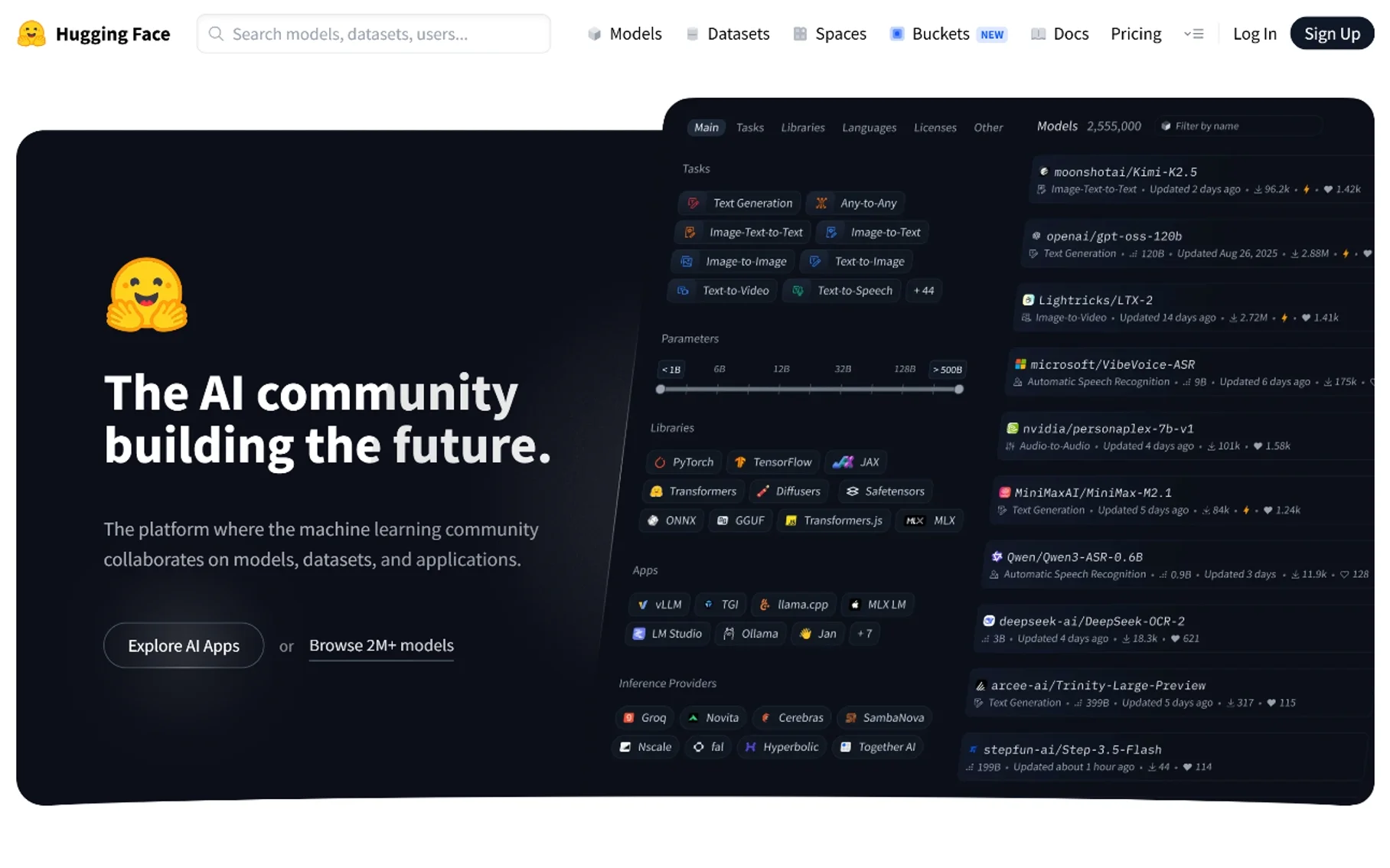
Hugging Face is the central hub of the open-model world. Its Inference Providers feature gives you one API that routes requests to open models hosted by multiple partners — one key for thousands of models.
Free accounts get a small monthly credit, currently around $0.10 per Hugging Face’s pricing docs, with PRO members getting more. That amount is subject to change and, frankly, is small. It suits light testing, like sending a handful of prompts to a model you are curious about before deciding whether to pay for heavier use.
- Huge model selection in one place.
- OpenAI-compatible chat endpoint.
- Great for learning how open models behave.
- The free credit is very small.
- Model availability depends on third-party providers.
Best for: Exploring open models without setting up your own hardware.
Important limitation: Free credits run out fast, so treat it as a sampler, not a workhorse.
Please visit: Hugging Face
6. OpenRouter
OpenRouter is a routing API that gives you one key and one interface for many models from different providers, including a rotating set of free options marked with a :free tag.
This is where comparing models gets fun. You can send the same prompt to five different models by changing one string in your request — one of the fastest ways to build real intuition about how models differ. Per OpenRouter’s docs, free models are limited to 50 requests per day, or 1,000 per day if your account has purchased at least 10 credits. Free-tier prompts may also be used to improve the underlying models, so it is worth reading OpenRouter’s data policy before sending anything sensitive through a free model.
- Easiest way to compare many models side by side.
- OpenAI-compatible, with fallbacks and usage tracking.
- Free variants include capable open models.
- The free daily request cap is low.
- Free models can change or become unavailable.
Best for: Benchmarking models against each other for a project.
Important limitation: The 50 requests per day cap is tight unless you buy credits.
Please visit: OpenRouter
7. Cloudflare Workers AI
Cloudflare Workers AI is a serverless inference API that runs models on Cloudflare’s global network. It pairs naturally with Cloudflare Workers, so you can add AI features to an edge app without managing any servers.
Cloudflare’s docs state a free allocation of 10,000 Neurons per day, resetting daily. Neurons are Cloudflare’s usage unit, and the exact burn rate depends on the model and task. The daily reset makes this a genuinely recurring free option, which is rarer than you might think. Cloudflare’s free allocation is usable in production for small-scale workloads, but heavier usage requires a paid plan — check the current pricing page for the line between the two.
- Daily reset makes free access ongoing.
- Nice fit if you already use Cloudflare.
- Covers text, embeddings, images, and speech.
- The Neuron unit takes a moment to understand.
- Smaller model catalog than dedicated AI labs.
Best for: Edge apps and side projects on Cloudflare.
Important limitation: Heavy days can burn through the daily allocation quickly.
Please visit: Cloudflare Workers AI
8. DeepSeek
DeepSeek is the Chinese lab behind the DeepSeek-V4-Pro and R1 reasoning model families, known for strong reasoning and coding ability at very low prices. Its API uses an OpenAI-compatible format, which keeps integration simple.
Here is the honest part: DeepSeek’s API is a paid, per-token service, and its docs do not list a permanent free tier. It earns a place on this list because prices are low enough that a couple of dollars funds weeks of experimentation, and promotional credits appear from time to time. The web and app chatbot is free to use, but that is not the API. Check the platform’s current pricing page before assuming any free balance.
- Extremely low per-token prices.
- Strong reasoning and coding models.
- OpenAI-compatible API format.
- No permanent free API tier.
- Promotional credit terms change over time.
Best for: Reasoning-heavy projects on a tiny budget.
Important limitation: “Free” here means very cheap plus occasional promos, not a guaranteed free tier.
Please visit: DeepSeek Platform
9. Z.ai (GLM by Zhipu AI)
Z.ai is the global developer platform from Zhipu AI, one of China’s leading AI labs. Its GLM model family — including GLM-4.6 for everyday coding and the newer, larger GLM-5.3 — covers chat, coding, and agent-style tasks. The platform includes an Anthropic-compatible endpoint alongside the usual OpenAI-style format, which is a nice touch if you already have Claude-based code.
Z.ai has offered a free Flash-class model tier for developers, which gives you a real LLM API at no cost for light use. I like this one for testing agent workflows specifically, since GLM handles tool calls well even on the free tier. Free rate limits apply and vary by model. The lineup changes quickly, so confirm the current free model list on the platform before you build around it.
- Free Flash-tier model for real API testing.
- Anthropic-compatible endpoint is unusual and handy.
- Competitive coding and agent capabilities.
- Free limits and model lineup change often.
- Documentation has gaps in places.
Best for: Developers curious about strong non-US models, especially for coding assistants.
Important limitation: Free access applies to specific models, not the whole catalog.
Please visit: Z.ai
10. NVIDIA NIM APIs
NVIDIA NIM is NVIDIA’s hosted catalog of optimized AI models at build.nvidia.com. It covers LLMs, vision models, embeddings, and more, all exposed through an OpenAI-compatible API.
New developer accounts receive free API credits for prototyping — NVIDIA forums and docs have described a starting grant of around 1,000 credits, though this is subject to change. What I like about this one is the breadth: you can test many different model families through one key and one request format, which makes it a strong sandbox for comparison work rather than a single-model commitment.
- One key gives you access to a wide model catalog.
- No credit card needed to start prototyping.
- OpenAI-compatible request format.
- Credits are a one-time grant, not recurring.
- Rate limits on the free experience are modest.
Best for: Trying many different models fast without juggling accounts.
Important limitation: Once your free credits are spent, continued use needs a paid route.
Please visit: NVIDIA NIM
11. Qwen (Alibaba Cloud Model Studio)
Qwen is Alibaba’s open model family, and Alibaba Cloud Model Studio is the hosted API platform behind it. The open Qwen3 checkpoints are respected for multilingual work and coding, while Qwen3.8-Max is Alibaba’s closed, API-only flagship. Either way, the API is OpenAI-compatible.
Alibaba Cloud’s official docs describe free quotas for new users on select models, granted as token amounts per model for a limited validity period. The exact free quota and eligible models vary by region and deployment scope, so read the current “free quota” documentation for your account region before planning around it. Account setup runs through the full Alibaba Cloud console, which takes a bit longer than a typical AI-lab signup.
- Strong multilingual and coding performance.
- Free token quotas for new users on select models.
- OpenAI-compatible API.
- Free quota terms differ by region.
- Account setup involves Alibaba Cloud, which adds steps.
Best for: Multilingual projects and developers exploring the Qwen ecosystem.
Important limitation: Free quotas are per model, time-limited, and region-dependent.
Please visit: Qwen
12. MiniMax
MiniMax is a Chinese AI company whose API platform covers text, speech, music, and video generation. That mix makes it one of the more interesting options if your project goes beyond plain chat.
MiniMax’s platform uses a pay-as-you-go credit model, with trial credit offers appearing for new developers from time to time. Because promotions change, treat any trial balance as temporary and confirm the current offer on the official platform. The docs cover OpenAI-style usage patterns, which keeps the learning curve reasonable if you have used another provider before.
- Unusual range: text, speech, music, and video APIs.
- Good docs with recognizable request patterns.
- Interesting for creative and multimedia prototypes.
- Trial credit offers change over time.
- English-language community support is thinner than US providers.
Best for: Multimodal experiments that mix text, audio, and video.
Important limitation: Free access depends on current promotions, so verify before you start.
Please visit: MiniMax
13. LocalAI
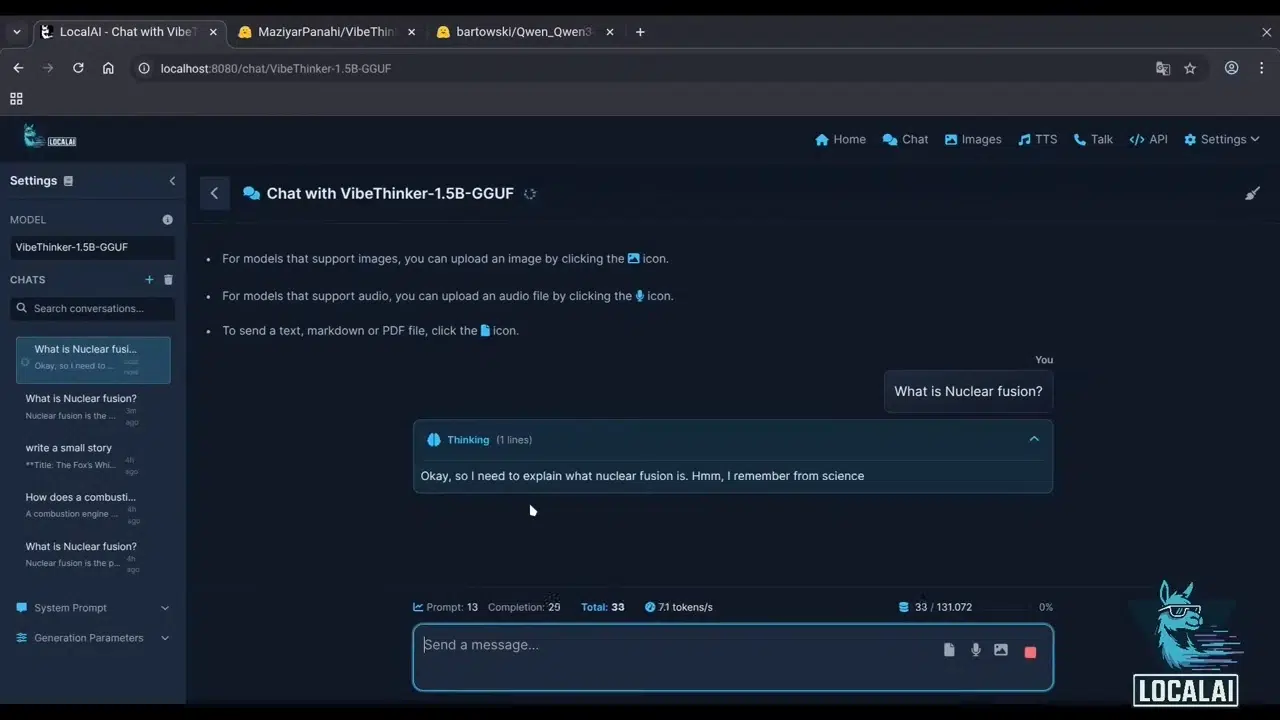
LocalAI is different from everything else on this list. It is a free, open-source engine that runs models on your own machine, with an OpenAI-compatible API in front of them. No cloud account, no per-request bill, no usage quota from a provider.
Setup takes more work than a hosted API. You install LocalAI (Docker is the common path), download a model, and call a local endpoint just like you would call a hosted one. The trade-off is that your hardware decides performance. A laptop can run small models fine, but big models need serious memory or a GPU. If privacy is your main driver, though, this is the only option on the list where your prompts genuinely never leave your machine.
- Completely free and open source.
- Your data never leaves your machine.
- OpenAI-compatible, so existing code often works.
- You supply the hardware and the setup time.
- Performance depends entirely on your machine.
Best for: Privacy-sensitive projects, offline work, and learning how inference actually runs.
Important limitation: No hardware, no party — slow machines mean slow responses.
Please visit: LocalAI
14. Xiaomi MiMo
MiMo is Xiaomi’s model family, with a developer platform offering OpenAI- and Anthropic-compatible APIs focused on coding and reasoning tasks. It plugs into mainstream AI coding tools, which is clearly its target use case.
Xiaomi has promoted free API access periods around new model launches, such as a free week of API access tied to a MiMo release. These are launch promotions rather than a permanent free tier, so check the MiMo platform’s current plans page to see what free access is available right now. Worth keeping on your radar if you like testing coding assistants against a wider set of models than the usual names.
- OpenAI- and Anthropic-compatible APIs.
- Aimed squarely at AI coding tools.
- Free access promos around model launches.
- Promotions are temporary, not a standing free tier.
- Smaller international developer community.
Best for: Testing AI coding assistants with a fresh alternative model.
Important limitation: Free access is promotional and time-boxed, so confirm current terms first.
Please visit: Xiaomi MiMo
15. SambaNova Cloud
SambaNova Cloud runs open models — including Llama and DeepSeek checkpoints — on SambaNova’s custom chips, built for fast inference. The API is OpenAI-compatible, so trying it takes minutes if you already have OpenAI-style code.
SambaNova moved its old standing free tier to a developer tier. Per its announcement, new developers receive $5 in free credit that expires in 3 months, and community participation can earn more. That makes it a trial-style offer: great for a speed test against Groq, not something to build a long-term free project on.
- Fast responses on popular open models.
- Simple OpenAI-style integration.
- Extra credits possible through the developer community.
- The free credit expires.
- Smaller ecosystem than bigger rivals.
Best for: Trying fast open-model inference beyond the usual names.
Important limitation: Credit expiration means it is a trial, not a permanent free tier.
Please visit: SambaNova Cloud
Which Free AI API Is Best for You?
- No credit card, ever: Google Gemini API, OpenRouter, and Cloudflare Workers AI all let you start without adding a payment method.
- Fastest response times: Groq, with SambaNova as a solid comparison point.
- Broadest model selection: Hugging Face or OpenRouter, depending on whether you want depth or easy side-by-side comparison.
- Most likely to still work the same way in six months: Cloudflare Workers AI and Google Gemini, since both are ongoing free tiers rather than expiring credits or promotions.
- Coding assistants specifically: Z.ai or Xiaomi MiMo, both built with coding tools in mind.
- Privacy-first projects: LocalAI, because nothing leaves your machine.
- Search and RAG work: Cohere, thanks to embeddings plus rerank.
- Trying many models fast: NVIDIA NIM or OpenRouter, both built for quick comparison.
Best Practices for Using Free AI APIs
A few habits will save you real pain later:
- Keep API keys secret: Store them in environment variables, never in frontend code or public repos.
- Rotate compromised keys: If a key leaks, delete it and create a new one immediately.
- Use server-side requests: Call the API from your backend so the key stays hidden.
- Monitor your usage: Check your dashboard weekly so a surprise spike never kills your prototype.
- Read the data policy: Know whether free-tier traffic may be used for training before sending anything sensitive.
- Abstract the provider: Write your code so swapping one OpenAI-compatible API for another is a config change, not a rewrite.
- Have a backup plan: Free tiers change. Keep a second provider warmed up.
Common Mistakes When Using Free AI APIs
- Assuming free means unlimited: Every free option has a cap. Find yours before launch day.
- Ignoring rate limits: A rate limit controls how many requests you can send in a set period. Design retries and queues around it.
- Not checking current pricing: Quotas from an old blog post are probably wrong today.
- Building around a free tier with no fallback: If the tier shrinks, your app breaks.
- Sending sensitive data casually: Review the provider’s data policy first.
- Exposing API keys in frontend code: This is how bills and bans happen.
- Choosing by popularity: Pick the API that fits your use case, not the loudest brand.
FAQ
What is the best free open source AI API for developers?
The strongest free and low-cost open-source picks are DeepSeek, Qwen, Llama, Mistral, and MiMo. DeepSeek and Qwen stand out for coding and reasoning specifically.
Are AI APIs really free?
Some are, within limits. Free tiers (Gemini, Groq, Cloudflare) give ongoing limited access. Free credits (NVIDIA NIM, SambaNova) are one-time balances. Always read what the free option actually includes.
Do free AI APIs require a credit card?
It depends. Google AI Studio, OpenRouter, and Cloudflare let you start without one. Others may ask for verification. Check each provider’s signup flow.
Which free AI API is best for beginners?
Google Gemini API. Signup is fast, the docs are beginner-friendly, and one key covers many task types.
Can I use free AI APIs in production?
Sometimes, but often no. Cohere’s trial keys explicitly ban production use, and most free tiers skip uptime guarantees entirely. Read the terms, and plan to pay once real users depend on your app.
Can free AI APIs be used for commercial projects?
Terms vary by provider and sometimes by model. Never assume. Check the current terms of service for each API before any commercial launch.
What are the limits of free AI APIs?
Common ones are rate limits, daily or monthly caps, smaller models, credit expiration, and restricted terms. The limits section above covers each type.
You May Also Like
 SaaS
SaaSWhat Is No-Code Automation? How It Works, Benefits, and Risks
 Web Scraping
TinyFish.ai Review: Is It the Best AI Agent for Web Scraping
 AI Technology
ChatGPT API Alternatives: 13 AI APIs and Platforms for Developers
 Web Development
Building Apps with Lovable and Supabase: A Step-by-Step Guide
 AI Tools
10 Best PDF Extraction APIs for Text, Tables, OCR, and Structured Data
 Web Scraping
What Is AI Web Scraping? A Complete Guide to AI-Powered Data Extraction
 Web Scraping
Scrapy in Python: A Practical Guide to Web Scraping
 AI Technology
32 Best Automated Business Ideas for Passive Income in 2026
 AI Technology