


Managing remote teams effectively requires precise time tracking software that goes beyond simple timers. Employee time tracking has become essential for businesses to monitor productivity, manage projects, and ensure accurate billing. Time management software helps remote teams stay organized while providing managers with the insights they need to optimize workflows and boost performance.
The right employee time tracking software can transform how your remote team operates. These tools offer features like automated time tracking, project management integration, and detailed reporting that help businesses understand where time is spent and how to improve efficiency. Whether you’re a startup with a small remote team or an enterprise managing hundreds of distributed employees, choosing the right time tracking solution is crucial for success.
Remote work has created new challenges for time management, making traditional timekeeping methods obsolete. Modern time tracking software addresses these challenges by offering mobile apps, GPS tracking, screenshot monitoring, and real-time collaboration features that keep teams connected and accountable regardless of their location.
What is Time Tracking Software?
Time tracking software is a digital tool that records and monitors how employees spend their working hours. These applications help businesses track employee productivity, manage project timelines, and calculate accurate payroll. The software typically includes features like manual time entry, automatic time tracking, project categorization, and detailed reporting.
For remote teams, time tracking software serves multiple purposes. It provides transparency between managers and employees, ensures accurate billing for client projects, and helps identify productivity patterns. The best time tracking tools integrate with existing project management systems and offer mobile accessibility for employees working from various locations.
Why Remote Teams Need Time Tracking Software
Accountability and Transparency Remote work environments require higher levels of accountability compared to traditional office settings. Time tracking software creates transparency by showing exactly when employees are working and what tasks they’re focusing on. This visibility builds trust between managers and remote workers while ensuring everyone remains productive.
Project Management and Billing: Accurate time tracking is essential for project-based businesses that bill clients hourly. Remote teams need tools that can automatically categorize time spent on different projects and generate detailed reports for billing purposes. The best time tracking software integrates with invoicing systems to streamline the entire billing process.
Performance Analysis: Understanding how time is spent across different tasks and projects helps managers optimize team performance. Time tracking data reveals productivity patterns, identifies bottlenecks, and highlights opportunities for improvement. This information is particularly valuable for remote teams where direct supervision is limited.
Top 10 Best Time Tracking Software for Remote Teams
1. Toggl Track – Best Overall Time Tracking Solutions

Toggl Track stands out as the most versatile time tracking solution for remote teams. The platform offers a perfect balance of simplicity and powerful features that make it suitable for businesses of all sizes. With over 5 million users worldwide, Toggl Track has established itself as the gold standard for time tracking software, providing reliable service and continuous innovation.
The software’s intuitive interface makes it incredibly easy for team members to start tracking time with just one click. Users can organize their work into unlimited projects and clients, making it simple to categorize different types of work. The platform’s strength lies in its ability to provide detailed insights without overwhelming users with complexity. Teams can track time using the web application, desktop apps for Windows and Mac, or mobile apps for iOS and Android, ensuring seamless synchronization across all devices.
Toggl Track’s reporting capabilities are among the best in the industry, offering visual charts, detailed breakdowns, and customizable reports that help managers understand team productivity patterns. The software integrates with over 100 popular business tools including Asana, Trello, Slack, and QuickBooks, making it easy to incorporate into existing workflows. Advanced features like the Pomodoro timer help individuals maintain focus, while team features like shared time entries and project access controls facilitate collaboration among remote team members.
Key Features:
- One-click time tracking with start/stop timers
- Project organization with unlimited projects and clients
- Team collaboration with shared time entries
- Detailed reporting with visual charts and graphs
- Multiple platform support (web, desktop, mobile)
- Integrations with 100+ popular tools
- Pomodoro timer for focused work sessions
Pricing:
- Free Plan: Up to 5 users with basic tracking features
- Starter Plan: $9 per user/month (annual billing)
- Premium Plan: $18 per user/month (annual billing)
- Enterprise: Custom pricing with advanced features
Best For: Teams that need flexible time tracking with strong reporting capabilities and extensive integrations.
2. Clockify – Best Free Time Tracking Software

Clockify revolutionizes the time tracking market by offering the most generous free plan available, supporting unlimited users without any hidden costs or time restrictions. This makes it an exceptional choice for startups, small businesses, and growing teams that need comprehensive time tracking functionality without the financial burden. The platform has gained significant traction among budget-conscious organizations while still delivering enterprise-level features that compete with premium solutions.
The software provides multiple ways to track time, accommodating different work styles and preferences. Users can start and stop timers manually, enter time directly into timesheets, or use the calendar view for a visual approach to time management. The kiosk mode transforms any device into a shared time clock station, perfect for teams that need to track attendance or work in shared spaces. Clockify’s auto tracker feature monitors computer activity in the background, automatically detecting which applications and websites are being used, providing valuable insights into productivity patterns.
Clockify’s strength extends beyond basic time tracking to include comprehensive project management features. Teams can organize work into unlimited projects and clients, set budgets and time estimates, and track progress against goals. The platform offers detailed reporting with multiple export options, making it easy to share information with clients or stakeholders. Advanced features like GPS tracking, screenshots, and approval workflows are available in paid plans, but the free version provides enough functionality for most small to medium-sized remote teams to operate effectively.
Key Features:
- Unlimited time tracking for unlimited users (free plan)
- Multiple tracking methods (timer, manual entry, timesheet)
- Project and client management with unlimited projects
- Team dashboard showing real-time activity
- Kiosk mode for shared time clock stations
- Auto tracker for monitoring apps and websites
- GPS tracking and screenshots (paid plans)
Pricing:
- Free Plan: Unlimited users with basic features
- Basic Plan: $5.49 per user/month
- Pro Plan: $7.99 per user/month
- Enterprise Plan: $11.99 per user/month
Best For: Small teams and startups needing comprehensive time tracking without upfront costs.
3. Hubstaff – Best for Employee Monitoring

Hubstaff combines comprehensive time tracking with advanced employee monitoring features, making it the go-to solution for companies that need detailed oversight of their remote workforce. The platform is designed specifically for businesses that require accountability and transparency in their remote work arrangements. Hubstaff has built its reputation on providing managers with the tools they need to ensure productivity while maintaining trust with their remote employees.
The software’s monitoring capabilities go beyond simple time tracking to include automatic screenshot capture, activity level monitoring, and detailed application and website usage tracking. Screenshots are taken at random intervals and can be blurred for privacy until reviewed, while activity levels are calculated based on keyboard and mouse usage, providing an objective measure of employee engagement. The GPS tracking feature is particularly valuable for field workers and mobile teams, allowing managers to verify locations and track travel time between client sites.
Hubstaff excels in its integration capabilities and workflow automation features. The platform seamlessly connects with popular project management tools, automatically syncing tasks and projects for effortless time allocation. The payroll integration feature can automatically calculate and distribute payments based on tracked hours and predefined rates, streamlining the entire compensation process. Advanced reporting provides insights into team productivity, project profitability, and resource utilization, helping managers make data-driven decisions about team management and project allocation.
Key Features:
- Automatic screenshots taken at random intervals
- Activity levels based on keyboard and mouse usage
- GPS tracking for mobile workers
- App and URL monitoring to track productivity
- Payroll integration with automated payments
- Project budgets and time limits
- Invoicing based on tracked time
Pricing:
- Free Plan: 1 user with basic features
- Starter Plan: $7 per user/month ($4 99 for Annual )
- Grow Plan: $9 per user/month
- Team Plan: $12 per user/month
- Enterprise: $25 per user/month
Best For: Companies that need detailed employee monitoring alongside time tracking.
4. Harvest – Best for Project Management Integration

Harvest has established itself as the premier time tracking solution for service-based businesses that need seamless integration between time tracking, project management, and invoicing. The platform is specifically designed for agencies, consultants, and professional services firms that bill clients based on time and need to maintain profitability across multiple projects. Harvest’s strength lies in its ability to provide end-to-end project lifecycle management while maintaining simplicity and ease of use.
The software’s project management capabilities are deeply integrated with its time tracking features, allowing teams to set project budgets, track progress against estimates, and receive alerts when projects are approaching their allocated hours or budget limits. The visual project dashboard provides at-a-glance insights into project health, team capacity, and upcoming deadlines. Harvest’s unique approach to team management includes capacity planning features that help managers distribute workload evenly and identify potential bottlenecks before they impact project delivery.
One of Harvest’s standout features is its sophisticated invoicing system that automatically generates professional invoices based on tracked time and expenses. The platform supports multiple billing rates, different currencies, and customizable invoice templates that reflect your brand identity. Clients can access a dedicated portal where they can view project progress, approve time entries, and track budget utilization in real-time. The expense tracking feature allows team members to capture receipts and categorize expenses directly within the platform, ensuring accurate project cost tracking and streamlined reimbursement processes.
Key Features:
- Visual project timelines and budget tracking
- Automatic invoicing based on tracked time
- Expense tracking with receipt attachments
- Team capacity planning and workload management
- Client portal for project transparency
- Advanced reporting with profitability analysis
- Integration with popular project management tools
Pricing:
- Free Plan: 1 user and 2 projects
- Pro Plan: $11 per user/month (Annual 20% off was $13.75)
- Premium Plan: $14 per user/month was $17.50
Best For: Service businesses that need integrated time tracking, project management, and invoicing.
5. TimeCamp – Best for Automated Time Tracking

TimeCamp excels in providing sophisticated automation features that minimize manual time entry while maximizing tracking accuracy. The platform is designed for teams that want comprehensive time tracking insights without the burden of constant manual input. TimeCamp’s intelligent automation features can detect patterns in work behavior and automatically categorize activities, making it an ideal solution for knowledge workers and creative professionals who frequently switch between different tasks and projects.
The software’s automatic time tracking capabilities are powered by advanced algorithms that monitor computer activity and intelligently assign time to appropriate projects based on predefined rules and keywords. Users can set up automatic triggers that recognize specific applications, websites, or document titles and automatically start tracking time for the corresponding project. This automation extends to productivity analysis, where TimeCamp categorizes activities as productive, neutral, or unproductive based on customizable rules, providing valuable insights into work patterns and efficiency.
TimeCamp’s reporting and analytics features provide deep insights into team productivity and project performance. The platform generates detailed reports showing time distribution across projects, productivity trends, and team performance metrics. The budgeting and forecasting features help managers predict project completion times and identify potential resource conflicts before they become problematic. Integration with popular business tools ensures that TimeCamp fits seamlessly into existing workflows, while the mobile apps provide full functionality for remote workers who need to track time while away from their primary workstation.
Key Features:
- Automatic time tracking based on computer activity
- Keyword detection for automatic project assignment
- Detailed productivity reports with time breakdown
- Billing and invoicing with multiple currency support
- Team collaboration tools and project sharing
- Mobile apps for iOS and Android
- Integration with 50+ business tools
Pricing:
- Starter Plan: $2.99 per user/month $1.99 for annual
- Premium Plan: $4.99 per user/month $3.99 for annual
- Ultimate Plan: $7.99 per user/month $4.99 for annual
- Enterprise: $14.99 per user/month $11.99 for annual
Best For: Teams that want to minimize manual time entry through automation.
6. RescueTime – Best for Personal Productivity Analysis

RescueTime takes a unique approach to time tracking by focusing on automatic activity monitoring and productivity analysis rather than traditional project-based time tracking. The platform is designed for individuals and teams who want to understand their digital behavior patterns and optimize their productivity without the overhead of manual time entry. RescueTime runs silently in the background, capturing detailed information about application usage, website visits, and digital habits to provide comprehensive productivity insights.
The software’s strength lies in its sophisticated categorization system that automatically classifies activities as very productive, productive, neutral, distracting, or very distracting based on predefined categories and user customization. This classification system provides a productivity score that helps users understand how effectively they’re using their time throughout the day. The platform tracks activity across multiple devices and platforms, providing a holistic view of digital behavior that includes both work and personal activities, making it particularly valuable for remote workers who struggle with work-life balance.
RescueTime’s goal-setting and blocking features help users actively improve their productivity by setting targets for productive time and limiting access to distracting websites and applications during focused work periods. The weekly email reports provide regular insights into productivity trends, helping users identify patterns and make gradual improvements to their work habits. The platform’s detailed analytics dashboard offers deep insights into time allocation, showing exactly how time is spent across different categories, applications, and websites, enabling users to make informed decisions about their digital habits and work routines.
Key Features:
- Automatic activity tracking across all devices
- Productivity scoring based on predefined categories
- Detailed analytics and productivity reports
- Goal setting and progress tracking
- Website and application blocking during focus time
- Weekly email reports with productivity insights
- Cross-platform tracking (desktop and mobile)
Pricing:
- Solo Plan: Annual – $78, 14 days free, and ($6.50/month) or $12.00 per month
- Team Plan: Annual – $72 per team, 14 days free ($6/month) or $9 per month.
Best For: Individual remote workers and teams focused on productivity optimization.
7. Time Doctor – Best for Comprehensive Monitoring

Time Doctor provides one of the most comprehensive employee monitoring solutions available, combining detailed time tracking with extensive oversight features designed for companies that need strict accountability measures. The platform is particularly popular among businesses that manage large remote teams, work with freelancers, or operate in industries with high security requirements. Time Doctor’s approach focuses on providing complete transparency and detailed insights into employee activities during work hours.
The software’s monitoring capabilities include random screenshot capture, keystroke and mouse activity tracking, and comprehensive website and application monitoring. These features provide managers with detailed insights into how employees spend their time and help identify potential productivity issues or security concerns. The distraction alerts feature can notify employees when they visit non-work-related websites, helping maintain focus during work hours. Time Doctor also offers optional features like webcam monitoring and phone call tracking for businesses that require additional oversight.
Time Doctor excels in its payroll and client management features, offering automated payment processing based on tracked hours and predefined rates. The platform supports multiple payment methods and can handle complex payroll scenarios including different rates for different clients or projects. Client access features allow customers to view time tracking data for their specific projects, providing transparency and building trust in billing processes. The detailed reporting system provides insights into team productivity, project profitability, and individual performance metrics, helping managers make informed decisions about team management and resource allocation.
Key Features:
- Screenshots with keyboard and mouse activity tracking
- Website and application monitoring with productivity ratings
- Payroll management with automated payments
- Client login access for project transparency
- Distraction alerts and idle time detection
- Detailed analytics and productivity reports
- Integration with project management tools
Pricing:
- Basic Plan: $8 per user/month ($6.70 billed annually)
- Standard Plan: $14 per user/month ($11.70 billed annually)
- Premium Plan: $20 per user/month ($16.70 billed annually)
- Enterprise: Custom plan
Best For: Companies requiring detailed employee monitoring and accountability.
8. ClickUp – Best Project Management with Time Tracking

ClickUp revolutionizes the way teams approach project management by providing a comprehensive platform that seamlessly integrates time tracking with advanced project management capabilities. The platform positions itself as an all-in-one solution that can replace multiple tools, making it particularly attractive for remote teams that want to consolidate their workflows and reduce tool sprawl. ClickUp’s time tracking features are deeply integrated with its project management functionality, allowing teams to track time directly within tasks, projects, and workflows.
The software’s flexibility is one of its greatest strengths, offering multiple project views including Gantt charts, Kanban boards, calendar views, and list formats. This versatility ensures that different team members can work in their preferred format while maintaining unified project data. The time tracking feature works seamlessly across all views, allowing users to start timers directly from tasks, create time estimates, and compare actual time against planned effort. ClickUp’s custom fields and automation capabilities enable teams to create sophisticated workflows that automatically trigger actions based on time tracking data.
ClickUp’s reporting and analytics capabilities provide comprehensive insights into team performance, project progression, and resource utilization. The platform offers customizable dashboards that can display time tracking data alongside other project metrics, giving managers a complete picture of team productivity. Advanced features like workload management help prevent team burnout by visualizing individual capacity and workload distribution. The platform’s extensive integration ecosystem connects with popular tools like Slack, Google Drive, and Zapier, ensuring that ClickUp can fit into existing business processes while providing enhanced time tracking capabilities.
Key Features:
- Integrated project management with tasks and workflows
- Time tracking directly within project tasks
- Team collaboration tools and communication features
- Custom dashboards and reporting
- Goal tracking and milestone management
- Multiple project views (Gantt, Kanban, Calendar)
- Automation and workflow optimization
Pricing:
- Free Plan: Unlimited personal use
- Unlimited Plan: $7 per user/month
- Business Plan: $12 per user/month
- Enterprise: Custom pricing
Best For: Remote teams that need comprehensive project management with integrated time tracking.
9. Asana – Best for Task-Based Time Tracking

Asana has evolved from a simple task management tool into a comprehensive project management platform that includes native time tracking capabilities designed specifically for teams already invested in the Asana ecosystem. The platform’s approach to time tracking is task-centric, allowing users to log time directly against specific tasks and projects without leaving their familiar Asana environment. This integration eliminates the need for separate time tracking tools and reduces the complexity of managing multiple applications.
The software’s time tracking features are designed to support both time estimation and actual time recording, providing valuable insights into project planning accuracy and team productivity. Users can set time estimates for tasks during project planning and then track actual time spent, creating a feedback loop that improves future project estimates. Asana’s workload management features help managers distribute tasks evenly across team members and identify potential bottlenecks before they impact project delivery. The platform’s timeline view provides a visual representation of project schedules with time tracking data overlaid, making it easy to see project progress at a glance.
Asana’s strength lies in its sophisticated project portfolio management capabilities that incorporate time tracking data into broader business insights. The platform provides detailed reporting on team capacity, project profitability, and resource allocation, helping managers make informed decisions about project prioritization and team structure. Custom fields allow teams to capture additional context about time entries, such as client information, task complexity, or quality metrics. The platform’s extensive integration capabilities ensure that Asana can connect with other business tools while maintaining centralized time tracking data within the project management environment.
Key Features:
- Built-in time tracking for tasks and projects
- Time estimates and actual time comparison
- Project timelines and deadline management
- Team workload visualization and balancing
- Custom fields for detailed project information
- Advanced reporting on time and project progress
- Integration with external time tracking tools
Pricing:
- Basic Plan: Free for up to 10 team members
- Premium Plan: $10.99 per user/month
- Business Plan: $24.99 per user/month
Best For: Teams already using Asana for project management who want integrated time tracking.
10. Monday.com – Best for Workflow Management

Monday.com combines sophisticated workflow management with integrated time tracking capabilities, creating a powerful platform for remote teams that need to manage complex projects with multiple stakeholders and dependencies. The platform’s visual approach to project management makes it easy for team members to understand project status, deadlines, and their role in larger workflows. Monday.com’s time tracking features are seamlessly integrated into its workflow management system, allowing teams to track time without disrupting their established processes.
The software’s strength lies in its highly customizable workflow templates and automation capabilities that can be tailored to specific business processes and industry requirements. Teams can create custom project boards with time tracking columns, automated notifications, and status updates that keep all stakeholders informed about project progress. The platform’s conditional logic and automation rules can trigger actions based on time tracking data, such as sending alerts when projects approach budget limits or automatically updating project status based on time logged.
Monday.com’s reporting and analytics capabilities provide comprehensive insights into team performance, project efficiency, and resource utilization across the entire organization. The platform offers customizable dashboards that can display time tracking data alongside other business metrics, giving executives and managers a complete picture of organizational productivity. Advanced features like resource management and capacity planning help prevent team burnout and ensure optimal resource allocation across multiple projects. The platform’s extensive integration ecosystem connects with popular business tools, ensuring that Monday.com can serve as a central hub for project and time management while maintaining connections with existing business systems.
Key Features:
- Visual project boards with time tracking columns
- Workflow automation and process optimization
- Team collaboration tools and communication features
- Custom dashboards and analytics
- Resource management and capacity planning
- Integration with popular business tools
- Mobile apps for on-the-go management
Pricing:
- Basic Plan: $9 per user/month (Annually SAVE 18%)
- Standard Plan: $12 per user/month
- Pro Plan: $19 per user/month
- Enterprise: Custom pricing
Best For: Remote teams that need comprehensive workflow management with integrated time tracking.
Key Features to Look for in Time Tracking Software
Essential Features
Multiple Tracking Methods The best time tracking software offers various ways to record time, including manual entry, automatic timers, and bulk time import. This flexibility accommodates different work styles and project requirements.
Project and Client Organization Look for software that allows unlimited projects and clients with detailed categorization. This organization is crucial for businesses that work with multiple clients or manage various internal projects.
Team Collaboration Tools Remote teams need features like shared timers, project access controls, and team activity dashboards. These tools help maintain visibility and coordination across distributed team members.
Mobile Accessibility Mobile apps are essential for remote workers who travel or work from various locations. The best time tracking apps offer full functionality on mobile devices with offline capability.
Advanced Features
Automated Time Tracking Advanced tools offer automatic time detection based on computer activity, application usage, or keyword triggers. This automation reduces manual entry and improves tracking accuracy.
Productivity Monitoring Some time tracking software includes productivity features like website blocking, activity scoring, and distraction alerts. These tools help remote workers maintain focus and improve efficiency.
Integration Capabilities Look for software that integrates with your existing tools like project management platforms, accounting software, and communication tools. These integrations streamline workflows and reduce data duplication.
Reporting and Analytics Comprehensive reporting features help managers understand team productivity, project profitability, and resource allocation. The best tools offer customizable reports and visual analytics.
Benefits of Using Time Tracking Software for Remote Teams
Improved Productivity
Time tracking software helps remote teams identify productivity patterns and optimize their workflows. By understanding where time is spent, teams can eliminate inefficiencies and focus on high-value activities.
Data-Driven Decision Making Detailed time tracking data provides insights for better project planning, resource allocation, and deadline management. This information helps managers make informed decisions about team capacity and project timelines.
Employee Self-Management Time tracking tools help remote workers develop better time management skills by providing visibility into their daily activities. This self-awareness leads to improved productivity and work-life balance.
Enhanced Project Management
Accurate Project Estimation Historical time tracking data helps teams create more accurate project estimates for future work. This information is crucial for bidding on new projects and setting realistic deadlines.
Budget Control Time tracking software helps teams stay within project budgets by monitoring time spent against allocated hours. Real-time alerts can prevent budget overruns before they become problematic.
Client Transparency Detailed time logs provide transparency for clients about how their projects are progressing. This visibility builds trust and justifies billing for hourly projects.
Better Work-Life Balance
Boundary Setting Time tracking helps remote workers establish clear boundaries between work and personal time. By tracking actual working hours, employees can ensure they’re not overworking or underworking.
Overtime Monitoring Managers can use time tracking data to identify employees who are consistently working overtime and take action to prevent burnout. This monitoring is especially important for remote workers who may struggle with work-life balance.
How to Choose the Right Time Tracking Software
Assess Your Team’s Needs
Team Size and Structure Consider your current team size and expected growth when choosing time tracking software. Some tools work better for small teams, while others are designed for enterprise-level organizations.
Work Style and Culture Evaluate your team’s work style and company culture to determine the level of monitoring that’s appropriate. Some teams thrive with detailed monitoring, while others prefer minimal oversight.
Industry Requirements Different industries have specific time tracking requirements. Legal firms may need detailed billing features, while creative agencies might prioritize project collaboration tools.
Evaluate Features and Pricing
Essential vs. Nice-to-Have Features Create a list of must-have features versus nice-to-have features to help narrow down your options. Focus on tools that excel at your essential requirements rather than those with the most features.
Total Cost of Ownership Consider not just the monthly subscription cost but also implementation time, training requirements, and integration costs. Sometimes a more expensive tool can be more cost-effective overall.
Scalability Choose software that can grow with your team. Consider how pricing changes as you add users and whether the tool can handle your projected growth.
Trial and Implementation
Free Trials Take advantage of free trials to test software with your actual team and projects. This hands-on experience is crucial for making the right decision.
Team Feedback Involve your team in the evaluation process to ensure buy-in and adoption. The best time tracking software is only effective if your team actually uses it.
Implementation Planning Plan for a gradual rollout with training and support to ensure successful adoption. Consider starting with a small group before expanding to the entire team.
Best Practices for Remote Team Time Tracking
Setting Up Your System
Clear Policies and Guidelines Establish clear time tracking policies that outline expectations, procedures, and consequences. This clarity helps prevent confusion and ensures consistent usage across the team.
Project Structure Organize projects and tasks in a logical hierarchy that makes sense for your business. Consistent project structure makes reporting and analysis more effective.
Regular Training Provide regular training sessions to ensure team members understand how to use the time tracking software effectively. This training should cover both basic functionality and advanced features.
Maintaining Accuracy
Daily Time Reviews Encourage team members to review and approve their time entries daily rather than waiting until the end of the week. This practice improves accuracy and reduces forgotten time.
Regular Audits Conduct regular audits of time tracking data to identify inconsistencies or potential issues. These audits help maintain data quality and identify training opportunities.
Feedback Loops Create feedback mechanisms that allow team members to report issues or suggest improvements to your time tracking processes. This feedback helps optimize your system over time.
Using Data Effectively
Regular Reporting Generate regular reports to track team productivity, project progress, and budget utilization. These reports should be shared with relevant stakeholders to maintain transparency.
Performance Discussions Use time tracking data as a starting point for performance discussions rather than the sole measure of employee performance. This approach helps maintain trust and focuses on outcomes rather than just hours worked.
Continuous Improvement Regularly review your time tracking processes and make adjustments based on team feedback and business needs. Time tracking should evolve with your organization.
Common Challenges and Solutions
Resistance to Time Tracking
Employee Privacy Concerns Address privacy concerns by being transparent about what data is collected and how it’s used. Focus on the benefits to employees, such as accurate billing and workload management.
Micromanagement Fears Emphasize that time tracking is about project management and productivity optimization rather than micromanagement. Use the data to support employees rather than penalize them.
Cultural Resistance Some team members may resist time tracking based on past negative experiences. Address these concerns through open communication and by demonstrating the positive impact of time tracking.
Technical Challenges
Integration Issues Work with your IT team or software vendors to resolve integration issues promptly. Poor integrations can create data silos and reduce the effectiveness of time tracking.
Mobile Compatibility Ensure that your chosen time tracking software works well on all devices that your team uses. Mobile compatibility is crucial for remote workers who travel frequently.
Data Synchronization Test data synchronization across different devices and platforms to ensure consistency. Synchronization issues can lead to lost time entries and inaccurate reporting.
Data Quality Issues
Inconsistent Entries Provide clear guidelines for time entry formats and project categorization. Consistent data entry practices are essential for meaningful reporting.
Forgotten Time Implement reminders and notifications to help team members remember to track their time. Some tools offer automatic detection of forgotten time entries.
Rounded vs. Precise Time Decide whether to use precise time tracking or rounded intervals based on your business needs. Consistent approach across the team is more important than the specific method chosen.
Frequently Asked Questions (FAQ)
Is time tracking software worth the investment for small remote teams?
Yes. Time tracking software provides valuable insights into productivity and project management even for small teams. The benefits include improved project estimation, accurate billing, and better resource allocation. Many tools offer free plans or low-cost options that make them accessible for small businesses.
How can I ensure my remote team actually uses the time tracking software?
Yes, with proper implementation. Success requires clear communication about the benefits, adequate training, and choosing user-friendly software. Focus on how time tracking helps employees rather than how it monitors them. Regular feedback and adjustments based on team input also improve adoption rates.
Does time tracking software improve remote team productivity?
Yes, when used correctly. Time tracking provides visibility into work patterns and helps identify inefficiencies. However, the software itself doesn’t improve productivity—it provides data that helps teams make better decisions. The key is using the insights to optimize workflows and support employee development.
Is automatic time tracking better than manual time entry?
It depends on your team’s needs. Automatic tracking reduces the burden on employees and captures more accurate data, but it may raise privacy concerns. Manual tracking gives employees more control but requires discipline and can be less accurate. The best approach often combines both methods.
How do I address employee privacy concerns with time tracking?
Yes, through transparency and clear policies. Address concerns by clearly communicating what data is collected, how it’s used, and who has access to it. Focus on business benefits rather than monitoring aspects. Involve employees in selecting the software and setting policies to increase buy-in.
Can time tracking software integrate with existing business tools?
Yes, most modern tools offer extensive integrations. Popular time tracking software integrates with project management platforms, accounting software, and communication tools. These integrations reduce duplicate data entry and create seamless workflows. Check integration availability before selecting software.
What’s the difference between time tracking and employee monitoring software?
Yes, there are important distinctions. Time tracking focuses on recording work hours and project time allocation. Employee monitoring includes additional features like screenshot capture, keystroke logging, and website monitoring. Choose based on your trust level and business requirements—time tracking is generally less intrusive.
How accurate is GPS tracking for remote workers?
Yes, but with limitations. GPS tracking can accurately verify employee locations for clock-in/out purposes and is useful for field workers. However, accuracy depends on device capabilities and can be affected by buildings or weather. It’s most effective when combined with other tracking methods.
Should I use time tracking for salary employees?
Yes, for project management purposes. Even salaried employees benefit from time tracking for project planning, resource allocation, and billing purposes. The focus should be on project insights rather than hour counting. Time tracking helps salaried employees manage their workload and demonstrates value to clients.
How often should I review time tracking reports?
Yes, regular reviews are essential. Weekly reviews help identify immediate issues, while monthly reviews provide broader insights into productivity trends and project progress. The frequency depends on your business needs, but consistent review schedules ensure you get value from the data collected.
Conclusion
Choosing the right time tracking software for your remote team is crucial for maintaining productivity, managing projects effectively, and ensuring accurate billing. The ten solutions outlined in this guide offer different strengths and capabilities to meet various business needs.
Toggl Track emerges as the best overall solution for most remote teams, offering the perfect balance of functionality, ease of use, and integration
You May Also Like
 SaaS
SaaSWhy Cloud CRM Has Quietly Become the Backbone of Modern Customer Support
 SaaS
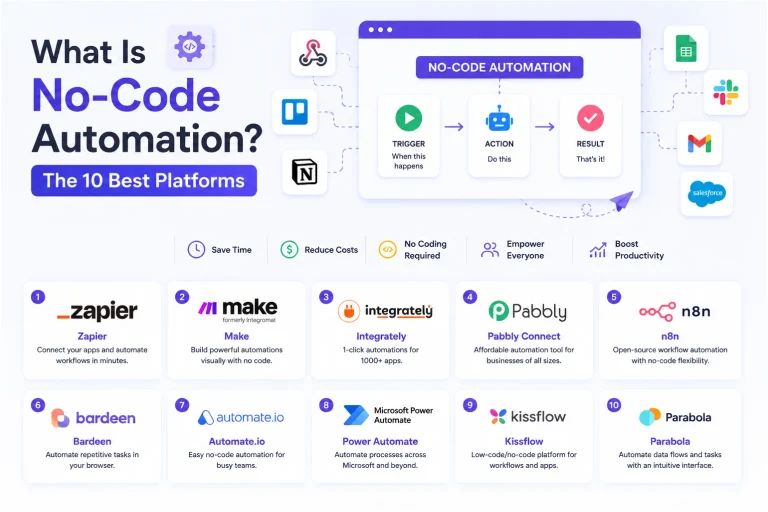
SaaSWhat Is No-Code Automation? How It Works, Benefits, and Risks
 Software
9 Best Free Laser Engraver Software Tools in 2026
 Cloud Computing
8 Best AWS S3 Alternatives Compared: Pricing, Egress, and S3 Compatibility
 SaaS
SaaSWhat is Confluence Used For In Project Management?
 SaaS
SaaSCognito Forms to Jira Software Cloud Integration: Setup, Automation, Field Mapping, and Best Practices
 Web Development
Building Apps with Lovable and Supabase: A Step-by-Step Guide
 Web Development
Heroku vs. Netlify (2026): Pricing, Features, and Best Uses
 Software