

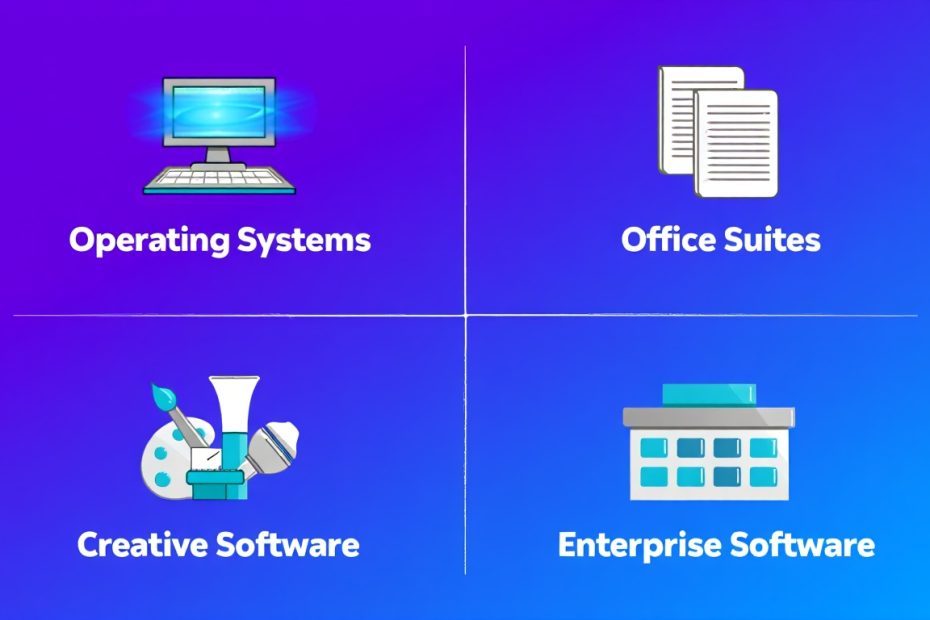
Most businesses use proprietary software every single day without really thinking about it. Tools like Microsoft Word, Zoom, and Apple iTunes are all examples of proprietary software — you purchase a license to use them, but the company behind them still owns the code. That distinction matters more than most people realize, especially when your business starts depending heavily on a platform and then discovers the limitations that come with it. Understanding both the advantages and disadvantages of proprietary software upfront helps you make a smarter decision before you commit your time, your team, and your budget.
When you weigh proprietary software against open-source or custom alternatives, you will quickly see that neither side is perfect. Proprietary software brings genuine strengths — polished design, professional support, and strong compliance features. But it also brings real trade-offs — higher costs, limited flexibility, and the risk of vendor lock-in. This guide walks you through both sides clearly and honestly, so you can decide whether proprietary software is actually the right fit for your business needs.
What Is Proprietary Software?
Proprietary software is any software that you must purchase or lease through a license, where the source code remains privately owned by the developer and is not available to the public. You do not own the software when you buy it. You are buying the right to use it under the terms the developer sets.
Think of it this way. When a business purchases a Microsoft 365 license, it gets access to Word, Excel, and Outlook. But it cannot look inside the code, cannot change how the software works, and cannot pass the license on to another organization. Microsoft retains full ownership and control. That is the core of how proprietary software works across the board.
You will find proprietary software used across almost every industry and business size. Some widely recognized examples include:
- Microsoft Word and Microsoft 365 — Used by businesses, schools, and individuals worldwide for document creation, spreadsheets, email, and collaboration. One of the most recognized proprietary software suites in existence.
- Apple iTunes and macOS — Apple controls every layer of its software ecosystem, from the operating system to media management tools. Users accept Apple’s terms to access any part of the platform.
- Zoom — The video conferencing platform that became a household name. Zoom is proprietary software that businesses license for team communication and remote meetings.
- Adobe Creative Cloud — Photoshop, Illustrator, and Premiere Pro are all proprietary tools. Design teams and marketing departments pay monthly or annual subscription fees to keep their licenses active.
- QuickBooks — The most widely used small business accounting software in the United States. Thousands of businesses store years of financial data inside QuickBooks, and moving away from it requires real planning.
- Salesforce — A powerful customer relationship management platform used by sales teams at companies of all sizes. It is one of the most feature-rich — and most expensive — proprietary platforms on the market.
- AutoCAD — The industry standard for architects, engineers, and construction professionals. Autodesk owns the platform entirely and charges annual subscription fees to access it.
What all of these tools have in common is a closed codebase, a licensing agreement that restricts modification and redistribution, and a developer that retains ultimate control over the product. Whether those terms work in your favor depends entirely on what your business needs most.
What Are the Advantages of Proprietary Software?
Proprietary software delivers real, practical benefits that are hard to replicate elsewhere — especially when it comes to support, reliability, ease of use, security, and compliance. Here is a detailed look at each advantage and why it matters for your business.
Does Proprietary Software Come With Better Support?
Yes — one of the biggest advantages of proprietary software is that it typically comes with dedicated professional support and regular updates directly from the software provider.
When something goes wrong with a mission-critical tool, your business cannot afford to wait days for a community forum response. With most major proprietary platforms, businesses have access to a trained support team through phone, live chat, or priority ticketing — often around the clock. That kind of responsive help is something many open-source alternatives simply cannot offer at the same level.
- 24/7 professional support access — Major proprietary vendors like Microsoft, Adobe, and Salesforce offer round-the-clock support for their paying customers. If your team runs into a problem at any hour, there is a trained technician available to help resolve it quickly. For businesses where downtime directly affects revenue, this availability is not a luxury — it is a necessity.
- Service Level Agreements that hold vendors accountable — Many proprietary software contracts include a Service Level Agreement, or SLA. This is a written commitment from the vendor that guarantees specific response times and uptime standards. If the vendor misses those targets, your business has legal grounds to seek compensation. That level of accountability gives organizations real protection that free software simply cannot match.
- Structured training resources and tutorials — Because proprietary software is used by millions of people, you will never struggle to find help. Tools like Microsoft Word, Zoom, and Adobe Photoshop have entire ecosystems of official guides, video tutorials, certification programs, and community resources built around them. When a new team member joins your business, getting them up to speed is much easier when the software is already well-documented and widely understood.
- Regular, tested software updates — Proprietary vendors release updates on a predictable schedule. Your IT team can plan around those update cycles instead of reacting to surprise changes. More importantly, each update goes through internal testing before it ships to users, which means fewer broken workflows landing on your team without warning.
Is Proprietary Software Well Designed and Reliable?
Yes — proprietary software is generally well designed, thoroughly tested, and built to deliver consistent, reliable performance because the developer’s reputation depends on it.
With thousands — sometimes millions — of businesses and users relying on the same platform every day, proprietary software companies cannot afford to ship a buggy or unstable product. They invest heavily in internal quality assurance testing across a wide range of hardware configurations and use cases before any release reaches your hands. That process results in software that tends to just work without demanding constant attention from your team.
- Rigorous internal testing before every release — Proprietary software undergoes extensive quality assurance testing before it is made available to users. Unlike some open-source projects where updates can introduce instability, proprietary vendors run structured test cycles to catch critical issues early. The result is software your team can rely on during a busy workday without worrying about unexpected crashes or data loss.
- Consistent, polished user interface — Because a single company controls all design and development decisions, proprietary software maintains a consistent, familiar user experience from one version to the next. Your team does not have to relearn how to use a tool every time an update rolls out. That consistency reduces training time and keeps daily productivity levels steady.
- Hardware compatibility managed by the vendor — Major proprietary vendors work directly with hardware manufacturers to optimize their software for certified devices. Apple’s macOS is the clearest example — because Apple controls both the hardware and the software, the two work together seamlessly in ways that generic software stacks often cannot replicate.
- Clear accountability for every bug and issue — When a feature breaks in proprietary software, there is one company responsible for fixing it. Your business knows exactly who to contact and where to escalate a problem. In contrast, open-source projects can involve dozens of independent contributors, and responsibility for a specific bug is not always clear-cut.
Does Proprietary Software Offer Stronger Security?
Yes — proprietary software companies invest heavily in dedicated security teams and can push critical security patches to users fast when a new vulnerability is discovered.
Because these companies control the entire codebase, they can respond to threats quickly and deploy fixes across their entire user base with a single update. For most businesses handling everyday operations, the security infrastructure behind major proprietary platforms — Microsoft, Apple, Adobe — provides solid, reliable protection.
There is one honest trade-off worth knowing. Because the source code is private, independent security researchers cannot audit it the way they can with open-source software. Users must trust the vendor to find and fix vulnerabilities without external verification. For most businesses, that trust is well-founded with established vendors. But for organizations handling extremely sensitive data, it is a factor worth considering carefully.
Does Proprietary Software Help With Compliance and Legal Requirements?
Yes — using proprietary software often makes it easier for businesses to meet industry compliance standards and regulatory requirements, because established vendors build these certifications directly into their platforms.
- Built-in compliance certifications — Many proprietary software providers maintain compliance with major regulatory frameworks like GDPR, HIPAA, and PCI-DSS. For businesses operating in healthcare, finance, or any regulated industry, choosing a platform that already carries these certifications saves significant time and reduces legal risk compared to piecing together a compliant solution from open-source components.
- Legal protections through formal licensing agreements — Proprietary software comes with a formal legal agreement — the End User License Agreement, or EULA — that defines both the vendor’s responsibilities and your rights as a user. While the EULA restricts certain freedoms, it also gives your business a legal foundation to stand on if the vendor fails to deliver what was promised.
- Vendor accountability for data handling — Established proprietary vendors are held to legal standards around how they handle your data. Enterprise agreements with companies like Microsoft and Salesforce include detailed data processing addendums that specify exactly how your business data is stored, protected, and used. That transparency is something your legal and compliance teams can review and sign off on.
What Are the Disadvantages of Proprietary Software?
Proprietary software carries real disadvantages that can create serious problems for your business if you do not plan around them — particularly when it comes to cost, flexibility, and long-term vendor dependency. Knowing these risks before you commit gives you the ability to make a smarter, more informed decision.
Does Proprietary Software Cost More Than Other Options?
Yes — cost is one of the most significant disadvantages of proprietary software, and those costs tend to grow the larger your team or usage becomes.
When a business first signs up for a proprietary platform, the initial cost can seem manageable. But as the team grows, as subscriptions renew year after year, and as add-ons and premium support tiers get added, the total spend climbs steadily. Businesses that do not track these costs carefully often find themselves paying far more than they expected over a two or three year period.
Here is a comparison of common proprietary software costs versus free or lower-cost alternatives:
| Software Category | Proprietary Option | Monthly Cost | Free Alternative |
|---|---|---|---|
| Productivity Suite | Microsoft 365 Business | $12.50/user/month | Google Workspace (free tier) |
| Design Tools | Adobe Creative Cloud | $54.99/month (all apps) | GIMP, Inkscape (free) |
| Video Conferencing | Zoom Pro | $15.99/month | Google Meet (free) |
| Accounting Software | QuickBooks Online | $30–$200/month | Wave Accounting (free) |
| CRM Platform | Salesforce Essentials | $25/user/month | HubSpot CRM (free tier) |
| CAD Software | AutoCAD | $235/month | FreeCAD (free) |
- Recurring license fees that never stop — Unlike a one-time purchase, most proprietary software today runs on a subscription model. Your business pays every month or every year as long as you need access. Stop paying, and your access is revoked — even if your team has been using the platform for years and has all its data stored inside it.
- Per-seat licensing that scales up your costs — Many proprietary tools charge per user. A team of five might find the cost reasonable, but a growing business with 50 users suddenly faces a licensing bill that is ten times larger. You need to factor this scaling cost into your long-term budget planning from the very beginning.
- Extra charges for support and updates — Some proprietary software vendors charge additional fees for premium support tiers, major version upgrades, or access to advanced features. What starts as an affordable base subscription can grow significantly once your business needs more than the entry-level plan covers.
- Custom software may be cheaper long-term — If your business needs software to perform very specific functions, a custom-built solution can actually cost less over time than paying ongoing proprietary licensing fees. It is worth comparing the long-term total cost of ownership between proprietary, open-source, and custom options before making a final decision.
Can You Customize Proprietary Software to Fit Your Business Needs?
No — one of the most limiting disadvantages of proprietary software is that you cannot modify the source code, which means you cannot change how the software works to match your specific business needs.
The developer retains complete control over the codebase. If the software does not do something your business needs, your only options are to wait for the vendor to add that feature in a future update — which may never happen — or to find a workaround using the tools already available. For businesses with straightforward, general-purpose needs, this is rarely a major problem. But for businesses with unique workflows or specialized requirements, this lack of flexibility can become a real bottleneck.
- No access to the source code — Because proprietary software keeps its source code private, your development team — no matter how skilled — cannot modify how the software functions. You are entirely dependent on the vendor’s development roadmap for any changes or new features.
- Feature requests depend entirely on the vendor — If your business needs a feature that the software does not currently offer, you can submit a request to the vendor. But there is no guarantee it will be built. The vendor prioritizes features based on its own business strategy, not necessarily the specific needs of your organization.
- Custom software might be a better fit for specific needs — If your business has highly specialized requirements that off-the-shelf proprietary software cannot fully meet, it is worth exploring custom software development. A purpose-built solution gives you complete control over features, workflows, and integrations — and can be more cost-effective over the long term than paying for a proprietary platform that only covers 70% of what your business actually needs.
What Is Vendor Lock-In and Why Should Your Business Be Concerned?
Vendor lock-in happens when your business becomes so dependent on a specific proprietary software platform that switching to a different solution becomes extremely difficult, expensive, or time-consuming.
This is one of the most serious long-term risks of using proprietary software, and it is one that businesses often do not think about until they are already deep inside a platform. QuickBooks is a classic example — businesses store years of financial records inside it in a proprietary format. Moving those records to a different accounting platform requires significant time, technical effort, and sometimes professional help.
- Data stored in proprietary formats — Some proprietary software stores your business data in a file format that only that platform can fully read and use. If you ever need to switch platforms, exporting and converting that data can be complicated, costly, and sometimes incomplete. You could lose formatting, historical records, or important context in the migration process.
- High switching costs once your team is trained — Once your team has spent months learning a proprietary platform and building workflows around it, switching to a new system means retraining everyone from scratch. That transition time has a real cost — lost productivity, learning curves, and the risk of errors during the changeover period.
- Vendor controls your future options — If a proprietary vendor decides to increase its prices, discontinue a feature your business depends on, or shut down the platform entirely, your business has limited options. You cannot fork the software or maintain your own version the way you could with open-source software. Your business continuity is tied to the vendor’s decisions.
Are Updates and New Features Slower With Proprietary Software?
Yes — proprietary software vendors follow their own internal development schedules, which means updates and new features can sometimes arrive more slowly than what open-source communities are able to deliver.
Open-source communities often respond to user requests and fix bugs faster because they have a large pool of contributors working in parallel. Proprietary vendors have dedicated teams, but those teams prioritize based on company strategy — not necessarily the needs of your specific business. If your business is waiting on a critical feature or a bug fix, you have no way to speed up the process. You wait for the next scheduled release.
Proprietary Software vs. Open Source Software: A Side-by-Side Comparison
| Feature | Proprietary Software | Open Source Software |
|---|---|---|
| Cost | Paid licensing, subscriptions | Free or low cost |
| Source Code Access | Private — not available to users | Public — fully accessible |
| Customization | Very limited — no code modification | Full flexibility to modify |
| Support | Dedicated professional support teams | Community forums, volunteer contributors |
| Security | Managed by vendor security team | Community-audited, faster peer review |
| Reliability | Thoroughly tested before release | Varies by project and contributor activity |
| Compliance | Built-in certifications (GDPR, HIPAA) | Requires manual compliance configuration |
| Vendor Lock-In Risk | High — data in proprietary formats | Low — more portable data formats |
| Update Speed | Vendor-controlled schedule | Community-driven, often faster |
| User-Friendliness | Designed for broad accessibility | Varies — can require technical knowledge |
You can read detail here: Open-Source Software vs. Proprietary Software
Is Proprietary Software the Right Choice for Your Business?
The answer depends entirely on what your business values most. There is no single right answer that applies to every organization. What works perfectly for a large enterprise with a dedicated IT team might be completely wrong for a small business watching its software budget carefully.
Here is a straightforward way to think about it:
- Choose proprietary software if your business needs professional support, guaranteed reliability, and built-in compliance certifications. If your team is not technically inclined, if downtime is unacceptable, or if your industry requires specific regulatory certifications, the structured environment of a proprietary platform is likely worth the cost.
- Consider open-source alternatives if cost and flexibility are your top priorities. If your team has technical resources to manage and customize software, and if your budget is limited, open-source tools can deliver excellent results without the recurring license fees.
- Look at custom software if proprietary tools do not fully meet your specific needs. If you find yourself paying for proprietary software that only covers part of what your business actually requires, a custom-built solution designed around your exact workflows might be more cost-effective in the long run than continuing to work around the limitations of an off-the-shelf platform.
Conclusion: Weigh the Pros and Cons Before You Commit
Proprietary software has a lot going for it — professional support, polished reliability, strong security management, and compliance certifications that regulated industries genuinely need. But it also comes with real limitations that your business needs to understand before signing a long-term contract. The costs add up, customization is restricted, and vendor lock-in can quietly limit your options years down the road.
Take the time to research all the associated costs — not just the headline subscription price, but renewal fees, support tiers, per-seat scaling, and migration costs if you ever need to move. Compare proprietary options against open-source and custom alternatives with your specific business needs in mind. The right software is the one that fits your actual workflow, your budget, and your long-term business goals — not just the one with the most recognizable name.
If you are not sure which direction is right for your business, it is always worth getting expert advice before you commit to a platform that will shape how your team works every day.
Frequently Asked Questions
Is proprietary software always better than open-source software?
No — proprietary software is not automatically better than open-source alternatives. It offers advantages in professional support, reliability, and compliance, but open-source software can match or exceed proprietary tools in many areas — especially flexibility, cost, and transparency. The better choice depends entirely on your business’s specific needs and resources.
Is proprietary software safe to use for storing sensitive business data?
Yes — established proprietary software vendors invest heavily in security infrastructure and regularly update their platforms to address new threats. Major vendors like Microsoft, Adobe, and Salesforce maintain compliance with industry security standards. However, because the source code is private, independent security audits are not possible, which is a factor worth considering for organizations handling highly sensitive information.
Is vendor lock-in a serious risk with proprietary software?
Yes — vendor lock-in is one of the most significant long-term risks of using proprietary software. When your business data is stored in a proprietary format and your team has built workflows around a specific platform, switching to a different solution becomes costly and time-consuming. It is important to evaluate your exit options before committing to any proprietary platform.
Is proprietary software suitable for small businesses with a limited budget?
Yes, in some cases — many proprietary software vendors offer affordable entry-level plans designed for small businesses and startups. However, costs can grow quickly as your team expands and your usage increases. Small businesses on tight budgets should carefully compare the total long-term cost of proprietary software against free open-source or lower-cost alternatives before committing.
Is it possible to customize proprietary software to fit unique business needs?
No — proprietary software does not allow users to modify the source code. If the software lacks a feature your business needs, you are dependent on the vendor to add it in a future update. For businesses with highly specific workflow requirements, custom software development is often a more practical and flexible solution.
Is open-source software always free compared to proprietary software?
Yes, in most cases — open-source software is typically free to download and use. However, there can be indirect costs involved, including implementation time, technical expertise required to set it up and maintain it, and the absence of dedicated professional support. Free to use does not always mean free to run effectively.
Is proprietary software a good choice for businesses in regulated industries?
Yes — proprietary software is often the stronger choice for businesses operating in regulated industries like healthcare, finance, and legal services. Established vendors build compliance certifications like GDPR, HIPAA, and PCI-DSS directly into their platforms, which reduces the regulatory burden on your business and provides a documented, auditable framework for meeting legal requirements.
You May Also Like
 Software
9 Best Free Laser Engraver Software Tools in 2026
 Software
When Fixing Bugs Is No Longer Enough: How to Rescue a Failing Software Project
 SaaS
SaaSNotion vs Coda vs ClickUp for Teams: A Field Report From 18 Months
 SaaS
SaaSTrello vs monday.com vs ClickUp: Which Project Management Tool Fits Your Team in 2026?
 SaaS
SaaS8 Best Asana Alternatives in 2026: Free Tools, Top Competitors, and How to Choose
 Software
What is Asana Software? How Businesses Use It for Project Management and Team Collaboration
 Software
10 Best Audio Redaction Software in 2026 (Tested Picks by Use Case)
 SaaS
SaaS10 Best AI Audio Enhancers for Podcasts in 2026 (Reviewed & Compared)
 Software