

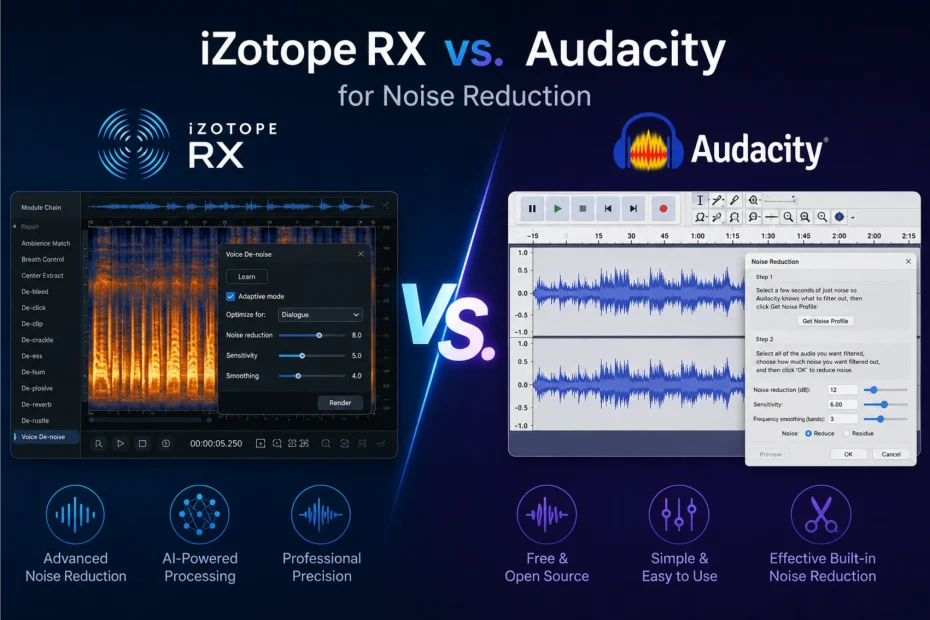
I’ll be upfront about the bias I bring into this comparison: I used Audacity for years before I ever touched iZotope RX, and switching between them still catches me off guard every time. Audacity’s noise reduction feels like turning a dial and hoping. RX feels like performing surgery with a map of exactly where the problem is. Neither feeling is wrong. They’re just two completely different philosophies about how noise reduction should work, built for two very different budgets and two very different levels of patience.
This isn’t a “which one is objectively better” comparison, because that question doesn’t really have an honest answer. It’s a “here’s what each one is actually like to use, on real noisy recordings, and here’s where one clearly beats the other” comparison. If you’re comparing this to real-time options as well, I’ve also broken down Krisp vs. Adobe Podcast for noise removal, which covers a different stage of the same problem.
The Quick Verdict
If you have zero budget and a recording with steady, predictable background noise (a fan, a hum, a hiss), Audacity’s free Noise Reduction effect will get you most of the way there, and it costs nothing to try. If you have a recording with a problem that’s more specific or more severe, like a cough in the middle of a sentence, clipping, or a room that sounds like a cave, you’ll hit Audacity’s ceiling fast, and that’s exactly where iZotope RX earns its price tag.
At a Glance
| iZotope RX | Audacity | |
|---|---|---|
| Cost | $99 (Elements) to $1,399 (Advanced), one-time purchase | Free, open-source |
| Noise reduction approach | AI-assisted spectral repair, visual “paint out” editing, Repair Assistant | Manual noise-profile subtraction, adjustable sliders |
| Best at | Complex, severe, or one-off noise problems | Steady, predictable background noise |
| Learning curve | Moderate to steep, especially past the basics | Gentle for basic use, confusing once you dig into settings |
| Handles non-stationary noise (traffic, chatter, changing noise) | Yes, notably better | Poorly. Audacity’s own documentation says so |
| Visual noise editing | Yes, spectral display lets you select and remove specific sounds | No, works on the whole selection at once |
| AI option available for free? | No, RX is entirely paid | Yes, Intel’s free OpenVINO plugin adds an AI noise suppression effect |
| Platform | Windows, Mac (standalone + DAW plugin) | Windows, Mac, Linux |
My Experience With Audacity’s Noise Reduction
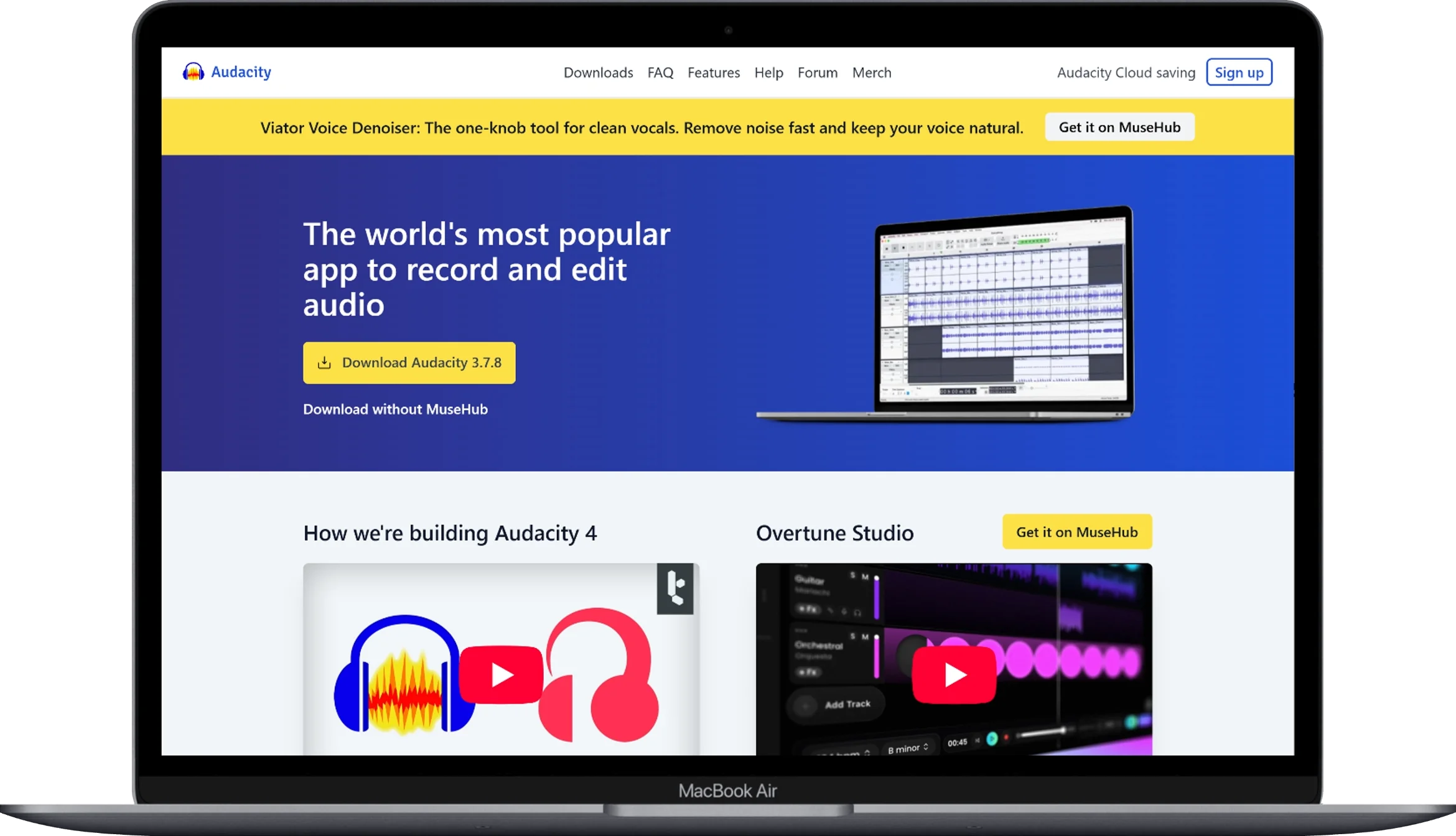
The first time I used Audacity’s Noise Reduction effect, I made basically every mistake you can make with it, and I think that’s actually useful to walk through, because the mistakes are the whole story.
Here’s how it works: you select a few seconds of pure noise, a stretch of the recording where nobody’s talking and it’s just the hum, the hiss, the fan, and tell Audacity “this is what I want gone.” That’s the noise profile step. Then you select the rest of the track (or the whole thing) and apply the effect using that profile, with three sliders to control how aggressive it is: Noise Reduction (in dB), Sensitivity, and Frequency Smoothing.
The mistake I made early on was cranking the Noise Reduction slider way past what I needed, assuming more was better. It isn’t. Push it too far and you get that unmistakable “underwater,” swishy, robotic texture, what audio engineers usually call musical noise or artifacting, where the noise is gone but so is a chunk of the natural warmth of the voice. Audacity’s own documentation is honest about this tradeoff: use the lowest value that gets the job done, because anything beyond that starts damaging the audio you actually want to keep.
Where Audacity genuinely works well, in my experience, is on stationary noise, the boring, predictable, constant stuff. Room hiss from a cheap mic preamp. A computer fan. Fluorescent light buzz. 50/60Hz electrical hum from a bad cable. If the noise sounds the same for the entire recording, Audacity’s noise-profile approach handles it reasonably well, for free, in a few clicks.
Where it falls apart is non-stationary noise, meaning traffic that comes and goes, a dog barking once, crowd chatter, or anything that changes shape throughout the recording. Audacity’s own support documentation is refreshingly candid about this limitation, essentially saying that for anything other than a constant background sound, you’ll need other tools and techniques. That’s not a knock on Audacity being bad software. It’s just not what this specific effect was built to do.
One thing worth knowing that a lot of older reviews miss: Audacity now has a genuinely useful free AI option too, through Intel’s OpenVINO plugin suite. It adds an actual AI-based noise suppression effect that runs entirely on your own computer (no cloud upload), alongside a Whisper-based transcription tool. It’s not built into Audacity by default, you install it separately, but if you’re going to use Audacity for noise reduction in 2026, I’d actually recommend trying the OpenVINO noise suppression plugin before the classic Noise Reduction effect, since it behaves more like a modern AI denoiser and less like the manual profile-and-slider workflow that’s been mostly unchanged for years. If you want a broader look at how AI-based tools stack up against each other, I rounded up several in this comparison of AI tools for removing background noise from recordings.
My Experience With iZotope RX

The first time I opened RX, I remember feeling like I’d wandered into a tool built for a different job entirely, and in a sense, I had. Instead of “select some noise, apply a filter,” RX shows you a spectrogram, a visual map of your audio’s frequencies over time, and lets you literally select and paint out specific unwanted sounds, the same way you’d use a selection tool in a photo editor. A cough. A door slam. A single loud footstep. You circle it, and RX reconstructs what should be underneath instead of just muting or ducking the volume.
For steady background noise, RX’s De-noise module (and the AI-assisted Repair Assistant, which analyzes your file and suggests the right combination of tools automatically) does what Audacity does, just with noticeably more precision and far less of that underwater artifacting when you push it hard. But that’s honestly not the part that impressed me. The part that changed how I think about noise reduction was realizing RX can fix problems Audacity structurally can’t touch at all: a specific one-off noise buried in the middle of a sentence, a room that sounds boxy and needs de-reverb, or dialogue that needs to be isolated from music or ambient sound behind it.
RX 12 (the current version as of 2026) comes in three tiers, and the differences actually matter for deciding what you need:
- RX 12 Elements ($99) gives you six DAW plugins for basic cleanup, like noise reduction, de-clip, and de-click, but no standalone editor and no spectral repair. It’s aimed at people who just need to knock out a specific, common problem inside a DAW they already use.
- RX 12 Standard ($399) is where RX actually becomes RX. You get the standalone editor, full spectral editing, and 18 plugins total. This is the tier most working podcast editors and post-production folks actually buy.
- RX 12 Advanced ($1,399) adds specialized tools like Scene Rebalance (adjusting dialogue, music, and effects levels independently after a mix is already delivered) and Ambience Match. Unless you’re doing serious post-production work, like film, broadcast, or multi-track dialogue editing, this tier is overkill.
The honest downside of RX, and it’s a real one, is that it’s expensive, and the jump from “I can use the basic noise reduction” to “I actually understand what all these modules do” takes real time. If you’re a casual podcaster with mildly noisy audio, buying RX Standard for $399 to fix a hum you could’ve handled in Audacity for free is genuinely not worth it. RX earns its price specifically on the recordings that are actually broken, not the ones that are just a little rough. If mastering and loudness leveling matter as much to you as noise removal, it’s also worth reading how RX compares to broader podcast-focused tools in my AI audio enhancers for podcasts roundup.
The Real Difference: What Kind of Noise Are You Dealing With?
This is the question that actually decides which tool you need, more than budget or brand loyalty:
| Noise Type | Audacity | iZotope RX |
|---|---|---|
| Constant fan/AC hum | Handles it well, free | Handles it well, but you’re paying for more than you need |
| Electrical hum (50/60Hz) | Handles it well (also has a dedicated Notch Filter) | Handles it well, with more precision |
| Fluorescent light buzz | Handles it reasonably | Handles it more cleanly |
| Traffic noise (changing) | Struggles. Audacity’s own docs admit this | Noticeably better, especially with Repair Assistant |
| Crowd chatter in background | Struggles | Better, especially with Dialogue Isolate |
| One-off sounds (cough, door slam, footstep) | Can’t isolate, affects the whole selection | This is exactly what spectral repair is built for |
| Room echo / reverb | Not really addressed by Noise Reduction | De-reverb module handles this specifically |
| Clipping / digital distortion | Not addressed | De-clip module specifically built for this |
| Severely degraded/damaged audio | Generally can’t rescue it | This is RX’s actual specialty |
Pricing Breakdown
| Tier | iZotope RX | Audacity |
|---|---|---|
| Free option | None (demo available to test) | Full software, completely free |
| Entry paid tier | RX 12 Elements, $99 | Free OpenVINO AI plugin, $0 |
| Mid tier | RX 12 Standard, $399 | N/A |
| Top tier | RX 12 Advanced, $1,399 | N/A |
| Upgrade pricing (from previous version) | $129 (Standard), $269 (Advanced) | N/A, always free |
iZotope also runs frequent sales. I’ve regularly seen 30 to 50% off, so if you do decide RX is worth it, it’s worth waiting for a sale rather than paying full price on impulse.
When Audacity Is Genuinely the Right Choice
- You’re on a $0 budget, full stop.
- Your noise problem is steady and predictable, like a hum, a hiss, or a fan, not something that changes throughout the recording.
- You’re comfortable spending a bit of time learning the noise-profile workflow and tweaking sliders by ear.
- You want to try the free OpenVINO AI plugin before assuming you need to pay for anything.
- You’re cleaning up a personal project, a hobby podcast, or something where “good enough” is genuinely good enough.
When iZotope RX Is Actually Worth Paying For
- Your recording has a specific problem, like a cough, a door slam, or a mic bump, buried in the middle of otherwise usable audio.
- The noise isn’t steady. It’s traffic, chatter, or anything that changes shape throughout the file.
- You’re getting paid to produce audio, or the audio needs to meet a professional or broadcast standard.
- You’ve already hit Audacity’s ceiling and know exactly what it can’t fix.
- You do this often enough that a one-time purchase pays for itself compared to the time you’d otherwise lose fighting with a free tool.
Mistakes I See People Make With Both Tools
With Audacity, the single most common mistake, and I made it myself early on, is over-applying the Noise Reduction slider, assuming more reduction always means better results. It doesn’t. Past a certain point you’re not removing noise anymore, you’re introducing new artifacts on top of it. The second common mistake is sampling a noise profile that’s too short or contains a tiny bit of speech. Audacity needs a genuinely clean sample (at least half a second, ideally a few seconds) or the profile itself is flawed from the start.
With RX, the most common mistake is the opposite problem: people buy Elements expecting the full spectral editing experience and are surprised to find it’s not included, since that’s a Standard-tier feature. The second is treating the Repair Assistant’s suggestions as gospel without listening critically. It’s a genuinely good starting point, but it’s not infallible, and pushing any de-noise module to its most aggressive setting still introduces some of the same “over-processed” quality Audacity suffers from, just with a higher ceiling before it becomes obvious.
Pros and Cons
Audacity
Pros:
- Completely free, no catch
- Works entirely offline, nothing uploaded anywhere
- Handles steady, predictable noise reasonably well
- The free OpenVINO AI plugin adds genuinely modern noise suppression without spending a cent
- Full multitrack editor beyond just noise removal
Cons:
- Manual noise-profile workflow takes practice to get right
- Struggles badly with non-stationary or changing noise
- No visual spectral editing, so you can’t isolate a single unwanted sound within a selection
- Easy to over-apply and introduce artifacts
iZotope RX
Pros:
- Spectral editing lets you remove specific, one-off sounds with precision
- Handles non-stationary noise far better than profile-based tools
- Repair Assistant gives a strong automated starting point
- Modular toolkit (de-hum, de-click, de-reverb, de-clip) targets specific problems individually
- One-time purchase, not a subscription
Cons:
- Genuinely expensive, especially at the Standard and Advanced tiers
- Real learning curve to use it well past the basics
- Overkill if your only problem is a simple, steady hum
- Aggressive settings can still introduce artifacts, just with more headroom before it’s obvious
Frequently Asked Questions
Why does Audacity’s noise reduction make my voice sound underwater or robotic?
This is almost always the Noise Reduction (dB) slider set too aggressively for the amount of actual noise in your recording. It’s one of the most common complaints on the Audacity forums, and the fix is usually to dial the value down, not up. Use the lowest setting that gets the noise to an acceptable level rather than the highest one that eliminates it completely.
Can I use iZotope RX plugins inside Audacity?
Not directly in the way you might hope. RX’s plugin formats are built for DAWs like Pro Tools, Logic, Reaper, and similar software using VST3/AU/AAX formats. Audacity has more limited plugin support than a full DAW, so most people running both tools use RX standalone or in a separate DAW, and Audacity separately for its own editing.
Is RX Elements enough, or do I need Standard?
If your problem is a common, well-defined issue like hiss or basic noise, Elements’ six plugins may cover it. But Elements doesn’t include the standalone editor or spectral editing, which is the actual “select and paint out a specific sound” workflow that makes RX worth the jump for most people. That lives in Standard. If you think you’ll ever need spectral repair, Elements will frustrate you.
Does Audacity’s noise reduction actually work on hum from fluorescent lights?
Reasonably well, since that hum is a steady, constant tone, exactly the kind of noise the noise-profile approach is built for. You can also try Audacity’s separate Notch Filter effect, which targets a specific frequency directly, often with cleaner results than the general Noise Reduction effect for a narrow-band hum like this.
Is there a free trial for iZotope RX before I commit to buying it?
Yes, iZotope offers a demo you can test on your own problem recordings before paying anything. Given how differently RX performs depending on what kind of noise you’re dealing with, I’d genuinely recommend testing it on your actual audio rather than assuming it’ll fix something Audacity couldn’t.
Why is my Audacity noise profile “not working” or not reducing anything?
The most common cause is selecting too short a sample, or accidentally including a bit of speech or music in the noise selection, which confuses the profile. Audacity needs a genuinely clean sample of just the noise. A fraction of a second technically works, but a few full seconds gives a much more reliable profile.
Is iZotope RX overkill if I only podcast casually?
Honestly, often yes. If your noise problem is a steady hum or light hiss, you’re unlikely to see enough of a quality jump to justify $399 over what Audacity’s free tools (including the OpenVINO AI plugin) can already do. RX starts paying for itself when your problem is something Audacity structurally can’t fix, not just “noisier” audio, but a different kind of problem entirely. For a lighter-weight, real-time alternative worth knowing about too, see how the two approaches differ in best noise cancellation software.
Can Audacity fix clipped or distorted audio the way RX can?
Not really. Audacity doesn’t have a dedicated de-clip tool built for reconstructing digitally clipped waveforms the way RX’s De-clip module does. This is one of the clearer examples of a problem that’s specifically outside what Audacity’s free toolkit was designed to solve.
Final Thoughts
After going back and forth between these two for longer than I’d like to admit, here’s where I’ve landed: I don’t think of this as choosing a winner. I think of Audacity as the tool I reach for first, because it’s free and it handles the boring, predictable noise problems most recordings actually have. I think of RX as the tool I reach for when Audacity has already told me, through its results, that the problem is bigger than a simple hum: a specific bad moment buried in otherwise good audio, or noise that keeps changing shape throughout the file.
If you’re starting out, don’t buy RX before you’ve actually hit Audacity’s ceiling. You might not. But if you do, if you find yourself fighting the Noise Reduction sliders on a recording that just won’t clean up no matter what you try, that frustration is usually the clearest signal that you’ve found exactly the kind of problem RX was built to solve. And if your noise problem turns out to be something entirely different, like data that needs to be permanently removed rather than cleaned up, that’s really a job for dedicated audio redaction software instead of either tool covered here.
You May Also Like
 SaaS
SaaSWhy Cloud CRM Has Quietly Become the Backbone of Modern Customer Support
 SaaS
SaaSWhat Is No-Code Automation? How It Works, Benefits, and Risks
 Cloud Computing
8 Best AWS S3 Alternatives Compared: Pricing, Egress, and S3 Compatibility
 SaaS
SaaSWhat is Confluence Used For In Project Management?
 SaaS
SaaSCognito Forms to Jira Software Cloud Integration: Setup, Automation, Field Mapping, and Best Practices
 Web Development
Building Apps with Lovable and Supabase: A Step-by-Step Guide
 Web Development
Heroku vs. Netlify (2026): Pricing, Features, and Best Uses
 Software
When Fixing Bugs Is No Longer Enough: How to Rescue a Failing Software Project
 SaaS
SaaS