


Listeners forgive a lot of things in a podcast – a slow intro, an awkward tangent, a joke that doesn’t quite land. What they don’t forgive is bad sound. The moment audio gets muddy, echoey, or hard to follow, most people just close the app and move on to something else in their queue. That’s the real reason AI audio enhancement has become such a big deal in podcasting over the past couple of years: it closes the gap between “recorded on a laptop in a spare room” and “sounds like a real studio,” without requiring you to actually build one.
An AI audio enhancer for podcasts typically handles a mix of tasks that used to require real sound engineering knowledge — noise reduction, voice clarity enhancement, loudness normalization, dynamic range control, EQ balancing, and sometimes dialogue isolation or de-reverb, all automated through machine learning models trained on speech. Some tools focus narrowly on one of these jobs; others bundle the whole chain into a single “click enhance and download” workflow.
We looked at the podcast audio enhancement tools creators are actually relying on in 2026 — comparing voice clarity, ease of use, pricing, and where each one genuinely earns its place in a podcasting workflow versus where it falls short. Here are the 10 best AI audio enhancers for podcasts, with real pricing, features, and honest pros and cons for each.
What Makes a Good AI Audio Enhancer for Podcasts?
Not every “audio enhancer” does the same job, so it’s worth knowing what you’re actually comparing:
- Noise reduction — removing background hum, hiss, fans, or environmental noise
- Voice clarity / vocal enhancement — boosting intelligibility and presence, sometimes called “de-reverb” or “dialogue enhancement”
- Loudness normalization and mastering — hitting consistent playback loudness (often measured in LUFS) across an episode or between episodes
- Dynamic range control — automatic compression so quiet moments aren’t inaudible and loud moments aren’t jarring
- Multi-speaker leveling — balancing volume between a host and guest recorded on different mics or in different rooms
- Speed vs. control — one-click cloud tools are fast; DAW-based tools give more precision but need more skill
With that framework in mind, here’s how the leading tools actually compare.
1. Adobe Podcast — Enhance Speech

⭐⭐⭐⭐½ (4.6/5)
Adobe Podcast’s Enhance Speech tool is the benchmark most other AI audio enhancers get compared against, and for good reason — it’s free, browser-based, and turns rough, laptop-mic audio into something close to studio-recorded speech in about the time it takes to make coffee. You upload a file, the AI analyzes and reconstructs the vocal frequencies, and you download a version with noise, echo, and room tone dramatically reduced.
Key Features:
- One-click AI noise reduction, echo removal, and vocal clarity enhancement
- Browser-based, no installation required
- Reconstructs damaged or muffled vocal frequencies using Adobe’s speech-focused AI model
Pricing: Free tier with monthly usage limits (roughly 2 hours/month); higher-volume access available through paid or pay-as-you-go options.
Pros:
- No cost for casual or occasional use
- Extremely low learning curve
- Strong results specifically for spoken-word content
Cons:
- Built for speech, not music or complex soundscapes
- Cloud-based processing, so files are uploaded rather than kept local
- Limited manual control if automatic results need fine-tuning
Best for: Podcasters who want the fastest possible voice clarity and noise cleanup without installing any software.
2. Descript — Studio Sound

⭐⭐⭐⭐ (4.5/5)
Descript built its reputation on transcript-based editing — you cut audio and video by editing text — and Studio Sound is the AI enhancement layer built directly into that same workflow. One click applies noise reduction, echo removal, and vocal presence enhancement, so you’re not exporting to a separate tool just to clean up the sound.
Key Features:
- One-click vocal clarity and noise reduction inside the main editor
- Combines with filler-word removal, multitrack editing, and remote recording
- No separate export/import step for enhancement
Pricing: Free tier with limited monthly minutes; paid plans (including Studio Sound) start around $16–$24/month.
Pros:
- Enhancement lives inside the same tool you’re already editing in
- Fast, minimal-decision workflow
- Strong for turning echoey or thin recordings into a fuller, clearer voice
Cons:
- Requires adopting the full Descript editor
- Can sound slightly processed on very rough source audio
- Less surgical control than dedicated audio-repair software
Best for: Podcasters and video creators who want audio enhancement bundled with the rest of their editing workflow.
3. Riverside — Magic Audio

⭐⭐⭐⭐ (4.4/5)
Riverside is primarily a remote recording platform — it captures separate, high-quality local tracks for every host and guest — and Magic Audio is the AI layer that runs automatically afterward to clean up and balance everything. It’s particularly useful for interview-style podcasts, since it handles the common problem of a host and guest recording on completely different mic setups and still coming out sounding consistent.
Key Features:
- Automatic background noise removal and audio leveling after recording
- Presets tuned for different scenarios (solo, interview, music)
- Works alongside separate per-participant tracks for more control if needed
- Text-based editor for trimming filler words and pauses
Pricing: Free plan available (limited recording time); paid plans start around $19/month.
Pros:
- Enhancement is built into the recording workflow itself, not a separate step
- Genuinely useful for balancing mismatched host/guest audio quality
- Local recording per participant reduces reliance on internet quality during the session
Cons:
- Best value comes from using Riverside’s full recording platform, not just the enhancement feature alone
- Free tier is limited for regular use
- Less relevant if you’re not recording remotely through Riverside in the first place
Best for: Interview-style podcasters recording remote guests who need consistent audio quality across mismatched microphones and environments.
4. Podcastle — Magic Dust AI
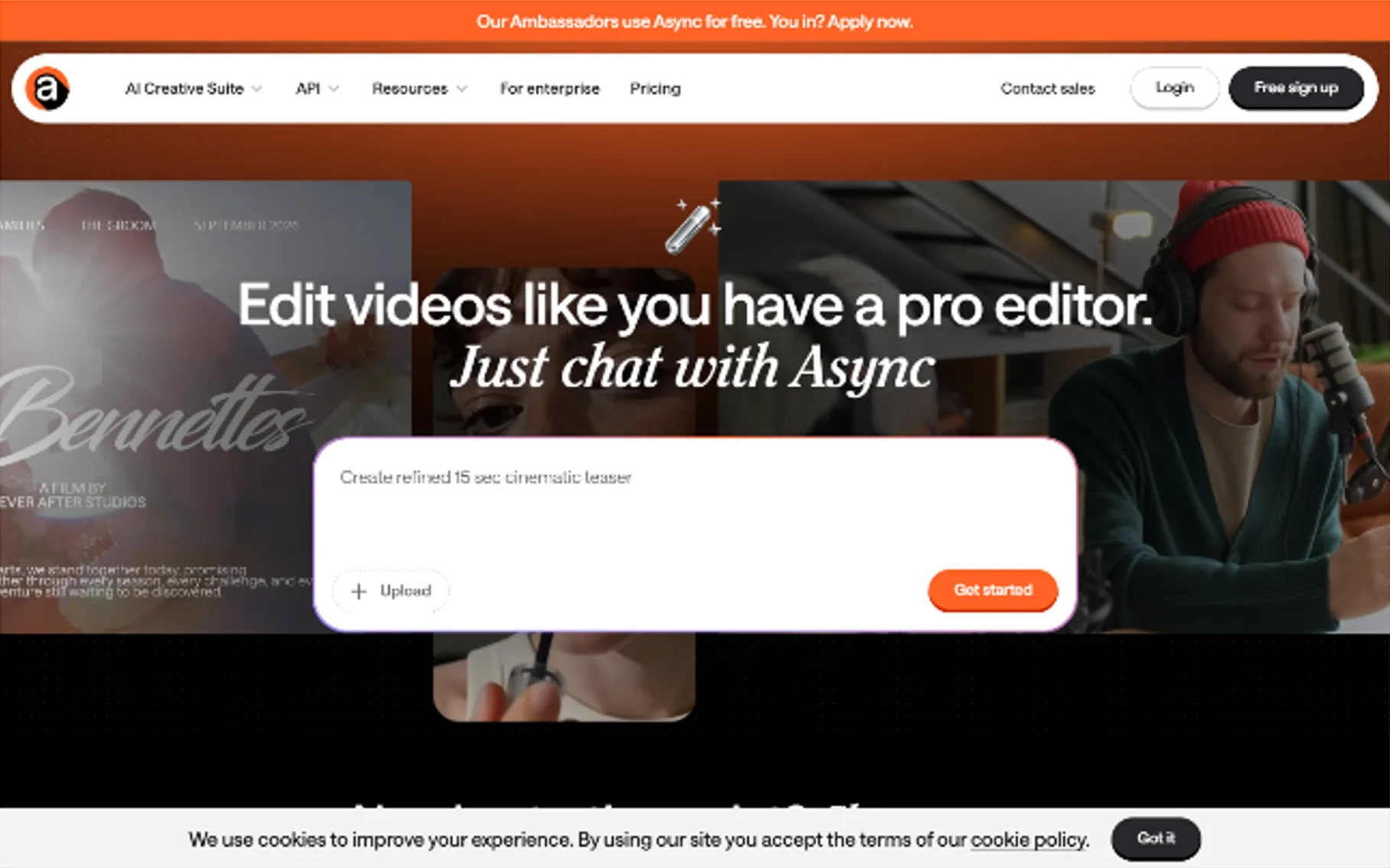
⭐⭐⭐⭐ (4.3/5)
Podcastle is a browser-based, all-in-one recording and editing platform, and Magic Dust AI is its automated enhancement engine — running noise removal, EQ adjustment, and vocal polishing in a single pass. It leans toward creators who want to record, edit, and enhance without leaving one tab.
Key Features:
- Automatic noise removal, EQ balancing, and vocal enhancement
- Built-in recording and editing in the same browser platform
- AI voice tools for additional dubbing/voiceover use cases
Pricing: Free tier available; paid plans typically in the $12–$24/month range depending on usage and features.
Pros:
- Genuinely all-in-one — record, edit, and enhance without switching tools
- Good results for solo and small-team podcast production
- Reasonable pricing for the feature set
Cons:
- Some advanced features are locked behind higher tiers
- Less specialized than dedicated noise-repair tools for badly damaged audio
- Smaller user base and support ecosystem than Adobe or Descript
Best for: Podcasters who want recording, editing, and AI enhancement in a single browser-based platform.
5. Auphonic

⭐⭐⭐⭐ (4.4/5)
Auphonic takes a “set it and forget it” approach to podcast mastering. Instead of manually adjusting noise reduction or loudness settings episode by episode, its algorithm automatically balances noise reduction, dynamic range compression, and loudness normalization to hit consistent, broadcast-ready targets — which matters a lot if your show has multiple speakers or inconsistent recording setups across episodes.
Key Features:
- Automated noise and hum reduction combined with loudness normalization (LUFS targeting)
- Multi-track leveling across different speakers or mic setups
- Batch processing for consistency across a full back catalog
- Direct publishing integrations with podcast hosting platforms
Pricing: Pay-per-minute pricing from around $0.12/minute, or subscription plans from roughly $10–$11/month for about 9–10 hours of processing.
Pros:
- Best-in-class consistency across multi-speaker or multi-episode shows
- Minimal manual tweaking required once configured
- Strong value for the processing volume included
Cons:
- Less hands-on control than a dedicated editor
- Focused on leveling and mastering rather than surgical noise repair
- Works best as part of an ongoing workflow, not a single one-off file
Best for: Podcasters who need consistent, broadcast-ready loudness and tone across every episode with minimal manual mastering work.
6. Cleanvoice AI
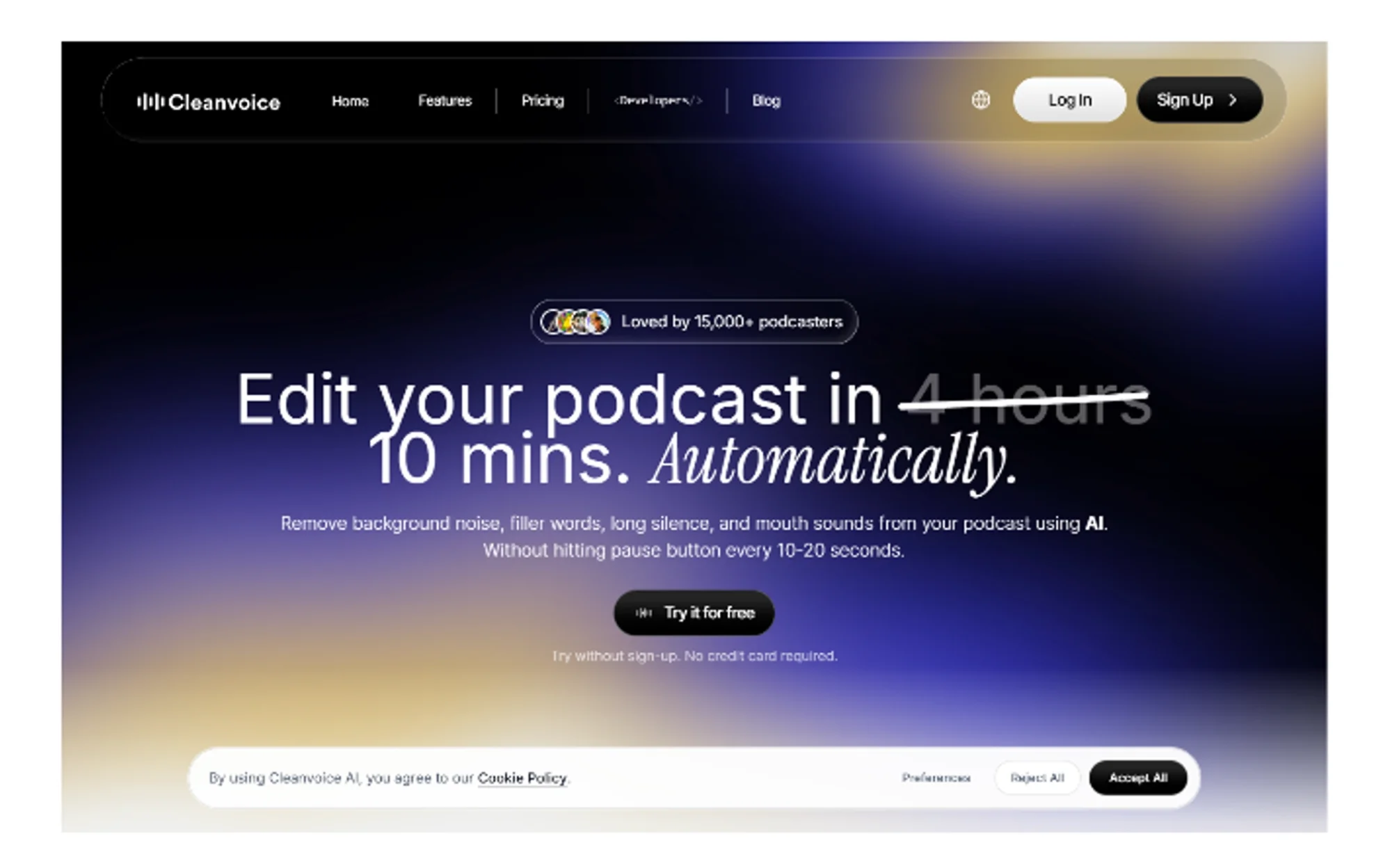
⭐⭐⭐⭐ (4.3/5)
Cleanvoice focuses on the parts of podcast editing most hosts actively dread: filler words (“um,” “uh,” “like”), mouth sounds, stutters, awkward silences, and background noise, all cleaned up in a single automated pass. It’s less about audio “polish” in the mastering sense and more about removing the small imperfections that make an episode sound unedited.
Key Features:
- Background noise reduction alongside filler-word and mouth-sound removal
- Context-aware filler detection (keeps natural pauses, removes distracting ones)
- Timeline markers for reviewing and adjusting automated edits
- Also generates transcripts and show notes
Pricing: Starts around $11/month for roughly 10 hours of processing; free trial available (around 30 minutes).
Pros:
- Saves real editing time — often cited as replacing 30–60 minutes of manual work per episode
- Combines noise cleanup with speech-pattern editing most tools skip
- Review markers make it easy to catch and correct automated mistakes
Cons:
- Automated filler-word cuts occasionally need manual correction
- Pay-per-hour pricing can add up for high-volume shows
- Not built for deep mastering or loudness targeting the way Auphonic is
Best for: Podcasters who want noise cleanup bundled with filler-word and mouth-sound removal, not just a polished sound.
7. Alitu

⭐⭐⭐⭐ (4.3/5)
Alitu is built specifically for solo and small-team podcasters who want the entire post-production chain automated — mixing, mastering, EQ, and leveling — without needing to understand audio engineering or use a separate hosting platform. Users commonly report saving several hours per episode by letting Alitu’s automated audio processing handle what would otherwise be manual mixing work.
Key Features:
- Automated mixing, mastering, and EQ in one workflow
- Background noise removal and filler-word cleanup
- Integrated podcast hosting, removing the need for a separate service
- Transcription support across multiple languages
Pricing: Paid plans with a free trial; check current pricing directly, as tiers are usage-based.
Pros:
- Genuinely simplifies the entire production chain for solo creators
- Reduces reliance on separate hosting and editing tools
- Strong fit for beginners who don’t want to learn audio engineering
Cons:
- Less granular control than a dedicated DAW or professional tool
- Best suited to simpler show formats rather than heavily produced, multi-segment episodes
- Bundling hosting and editing together may not suit creators already using a separate host
Best for: Solo and beginner podcasters who want an all-in-one, automated production and hosting workflow.
8. iZotope RX

⭐⭐⭐⭐½ (4.7/5)
When automated, one-click tools hit their ceiling, audio professionals turn to iZotope RX. It’s the industry-standard repair and enhancement suite, offering AI-driven modules (Dialogue Isolate, Voice De-noise, De-reverb) alongside full manual spectral editing — a visual way to “paint out” a specific sound, like a cough or door slam, without touching anything else in the track.
Key Features:
- AI-powered Dialogue Isolate, De-reverb, and Voice De-noise modules
- Manual spectral repair for precise, surgical fixes
- Breath Control module to reduce or remove breath sounds
- Available standalone or as a DAW plugin
Pricing: RX Elements starts around $49–$129; RX Standard around $399; RX Advanced roughly $799–$1,199, typically one-time purchases. Seasonal discounts of 30–50% are common.
Pros:
- Unmatched precision on genuinely damaged or complex audio
- Full manual control when automated tools aren’t accurate enough
- Industry standard across film, podcasting, and music production
Cons:
- Steep price and learning curve for casual podcasters
- Overkill for simple background hum a free tool would handle
- Standalone software, not a quick browser upload
Best for: Audio engineers and serious podcast producers dealing with seriously noisy or damaged recordings that one-click tools can’t fully fix.
9. Waves Clarity Vx

⭐⭐⭐⭐½ (4.5/5)
Clarity Vx is a neural-network plugin built to isolate voice from everything around it — room noise, HVAC hum, music bleed, background chatter — using a deliberately simple interface: essentially one knob that isolates the voice more as you turn it up. It runs inside major DAWs (Logic, Pro Tools, Ableton, Reaper, Studio One, Cubase), giving podcast producers who already mix in a DAW a fast, high-quality enhancement option without leaving their usual environment.
Key Features:
- Neural-network voice isolation trained to separate speech from surrounding noise
- Works in real-time or offline for post-production
- Processes locally inside your DAW, no cloud upload
- Extremely simple, single-control interface
Pricing: Sold as an individual Waves plugin, priced in line with other Waves products; sales and bundles are frequent.
Pros:
- Fast, high-quality results with minimal manual adjustment
- Works in real-time, unusual for this level of processing quality
- Fits directly into existing professional DAW workflows
Cons:
- Requires a DAW — not a standalone app for casual creators
- Less accessible for non-technical podcasters
- Best value tied to catching a sale
Best for: Podcast producers already working inside a DAW who want fast, high-quality voice enhancement without a multi-step process.
10. CapCut – AI Voice Enhancer

⭐⭐⭐⭐ (4.2/5)
CapCut is best known as a video editor, but its AI voice enhancer has become a genuinely popular option for podcasters who are already editing video versions of their episodes for YouTube or social clips. It bundles noise removal and voice clarity enhancement directly into the same timeline you’re using to edit visuals, which cuts out a separate audio-cleanup step entirely for video-first podcast creators.
Key Features:
- AI-powered noise removal and voice clarity enhancement inside a video timeline
- Adjustable voice clarity and noise control settings for more experienced users
- Integrated with broader video editing, captioning, and export tools
Pricing: Free tier available; paid Pro plans unlock additional export and processing options.
Pros:
- Convenient for creators already editing podcast video in CapCut
- Simple enough for beginners, with some adjustable controls for more experienced editors
- No separate audio tool needed if video is already part of your workflow
Cons:
- Less specialized than dedicated audio enhancement tools for audio-only shows
- Full post-production editing for complex episodes may still need a separate tool
- Best suited to creators already in a video-first workflow, less so audio-only podcasters
Best for: Video podcasters and social-clip creators who want voice enhancement built into the same tool they’re already using to edit video.
Comparison Table
| Tool | Best For | Type | Pricing | Rating |
|---|---|---|---|---|
| Adobe Podcast (Enhance Speech) | Fastest free voice clarity fix | Browser, one-click | Free tier, paid usage | ⭐⭐⭐⭐½ 4.6 |
| Descript (Studio Sound) | Enhancement inside a full editor | Editor-integrated | Free tier, from ~$16/mo | ⭐⭐⭐⭐ 4.5 |
| Riverside (Magic Audio) | Remote interview leveling | Recording platform | Free tier, from ~$19/mo | ⭐⭐⭐⭐ 4.4 |
| Podcastle (Magic Dust AI) | All-in-one record/edit/enhance | Browser platform | Free tier, ~$12–$24/mo | ⭐⭐⭐⭐ 4.3 |
| Auphonic | Consistent multi-episode mastering | Automated mastering | From ~$0.12/min or ~$10/mo | ⭐⭐⭐⭐ 4.4 |
| Cleanvoice AI | Noise + filler-word cleanup | Automated editing | From ~$11/mo | ⭐⭐⭐⭐ 4.3 |
| Alitu | Solo/beginner full automation | All-in-one production | Paid, free trial | ⭐⭐⭐⭐ 4.3 |
| iZotope RX | Professional-grade repair | Standalone/DAW plugin | $49–$1,199 (one-time) | ⭐⭐⭐⭐½ 4.7 |
| Waves Clarity Vx | DAW-based voice isolation | DAW plugin | Plugin pricing, sales common | ⭐⭐⭐⭐½ 4.5 |
| CapCut (AI Voice Enhancer) | Video-first podcast creators | Video editor feature | Free tier, paid Pro | ⭐⭐⭐⭐ 4.2 |
How to Choose the Right AI Audio Enhancer
With so many AI audio tools available, the “best” one really depends on your specific situation — your workflow, the condition of your source audio, and how often you’re producing content. Here’s how to match the right tool to your needs.
For Quick, One-Off Cleanups
Adobe Podcast’s Enhance Speech is the quickest, free starting point for anyone who just needs a single file cleaned up. Upload a clip, and it strips out background noise, room echo, and hiss in under a minute — no account setup or learning curve required. It’s not built for batch processing or fine control, but if you just need one recording to sound broadcast-ready right now, this is the fastest route.
For Remote Interviews with Guests
Riverside’s Magic Audio is specifically built to handle the mismatched mic quality that comes with remote guest interviews. Since guests often join from laptop mics, earbuds, or inconsistent setups, Magic Audio automatically balances levels and cleans noise across every speaker’s track — so your host and guest sound like they were recorded in the same room, even if one was using a $10 headset.
For Consistency Across Regular Episodes
Auphonic is the strongest option for hitting the same loudness and tone episode after episode, especially across multiple speakers. It’s less about one-off fixes and more about a repeatable, automated mastering step — normalizing loudness to podcast/streaming standards and applying consistent EQ, so episode 40 sounds like episode 4. It’s a favorite for shows on a regular publishing cadence.
For All-in-One Editing Workflows
If you’re already editing inside a specific platform, use what’s built in — Descript’s Studio Sound, Podcastle’s Magic Dust AI, or Alitu’s automated production chain, depending on which platform you’re already in. These built-in enhancers won’t always match a dedicated tool’s power, but they save you the friction of exporting to a separate app, cleaning audio, and re-importing — enhancement happens right in your existing edit.
For Genuinely Damaged Audio
iZotope RX and Waves Clarity Vx are the two tools on this list actually built for serious repair work, not just light polish. Think clipping, wind rumble, hums, plosives, or audio salvaged from a bad recorder — these tools offer surgical, module-by-module control that lighter “one-click” enhancers can’t match. They have a steeper learning curve, but they’re the go-to when audio is genuinely damaged rather than just a bit noisy.
For Video and Social Content Creators
CapCut’s AI voice enhancer saves you from bouncing between a separate audio tool and your video editor. If your final output is a video file rather than an audio-only episode, cleaning the voice track directly inside CapCut keeps your workflow in one place — you enhance, cut, and export without round-tripping through another app.
Final Thoughts
The best AI audio enhancer for your podcast really depends on where your workflow already lives and what kind of problem you’re solving. If you just need one recording cleaned up, Adobe Podcast gets you there for free in minutes. If you’re publishing regularly and want consistency across every episode, Auphonic or Alitu will save you the most repeated manual work. If you’re recording remote interviews, Riverside’s Magic Audio solves a problem those other tools don’t specifically target. And when a recording is genuinely damaged beyond what automated tools can fix, iZotope RX and Waves Clarity Vx are still where audio professionals land. Match the tool to the actual problem in your audio, not the tool with the longest feature list.
You May Also Like
 SaaS
SaaSWhy Cloud CRM Has Quietly Become the Backbone of Modern Customer Support
 SaaS
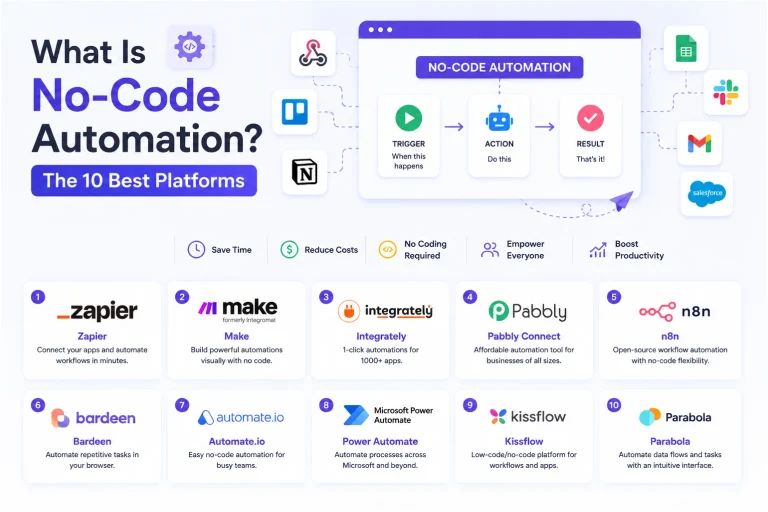
SaaSWhat Is No-Code Automation? How It Works, Benefits, and Risks
 Software
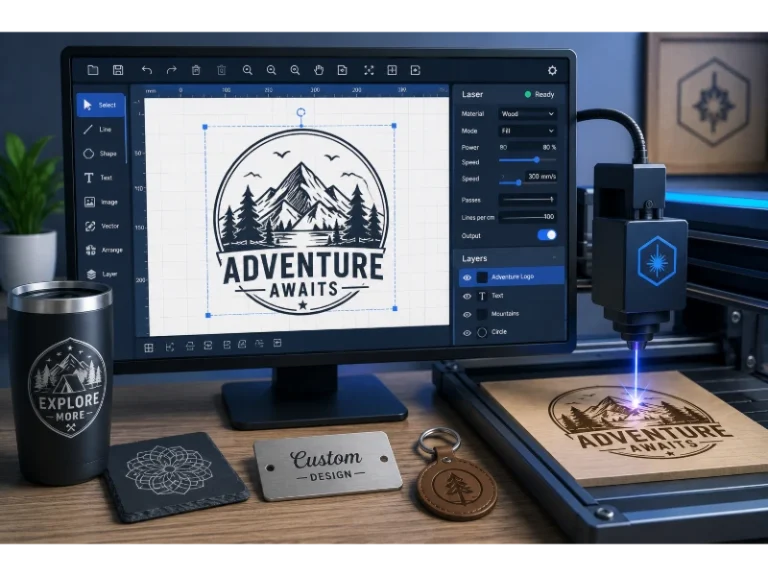
9 Best Free Laser Engraver Software Tools in 2026
 Cloud Computing
8 Best AWS S3 Alternatives Compared: Pricing, Egress, and S3 Compatibility
 SaaS
SaaSWhat is Confluence Used For In Project Management?
 SaaS
SaaSCognito Forms to Jira Software Cloud Integration: Setup, Automation, Field Mapping, and Best Practices
 Web Development
Building Apps with Lovable and Supabase: A Step-by-Step Guide
 Web Development
Heroku vs. Netlify (2026): Pricing, Features, and Best Uses
 Software