


Bad audio ruins good work. A great presentation falls flat if your dog barks through half of it. A podcast interview sounds unprofessional with a hum buzzing under every word. A support call gets misheard because a leaf blower is going off outside your window. This is exactly the problem noise cancellation software exists to solve; it solves it a lot better than it used to.
We looked closely at the noise suppression software actually being used by remote teams, podcasters, call centers, and audio engineers this year, comparing how each tool handles real-time noise removal versus after-the-fact cleanup, what hardware or subscriptions they require, and who each one is genuinely built for. Below are the 10 best noise cancellation software tools for 2026, with pricing, key features, honest pros and cons, and a rating for each.
What Noise Cancellation Software Actually Does
Before comparing tools, it helps to understand the two very different jobs “noise cancellation” can mean:
- Real-time noise suppression — software that cleans up your microphone audio live, during a call or stream, so the other person hears a clear voice instead of your keyboard, traffic, or roommate. This is what most people mean by a “noise cancelling app for Windows” or Mac.
- Post-production noise reduction — software that cleans up a recording after the fact, used by podcasters, video editors, and audio engineers who need studio-quality sound from an imperfect recording.
Under the hood, most modern tools rely on AI audio noise reduction — deep learning models trained to recognize the difference between a human voice and everything else (fans, traffic, typing, echo, reverb) and suppress the non-voice parts. This is a big leap from older noise gates and EQ filters, which just cut certain frequency ranges and often muffled the voice along with the noise.
How We Compared These Tools
For each entry below, we looked at:
- Noise cancellation quality — how well it separates voice from background noise without distorting the speaker
- Real-time vs. post-production use case
- Platform and hardware requirements — does it need a specific GPU, OS, or app integration?
- Pricing — free tier availability, subscription cost, or one-time purchase
- Privacy — does audio process locally on your device, or get uploaded to the cloud?
1. Krisp — Best Overall AI Noise Cancelling App

⭐⭐⭐⭐⭐ (4.6/5)
Krisp is the name most people already associate with AI noise cancelling software, and it’s earned that reputation by working almost anywhere. It sits as a virtual microphone between your actual mic and whatever app you’re using — Zoom, Teams, Google Meet, Discord, Slack huddles, and reportedly 800+ other apps — so you don’t have to configure noise suppression separately in each one.
Key Features:
- Real-time bi-directional noise cancellation (removes noise from both your mic and incoming audio)
- Echo cancellation and voice clarity enhancement
- Works across 800+ communication apps as a system-wide virtual mic
- Local, on-device audio processing (nothing uploaded to the cloud for noise cancellation itself)
- Built-in meeting transcription and AI meeting summaries
- Available on Windows, Mac, and Linux
Pricing: Free tier includes a daily noise cancellation time limit (roughly 30–60 minutes depending on current plan terms). Paid tiers generally run from around $8–$16/month for individuals (billed annually is cheaper), with a Business tier around $30/month per seat, and custom Enterprise pricing for larger teams. Check Krisp’s site directly, since pricing tiers shift periodically.
Pros:
- Broadest app compatibility of any tool on this list
- On-device processing means better privacy for sensitive calls
- Doubles as a meeting assistant, not just a noise filter
Cons:
- Free tier’s daily time limit isn’t enough for heavy daily use
- Can be resource-intensive on older or lower-spec laptops
- Premium tier needed to unlock full features
Best for: Remote workers and teams who need one noise cancelling app that works consistently across every communication platform they already use.
2. NVIDIA Broadcast — Best Free Noise Cancelling Software for RTX GPU Owners

⭐⭐⭐⭐½ (4.5/5)
If you already own an NVIDIA RTX graphics card, NVIDIA Broadcast is hard to beat, mainly because it’s completely free and runs on your GPU instead of your CPU. That matters more than it sounds — GPU-accelerated noise suppression barely touches your processor, so it won’t slow down a game, stream, or resource-heavy app running at the same time.
Key Features:
- GPU-accelerated real-time noise removal and room echo reduction
- Virtual background and auto-frame webcam effects bundled in
- Works as a virtual microphone and virtual camera across apps
- Zero cost, no subscription
Pricing: Free (requires an RTX 20-series GPU or newer).
Pros:
- Genuinely free with no usage caps
- Minimal performance impact thanks to GPU processing
- Bundled webcam effects are a nice bonus for streamers
Cons:
- Requires specific NVIDIA hardware — a hard requirement, not optional
- No meeting transcription or productivity features
- Windows only
Best for: Gamers, streamers, and content creators who already have an RTX GPU and want free, GPU-accelerated noise suppression without a subscription.
3. AMD Noise Suppression — Best Free Option for AMD Hardware Users

⭐⭐⭐⭐ (4.2/5)
AMD’s answer to NVIDIA Broadcast works similarly — it’s a free, hardware-accelerated noise suppression tool built into AMD’s software suite for newer Ryzen and Radeon hardware. It’s a solid, no-cost pick if you’re on AMD rather than NVIDIA and don’t want to buy separate noise cancellation software.
Key Features:
- Real-time microphone noise suppression, hardware-accelerated
- Built into AMD Software: Adrenalin Edition, no separate install needed
- Works as a system-level microphone filter
Pricing: Free (requires AMD Ryzen 6000 series or newer, or Radeon RX 6000 series or newer).
Pros:
- No cost, no subscription
- Low system impact thanks to hardware acceleration
- Simple, built into software most AMD users already have installed
Cons:
- Locked to specific AMD hardware generations
- Fewer extra features compared to Krisp or CrystalSound
- Windows-focused
Best for: AMD Ryzen/Radeon users who want free, built-in noise suppression without installing third-party software.
4. Audacity — Best Free Noise Removal Software for Recorded Audio
⭐⭐⭐⭐ (4.3/5)
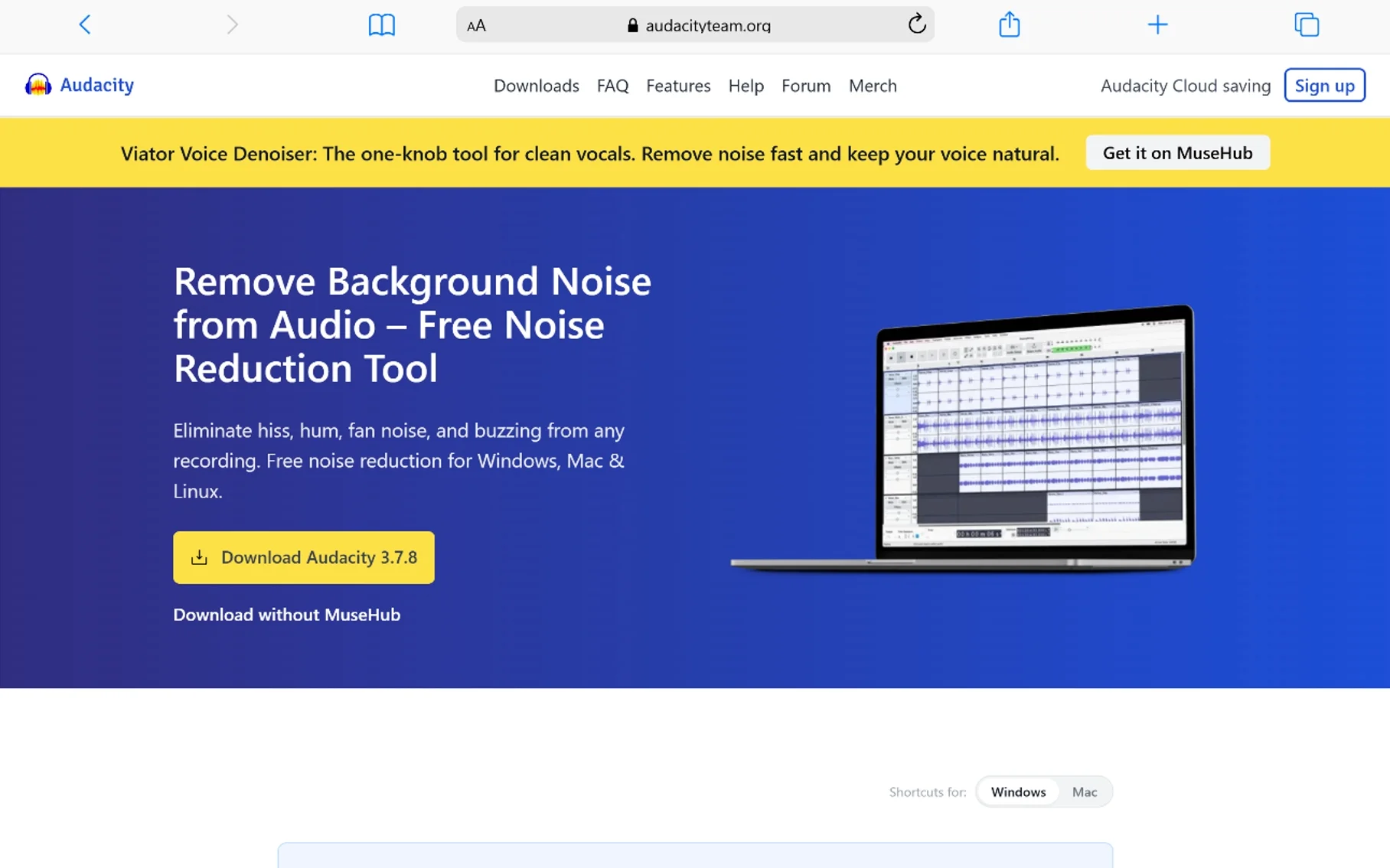
Audacity is open-source, completely free, and has been the go-to entry point into post-production audio noise reduction for years. Unlike the real-time tools above, Audacity works on recordings you’ve already made — podcasts, voice memos, interviews — using a “noise profile” approach where you sample a few seconds of background noise, and Audacity uses that profile to subtract similar noise from the rest of the track.
Key Features:
- Noise Reduction effect based on a sampled noise profile
- Full multitrack audio editing suite beyond just noise removal
- Free and open-source, available on Windows, Mac, and Linux
- Large plugin ecosystem for additional effects
Pricing: Free.
Pros:
- Completely free with no limitations
- Full editing suite, not just noise removal
- Works offline, no account or cloud upload needed
Cons:
- Steeper learning curve than one-click AI tools
- Manual noise profile selection takes some practice to get right
- Not designed for real-time use during live calls
Best for: Podcasters and content creators who want free, hands-on control over cleaning up recorded audio rather than automated real-time suppression.
5. Adobe Podcast Enhance Speech — Best for Quick, No-Install Cleanup

⭐⭐⭐⭐ (4.4/5)
Adobe Podcast’s Enhance Speech tool takes a completely different approach: you upload a noisy recording to your browser, and it hands back a cleaned-up version using Adobe’s AI audio noise reduction model. No software to install, no learning curve — it’s built for people who need studio-quality audio without setting up an editing rig.
Key Features:
- Browser-based, AI-powered speech enhancement, no install required
- Removes background noise, echo, and room reverb from recordings
- Fast turnaround (minutes for typical file lengths)
Pricing: Free plan available; Premium runs around $9.99/month for extended usage limits and higher-quality processing.
Pros:
- No installation, works entirely in the browser
- Surprisingly strong results for a free, automated tool
- Great for one-off cleanup jobs
Cons:
- Cloud-based, meaning your audio is uploaded rather than processed locally — a consideration for sensitive recordings
- Post-production only, not for live calls
- Free tier has usage limits
Best for: Anyone who needs to clean up a single noisy recording fast, without installing dedicated audio software.
6. iZotope RX — Best Professional-Grade Audio Restoration Software

⭐⭐⭐⭐½ (4.7/5)
When AI auto-cleanup tools hit their limit, professional audio engineers reach for iZotope RX. It’s the industry-standard audio repair suite, using spectral editing (a visual, surgical way to remove specific unwanted sounds — a door slam, a phone buzz, a cough — without touching the surrounding audio) alongside AI-powered modules like Dialogue Isolate and De-reverb.
Key Features:
- Spectral editing for precise, visual noise and artifact removal
- AI-powered Dialogue Isolate, De-reverb, and Repair Assistant modules
- Handles severely damaged audio that automated tools can’t fix
- Available as a standalone editor and as plugins for major DAWs
Pricing: RX Elements starts around $49–$129 depending on version and promotions; RX Standard runs about $399; RX Advanced runs roughly $799–$1,199. These are typically one-time purchases, though iZotope also offers a subscription bundling RX with 100+ other plugins. Watch for seasonal sales — discounts of 30–50% are common.
Pros:
- Unmatched precision for genuinely difficult, damaged audio
- One-time purchase option (no forced subscription for the standalone app)
- Industry standard, widely used in film, podcasting, and music production
Cons:
- Steep price for casual users
- Real learning curve — this is professional software, not a one-click fix
- Overkill if your audio just has mild background hum
Best for: Audio engineers, podcast producers, and post-production professionals dealing with genuinely damaged or complex recordings.
7. Descript Studio Sound — Best Built-In Noise Reduction for Editors

⭐⭐⭐⭐ (4.3/5)
Descript is best known as a text-based video and podcast editor — you edit audio and video by editing a transcript — and Studio Sound is its one-click noise reduction and voice enhancement feature built directly into that workflow. Instead of switching tools to clean up your audio, you toggle it on inside the same editor you’re already using to cut your episode.
Key Features:
- One-click AI noise reduction and voice enhancement inside the editor
- No separate export/import step — cleanup happens in your existing project
- Combined with Descript’s broader transcript-based editing tools
Pricing: Descript’s paid plans (which include Studio Sound) start around $16/month, with a limited free tier available for basic editing.
Pros:
- Extremely simple — a toggle, not a full restoration workflow
- Useful if you’re already editing in Descript, saving a tool switch
- Solid results for moderately noisy recordings
Cons:
- Requires using Descript’s full editor, not a standalone noise tool
- Less precise than iZotope RX for badly damaged audio
- Can occasionally sound slightly processed (“overcooked”) on tough recordings
Best for: Podcasters and video creators who already edit inside Descript and want noise cleanup without leaving the app.
8. Waves Clarity Vx — Best DAW Plugin for Voice Isolation

⭐⭐⭐⭐½ (4.5/5)
Clarity Vx is a neural-network-powered plugin from Waves, built to do one job extremely well: separate voice from everything else. It runs inside major DAWs (Logic, Pro Tools, Ableton, Reaper, Studio One, Cubase) as a VST3/AU/AAX plugin, with an interface that’s famously simple — essentially one knob that isolates the voice as you turn it up.
Key Features:
- Neural-network voice isolation trained to distinguish speech from room noise, HVAC hum, music bleed, and chatter
- Works in real-time (low enough latency for live monitoring) or offline for post-production
- Runs locally inside your DAW — no cloud processing
- Simple, single-control interface
Pricing: Sold as a plugin through Waves, typically priced in line with Waves’ other individual plugins; frequent sales and bundle deals are common, so check current pricing before buying at full price.
Pros:
- Extremely fast, simple workflow for a plugin this powerful
- Works in real-time, unusual for this level of audio quality
- Integrates directly into professional DAW workflows
Cons:
- Requires a DAW — not a standalone app for casual users
- Less suited to non-technical users than one-click tools
- Best value depends on catching a Waves sale
Best for: Audio engineers and podcast producers who work inside a DAW and want fast, high-quality voice isolation without a complex multi-step process.
9. CrystalSound — Best for Privacy-Focused Voice Isolation
⭐⭐⭐⭐ (4.2/5)
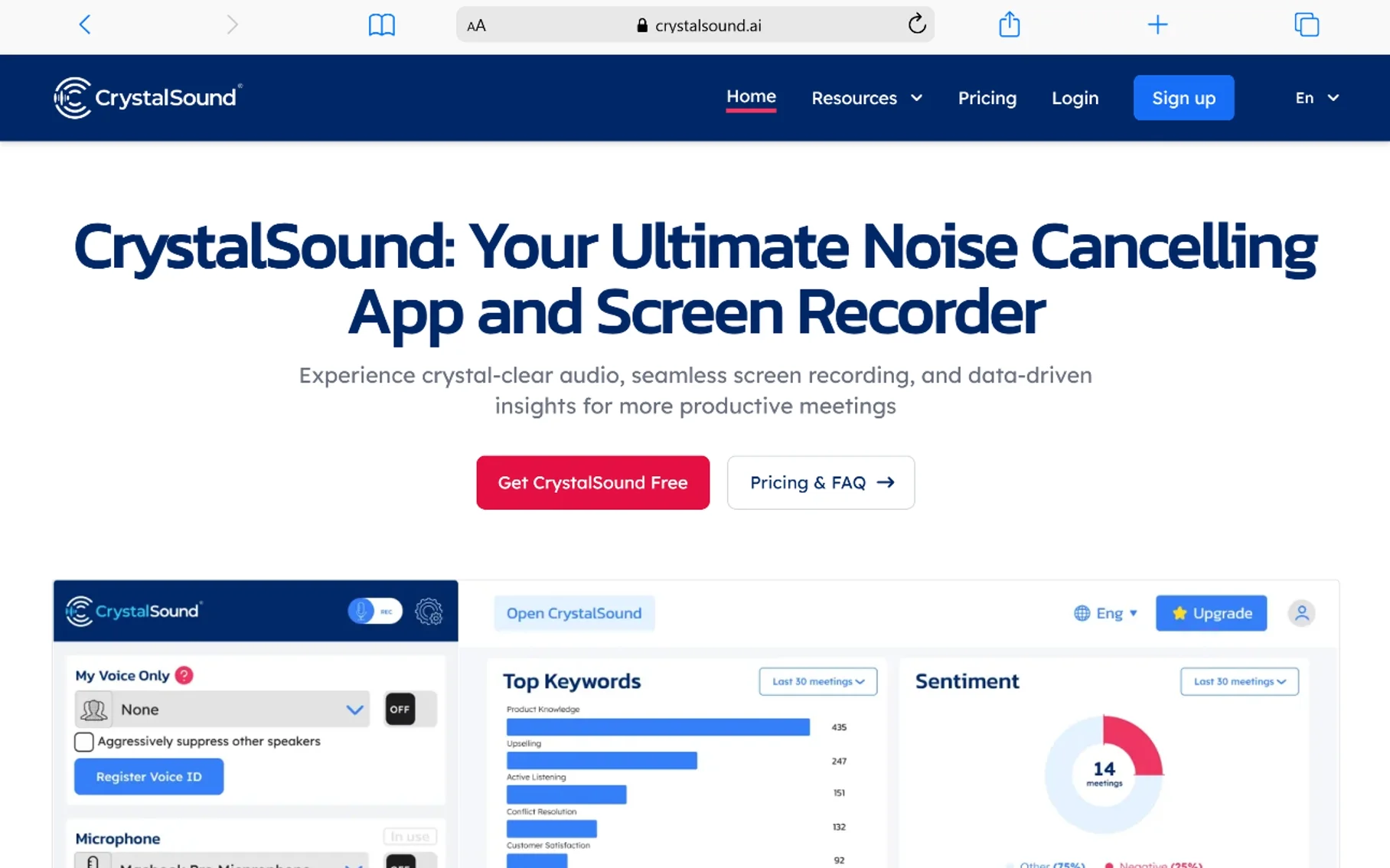
CrystalSound’s standout feature is “My Voice Only,” a bi-directional noise suppression mode that filters out not just background noise but other people’s voices too — useful in shared workspaces, open offices, or noisy households where you don’t want anyone else’s conversation bleeding into your call. Like Krisp, it processes audio locally rather than sending it to the cloud, which matters for anyone handling confidential calls.
Key Features:
- Bi-directional noise reduction (cleans both outgoing and incoming audio)
- “My Voice Only” mode to suppress other human voices, not just background noise
- Local, on-device processing
- Built-in call recording and AI-generated meeting minutes
Pricing: Roughly $8/month billed annually, or around $12–$15/month billed monthly, depending on current promotions.
Pros:
- “My Voice Only” is genuinely useful in shared or noisy spaces
- Local processing supports privacy-sensitive use cases
- Competitively priced against Krisp
Cons:
- Smaller app ecosystem/integration list than Krisp
- Extra features (recording, minutes) may be more than some users need
- Less brand recognition, so support resources are thinner
Best for: People working in shared spaces or noisy households who need voice isolation, not just background noise removal, while keeping audio processing on-device.
10. SoliCall Pro — Best for Call Centers and Enterprise Telephony

⭐⭐⭐⭐ (4.1/5)
SoliCall Pro takes a different angle than the consumer-facing tools on this list — it’s built specifically for call centers and enterprise telephony, with patented technology that cancels not just background noise but loud ambient human voices on both ends of a call. It’s been refined over roughly 17 years specifically for VoIP and softphone environments, and it’s used across telephony setups in more than 50 countries.
Key Features:
- Bi-directional noise and echo cancellation across telephony systems
- Cancels ambient human voices, not just non-human noise, when configured to do so
- “Noise Firewall” feature specifically for call centers and shared workspaces, blocking bleed-through from nearby agents
- Minimal CPU usage, no GPU required
- Integrates with most softphone/VoIP systems (Zoom, Skype, Teams, and dedicated PBX systems)
Pricing: Custom enterprise pricing based on seat count and deployment scale; free trial available. Contact SoliCall directly for a quote.
Pros:
- Purpose-built for the specific noise problems of call centers (cross-talk, PA announcements, nearby agents)
- Extremely lightweight on system resources
- Long track record specifically in enterprise telephony
Cons:
- Enterprise pricing model isn’t cost-effective for individual users
- Setup and integration are more involved than consumer noise cancelling apps
- Windows-focused for the desktop client
Best for: Call centers, large enterprises, and communication providers needing centralized, hardware-agnostic noise cancellation across many agents at once.
Comparison Table
| Tool | Best For | Real-Time or Post-Production | Platform | Rating |
|---|---|---|---|---|
| Krisp | All-purpose noise cancelling app | Real-time | Windows, Mac, Linux | ⭐⭐⭐⭐⭐ 4.6 |
| NVIDIA Broadcast | Free option for RTX GPU owners | Real-time | Windows | ⭐⭐⭐⭐½ 4.5 |
| AMD Noise Suppression | Free option for AMD hardware | Real-time | Windows | ⭐⭐⭐⭐ 4.2 |
| Audacity | Free post-production cleanup | Post-production | Windows, Mac, Linux | ⭐⭐⭐⭐ 4.3 |
| Adobe Podcast Enhance Speech | Quick browser-based cleanup | Post-production | Browser (any OS) | ⭐⭐⭐⭐ 4.4 |
| iZotope RX | Professional audio restoration | Post-production | Windows, Mac | ⭐⭐⭐⭐½ 4.7 |
| Descript Studio Sound | Built-in cleanup while editing | Post-production | Windows, Mac, Web | ⭐⭐⭐⭐ 4.3 |
| Waves Clarity Vx | DAW-based voice isolation | Real-time or offline | DAW plugin (Windows, Mac) | ⭐⭐⭐⭐½ 4.5 |
| CrystalSound | Privacy-focused voice isolation | Real-time | Windows, Mac | ⭐⭐⭐⭐ 4.2 |
| SoliCall Pro | Call centers and enterprise telephony | Real-time | Windows | ⭐⭐⭐⭐ 4.1 |
How to Choose the Right Noise Cancellation Software
A few practical questions to work through:
Do you need real-time cleanup or post-production cleanup?
If you’re on live calls, meetings, or streams, you need a real-time noise cancelling app like Krisp, CrystalSound, NVIDIA Broadcast, or SoliCall. If you’re cleaning up a recorded podcast or interview after the fact, you want a post-production tool like Audacity, Adobe Podcast, iZotope RX, or Descript.
What hardware do you already have?
If you own an NVIDIA RTX GPU, NVIDIA Broadcast gives you excellent free noise suppression software with no subscription. Same logic applies to newer AMD hardware. Don’t pay for something your GPU can already do for free.
How sensitive is your audio?
For confidential calls — legal, medical, internal business strategy — stick to tools that process audio locally on your device (Krisp, NVIDIA Broadcast, AMD Noise Suppression, CrystalSound, Waves Clarity Vx, Audacity). Cloud-based tools like Adobe Podcast are fine for non-sensitive content but involve uploading your audio to a server.
How damaged is the audio, really?
Mild background hum or a barking dog is well within reach of consumer AI tools. A recording with heavy wind noise, clipping, or serious damage is where you actually need iZotope RX’s spectral repair tools — throwing a one-click AI tool at severely damaged audio often makes it sound worse, not better.
Are you outfitting one person or an entire team?
Individual noise cancelling apps like Krisp or CrystalSound scale reasonably to small teams, but call centers and large enterprises are usually better served by a purpose-built system like SoliCall Pro, which is designed for centralized deployment across many agents and integrates directly with telephony infrastructure.
Frequently Asked Questions
What is the best noise cancellation software overall?
For most people needing real-time noise suppression during calls and meetings, Krisp is the best overall pick thanks to its broad app compatibility, local processing, and consistent performance across platforms. For post-production audio cleanup, iZotope RX is the professional standard.
Is there free noise cancellation software that actually works?
Yes. NVIDIA Broadcast and AMD Noise Suppression are both genuinely free and effective, provided you have the matching GPU or processor generation. Audacity is a strong free option for cleaning up recorded audio, and Adobe Podcast’s Enhance Speech tool offers a solid free tier for quick browser-based cleanup.
What’s a good Krisp alternative?
CrystalSound is one of the closest comparable alternatives, especially for its “My Voice Only” voice isolation feature. NVIDIA Broadcast is the best free alternative if you own an RTX GPU and don’t need meeting transcription features. For enterprise call centers specifically, SoliCall Pro is a stronger fit than Krisp.
Does noise cancellation software work with Zoom, Teams, and Discord?
Most real-time tools, including Krisp and CrystalSound, work as a virtual microphone that sits underneath whatever app you’re using, so they work with Zoom, Teams, Google Meet, Discord, and most other communication software without needing separate configuration in each app. Some platforms, including Discord, also have built-in noise suppression, though third-party tools are often more effective.
What’s the difference between noise suppression and noise cancellation?
In everyday use, the terms are largely interchangeable for software. Technically, “noise cancellation” more often refers to hardware (like cancelling sound waves in headphones), while “noise suppression” describes the software process of using AI to detect and reduce unwanted sound in an audio signal. Most software marketed as “noise cancelling” is really doing AI-based noise suppression.
Can AI noise-cancelling software remove other people’s voices, not just background noise?
Some tools can. CrystalSound’s “My Voice Only” mode and SoliCall Pro’s ambient human voice cancellation are both built specifically to filter out other people talking nearby, not just non-human background noise like fans or traffic.
Is cloud-based noise cancellation software safe for sensitive recordings?
It depends on your requirements. Cloud-based tools like Adobe Podcast upload your audio for processing, which may not meet privacy requirements for legal, medical, or confidential business recordings. For sensitive audio, choose a tool that processes locally on your device, such as Krisp, NVIDIA Broadcast, CrystalSound, or Waves Clarity Vx.
Do I need professional software like iZotope RX, or will a free tool work?
For everyday background noise — fans, light traffic, keyboard clicks — free or low-cost AI tools handle it well. iZotope RX earns its price tag on genuinely damaged audio: clipping, heavy wind noise, or recordings that need surgical removal of specific unwanted sounds without touching the rest of the track.
What noise cancelling app works best for Windows specifically?
Krisp, CrystalSound, NVIDIA Broadcast, AMD Noise Suppression, and SoliCall Pro are all strong Windows options, with NVIDIA Broadcast and AMD Noise Suppression being free if you have the matching hardware. Krisp and CrystalSound both also support Mac.
Final Thoughts
The right noise cancellation software really comes down to two questions: are you cleaning up live audio or a recording, and how much are you willing to spend versus what your existing hardware already supports for free. If you’re on calls all day, Krisp remains the most broadly useful pick, with NVIDIA Broadcast and AMD Noise Suppression as excellent free alternatives if your hardware supports them. If you’re producing podcasts or video, start with Audacity or Adobe Podcast for free cleanup, and reach for iZotope RX or Waves Clarity Vx only when you hit audio problems those free tools genuinely can’t solve. Match the tool to the actual noise problem you have, not the other way around.
You May Also Like
 SaaS
SaaSWhy Cloud CRM Has Quietly Become the Backbone of Modern Customer Support
 SaaS
SaaSWhat Is No-Code Automation? How It Works, Benefits, and Risks
 Software
9 Best Free Laser Engraver Software Tools in 2026
 Cloud Computing
8 Best AWS S3 Alternatives Compared: Pricing, Egress, and S3 Compatibility
 SaaS
SaaSWhat is Confluence Used For In Project Management?
 SaaS
SaaSCognito Forms to Jira Software Cloud Integration: Setup, Automation, Field Mapping, and Best Practices
 Web Development
Building Apps with Lovable and Supabase: A Step-by-Step Guide
 Web Development
Heroku vs. Netlify (2026): Pricing, Features, and Best Uses
 Software