

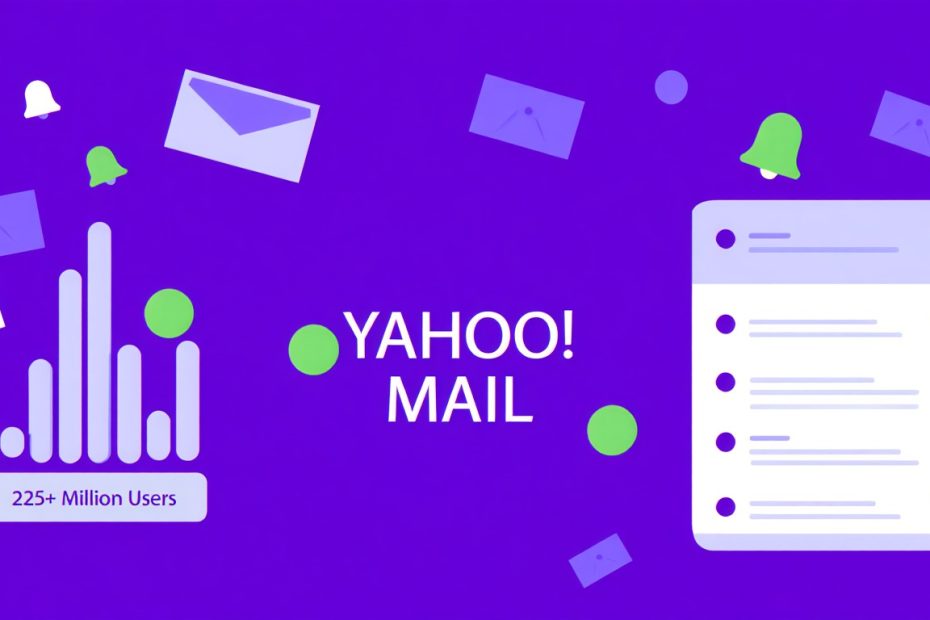
Yes, Yahoo Mail is still active and working in 2025. Despite many rumors and confusion about its future, Yahoo Mail continues to serve millions of users around the world as a free email service. The platform has changed a lot since Verizon bought Yahoo in 2017 and later combined it with AOL to create Oath Inc., which Apollo Global Management purchased in 2021.
Yahoo Mail is one of the oldest email services that still works today. It started back in 1997. Over the years, it has grown from a simple email tool into a complete communication platform. Today, it offers 1TB of free storage, a built-in calendar, and strong spam filtering. Many people wonder if Yahoo Mail still matters when Gmail and Outlook dominate the market. But the truth is, Yahoo Mail still has millions of active users and gets regular updates.
This guide will help you understand Yahoo Mail’s current status in 2025. We’ll look at how it has changed over time, what features it offers now, how safe it is, and whether it’s still worth using. We’ll also clear up the confusion about whether Yahoo Mail is “dead” and compare it with other popular email services.
Is Yahoo Mail Still Working in 2025?
Yes, Yahoo Mail is fully functional in 2025. The service operates normally and continues to support both free and premium users. You can send emails, receive messages, organize your inbox, and use all standard features without any problems.
Yahoo Mail has not shut down. The company maintains its email infrastructure and releases updates regularly. In fact, Yahoo Mail processed billions of emails in 2024 and continues to do so in 2025. The platform works across all devices, including smartphones, tablets, and desktop computers.
The confusion about Yahoo Mail’s status comes from several major changes in ownership and some security issues in the past. But these events did not stop the service. Instead, Yahoo Mail adapted and improved its security features to protect user data better.
Current User Base and Activity
Yahoo Mail still has approximately 225 million active users worldwide as of early 2025. This number has decreased from its peak of 350 million users in 2013, but it remains significant. The platform ranks as the third most popular email service globally, behind Gmail and Outlook.
Most Yahoo Mail users fall into these categories:
- Long-time users who created accounts in the 1990s or early 2000s
- People who use Yahoo Mail as a secondary email address
- Users in specific regions where Yahoo services remain popular
- Business users who rely on Yahoo’s integrated tools
The platform sees daily activity from millions of users who send and receive emails regularly. Yahoo reports that average users check their Yahoo Mail inbox multiple times per day, similar to patterns seen with other email services.
Recent Updates and Improvements
Yahoo Mail received several important updates in 2024 and early 2025. These improvements show that the company continues to invest in the platform:
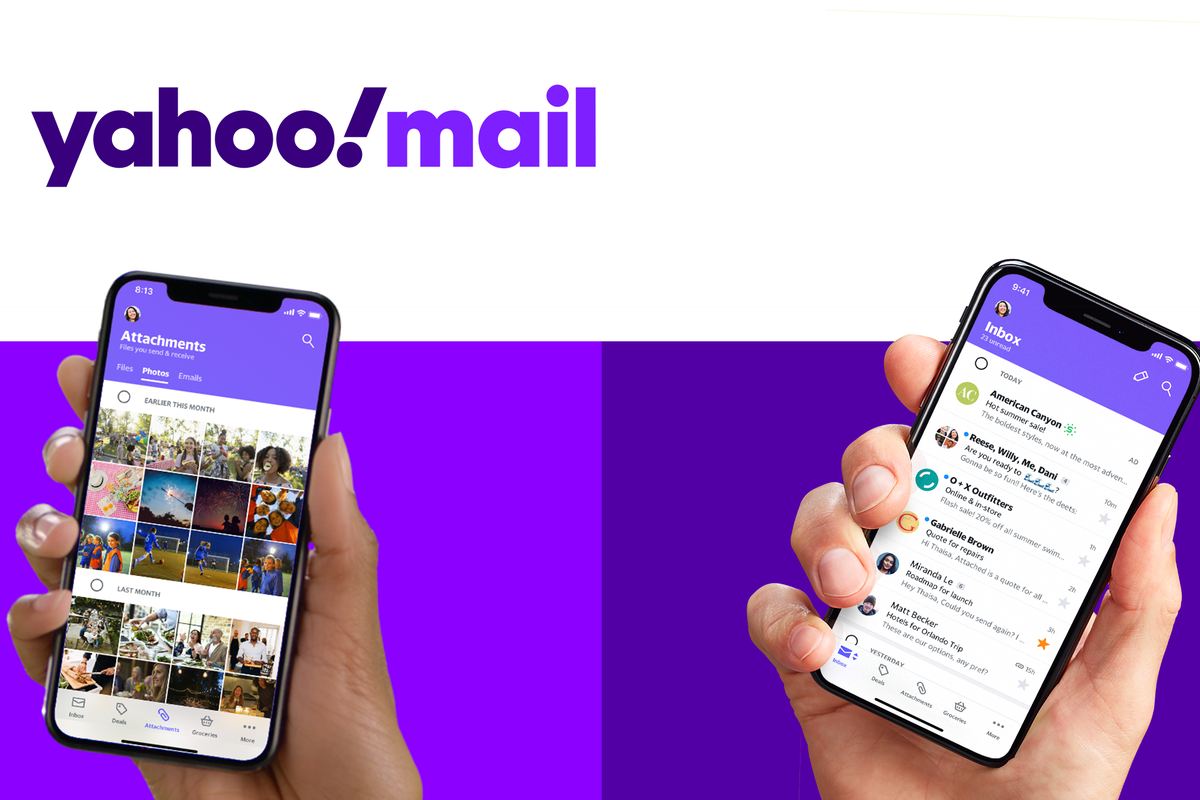
Interface Updates: Yahoo redesigned its mobile app interface in late 2024 to make navigation easier. The new design focuses on simplicity and faster access to common features.
Security Enhancements: The platform added new encryption protocols to protect emails in transit. Yahoo also improved its two-factor authentication system to prevent unauthorized access.
AI-Powered Features: Yahoo introduced AI tools to help users organize emails better. These tools can sort messages automatically, suggest quick replies, and identify important emails.
Storage Management: The platform improved how it handles the 1TB free storage limit. Users now get better tools to find and delete old emails or large attachments.
Spam Detection: Yahoo upgraded its spam filtering system using machine learning. This helps keep unwanted emails out of your inbox more effectively.
Why Do People Think Yahoo Mail is Dead?
Many people believe Yahoo Mail has shut down, but this is not true. Several factors created this confusion.
Major Security Breaches
Yahoo suffered massive data breaches between 2013 and 2016. These breaches affected over 3 billion user accounts. The news coverage was extensive, and many people worried about using Yahoo services. Some users left the platform, which led to discussions about Yahoo Mail’s future.
The breaches damaged Yahoo’s reputation significantly. Even though Yahoo Mail improved its security measures after these incidents, the negative perception remained. Many articles about the breaches made people think Yahoo Mail might close down.
Ownership Changes
Yahoo went through multiple ownership changes that confused users. Verizon bought Yahoo in 2017 for $4.48 billion. Then Verizon merged Yahoo with AOL to form a new company called Oath Inc. Later, this company was renamed Verizon Media.
In 2021, Apollo Global Management purchased Verizon Media for $5 billion. The company was renamed again to Yahoo Inc. These frequent changes made people wonder if Yahoo Mail would survive.
Reduced Market Presence
Yahoo’s market share in the email service industry decreased significantly over the past decade. Gmail became the dominant player, and Microsoft Outlook also gained more users. Yahoo Mail’s declining popularity made some people assume the service was closing.
Yahoo also stopped some of its other services over the years. Yahoo Messenger shut down in 2018. Yahoo Groups closed in 2020. When people heard about these closures, they sometimes confused them with Yahoo Mail.
Confusing News Headlines
Some news articles used misleading headlines about Yahoo’s business changes. Headlines about “Yahoo’s decline” or “Yahoo’s transformation” made readers think all Yahoo services were ending. But these articles usually discussed Yahoo’s overall business strategy, not specifically Yahoo Mail.
Yahoo Mail Features in 2025
Yahoo Mail offers several features that make it competitive with other email services. Understanding these features helps you decide if Yahoo Mail meets your needs.
Storage Capacity
Yahoo Mail provides 1TB (1,000 GB) of free storage. This is more than enough for most users. You can store hundreds of thousands of emails without worrying about running out of space. By comparison, Gmail offers 15GB of free storage (shared across Gmail, Google Drive, and Google Photos).
The large storage capacity means you rarely need to delete old emails. You can keep important messages, attachments, and files for years without additional cost.
Email Organization Tools
Yahoo Mail includes several tools to help you manage your inbox:
Folders and Labels: You can create custom folders to sort your emails. This helps keep different types of messages separated.
Filters: Set up automatic rules to sort incoming emails. For example, you can automatically move all newsletters to a specific folder.
Search Function: Yahoo Mail has a powerful search tool that helps you find old emails quickly. You can search by sender, subject, date, or content.
Priority Inbox: The platform can identify important emails and show them first. This feature uses AI to learn which messages matter most to you.
Integrated Services
Yahoo Mail connects with other Yahoo services:
Yahoo Calendar: Access your calendar directly from your email interface. You can create events, set reminders, and view your schedule without leaving your inbox.
Yahoo Contacts: Manage your contact list easily. Yahoo Mail suggests contacts as you type email addresses.
News and Weather: Yahoo Mail shows news headlines and weather updates in the interface. This gives you quick access to information without opening other apps.
Mobile App Capabilities
The Yahoo Mail mobile app works on iOS and Android devices. It includes most desktop features plus some mobile-specific options:
Push Notifications: Get instant alerts when new emails arrive.
Multiple Account Support: Manage Yahoo Mail along with Gmail, Outlook, and other email accounts in one app.
Quick Actions: Swipe gestures let you delete, archive, or mark emails as read quickly.
Attachment Preview: View photos, documents, and other attachments without downloading them.
Customization Options
Yahoo Mail lets you personalize your experience:
Themes: Choose from various color schemes and backgrounds.
Layout Options: Switch between different inbox layouts based on your preference.
Font Settings: Adjust text size and style for better readability.
Signature: Create custom email signatures with text and images.
Yahoo Mail Security: Is It Safe to Use?
Security is a major concern for email users. Yahoo Mail has improved significantly since the 2013-2016 data breaches, but questions about its safety remain.
Current Security Measures
Yahoo Mail now uses several security features to protect your account:
Two-Factor Authentication (2FA): When enabled, this requires a second verification step beyond your password. You receive a code on your phone that you must enter to access your account. This security measure makes it much harder for hackers to break into your account.
SSL/TLS Encryption: Yahoo Mail uses encryption to protect your emails while they travel between your device and Yahoo’s servers. This prevents others from reading your messages during transmission.
Spam and Phishing Protection: Yahoo Mail filters out dangerous emails that might contain malware or try to steal your information. The system blocks most suspicious messages before they reach your inbox.
Account Key: This feature lets you sign in without a password. Instead, you approve login attempts through your phone. This eliminates password-related security risks.
Security Notifications: Yahoo sends alerts when it detects unusual activity on your account, such as login attempts from new locations.
Comparison with Competitors
How does Yahoo Mail’s security compare to other email services?
| Security Feature | Yahoo Mail | Gmail | Outlook |
|---|---|---|---|
| Two-Factor Authentication | Yes | Yes | Yes |
| Encryption in Transit | Yes (TLS) | Yes (TLS) | Yes (TLS) |
| Encryption at Rest | Limited | Yes | Yes |
| Advanced Phishing Protection | Standard | Advanced | Advanced |
| Security Breach History | Major (2013-2016) | Minor | Minor |
| Regular Security Updates | Yes | Yes | Yes |
Gmail and Outlook currently offer slightly more advanced security features than Yahoo Mail. Both Google and Microsoft invest heavily in cybersecurity research and implement cutting-edge protection systems.
However, Yahoo Mail’s current security measures are adequate for most users. If you enable two-factor authentication and follow basic security practices, your Yahoo Mail account should be reasonably safe.
Best Practices for Yahoo Mail Security
To keep your Yahoo Mail account secure, follow these recommendations:
Use a Strong Password: Create a password with at least 12 characters, including uppercase letters, lowercase letters, numbers, and symbols. Avoid using common words or personal information.
Enable Two-Factor Authentication: Turn on 2FA in your account settings. This adds an extra layer of protection.
Check Recovery Information: Make sure your recovery email address and phone number are current. This helps you regain access if you forget your password.
Review Account Activity: Regularly check your recent account activity for any suspicious login attempts.
Be Careful with Links: Don’t click on links in emails from unknown senders. These might be phishing attempts.
Use a VPN on Public WiFi: When checking email on public WiFi networks, consider using a VPN service to encrypt your connection.
Keep Your Software Updated: Make sure your web browser and operating system have the latest security updates.
Yahoo Mail vs. Gmail vs. Outlook: Which is Better?
Choosing the right email service depends on your specific needs. Let’s compare Yahoo Mail with its main competitors.
Storage and Features Comparison
| Feature | Yahoo Mail | Gmail | Outlook |
|---|---|---|---|
| Free Storage | 1TB | 15GB (shared) | 15GB |
| Attachment Size Limit | 25MB | 25MB | 150MB |
| Spam Filtering | Good | Excellent | Very Good |
| Interface | Simple | Modern | Professional |
| Calendar Integration | Yes | Yes (Google Calendar) | Yes (Outlook Calendar) |
| Mobile App | Good | Excellent | Excellent |
| Third-Party Integrations | Limited | Extensive | Extensive |
User Experience
Yahoo Mail offers a straightforward, no-frills email experience. The interface is clean but not as modern as Gmail or Outlook. It works well for basic email tasks but lacks some advanced features power users might want.
Gmail provides the most polished user experience. Google constantly updates Gmail with new features. The interface is intuitive, and the integration with other Google services (Drive, Docs, Meet) is seamless.
Outlook caters to business users and professionals. It integrates perfectly with Microsoft Office apps and offers robust organizational tools. The interface looks professional and feels similar to desktop email clients.
Privacy Considerations
Privacy is an important factor when choosing an email service:
Yahoo Mail collects user data for advertising purposes but provides options to limit data collection in settings. Yahoo’s privacy policy states that it scans email content to display relevant ads.
Gmail also scans emails for advertising purposes, though Google stopped reading emails for ad personalization in 2017. Google still analyzes email content for other purposes like spam detection and smart features.
Outlook (from Microsoft) offers the strongest privacy protections among the three. Microsoft’s business model doesn’t rely as heavily on advertising, so Outlook collects less personal data. Microsoft 365 security and compliance features are particularly strong for business users.
Best Use Cases
Choose Yahoo Mail if you:
- Need lots of free storage
- Want a simple, straightforward email service
- Already have a Yahoo account and don’t want to switch
- Use Yahoo Mail as a secondary email address
- Don’t need extensive third-party integrations
Choose Gmail if you:
- Want the best overall email experience
- Use other Google services regularly
- Need strong spam filtering
- Want access to extensive third-party apps and extensions
- Prefer a modern, constantly updated interface
Choose Outlook if you:
- Use Microsoft Office products
- Need strong business features
- Want better privacy protections
- Prefer a professional-looking interface
- Need to manage multiple email accounts in one place

How to Access Yahoo Mail in 2025
Accessing Yahoo Mail is straightforward. You have several options depending on your device and preferences.
Web Browser Access
The easiest way to use Yahoo Mail is through a web browser:
- Go to mail.yahoo.com
- Enter your email address and password
- Click “Sign in”
Yahoo Mail works on all modern web browsers including Chrome, Firefox, Safari, and Edge. The web version includes all features and works on any computer with internet access.
Mobile Apps
Yahoo Mail offers dedicated mobile apps:
For iPhone and iPad:
- Download the Yahoo Mail app from the Apple App Store
- Install and open the app
- Sign in with your Yahoo credentials
- The app syncs automatically with your account
For Android Devices:
- Download the Yahoo Mail app from Google Play Store
- Install and open the app
- Enter your login information
- Allow necessary permissions for notifications and contacts
The mobile apps provide a better experience than using a web browser on your phone. They include push notifications, offline access to recent emails, and optimized interfaces for smaller screens.
Email Clients
You can also access Yahoo Mail through third-party email clients like Microsoft Outlook, Apple Mail, or Thunderbird. This requires setting up Yahoo Mail with IMAP or POP settings:
IMAP Settings (recommended for syncing across devices):
- Incoming Server: imap.mail.yahoo.com
- Port: 993
- Security: SSL/TLS
POP Settings (for downloading emails to one device):
- Incoming Server: pop.mail.yahoo.com
- Port: 995
- Security: SSL/TLS
SMTP Settings (for sending emails):
- Outgoing Server: smtp.mail.yahoo.com
- Port: 465 or 587
- Security: SSL/TLS
When connecting through email clients, you need to generate an app password from your Yahoo account settings. Yahoo no longer accepts your regular password for third-party apps due to security reasons.
Common Yahoo Mail Problems and Solutions
Like any email service, Yahoo Mail sometimes has issues. Here are common problems and how to fix them.
Cannot Sign In
If you can’t access your Yahoo Mail account:
Check Your Password: Make sure you’re typing your password correctly. Passwords are case-sensitive.
Reset Your Password: If you forgot your password, click “Trouble signing in?” on the login page. Follow the steps to reset your password using your recovery email or phone number.
Verify Your Internet Connection: Make sure your device is connected to the internet.
Clear Browser Cache: Old cached data can cause login problems. Clear your browser’s cache and cookies, then try again.
Disable Browser Extensions: Some browser extensions interfere with Yahoo Mail. Try signing in using incognito or private browsing mode.
Check Account Status: If your account was inactive for 12 months, Yahoo might have deactivated it. Unfortunately, deactivated accounts cannot be recovered.
Not Receiving Emails
If you’re not getting emails you expect:
Check Spam Folder: Yahoo Mail might have filtered legitimate emails into your spam folder. Check there first.
Review Filters: Check your email filters and rules. You might have accidentally set up a rule that moves or deletes certain emails.
Verify Storage: Although Yahoo provides 1TB of storage, check if you’re somehow running out of space. Full storage can prevent new emails from arriving.
Check Blocked Addresses: Make sure you haven’t blocked the sender. Go to Settings > More Settings > Blocked addresses to check your blocked list.
Contact the Sender: Ask the sender to confirm they sent the email to the correct address. They should also check if they received any bounce-back messages.
Slow Performance
If Yahoo Mail loads slowly or freezes:
Clear Browser Data: Delete cookies, cache, and browsing history. This often solves performance issues.
Update Your Browser: Make sure you’re using the latest version of your web browser. Old browsers can cause compatibility problems.
Disable Unnecessary Extensions: Browser extensions can slow down web pages. Disable extensions you don’t need, especially ad blockers that might conflict with Yahoo Mail.
Check Your Internet Speed: Slow internet connection affects Yahoo Mail performance. Test your internet speed using a speed testing tool.
Try a Different Browser: If problems persist, try accessing Yahoo Mail from a different browser to see if the issue is browser-specific.
Missing Emails or Folders
If emails or folders disappeared:
Check All Folders: Look in Trash, Spam, and Archive folders. Emails might have been moved accidentally.
Use Search: Search for specific emails using keywords, senders, or dates. The search function finds emails even if they’re in unexpected folders.
Check Filter Settings: Automatic filters might have moved your emails. Review your filter rules to see where emails might have gone.
Account Compromise: If emails are disappearing regularly, someone might have access to your account. Change your password immediately and enable two-factor authentication.
Contact Yahoo Support: If you can’t find important emails, contact Yahoo customer support. They might be able to help recover lost messages in certain situations.
Yahoo Mail Alternatives to Consider
While Yahoo Mail still works fine, you might want to consider alternatives depending on your needs.
ProtonMail
ProtonMail focuses on privacy and security. All emails are encrypted end-to-end, meaning only you and your recipient can read them. Even ProtonMail cannot access your messages.
Pros:
- Excellent privacy protection
- Strong encryption
- No ads
- Based in Switzerland with strong privacy laws
Cons:
- Free plan has limited storage (1GB)
- Fewer features than Yahoo Mail
- Learning curve for encryption features
Zoho Mail
Zoho Mail targets business users and professionals. It offers a clean, ad-free interface with strong organizational tools.
Pros:
- No advertising
- Good privacy policies
- Integrated with Zoho’s productivity suite
- Professional appearance
Cons:
- Free plan limited to personal use
- Smaller user base
- Fewer third-party integrations
Tutanota
Tutanota is another privacy-focused email service. Like ProtonMail, it uses encryption to protect your messages.
Pros:
- Automatic encryption
- Affordable paid plans
- Open-source software
- Good mobile apps
Cons:
- Limited features compared to mainstream services
- Cannot easily import existing emails
- Some compatibility issues with non-encrypted email services
Gmail (Google)
Gmail remains the most popular email service worldwide. It offers the best features, integration, and user experience.
Pros:
- Excellent spam filtering
- Strong search capabilities
- Seamless integration with Google services
- Constantly updated with new features
Cons:
- Privacy concerns due to Google’s data collection
- Only 15GB of free storage (shared across services)
- Can feel overwhelming with too many features
Outlook (Microsoft)
Outlook works especially well for business users and anyone who uses Microsoft products.
Pros:
- Professional interface
- Great calendar and task management
- Strong integration with Microsoft Office
- Better privacy than Gmail or Yahoo Mail
Cons:
- Interface can feel cluttered
- Best features require Microsoft 365 subscription
- Learning curve for advanced features
The Future of Yahoo Mail
What does the future hold for Yahoo Mail? Based on current trends and company statements, we can make some informed predictions.
Continued Operation
Yahoo Mail will likely continue operating for the foreseeable future. Despite declining market share, the service still has over 200 million active users. This user base generates enough revenue through advertising to sustain the service.
Apollo Global Management, Yahoo’s current owner, has not announced any plans to shut down Yahoo Mail. The company continues to invest in updates and improvements, indicating a commitment to maintaining the service.
Potential Improvements
Yahoo Mail may see these improvements in the coming years:
Better AI Integration: Yahoo will likely add more AI-powered features to compete with Gmail and Outlook. These might include smarter email sorting, automated responses, and better spam detection.
Enhanced Security: As cybersecurity threats continue to evolve, Yahoo Mail will need to strengthen its security measures further. Expect more robust encryption and additional authentication options.
Mobile Experience: Yahoo will probably focus more on mobile app development, as most users check email on their phones rather than computers.
Integration with Other Services: Yahoo might create better connections between Yahoo Mail and other services, similar to how Gmail integrates with Google Drive and Docs.
Challenges Ahead
Yahoo Mail faces several challenges:
Market Share Decline: Yahoo Mail continues to lose users to Gmail and Outlook. Reversing this trend will be difficult without significant innovations.
Reputation Issues: The 2013-2016 data breaches damaged Yahoo’s reputation. Rebuilding trust takes years, and some users will never return.
Competition: Gmail and Outlook constantly improve their services. Yahoo Mail must match these improvements to stay relevant.
Revenue Pressure: As users decline and advertising effectiveness decreases, Yahoo Mail might face pressure to monetize through paid subscriptions or reduced free features.
Frequently Asked Questions (FAQs)
Is Yahoo Mail completely free?
Yes, Yahoo Mail is completely free for personal use. You get 1TB of storage, unlimited emails, and access to all basic features without paying anything. Yahoo does offer a premium service called Yahoo Mail Pro for $1.99 per month, which removes ads and provides additional customer support, but the free version works perfectly well for most users.
Can I recover a deleted Yahoo Mail account?
No, you cannot recover a permanently deleted Yahoo Mail account. If you deactivated your account by choice, Yahoo keeps it for 30-90 days before permanent deletion. During this period, you can reactivate it by signing in. After permanent deletion, the account and all its data are gone forever. However, if your account was deactivated due to 12 months of inactivity, recovery is unfortunately not possible.
Is Yahoo Mail safer than Gmail?
No, Yahoo Mail is generally not as safe as Gmail. While Yahoo Mail has improved its security measures significantly since the 2013-2016 breaches, Gmail offers more advanced protection features. Google invests heavily in cybersecurity and uses sophisticated AI to detect threats. Both services are reasonably safe if you enable two-factor authentication and follow security best practices, but Gmail has a better security track record.
Why does Yahoo Mail keep logging me out?
Yahoo Mail logs you out for several reasons. The most common is browser cookies being deleted automatically. If you clear your browser data regularly or use privacy settings that delete cookies, you’ll need to sign in again. Another reason is security features that log you out after inactivity. Yahoo Mail also logs you out if it detects suspicious activity or if you’re accessing from multiple devices simultaneously. To stay logged in, check the “Keep me signed in” box when logging in, but only do this on your personal devices.
Can I use Yahoo Mail for business purposes?
Yes, you can use Yahoo Mail for business purposes, but it’s not ideal for most businesses. Yahoo Mail lacks many features that business users need, such as custom domain names, advanced collaboration tools, and dedicated customer support. Services like Microsoft 365 or Google Workspace are better suited for business use. However, Yahoo Mail works fine for small businesses, freelancers, or solo entrepreneurs who need a simple email solution without extra costs.
How do I permanently delete my Yahoo Mail account?
To permanently delete your Yahoo Mail account, go to the Yahoo account termination page while signed in. Click “Continue, delete my account” and follow the prompts. You’ll need to verify your identity and confirm the deletion. Remember that deleting your Yahoo Mail account also deletes access to other Yahoo services like Yahoo Fantasy Sports or Yahoo Finance portfolios. Yahoo keeps your account for a short period in case you change your mind, but after that, all data is permanently deleted.
Does Yahoo Mail work with other email clients?
Yes, Yahoo Mail works with other email clients like Microsoft Outlook, Apple Mail, and Thunderbird. You need to set up your account using IMAP or POP3 settings. However, Yahoo requires you to generate a special app password instead of using your regular password for security reasons. Go to your Yahoo account settings, find “Generate app password,” create one, and use that password when setting up Yahoo Mail in your email client.
What happens if I don’t use Yahoo Mail for a long time?
If you don’t sign in to your Yahoo Mail account for 12 consecutive months, Yahoo marks it as inactive. After the 12-month period, Yahoo may deactivate your account, and you will lose access permanently. You cannot recover an account deactivated due to inactivity. To prevent this, sign in to your Yahoo Mail account at least once every few months. You don’t need to send emails—simply logging in is enough to keep the account active.
Conclusion
Yahoo Mail is definitely still active in 2025. The service continues to operate normally with over 200 million active users worldwide. Despite ownership changes, security issues in the past, and declining market share, Yahoo Mail remains a functional and free email service.
Yahoo Mail offers several advantages, including 1TB of free storage, a simple interface, and integration with Yahoo’s other services. However, it faces strong competition from Gmail and Outlook, which offer more advanced features, better security, and stronger integration with productivity tools.
Whether Yahoo Mail is right for you depends on your needs. If you already have a Yahoo Mail account and find it adequate, there’s no urgent reason to switch. The service works reliably for basic email tasks. However, if you’re choosing an email service for the first time or considering a switch, Gmail or Outlook might serve you better with their superior features and security.
For users concerned about security, remember to enable two-factor authentication, use strong passwords, and stay alert for phishing attempts regardless of which email service you choose. These practices matter more than the specific service you use.
If you need help with other software and technology topics, explore more guides and resources available on our website. Whether you’re looking for information about data protection, cloud computing, or software testing, you’ll find practical and easy-to-understand content that helps you make informed decisions about technology.
You May Also Like
 Cybersecurity
Is Fanatical Legit and Safe? My Honest Take on Buying Game Keys
 Data Security & Privacy
Is Gameflip Legit and Safe for Gift Cards? What Buyers Should Know
 Data Security & Privacy
Is Eldorado.gg Legit and Safe in 2026? My Investigation and What Buyers Should Know
 VPN & Proxy
Why Does Google Say Our Systems Have Detected Unusual Traffic From Your Computer Network?
 Cybersecurity
Is Groupon Legit? An Honest Review In 2026
 Cybersecurity
Is Romspure Safe? An Honest Look at the ROM Site’s Risks and Trust Scores
 Cybersecurity
Is KashKick Legit? Honest KashKick Review (Payouts, Earnings, and Pros & Cons)
 Cybersecurity
Bookvip reviews: Is Bookvip Travel Legit or Scam?
 Cybersecurity