

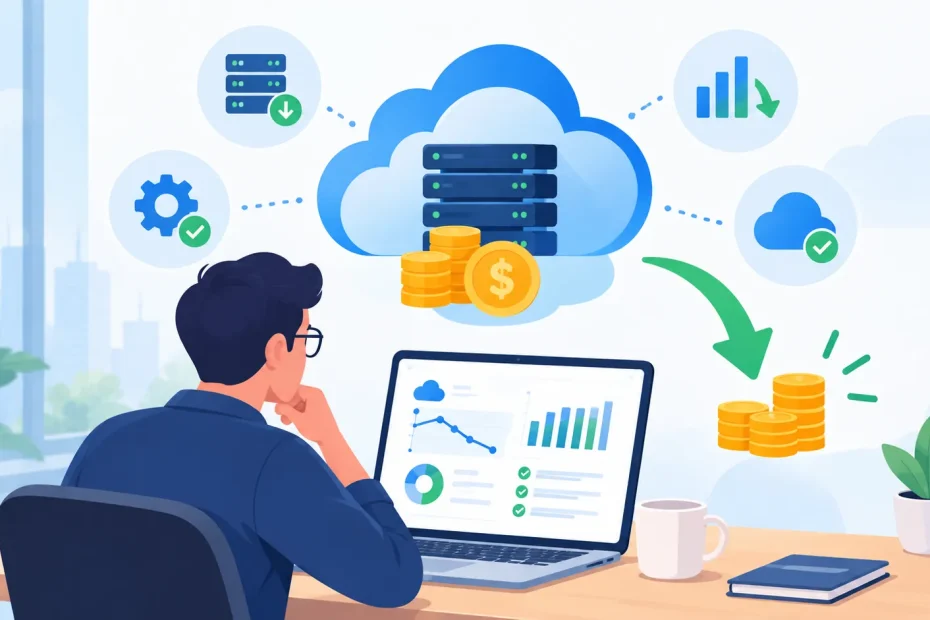
Cloud cost optimization is the practice of getting the most business value from your cloud spending by matching resources to what your workloads actually need. In practice, that means finding where the money goes, cutting waste such as idle environments or oversized instances, and revisiting those decisions as usage changes.
The goal isn’t to make the bill as small as possible. An undersized production database can slow down your application. Overly tight autoscaling limits can leave you short on capacity during a traffic spike. Moving all data to the cheapest storage tier can make retrieval slower or add access fees. The best results come from balancing cost against performance, reliability, security, and business needs.
That balance takes both financial visibility and engineering judgment. Teams typically review spending patterns, right-size resources, improve architecture, choose pricing models that fit their usage (such as reserved capacity or savings plans), and track results over time. FinOps provides the operating model for this work: a practice that brings engineering, finance, and business teams together so everyone shares responsibility for cloud spending decisions.
What Does Cloud Cost Optimization Mean?
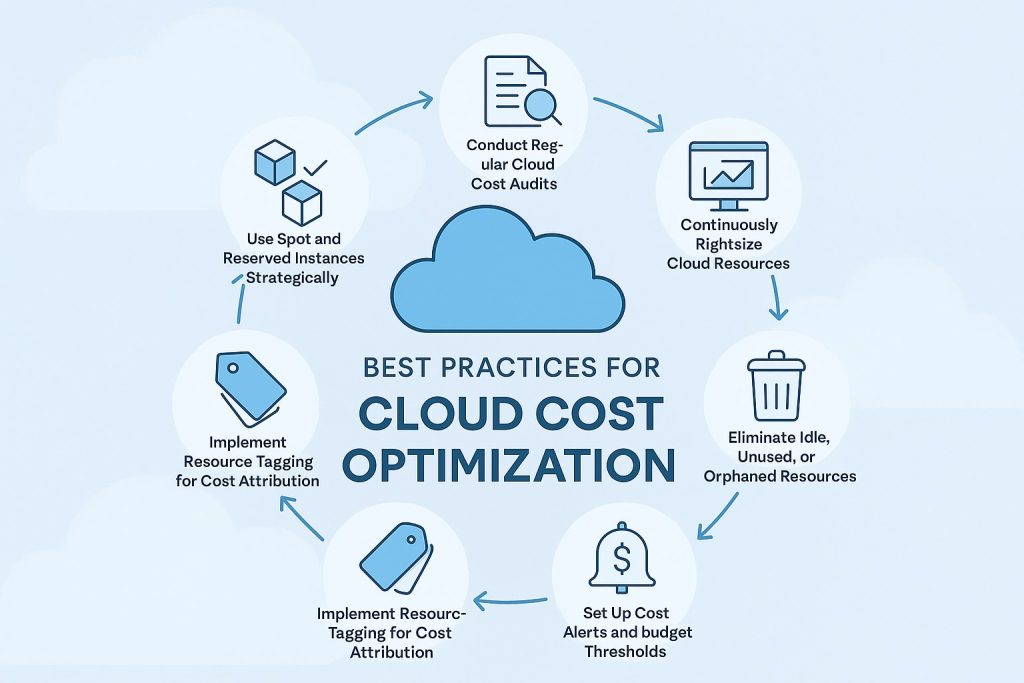
At its simplest, cloud cost optimization means using the right amount of cloud infrastructure for the workload you actually have.
Imagine a development environment that runs 24 hours a day even though the team only uses it during business hours. The organization is paying for capacity that provides little value during the rest of the day.
Or consider a production workload running on a larger virtual machine than necessary. Reducing its size might lower the bill, but only if the application still meets its performance requirements.
That is the central idea behind optimization:
Don’t simply spend less. Spend more intentionally.
Cloud cost optimization can involve:
- Removing unused resources
- Right-sizing compute
- Scheduling non-production workloads
- Improving autoscaling
- Optimizing storage
- Reducing unnecessary data transfer
- Reviewing database capacity
- Choosing suitable pricing and commitment options
- Improving cost allocation and accountability
- Monitoring cost and usage continuously
Why Is Cloud Cost Optimization Important?
Cloud platforms make infrastructure easier to provision and scale. That flexibility is one of their biggest advantages, but it can also make cloud spending harder to control.
A team can create a new server, database, storage volume, container environment, or managed service without buying physical hardware or waiting weeks for procurement.
Over time, however, an organization can accumulate resources that are:
- Oversized
- Underused
- Idle
- Duplicated
- No longer needed
- Running outside business requirements
- Generating avoidable network or storage costs
The resulting problem isn’t always obvious from the total bill.
Two teams might spend the same amount of money but get very different value from that infrastructure. One might be running a critical production application, while the other is paying for abandoned development resources.
That is why cloud cost visibility is the foundation of optimization.
What Is a Cloud Cost Optimization Strategy?
A cloud cost optimization strategy is a repeatable process for controlling cloud spending while maintaining the technical and business outcomes the organization needs.
A useful strategy typically includes these stages:
- Establish visibility
- Set ownership and budgets
- Find waste
- Right-size resources
- Optimize architecture and usage
- Review pricing options
- Automate where practical
- Measure the results
- Repeat the process
The exact order can vary, but the important point is that optimization should be an ongoing operating practice rather than a one-time cleanup.
1. Start With Cloud Cost Visibility
You can’t optimize spending you can’t explain.
The first step is to understand how cloud costs are distributed across accounts, projects, services, applications, environments, and teams.
Start by answering basic questions:
- Which cloud services cost the most?
- Which applications generate the most spending?
- How much is production versus development?
- Which teams are responsible for the largest costs?
- Which costs are increasing fastest?
- Where is usage growing without a clear business reason?
Cloud billing dashboards, cost reports, budgets, tags, labels, and account structures can help answer these questions.
The goal isn’t to create a perfect financial model on day one. It’s to make the major spending patterns visible enough to act on.
2. Give Every Major Cloud Cost an Owner
Cloud costs become much easier to manage when someone is responsible for understanding them.
That doesn’t mean developers should be personally blamed for every dollar spent. It means the organization should know who owns a workload and who can make decisions about its infrastructure.
For example:
| Cost area | Possible owner |
|---|---|
| Customer-facing application | Application team |
| Data platform | Data engineering team |
| Shared infrastructure | Platform team |
| Development environment | Engineering team |
| Analytics workloads | Data or analytics team |
Clear ownership also makes unusual spending easier to investigate.
If an application’s monthly cost suddenly rises, there should be a team that can answer whether the increase came from higher traffic, a configuration change, a new feature, or unnecessary infrastructure.
3. Set Budgets and Spending Alerts
Budgets don’t reduce cloud usage by themselves, but they create an early warning system.
A useful budget structure might include:
- Overall cloud budget
- Production budget
- Development budget
- Team-level budgets
- Project-specific budgets
- Alert thresholds for unusual spending
A budget alert should trigger investigation, not an automatic shutdown of production services.
For example, a sudden increase could be completely legitimate because traffic doubled. In that case, the right response isn’t to turn infrastructure off. It’s to understand whether the additional spending is producing proportional business value.
4. Find and Remove Unused Cloud Resources
Unused infrastructure is one of the clearest opportunities for optimization.
Look for resources such as:
- Idle virtual machines
- Old snapshots
- Unused storage volumes
- Forgotten test databases
- Abandoned load balancers
- Unused public IP resources
- Temporary environments
- Old development projects
- Resources created for experiments that were never removed
This is often a good place to start because removing something that is genuinely unused doesn’t require redesigning the application.
Before deleting anything, however, verify that it isn’t part of a backup, disaster-recovery, compliance, or business continuity process.
A resource that looks unused from a utilization dashboard can still have a legitimate purpose.
5. Right-Size Cloud Resources
Right-sizing means matching provisioned capacity with actual workload requirements.
It’s one of the most common cloud cost optimization practices because organizations often provision more resources than they currently need.
For compute workloads, review:
- CPU usage
- Memory usage
- Network activity
- Storage usage
- Peak demand
- Application response time
- Capacity requirements
Don’t rely only on average utilization.
A server using 20% CPU most of the time might still need its current size if it regularly experiences short but important traffic spikes.
The objective is to find the smallest practical configuration that still satisfies the application’s performance and reliability requirements.
6. Use Autoscaling Carefully
Autoscaling can help align infrastructure with demand.
Instead of keeping a large amount of capacity running continuously, a workload can scale up when demand increases and scale down when demand falls.
This can work especially well for workloads with predictable or variable traffic.
However, autoscaling isn’t automatically a cost-saving feature.
Poorly configured scaling rules can cause resources to grow too quickly. Capacity limits that are too restrictive can also cause performance problems.
A better approach is to define:
- Minimum capacity
- Maximum capacity
- Scaling triggers
- Cooldown or stabilization behavior
- Performance targets
- Cost monitoring
The goal is to let infrastructure respond to demand without losing control of the spending that results.
7. Schedule Non-Production Environments
Development, testing, staging, and temporary environments often don’t need to run continuously.
If a development environment is used only during working hours, automatically stopping it overnight and restarting it before the workday can reduce unnecessary runtime.
This can be especially useful for:
- Development environments
- QA systems
- Training environments
- Demo environments
- Temporary test infrastructure
Production workloads usually require different availability considerations.
Scheduling should therefore be based on actual business requirements rather than applying one shutdown policy to everything.
8. Optimize Cloud Storage
Storage costs can build gradually because data tends to accumulate.
Review:
- Old backups
- Snapshots
- Temporary files
- Unused storage volumes
- Duplicate data
- Retention periods
- Infrequently accessed data
Cloud storage services often provide different storage classes or tiers designed for different access patterns.
For data that is rarely accessed, a lower-cost storage tier may make more sense than keeping it in premium, frequently accessed storage.
But storage optimization should consider more than price.
Before moving or deleting data, check:
- Retrieval costs
- Access frequency
- Recovery requirements
- Retention policies
- Compliance requirements
- Performance expectations
A cheaper storage class isn’t necessarily cheaper overall if the organization frequently retrieves the data.
9. Review Database Costs
Managed databases can become a major cloud expense, particularly as applications grow.
Optimization can include reviewing:
- Instance size
- Storage capacity
- Read and write patterns
- Backup retention
- High-availability configuration
- Development and test databases
- Database usage over time
Database rightsizing requires care because database performance issues can directly affect applications.
Before reducing capacity, look at actual workload behavior rather than assuming low average CPU means the database is oversized.
10. Reduce Unnecessary Data Transfer
Cloud networking costs can be easy to overlook.
Applications that move large amounts of data between regions, availability zones, cloud services, or external networks may generate significant transfer costs depending on the architecture and provider.
Look for:
- Repeated data movement
- Cross-region transfers that aren’t necessary
- Inefficient service-to-service communication
- Large datasets being moved when only small portions are needed
- Architectures that repeatedly retrieve the same data
Caching, data locality, architectural changes, and processing data closer to where it is stored can sometimes reduce both network activity and latency.
Network optimization should be evaluated together with application performance and resilience. Moving everything into one location may reduce one type of cost while introducing other technical or availability tradeoffs.
11. Optimize Containers and Kubernetes Workloads
Containerized workloads can create a different type of cost problem.
A Kubernetes cluster may appear efficient while individual workloads are requesting far more CPU or memory than they normally use.
Useful areas to review include:
- CPU requests and limits
- Memory requests and limits
- Pod utilization
- Node utilization
- Cluster autoscaling
- Overprovisioned workloads
- Idle namespaces or environments
The same principle applies here as with virtual machines: capacity should reflect actual workload requirements.
However, lowering resource requests too aggressively can lead to scheduling problems, throttling, out-of-memory errors, or poor application performance.
Optimization needs to account for workload behavior rather than relying on a single utilization number.
12. Review Cloud Pricing and Commitment Options
Cloud providers offer different pricing models for workloads with different usage patterns.
Depending on the provider and service, organizations may have access to options such as:
- On-demand pricing
- Commitment-based discounts
- Reserved capacity
- Spot or preemptible capacity
- Savings programs
- Volume-based pricing
These can reduce unit costs for workloads with predictable usage.
But discounts introduce another decision: how confident are you that you’ll continue using the committed capacity?
A commitment that looks attractive today may become inefficient if the company migrates workloads, reduces usage, changes architecture, or shuts down the service.
Evaluate pricing options based on:
- Historical usage
- Expected growth
- Workload stability
- Contract or commitment terms
- Flexibility requirements
- Risk of underutilization
The lowest advertised unit price isn’t automatically the lowest total cost.
13. Separate Production From Non-Production Costs
One of the easiest ways to improve cloud cost visibility is to separate environments clearly.
At minimum, organizations should distinguish between:
- Production
- Staging
- Testing
- Development
- Temporary or experimental workloads
This makes it easier to see where savings opportunities exist.
For example, a production workload may need high availability and continuous uptime. A development environment may not.
Without environment-level visibility, those two types of infrastructure can become difficult to compare.
14. Use Tags, Labels, and Account Structures
Cost allocation depends on knowing what a resource belongs to.
Organizations can use tags, labels, projects, subscriptions, accounts, folders, or other provider-specific structures to associate resources with:
- Teams
- Applications
- Customers
- Projects
- Environments
- Business units
A good naming and tagging strategy makes cost reporting much more useful.
Instead of seeing:
Compute: $18,000
you want enough context to understand:
Production API: $7,000 Data platform: $5,500 Development: $2,000 Analytics: $1,800 Other shared services: $1,700
The exact structure will vary by organization, but the principle is the same: cost should be understandable in business terms.
15. Treat Cost as Part of Architecture
Some of the biggest cloud savings come from architectural decisions rather than billing cleanup.
For example, cost can be influenced by:
- How much data an application stores
- How often services communicate
- How much data is transferred
- Whether workloads scale efficiently
- Whether compute is always running
- How databases are structured
- Where data is processed
- How frequently logs and metrics are retained
This is why cloud cost optimization should involve engineers early.
A finance team may identify that a service is expensive. Engineers are often the people who can explain why it is expensive and whether the architecture can be changed.
16. Watch Observability and Logging Costs
Monitoring is essential, but observability data can also become a significant expense.
Large applications can generate substantial amounts of:
- Logs
- Metrics
- Traces
- Archived telemetry
- Security events
Instead of collecting everything indefinitely, review:
- Log retention
- Sampling
- Verbosity
- Duplicate telemetry
- High-volume debug logging
- Storage tier
- Export destinations
Don’t cut observability blindly.
A log that appears expensive may be critical for security, incident response, compliance, or debugging. The goal is to remove unnecessary telemetry while preserving what the business and engineering teams actually need.
17. Automate Cloud Cost Controls
Manual optimization doesn’t scale very well.
Once your organization understands recurring waste patterns, automate the easy parts.
Useful automation can include:
- Scheduled shutdown of development resources
- Alerts for unusual spending
- Detection of unattached storage
- Identification of idle resources
- Policy checks for missing tags
- Automated reporting
- Resource lifecycle rules
Automation should be designed carefully.
An automated cleanup job that deletes a resource without understanding its purpose can create an outage. Safe automation usually includes clear ownership, exclusions, notifications, and rollback or recovery procedures where appropriate.
18. Build Cost Optimization Into the Development Process
The cheapest time to address a cloud cost problem is often before the architecture is deployed.
Teams can include cost considerations during:
- Architecture reviews
- Capacity planning
- Infrastructure changes
- New service selection
- Application design
- Database design
- Deployment planning
Ask questions such as:
- How much will this service cost at today’s traffic?
- What happens to the cost if traffic increases tenfold?
- What resources remain active when the workload is idle?
- Are we creating unnecessary cross-region traffic?
- Can this workload tolerate interruption or delayed processing?
These questions help prevent expensive architecture decisions from becoming deeply embedded in production.
19. Track Unit Economics, Not Just Total Spend
A lower cloud bill doesn’t always mean the business is getting better value.
Suppose your company cuts cloud spending by 10% but handles 30% more customers. That’s a very different result from cutting spending 10% while serving the same workload.
This is why unit economics can be useful.
Depending on the business, you might track cloud cost per:
- Customer
- Transaction
- Order
- API request
- GB processed
- Video minute
- Active user
- Data pipeline run
The right metric depends on the workload.
Unit economics connect infrastructure spending with business activity, making optimization decisions more meaningful.
20. Measure the Result After Every Major Change
Optimization isn’t complete when the configuration is changed.
You need to know whether the change actually produced the expected result.
After making an optimization, compare:
- Cost
- Resource utilization
- Application performance
- Error rates
- Availability
- User experience
For example, if you right-size a server and save money but response times increase significantly, the optimization may not have been successful.
The best outcome is usually:
lower waste + acceptable performance + acceptable reliability.
What Are the Best Cloud Cost Optimization Practices?
The most useful practices are not necessarily the most complicated ones.
| Best practice | Why it matters |
|---|---|
| Create cost visibility | Shows where spending actually goes |
| Assign ownership | Gives teams responsibility for their workloads |
| Remove unused resources | Eliminates obvious waste |
| Right-size infrastructure | Matches capacity to real workload needs |
| Schedule non-production resources | Avoids paying for unused runtime |
| Use autoscaling carefully | Matches capacity to changing demand |
| Optimize storage | Reduces unnecessary storage and retrieval costs |
| Review network architecture | Limits avoidable data-transfer charges |
| Evaluate pricing commitments | Can lower costs for predictable workloads |
| Use tagging and allocation | Connects spending to teams and applications |
| Monitor continuously | Catches new waste as infrastructure changes |
| Track unit costs | Connects cloud spending with business value |
What Is the Difference Between Cloud Cost Optimization and Cost Cutting?
They’re related, but they aren’t the same.
Cost cutting focuses on reducing spending.
Cloud cost optimization focuses on improving the value you get from cloud spending.
For example, deleting an unused test environment is both cost cutting and optimization.
But reducing production capacity below a safe level just to make the bill smaller is cost cutting without necessarily being good optimization.
Likewise, moving every workload to the cheapest available infrastructure could reduce spending while increasing operational complexity or harming performance.
Optimization asks a broader question:
Are we spending the right amount for the business outcome we need?
What Is the Role of FinOps in Cloud Cost Optimization?
FinOps is a broader operating model for managing the economics of cloud usage. It encourages engineering, finance, and business teams to share responsibility for cloud costs and decisions.
Cloud cost optimization fits naturally within FinOps because optimization requires more than a billing report.
Engineering understands technical tradeoffs.
Finance understands budgets and financial planning.
Business teams understand customer and product priorities.
When these groups work together, organizations can make better decisions about infrastructure cost without treating the cloud bill as a problem that belongs to one department.
The FinOps Foundation provides a framework for organizations building this type of practice.
How Do AWS, Azure, and Google Cloud Approach Cost Optimization?
The specific tools differ by provider, but the underlying principles are similar.
AWS emphasizes cost optimization as one of the pillars of its Well-Architected Framework. Its Cost Optimization Pillar covers areas such as expenditure awareness, cost-effective resources, demand and supply matching, and ongoing optimization.
Microsoft Azure includes Cost Optimization as part of its Well-Architected Framework, with guidance around understanding costs, optimizing resource utilization, and managing spending.
Google Cloud also provides cost optimization guidance covering areas such as architecture, resource utilization, and financial accountability.
The provider-specific tools change, but the underlying strategy remains broadly the same:
measure → understand → optimize → automate → monitor.
A Practical Cloud Cost Optimization Strategy
If you’re starting from scratch, don’t try to optimize everything at once.
A practical first pass can look like this:
Phase 1: Understand the Spend
Identify your largest services, workloads, teams, and environments.
Phase 2: Remove Obvious Waste
Look for idle instances, unused volumes, abandoned environments, and unnecessary storage.
Phase 3: Right-Size
Compare provisioned resources with actual utilization and workload requirements.
Phase 4: Improve Architecture
Review autoscaling, storage, databases, networking, containers, and other major cost drivers.
Phase 5: Review Pricing
Evaluate commitment-based discounts and other pricing models where usage is predictable.
Phase 6: Automate
Schedule resources, create alerts, enforce tagging, and automate recurring cleanup where it is safe.
Phase 7: Measure
Track both cost and technical outcomes after every meaningful change.
Phase 8: Repeat
Cloud infrastructure changes constantly, so optimization should be an ongoing cycle.
Common Cloud Cost Optimization Mistakes
Optimizing Only the Largest Line Item
The biggest service isn’t always the easiest place to save money.
Small recurring inefficiencies can also add up.
Cutting Resources Without Looking at Performance
A cheaper configuration that creates latency or outages isn’t necessarily an optimization.
Ignoring Non-Production Infrastructure
Development and testing environments can consume significant resources when they are allowed to run indefinitely.
Buying Commitments Too Early
Discounted capacity can be useful, but committing before usage patterns are understood can reduce flexibility.
Treating Average Utilization as the Whole Story
Average CPU or memory usage can hide spikes, latency requirements, or application bottlenecks.
Ignoring Network Costs
Compute often gets attention first, while data transfer and network architecture receive less scrutiny.
Keeping Too Much Telemetry
Logs and observability data are valuable, but collecting and retaining everything forever isn’t always necessary.
Making Optimization Someone Else’s Problem
Cloud costs are influenced by architectural and operational decisions. Engineering teams need to be involved.
Optimizing Once
Cloud infrastructure changes as products, users, and teams change. A one-time cleanup won’t keep costs optimized forever.
How Do You Know if Cloud Cost Optimization Is Working?
A successful program should measure more than the monthly bill.
Useful metrics can include:
- Total cloud spend
- Month-over-month cost change
- Cost by application
- Cost by team
- Cost by environment
- Cost per customer or transaction
- Resource utilization
- Percentage of idle resources
- Storage growth
- Data-transfer costs
- Budget variance
- Savings from optimization initiatives
Technical metrics should remain part of the measurement process too.
If costs fall while performance, reliability, or availability gets worse, the organization may have optimized the wrong thing.
Cloud Cost Optimization Checklist
Before declaring a workload optimized, ask:
- Do we know who owns the resource?
- Do we know what the resource is used for?
- Is the resource actually being used?
- Is it appropriately sized?
- Does it need to run continuously?
- Is its storage tier appropriate?
- Are there unnecessary data transfers?
- Could autoscaling improve efficiency?
- Are there lower-cost pricing options that fit the workload?
- Are development and test environments scheduled appropriately?
- Are logs and telemetry retained for the right amount of time?
- Can we explain the cost in business terms?
- What happened to performance after the optimization?
If you can’t answer several of these questions, there may still be room for improvement.
Frequently Asked Questions
What is cloud cost optimization in simple terms?
Cloud cost optimization means using cloud resources efficiently so you aren’t paying for unnecessary capacity or services while still meeting your application’s performance, reliability, and business requirements.
Why is cloud cost optimization important?
It helps organizations control waste, understand cloud spending, improve resource efficiency, and make infrastructure decisions with clearer financial visibility.
What is an example of cloud cost optimization?
Removing unused resources, right-sizing an oversized server, scheduling a development environment to shut down outside working hours, or moving rarely accessed data to a suitable lower-cost storage tier can all be examples.
What is the biggest cloud cost optimization opportunity?
There isn’t one universal answer. It depends on the workload. For one organization, oversized compute may be the biggest issue. For another, storage, databases, data transfer, or idle development infrastructure may matter more.
Does cloud cost optimization mean using the cheapest service?
No. The cheapest service isn’t automatically the best choice. The right option must meet the workload’s performance, availability, security, and operational requirements.
Is right-sizing the same as cloud cost optimization?
Right-sizing is one technique within cloud cost optimization. Optimization is broader and can include architecture, pricing, storage, networking, automation, governance, and ongoing monitoring.
What is the difference between FinOps and cloud cost optimization?
Cloud cost optimization focuses on improving cloud spending and resource efficiency. FinOps is broader and provides an operating approach that connects engineering, finance, and business teams around cloud economics.
Should every cloud resource be optimized for the lowest possible cost?
No. Some workloads have higher requirements for performance, resilience, security, or availability. The objective is to find an efficient configuration that meets those requirements.
How often should cloud costs be reviewed?
Cloud spending should be monitored continuously, with deeper reviews performed regularly. The faster your infrastructure changes, the more often you may need to investigate cost trends.
Can cloud cost optimization hurt performance?
It can if changes are made without considering workload requirements. Good optimization uses performance and reliability metrics alongside cost data rather than focusing only on the bill.
What should a company optimize first?
Start with visibility and obvious waste. Identify the largest costs, remove resources that are genuinely unused, and then investigate oversized or inefficient workloads.
Final Thoughts
Cloud cost optimization is not about making your cloud infrastructure as cheap as possible. It’s about making every significant cloud expense easier to understand and more closely aligned with the workload and business value it supports.
A strong strategy starts with visibility and ownership. From there, teams can remove unused resources, right-size infrastructure, optimize storage and networking, schedule non-production environments, improve autoscaling, evaluate pricing commitments, and automate repetitive controls.
The most important part is what happens afterward.
Cloud environments change constantly. Applications grow, traffic patterns shift, new resources are created, and architecture evolves. A configuration that was efficient six months ago may no longer be the best fit today.
That’s why the strongest approach is continuous:
measure → understand → optimize → automate → monitor → repeat.
When cost is treated as part of everyday engineering and business decision-making, cloud optimization becomes more than a cost-cutting exercise. It becomes a way to build a cloud environment that is efficient, predictable, and aligned with what the business actually needs.
You May Also Like
 Cloud Computing
8 Best AWS S3 Alternatives Compared: Pricing, Egress, and S3 Compatibility
 Web Development
Supabase Auth Guide: Authentication, OAuth, OTP, MFA, SSO, Sessions, and Pricing
 Web Development
15 Best CyberPanel Alternatives in 2026: Free and Paid
 Web Development
Heroku vs. Netlify (2026): Pricing, Features, and Best Uses
 Cloud Computing
What Is Hybrid Cloud Computing? A Complete Guide
 Cloud Computing
11 Best Cloud Migration Service Providers in 2026
 Cloud Computing
Cloudflare Outage That Broke X, ChatGPT, and Major Online Media
 E-Commerce
Incident Management for E-commerce Websites: Reducing Downtime and Keeping Your Business Running
 Backup Software