

Data scraping is the automated way to pull information from websites and save it in a structured format — like a spreadsheet or database — so you can use it. Instead of copying data by hand from many web pages, a scraping tool does it for you in minutes.
You have probably used data scraping results without even knowing it. When you check a flight comparison website and see prices from 10 different airlines on one screen — that is data scraping at work. When a job board shows listings pulled from dozens of company career pages — that is also data scraping. It is everywhere, and it quietly powers a huge part of the modern internet.
If you want to collect product prices, monitor competitors, do research, or build a dataset but don’t know where to start, this guide is for you. By the end, you will know what data scraping is, how it works, what tools to use, where it’s legal, and how to protect yourself throughout the process.
What Is Data Scraping?
Data scraping extracts specific data from a website and converts it into a clean, usable format. Think of it this way — a website displays information visually for human eyes. Data scraping reads that same page and captures the raw information underneath it, then organizes it neatly.
The scraped output usually lands in one of these formats:
- A CSV or Excel file
- A JSON file
- A SQL database
- A Google Sheet
The process saves hours of manual copy-paste work. Researchers, marketers, data analysts, and developers use it every day. A task that takes one person 3 days can be done in under 5 minutes with a good scraper.
Data scraping has several names—web scraping, web harvesting, data extraction, and screen scraping. These terms are used interchangeably based on the context. They all refer to automated data collection from digital sources.
How Does Data Scraping Actually Work?
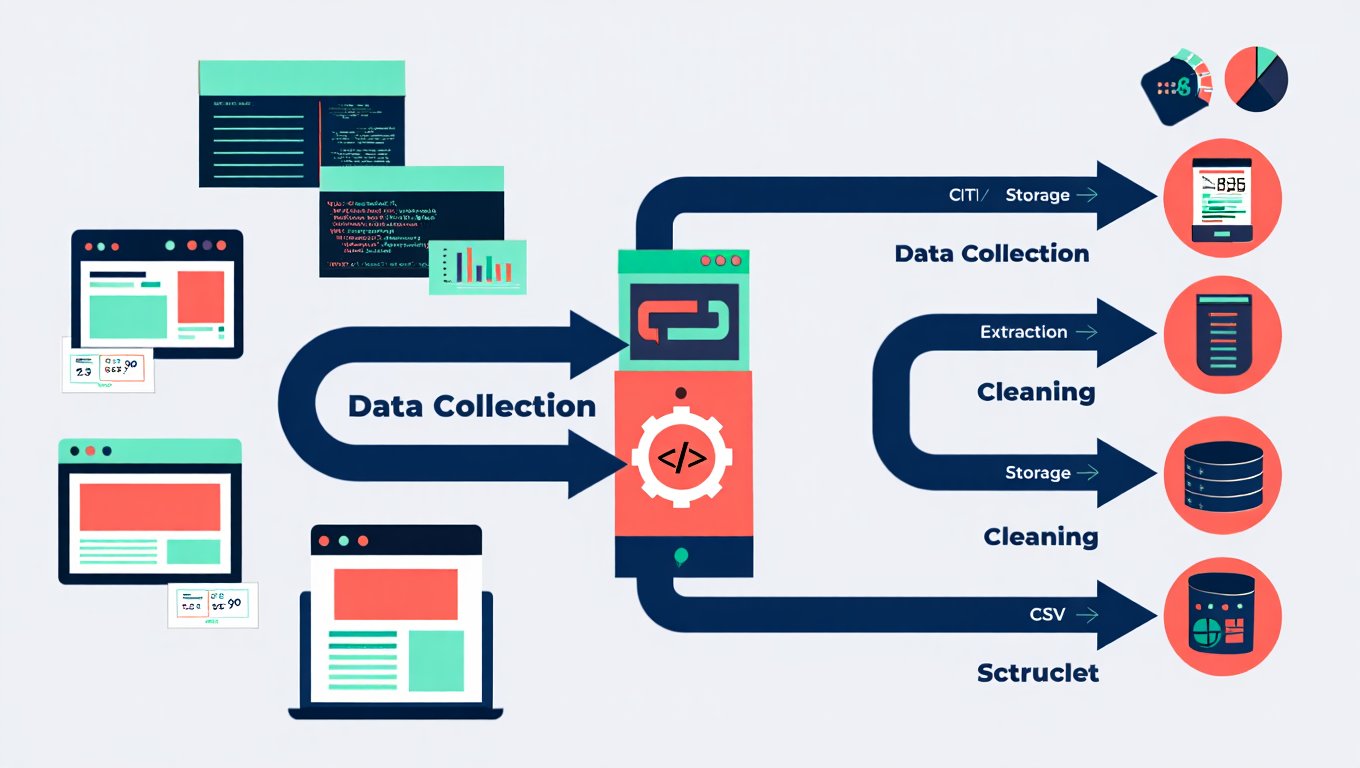
Data scraping sends automated requests to a website. It reads the HTML code and pulls out the specific data you want. Here’s the step-by-step process in simple terms:
Step 1 — Sending a Request
Your scraping tool acts like a browser. It sends an HTTP request to a web page, just like your browser does when you type in a URL. The website sends back the raw HTML of that page.
Step 2 — Reading the HTML
Every web page is built with HTML code. That code contains the text, links, prices, images, and everything else you see on screen. The scraper reads through that code and identifies where the useful data lives. For example, a product price might sit inside a tag like <span class="price">$29.99</span>.
Step 3 — Extracting the Data
Once the scraper identifies the right tags and patterns, it pulls out the values you care about — names, prices, emails, reviews, addresses, whatever you need.
Step 4 — Handling Multiple Pages
Most scraping jobs involve hundreds or thousands of pages. The scraper follows links and repeats the same process on each page. This is known as *crawling*. It’s how scrapers collect data on a large scale.
Step 5 — Storing the Data
The final step saves everything in a structured format, like CSV, JSON, or a database. Then, you can analyze it, import it into another tool, or share it with a team.
Here is a simple visual of that full flow:
| Stage | What Happens |
|---|---|
| Request | Scraper sends HTTP request to target URL |
| Download | Web server returns the HTML content |
| Parse | Scraper reads the HTML and finds relevant tags |
| Extract | Pulls out the data values (text, numbers, links) |
| Store | Saves everything into CSV, JSON, or a database |
The 5 Main Types of Data Scraping
There are 5 common types of data scraping, each suited for different sources or methods. Knowing which type fits your goal saves time and helps you choose the right tool.
Web Scraping
Web scraping is the most popular type. It collects data from public websites, like product listings, articles, job postings, property listings, and news feeds. If it’s on a webpage and visible in a browser, web scraping can gather it. Businesses use it to monitor competitors, track prices, and collect market insights.
Screen Scraping
Screen scraping reads the visual output of a program or screen, not the underlying code. It captures what appears on the screen and turns it into usable text. This method is helpful for older legacy systems without API or database access. The tool takes a “snapshot” of the screen and reads it.
Social Media Scraping
Social media scraping pulls data from platforms like Twitter/X, Instagram, LinkedIn, Reddit, and TikTok. This includes usernames, post content, hashtags, follower counts, engagement metrics, and comments. Brands use this data to track mentions, measure sentiment, and understand audience behavior. Many major platforms restrict scraping in their Terms of Service, so handle this area with care.
Email Scraping
Email scraping gathers email addresses from web pages, directories, or contact lists. It’s often used to build business contact lists, like pulling publicly listed emails from a company directory. However, it becomes a problem when used without consent or for spam, which is illegal in many countries under laws like GDPR and CAN-SPAM.
Database Scraping
Database scraping extracts data directly from an accessible database interface, such as a public API endpoint or data portal. This is usually the cleanest and most efficient form of data scraping since the data is structured. Government data portals and public databases often fit into this category.
Where Is Data Scraping Actually Used?
Data scraping is used in at least 8 major industries, from retail to healthcare to real estate. Here are some real-world examples showing its wide reach.
Price Monitoring in E-Commerce
Retailers like Amazon update prices millions of times a day. Competing stores use scrapers to track these changes and adjust their own prices in real time. This practice, called dynamic pricing or price intelligence, drives much of the global demand for data scraping.
If you sell online and your prices aren’t competitive, you risk losing sales. Scraping competitor prices can fix that quickly.
Market Research and Trend Analysis
Before launching a new product, smart companies want to understand the current market. Data scraping gathers reviews, forum discussions, product rankings, and keyword trends from the web. Instead of spending months on surveys, researchers can collect thousands of real customer opinions from sites like Amazon, Yelp, and Trustpilot in just hours.
Real Estate Data Aggregation
Real estate platforms like Zillow and Realtor.com show property listings from many sources. They use data scraping to pull listings, prices, square footage, neighborhood data, and photos from smaller sites. Individual investors also use scraping to track property price trends in different zip codes.
Lead Generation for Sales Teams
Sales teams scrape business directories, LinkedIn, and industry sites to create targeted contact lists. Instead of spending days searching for company names and email addresses, a scraper can collect thousands of qualified leads quickly — ready to import into a CRM.
Academic Research and Journalism
Researchers use data scraping to gather large datasets for studies. A sociologist might scrape Reddit threads to analyze language patterns. A journalist may scrape government databases to investigate public spending. This method allows access to real, large-scale data that would be hard to collect manually.
Financial Data and Stock Market Intelligence
Hedge funds and financial analysts scrape earnings reports, SEC filings, news headlines, and social media sentiment to guide investment decisions. Speed is crucial here — the faster you process public data, the quicker you can act.
Travel Fare Comparison
Booking platforms like Google Flights, Kayak, and Skyscanner show prices from many airlines and hotels. All this data comes from scraping and API connections to booking systems. Without data scraping, these services couldn’t exist.
Job Market Intelligence
HR teams and job boards scrape career pages to track in-demand skills, hiring companies, and salary ranges. This data shapes hiring strategies, salary benchmarks, and workforce planning.
Data Scraping vs. Data Mining vs. Web Crawling
People often mix these 3 terms up. They are related but not the same thing.
| Term | What It Does |
|---|---|
| Data Scraping | Collects raw data from websites or sources |
| Web Crawling | Explores and indexes links across the web |
| Data Mining | Analyzes existing datasets to find patterns |
Data scraping collects data. Web crawling discovers where data is found. Data mining uncovers meaning within the data. Think of it as a pipeline: crawling finds pages, scraping extracts content, and data mining reveals hidden insights.
A web crawler, like Google’s, visits billions of pages and maps link structures. It doesn’t extract structured data; it just follows links. A scraper targets specific data points on certain pages. Data mining is a different stage. It takes existing data from a database and runs algorithms to find trends, correlations, and predictions.
The Best Data Scraping Tools Available Right Now
There are over 20 popular data scraping tools available, ranging from beginner-friendly no-code apps to advanced Python frameworks for developers. Here are the most widely used ones and what each one is best for.
BeautifulSoup (Python Library)
BeautifulSoup is a Python library for parsing HTML and XML documents. It is great for beginners learning to scrape static web pages. You send a request to a page, hand the HTML to BeautifulSoup, and it lets you search through tags and pull out the data you want. It is fast, clean, and easy to learn.
from bs4 import BeautifulSoup
import requests

url = "https://example.com/products"
response = requests.get(url)
soup = BeautifulSoup(response.text, "html.parser")
prices = soup.find_all("span", class_="price")

for price in prices:
    print(price.text)
Scrapy (Python Framework)
Scrapy is a full-featured web scraping framework — not just a library. It handles everything from sending requests to parsing data to saving output. It is ideal for large-scale scraping jobs where you need to crawl hundreds of thousands of pages. Scrapy is faster and more powerful than BeautifulSoup for complex projects.
Selenium (Browser Automation)
Selenium controls a real web browser — like Chrome or Firefox — through code. It is built for scraping dynamic web pages that load content using JavaScript. Most modern websites fall into this category. If BeautifulSoup shows you an empty page, Selenium is usually the fix.
Octoparse (No-Code Tool)
Octoparse is a desktop application that lets you scrape websites without writing a single line of code. You point and click on the elements you want to collect, and Octoparse builds the scraper for you. It is a strong option for marketers and business analysts who need data but are not developers.
ParseHub (No-Code Tool)
ParseHub works similarly to Octoparse. It handles dynamic content, JavaScript-heavy pages, and multi-step interactions like logging in or clicking through menus. It has a free tier and is popular with small teams.
Playwright (Modern Browser Automation)
Playwright is a newer browser automation tool from Microsoft. It supports Chrome, Firefox, and Safari, and it is considered faster and more reliable than Selenium for modern web scraping tasks. Developers who already know Selenium often switch to Playwright once they experience its speed.
Here is a quick comparison to help you pick the right tool:
| Tool | Skill Level | Best For | Cost |
|---|---|---|---|
| BeautifulSoup | Beginner | Static pages | Free |
| Scrapy | Advanced | Large-scale crawling | Free |
| Selenium | Intermediate | JavaScript-heavy pages | Free |
| Playwright | Intermediate | Modern dynamic sites | Free |
| Octoparse | Beginner | No-code scraping | Free/Paid |
| ParseHub | Beginner | No-code with login support | Free/Paid |
Is Data Scraping Legal?
Scraping publicly available data is usually legal in the United States. However, it depends on what you scrape, how you do it, and what you do with the data later. This area of data scraping is often misunderstood, so it’s important to clarify.
The hiQ Labs vs. LinkedIn Case
The key legal case in data scraping is hiQ Labs v. LinkedIn. hiQ is a small analytics firm that scraped publicly visible LinkedIn profiles for workforce analytics. LinkedIn attempted to block this and sent cease-and-desist letters. hiQ then sued.
The U.S. Ninth Circuit Court of Appeals ruled in favor of hiQ—twice. They stated that scraping publicly accessible data does not violate the Computer Fraud and Abuse Act (CFAA). This ruling established a major precedent: if data is visible online without a login, scraping it is legal under federal law.
But this doesn’t mean scraping is always okay. There are four key legal boundaries you need to know.
4 Legal Boundaries in Data Scraping
1. Terms of Service Violations. Most websites have Terms of Service that ban automated scraping. If you break these terms, you may face civil liability. The website can sue you, even if no criminal law applies. Always check the /robots.txt file and the Terms of Service before scraping any site.
2. Copyright infringement. Scraped content, such as articles, images, or product descriptions, is often protected by copyright. If you reproduce this content on your website or product without permission, you infringe on intellectual property rights.
3. Privacy law violations — GDPR and CCPA. If you scrape personal data about individuals, like names, email addresses, phone numbers, or location data, you may break privacy laws. The General Data Protection Regulation (GDPR) in Europe needs consent for collecting personal data. The California Consumer Privacy Act (CCPA) offers similar protections to California residents. Scraping personal data without consent can lead to fines of up to €20 million or 4% of global annual revenue under GDPR.
4. Server disruption. Sending thousands of requests per second to a website can overload its servers, causing it to slow down or crash. Courts have treated aggressive scraping that disrupts services as a form of trespass. Always use delays between requests and respect a site’s crawl rate.
The bottom line: scraping public data for research or analysis is generally acceptable. Scraping private data, ignoring Terms of Service, violating copyright, or collecting personal information without consent crosses legal and ethical lines.
7 Best Practices for Ethical Data Scraping
Ethical data scraping follows 7 core practices that protect you legally, respect website owners, and produce better quality data.
- Check
robots.txtfirst. Every website can have arobots.txtfile at its root URL (e.g.,example.com/robots.txt). This file tells bots which pages they are allowed to visit. Respect those rules — ignoring them increases your legal risk and can get your IP address blocked. - Read the Terms of Service. Before scraping any site, read the ToS section on automated access and data usage. If it says “no scraping,” honor it. There are usually alternative data sources or official APIs available.
- Slow down your requests. Set a delay of at least 1–2 seconds between each page request. This mimics human browsing behavior and avoids overwhelming the server. Tools like Scrapy have built-in rate-limiting settings for exactly this reason.
- Never scrape personal data without consent. If the data you are collecting can identify a real person — their name, email, address, or phone number — you are in legally sensitive territory. Check GDPR, CCPA, and your local privacy laws before proceeding.
- Use official APIs when available. Many platforms, like Twitter/X, Reddit, YouTube, and Google, provide official APIs for data access. APIs are faster, cleaner, and fully legal. Use them instead of scraping the front end.
- Identify your scraper honestly. Set a proper
User-Agentstring in your scraper that identifies who you are and how to contact you. This is good practice and can help resolve conflicts with website owners before they escalate. - Store only what you need. Do not collect and hoard more data than your project actually requires. This reduces privacy risk and keeps your storage manageable.
How to Protect Your Website from Unwanted Scraping
If you run a website, you may want to protect your content from being scraped without permission. There are 4 practical defenses worth knowing.
Rate Limiting
Rate limiting controls how many requests one IP address can make in a specific time. For example, if a bot sends 500 requests in one minute—much more than a human can do—you can block or slow down that IP automatically.
CAPTCHA Challenges
CAPTCHAs ask visitors to do tasks, like spotting traffic lights in photos. These tasks are easy for humans but hard for bots. While CAPTCHAs don’t stop all scrapers—some services can solve them automatically—they do slow down low-effort scraping a lot.
Rotating and Obfuscating HTML Structure
Scrapers rely on consistent HTML patterns. Changing class names, nesting structures, or element IDs often breaks existing scrapers. Some sites even randomize parts of their HTML on each page load. This makes reliable scraping much harder.
Bot Detection Services
Tools like Cloudflare Bot Management, Imperva Advanced Bot Protection, and DataDome detect bot traffic by observing behavior. They analyze mouse movements, scroll patterns, keystroke timing, and request fingerprints. These services block most automated scrapers before they reach any content.
Common Challenges You Will Run Into with Data Scraping
Data scraping can be challenging. Here are five common obstacles and ways to overcome them.
Dynamic JavaScript content is one of the biggest hurdles. Many websites use frameworks like React, Vue, and Angular to load content after the initial page load. BeautifulSoup can’t manage this by itself. You’ll need tools like Selenium or Playwright to render the JavaScript first.
IP blocking happens when a website detects too many requests from the same IP address and blocks you. The fix is to use rotating proxy services, which cycle through different IP addresses with each request.
Anti-scraping tools like Cloudflare add layers of verification that stop most basic scrapers. Bypassing these requires more advanced tools or using official APIs instead.
Inconsistent HTML structure means the data you want is formatted differently across different pages of the same site. A price might be in a <span> tag on one page and a <div> on another. Building scrapers that handle these inconsistencies takes extra work.
Frequent site changes can break your scraper overnight. If a website updates its layout or class names, your scraper stops working until you fix it. Monitoring your scrapers and building in error handling is essential for any serious long-term project.
Data Scraping vs. Using an API — Which Is Better?
An API is better than scraping when one is available. APIs are official, structured, and stable. They give you clean data in JSON or XML format without parsing HTML. They also come with the website owner’s permission, which removes legal risk entirely.
Data scraping is better when no API exists, when the API is too limited or expensive, or when you need data from multiple sources that do not have APIs at all.
Here is a quick side-by-side:
| Factor | Data Scraping | Official API |
|---|---|---|
| Permission | Often unclear | Always granted |
| Data quality | Requires cleaning | Usually clean |
| Stability | Breaks when site changes | Stable |
| Cost | Usually free or low | May have fees |
| Coverage | Almost any website | Only supported endpoints |
| Speed | Varies | Fast and consistent |
In practice, experienced data professionals combine both — using APIs where they exist and scraping as a fallback where they do not.
Frequently Asked Questions
Is data scraping the same as hacking?
No. Data scraping collects publicly visible information from websites using automated tools. Hacking involves unauthorized access to private systems, databases, or protected accounts. Scraping reads what is already displayed on public web pages — the same information any visitor could see in their browser. However, scraping data that is behind a login wall or bypassing security measures can cross into illegal territory.
Is data scraping legal?
Yes, in most cases — but with important conditions. Scraping publicly accessible data is generally legal in the U.S., as confirmed by the hiQ v. LinkedIn ruling. However, it becomes illegal if you violate a website’s Terms of Service, infringe on copyrighted content, or collect personal data in violation of GDPR or CCPA. The legality varies by country, data type, and how the data is used.
Can beginners do data scraping without coding?
Yes. Tools like Octoparse, ParseHub, and WebScraper.io are built for non-developers. They use point-and-click interfaces to build scrapers visually. You do not need to write any Python or JavaScript to collect data with these tools. For those who want to learn coding, BeautifulSoup with Python is considered the best beginner-friendly starting point.
Does data scraping slow down a website?
Yes, it can — especially if done aggressively. A scraper sending hundreds of requests per second can overload a server, slow page load times for real users, and potentially crash the site. This is one reason responsible scrapers always set delays between requests and avoid scraping during peak traffic hours.
What is the difference between data scraping and data mining?
Data scraping collects raw data. Data mining analyzes data to find patterns. Scraping is the collection step — you pull information from websites and store it. Data mining is what comes after — you run algorithms and statistical models on that stored data to find trends, predict outcomes, or identify correlations. You need data before you can mine it, so scraping often feeds into data mining workflows.
Is scraping social media illegal?
It depends on the platform and how you use the data. Most social media platforms — including LinkedIn, Instagram, and Twitter/X — explicitly prohibit scraping in their Terms of Service. That said, the hiQ v. LinkedIn ruling showed that scraping publicly visible profiles does not automatically break federal law. The key distinction is whether the data is public or private, and whether your use of that data respects privacy laws like GDPR.
How much data can a scraper collect in one day?
A well-configured scraper can collect millions of records per day. The actual volume depends on the target website’s speed, your scraper’s request rate, the number of IP addresses you use, and how complex the pages are. A simple scraper running on a single machine with conservative rate limits might collect 50,000 to 100,000 records per day comfortably without triggering anti-bot defenses.
Conclusion
Data scraping is a powerful tool in the modern data toolkit. It takes the open web, rich with valuable information, and turns it into structured datasets. These datasets help drive business decisions, advance research, and create a competitive edge.
You know what data scraping is and how it works. You’ve learned the five main types and where it’s used in different industries. You also know which tools are useful and where the legal and ethical lines are. This gives you a solid foundation. Whether you’re a business owner tracking competitors, a researcher creating a dataset, a developer making your first scraper, or someone curious about data scraping, you’re well-prepared.
The most important takeaway: scrape responsibly. Check Terms of Service. Respect robots.txt. Do not collect personal data without a legal basis. Use APIs when they are available. And always slow your requests down so you are not disrupting the website you are pulling from.
Data scraping done right is not just powerful — it is sustainable, legal, and genuinely useful for everyone involved.
You May Also Like
 VPN & Proxy
Why Does Google Say Our Systems Have Detected Unusual Traffic From Your Computer Network?
 VPN & Proxy
How to Block Ads on Pinterest: A Simple Guide
 Web Scraping
TinyFish.ai Review: Is It the Best AI Agent for Web Scraping
 VPN & Proxy
10 Best VPNs for California in 2026: Privacy, Speed, and Security
 VPN & Proxy
Mobile Proxies vs. Residential Proxies: Differences, Costs, and Use Cases
 VPN & Proxy
Datacenter vs. Residential Proxies: Differences, Costs, and Use Cases
 Web Scraping
Reasons Why You Should Avoid Using Free Proxies For Web Scraping
 Web Scraping
How to Use Proxies for Web Scraping Without Getting Blocked
 Web Development