


Attendance management software has become essential for modern businesses looking to streamline workforce management, ensure compliance, and improve productivity. With real-time tracking, automated workflows, and seamless payroll integration, these systems eliminate manual timekeeping errors and simplify HR processes.
What is Attendance Management Software?
Attendance management software is online tool that helps you to track and manage employee attendance in an organization. It records when employees arrive, leave, and their presence during work hours, helping with tasks like payroll processing, compliance reporting, and workforce analytics. Modern systems offer features like biometric attendance, facial recognition, geofencing, mobile apps, and integration with HR software.
Top 10 Best Attendance Management Software
1. Connecteam
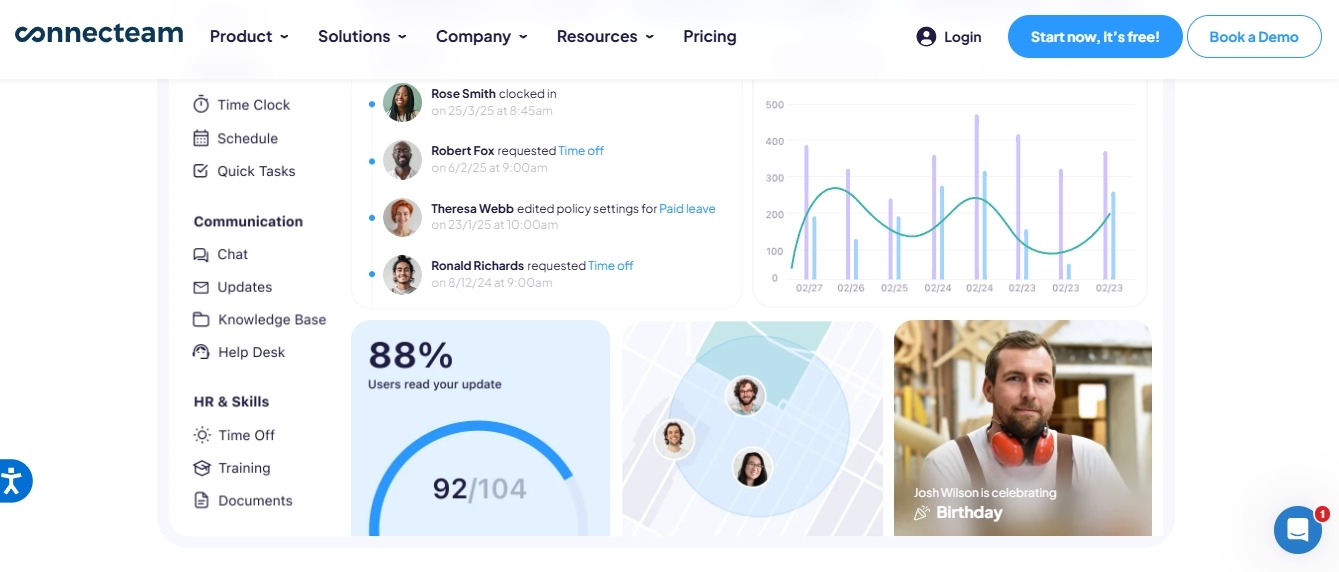
Connecteam stands out as a comprehensive employee attendance software that combines time tracking, scheduling, and workforce management on a single platform. This cloud-based attendance management system excels at tracking remote and field workers through GPS technology, making it invaluable for businesses with mobile teams. The software’s intuitive design ensures employees can easily clock in and out while providing managers with real-time visibility into workforce activities.
The platform’s strength lies in its mobile-first approach, delivering a seamless experience across smartphones and tablets. Connecteam’s attendance tracking software integrates powerful geofencing capabilities that automatically verify employee locations during clock-in times, preventing time theft and ensuring accurate payroll data. This feature proves especially beneficial for construction companies, delivery services, and field service businesses where traditional time clocks aren’t practical.
What sets Connecteam apart from other staff attendance software is its ability to handle complex scheduling scenarios while maintaining simplicity. The system automatically calculates overtime, tracks break times, and manages shift changes through an employee self-service portal. This automation reduces administrative burden while improving accuracy in time and attendance management, making it an ideal solution for growing businesses seeking to streamline their workforce operations.
Best For: Small to medium businesses with mobile workforces
Top Features:
- GPS-based time tracking and geofencing
- Mobile-first design with an intuitive app
- Employee scheduling and shift management
- Real-time attendance monitoring
- Payroll integration
- Employee self-service portal
- Customizable reporting and analytics
- Share the live link of schedule
- Notification Reminders
Pros:
- Excellent mobile app functionality
- Free plan available for up to 10 employees
- Strong GPS tracking capabilities
- User-friendly interface
- Comprehensive workforce management features
Cons:
- Limited advanced HR features
- Can be expensive for larger teams
- Some integrations may be limited
Pricing:
- Basic: $29/month (first 30 users)
- Advanced: $49/month (first 30 users)
- Expert: $99/month (first 30 users)
Live Link: https://connecteam.com
2. Hubstaff

Hubstaff delivers advanced employee time tracking software designed for remote teams and agencies requiring detailed productivity monitoring. This attendance management system goes beyond basic time tracking by offering comprehensive workforce analytics, including activity levels, application usage, and project-based time allocation. The platform’s sophisticated monitoring capabilities help businesses maintain productivity standards while supporting distributed teams across different time zones.
The software’s standout feature is its ability to provide granular insights into employee productivity through optional screenshot monitoring and activity tracking. Hubstaff’s time and attendance software automatically captures work patterns, helping managers identify peak productivity hours and optimize team performance. This level of detail makes it particularly valuable for agencies billing clients by the hour and remote companies needing to justify productivity metrics.
As a leading attendance monitoring software, Hubstaff integrates seamlessly with popular project management tools and payroll systems. The platform’s GPS tracking functionality ensures accurate time reporting for mobile workers, while its automated invoice generation streamlines client billing processes. This combination of time tracking precision and business automation makes Hubstaff an essential tool for service-based businesses and remote organizations prioritizing accountability and performance measurement.
Best For: Remote teams and agencies requiring detailed time tracking
Top Features:
- Advanced time tracking with screenshots
- Activity monitoring and productivity analytics
- GPS tracking for mobile workers
- Project-based time tracking
- Payroll processing and invoicing
- Team scheduling
- Detailed reporting and insights
Pros:
- Comprehensive time tracking features
- Strong project management integration
- Excellent reporting capabilities
- Multiple pricing tiers
- Good customer support
Cons:
- Can feel invasive with screenshot monitoring
- Learning curve for advanced features
- Limited free plan
Pricing:
- Free: 1 user only/ Free 14-day trial
- Starter: $7/user/month ($4.99 annually)
- Grow: $9/user/month ($7.50 annually)
- Team: $12/user/month ($10 annually)
- Enterprise: $25/user/month
Live Link: https://hubstaff.com
3. BambooHR

BambooHR represents a comprehensive HR software solution that seamlessly integrates attendance management with broader human resources functions. This employee attendance software serves as a central hub for managing time-off requests, tracking employee hours, and maintaining compliance with labor regulations. The platform’s strength lies in its ability to connect attendance data with performance management, benefits administration, and employee development programs, creating a unified workforce management experience.
The system’s leave management software component streamlines vacation requests, sick leave tracking, and PTO accruals through automated workflows and approval processes. BambooHR’s attendance tracking software maintains detailed records of employee time patterns, helping HR teams identify trends and make data-driven decisions about workforce planning. The platform’s reporting capabilities provide insights into attendance patterns, overtime costs, and compliance metrics that prove invaluable for strategic HR planning.
What distinguishes BambooHR as an attendance management system is its focus on employee experience and manager empowerment. The self-service portal allows employees to request time off, view accrual balances, and access their attendance records without HR intervention. Meanwhile, managers benefit from real-time dashboards showing team attendance patterns, pending requests, and schedule conflicts. This combination of automation and transparency makes BambooHR particularly effective for growing companies seeking to scale their HR operations while maintaining employee satisfaction.
Best For: Growing companies needing comprehensive HR management
Top Features:
- Integrated HR information system
- Time-off management and approval workflows
- Employee self-service portal
- Performance management tools
- Compliance tracking
- Custom reporting
- Mobile app for employees and managers
Pros:
- All-in-one HR platform
- Excellent user interface
- Strong compliance features
- Good customer support
- Scalable pricing model
Cons:
- It can be expensive for small businesses
- Some advanced features require add-ons
- Limited customization options
Pricing:
- Small companies (≤25 employees): Flat monthly rate
- Larger companies: Per-employee, per-month pricing
- Custom pricing based on company size and features
Live Link: https://bamboohr.com
4. When I Work
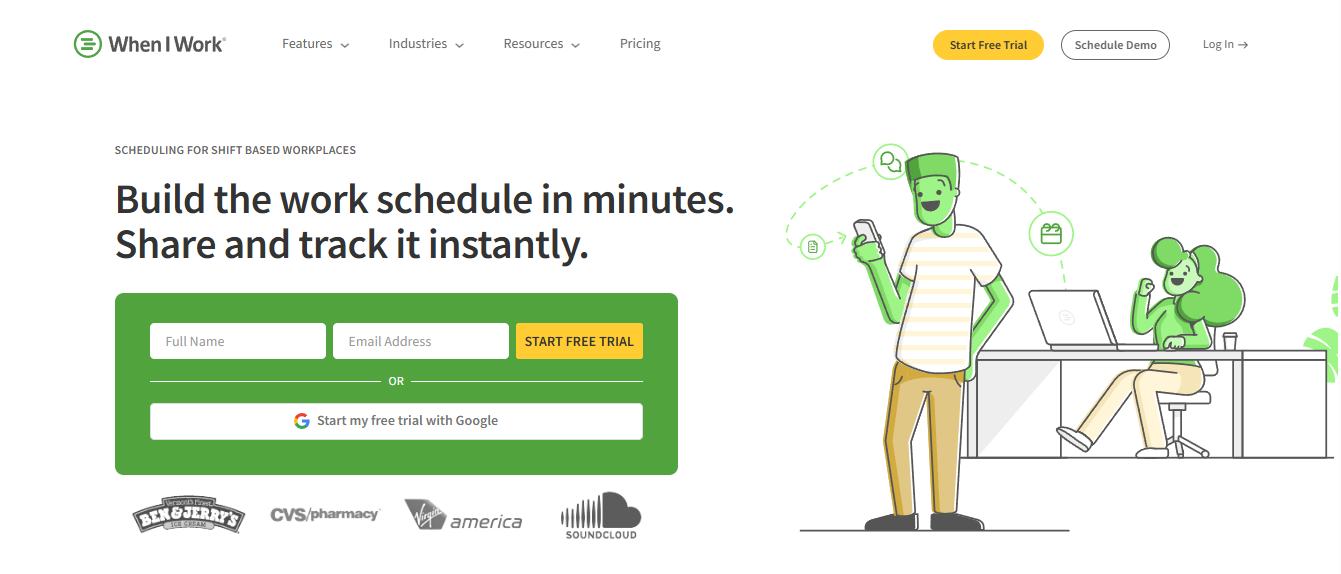
When I Work specializes in shift scheduling and time clock software tailored for hourly workers and service-based businesses. This attendance management software excels at managing complex scheduling scenarios common in retail, hospitality, and healthcare environments where shift coverage is critical. The platform’s scheduling engine automatically handles shift swaps, time-off requests, and last-minute coverage needs while maintaining compliance with labor laws and overtime regulations.
The software’s mobile attendance app empowers employees to manage their own schedules, request shift changes, and communicate with team members through integrated messaging features. When I Work’s employee time tracking capabilities include GPS verification to ensure accurate clock-in locations, making it ideal for businesses with multiple locations or remote work sites. The system’s real-time notifications keep managers informed about attendance issues, schedule conflicts, and labor cost overruns.
As a specialized staff attendance software, When I Work focuses on solving the unique challenges faced by shift-based businesses. The platform’s labor cost forecasting helps managers optimize scheduling decisions while staying within budget constraints. Its payroll integration streamlines the transition from time tracking to payment processing, reducing administrative overhead and improving accuracy. This targeted approach makes When I Work particularly effective for businesses where scheduling complexity and labor cost control are primary concerns.
Best For: Hourly workers and shift-based businesses
Top Features:
- Employee scheduling and shift swapping
- Time clock with GPS verification
- Labor cost tracking and forecasting
- Team messaging and communication
- Payroll integration
- Compliance reporting
- Mobile app for iOS and Android
Pros:
- Excellent for shift scheduling
- Strong mobile app
- Good payroll integrations
- Labor law compliance features
- Affordable pricing
Cons:
- Limited project tracking
- Basic reporting features
- Less suitable for salary employees
Pricing:
- Starts at $2.50/user/month
- 14-day free trial available
- Volume discounts for larger teams
Live Link: https://wheniwork.com
5. TimeClock Plus

TimeClock Plus delivers enterprise-grade attendance management software designed for large organizations with complex workforce management requirements. This comprehensive time and attendance software handles multi-location operations, diverse pay structures, and intricate labor compliance needs that challenge smaller solutions. The platform’s advanced automation capabilities streamline attendance policy enforcement, overtime calculations, and exception management across thousands of employees.
The system’s biometric attendance technology prevents time fraud while maintaining accurate records for payroll and compliance purposes. TimeClock Plus integrates sophisticated workflow engines that automatically route attendance exceptions, overtime approvals, and schedule changes through appropriate management channels. This level of automation reduces administrative burden while ensuring consistent policy application across large, distributed organizations.
What sets TimeClock Plus apart as an attendance monitoring software is its ability to handle complex enterprise scenarios such as union rules, multiple pay grades, and diverse scheduling patterns. The platform’s AI-powered analytics identify attendance trends, predict staffing needs, and flag potential compliance issues before they become problems. This proactive approach, combined with robust integration capabilities, makes TimeClock Plus an essential tool for enterprises requiring comprehensive workforce management and regulatory compliance.
Best For: Large enterprises with complex workforce management needs
Top Features:
- Advanced biometric time clocks
- Automated attendance policies
- Labor law compliance tools
- Integration with major payroll systems
- Advanced reporting and analytics
- Multi-location support
- AI-powered workflow automation
Pros:
- Enterprise-grade features
- Strong compliance capabilities
- Excellent integration options
- Scalable for large organizations
- Advanced automation features
Cons:
- Higher cost than competitors
- Complex setup process
- It may be overkill for small businesses
Pricing:
- Custom pricing based on organization size
- Contact for detailed quote
- Implementation and training cost additional
Live Link: https://tcpsoftware.com
6. Buddy Punch
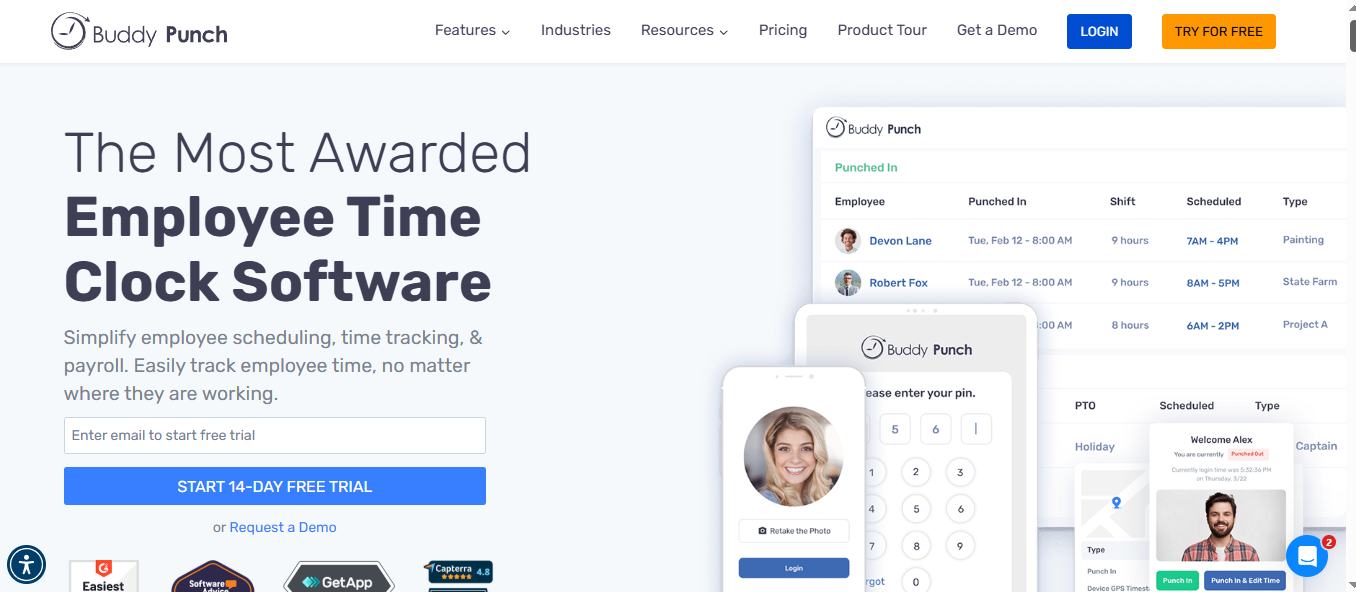
Buddy Punch offers straightforward employee attendance software that prioritizes simplicity and fraud prevention in time tracking. This web-based attendance management system earned its name by specifically addressing “buddy punching” – the practice where employees clock in for absent coworkers. The platform’s facial recognition technology and GPS tracking ensure that only authorized employees can record their attendance, protecting businesses from time theft and maintaining accurate payroll records.
The software’s clean interface makes it easy for employees to clock in and out while providing managers with clear visibility into attendance patterns and potential issues. Buddy Punch’s time and attendance software includes automated overtime calculations, PTO tracking, and customizable reporting features that streamline payroll processing. The system’s notification system alerts managers to late arrivals, early departures, and missed punches, enabling proactive workforce management.
As a specialized attendance tracking software, Buddy Punch focuses on delivering core time tracking functionality without overwhelming users with complex features. The platform’s straightforward approach appeals to small and medium businesses seeking reliable attendance management without extensive training or setup requirements. Its competitive pricing and robust customer support make it an attractive option for companies prioritizing simplicity and cost-effectiveness in their time tracking solution.
Best For: Small to medium businesses seeking simple time tracking
Top Features:
- Web-based time clock
- GPS tracking and geofencing
- Facial recognition technology
- Overtime calculations
- PTO tracking and management
- Payroll integration
- Custom reporting
Pros:
- Easy setup and implementation
- Facial recognition prevents buddy punching
- Good value for money
- Strong customer support
- Simple user interface
Cons:
- Limited advanced features
- Basic project management
- Fewer integrations than competitors
Pricing:
- Standard: $5.49/user/month
- Pro: $6.99/user/month
- Enterprise: $11.99/user/month
- 14-day free trial available
Live Link: https://buddypunch.com
7. Paylocity
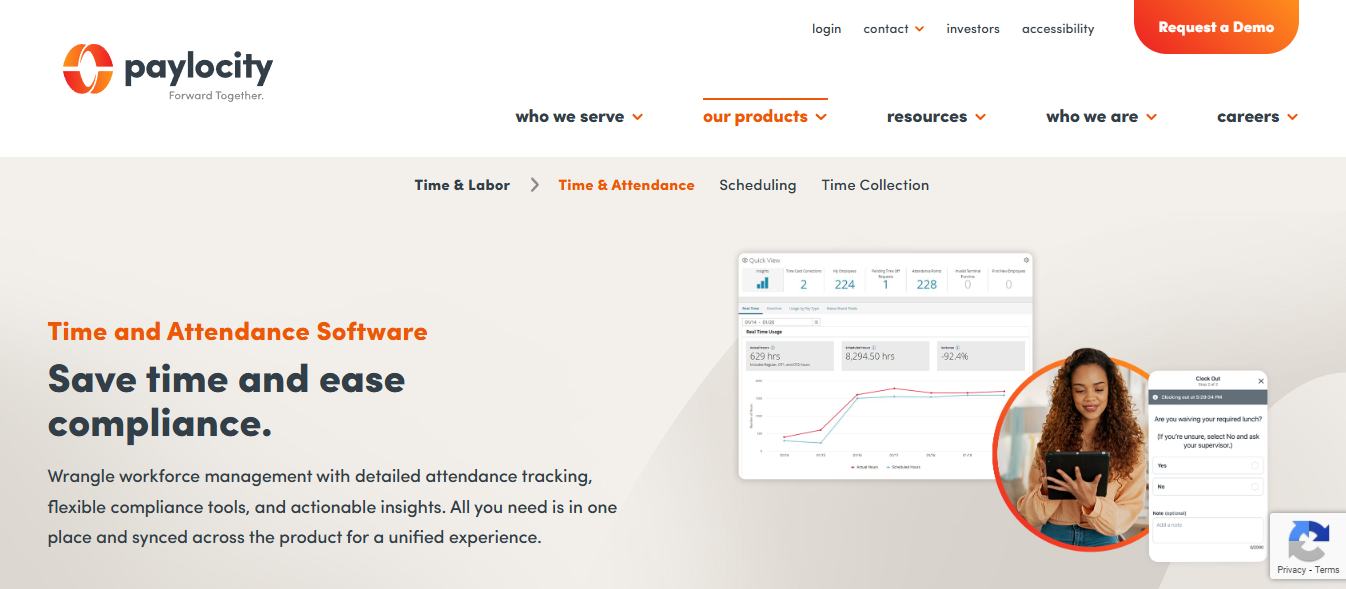
Paylocity delivers integrated HR software that combines attendance management with comprehensive workforce solutions including payroll, benefits, and talent management. This attendance management system serves mid-market companies seeking to consolidate their HR technology stack while maintaining sophisticated workforce management capabilities. The platform’s unified approach eliminates data silos between attendance tracking, payroll processing, and employee management functions.
The software’s automated attendance policy engine handles complex scenarios including multiple pay codes, shift differentials, and compliance requirements across different locations and employee groups. Paylocity’s employee time tracking software integrates biometric time clocks with mobile applications, providing flexible clock-in options while maintaining security and accuracy. The system’s real-time dashboard gives managers immediate visibility into labor costs, attendance patterns, and potential overtime issues.
What distinguishes Paylocity as a comprehensive staff attendance software is its ability to connect attendance data with broader HR analytics and strategic planning. The platform’s workforce management capabilities include predictive analytics that help identify attendance trends, optimize scheduling, and improve employee retention. This integration between attendance tracking and strategic HR functions makes Paylocity particularly valuable for growing companies seeking to leverage workforce data for competitive advantage.
Best For: Mid-market companies with comprehensive HR needs
Top Features:
- Automated attendance policy enforcement
- Biometric time clocks
- Mobile time tracking
- Leave management system
- Payroll processing
- HR analytics and reporting
- Employee self-service
Pros:
- Comprehensive HR platform
- Strong automation features
- Good compliance tools
- Scalable solution
- Excellent customer support
Cons:
- Can be expensive for smaller companies
- Complex implementation
- Some features require additional modules
Pricing:
- Custom pricing based on company size
- Contact for detailed quote
- Implementation fees may apply
Live Link: https://paylocity.com
8. WebWork Time Tracker
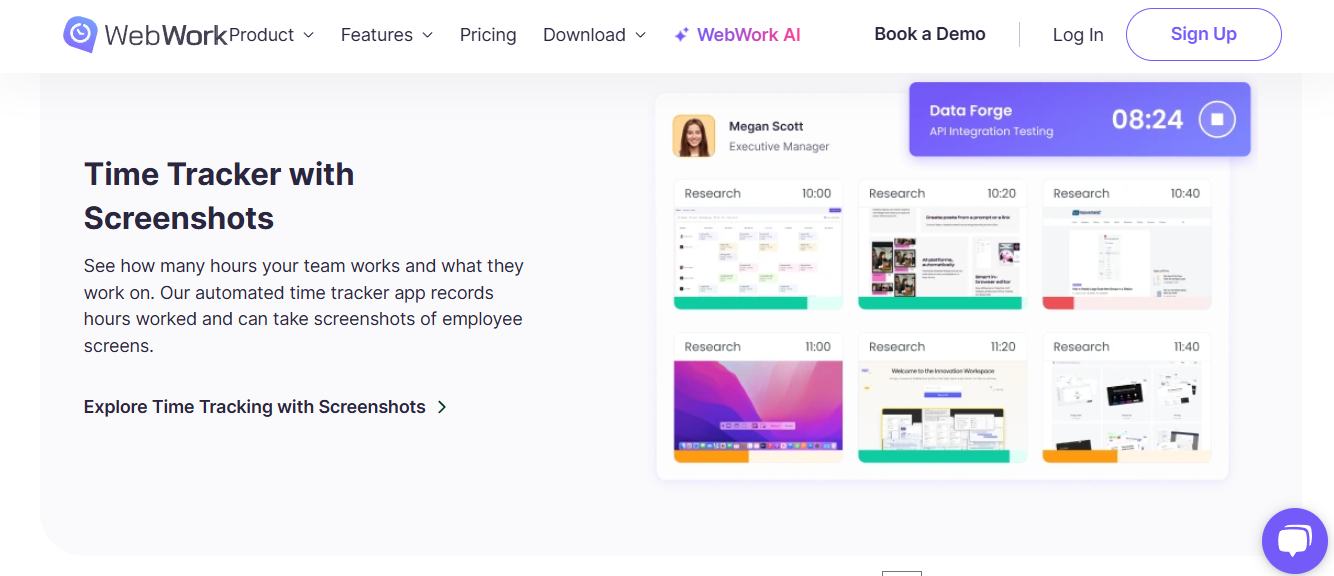
WebWork Time Tracker focuses on detailed productivity monitoring and employee time tracking software designed for remote teams and distributed workforces. This attendance management system provides comprehensive visibility into how employees spend their work time through screenshot monitoring, activity tracking, and detailed productivity analytics. The platform’s approach helps businesses maintain accountability and performance standards while supporting flexible work arrangements.
The software’s real-time monitoring capabilities capture detailed work patterns including application usage, website visits, and active versus idle time. WebWork’s attendance tracking software automatically generates productivity reports that help managers identify top performers, optimize workflows, and address productivity challenges. The platform’s project-based time tracking enables accurate client billing and project profitability analysis for service-based businesses.
As a specialized attendance monitoring software, WebWork Time Tracker serves businesses requiring detailed workforce analytics and productivity insights. The platform’s collaboration features include team messaging, task management, and project coordination tools that enhance remote team effectiveness. While its monitoring approach may not suit all workplace cultures, it provides valuable insights for businesses prioritizing productivity measurement and remote work accountability.
Best For: Businesses requiring detailed productivity monitoring
Top Features:
- Real-time activity monitoring
- Screenshot and screen recording
- Project and task tracking
- Productivity analytics
- Time tracking with idle detection
- Team collaboration tools
- Detailed reporting
- Employee GPS Tracking
Pros:
- Comprehensive monitoring features
- Good for remote team management
- Detailed productivity insights
- Affordable pricing
- Easy to use interface
Cons:
- May feel intrusive to employees
- Limited HR features
- Basic scheduling capabilities
Pricing:
- Starter: $4.99/user/month
- Best Value: $5.59/user/month
- PREMIUM: $6.74/user/month
- Yearly -20% and 14-Day Free Trial
Live Link: https://webwork-tracker.com
9. QuickBooks Time (formerly TSheets)

QuickBooks Time represents seamless integration between time tracking and accounting systems, making it the ideal attendance management software for businesses already using QuickBooks for financial management. This employee time tracking solution eliminates double data entry by automatically flowing attendance and labor cost information into payroll and job costing reports. The platform’s tight integration creates a unified workflow from time capture to invoice generation.
The software’s mobile attendance app enables employees to track time from any location while automatically categorizing hours by project, client, or job site. QuickBooks Time’s GPS tracking and geofencing features ensure accurate location verification for field workers and service technicians. The system’s scheduling capabilities help managers optimize workforce deployment while maintaining real-time visibility into labor costs and project profitability.
What makes QuickBooks Time particularly effective as a time and attendance software is its ability to bridge the gap between workforce management and financial operations. The platform’s automated job costing features help businesses understand true project profitability by accurately allocating labor costs. This integration between attendance tracking and financial management makes QuickBooks Time an essential tool for service businesses, contractors, and professional services firms seeking to improve project profitability and operational efficiency.
Best For: Businesses already using QuickBooks for accounting
Top Features:
- Seamless QuickBooks integration
- Mobile time tracking
- GPS tracking and geofencing
- Job costing and project tracking
- Scheduling and time-off management
- Payroll integration
- Compliance reporting
- See who works at a company
- Collaborate in real time
Pros:
- Perfect integration with QuickBooks
- Easy setup for existing users
- Good mobile app
- Competitive pricing
- Strong customer support
Cons:
- Limited features outside QuickBooks ecosystem
- Basic HR functionality
- Less suitable for non-QuickBooks users
Pricing:
- Free Trial: New users can enjoy a 30-day free trial to explore the features of QuickBooks Time. After the trial, a subscription is required to continue using the service.
- Base Fee: $30 per month
- Per User Fee: $10 per user per month
- Structure: The total monthly cost starts at a $30 base fee plus an additional $10 for each user. For example, for 5 users, the cost would be $30 (base fee) + $10 × 5 (users) = $80 per month.
Live Link: https://quickbooks.intuit.com/time-tracking/
10. ADP Workforce Now
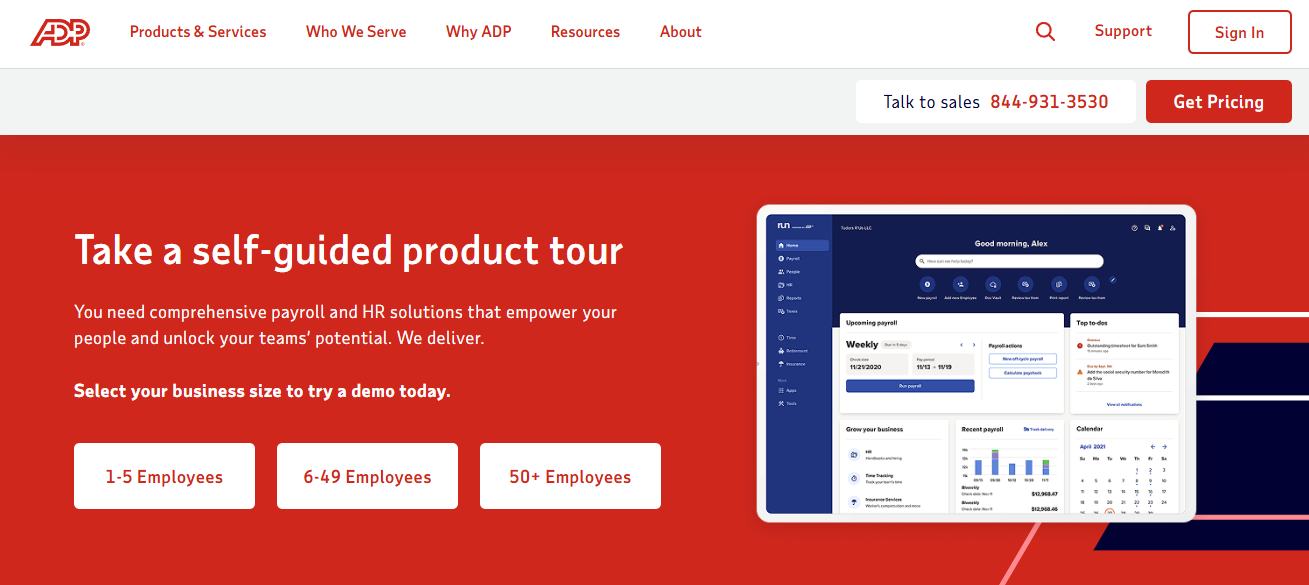
ADP Workforce Now delivers comprehensive HR software that integrates attendance management with full-spectrum workforce solutions like payroll, benefits, talent management, and compliance reporting. This enterprise-grade attendance management system serves large organizations requiring sophisticated workforce management capabilities across multiple locations and diverse employee populations. The platform’s unified approach connects attendance data with strategic HR functions such as performance management, succession planning, and workforce analytics.
The software’s advanced time and attendance features handle complex enterprise scenarios including union rules, multiple pay structures, and intricate compliance requirements. ADP’s attendance tracking software leverages decades of payroll and HR expertise to ensure accurate time capture, proper overtime calculations, and regulatory compliance across diverse industries. The system’s robust reporting capabilities provide executives with workforce insights that support strategic decision-making and operational optimization.
What distinguishes ADP Workforce Now as an attendance monitoring software is its comprehensive approach to workforce management backed by extensive compliance expertise. The platform’s integration capabilities connect with existing enterprise systems while maintaining data security and audit trails required by large organizations. This combination of comprehensive functionality, compliance expertise, and enterprise scalability makes ADP Workforce Now the preferred choice for large corporations seeking to modernize their workforce management infrastructure while maintaining regulatory compliance.
Best For: Large enterprises requiring full HR suite
Top Features:
- Comprehensive HR management
- Advanced time and attendance tracking
- Benefits administration
- Talent management
- Payroll processing
- Compliance management
- Analytics and reporting
Pros:
- Enterprise-grade solution
- Comprehensive HR features
- Strong compliance capabilities
- Excellent integration options
- Established market presence
Cons:
- High cost for small businesses
- Complex implementation
- Steep learning curve
- Limited customization
Pricing:
- Custom pricing based on services and features
- Contact for detailed quote
- Implementation and training costs additional
Live Link: https://adp.com
Key Features to Look For
Modern attendance management software should meet both basic and advanced needs. It should track time and manage the workforce well. Knowing these features helps businesses pick the right software for their needs and growth.
Core Functionality:
- Real-time attendance tracking with multiple clock-in methods
- Automated timesheet generation and approval workflows
- Leave management and approval workflows with accrual tracking
- Mobile accessibility through dedicated apps and responsive web interfaces
- Integration with payroll systems for seamless data transfer
- Employee self-service portals for time-off requests and schedule viewing
- Manager dashboards with real-time attendance visibility
- Automated notifications for attendance exceptions and policy violations
Advanced Features:
- Biometric authentication including fingerprint and facial recognition technology
- GPS tracking and geofencing for location-based attendance verification
- Shift scheduling and management with automated conflict resolution
- Overtime calculations based on federal and state regulations
- Compliance reporting for labor law adherence and audit trails
- Analytics and productivity insights through detailed reporting
- Integration with HR software, project management tools, and accounting systems
- Customizable attendance policies and approval workflows
Security and Compliance:
- Data encryption and secure access controls
- Audit trails and compliance reporting capabilities
- GDPR and privacy regulation compliance
- Role-based access controls and permissions management
User Experience:
- Intuitive interface requiring minimal training
- Multi-language support for diverse workforces
- Offline capability for remote locations
- Customizable dashboards and reporting views
Industry-Specific Requirements:
- Healthcare: HIPAA compliance, shift differential tracking, and credential management
- Retail: Multi-location support, seasonal worker management, and sales integration
- Education: Academic calendar integration, substitute management, and student worker tracking
- Manufacturing: Break tracking, safety compliance, and production schedule integration
- Construction: Project-based time tracking, equipment time logging, and weather delay tracking
Scalability Features:
- Support for multiple locations and time zones
- Flexible pricing models that grow with business needs
- Integration capabilities with enterprise systems
- Customization options for unique business requirements
- Multi-currency and multi-language support for global operations
Factors to Consider When Choosing
Choosing the right attendance management software is important. It affects both immediate success and long-term effectiveness. These factors help businesses choose technology that meets their goals and needs.
Business Size and Structure:
- Small Business (1-50 employees): Look for cost-effective solutions with basic features. They should be easy to use and offer scalable pricing.
- Medium Business (51-500 employees): Choose solutions with advanced features like multi-location support. They should integrate well with existing systems.
- Large Enterprise (500+ employees): Focus on platforms with advanced compliance features. They should handle complex structures and diverse workforces.
Industry-Specific Needs:
- Service Industries: GPS tracking, mobile apps, and project-based time tracking
- Manufacturing: Break compliance, shift management, and safety integration
- Healthcare: HIPAA compliance, credential tracking, and complex scheduling
- Retail: Multi-location support, seasonal workforce management, and sales integration
- Professional Services: Project time tracking, client billing, and productivity analytics
Deployment Options and Technical Requirements:
Choosing the Right Attendance Management Software
Choosing the right attendance management software is key for any business. It’s important to consider the costs, how it fits with your current systems, and how it will grow with your company. Here are some tips to help you make the best choice.
Cloud-based Solutions: Lower upfront costs, automatic updates, remote access, and reduced IT maintenance requirements. Ideal for businesses with limited IT resources or remote workforces.
On-premise Solutions: Greater control over data, customization options, and one-time licensing costs. Better for organizations with specific security requirements or complex integration needs.
Hybrid Solutions: Combination of cloud and on-premise components for maximum flexibility and security.
Budget Considerations and Total Cost of Ownership:
- Initial Costs: Software licensing, hardware requirements, and implementation services
- Ongoing Costs: Monthly subscriptions, maintenance fees, and support contracts
- Hidden Costs: Training, customization, integration, and upgrade expenses
- ROI Factors: Time savings, reduced errors, compliance benefits, and productivity improvements
Integration Requirements and Ecosystem Compatibility:
- Payroll Systems: ADP, Paychex, QuickBooks, and other payroll providers
- HR Platforms: BambooHR, Workday, SuccessFactors, and HRIS systems
- Project Management Tools: Asana, Trello, Monday.com, and Microsoft Project
- Communication Platforms: Slack, Microsoft Teams, and collaboration tools
- Accounting Software: QuickBooks, NetSuite, and ERP systems
Scalability and Future Growth:
- User capacity and pricing flexibility
- Feature expansion capabilities
- Geographic expansion support
- Integration with additional systems
- Customization and workflow modification options
Vendor Evaluation Criteria:
- Company stability and market presence
- Customer support quality and availability
- Implementation and training services
- Security certifications and compliance
- Update frequency and feature development roadmap
Implementation Best Practices
Implementing attendance management software well needs careful planning and execution. It’s important to plan ahead, engage stakeholders, and test the system thoroughly. This ensures a smooth transition and maximizes the benefits of the software.
- Pre-Implementation Planning and Assessment: Start by analyzing your current attendance processes and identifying what needs improvement. Document your current workflows and compliance requirements. This helps you choose the right software for your needs.
- Stakeholder Engagement and Change Management: Engage with stakeholders early and clearly communicate the benefits and timeline of the implementation. This helps reduce resistance and increases adoption rates.
- Phased Implementation Strategy: Implement the software in phases, starting with the basics and adding more features gradually. This approach helps users adjust and builds confidence before adding more complex features.
- Data Migration and System Integration: Plan carefully how to move your data to the new system. Clean and validate your data, establish data mapping protocols, and test thoroughly before full implementation. Ensure seamless integration with your existing systems.
- Training and Support Programs: Provide detailed training for all users, including administrators, managers, and employees. Offer ongoing support and create resources like user guides and video tutorials to help users.
- Policy Development and Communication: Develop clear attendance policies and communicate them before launching the system. Regularly update policies and communicate changes to keep users informed and compliant.
- Testing and Quality Assurance: Test the system thoroughly, covering various scenarios and edge cases. Document test results and issues to provide ongoing support and reference.
- Post-Implementation Optimization: Keeping an eye on how systems work helps them succeed over time. It’s important to check how users are doing and how well the system is performing. This way, you can find ways to make it better.
- Compliance and Legal Considerations: Attendance management software is key for following labor laws. It helps avoid legal trouble and keeps employees treated fairly. Knowing the laws and picking the right software is essential.
- Federal Labor Law Compliance: The Fair Labor Standards Act (FLSA) sets rules for work hours and pay. Systems must track hours, overtime, and breaks to pay employees right. They also keep records for audits and reports.
- State and Local Regulation Adherence: Laws vary by state and city, adding to the rules for tracking work hours. Software should handle these different rules, helping companies in many places. It should also let you set rules based on where employees work.
- Family and Medical Leave Act (FMLA) Compliance: FMLA requires tracking leave and job rights. Software should work with leave systems to track leave and follow rules. This helps HR manage leave while keeping things private and legal.
- Industry-Specific Compliance Requirements: Different fields have their own rules for tracking work hours. Healthcare, transportation, and manufacturing all have special needs. Software must meet these needs to keep everyone in line.
- Wage and Hour Compliance: Keeping accurate time is key for fair pay. Systems should handle pay structures and overtime. They also need to track breaks and help with audits.
- Record Retention and Audit Trail Requirements: Keeping records for a few years is a must. Modern software keeps detailed logs of work hours. These records must be safe and easy to find for audits.
- Privacy and Data Protection: Software must keep employee data safe while letting the company use it. It must follow privacy laws like GDPR. Companies should check how vendors protect data.
- Workers’ Compensation and Safety Compliance: Accurate records help with claims and safety. They show who was there during incidents and if training was done. Working with safety systems helps keep records up to date.
Return on Investment
Getting attendance management software can save a lot of money. It can cut payroll time by up to 80%, stop time theft, and make sure pay is right. It also helps with rules and makes employees happier.
Conclusion
The right attendance management software depends on your business. Small businesses might like Connecteam for its free plan. Remote teams might prefer Hubstaff for its tracking. Growing companies might want BambooHR for its HR tools.
Look for software that fits your needs now and will grow with you. Consider how easy it is to use, if it can work with other systems, and how much it costs. Try it out with your own work before you buy.
Getting software to work well takes planning and training. Pick a vendor that helps you during setup and keeps helping as you grow.
You May Also Like
 Web Development
What Is API Rate Limiting? (A Practical, Simple Guide for Safer, Faster APIs)
 Web Development
REST API vs SOAP API: Differences, Pros & Cons, and Use Cases
 SaaS
SaaSWhy Cloud CRM Has Quietly Become the Backbone of Modern Customer Support
 SaaS
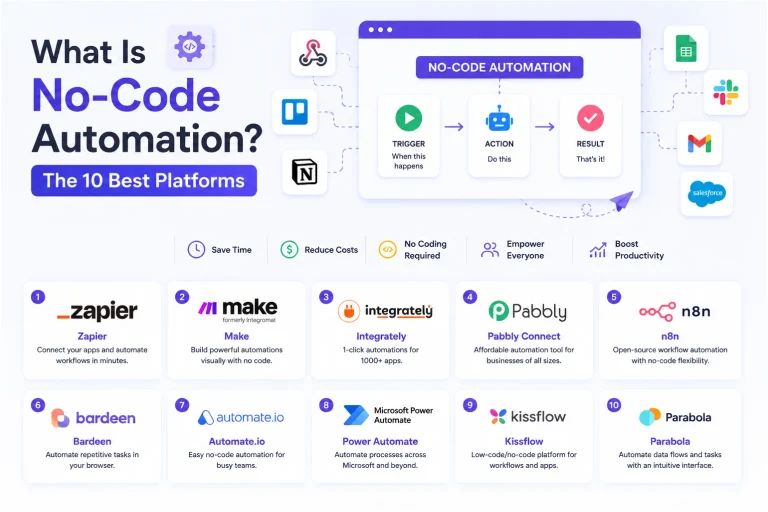
SaaSWhat Is No-Code Automation? How It Works, Benefits, and Risks
 Software
9 Best Free Laser Engraver Software Tools in 2026
 Web Development
Supabase vs Firebase: Which Backend Platform is Right for Your Project?
 Cloud Computing
8 Best AWS S3 Alternatives Compared: Pricing, Egress, and S3 Compatibility
 SaaS
SaaSWhat is Confluence Used For In Project Management?
 SaaS
SaaS