

Running a small restaurant is one of those things that looks simple from the outside. You cook food, people eat it, everyone goes home happy. But if you have ever actually stood behind the counter during a Friday dinner rush — juggling a jammed printer, a missing server, and a supplier who sent the wrong order — you know the reality is a whole different story. The margin for error in this industry is razor-thin, and the restaurants that survive long-term are usually the ones that figure out how to run smarter, not just harder.
That is where restaurant management software comes in. Over the past few years, these tools have gone from “nice to have” to genuinely essential for small restaurant owners who want to stay competitive. We are talking about systems that handle your point-of-sale transactions, track your food costs in real time, schedule your staff without the back-and-forth, manage online orders, and even build customer loyalty — all from one connected platform. The right software does not replace the human touch that makes your restaurant special. It just handles the tedious, time-consuming backend work so you can focus on what actually matters.
In this guide, you will find the 10 best restaurant management software solutions for small restaurants in 2026 — each reviewed honestly, with real pricing, key features, genuine pros and cons, and a clear answer to who each tool works best for. Whether you are opening your first location or finally ready to ditch the spreadsheet system you have been limping along with, there is something here for you.
1. Toast POS
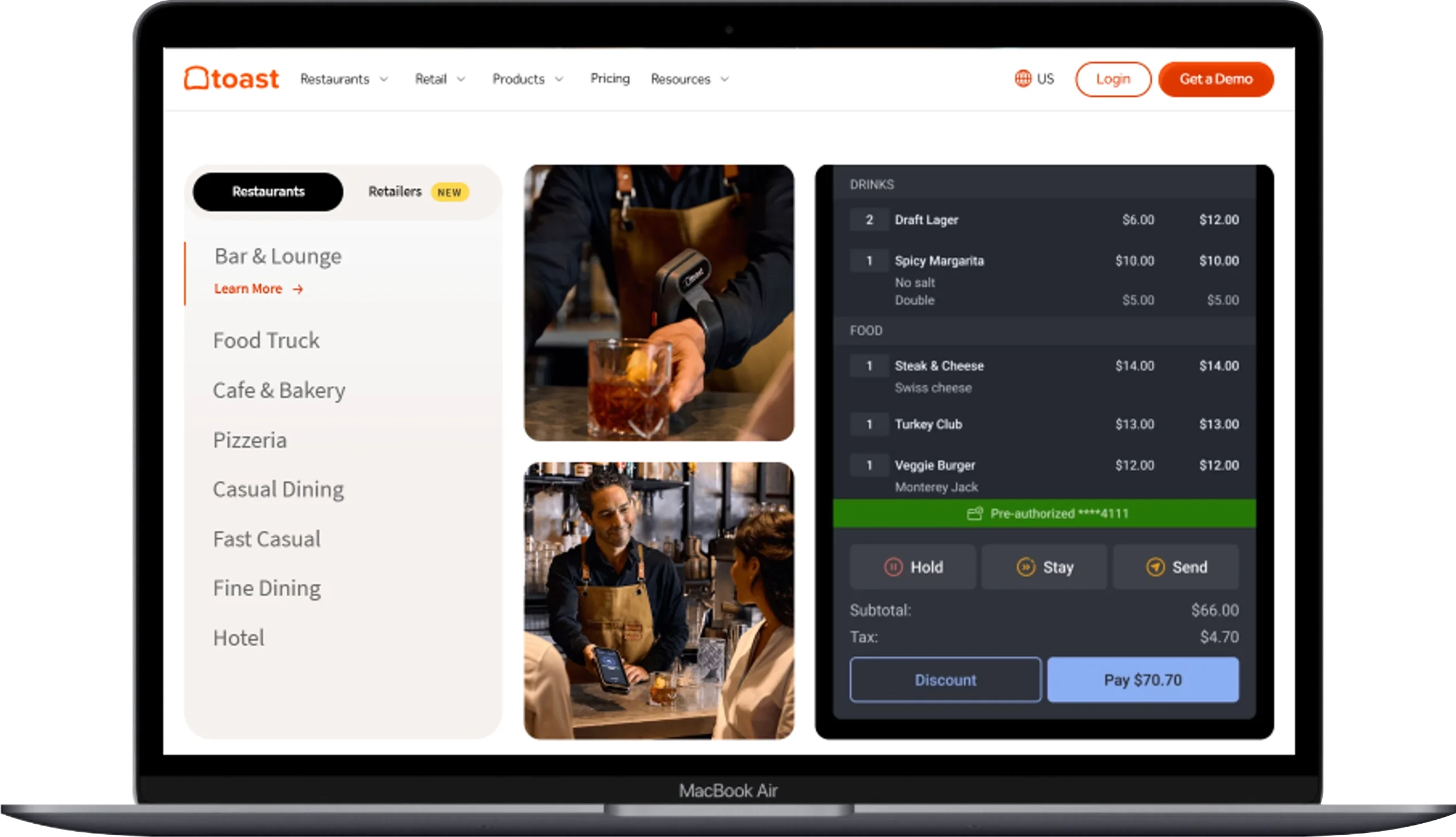
Walk into almost any independent restaurant in the US these days and there is a decent chance you will spot Toast hardware on the counter. That orange logo has become something of a fixture in the food service world, and it is not hard to see why. Toast was built specifically for restaurants from day one — not adapted from some retail POS — and that focus shows in every part of how it works.
When you run Toast, your servers can take orders tableside using handheld devices called Toast Go, fire them straight to the kitchen display, and process payment right at the table without ever walking away. On a busy Saturday night, that kind of speed makes a real difference. It reduces order errors, cuts down on ticket times, and means your team spends less time running back and forth and more time actually serving guests. For a small restaurant with limited floor staff, that efficiency matters enormously.
What a lot of small restaurant owners appreciate about Toast is that you do not have to commit to the full suite right away. You can start with the free Starter plan and essentially get a fully functional POS at zero monthly cost — paying only when you process a transaction. Then, as you grow and your needs become more complex, you can layer on online ordering, a loyalty program, gift cards, staff scheduling, and even payroll, all within the same system. Your data stays connected across every module, which means you are not manually reconciling numbers across three different platforms at the end of the month.
The reporting side of Toast is genuinely useful for day-to-day decision-making. You can pull up your sales numbers on your phone from home, see which menu items are underperforming, check which server is upselling the most, and get a clear picture of your food cost margins — all without needing an accountant on speed dial. It is not perfect, and the fact that you are locked into Toast’s own payment processor does frustrate some operators, but for most small restaurants, the trade-off is worth it.
Key Features:
- Tableside ordering with Toast Go handheld devices built for restaurant environments
- Kitchen display system (KDS) integration that eliminates paper tickets
- Commission-free online ordering and direct delivery management
- Built-in loyalty rewards program and digital gift cards
- Employee scheduling with time clock tracking and payroll add-on
- Real-time sales dashboards viewable from any device
- Menu management with item modifiers, 86ing, and pricing controls
- Offline mode so your operation does not stop when the Wi-Fi does
- 200+ third-party integrations including delivery apps and accounting tools
Pros:
- Free Starter plan is genuinely useful, not just a stripped-down demo
- Hardware is durable, spill-resistant, and built for the chaos of a real kitchen
- One of the most actively updated platforms on the market
- Strong peer community of restaurant users for advice and troubleshooting
Cons:
- You cannot use a third-party payment processor — Toast’s rates are non-negotiable
- Costs can creep up fast once you start adding modules
- Some users report inconsistent customer support response times
- Long-term hardware contracts can feel restrictive for smaller operators
🔗 Official Website: Toast POS
Pricing: Free Starter plan available (3.15% + $0.15 per transaction). Paid plans start at $69/month. Custom pricing for multi-location and high-volume restaurants.
Best for: Small full-service restaurants, cafes, bars, quick-service spots, and food trucks that want one platform to handle their entire operation from the front door to the back office.
2. Square for Restaurants
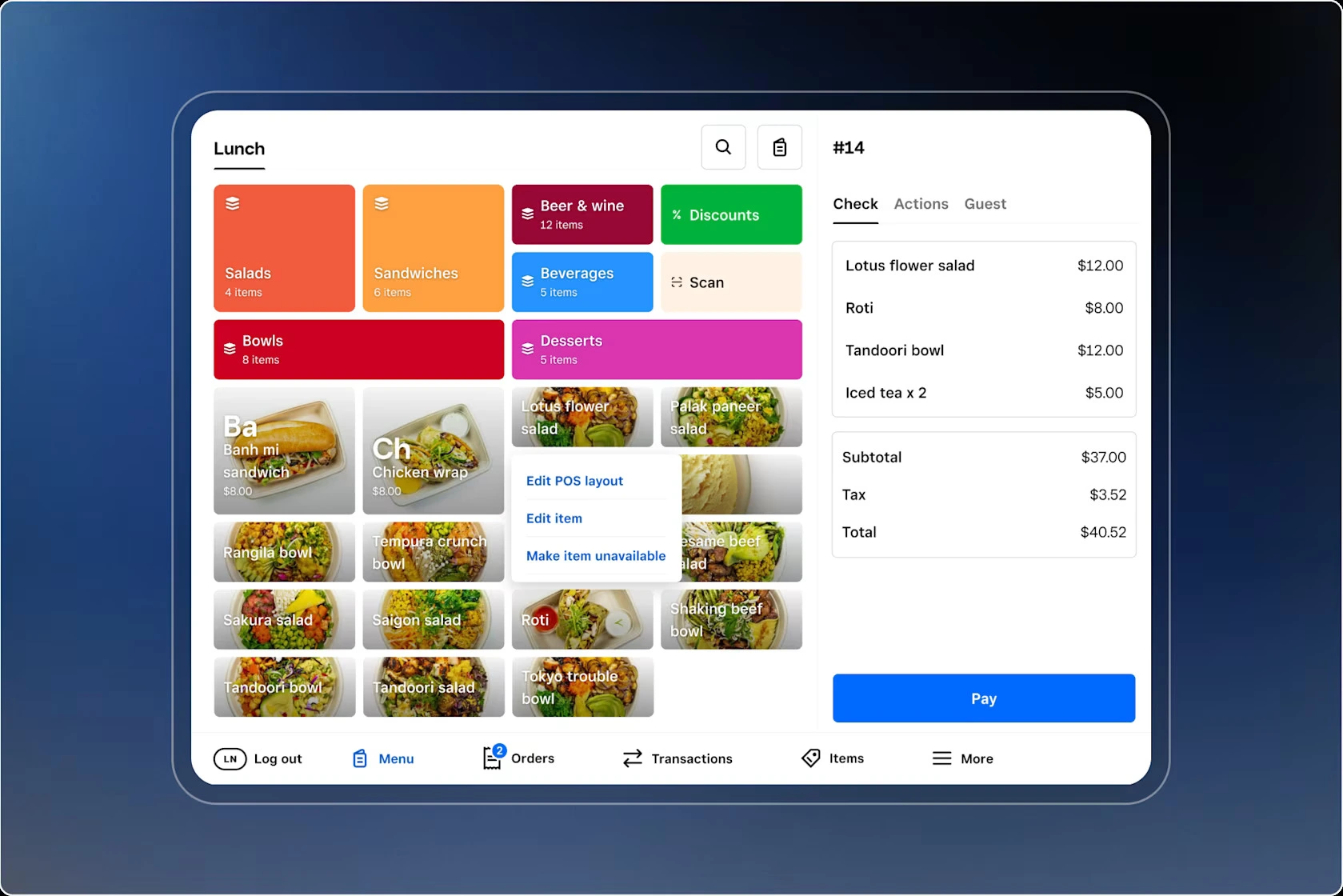
Square for Restaurants does not try to be everything to everyone. It is clean, it is honest about what it is, and for a certain type of small restaurant owner — especially someone opening their first location or operating a food truck or café — it might be exactly what you need without paying for what you do not.
The free plan is the headline here, and it is a real one. You get a functional restaurant POS with menu management, item modifiers, order routing to a printer or kitchen display, and solid reporting, all for zero dollars a month. You pay Square’s flat processing rate per transaction and nothing else. That kind of transparency is refreshing in an industry where hidden fees have become almost expected. Plenty of small operators have downloaded the app on a Tuesday and been live and taking orders by Thursday.
Beyond the basics, Square for Restaurants sits inside a broader ecosystem that gives you real room to grow. You can add Square Online for a commission-free ordering page that looks professional, Square Loyalty for a points-based rewards program, and Square Payroll when your team gets big enough to need proper HR management. None of these additions lock you into a contract — everything is month-to-month, which is a genuine relief when you are still figuring out your cash flow.
The one honest caveat is that Square for Restaurants is not the deepest system on this list. If you are running a complex full-service dining room with multiple courses, extensive table management needs, and a team of 20+ servers, you will probably outgrow it. But for a neighborhood café, a fast-casual lunch spot, a bakery with counter service, or a food truck doing solid volume, Square hits a sweet spot between capability and simplicity that is hard to beat at this price point.
Key Features:
- Free iPad-based restaurant POS with course-by-course ordering capability
- Kitchen display system and printer routing for order management
- QR code ordering and contactless tableside payment
- Commission-free online ordering via Square Online integration
- Loyalty programs, gift cards, and marketing tools as optional add-ons
- Real-time sales reporting accessible from your phone or laptop
- Employee time clock and basic team management tools
- No long-term contracts — completely month-to-month
Pros:
- Free plan is actually usable, not just a marketing gimmick
- Setup is fast — most operators are live within a day
- Transparent flat-rate processing means no billing surprises
- Connects naturally with the wider Square ecosystem as you scale
Cons:
- Less restaurant-specific depth than Toast or TouchBistro
- Advanced table management requires the paid Plus plan at $49/month
- Limited phone support on the free plan
- Not ideal for high-volume full-service restaurants with complex floor management needs
🔗 Official Website: Square for Restaurants
Pricing: Free plan available (2.6% + $0.10 per in-person transaction). Plus plan at $49/month per location for advanced table and floor management features.
Best for: New restaurants, cafes, food trucks, bakeries, and small counter-service spots that want a reliable, zero-cost POS to start with and room to expand later.
3. TouchBistro
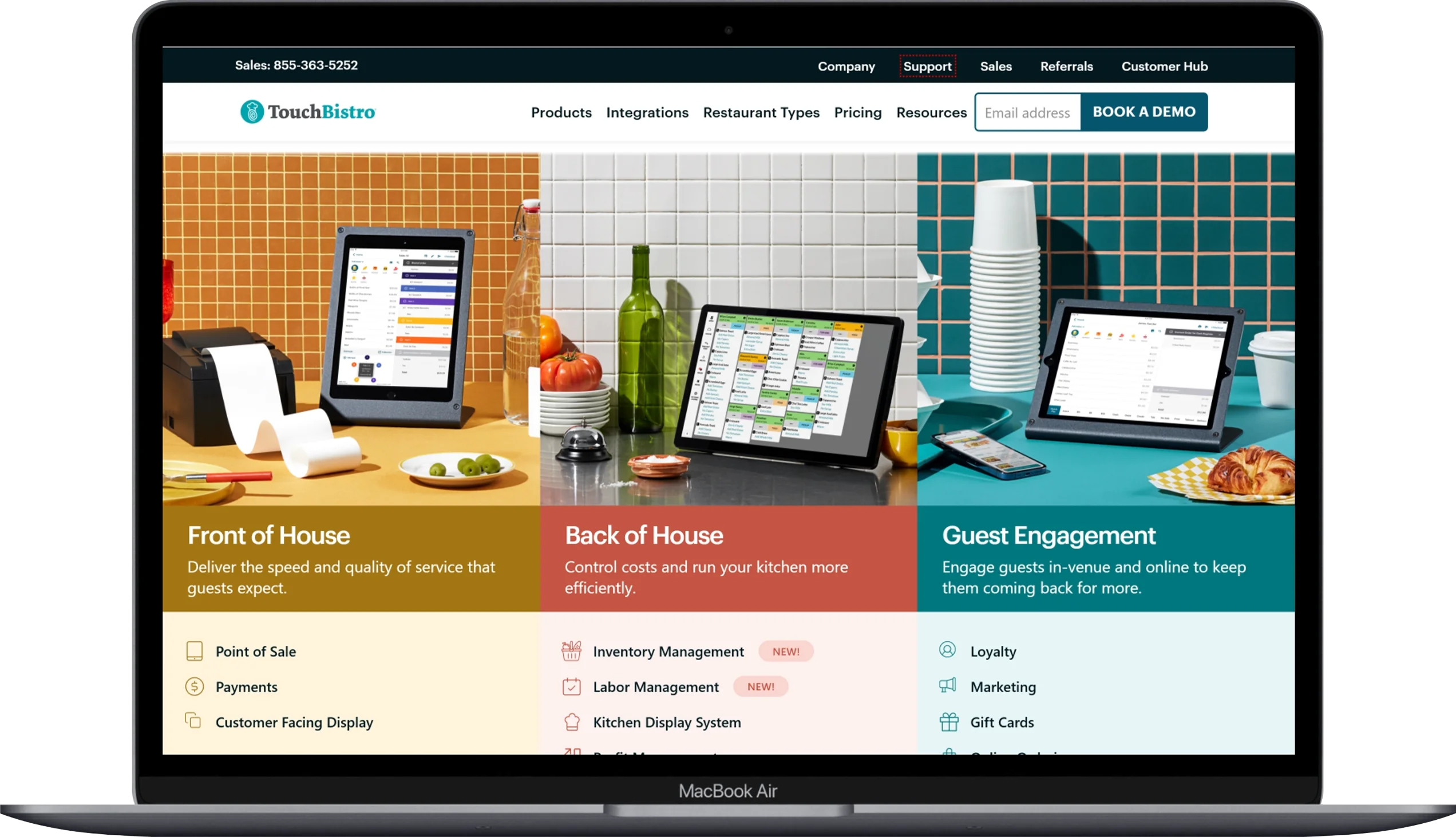
TouchBistro has been in the restaurant POS game long enough to really understand what a full-service dining room actually needs. It is used by over 29,000 restaurants around the world and has consistently earned high marks from independent operators who want a system that does the restaurant-specific things really well — table management, menu engineering, front-of-house workflow — without overcomplicating everything else.
The table management side of TouchBistro is one of its genuine strengths. You can build out a visual floor plan that matches your actual dining room layout, track which tables are occupied versus available in real time, assign servers to sections, and manage course-by-course ordering without it feeling like you are fighting the software. For a small but busy full-service restaurant where the dining experience is a core part of your brand, that kind of front-of-house control makes a noticeable difference.
One thing that sets TouchBistro apart from some cloud-only competitors is its hybrid operation model. It runs on iPad and processes orders locally even when your internet goes down, then syncs everything back to the cloud when the connection is restored. If you have ever had your system freeze during a dinner rush because your router had a bad moment, you know exactly why this matters. TouchBistro’s reliability in that regard has saved more than a few operators from a very stressful evening.
The platform also does a solid job on the analytics side. You can see which menu items are generating the most profit versus just the most orders — a distinction that is critically important when you are trying to engineer a menu that actually makes money. The staff management tools, reservations, loyalty program, and online ordering are all available as add-ons, which means you can build out the system piece by piece as your budget allows.
Key Features:
- Customizable visual floor plan with real-time table status tracking
- Course-by-course ordering for full-service dining experiences
- Hybrid local-cloud architecture that keeps working when the internet drops
- Menu engineering reports showing profit per item, not just sales volume
- Reservations and waitlist management as an add-on module
- Loyalty program, gift cards, and marketing automation available
- Commission-free online ordering integration
- Staff management with time clock, scheduling, and performance tracking
- Kitchen display system and customer-facing display support
Pros:
- Purpose-built for full-service restaurants — not adapted from a retail system
- Hybrid mode means operations keep running during internet outages
- Menu engineering tools give you genuinely useful margin data
- Clean, intuitive iPad interface that staff learn quickly
Cons:
- No free plan — you are paying $69/month from day one
- Add-on pricing can stack up fast if you want the full feature set
- Some users report customer support can be slow during peak periods
- Less robust for quick-service or counter-service formats
🔗 Official Website: TouchBistro
Pricing: Base POS starts at $69/month per terminal. Add-ons like reservations, loyalty, and online ordering are priced separately. Kitchen display system adds $19/month.
Best for: Small to mid-sized full-service restaurants, fine dining spots, cafes, and bars where front-of-house experience and table management are a central priority.
4. Lightspeed Restaurant
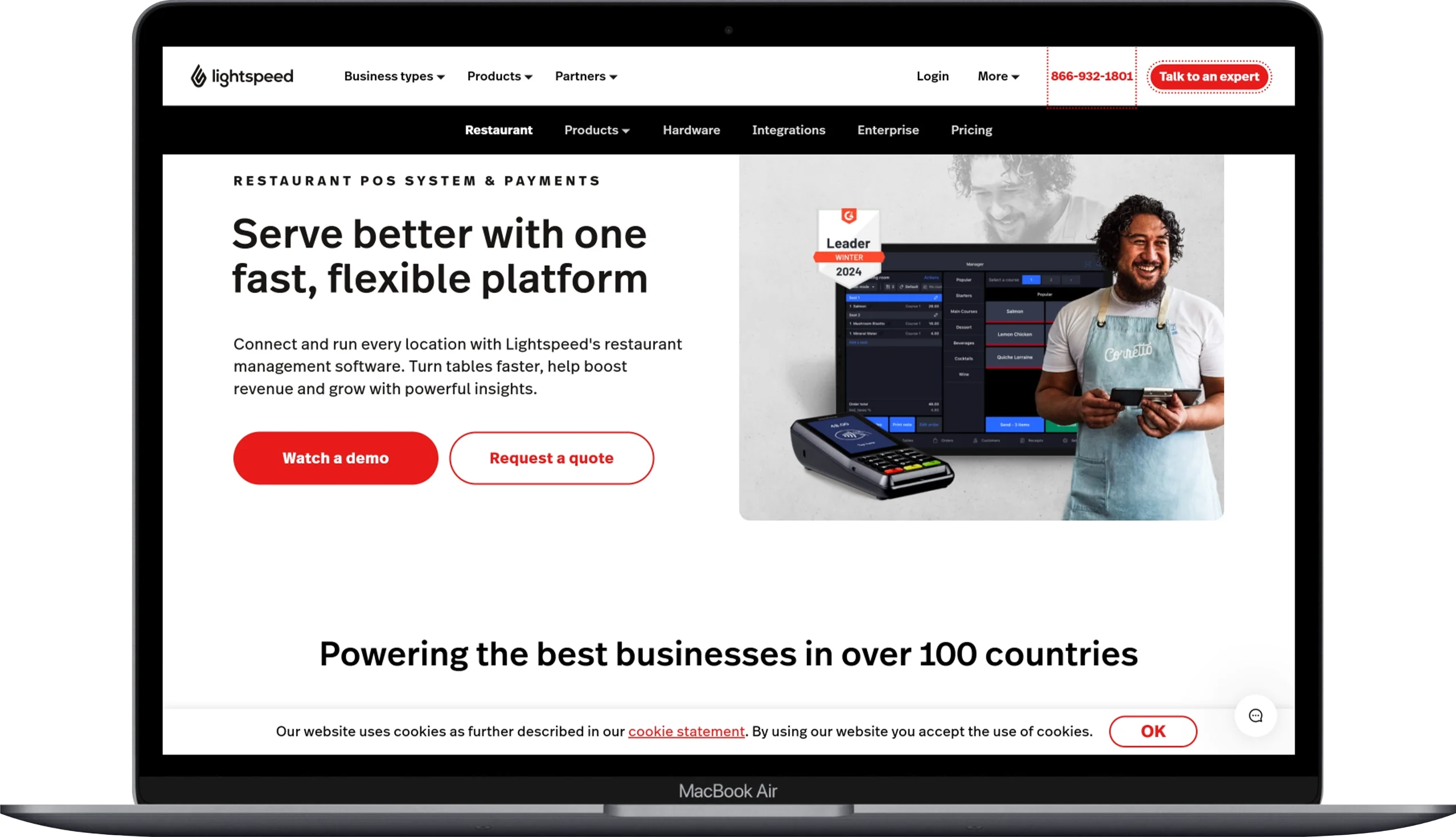
If you are the kind of restaurant owner who genuinely wants to understand your numbers — not just see total daily sales, but actually dig into food cost percentages, recipe-level margin analysis, and location-by-location performance — Lightspeed Restaurant is the POS platform worth your attention.
Lightspeed started as a retail point-of-sale company and expanded into restaurants through its acquisition of Upserve and Breadcrumb, and what came out of that combination is a cloud-based restaurant POS with unusually strong back-office capabilities. The reporting and analytics tools go deeper than most competitors at this price point, giving you visibility into the kind of data that can genuinely change how you make decisions about your menu, your purchasing, and your staffing.
The inventory management built into Lightspeed is a standout feature for small restaurants trying to get serious about food cost control. You can link ingredients to menu items, track stock depletion as orders come in, set reorder alerts, and run recipe costing reports that show you exactly what your actual cost per dish is versus what it should be. For operators who have been managing food costs on a gut feeling and a once-a-month count, this level of visibility tends to be an eye-opener.
On the front-of-house side, Lightspeed runs on iPad and gives you a clean, modern interface for order management, floor plan customization, and payment processing. It also connects with QuickBooks and Xero for accounting, which is a real time-saver at the end of the month. One important thing to know going in is that Lightspeed is not the cheapest option on this list. The Starter plan at $69/month covers the basics, but to access online ordering, one-on-one support, and more advanced tools, you will need to step up to the Essential plan at $189/month or beyond.
Key Features:
- Cloud-based iPad POS with customizable floor plan and table management
- Advanced inventory management with recipe costing and stock-level alerts
- Detailed sales analytics including menu item profitability reports
- Online ordering and contactless table-side payment at higher plan tiers
- Integrations with QuickBooks, Xero, and 100+ third-party tools
- Customer loyalty program and gift card support
- Multi-location reporting and management capabilities
- One-on-one onboarding support on Essential and Premium plans
Pros:
- Among the deepest reporting and analytics of any restaurant POS at this size
- Recipe costing and food cost tracking built directly into the POS
- Open to third-party integrations — not a closed ecosystem like some competitors
- Strong accounting software integration simplifies monthly bookkeeping
Cons:
- No free plan — starts at $69/month and climbs quickly for full features
- Full feature access requires the Essential plan at $189/month or higher
- Can feel more complex to learn than Square or Toast for new operators
- Some users have flagged customer support quality as inconsistent
🔗 Official Website: Lightspeed Restaurant
Pricing: Starter plan at $69/month. Essential plan at $189/month. Premium plan at $399/month. All billed annually. Month-to-month pricing is higher.
Best for: Data-focused restaurant operators, growing single-location restaurants, and small multi-location groups who want strong analytics, inventory depth, and accounting integration baked into their POS.
5. 7shifts
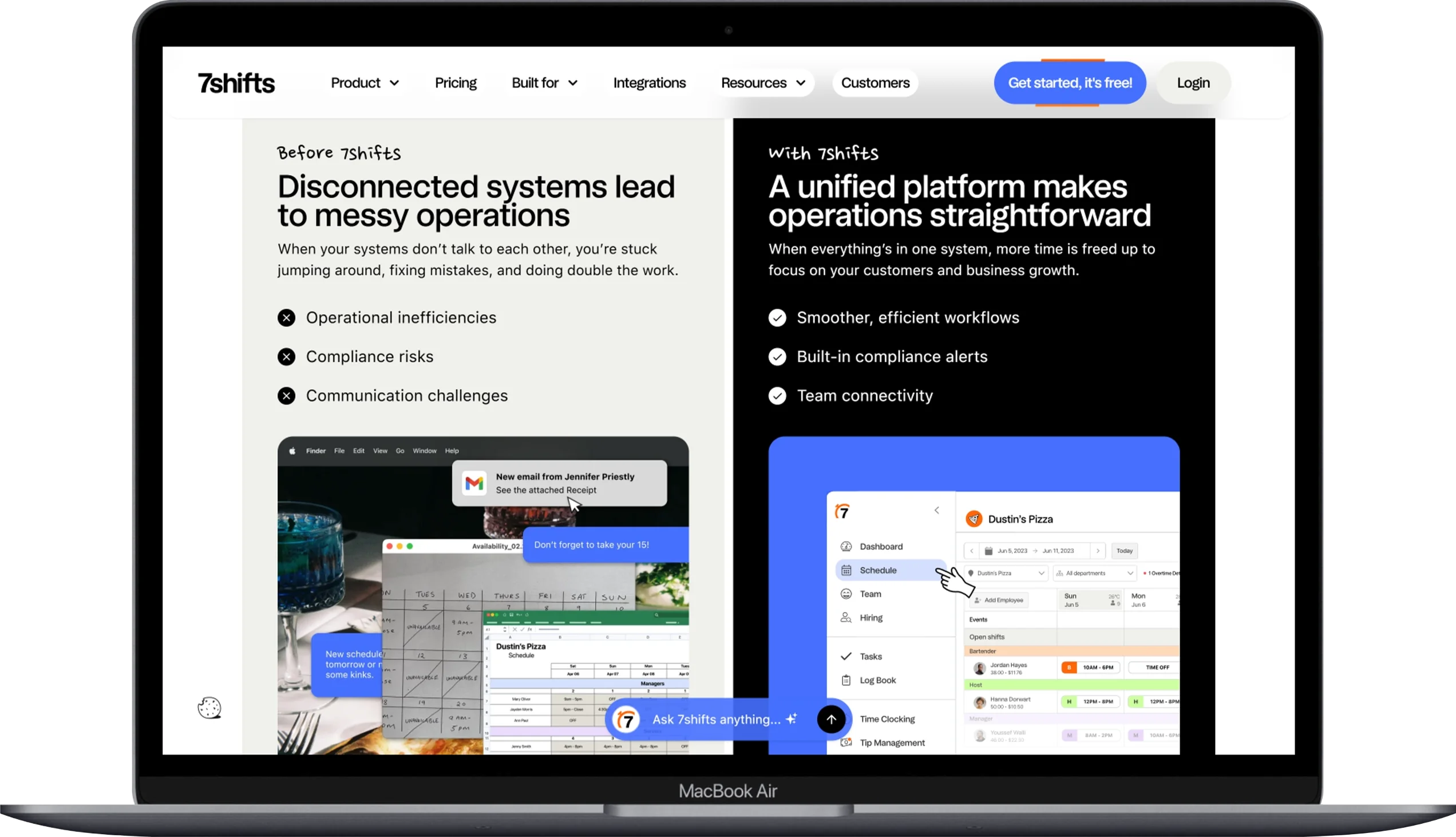
Ask any restaurant manager what part of the job eats up the most time each week and a huge percentage will say scheduling. Figuring out who is available, making sure you are not over-staffed on a slow Tuesday and under-staffed on a busy Friday, dealing with last-minute call-outs, and making sure everything complies with local labor laws — it is a full-time job on top of everything else you are already doing. That is exactly the problem 7shifts was built to solve.
7shifts is not a POS system. It is a dedicated restaurant workforce management platform, and it does that specific job better than almost anything else on this list. You can build out your schedule in minutes using the drag-and-drop interface, set labor cost targets, and let 7shifts flag you when you are approaching overtime or scheduling someone outside their availability window. The platform also connects directly with most major POS systems including Toast, Square, and Lightspeed, so it is pulling real sales data to help you schedule smarter based on what is actually happening in your restaurant, not just what happened last month.
For your team, 7shifts provides a free mobile app where employees can view their schedules, swap shifts with manager approval, request time off, and communicate with the whole team through built-in messaging. The days of the group text chain for schedule changes are over. Everything is documented, everything is visible, and everyone is on the same page. For a small restaurant owner who has dealt with the chaos of managing a team of 15 people across two WhatsApp groups, this alone is worth the subscription price.
The free Comp plan covers single-location restaurants with up to 20 employees and is genuinely functional, not just a teaser. For most small restaurant operations that need more — tip management, payroll, advanced labor analytics — the paid plans scale reasonably and are priced per location rather than per employee, which keeps costs predictable.
Key Features:
- Drag-and-drop schedule builder with labor cost tracking and forecasting
- POS integration with Toast, Square, Lightspeed, and others for sales-based scheduling
- Employee mobile app for schedule viewing, shift swapping, and time-off requests
- Built-in team messaging and announcement tools
- Time clock with GPS check-in for accountability
- Tip pooling and tip distribution management
- Labor compliance alerts for overtime and break rules
- Payroll integration and processing available on higher plans
- Detailed labor cost reports broken down by role, location, and day
Pros:
- Free plan available for small single-location restaurants up to 20 employees
- Purpose-built for restaurants — understands shift types, tip rules, and labor compliance
- POS integration means scheduling decisions are based on actual sales data
- Employee mobile app is genuinely well-designed and easy to use
Cons:
- Not a POS system — you will still need separate software for order and payment management
- Some important features like tip management are gated behind higher-tier plans
- Advanced analytics and payroll require the Works or Gourmet plan
- Can feel like an extra expense on top of your POS subscription for very small teams
🔗 Official Website: 7shifts
Pricing: Comp (Free) plan for up to 20 employees. Entrée plan at $34.99/month per location. The Works at $76.99/month per location. Gourmet at $150/month per location.
Best for: Small restaurant owners who are spending too much time on scheduling and need a dedicated, restaurant-specific workforce management tool that connects with their existing POS.
6. MarketMan
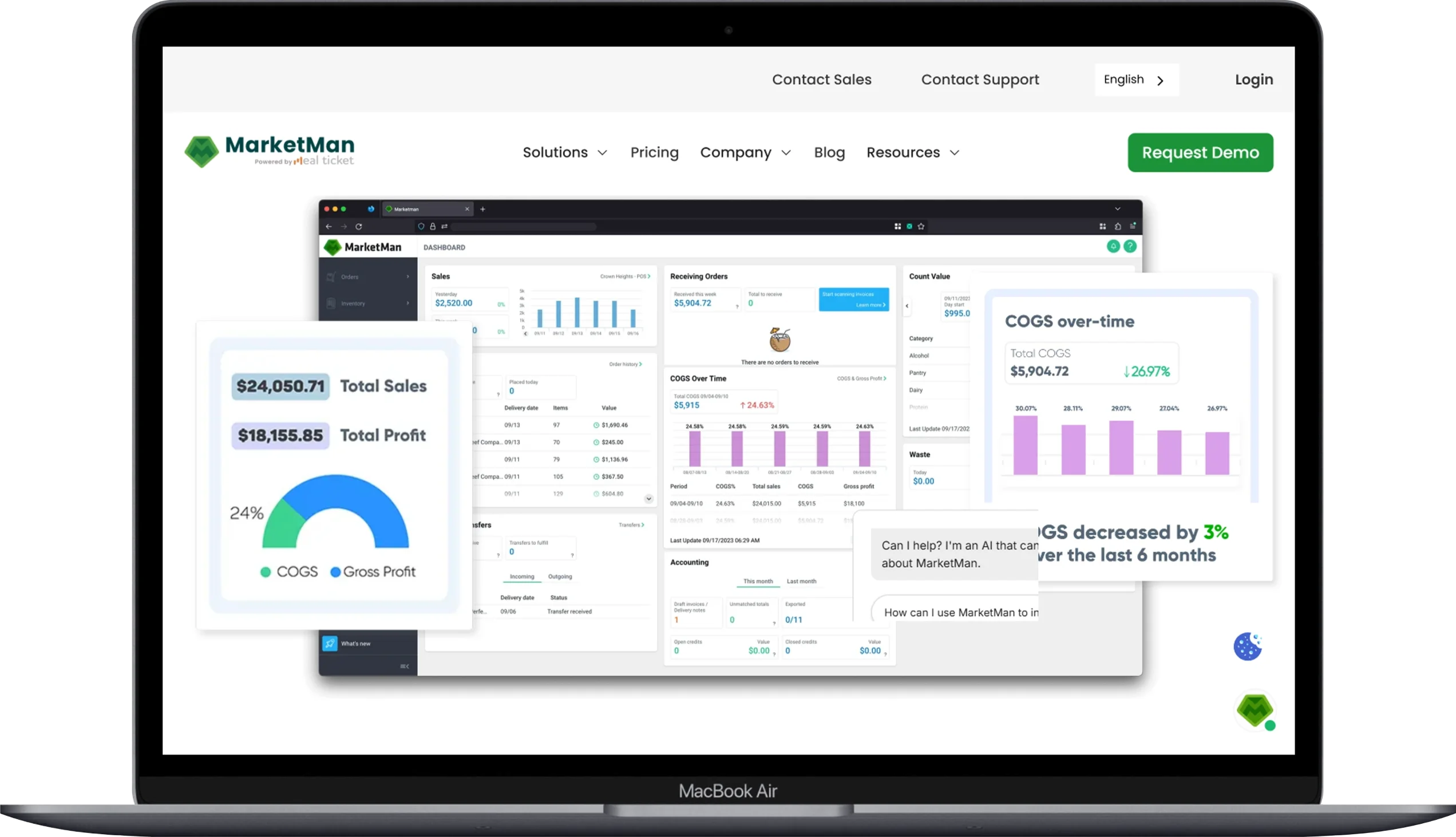
If food costs are eating your margins — and for most small restaurants, they are — MarketMan is the kind of tool that pays for itself relatively quickly. It is not a POS system or a staff scheduling app. It is a dedicated restaurant inventory and purchasing management platform, and it does that job with a level of depth that most all-in-one systems cannot match.
The core value of MarketMan is that it gives you real visibility into where your food dollars are going. You upload your recipes, connect your suppliers, and every time a purchase comes in, MarketMan updates your inventory levels and recalculates your food cost percentages automatically. When a supplier raises prices on a key ingredient, you see the impact on your margin immediately — not three weeks later when you are doing a manual count and wondering why the numbers do not add up. Users consistently report reductions in food cost of 2-5% within the first year, which on a tight restaurant budget can be the difference between a profitable month and a stressful one.
The purchasing workflow in MarketMan is also genuinely useful for small operations. You can set up par levels for each ingredient, and the system will suggest purchase orders based on your current inventory and projected usage. When an order arrives, you can log it in a few taps on your phone and reconcile it against what was actually delivered versus what was invoiced. For restaurants that are still dealing with paper invoices and clipboards, this alone represents a significant operational upgrade.
One thing to be honest about is the pricing. At $199/month for the Starter plan, MarketMan is not cheap — especially for a very small restaurant just getting started. But if food cost is a genuine problem for you and you are serious about fixing it, the investment tends to make sense. The platform integrates with most major POS systems including Toast, Square, and Lightspeed, so it connects to your existing setup rather than requiring you to replace anything.
Key Features:
- Real-time inventory tracking with automatic updates based on sales and purchases
- Recipe costing with automatic recalculation when ingredient prices change
- Supplier management and digital purchase order creation
- Invoice scanning and reconciliation to catch delivery discrepancies
- Par level management with automated reorder suggestions
- Food cost and waste reporting with drill-down by ingredient or category
- Mobile app for inventory counts, receiving, and purchasing on the go
- Integration with Toast, Square, Lightspeed, and 60+ POS systems
- Allergen tracking and nutritional analysis tools
Pros:
- Among the deepest inventory and food cost tools available for independent restaurants
- Real-time food cost visibility — not a monthly surprise
- Supplier price tracking flags cost increases before they quietly tank your margins
- Strong mobile app makes inventory counts significantly faster
Cons:
- At $199/month, it is a meaningful expense for very small or new restaurants
- No free trial on most plans — you are committing before you get hands-on experience
- Setup and data entry upfront can be time-consuming for complex menus
- Works best as an add-on to a POS, not a standalone solution
🔗 Official Website: MarketMan
Pricing: Starter plan at $199/month. Growth plan at $249/month. Enterprise pricing available on request. Setup fees apply.
Best for: Small restaurants with tight margins that are serious about controlling food cost and want dedicated, restaurant-grade inventory management beyond what their POS offers.
7. SpotOn Restaurant
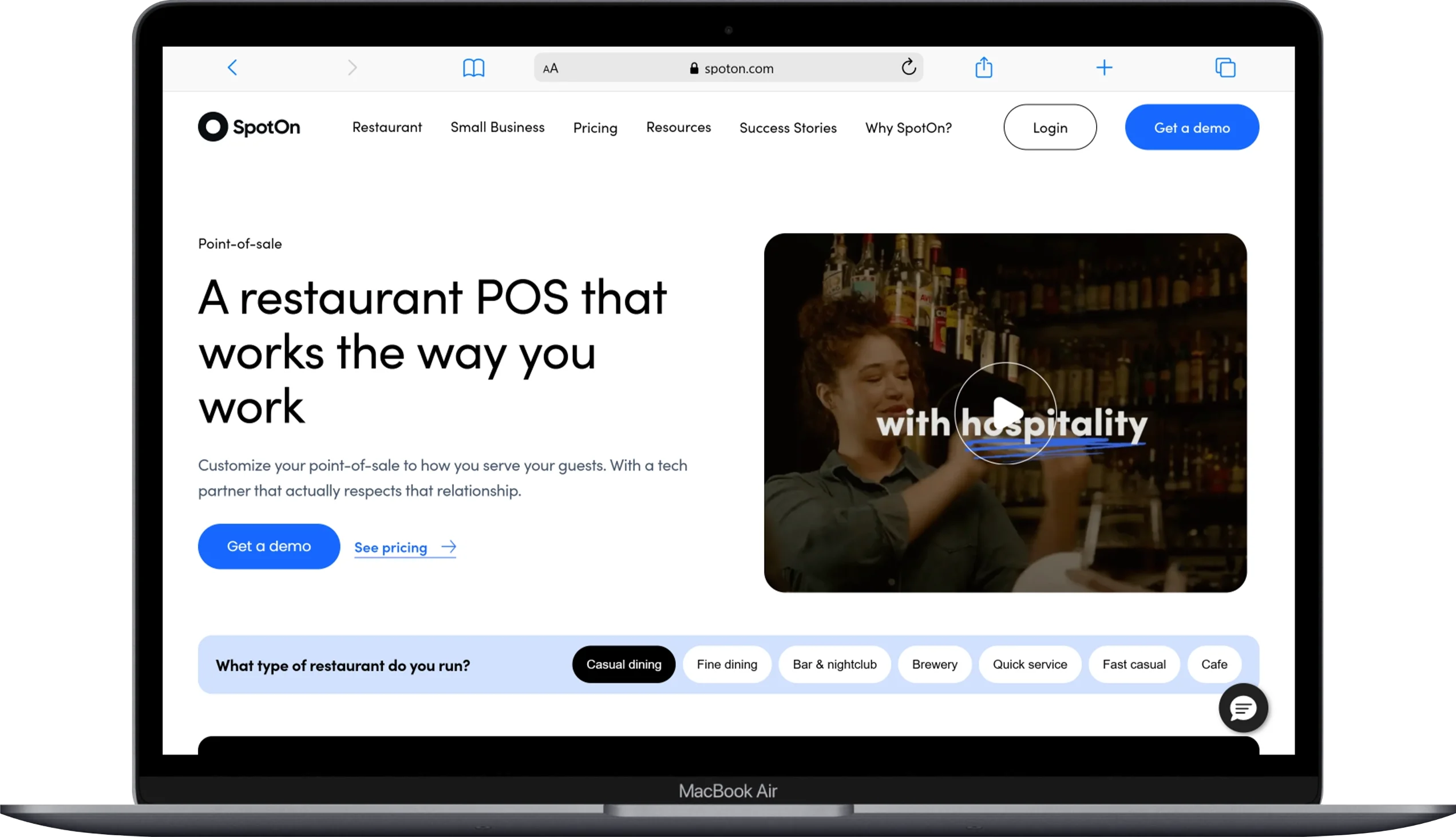
SpotOn has been gaining serious traction in the restaurant POS space over the past couple of years, and a big part of the reason is that it is one of the few platforms in this category that actually tries to be transparent about what you are paying and why. In an industry where surprise fees and opaque contracts are practically a tradition, that transparency is genuinely refreshing.
The SpotOn Restaurant POS is cloud-based and highly customizable. You can configure your menu layout, set up modifiers and combo pricing, manage your floor plan, and handle both counter service and table service from the same interface. The reporting tools are solid and give you the kind of labor and sales data that helps you make better staffing and pricing decisions week to week. The kitchen display system integration is smooth, and the customer-facing display options look professional without requiring expensive proprietary hardware.
Where SpotOn tends to really win over restaurant owners is in its support model. The company has built a reputation for having actual humans available to help when things go wrong — 24/7 support that operators report actually picks up the phone and solves problems. For a small restaurant where a POS outage at 7 PM on a Saturday is a full-blown emergency, knowing that help is available matters.
SpotOn also offers a genuinely useful loyalty program and online ordering integration built into its ecosystem. The loyalty module lets customers earn and redeem points with just a phone number at checkout — no app download required — which tends to result in higher enrollment rates compared to app-based programs. The pricing structure ranges from a free plan for basic needs up to $135/month for full-service setups, which is competitive against comparable systems.
Key Features:
- Cloud-based restaurant POS with customizable menu and floor plan management
- Integrated kitchen display system and customer-facing display options
- Commission-free online ordering with direct POS integration
- Built-in loyalty program with phone-number-based enrollment (no app required)
- Real-time sales and labor reporting with business intelligence tools
- 24/7 customer support with a strong reputation for responsiveness
- Staff scheduling integration through SpotOn’s workforce management add-on
- Gift card support and marketing tools
- Integrations with DoorDash, Uber Eats, and other delivery platforms
Pros:
- Transparent pricing with no hidden fees — what you see is what you pay
- 24/7 support that is widely praised for actually being helpful
- Loyalty program enrollment is easier for guests than most app-based programs
- Competitive pricing makes it accessible for small restaurants on tighter budgets
Cons:
- Hardware options are more limited compared to Toast’s broader ecosystem
- Some advanced reporting features require higher-tier plans
- Less name recognition than Toast or Square, so fewer community resources online
- The free plan is functional but fairly basic for busy operations
🔗 Official Website: SpotOn Restaurant
Pricing: Free plan available. Counter-service plan at $99/month. Full-service plan at $135/month. Hardware costs are separate and range from $799 to $2,400 depending on configuration.
Best for: Small restaurants that want a reliable, fairly priced POS with excellent customer support and a loyalty program that is easy for both staff and guests to use.
8. OpenTable — Best for Driving New Diners Through Reservations
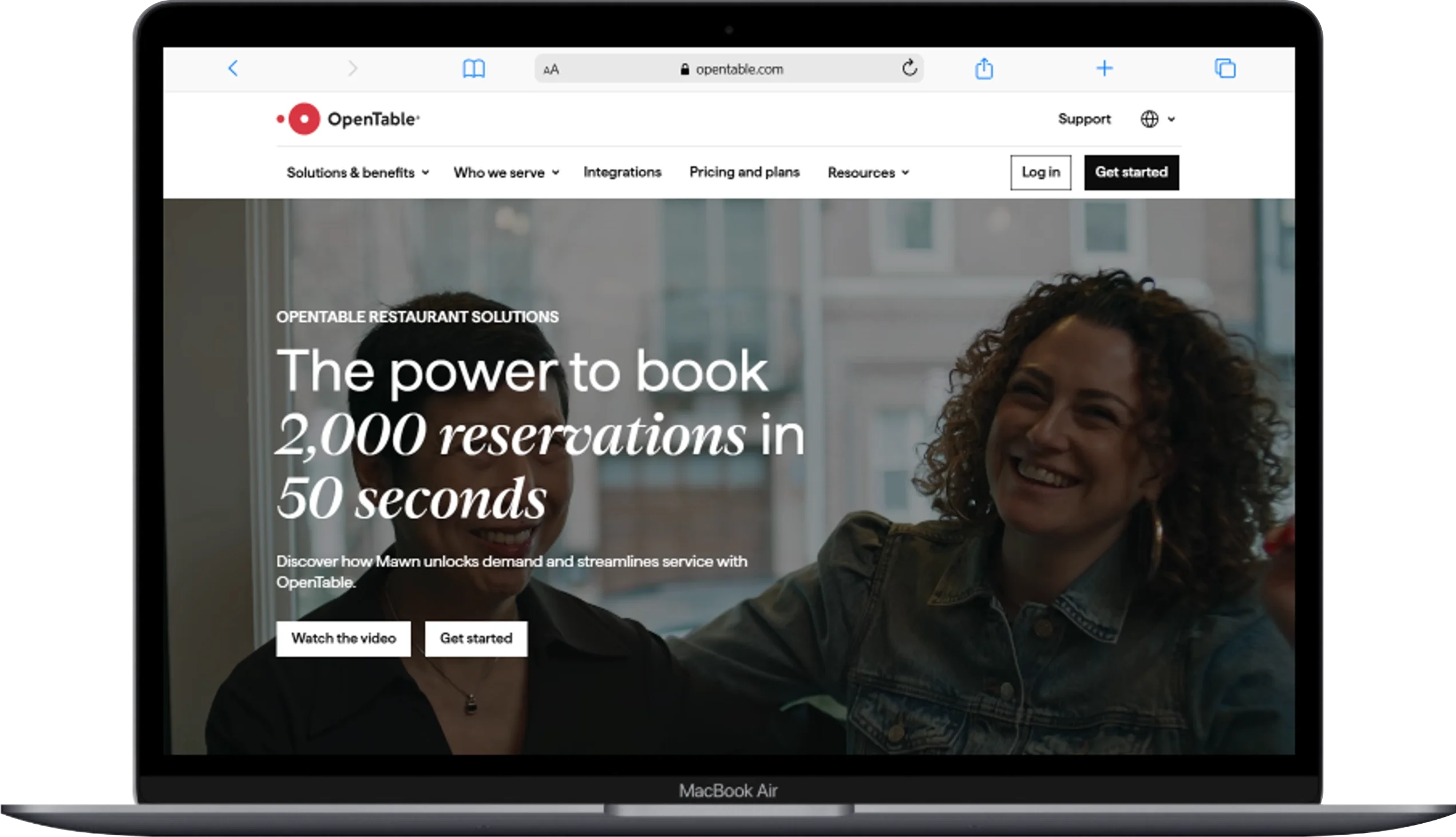
OpenTable is not a POS system or an inventory tool. It is a reservation and guest management platform, and in that specific category, it has been the dominant name for a long time. If you run a full-service restaurant where reservations matter — and where getting new people in the door through discovery is a real priority — OpenTable is worth understanding clearly, including what it costs and where it makes sense.
The biggest advantage OpenTable brings to your restaurant is its diner network. Over 100 million people use OpenTable to find and book restaurants, and when your restaurant is listed on the platform, you get exposure to that audience. For a small restaurant in a competitive market, being discoverable on OpenTable is similar to having a storefront on a busy street versus a side alley. New guests who have never heard of you can find you, book a table, and walk through your door. That kind of reach is difficult to replicate through your own website alone.
On the management side, OpenTable gives you a solid set of tools for running your reservations and front-of-house operations. You get a real-time table management view, automated confirmation and reminder messages to reduce no-shows, guest profiles that track visit history and preferences, and CRM tools that let you personalize the experience for regulars. The analytics dashboard shows you booking trends, covers per shift, and how guests are finding you, which is useful data for both marketing and staffing decisions.
The honest conversation about OpenTable, though, involves cost. Monthly plans range from $149 to $499, and those fees come on top of per-cover charges that add up quickly for high-volume venues. Some independent restaurant owners on Reddit have reported monthly bills pushing past $1,000 once per-cover fees are factored in, and OpenTable recently introduced a 2% service fee on certain transactions. For restaurants with a strong existing customer base, this can feel like paying a lot for something that mostly benefits walk-in discovery. For newer restaurants still building their audience, the value proposition is much clearer.
Key Features:
- Online reservations with access to OpenTable’s 100M+ diner network
- Real-time table management and waitlist tools
- Automated reservation confirmation and reminder messages to reduce no-shows
- Guest profiles with visit history, preferences, and special occasion tracking
- CRM tools for personalized service and repeat guest recognition
- Review management and feedback collection integrated into the platform
- Reporting and analytics on booking sources, cover counts, and trends
- Integration with Google, Instagram, and other discovery platforms
- Takeout ordering capability for off-premise revenue
Pros:
- Unmatched diner network for new customer discovery
- Guest profile and CRM tools are genuinely useful for personalizing service
- Automated reminders meaningfully reduce no-show rates
- Integration with Google and Instagram makes your restaurant easy to find and book
Cons:
- Monthly plan fees plus per-cover charges can add up to a significant expense
- The new 2% service fee on certain transactions adds further cost
- Less value for restaurants with an already-established loyal customer base
- Some smaller restaurants report that the platform feels built for larger venues
🔗 Official Website: OpenTable for Restaurants
Pricing: Plans range from $149/month to $499/month. Additional per-cover fees apply for diners booked through OpenTable’s network. A 30-day free trial is available.
Best for: Full-service restaurants, fine dining spots, and any small restaurant actively trying to grow its customer base through online discoverability and reservation management.
9. Restaurant365
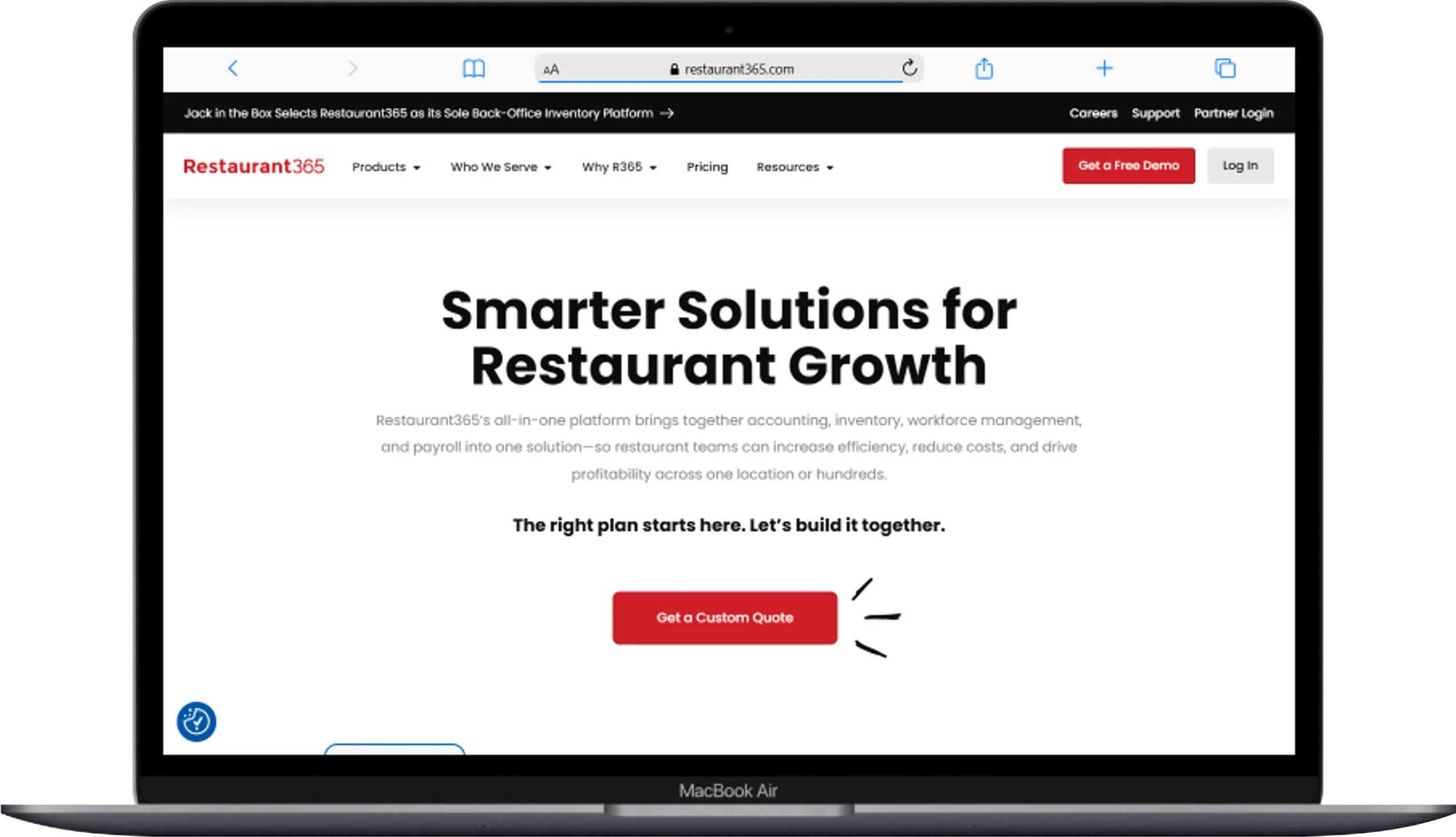
Restaurant365 is in a different category than most of the tools on this list. It is not primarily a POS or a scheduling app — it is a restaurant-specific accounting and operations platform that replaces QuickBooks for food service businesses and wraps in inventory management, payroll, and reporting on top of that. If you have grown to the point where your finances genuinely need dedicated restaurant-grade accounting, this is the platform built for that problem.
The accounting functionality in Restaurant365 is the centerpiece, and it is designed specifically for how restaurants operate. It understands the difference between food cost and labor cost as percentages of revenue, handles accounts payable with invoice processing and vendor management, automates bank reconciliation, and connects directly to your POS system so that daily sales data flows into your books automatically without manual entry. For a restaurant operator who has been manually pulling Toast reports into QuickBooks every week, that automation alone tends to save several hours per month.
The inventory management built into Restaurant365 also goes deep, with recipe costing, theoretical versus actual food cost comparison, and period-over-period reporting that helps you spot trends before they become expensive problems. The scheduling module, acquired through its purchase of HotSchedules, adds workforce management capability that makes R365 feel like a genuine all-in-one back-office solution.
The honest trade-off is cost and complexity. At $469/month for the Essential plan, Restaurant365 is one of the more expensive options on this list, and it is probably more platform than a single-location café needs. The setup process involves meaningful configuration time, and the learning curve is steeper than most of the other tools reviewed here. But for a small restaurant that has grown to the point where financial management is genuinely complex, R365 is the kind of tool that can replace an entire stack of disconnected software.
Key Features:
- Restaurant-specific accounting replacing QuickBooks for food service operations
- Automated daily sales journal entries pulled directly from your POS
- Accounts payable with invoice management and vendor payment tools
- Inventory management with recipe costing and theoretical food cost tracking
- Payroll processing with restaurant-specific tip reporting and compliance
- Staff scheduling via integrated HotSchedules workforce management
- Period-over-period financial reporting and budget versus actual analysis
- Bank reconciliation and cash management tools
- Multi-location reporting and consolidated financial views
Pros:
- Restaurant-specific accounting goes far deeper than QuickBooks for food service
- Automated POS integration eliminates daily manual data entry
- Combines accounting, inventory, payroll, and scheduling in one back-office platform
- Strong multi-location reporting for operators with more than one venue
Cons:
- At $469–$689/month, it is expensive for single-location small restaurants
- Steep learning curve — meaningful setup time is required before it runs smoothly
- More platform than a very small restaurant typically needs
- Implementation takes several weeks, not days
🔗 Official Website: Restaurant365
Pricing: Essential plan at $469/month per location (billed quarterly). Professional plan at $689/month per location. Custom enterprise pricing available.
Best for: Growing small restaurant groups, multi-location operators, and any restaurant owner who has outgrown basic accounting software and needs a dedicated back-office financial management platform built for food service.
10. Homebase
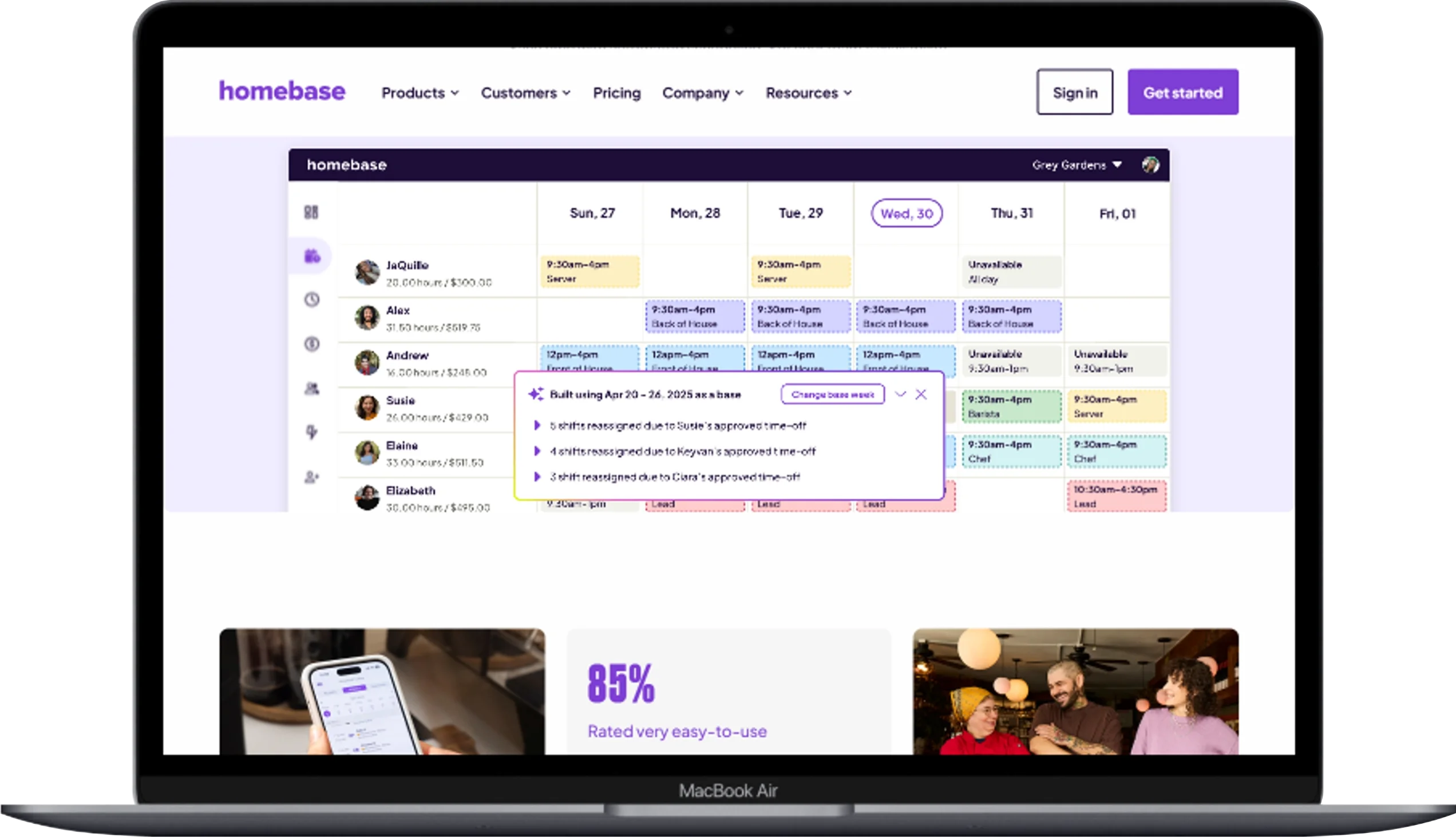
Not every small restaurant needs enterprise-level workforce management. If you are running a tight operation — a team of eight people, one location, and a fairly predictable schedule — Homebase might be exactly the right amount of tool for what you actually need, without paying for what you do not.
Homebase is a free scheduling, time tracking, and team communication app that works well across a lot of small business types, but it has enough restaurant-specific functionality to be worth including here. The free plan is genuinely generous: scheduling for an unlimited number of employees at one location, time clock functionality, team messaging, and basic hiring tools — all at no cost. For a brand-new restaurant owner trying to keep expenses lean while still running a professional operation, that is a meaningful offer.
The scheduling interface is simple and visual. You can build a weekly schedule in minutes, publish it to your whole team with one click, and let employees request changes or time off through the mobile app. The time clock integrates with most POS systems, and Homebase can calculate hours, flag overtime before it happens, and export timesheet data to payroll providers like Gusto, ADP, and QuickBooks Payroll. For a small team, this eliminates a lot of the administrative friction that comes with managing people.
Where Homebase makes less sense is when your restaurant grows in complexity. The free plan covers one location and the basic features, but labor compliance tools, advanced scheduling controls, and PTO tracking require paid plans. And at that level, dedicated restaurant workforce tools like 7shifts start to offer meaningfully more restaurant-specific depth. But as a starting point — especially for operators who are managing their team manually through text messages right now — Homebase is a fast, free upgrade that pays for itself in time saved within the first week.
Key Features:
- Free employee scheduling for unlimited employees at one location
- Mobile time clock with GPS tracking for accountability
- Team messaging and shift communication built into the app
- Automated overtime alerts and labor cost tracking
- Basic HR tools including onboarding, document storage, and job posting
- Payroll export to Gusto, ADP, QuickBooks Payroll, and others
- Time-off request management for employees
- Hiring tools including job postings and applicant tracking on paid plans
- POS integrations with Square, Toast, Clover, and others
Pros:
- Free plan is one of the most generous in the scheduling software space
- Fast to set up — most teams are live and scheduling within an hour
- Mobile app is clean, simple, and intuitive for both managers and employees
- Payroll integrations eliminate manual timesheet calculations
Cons:
- Labor compliance and advanced controls require paid plans starting at $24.95/month
- Less restaurant-specific than 7shifts — fewer features built around tips and shift types
- Free plan is limited to one location, which is fine for single-location operators
- Not designed for complex, high-volume restaurant teams
🔗 Official Website: Homebase
Pricing: Free plan available for one location with unlimited employees. Essentials plan at $24.95/month per location. Plus plan at $59.95/month per location. All-in-One plan at $99.95/month per location.
Best for: Brand-new restaurants, very small operations with lean teams, and any restaurant owner who is currently managing scheduling through text messages and needs a fast, free upgrade.
Quick-Comparison Table — All 10 Restaurant Management Software at a Glance:
| Software | Category | Free Plan | Starting Price | Best For | Platform |
|---|---|---|---|---|---|
| Toast POS | All-in-One POS | ✅ Yes | $69/month | Full-service & QSR restaurants | Web, Android |
| Square for Restaurants | POS & Payments | ✅ Yes | $60/month (Plus) | New & budget-conscious restaurants | Web, iOS, Android |
| TouchBistro | Full-Service POS | ❌ No | $69/month | Full-service dining rooms | iOS (iPad) |
| Lightspeed Restaurant | Analytics-Focused POS | ❌ No | $69/month | Data-driven operators | Web, iOS |
| 7shifts | Staff Scheduling | ✅ Yes | $34.99/month | Labor & schedule management | Web, iOS, Android |
| MarketMan | Inventory Management | ❌ No | $199/month | Food cost control | Web, iOS, Android |
| SpotOn Restaurant | POS & Loyalty | ✅ Yes | $99/month | Transparent pricing & support | Web, iOS, Android |
| OpenTable | Reservations & CRM | ❌ No | $149/month | Reservation-based dining rooms | Web, iOS, Android |
| Restaurant365 | Back-Office Accounting | ❌ No | $469/month | Financial management & accounting | Web, iOS |
| Homebase | Scheduling & HR | ✅ Yes | $24.95/month | Very small teams on tight budgets | Web, iOS, Android |
Interactive Checklist — Which Software Is Right for You?
Use this checklist to narrow down your options based on what your restaurant actually needs right now.
✅ Choose Toast POS if you:
- Want one platform to handle your entire restaurant operation
- Value a free starting point with room to grow
- Run a full-service, quick-service, café, bar, or food truck
- Are okay using Toast’s built-in payment processing
✅ Choose Square for Restaurants if you:
- Are opening your first restaurant and need to keep costs minimal
- Want to get set up fast without a lengthy onboarding process
- Run a café, food truck, bakery, or simple counter-service operation
- Prefer month-to-month flexibility with no long-term commitment
✅ Choose TouchBistro if you:
- Run a full-service dining room where table management is central to your operation
- Have experienced internet outages that have disrupted your POS in the past
- Want menu engineering data that shows profit per dish, not just total sales
- Are comfortable investing in an iPad-based system built specifically for restaurants
✅ Choose Lightspeed Restaurant if you:
- Want deeper reporting and food cost analytics than most all-in-one systems provide
- Plan to integrate your POS with QuickBooks or Xero for accounting
- Are managing multiple locations or planning to expand
- Are willing to pay more for a system that gives you serious data visibility
✅ Choose 7shifts if you:
- Spend more than two hours a week building and managing your staff schedule
- Deal with frequent shift swaps, last-minute call-outs, or labor compliance concerns
- Already have a POS and just need better workforce management on top of it
- Want a free plan to start and the ability to add payroll as you grow
✅ Choose MarketMan if you:
- Know your food costs are out of control but cannot pinpoint where the problem is
- Want real-time ingredient-level cost tracking instead of monthly manual counts
- Work with multiple suppliers and need a better purchasing and invoice workflow
- Are already using Toast, Square, or Lightspeed and want dedicated inventory depth
✅ Choose SpotOn Restaurant if you:
- Have had bad experiences with customer support from other POS providers
- Want transparent, straightforward pricing without hidden fees
- Run a counter-service or full-service restaurant and want loyalty built in
- Are comparing options and want to try a strong alternative to Toast
✅ Choose OpenTable if you:
- Run a reservation-based restaurant and want to grow your diner base through online discovery
- Have no-show issues that are hurting your revenue and need automated reminders
- Want guest profile and CRM tools to personalize the dining experience for regulars
- Are in a market where diners regularly use OpenTable to find new restaurants
✅ Choose Restaurant365 if you:
- Have outgrown QuickBooks and need restaurant-specific accounting software
- Manage more than one location and need consolidated financial reporting
- Want payroll, inventory, scheduling, and accounting under one back-office roof
- Are comfortable with a longer setup process in exchange for deeper long-term capability
✅ Choose Homebase if you:
- Are you managing your team’s schedule through text messages right now
- Have a team of fewer than 15 people and one location
- Need a free, fast way to professionalize your scheduling and time tracking
- Are not ready to invest in 7shifts, but need more than a group chat
💡 Pro Tip: Most of these platforms offer free trials or demos. Before committing, test the interface yourself during a quiet shift and let your staff try it too — the best system is the one your team will actually use consistently.
You May Also Like
 Cloud Computing
8 Best AWS S3 Alternatives Compared: Pricing, Egress, and S3 Compatibility
 SaaS
SaaSWhat is Confluence Used For In Project Management?
 SaaS
SaaSCognito Forms to Jira Software Cloud Integration: Setup, Automation, Field Mapping, and Best Practices
 Web Development
Building Apps with Lovable and Supabase: A Step-by-Step Guide
 Web Development
Heroku vs. Netlify (2026): Pricing, Features, and Best Uses
 Software
9 Best Free Laser Engraver Software Tools in 2026
 Software
When Fixing Bugs Is No Longer Enough: How to Rescue a Failing Software Project
 SaaS
SaaS25 Best Pipedrive Integrations to Automate Sales and Grow Your Business
 SaaS
SaaS