

ExpressVPN looks like a strong option for everyday online privacy, but no VPN can guarantee complete anonymity or prevent every possible data leak. Its security features include independent audits, the proprietary Lightway protocol, and TrustedServer technology. Still, these features are only part of the picture. Real-world performance, connection reliability, pricing, and the limits of VPN protection matter, too.
In this review, I examine ExpressVPN for everyday activities such as browsing, using public Wi-Fi, online banking, streaming, and remote work. I’ll explain what its security features actually do, what independent assessments tell us about its privacy practices, and which limitations are worth considering before you subscribe.
The short answer: ExpressVPN appears to be a credible option for encrypting internet traffic on untrusted networks and hiding your regular public IP address from websites. Independent audits provide useful evidence for evaluating its privacy and security practices. However, a VPN won’t make phishing links safe, protect a compromised device, or guarantee that your traffic can never be exposed during a connection interruption.
How I Evaluated ExpressVPN
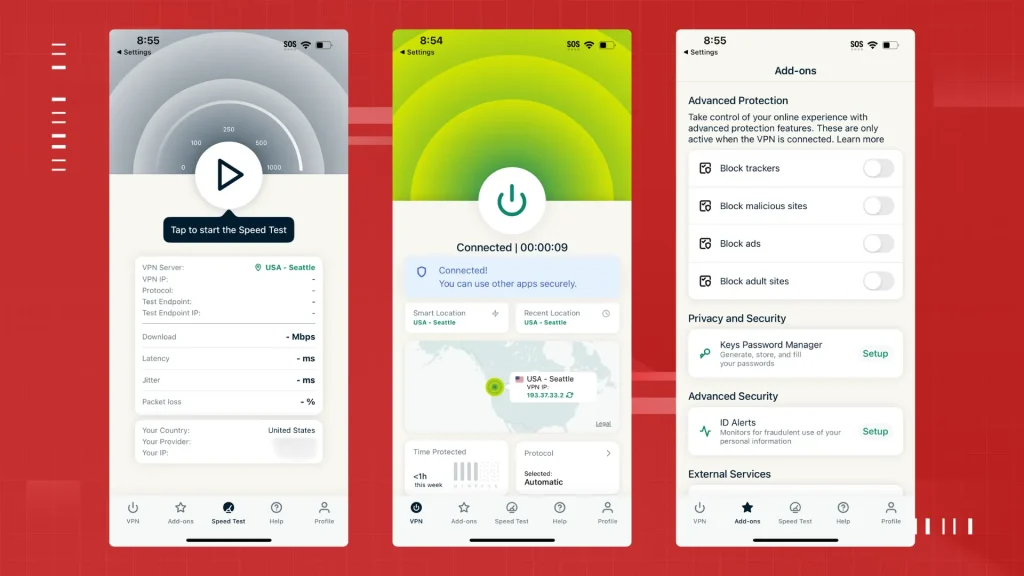
A useful VPN review should distinguish between three things: features documented by the provider, findings reported by independent auditors, and results obtained through personal testing.
Those categories are not interchangeable. A provider’s technical documentation can explain how a feature is designed to work, while independent audits offer evidence about specific systems at a particular point in time. Personal tests can reveal practical behavior under defined conditions, but they cannot establish that a service is secure in every situation.
For this review, the most relevant areas are:
- Connection security: How the VPN encrypts traffic and establishes its tunnel.
- Privacy: What the provider says it collects and what independent assessments have examined.
- Leak protection: Whether DNS requests, IP addresses, or browser behavior expose identifying information during testing.
- Connection reliability: How the application behaves when a network changes or the VPN disconnects.
- Everyday usability: Whether the service is practical for banking, streaming, public Wi-Fi, and remote work.
- Value: Whether the security and convenience justify the subscription cost.
Testing setup and limitations
A reproducible review should document the devices, operating systems, VPN protocol, server locations, baseline connection speed, test dates, and the tools used for each measurement.
For speed testing, use the same internet connection and test server wherever possible, repeat measurements at different times, and report median results alongside the range. A single speed test is not enough to establish typical performance.
Leak testing should distinguish between a detected exposure, a failed test, and a successful reconnection. Similarly, kill-switch tests should record the operating system, application version, network transition, and whether any unprotected traffic was actually observed.
If the figures in the original test log are retained in this article, they should be accompanied by dated screenshots, raw measurements, or another reproducible record. Without those records, they should be treated as unverified observations rather than independently established results.
Is ExpressVPN Safe to Use?
Generally, yes. ExpressVPN offers several security features, including encrypted VPN tunnels, its proprietary Lightway protocol, a kill switch on supported devices, and a no-logs policy that has undergone independent assessment.
Its Trust Center documents independent security audits and other assurance measures. The company’s audit history includes assessments of its applications, browser extensions, TrustedServer infrastructure, and privacy commitments.
That is useful evidence, but it is not a guarantee that the service is free of vulnerabilities. An audit covers a defined scope and a particular period. It does not automatically certify every application version, server, configuration, or future software update.
For most people, the practical question is whether ExpressVPN reduces the risks they actually face. It can help protect traffic between a device and the VPN server, conceal the user’s public IP address from destination websites, and reduce exposure to certain forms of network monitoring. It cannot eliminate all online tracking or replace basic device security.
For more context, see our guide to whether VPNs are really safe to use.
ExpressVPN Security Features: What They Actually Do
Encryption and the Lightway Protocol
ExpressVPN encrypts traffic traveling through its VPN tunnel. Depending on the app, platform, and protocol, its configurations support AES-256 and other cryptographic components.
Encryption helps prevent people monitoring your local network from reading the contents of traffic properly routed through the VPN. However, it doesn’t make all your online activity invisible. ExpressVPN handles traffic that leaves its servers, while websites can still identify you through account logins, cookies, browser fingerprints, and other tracking methods.
Lightway is ExpressVPN’s proprietary VPN protocol, designed to establish connections efficiently without sacrificing security. Its source code is available for inspection, and the protocol has undergone independent security assessments.
Being proprietary doesn’t automatically make a protocol more or less secure than established alternatives. Its cryptographic design, implementation, ongoing maintenance, and independent review are more important than the label attached to it.
Network Lock and the Kill Switch
A kill switch is designed to prevent protected internet traffic from leaving your device outside the VPN tunnel if the connection fails. ExpressVPN calls this feature Network Lock on supported platforms.
This protection is particularly useful when a VPN connection drops unexpectedly or your device switches networks. However, the exact behavior can vary by operating system and app version, so don’t assume every platform handles interruptions in the same way.
To check whether the feature works as expected, test what happens to network traffic when the VPN disconnects. An app displaying a warning doesn’t, by itself, prove that your regular IP address was exposed. Likewise, a brief connection interruption doesn’t necessarily mean a leak occurred.
If you rely on a VPN for sensitive work, test the kill switch on your own device and review the settings available for your operating system. This gives you a clearer idea of how the protection behaves in your particular setup.
TrustedServer and the No-Logs Policy
ExpressVPN’s TrustedServer technology is designed to run VPN servers entirely in RAM rather than relying on persistent hard drives for the server operating system. The goal is to reduce the risk of sensitive information remaining on a server after it restarts.
ExpressVPN also maintains a no-logs policy covering sensitive browsing and connection information. These commitments are relevant when evaluating a VPN’s privacy protections, but they shouldn’t be accepted solely on the provider’s claims.
Look at the published privacy policy, technical documentation, and independent assessment reports to understand what has actually been examined. It’s also important to distinguish between an audit of a particular system or process and proof that every aspect of a provider’s operations has been reviewed.
In June 2025, ExpressVPN announced a third KPMG assessment of its privacy commitments and TrustedServer controls, examining the systems as of February 28, 2025. The published description reports reasonable assurance regarding the controls examined. Readers should consult the audit announcement and report to understand the actual scope and limitations.
The distinction matters: an audit provides evidence about specified controls and procedures. It does not prove that no information of any kind is ever processed or that a company could never change its practices.
What the 2017 Turkey incident tells us
The 2017 Turkish server seizure is frequently cited as real-world evidence supporting ExpressVPN’s no-logs claims. According to the provider’s public statement, investigators seized and inspected a server but did not find the customer connection logs they were seeking.
This incident is relevant because it goes beyond a written privacy policy. However, it should not be described as definitive proof of every current privacy claim. The incident concerned a particular server and a particular point in time.
Taken together with later independent assessments, it adds historical context to the provider’s privacy record. It does not remove the need for ongoing audits, transparent policies, and careful evaluation of current practices.
ExpressVPN Speed: What You Should Measure
Every VPN introduces some overhead. The effect on download speed, upload speed, and latency depends on the distance to the VPN server, the underlying internet connection, server load, protocol, and routing.
A nearby server will often perform better than a distant one, but that is not guaranteed. Network congestion and the quality of the route can change the result substantially.
For a meaningful comparison, measure your normal connection first and then repeat the tests with ExpressVPN connected to the same or comparable destinations.
Use this formula to calculate download-speed retention:
Speed retention (%) = VPN download speed ÷ baseline download speed × 100
For example, if your normal download speed is 500 Mbps and the VPN connection delivers 400 Mbps, speed retention is 80%, representing a 20% reduction.
When publishing test results, include the following information:
| Measurement | Why it matters |
|---|---|
| Baseline download and upload | Establishes the connection’s normal performance |
| VPN download and upload | Shows the practical effect of tunneling |
| Added latency | Helps assess gaming, video calls, and remote access |
| Server location and protocol | Makes results easier to reproduce |
| Test time and repetitions | Helps account for congestion and random variation |
Do not generalize results from a single server or location to the entire service. A test from Jakarta to Singapore, for example, cannot establish the speed a user in New York will experience when connecting to London.
ExpressVPN’s Lightway protocol is designed for efficient connections, but claims that it is consistently faster than NordLynx, WireGuard, or OpenVPN require controlled, comparable testing. Results should be reported as observations from the specific test environment rather than universal rankings.
Does ExpressVPN Leak Your IP Address or DNS Requests?
A VPN should route traffic through its tunnel and use appropriate DNS handling to reduce the chance of exposing the user’s real IP address or DNS activity to the local network.
However, leak protection is not a single, universal pass-or-fail property. IPv4, IPv6, DNS, and WebRTC behavior can differ depending on the operating system, browser, application configuration, and connection state.
For a practical check:
- Record your public IP address before connecting.
- Connect to ExpressVPN and check the public IP again.
- Run a DNS leak test and confirm that the displayed resolvers are consistent with the expected VPN configuration.
- Check WebRTC behavior in your browser.
- Repeat the tests after disconnecting and reconnecting, changing networks, and restarting the application.
Useful tools include IPLeak, DNS Leak Test, and BrowserLeaks WebRTC.
A clean result means no exposure was detected under those test conditions. It does not establish that a leak can never occur.
If a test identifies your ISP-assigned address or unexpected DNS resolvers while the VPN is connected, investigate the operating system, browser, VPN settings, and test methodology before drawing a conclusion.
Does ExpressVPN’s Kill Switch Work Reliably?
The kill switch is one of the most important features to evaluate when using a VPN for privacy-sensitive tasks.
It should prevent traffic from bypassing the VPN when the tunnel unexpectedly fails. However, network changes, operating-system behavior, application crashes, and configuration differences can affect the outcome.
A useful stress test should cover:
- Disconnecting and reconnecting Wi-Fi.
- Unplugging Ethernet.
- Switching between Wi-Fi and a mobile hotspot.
- Putting the device to sleep and waking it.
- Forcing a VPN server change.
- Closing the application normally and testing unexpected failures separately.
Record whether unprotected traffic was observed, how long the interruption lasted, and whether the real IP address or ISP DNS resolvers became visible.
Avoid reporting a single kill-switch reliability percentage unless the calculation is clearly defined. For example, a test that counts successful reconnections is not necessarily measuring the same thing as a test that confirms zero unprotected packets.
Even a successful series of tests cannot guarantee that every future disconnection will be handled correctly. For particularly sensitive activities, use the strongest supported protection settings and verify the behavior on the actual device.
Is ExpressVPN Safe for Online Banking?
ExpressVPN can add protection when you access your bank over public Wi-Fi by encrypting traffic traveling between your device and the VPN server.
However, a VPN does not make a fraudulent banking website legitimate, prevent every account takeover, or guarantee that a bank will accept a login from a particular IP address.
Banking systems may flag logins from unfamiliar locations, VPN exit nodes, or IP addresses associated with suspicious activity. If a bank requests additional verification, follow its official security process rather than repeatedly switching servers to bypass the warning.
For routine banking:
- Use your bank’s official website or application.
- Enable multifactor authentication where available.
- Keep your operating system and browser updated.
- Avoid following banking links from unexpected messages.
- Use a VPN when it helps protect traffic on an untrusted network, but do not treat it as a replacement for account security.
The safest server location is not necessarily the one closest to your bank. Choose a suitable connection, follow the bank’s requirements, and avoid trying to circumvent legitimate fraud checks.
Is ExpressVPN Safe on Public Wi-Fi?
Public Wi-Fi is one of the clearest use cases for a VPN. The encrypted tunnel can help protect traffic from people monitoring the local network, assuming the connection is properly established and traffic is routed through it.
The VPN does not make the Wi-Fi network trustworthy. A malicious access point can still attempt phishing, redirect users to fake login pages, or exploit weaknesses in their devices and applications.
When connecting to a hotel, airport, café, or coworking network, complete any required captive-portal authentication and confirm that the VPN is connected before performing sensitive tasks.
Also remember that HTTPS remains important. A VPN and HTTPS serve different purposes and can complement each other.
If you regularly encounter access challenges while using a VPN, our guide explains why CAPTCHAs appear when you use a VPN.
Can ExpressVPN Access Netflix and Other Streaming Services?
ExpressVPN may work with Netflix and other streaming platforms, but access is not guaranteed. Streaming services change their detection systems, licensing arrangements, and IP-blocking rules over time.
A server that works today might stop working tomorrow. Results can also vary by country, account, device, and subscription plan.
To evaluate streaming performance fairly, report the service, country, date, number of attempts, and success criteria. Distinguish between loading the website, signing in, and actually playing the intended content.
If a stream fails, try a different supported server or consult ExpressVPN’s troubleshooting guidance. Do not assume that a successful connection guarantees access to every regional library.
Also check the streaming provider’s terms and the applicable local rules before attempting to access content from another region.
Is ExpressVPN Good for Torrenting?
ExpressVPN supports peer-to-peer traffic, making it an option for users who need a VPN while transferring files through P2P applications.
A VPN can help conceal your public IP address from other peers, but it does not make copyright infringement legal or guarantee protection against every privacy failure.
For legitimate file sharing, check that the VPN is connected, verify the IP address exposed by the torrent client, and ensure the application does not fall back to an unprotected connection if the tunnel drops.
Advanced users should also consider features such as port forwarding, which can affect incoming peer connections and seeding performance. ExpressVPN does not offer conventional user-configurable port forwarding, which may be a disadvantage for some P2P workflows.
Use torrents only for files you are authorized to distribute or download.
Where ExpressVPN Falls Short
ExpressVPN has meaningful strengths, but it is not the best fit for every user.
Price and renewal terms. Promotional pricing can make the initial subscription look substantially cheaper than its renewal cost. Check the current plan, the initial billing period, the amount charged upfront, and the renewal price before purchasing. The provider’s official pricing page lists the available plans and current terms.
No conventional port forwarding. This can be a drawback for users who need incoming connections for certain P2P or self-hosted workflows.
Streaming is not guaranteed. Server availability and access to regional libraries can change as streaming providers update their restrictions.
VPN protection has limits. ExpressVPN cannot stop every phishing attack, remove browser tracking, protect a device already compromised by malware, or guarantee anonymity when you sign in to personal accounts.
Platform differences matter. Features and connection behavior can vary between Windows, macOS, Linux, iOS, Android, and router configurations. Confirm that the features you need are supported on your own devices.
These are practical considerations rather than proof that ExpressVPN is unsafe. They help determine whether its combination of security, usability, and cost matches your needs.
ExpressVPN Security Audits: What Has Been Verified?
ExpressVPN has published a substantial history of third-party assessments covering different parts of its products and infrastructure.
Its Trust Center lists audits from organizations including Cure53, KPMG, PwC, F-Secure, and Praetorian. The documented areas include Lightway, TrustedServer, desktop and mobile applications, browser extensions, and privacy commitments. The provider announced an additional KPMG privacy assessment in June 2025, alongside newer protocol assessments in 2024.
See the official audit history for the dates and scope of individual assessments.
A few qualifications are important:
- An audit of the VPN protocol does not automatically cover every application or server.
- An assessment of privacy controls is not the same as a guarantee of perfect anonymity.
- Older audit results should be interpreted in the context of subsequent software changes.
- The existence of an audit is less informative than its scope, findings, and any documented remediation.
The strongest approach is to examine the reports themselves and distinguish between what was tested, what the auditor concluded, and what remains outside the assessment.
Is ExpressVPN Worth the Price?
ExpressVPN is worth considering if you prioritize a straightforward application, established security features, and a provider with a substantial independent-audit history.
Whether it offers the best value depends on your budget and requirements. Some competing services may offer lower introductory prices, different privacy features, or more advanced configuration options. Comparisons should use current renewal prices and equivalent subscription terms rather than promotional monthly figures alone.
Before subscribing, ask yourself:
- Do I need a VPN mainly for public Wi-Fi, everyday privacy, or streaming?
- Are the supported devices and simultaneous connections sufficient?
- Do I need advanced features such as port forwarding?
- Is the renewal price acceptable?
- Have I reviewed the privacy policy, audit scope, and refund terms?
For many everyday users, convenience and reliable protection are more important than winning every speed benchmark. For advanced users, detailed configuration options and total cost may matter more.
Final Verdict: Is ExpressVPN Safe?
Yes, ExpressVPN is a credible VPN option for everyday privacy and connection security, but it is not a complete security solution.
Its encryption, Lightway protocol, Network Lock, TrustedServer architecture, and independent assessments provide meaningful reasons to consider it. Its audit history is particularly useful because it offers evidence beyond the provider’s marketing claims.
There are still limits. A VPN cannot prevent all tracking, guarantee that no traffic will ever leak, make unsafe downloads harmless, or protect an account after its credentials have been stolen. Audit findings also apply to specific systems and periods rather than every possible future scenario.
My recommendation is to consider ExpressVPN if you want a relatively straightforward service with established security features and documented third-party assessments. Compare its current renewal price and feature set against alternatives before committing.
For a broader understanding of the technology, read our guide to how VPN encryption protects your data.
Ultimately, the best VPN is one whose technical safeguards, privacy practices, usability, and cost fit your actual needs—and one you configure and use correctly.
Frequently Asked Questions
Is ExpressVPN safe for banking?
ExpressVPN can help protect traffic on public Wi-Fi by encrypting the connection to its VPN server. It cannot guarantee that a bank will accept a login or prevent phishing and account takeover. Use the bank’s official application or website and enable multifactor authentication.
Does ExpressVPN really keep no logs?
ExpressVPN states that it does not retain sensitive activity and connection logs covered by its no-logs policy. Independent assessments have examined its privacy commitments and supporting controls. These reports provide evidence about the systems and periods assessed, not an absolute guarantee about every future circumstance.
Will ExpressVPN slow down my internet?
It can. The effect depends on the distance to the VPN server, network congestion, protocol, and baseline connection. Test nearby and distant servers several times to understand the impact on your own connection.
Is ExpressVPN safe on public Wi-Fi?
It can reduce exposure to local network monitoring by encrypting traffic through the VPN tunnel. It does not make malicious hotspots safe or replace HTTPS, software updates, and careful browsing.
Is Kape Technologies’ ownership a reason to avoid ExpressVPN?
Ownership is a reasonable factor to consider when evaluating any privacy service. Rather than treating ownership alone as proof of misconduct or safety, examine the provider’s current privacy policy, independent assessments, transparency reporting, and operational practices.
Is ExpressVPN worth paying for?
It may be worth paying for if its usability, supported features, and privacy assurances match your needs. Compare the full subscription and renewal costs with competing services, especially if you need advanced networking features or have a strict budget.
You May Also Like
 Cybersecurity
Is Fanatical Legit and Safe? My Honest Take on Buying Game Keys
 Data Security & Privacy
Is Gameflip Legit and Safe for Gift Cards? What Buyers Should Know
 Data Security & Privacy
Is Eldorado.gg Legit and Safe in 2026? My Investigation and What Buyers Should Know
 VPN & Proxy
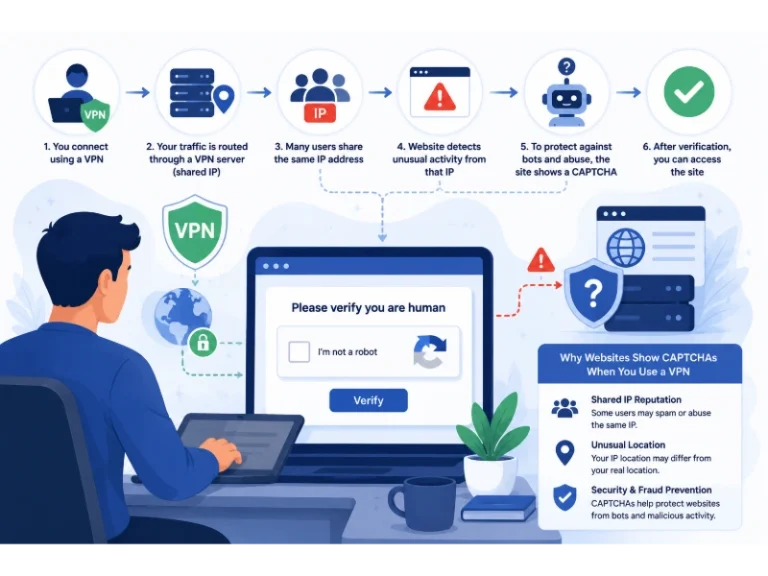
Why Do CAPTCHAs Appear When You Use a VPN?
 VPN & Proxy
Why Does Google Say Our Systems Have Detected Unusual Traffic From Your Computer Network?
 VPN & Proxy
How to Block Ads on Pinterest: A Simple Guide
 VPN & Proxy
10 Best VPNs for California in 2026: Privacy, Speed, and Security
 VPN & Proxy
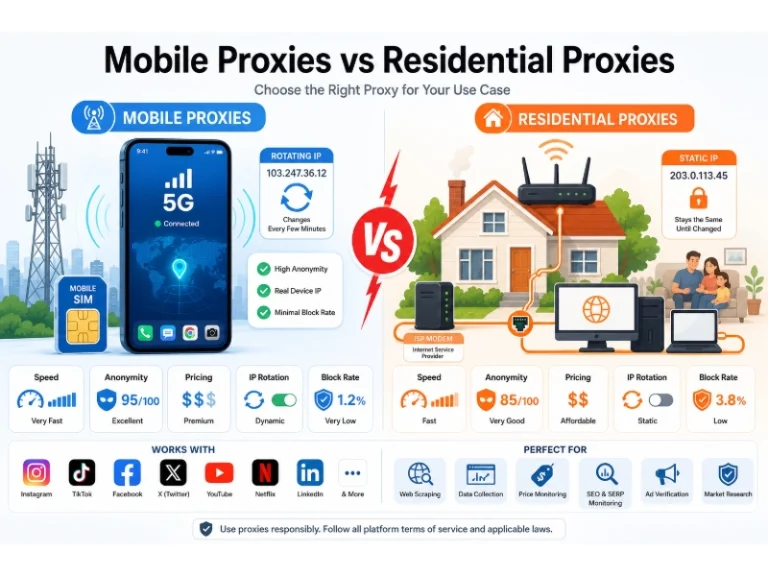
Mobile Proxies vs. Residential Proxies: Differences, Costs, and Use Cases
 VPN & Proxy