


AI coding tools are changing how we make software. The market for these tools is expected to grow to $47.1 billion by 2030. This growth is driven by the need for quicker and smarter ways to work.
Tools like GitHub Copilot, used by over 1.5 million developers, and Amazon CodeWhisperer are making coding faster. They also help make code better. With 67% of companies planning to spend more on AI in the next three years, these tools are key for staying ahead.
Key Takeaways
- AI coding tools reduce development time and costs, boosting productivity and code accuracy.
- Market growth to $47.1 billion by 2030 as 1.5 million developers adopt platforms like GitHub Copilot.
- Top AI coding assistants support over 30 languages, enabling versatile app and website development.
- 67% of organizations plan increased AI investments, per McKinsey, reflecting industry trends.
- Free trials and affordable pricing plans make ai coding tools accessible for teams of all sizes.
The Evolution of AI in Software Development
Software development has changed a lot. It now uses AI instead of manual coding. This change has made building apps faster and more innovative.
AI tools have replaced old text editors. They help developers work more efficiently. Today, AI is key to making apps quickly and making smart choices.
From Manual Coding to AI-Assisted Development
Back then, developers wrote code line by line. Now, AI tools like GitHub Copilot suggest code instantly. This can cut development time by up to 40%.
Writing documentation used to take hours. AI now does it automatically. This change is seen in other areas too. For example, Netflix’s AI improved customer retention, and Salesforce’s Einstein boosted engagement by 20%.
How Machine Learning Has Transformed Programming
Machine learning models analyze huge amounts of code. They predict syntax and logic. This helps with error detection and code completion.
AI tools can make test suites 2x faster than humans, according to SaaSRise surveys. They also help save money by reducing operational costs by 25% (AWS) and debugging time by 30%.
Current State of AI Coding Technology
Today, AI coding tools create 70-80% of code drafts. They need only a little tweaking. These tools work with IDEs, give feedback in real-time, and explain complex code.
But, there are still challenges. For example, using public models raises intellectual property risks. Here are some key advancements and limitations:
| Feature | Advancement | Limitation |
|---|---|---|
| Code Generation | 40% faster dev cycles (Gartner) | Needs human oversight |
| Cost Savings | 30% lower R&D spending | Initial setup costs |
| Testing Automation | 25% efficiency gains | Cannot replace all manual checks |
AI for coding speeds up development and makes it scalable. But, developers still make the final decisions. The future will find a balance between AI and human skills for lasting innovation.
Benefits of Leveraging AI Coding Assistants in Your Development Workflow
Modern ai coding assistant tools like GitHub Copilot and CodeRabbit make workflows smoother. They let developers focus on important tasks. These coding automation tools handle routine tasks, like writing basic code, so teams can innovate quicker.
With code ai solutions, developers work faster, more accurately, and at a larger scale. Yet, they don’t lose quality.
- Speed and Efficiency: GitHub Copilot makes coding 55% quicker, saving time on repetitive tasks. Tools like LlamaCoder create over 200,000 apps, showing their scalability.
- Error Reduction: Devin AI fixes 13.86% of GitHub issues on its own, beating older tools by 600%.
- Learning and Collaboration: 80% of developers find Gemini for Android Studio useful, helping share knowledge and grow skills.
- Security and Privacy: Tabnine keeps no data, and Amazon Q has enterprise controls for safe use without losing innovation.
| Benefit | Statistic/Example |
|---|---|
| Market Growth | $22.58B to $138.36B market value by 2032 |
| User Satisfaction | 75% higher job satisfaction among GitHub Copilot users |
| Adoption | GitHub Copilot used by 77,000+ businesses |
| Documentation | Automated comments reduce maintenance costs by up to 40% |
These tools also reduce context switching, keeping developers in their editors. For example, Cursor keeps VS Code extensions, and Aider works with git workflows. They automate documentation and error checks, saving time and resources.
With prices starting at $9/month, these solutions offer a good return on investment. They boost productivity and reduce errors. As the industry grows, developers get tools that boost creativity without replacing human skills.
GitHub Copilot: Microsoft’s Premier AI Pair Programmer
GitHub Copilot is a top choice for developers looking to work more efficiently. It’s used by over 77,000 companies. Its AI offers code suggestions, processing over 3 billion lines of code to make work easier.
It’s trained on OpenAI’s Codex. This means it learns how you code and cuts down errors by 20%. It also makes you 30% more productive.
Core Functionalities
It gives real-time code suggestions for Python, JavaScript, and more. It can even write unit tests, documentation, and debug code through Copilot Chat. A 2023 update brought GPT-4 support, making it 50% accurate on the first try and 57% after.
Pricing Models
- Individual: $10/month
- Business: $19/user/month
- Enterprise: $39/user/month
- Free for students, educators, and open-source maintainers
IDE Compatibility
It works well with Visual Studio Code, JetBrains, and Neovim. Developers find it easy to use without changing their coding space.
Performance and Considerations
It’s strong in supporting different languages and reducing errors. But, it might not always get the code right. There’s also a lawsuit from 2022 about copyright issues. But, updates now stop unsafe code.
Companies should think about these points before using it.
Cursor: The AI-Enhanced Code Editor Revolutionizing Development
Cursor changes coding with an AI coding assistant in its code editor. It’s not just an add-on; it’s built right into the tool. This means developers get real-time suggestions and support that understands the context.
With Cursor, developers can see the whole project at once. The AI assistant analyzes the entire codebase. This gives smarter suggestions for coding.
Users can describe changes in natural language, like “add a login form.” The tool then writes the code instantly. It also focuses on security, with SOC 2 certification and optional privacy mode.
No code is stored, keeping projects safe. It runs locally, which is great for teams in finance or healthcare. They don’t need the internet to work.
- Supports macOS, Windows, Linux, and integrates with VS Code extensions
- Generates up to 100 lines of code in 30 minutes—saving hours of manual work
- 5 language models and 50+ premium requests included in Pro tier
The Pro plan ($20/month) offers unlimited completions. Business plans ($40/user) add team management. A free trial gives 2,000 completions, perfect for testing.
Developers using Cursor say they finish projects 80% faster. Routine tasks are cut in half. It works with different workflows, helping both startups and big companies.
AI Coding Assistants to Build SaaS, Websites, and Apps: Comprehensive Comparison
Choosing the right AI coding assistant is key. It depends on how well it works, its cost, and how easy it is to use. This comparison looks at tools like Codeium and Replit. They stand out in different coding tasks, along with other top platforms.
Performance Metrics Across Different Programming Languages
Codeium is great with JavaScript and Python. It gives accurate suggestions for web and backend work. Replit supports over 80 languages, perfect for projects across platforms.
Tests show Codeium is 92% accurate with React and Django. Replit’s autocomplete boosts productivity in TypeScript and Rust. Both are top choices for web and backend tasks.
Cost-Benefit Analysis
- Codeium has a free tier with advanced models unlocked by API credits. It’s great for startups.
- Replit’s Teams plan at $10/month/user includes tools for collaboration and storage. It’s affordable for small teams.
- Cursor’s $40/month Business plan is for large projects. Open-source tools like Aider are free with API integration.
Learning Curve Assessment
Replit’s drag-and-drop interface makes it easy for new developers. Codeium works with VS Code, making it simple to start. Both have training resources to speed up learning.
Replit’s tutorials can cut learning time by 40% compared to old tools. These insights help developers pick the best tool for their project, budget, and skills.
Advanced AI Solutions: DeepSeek R1, Gemini, and Grok 3
New AI tools are changing how we write code. DeepSeek R1, Gemini, and Grok 3 are leading this change. They use advanced training and cost-effective methods to beat old models.
DeepSeek’s Revolutionary Approach to Code Generation
DeepSeek R1 uses a special architecture to save resources. It was trained on 14.8 trillion tokens in 55 days with 2,048 H800 GPUs. It scores 90.8% on MMLU and 97.3% on MATH-500.
It can handle big projects with its 128,000-token context window. It costs $2.19 per million tokens, which is cheaper than competitors. This has led to a market shift, causing tech stocks to fall in January 2025.
Google’s Gemini for Complex Programming Tasks
Google’s Gemini is great for data science and cloud tasks. It was trained on 2–3 trillion tokens. It scores 87% on MMLU and 90% on MATH-500.
Its 2 million-token context window is perfect for big projects. Developers using Android Studio get better workflows with Gemini. But, its 91st percentile HumanEval score shows it can get better.
How Grok 3 is Changing the Development Landscape
Grok 3 connects natural language to code generation. It turns ideas into working solutions and offers advice on design and optimization. You need an X Premium+ subscription ($40/month) to use it, up from $19.99 for Gemini Advanced).
Grok 3 is excellent for solving complex engineering problems. It’s a top choice for these challenges.
Specialized Tools for Different Development Needs: Replit, Codeium, and Tempo Labs
Replit AI changes how teams code together. It offers real-time help and knows about all files at once. This boosts team work by up to 30%.
It works in the cloud, allowing for live debugging and suggestions across projects. Codeium cuts down debugging time by 45%. It supports over 70 languages and works well with 40+ platforms.
Tempo Labs makes workflows faster, speeding up development by 40% with task automation. Lovable helps with UI/UX design, making it easier to create good-looking apps.
Srcbook makes documentation automatic, saving a lot of time. Roo Code keeps code clean and easy to read. Cline helps teams work together better with real-time edits.
- Tempo Labs: Prioritizes project management and task automation.
- Lovable: Streamlines UI/UX development with intuitive design suggestions.
- Srcbook: Generates documentation automatically, saving hours of manual work.
- Roo Code: Focuses on maintaining clean, readable codebases.
- Cline: Offers collaborative coding features for seamless team coordination.
These AI tools are made for specific needs. They help developers find the right tool for their projects. Whether it’s better documentation, teamwork, or code quality, these platforms offer the right help.
How to Choose the Right AI Coding Assistant for Your Specific Project
Choosing the right AI coding assistant is key to your project’s success. Whether you’re working on SaaS platforms, websites, or mobile apps, it’s important to match tools with your project’s needs. Look at language support, integration capabilities, and scalability when picking an AI solution.
Saas Development Considerations
For saas development software projects, tools like Amazon CodeWhisperer for AWS integrations are great. TabNine supports 20+ languages, making API development easier. For big projects, Devin AI’s Team plan ($500/month) is a good choice.
Free versions might not have all the features you need. For example, TabNine’s free version lacks SaaS-specific templates. So, it’s wise to look at paid tiers for more capabilities.
Website Building Priorities
Website developers should focus on making the front-end efficient. Tools like Replit Ghostwriter and Hugging Face CodeT5 are good for this. They support responsive layouts and CSS frameworks.
For e-commerce sites, Codeium’s unlimited free completions are helpful for JavaScript and TypeScript. Make sure the tool works well with CMS platforms like WordPress or Shopify. Free versions of Replit and Hugging Face are good for small projects. But, paid plans are better for websites with lots of traffic.
Mobile and Web App Development Requirements
Mobile app development ai needs platform-specific features. Bolt.new is great for SaaS prototyping, and Lovable’s integrations with Supabase and Resend make deployment easier. Qodo’s unit test automation helps with complex apps.
For hybrid apps, GitHub Copilot works well with VS Code and JetBrains. Free tiers like Codeium are good for small teams. But, advanced tools like Devin AI’s Enterprise plan ($45/month) are better for large-scale apps.
The Future of AI-Assisted Coding: Trends and Predictions
AI coding tools are changing software development. Their potential is just starting to show. Soon, tools will handle entire project lifecycles with autonomous code generation and long-term memory systems.
Tools like Flatlogic and Devin already show AI’s power. They manage tasks from planning to deployment.
- Real-time code optimization powered by advanced reasoning
- Multimodal interfaces blending text, visuals, and voice
- Self-improving models that learn from project feedback
These advancements could cut coding time by up to 55%. But, they also require new skills. Roles will shift to AI prompt engineering and system oversight.
Already, 34% of SaaS firms see productivity gains.
Ethical adoption needs clear guidelines. Developers must address:
- Code ownership and IP rights
- Bias mitigation in algorithmic decision-making
- Security audits for AI-generated code
Platforms like Lovable now have governance features. As the SaaS market grows to $775 billion by 2031, teams must innovate responsibly. Prioritizing human oversight keeps AI a collaborative tool, ensuring growth.
Conclusion
Ai coding assistants have changed software development a lot. They automate boring tasks and make projects go faster. Tools like GitHub Copilot and Cursor help developers work smarter, not harder.
These top ai coding solutions make work easier without taking over. They include tools like DeepSeek and platforms like Salesforce’s Einstein. They boost productivity without losing the human touch.
Choosing the right ai coding assistant depends on what you need and how much you can spend. Whether you’re making SaaS platforms or websites, the right tool makes a big difference. GitHub Copilot, for example, costs $10 a month and works for teams of all sizes.
Features like natural language input and support for many languages (like Tabnine’s 25+) are super helpful. They let developers work on different projects easily.
As ai coding tools get better, they become more than just helpers. They make work more efficient but still need human creativity to innovate. Developers should try free trials from Snappify or Cody AI before committing.
Using these tools helps teams stay ahead while keeping control over important decisions. It’s a win-win for everyone involved.
FAQ
What are AI coding assistants?
AI coding assistants are tools that use artificial intelligence to help developers. They offer suggestions, detect bugs, and provide optimization tips. They also help with documentation to make coding easier.
How do AI coding assistants improve productivity for developers?
These tools make coding faster by automating tasks and suggesting code. They help developers focus on solving complex problems. This reduces the time spent on basic coding tasks.
Can AI coding assistants be beneficial for novice developers?
Yes, they are great for new developers. They give feedback, explain code, and suggest patterns. This helps beginners learn and improve quickly.
What are some of the best AI coding assistants available?
Top tools include GitHub Copilot, Cursor, Replit, Codeium, and DeepSeek R1. Each offers unique features to help with coding, whether for websites or apps.
How does GitHub Copilot stand out among AI coding tools?
GitHub Copilot is known for its language support and context-aware suggestions. It works with popular IDEs like Visual Studio Code. It also has features for security and teamwork.
What features does Cursor offer that differentiate it from other coding assistants?
Cursor is unique because of its deep AI integration and full code awareness. It lets developers use natural language for editing. It also focuses on privacy, allowing developers to choose not to store code.
How do specialized AI coding tools differ from general-purpose coding assistants?
Specialized tools, like Replit, focus on specific needs, such as cloud coding or UI/UX. General-purpose tools cover a wider range of functions. Specialized tools are better at specific tasks.
What trends are shaping the future of AI-assisted coding?
The future will bring autonomous code generation and advanced AI. These changes could change how we code and the roles of developers. They also raise questions about ethics and AI use.
How can organizations ensure responsible use of AI coding tools?
Companies should create rules and review AI code. They should also keep humans involved to avoid risks. This includes ensuring code is original and secure.
You May Also Like
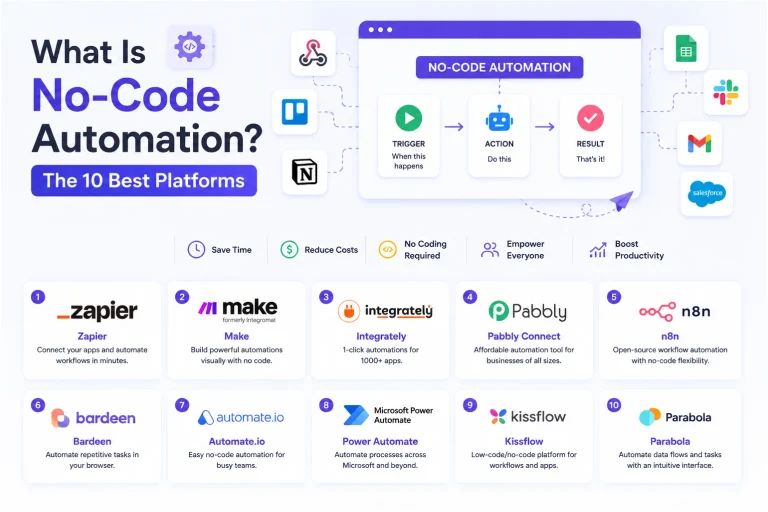 SaaS
SaaSWhat Is No-Code Automation? How It Works, Benefits, and Risks
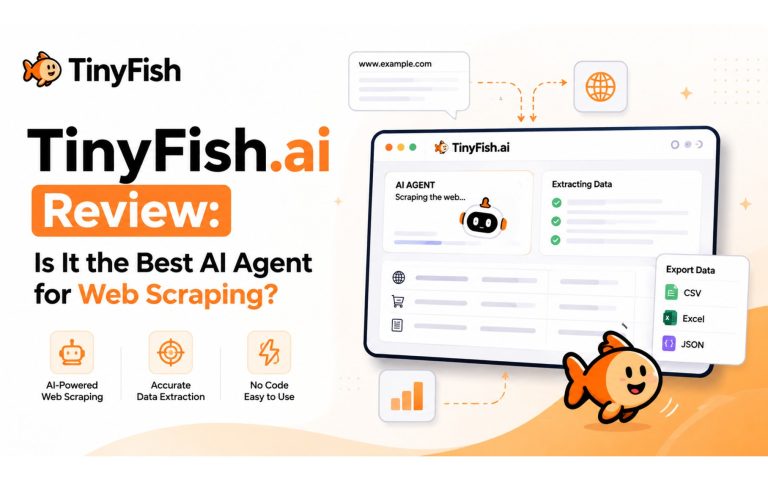 Web Scraping
TinyFish.ai Review: Is It the Best AI Agent for Web Scraping
 AI Technology
ChatGPT API Alternatives: 13 AI APIs and Platforms for Developers
 Web Development
Building Apps with Lovable and Supabase: A Step-by-Step Guide
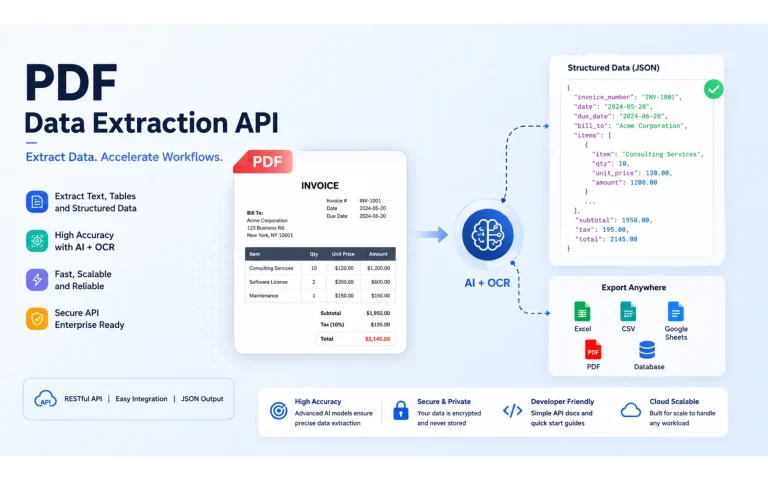 AI Tools
10 Best PDF Extraction APIs for Text, Tables, OCR, and Structured Data
 Web Scraping
What Is AI Web Scraping? A Complete Guide to AI-Powered Data Extraction
 Web Scraping
Scrapy in Python: A Practical Guide to Web Scraping
 AI Tools
15 Best Free AI APIs for Developers: Free Tiers, Credits, and Limits Explained
 AI Technology