

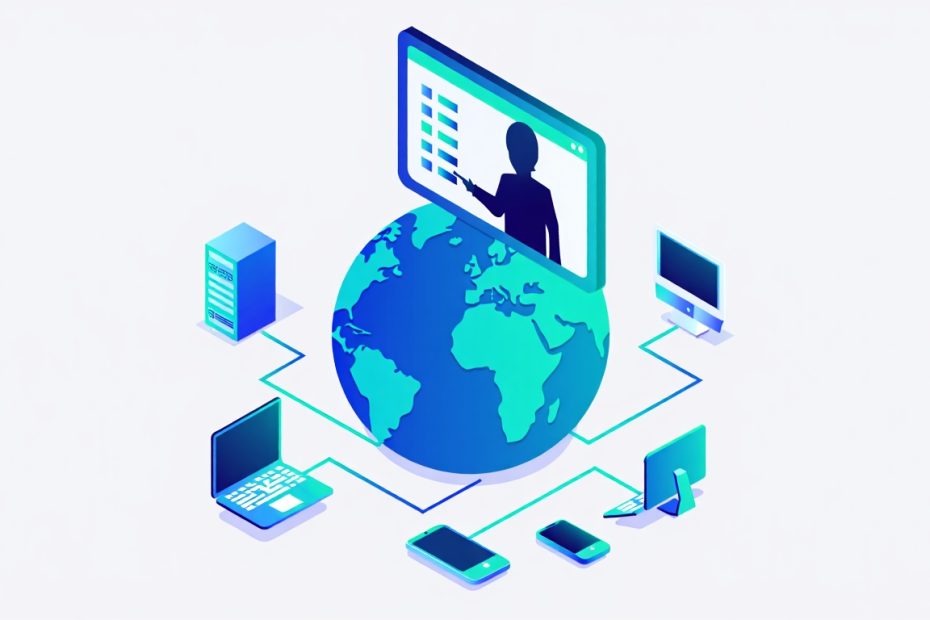
Managing your IT systems is one of the most important things your business can do — but it is also one of the most demanding. For small and medium-sized businesses especially, keeping every device, network, and piece of software running smoothly can stretch your resources thin fast. Remote Monitoring and Management, commonly known as RMM, is a proactive IT management approach that allows IT professionals to monitor, manage, and maintain your entire technology infrastructure remotely, around the clock, without needing to be physically on-site.
The real value of RMM is not just that it fixes problems — it is that it finds and stops problems before your team ever notices them. Instead of waiting for something to break and then calling for emergency support, RMM keeps a constant eye on your systems and takes action the moment something looks off. For businesses that depend on technology to operate every day, that kind of proactive protection makes a genuine difference.
Why Use Remote Monitoring and Management?
Businesses use RMM because it gives them continuous visibility into the health, performance, and security of their IT infrastructure without requiring full-time in-house IT staff. Every day your systems run without issues is a day your team stays productive and your revenue stays protected. RMM makes that consistency possible — not by luck, but by design.
Whether your business has five employees or five hundred, technology problems cost you time and money. A crashed server, a missed software patch, or an undetected security threat can disrupt your entire operation. RMM removes the guesswork from IT management by monitoring everything in real time and giving your IT provider the tools to respond fast — often resolving issues before you even know they existed.
What Are the Key Benefits of RMM for Your Business?
RMM delivers a wide range of practical benefits that directly improve how your business operates, from reducing costly downtime to strengthening your cybersecurity defenses.
Does RMM Help Prevent IT Problems Before They Happen?
Yes — proactive issue detection is one of the most valuable things RMM does for your business. Instead of waiting for a system to crash or a network to go down, RMM tools constantly scan your infrastructure and flag warning signs early.
If your server starts showing signs of overheating, for example, your IT provider gets an alert immediately and can address the issue remotely before the system shuts down or suffers permanent hardware damage. That kind of early intervention saves your business from costly emergency repairs and unplanned downtime.
- 24/7 system monitoring without gaps — RMM tools monitor your devices, servers, and networks around the clock — including nights, weekends, and holidays. Problems do not wait for business hours, and neither does RMM. Your systems are watched at every hour, which means issues get caught at the earliest possible moment regardless of when they occur.
- Real-time alerts for your IT team — The moment RMM detects something unusual — a spike in CPU usage, a failing hard drive, or suspicious network activity — it sends an immediate alert to your IT provider. That alert triggers a fast response, often resolving the issue remotely before it ever reaches your team’s awareness or disrupts their work.
- Preventive maintenance on a regular schedule — RMM does not just react to problems — it helps prevent them through regular scheduled maintenance. System health checks, disk cleanups, performance optimizations, and hardware diagnostics all run automatically in the background, keeping your infrastructure in the best possible condition day after day.
How Does RMM Reduce Downtime and Keep Your Business Running?
RMM reduces downtime by identifying and resolving IT issues quickly — often remotely and without any disruption to your team’s daily work. For businesses that rely on technology to serve customers and process transactions, every minute of downtime translates directly into lost productivity and lost revenue.
With RMM in place, your IT provider can remotely access your systems, diagnose the problem, and apply a fix — all without needing to schedule an on-site visit. That speed of response is a significant advantage over traditional break-fix IT support, where businesses wait hours or sometimes days for a technician to arrive.
- Remote troubleshooting without waiting for a site visit — Whether it is a software glitch, a network configuration issue, or a device acting up, your IT provider can diagnose and fix most problems remotely through RMM tools. Your team keeps working while the issue gets resolved quietly in the background.
- Faster resolution times compared to traditional IT support — Because RMM gives IT providers direct visibility into your systems in real time, they already have the diagnostic data they need before they even start troubleshooting. That head start means faster fixes and significantly less time spent figuring out what went wrong.
- Maximized uptime across all your devices and networks — RMM’s combination of proactive monitoring, preventive maintenance, and fast remote response keeps your systems operational far more consistently than reactive IT support models. Your business keeps running smoothly even when minor issues arise behind the scenes.
Is RMM a Cost-Effective Solution for Small and Medium Businesses?
Yes — RMM is generally more cost-effective than traditional break-fix IT support, because your business pays for continuous prevention rather than expensive emergency repairs.
The traditional break-fix model works like this: something breaks, you call for help, you pay for the repair. That reactive cycle is expensive, unpredictable, and disruptive. RMM flips that model entirely. By catching problems early and maintaining your systems proactively, RMM reduces the frequency and severity of IT failures — which directly lowers your overall IT spending over time.
| Support Model | How It Works | Cost Pattern | Business Impact |
|---|---|---|---|
| Break-Fix IT Support | Pay when something breaks | Unpredictable, high emergency costs | Reactive — disruptions already affecting your team |
| Remote Monitoring and Management | Continuous proactive monitoring | Predictable monthly fee | Proactive — issues caught before disruption occurs |
Regular patch management through RMM is a clear example of this cost efficiency. Keeping your software and systems patched and up to date prevents vulnerabilities from being exploited — and avoiding even one serious cyberattack or data breach saves your business far more than the cost of a full year of RMM services.
Does RMM Improve Your Business’s Cybersecurity?
Yes — RMM plays a direct and significant role in strengthening your cybersecurity by continuously monitoring your network for threats and automatically applying security patches before vulnerabilities can be exploited.
Cyber threats are not occasional events anymore. Businesses of all sizes face constant exposure to malware, ransomware, unauthorized access attempts, and phishing attacks. RMM acts as a persistent security layer that watches your network around the clock and responds to threats in real time.
- Continuous network security monitoring — RMM tools scan your network traffic and system activity constantly, looking for signs of suspicious behavior. Unauthorized login attempts, unusual data transfers, or unexpected device activity all trigger immediate alerts that your IT provider can investigate and respond to before damage is done.
- Automated security patching across all devices — Unpatched software is one of the most common entry points for cyberattacks. RMM automates the process of pushing security updates and patches to every device on your network, ensuring no system gets left behind. This eliminates the risk of human error in manual update processes and keeps your entire infrastructure protected against the latest known threats.
- Early threat detection and automatic blocking — When RMM detects a potential threat — such as repeated unauthorized login attempts — it can alert your IT provider and in some cases automatically block access to prevent a breach. That combination of detection and rapid response gives your business a much stronger security posture than relying on periodic manual security reviews.
Can RMM Scale as Your Business Grows?
Yes — RMM is highly scalable and can grow alongside your business without requiring a complete overhaul of your IT management approach. Whether you are adding new team members, opening a new office location, or deploying additional devices, RMM can extend its monitoring and management coverage to include every new addition to your infrastructure.
This scalability makes RMM a smart long-term investment for growing businesses. You do not need to rebuild your IT management framework every time your business expands. Your RMM solution simply scales up to cover the new devices, users, and systems as they come online.
RMM Key Benefits at a Glance
| Benefit | What It Means for Your Business |
|---|---|
| Proactive Issue Detection | Problems are caught and fixed before your team notices them |
| Reduced Downtime | Fast remote troubleshooting keeps your systems operational |
| Cost Efficiency | Preventive maintenance costs less than emergency repairs |
| Automated Patching | Software stays updated and secure without manual effort |
| Enhanced Cybersecurity | Continuous threat monitoring protects your network 24/7 |
| Detailed Reporting | Real-time insights help you make smarter IT decisions |
| Scalability | Grows with your business without disruption |
Conclusion: Is RMM the Right Move for Your Business?
If your business depends on technology to operate — and virtually every business does today — then RMM is worth serious consideration. It gives your IT infrastructure the consistent, proactive attention it needs to stay healthy, secure, and productive without requiring you to hire a full in-house IT team or wait for something to break before getting help.
The combination of 24/7 monitoring, automated patching, fast remote troubleshooting, and real-time security protection makes RMM one of the most practical IT investments a growing business can make. The businesses that benefit most are those that stop treating IT management as a reactive task and start treating it as an ongoing, proactive discipline — and RMM is what makes that shift possible.
Frequently Asked Questions
Is RMM only suitable for large businesses with big IT budgets?
No — RMM is designed to be scalable and cost-effective for businesses of all sizes, including small and medium-sized businesses. Many managed service providers offer RMM plans that fit a range of budgets, making professional-grade IT monitoring accessible even for businesses with limited IT resources.
Is RMM the same as having an in-house IT team?
No — RMM is a tool and service that complements or replaces the need for a full in-house IT team. Rather than hiring dedicated on-site staff, businesses use RMM through a managed service provider who monitors and manages their systems remotely. For many small businesses, this approach delivers more consistent coverage at a lower total cost than maintaining in-house IT staff.
Does RMM require any hardware to be installed on-site?
Yes, in most cases — RMM typically requires a lightweight software agent to be installed on your devices and servers. This agent communicates with the RMM platform and sends performance and health data to your IT provider. The installation process is straightforward and does not interfere with your normal business operations.
Is RMM effective at protecting businesses from ransomware and cyberattacks?
Yes — RMM significantly reduces your exposure to ransomware and other cyber threats by keeping your software patched, monitoring your network for suspicious activity, and enabling fast responses to detected threats. While no single tool eliminates all cybersecurity risk, RMM is one of the most effective frontline defenses available for businesses today.
Can RMM monitor multiple office locations from one place?
Yes — one of the key strengths of RMM is its ability to monitor devices, servers, and networks across multiple locations from a single centralized platform. This makes it an especially valuable solution for businesses with remote workers, branch offices, or distributed teams who all need consistent IT coverage regardless of where they are working from.
You May Also Like
 Software
9 Best Free Laser Engraver Software Tools in 2026
 Software
When Fixing Bugs Is No Longer Enough: How to Rescue a Failing Software Project
 SaaS
SaaSNotion vs Coda vs ClickUp for Teams: A Field Report From 18 Months
 SaaS
SaaSTrello vs monday.com vs ClickUp: Which Project Management Tool Fits Your Team in 2026?
 SaaS
SaaS8 Best Asana Alternatives in 2026: Free Tools, Top Competitors, and How to Choose
 Software
What is Asana Software? How Businesses Use It for Project Management and Team Collaboration
 Software
10 Best Audio Redaction Software in 2026 (Tested Picks by Use Case)
 SaaS
SaaS10 Best AI Audio Enhancers for Podcasts in 2026 (Reviewed & Compared)
 Software