

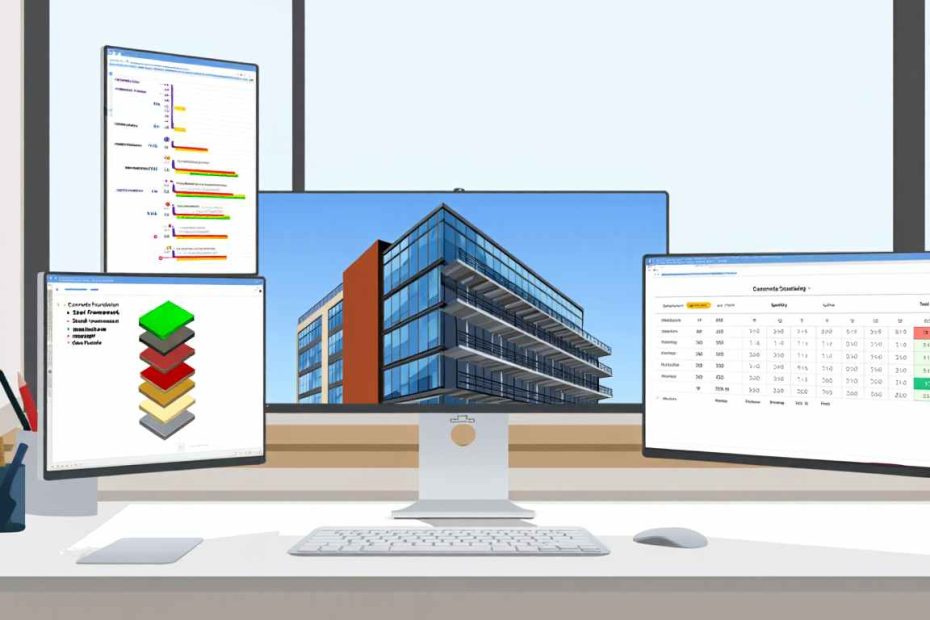
Construction material waste costs the U.S. construction industry over $160 billion annually, according to industry data. Poor material estimating and tracking contribute significantly to this loss. Building materials software addresses these challenges through digital tools designed specifically for construction professionals.
These specialized platforms help contractors estimate quantities, calculate costs, track inventory, and manage procurement throughout project lifecycles. The technology replaces manual spreadsheet processes with automated workflows that reduce human error and improve accuracy.
Research from construction industry analysts shows that contractors using specialized construction estimating software reduce material waste by 15-20%. Project profitability increases by up to 30% when companies implement proper material tracking systems. These improvements directly impact bottom-line performance for construction businesses.
This guide examines building materials software from multiple angles. You’ll understand core functionalities, compare leading platforms, and learn implementation strategies. The information presented draws from industry best practices, vendor specifications, and real-world contractor experiences. Whether you operate a small contracting business or manage commercial projects, this resource provides actionable insights for software selection and deployment.
What Is Building Materials Software and Why Do Contractors Need It?
Building materials software is a digital platform that automates material quantity estimation, cost calculation, inventory tracking, and procurement management throughout construction project lifecycles. These systems replace manual processes with integrated workflows.
Modern construction projects involve hundreds or thousands of material items. Managing these manually creates specific problems:
- Estimation errors: Manual calculations frequently miscalculate quantities by 10-25%
- Inventory blindness: Materials get lost across multiple job sites
- Price volatility: Supplier prices change without notification
- Change order delays: Blueprint modifications require complete recalculation
- Budget overruns: Disconnected systems prevent real-time cost tracking
Construction material software solves these issues through centralized data management. When estimators create takeoffs, the system automatically links quantities to current supplier pricing. Inventory modules track material locations and usage rates. Procurement features generate purchase orders based on project schedules.
The software integrates with other construction management platforms to create seamless workflows. Estimating data flows directly into job costing modules. Material orders connect with accounting systems. Project managers see real-time material status without requesting updates.
Leading platforms include features like digital blueprint takeoff, automated quantity calculations, supplier price databases, inventory management, and procurement workflows. These capabilities work together to eliminate manual data entry and reduce calculation errors.
Construction businesses need these tools because project margins continue tightening. Material costs represent 40-50% of total project expenses. Small improvements in material management directly impact profitability. Software provides the precision and speed required for competitive bidding and efficient project execution.

How Does Construction Material Estimating Software Work?
Construction material estimating software analyzes digital blueprints to automatically calculate material quantities needed for projects. The technology uses measurement tools and material databases to generate accurate takeoffs in minutes rather than hours.
The core workflow follows this sequence:
- Blueprint import: Upload PDF plans or CAD drawings into the system
- Digital measurement: Use point-and-click tools to measure areas, lengths, and counts
- Material assignment: Link measurements to specific materials from the database
- Automatic calculation: Software computes quantities with waste factors included
- Cost application: System applies current pricing from supplier databases
- Report generation: Create detailed estimates and bills of materials
Advanced systems incorporate artificial intelligence to recognize building components automatically. The software identifies walls, doors, windows, and structural elements without manual measurement. This speeds up the estimation process significantly.
Material takeoff software connects with supplier pricing databases that update regularly. When lumber prices increase or concrete costs drop, estimates reflect these changes immediately. This real-time pricing prevents outdated bids that hurt profitability.
The technology handles complex calculations automatically. For example, roofing takeoffs include pitch factors, waste percentages, and overlap requirements. Concrete estimates account for formwork, reinforcement, and finishing. Electrical takeoffs calculate wire lengths, conduit needs, and fixture quantities.
Users customize material assemblies for their specific work. A framing contractor creates wall assemblies that include studs, plates, blocking, and sheathing. When measuring a wall, the system automatically includes all components. This standardization ensures consistency across estimates.
Integration with project management tools allows material data to flow throughout the project lifecycle. Estimates become budgets. Budgets inform procurement schedules. Purchase orders track against estimated quantities. Job costing compares actual usage to estimates.
Similar to how project management platforms streamline workflows, these specialized tools focus specifically on material-related processes. The specificity delivers more accurate results than general-purpose software.
What Are the Key Features of Building Material Management Software?
Effective building material management software includes digital takeoff capabilities, cost databases, inventory tracking, procurement management, and reporting tools. These features work together to control material costs throughout projects.
Digital Takeoff and Measurement Tools
Measurement accuracy determines estimate quality. Professional material takeoff software provides:
- Linear measurement: Calculate lengths for lumber, trim, and piping
- Area calculation: Measure square footage for flooring, roofing, and drywall
- Volume estimation: Calculate cubic yards for concrete and excavation
- Count tools: Quantify fixtures, windows, doors, and outlets
- Scaling features: Accurate measurements from non-scaled drawings
- Assembly mode: Apply complete material packages with single clicks
Cost Database Integration
Pricing accuracy separates winning bids from money-losing jobs. Professional systems include:
- National cost databases like RSMeans with labor and material rates
- Supplier-specific pricing updated through API connections
- Historical cost data from completed projects
- Regional cost adjustments for different markets
- Escalation factors for future project dates
- Custom pricing for negotiated supplier contracts
Inventory Management Modules
Material tracking prevents over-ordering and stockouts. Inventory features include:
- Multi-location tracking: Monitor materials across warehouses and job sites
- Real-time updates: Inventory levels change as materials get used
- Automatic reordering: System alerts when stock reaches minimum levels
- Serialized tracking: Follow specific items through receipt to installation
- Mobile access: Field crews update inventory from smartphones
Similar to inventory management systems in other industries, construction-specific solutions account for job site distribution and material transfers between projects.
Procurement and Supplier Management
Efficient ordering reduces delays and captures discounts. Builder software procurement modules provide:
- Automated purchase order generation from estimates
- Supplier comparison across multiple vendors
- Order tracking from placement through delivery
- Delivery schedule coordination with project timelines
- Invoice matching against purchase orders
- Supplier performance metrics and rating systems
Reporting and Analytics
Data visibility drives better decisions. Reporting capabilities include:
- Estimate summaries: Material lists organized by division or phase
- Cost breakdowns: Material versus labor cost separation
- Budget comparisons: Estimated versus actual material usage
- Profitability analysis: Material margin by project or customer
- Variance reports: Identify cost overruns and underruns
- Trend analysis: Material cost patterns over time
Collaboration Features
Construction involves multiple stakeholders. Modern platforms include:
- Cloud-based access for remote team members
- Permission controls for data security
- Change order tracking with approval workflows
- Document storage for specs and submittals
- Communication logs tied to specific materials
- Mobile apps for field access
These features combine to create comprehensive material management ecosystems. The integration between components eliminates duplicate data entry and reduces errors that occur when information transfers between systems.

What Types of Building Materials Software Are Available?
Construction professionals choose between standalone estimating tools, integrated project management suites, and specialized trade-specific solutions. Each category serves different business needs and project types.
Standalone Material Takeoff Software
These focused tools excel at blueprint measurement and quantity calculation. They serve estimators who need powerful takeoff capabilities without full project management features.
Advantages:
- Lower cost than comprehensive suites
- Faster learning curve for estimating teams
- Advanced measurement tools optimized for takeoffs
- Integration with external accounting systems
Limitations:
- Requires separate tools for project tracking
- Limited inventory management capabilities
- Manual data transfer to other systems
- Less suitable for ongoing project monitoring
Popular standalone options include PlanSwift, StackCT, and Bluebeam Revu with quantity takeoff plugins.
Integrated Construction Management Platforms
Comprehensive suites combine estimating with project management, scheduling, and financial tools. These platforms serve contractors managing entire project lifecycles.
Procore offers cloud-based construction management with material tracking integrated throughout. The platform connects estimating, procurement, and job costing in unified workflows.
Buildertrend focuses on residential construction with homeowner portals alongside material management. The system handles selections, change orders, and supplier coordination.
Autodesk Construction Cloud combines BIM coordination with material takeoffs. The platform leverages 3D models for quantity extraction and clash detection.
These integrated solutions provide:
- Single database for all project information
- Automatic data flow from estimates to budgets
- Real-time project dashboards and reporting
- Collaboration tools for teams and clients
- Mobile access for field operations
Trade-Specific Estimating Software
Specialized tools serve particular trades with industry-specific features. Electrical, plumbing, HVAC, and concrete contractors benefit from customized functionality.
Electrical estimating software includes:
- Wire sizing calculations
- Load calculations and panel schedules
- Conduit fill requirements
- Lighting design integration
- Code compliance checking
Concrete estimating tools provide:
- Mix design specifications
- Formwork calculations
- Reinforcement scheduling
- Finishing requirements
- Batch plant coordination
These specialized platforms understand trade-specific requirements better than general construction software. The terminology, calculations, and workflows match how trade contractors actually work.
Cloud-Based vs. Desktop Solutions
Deployment model affects accessibility and data storage. Understanding the differences helps contractors select appropriate technology.
Cloud-based systems offer:
- Access from any device with internet connection
- Automatic software updates and backups
- Team collaboration without file sharing
- Subscription pricing with lower upfront costs
- Scalability as business grows
Desktop applications provide:
- Operation without internet connectivity
- One-time purchase pricing models
- Complete data control on local servers
- Faster performance with large blueprints
- Integration with existing IT infrastructure
The construction industry continues migrating toward cloud solutions. Remote project sites, distributed teams, and mobile workforces benefit from anywhere access. However, some contractors prefer desktop software for data control or when internet connectivity proves unreliable.
Similar to how different software approaches serve various business needs, construction software deployment models match specific operational requirements.

Which Are the Best Building Materials Software Solutions?
Top building materials software platforms include Procore, PlanSwift, Buildertrend, Bluebeam, Sage Construction, and StackCT. Each platform excels in different areas based on company size, project type, and specific requirements.
Procore: Enterprise-Grade Construction Management
Procore dominates the commercial construction market with comprehensive project management capabilities. The platform serves general contractors on large projects requiring extensive coordination.
Key strengths:
- Unlimited users and projects on most plans
- Robust RFI and submittal workflows
- Extensive third-party integrations
- Advanced reporting and analytics
- Strong mobile functionality
The material management module connects estimating through procurement to job costing. Subcontractors access portals for material coordination. Real-time dashboards show material status across multiple projects.
Procore pricing starts around $375 per month but increases significantly with advanced modules. The platform suits mid-to-large contractors managing complex commercial work.
PlanSwift: Dedicated Takeoff Software
PlanSwift provides powerful measurement tools at reasonable prices. Estimators appreciate the intuitive interface and fast learning curve.
Core capabilities:
- Point-and-click measurement on digital plans
- Customizable assemblies and templates
- Excel integration for bid organization
- Plugin ecosystem for trade-specific tools
- One-time purchase pricing starting at $1,875
The software focuses exclusively on takeoffs rather than full project management. This specialization delivers advanced measurement features not found in broader platforms. Contractors using separate accounting solutions appreciate PlanSwift’s ability to export data to external systems.
Buildertrend: Residential Construction Specialist
Buildertrend serves custom home builders and remodelers with client-focused features. The platform balances contractor needs with homeowner communication tools.
Distinguishing features:
- Client portals for selections and approvals
- Integrated scheduling and task management
- Material selection tracking with pricing
- Daily logs and photo documentation
- Warranty management for completed homes
Pricing starts at $99 per month for essential features. The platform scales well for residential builders managing multiple projects simultaneously. Material tracking integrates with change order workflows and client communications.
Bluebeam Revu: PDF Markup and Takeoff
Bluebeam Revu originated as PDF editing software but evolved into a construction industry standard. The Revu platform combines document management with quantity takeoff capabilities.
Primary uses:
- Plan markup and coordination
- Digital takeoffs with measurement tools
- Document comparison and version control
- Studio for cloud collaboration
- Integration with BIM workflows
Many contractors already own Bluebeam for plan review. Adding takeoff functionality provides measurement capabilities without purchasing separate software. Pricing starts at $349 annually for Standard edition, with more advanced features in higher tiers.
Sage Construction: ERP-Level Integration
Sage Construction (formerly Sage 300 Construction) provides enterprise resource planning tailored for contractors. The suite integrates estimating, project management, accounting, and payroll.
Enterprise features:
- Complete financial management for construction
- Multi-company and multi-currency support
- Advanced job costing and billing
- Equipment management integration
- Certified payroll and union reporting
This platform serves larger contractors needing tight integration between operations and finance. Implementation requires significant investment in time and money. Pricing typically exceeds $10,000 annually depending on modules and user counts.
StackCT: Cloud-Based Estimating and Bidding
StackCT combines material takeoff with contractor networking. The platform allows estimators to request quotes directly from suppliers and subcontractors.
Notable capabilities:
- Cloud-based takeoff accessible anywhere
- Supplier marketplace for competitive quotes
- Assembly library with material combinations
- Proposal generation and client presentation
- Mobile app for field measurements
Subscription pricing starts around $149 per month. The supplier network provides value for contractors building supplier relationships or entering new markets. However, features remain less comprehensive than enterprise platforms.
Autodesk Construction Cloud: BIM-Integrated Solutions
Autodesk Construction Cloud leverages building information modeling for quantity extraction. The platform serves contractors working on BIM-enabled projects with 3D coordination requirements.
BIM advantages:
- Automatic quantity extraction from 3D models
- Clash detection before construction begins
- Model-based coordination with trades
- Integration with AutoCAD and Revit
- 4D scheduling linked to models
This approach suits contractors on projects with BIM requirements. The technology reduces takeoff time when accurate models exist. Pricing varies significantly based on modules and team size.
Understanding these platform differences helps contractors match software capabilities to business requirements. Small residential builders need different functionality than commercial general contractors managing multimillion-dollar projects.

How Do You Compare Procore vs Buildertrend for Material Management?
Procore excels at large commercial projects with complex subcontractor coordination, while Buildertrend specializes in residential construction with strong client communication features. The choice depends on project type, company size, and workflow priorities.
Project Size and Complexity
Procore handles unlimited projects and users on standard plans. The platform manages multiple concurrent commercial projects with numerous subcontractors. Material tracking scales across project portfolios with centralized reporting.
Buildertrend focuses on residential and light commercial work. The system organizes materials around individual homes or smaller projects. Builders managing 10-50 homes annually find the structure intuitive and appropriately scaled.
Commercial contractors bidding on government or institutional work generally prefer Procore. Custom home builders and remodelers typically choose Buildertrend.
Material Management Capabilities
Both platforms handle core material functions but with different emphases.
Procore material features:
- Purchase order creation and tracking
- Delivery scheduling and coordination
- Material cost tracking against budgets
- Subcontractor material management
- Integration with accounting systems
Buildertrend material features:
- Selection tracking for homeowner choices
- Allowance management and change orders
- Supplier pricing and comparisons
- Material cost rolled into client proposals
- Selection journals for documentation
Procore treats materials as construction inputs requiring coordination. Buildertrend presents materials as client decisions requiring approval and documentation.
Pricing Structure
Procore pricing starts around $375 monthly but increases with advanced modules. Most contractors pay $500-$1,000 monthly depending on features. Implementation may require consultant assistance adding to total cost.
Buildertrend offers transparent tiered pricing starting at $99 monthly. Most builders use plans ranging from $399-$699 monthly. The platform includes implementation support in subscription costs.
Budget-conscious residential contractors find Buildertrend more accessible. Commercial contractors view Procore’s higher cost as justified by capabilities.
Integration and Ecosystem
Procore maintains extensive integration marketplace with 300+ connections. Financial systems, specialty contractors, and equipment providers connect through APIs. This openness allows contractors to build customized technology stacks.
Buildertrend offers fewer integrations but includes more functionality natively. The platform provides accounting, scheduling, and client communication without requiring third-party tools. This simplicity appeals to contractors wanting unified solutions.
Learning Curve and Adoption
Procore requires significant training investment. The comprehensive feature set creates complexity. Companies typically assign system administrators to manage platform configuration. New users need structured onboarding.
Buildertrend emphasizes ease of use. The interface guides users through workflows. Most builders become productive within days rather than weeks. The company provides extensive training resources and responsive support.
Mobile Functionality
Both platforms offer mobile apps but with different focuses.
Procore mobile emphasizes field coordination. Superintendents track daily logs, manage punch lists, handle RFIs, and coordinate subcontractors. Material receiving and tracking occur through mobile devices.
Buildertrend mobile balances field operations with client engagement. Builders share photos with homeowners, track selections, update schedules, and manage communications. Field crews access plans and record progress.
The comparison shows clear differentiation. Procore serves commercial contractors needing enterprise capabilities. Buildertrend fits residential builders prioritizing client experience alongside operational efficiency. Neither platform objectively outperforms the other—they serve different market segments effectively.
Similar to comparing different technological approaches for specific applications, construction software selection requires matching capabilities to actual use cases.
What Is PlanSwift vs Bluebeam for Construction Takeoffs?
PlanSwift provides dedicated estimating functionality with customizable assemblies, while Bluebeam offers broader PDF management with takeoff capabilities as one feature. Estimators choose based on workflow priorities and existing tool ecosystems.
Core Purpose and Design Philosophy
PlanSwift exists specifically for construction estimating. Every feature supports quantity takeoff and cost calculation. The interface organizes tools around measurement workflows. The software assumes users focus exclusively on creating estimates.
Bluebeam Revu serves as comprehensive PDF software that happens to include takeoff tools. Plan review, markup, collaboration, and document management receive equal emphasis. Takeoffs represent one capability within a broader toolset.
This fundamental difference affects user experience. PlanSwift users encounter estimating-focused workflows. Bluebeam users access takeoff tools alongside document management features.
Measurement and Calculation Tools
Both platforms provide standard measurement capabilities but with different sophistication levels.
PlanSwift measurement tools:
- Linear, area, volume, and count measurements
- Segmented and arc measurement capabilities
- Automatic calculation of assemblies
- Custom formulas for complex calculations
- Material waste factors and adjustments
- Conditional assemblies based on measurements
Bluebeam measurement tools:
- Standard measurement types with calibration
- Markup tools integrated with measurements
- Cut and fill calculations for sitework
- Photo markup with measurements
- Comparison tools for plan versions
PlanSwift provides more sophisticated assembly logic. The software handles complex material relationships where one measurement drives multiple calculations. Bluebeam offers solid basic measurements but less automation for assemblies.
Customization and Templates
PlanSwift excels at custom assembly creation. Estimators build detailed material packages that automatically calculate based on measurements. A “framed wall” assembly might include:
- Studs calculated from height and spacing
- Plates based on wall length
- Sheathing from square footage with waste
- Fasteners from component quantities
- Labor hours based on linear footage
These assemblies save time on repetitive estimates. Users create library items once and reuse them across projects.
Bluebeam stores measurement tools and settings but with less sophisticated assembly logic. The platform excels at saving markup sets and comparison configurations. Takeoff customization focuses on measurement appearance and organization rather than calculation relationships.
Integration with Estimating Workflows
PlanSwift integrates tightly with Excel. Estimates export to spreadsheets maintaining formulas and structure. Many contractors use PlanSwift for measurements while organizing bids in Excel templates. The software also exports to project management and accounting systems.
Bluebeam emphasizes PDF workflows and collaboration. The Studio feature allows multiple estimators to work on plans simultaneously. Document management integrates with construction administration processes. Takeoffs become part of broader project documentation.
Pricing Models
PlanSwift uses perpetual licensing starting at $1,875 for Professional edition. Companies pay once and own the software permanently. Annual maintenance costs around $300 for updates and support. This model suits contractors planning long-term software use.
Bluebeam Revu offers both subscription ($349 annually for Standard) and perpetual licenses ($349 for Standard, up to $629 for Extreme edition). The flexibility accommodates different financial preferences. Most contractors choose subscriptions for automatic updates.
Lower initial costs make Bluebeam more accessible. However, contractors doing extensive estimating may find PlanSwift’s specialized features worth the higher investment.
Learning Curve and Adoption
PlanSwift requires moderate training time. The assembly builder and customization features need explanation. Most estimators become productive within a week. Advanced features require ongoing learning.
Bluebeam offers easier initial adoption for basic measurements. Users familiar with PDF software grasp core functions quickly. However, mastering advanced features like Studio collaboration requires dedicated training.
Use Case Recommendations
Choose PlanSwift when:
- Estimating represents primary software use
- Complex assembly calculations occur frequently
- Custom formulas and material relationships exist
- Integration with Excel workflows is essential
- Team focuses specifically on takeoffs
Choose Bluebeam when:
- Plan review and markup happen alongside takeoffs
- Document management needs exist beyond estimating
- Team collaboration on plans is important
- BIM coordination and 3D PDFs are used
- Budget constraints favor lower-cost entry
Many contractors use both tools. Bluebeam handles plan review and coordination. PlanSwift manages detailed takeoffs and estimating. This combination provides specialized tools for each function without forcing compromises.
The decision ultimately depends on whether estimating justifies dedicated software or fits within broader document management needs. Companies doing frequent, complex estimates benefit from PlanSwift’s specialization. Firms doing occasional takeoffs alongside other PDF work find Bluebeam more practical.
How Much Does Construction Estimating Software Cost?
Construction estimating software costs range from $0 for basic free tools to $10,000+ annually for enterprise platforms. Pricing varies based on features, user counts, deployment models, and support levels.
Free and Low-Cost Options
Several providers offer free versions with limited capabilities. These tools suit contractors doing occasional estimates or testing software before purchasing.
Free options include:
- Buildertrend Trial: 15-day free trial with full features
- StackCT Free: Basic takeoff tools with limited projects
- Excel templates: Spreadsheet-based estimating at no software cost
- Open-source tools: Limited functionality with no support
Free software works for very small contractors or specific simple projects. Limitations include restricted features, project caps, and lack of support. Most growing businesses outgrow free tools quickly.
Budget-friendly paid options start around $50-$150 monthly. These entry-level platforms provide basic takeoff and estimating without advanced features. They suit small residential contractors with straightforward projects.
Mid-Range Solutions
Most small to mid-sized contractors use software in the $150-$500 monthly range. These platforms balance functionality with affordability.
Typical mid-range pricing:
- PlanSwift Professional: $1,875 one-time plus $300 annual maintenance
- StackCT Standard: $149 monthly subscription
- Buildertrend Essential: $99-$699 monthly depending on tier
- Bluebeam Revu: $349 annually for Standard edition
These price points deliver solid core functionality. Features include digital takeoffs, material databases, basic reporting, and customer support. Integration capabilities allow connection with other business software for complete workflows.
Enterprise Platforms
Large contractors and commercial firms invest $500-$10,000+ monthly for comprehensive solutions. Enterprise pricing reflects extensive features, unlimited users, and dedicated support.
Enterprise cost factors:
- User count and concurrent licenses
- Number of projects and volume limits
- Advanced modules beyond core functionality
- API access and custom integrations
- Implementation and training services
- Dedicated account management
Procore typically costs $500-$2,000 monthly depending on modules and company size. Sage Construction exceeds $10,000 annually for full implementation. These platforms provide enterprise resource planning capabilities beyond simple estimating.
Pricing Models Explained
Understanding pricing structures helps contractors budget accurately and compare options fairly.
Subscription (SaaS):
- Monthly or annual recurring payments
- Includes updates, support, and cloud hosting
- Lower upfront investment
- Scalable as business grows
- Predictable operational expense
Perpetual License:
- One-time purchase for permanent ownership
- Optional annual maintenance for updates
- Higher initial cost, lower long-term expense
- Desktop deployment with local control
- Capital expense for accounting purposes
Per-User vs. Per-Project:
Some vendors charge per active user. Others price by project count or annual revenue. Understanding the metric prevents surprises as usage scales.
Hidden Costs to Consider
Published prices rarely reflect total ownership costs. Contractors should budget for:
- Implementation: Setup, configuration, and data migration ($500-$5,000+)
- Training: Staff education and productivity loss during adoption
- Integration: Connecting with existing accounting and project management tools
- Customization: Adapting software to specific workflows
- Additional modules: Features not included in base pricing
- Data storage: Fees for exceeding storage limits
Return on Investment
Software costs must be justified by financial returns. Contractors typically see ROI through:
- Improved estimate accuracy: Winning profitable bids instead of money-losing work
- Reduced material waste: Better ordering prevents over-purchasing
- Time savings: Faster estimates allow more bids per month
- Lower labor costs: Automation reduces estimating staff needs
- Better cash flow: Accurate material tracking prevents capital tied up in excess inventory
Industry data suggests construction cost estimating software pays for itself when it saves 5-10 hours monthly or prevents one significant material ordering error annually. Most contractors achieve these thresholds easily.
Making the Financial Decision
Budget constraints affect software selection. Consider these decision factors:
For tight budgets:
- Start with lower-cost platforms and upgrade later
- Choose perpetual licenses to avoid recurring payments
- Use free trials to validate value before purchasing
- Focus on core estimating features without advanced modules
For adequate budgets:
- Invest in platforms that scale with business growth
- Prioritize integration capabilities with existing systems
- Include training budget for proper adoption
- Consider implementation services for faster value realization
The software investment should align with annual revenue and project volume. A general guideline suggests spending 0.5-2% of annual revenue on construction technology depending on business maturity and competitive position.
What Are the Benefits of Using Building Materials Software?
Building materials software delivers measurable benefits including 15-30% faster estimating, 20-40% reduction in material waste, improved bid accuracy, and better project profitability. These advantages compound over time as teams master the technology.
Improved Estimating Speed and Accuracy
Manual takeoffs require hours of blueprint measurement and calculation. Digital tools complete the same work in minutes. The speed improvement allows contractors to bid more projects with existing staff.
Time savings breakdown:
- Residential projects: Manual takeoff takes 4-8 hours, software reduces to 1-2 hours
- Commercial projects: Manual takeoff takes 20-40 hours, software reduces to 5-10 hours
- Repeat projects: Template usage reduces time by additional 50%
Accuracy improvements prove equally valuable. Software eliminates math errors and measurement mistakes. Standardized assemblies prevent missing materials. The consistency produces reliable estimates that translate to profitable projects.
Reduced Material Waste and Over-Ordering
Construction waste represents 15-25% of materials on average projects. Poor estimating contributes significantly to this waste. Accurate quantity calculations reduce over-ordering while preventing shortages.
Waste reduction mechanisms:
- Precise calculations: Exact quantities eliminate “rounding up” habits
- Waste factor control: Appropriate allowances for each material type
- Inventory tracking: Use existing stock before ordering new materials
- Usage monitoring: Identify and address excessive consumption
A contractor spending $500,000 annually on materials who reduces waste from 20% to 10% saves $50,000. This single benefit often exceeds software costs many times over. Similar to how proper endpoint management prevents technology waste, material software prevents physical waste.
Better Budget Control and Job Costing
Material costs represent 40-50% of project expenses. Controlling these costs directly impacts profitability. Integrated software tracks estimated versus actual material usage throughout projects.
Budget control features:
- Real-time comparison of planned versus actual costs
- Early warning alerts when overruns occur
- Change order documentation with cost impacts
- Material variance analysis by project phase
- Historical data for future estimate refinement
Contractors gain visibility into material profitability that spreadsheets cannot provide. Understanding which material categories run over or under budget improves future estimates.
Improved Supplier Relationships and Pricing
Builder software centralizes supplier interactions and pricing data. This organization strengthens purchasing power and improves negotiations.
Supplier management benefits:
- Competitive bidding across multiple vendors
- Volume purchasing to capture discounts
- Preferred pricing tracking and enforcement
- Performance metrics for reliability evaluation
- Consolidated ordering reducing transaction costs
Contractors using material software typically work with fewer suppliers on better terms. The data proves purchasing volume during negotiations. Pricing databases prevent paying more than market rates.
Enhanced Team Collaboration
Modern cloud-based platforms allow distributed teams to work from common data. Estimators, project managers, field supervisors, and accounting staff access current information without requesting updates.
Collaboration improvements:
- Estimators share material lists with project managers
- Field crews update inventory from mobile devices
- Purchasing tracks orders against budgets
- Accounting reconciles invoices to purchase orders
- Executives view dashboards without interrupting teams
This transparency eliminates duplicated effort and communication gaps. Everyone works from current data rather than outdated spreadsheets passed by email.
Professional Client Presentations
Detailed material breakdowns and professional proposals demonstrate competence to clients. Software-generated estimates look more polished than handwritten quotes or basic spreadsheets.
Presentation advantages:
- Detailed line-item breakdowns building client confidence
- Professional formatting with company branding
- Alternative options with cost differences
- Visual representations of materials and finishes
- Change order documentation showing cost impacts clearly
Home builders particularly benefit from these features. Homeowners appreciate detailed documentation of where construction budgets get allocated.
Competitive Advantage
Contractors using technology compete more effectively. Faster estimates mean responding to bid opportunities quicker. Accurate pricing prevents both losing bids and winning unprofitable work.
Competitive benefits:
- Respond to more bid opportunities with same staff
- Submit competitive pricing with confidence
- Demonstrate professionalism to potential clients
- Scale operations without proportional staff increases
- Attract better employees with modern tools
As younger workers enter construction, technology expectations increase. Companies offering modern tools recruit and retain talent more effectively than those using outdated methods.
Regulatory Compliance and Documentation
Government and institutional projects require detailed documentation. Software maintains records that satisfy compliance requirements.
Compliance support:
- Certified payroll reporting with material tracking
- Prevailing wage documentation
- Minority business enterprise reporting
- Change order audit trails
- Material origin tracking for Buy American requirements
The documentation capabilities reduce administrative burden while ensuring requirement satisfaction. This proves particularly valuable for contractors pursuing public work.
How Do You Implement Building Materials Software Successfully?
Successful implementation requires executive commitment, data preparation, phased rollout, comprehensive training, and ongoing optimization. Most contractors achieve full adoption within 3-6 months following structured approaches.
Phase 1: Assessment and Selection
Implementation begins before purchasing software. Proper assessment ensures selecting tools matching business needs.
Assessment steps:
- Document current workflows: Map how material processes work today
- Identify pain points: Determine which problems need solving
- Define requirements: List must-have features and nice-to-have capabilities
- Involve stakeholders: Get input from estimators, PMs, and accounting
- Set success metrics: Define measurable goals for implementation
Many contractors rush this phase, resulting in poor software selection. Taking time upfront prevents costly mistakes. The process resembles software testing approaches where planning prevents implementation problems.
Evaluation process:
- Request demos from 3-5 vendors meeting requirements
- Test software with actual project plans during trials
- Check references from similar contractors
- Verify integration capabilities with existing systems
- Compare total costs including hidden expenses
Phase 2: Data Preparation and Configuration
Software performs only as well as the data it contains. Proper configuration establishes the foundation for success.
Configuration tasks:
- Material database setup: Import or create material cost libraries
- Assembly creation: Build standard material packages for common work
- Supplier information: Enter vendor contacts and pricing
- Cost codes: Align with existing accounting structures
- User permissions: Define access levels for team members
- Template development: Create estimate and report formats
This phase takes 2-4 weeks typically. Rushing through configuration creates problems later. Properly structured data produces accurate results immediately.
Data migration considerations:
- Clean existing data before importing
- Validate pricing accuracy
- Test assemblies with known projects
- Document configuration decisions
- Create backup before finalizing
Phase 3: Pilot Testing
Testing with real projects before full deployment identifies issues in controlled environments. Pilot phases prevent organization-wide problems.
Pilot approach:
- Select 2-3 representative projects for testing
- Assign experienced estimators to pilot team
- Compare software results against manual estimates
- Document issues and questions
- Refine configuration based on findings
- Develop best practices for wider rollout
Pilot testing typically runs 2-4 weeks. The investment pays off through identifying configuration issues before they affect production work.
Phase 4: Training and Rollout
Comprehensive training determines whether teams adopt new software or revert to old methods. Multi-format training accommodates different learning styles.
Training program components:
- Initial training sessions: Half-day to full-day depending on software complexity
- Hands-on practice: Users complete exercises with actual projects
- Documentation: Quick reference guides and procedure manuals
- Video tutorials: Short clips demonstrating specific functions
- Office hours: Regular sessions for questions and help
- Advanced training: Follow-up sessions covering sophisticated features
Plan for productivity decreases during initial adoption. Estimates may take longer with new software until teams develop proficiency. This temporary slowdown prevents many contractors from properly implementing new systems.
Adoption strategies:
- Make software use mandatory rather than optional
- Assign champions who encourage peers
- Celebrate early wins and successes
- Provide patient support during learning curve
- Collect feedback and address concerns
Phase 5: Integration with Existing Systems
Maximum value requires connecting material software with other business systems. Integration eliminates duplicate data entry and ensures consistency.
Common integrations:
- Accounting systems: QuickBooks, Sage, Xero for job costing
- Project management: Bidirectional data flow with scheduling tools
- Supplier systems: Electronic ordering and invoice matching
- Document management: Plans and specifications storage
- CRM platforms: Client information and project history
Some integrations work through native connections. Others require third-party middleware or custom development. Budget time and money for integration work.
Phase 6: Ongoing Optimization
Implementation continues after initial rollout. Continuous improvement maximizes software value over time.
Optimization activities:
- Review estimates against actual project costs quarterly
- Refine material assemblies based on field data
- Update pricing databases regularly
- Add new features as business needs evolve
- Provide refresher training for existing users
- Train new hires on software standards
Contractors treating implementation as ongoing process extract more value. Those viewing it as one-time project plateau quickly.
Common Implementation Mistakes to Avoid
Learning from others’ errors saves time and frustration. These mistakes derail implementations frequently:
Mistakes contractors make:
- Insufficient training: Assuming software is intuitive enough without instruction
- Poor data quality: Importing inaccurate material costs and assemblies
- Lack of executive support: Failing to mandate adoption across organization
- Unrealistic timelines: Expecting immediate productivity with no learning curve
- Incomplete configuration: Skipping setup steps to start faster
- Parallel systems: Allowing old methods alongside new software
Avoiding these pitfalls increases implementation success rates dramatically. Contractors following structured approaches achieve positive ROI within 6-12 months typically.
What Should Small Contractors Know About Building Materials Software?
Small contractors benefit from building materials software through improved accuracy and efficiency without requiring large budgets or technical expertise. Entry-level platforms start under $150 monthly and deliver immediate value.
Right-Sized Solutions for Small Businesses
Small contracting businesses need different capabilities than large commercial firms. Appropriate software matches operational scale without overwhelming users or budgets.
Small contractor priorities:
- Ease of use: Intuitive interfaces requiring minimal training
- Affordable pricing: Costs proportional to business revenue
- Quick setup: Implementation measured in days not months
- Basic features done well: Core functions without unnecessary complexity
- Responsive support: Help available when questions arise
Platforms like Buildertrend Essential ($99/month) and StackCT Basic ($149/month) serve small contractors effectively. These tools provide professional estimating capabilities without enterprise-level complexity.
Similar to how small businesses approach technology, construction software selection should match current scale with room for growth.
Starting Without Overwhelming Your Business
Small businesses operate with limited resources. Implementation must happen without disrupting ongoing work.
Practical adoption approach:
- Start with estimating only, add other modules later
- Use software for new bids while completing existing projects manually
- Implement during slower seasons when time allows
- Begin with simple projects before tackling complex estimates
- Accept productivity decreases initially as investment in future efficiency
Small contractors successfully implement software by setting realistic expectations. The goal is steady improvement, not instant perfection.
Free and Low-Cost Options Worth Considering
Budget constraints affect small business decisions. Several options provide value at minimal cost.
Free trial strategies:
- Use free trials to complete actual paying work before subscribing
- Rotate through multiple trials to understand options
- Export data from trials to preserve work if not purchasing
Low-cost alternatives:
- Excel templates with structured estimating workflows
- Bluebeam Revu Standard for basic PDF takeoffs ($349/year)
- StackCT free tier for occasional estimates
- Open source options with community support
These alternatives work for very small operations or contractors testing software approaches before committing to paid platforms.
When to Upgrade from Spreadsheets
Many small contractors start with Excel for estimating. Understanding when software investment makes sense prevents premature spending or delayed adoption.
Signs spreadsheets hold you back:
- Estimates regularly contain math errors
- Material ordering mistakes occur frequently
- Bid preparation takes multiple days
- Tracking estimates becomes unmanageable
- Clients request more detailed breakdowns
- Business growth strains manual processes
When these symptoms appear regularly, software investment typically pays for itself quickly. Continuing with inadequate tools costs more than upgrading.
Features Small Contractors Actually Need
Avoid paying for enterprise features your business won’t use. Focus on core capabilities delivering immediate value.
Essential features:
- Digital blueprint measurement and takeoff
- Basic material cost database
- Simple estimate organization and presentation
- Excel export for bid finalization
- Customer support via phone or email
Nice-to-have features:
- Mobile apps for field access
- Client portals for proposals
- Integration with accounting software
- Project management capabilities
- Team collaboration tools
Small contractors often succeed with basic platforms plus external tools for accounting and project management. Integrated suites provide convenience but aren’t mandatory for successful operations.
Building Software Skills Gradually
Technology intimidates some contractors, particularly those operating successfully with traditional methods for years. Gradual skill development prevents overwhelm.
Learning progression:
- Month 1: Master basic measurement tools and simple estimates
- Month 2: Create custom assemblies for common work types
- Month 3: Explore reporting and presentation features
- Month 4: Add inventory tracking or procurement modules
- Month 5-6: Optimize workflows and advanced features
Patience during learning pays dividends. Contractors rushing through training never master software capabilities fully.
Leveraging Software for Business Growth
Small contractors use technology to compete against larger firms. Professional estimates and efficient operations level the playing field.
Growth enablers:
- Bid more projects with same staff capacity
- Present professional proposals building client confidence
- Track profitability data informing business decisions
- Scale operations without proportional overhead increases
- Demonstrate sophistication to lenders and bonding companies
Software becomes infrastructure supporting business expansion. Companies investing in technology early position themselves for sustainable growth.
Frequently Asked Questions About Building Materials Software
What is the best software for small builders?
Yes, Buildertrend and PlanSwift serve small builders effectively. Buildertrend provides comprehensive residential construction management starting at $99 monthly. PlanSwift offers powerful estimating capabilities for $1,875 one-time purchase. Both platforms deliver professional functionality without enterprise complexity.
How much does construction estimating software cost?
Costs range from $100-$500 monthly for small to mid-sized contractors. Entry-level platforms start around $99 monthly. Mid-range solutions run $150-$300 monthly. Enterprise systems exceed $500 monthly. Perpetual licenses cost $1,500-$3,000 upfront plus annual maintenance.
Is there a free app for construction takeoff?
Yes, limited free options exist but with significant restrictions. StackCT offers a free tier with basic features. Bluebeam provides 30-day free trials. Excel templates provide zero-cost alternatives. However, free tools lack support, limit projects, or provide temporary access only.
Can I integrate material software with QuickBooks?
Yes, most major platforms integrate with QuickBooks. Procore, Buildertrend, and Sage Construction connect directly with QuickBooks for job costing synchronization. Integration quality varies by platform. Some require third-party middleware for complete functionality.
Which software has the best material cost database?
RSMeans data provides the most comprehensive construction cost information. Multiple platforms including Procore and Sage Construction integrate RSMeans databases. The data includes labor, material, and equipment costs for thousands of items updated quarterly. Regional adjustments account for local market conditions.
What features should I look for in estimating software?
Essential features include digital takeoff tools, material databases, customizable assemblies, reporting capabilities, and supplier management. Cloud access, mobile apps, and accounting integration add significant value. Choose features matching your actual workflow requirements rather than maximum functionality.
How long does implementation take?
Basic implementation takes 2-4 weeks for small contractors, 2-3 months for larger firms. Timeline depends on data preparation, configuration complexity, user training needs, and integration requirements. Proper planning accelerates deployment while rushing creates problems.
Do I need internet access to use building materials software?
Cloud-based platforms require internet connectivity while desktop versions operate offline. Most modern solutions use cloud deployment for anywhere access. Desktop options work without internet but lack real-time collaboration features. Consider connectivity reliability at offices and job sites when selecting deployment models.
Can material software handle custom or specialty materials?
Yes, all professional platforms allow custom material creation. Users add specialized items with specific costs, units, and suppliers. Custom assemblies combine standard and specialty materials. This flexibility accommodates unique project requirements and regional material variations.
How accurate are automated quantity takeoffs?
Digital takeoffs achieve 95-99% accuracy when performed properly. Accuracy depends on blueprint quality, user technique, and assembly configuration. Software eliminates math errors but requires correct measurement inputs. Properly trained estimators produce consistently accurate results.
Will software work for remodeling projects?
Yes, modern platforms handle remodeling effectively. Systems accommodate existing conditions, demolition quantities, and partial replacements. Change order features track scope adjustments. Residential-focused platforms like Buildertrend include specific remodeling workflows.
How does software handle material price fluctuations?
Most platforms update pricing from supplier databases automatically. Real-time pricing connections reflect current market rates. Historical pricing tracking shows cost trends. Some systems alert users to significant price changes affecting project budgets.
Can multiple estimators work simultaneously?
Cloud-based platforms support concurrent users on different estimates. Some systems allow multiple estimators on the same project simultaneously. Desktop versions typically restrict to single-user access. Collaboration requirements should inform deployment model selection.
Conclusion: Choosing and Implementing the Right Material Management Solution
Building materials software transforms construction businesses through improved accuracy, efficiency, and profitability. The technology eliminates manual calculation errors, reduces material waste, and provides real-time visibility into project costs. Contractors implementing these systems typically see 15-30% faster estimating, 20-40% waste reduction, and measurable profit improvements.
Selecting appropriate software requires understanding business needs, project types, and operational workflows. Small residential contractors benefit from platforms like Buildertrend with client communication features. Commercial general contractors need enterprise solutions like Procore with extensive subcontractor coordination. Specialized estimators value dedicated tools like PlanSwift offering advanced measurement capabilities.
Implementation success depends on proper planning, data preparation, comprehensive training, and ongoing optimization. Contractors following structured approaches achieve full adoption within 3-6 months and realize positive return on investment within the first year. The key lies in treating technology as operational infrastructure requiring investment and attention rather than one-time purchases.
The construction industry continues evolving toward digital workflows and data-driven decision making. Companies adopting material management software position themselves competitively while building foundations for future growth. The question isn’t whether to implement these tools but rather which platforms best match specific business requirements and when to begin the adoption journey.
For contractors exploring material management solutions, we recommend starting with clear needs assessment, testing multiple platforms through free trials, and implementing gradually rather than attempting organization-wide transformation immediately. The investment in proper software selection and implementation delivers compounding returns through improved operations, better project outcomes, and stronger competitive positioning.
Ready to modernize your construction material management? Visit Software Cosmos for additional resources on construction technology, business software comparisons, and implementation guides helping contractors leverage digital tools effectively.
You May Also Like
 Software
9 Best Free Laser Engraver Software Tools in 2026
 Software
When Fixing Bugs Is No Longer Enough: How to Rescue a Failing Software Project
 SaaS
SaaSNotion vs Coda vs ClickUp for Teams: A Field Report From 18 Months
 SaaS
SaaSTrello vs monday.com vs ClickUp: Which Project Management Tool Fits Your Team in 2026?
 SaaS
SaaS8 Best Asana Alternatives in 2026: Free Tools, Top Competitors, and How to Choose
 Software
What is Asana Software? How Businesses Use It for Project Management and Team Collaboration
 Software
10 Best Audio Redaction Software in 2026 (Tested Picks by Use Case)
 SaaS
SaaS10 Best AI Audio Enhancers for Podcasts in 2026 (Reviewed & Compared)
 Software