

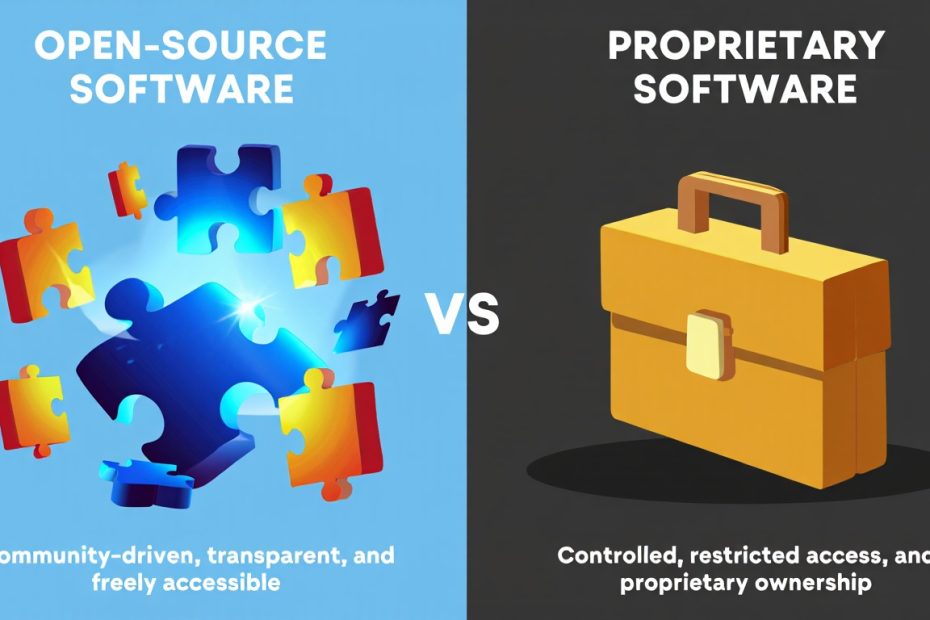
Open-source software and proprietary software represent two different ways we build and use technology today. These approaches affect how much you pay, what you can do with the software, and how secure your data stays. When you’re choosing between them, you need to understand what makes each one special.
Open-source software gives you the recipe – the source code – so you can see how it works and change it if needed. Think of programs like Linux, WordPress, or Firefox. Proprietary software keeps its recipe secret and controls what you can do with it. Microsoft Office, Adobe Photoshop, and Windows are good examples.
This choice matters whether you’re running a small business, managing IT for a large company, or just picking software for your personal use. We’ll walk you through everything you need to know to make the right decision for your situation.
What is Open-Source Software?
Open-source software is any program where you can see, change, and share the underlying code. The creators release their source code under special licenses that let other people use it freely. These licenses include popular ones like GPL, MIT, and Apache.
When we say “free,” we mean freedom to use the software how you want, not just that it costs nothing. You can install it on as many computers as you need. You can modify it to fit your business better. You can even sell your own version if you follow the license rules.
The most famous example is Linux, which powers everything from smartphones to supercomputers. Other popular open-source programs include LibreOffice for documents, GIMP for photo editing, and WordPress for websites. Even some of the best free software for students runs on open-source technology.
How Open-Source Licenses Work
Different licenses give you different rights and responsibilities. MIT and BSD licenses are very permissive – you can do almost anything with the code. GPL licenses require you to share your changes if you distribute the software to others. Apache licenses protect users from patent lawsuits.
Companies like Red Hat and Canonical make money by selling support services for open-source software. They don’t charge for the software itself, but they charge for help setting it up and fixing problems.
What is Proprietary Software?
Proprietary software, also called closed-source or commercial software, keeps its source code private. Only the company that made it can see or change how it works. You get an End-User License Agreement (EULA) that tells you what you can and cannot do.
Most software you buy from stores is proprietary. Microsoft Office, Adobe Creative Suite, and most video games work this way. You’re paying for a license to use the software, not to own it completely.
Companies create proprietary software to make money from licenses and keep control over their products. They invest heavily in development and want to protect their investment. This often means better polish and professional support, but less flexibility for users.
Common Proprietary Software Models
You’ll see several ways companies sell proprietary software today:
- One-time purchase: You buy the software once and use it forever (though updates might cost extra)
- Subscription model: You pay monthly or yearly to keep using it
- Freemium: Basic features are free, but advanced features cost money
- Per-seat licensing: Companies pay based on how many people use the software
Understanding these models helps when you calculate the total cost of ownership for different software options.
What are the Key Differences Between Open-Source and Proprietary Software?
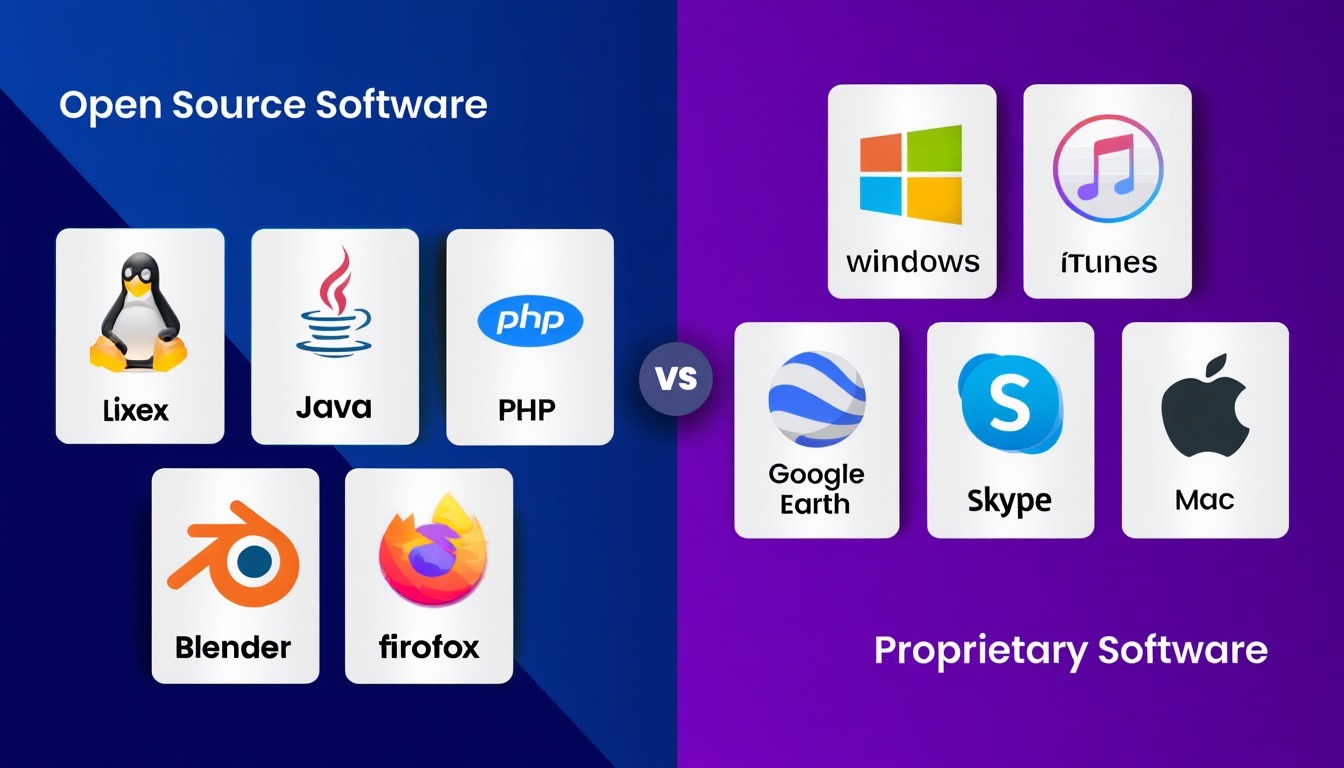
The main differences between open-source and proprietary software affect your daily experience and long-term costs. Here’s what you need to know:
Source Code Access
With open-source software, you can look at the code that makes it work. This transparency lets security experts find problems faster and helps developers understand exactly what the software does. You’re not taking anyone’s word for it – you can verify everything yourself.
Proprietary software hides its code. You have to trust the company that they built it securely and honestly. Sometimes this works fine, but it can create problems when security issues take longer to find and fix.
Cost Structure
Open-source software typically costs nothing to download and use. However, you might pay for support, training, or additional features. The biggest costs usually come from implementation and maintenance, not the software itself.
Proprietary software has clear upfront costs or subscription fees. Companies budget for these easily, but the costs can add up over time. Understanding software licensing helps you plan better for long-term expenses.
Customization and Flexibility
You can modify open-source software to fit your exact needs. Need a special feature? Your developers can add it. Want to remove unnecessary parts? You can do that too. This flexibility makes open-source popular with companies that have unique requirements.
Proprietary software limits your customization options. You get what the company built, with maybe some configuration settings. If you need something different, you have to wait for the company to add it or find workarounds.
Support and Maintenance
Open-source software relies on community support and professional services companies. You might get help from forums, documentation, or paid consultants. The quality varies, but passionate communities often provide excellent support.
Proprietary software usually comes with official support from the company that made it. You get guaranteed help levels, phone support, and clear responsibilities. This works well for businesses that need reliable assistance.
What are the Advantages of Open-Source Software?
Open-source software offers several compelling benefits that make it attractive for many users and organizations:
Cost Effectiveness
The most obvious advantage is cost savings. You don’t pay licensing fees for open-source software, which can save thousands of dollars for businesses. Even when you factor in support costs, the total expense is often much lower than proprietary alternatives.
Small businesses especially benefit from this. Instead of spending money on software licenses, they can invest in training their staff or improving their hardware. Many best accounting software for small businesses options include open-source alternatives that work just as well as expensive commercial products.
Security Through Transparency
Open-source software follows the “many eyes make all bugs shallow” principle. When thousands of developers can examine code, security problems get found and fixed faster. You don’t have to wait for a single company to notice and address vulnerabilities.
This transparency also means no hidden backdoors or suspicious code. Government agencies and security-conscious businesses prefer open-source software because they can verify it doesn’t contain unwanted features. The importance of security testing in software development becomes clear when you can actually see the testing that happened.
Freedom from Vendor Lock-in
With open-source software, you’re not trapped with one vendor. If you don’t like how a project develops, you can switch to a different version or hire someone to maintain your own copy. This freedom gives you more control over your technology decisions.
Proprietary software can lock you into expensive upgrade cycles and force you to accept changes you don’t want. Open-source alternatives let you stay with versions that work for you or modify them as needed.
Innovation and Collaboration
Open-source projects often innovate faster because developers worldwide contribute improvements. Instead of waiting for one company’s development team, you get ideas and code from everywhere. This collaborative approach has created some of the most advanced software available today.
The Linux kernel, Apache web server, and many other foundational technologies demonstrate how open-source collaboration creates robust, cutting-edge software.
Customization Capabilities
You can modify open-source software to match your exact requirements. Need to integrate with a specific system? Want to add a feature that doesn’t exist? With open-source software, these customizations are possible and legal.
This flexibility is especially valuable for specialized industries. For example, forestry software solutions often need custom features that general-purpose software doesn’t provide.
What are the Disadvantages of Open-Source Software?
Despite its advantages, open-source software has some drawbacks you should consider:
Support Challenges
Getting help with open-source software can be frustrating. Community forums might take days to respond, and answers might come from volunteers who don’t fully understand your problem. Professional support exists but costs extra and might not be available for every project.
Small businesses especially struggle with this. When your accounting software breaks during tax season, you need immediate help, not a forum discussion that might resolve the issue eventually.
Learning Curve and Usability
Many open-source programs are built by programmers for programmers. They might have powerful features but confusing interfaces. Users often need more training to become productive with open-source alternatives.
This isn’t always true – some open-source software has excellent user interfaces. But you should expect some adjustment time when switching from familiar proprietary software.
Integration Complexity
Open-source software doesn’t always work well together. Different projects use different standards and approaches, which can make integration challenging. You might spend significant time and money making various open-source tools communicate properly.
Enterprise software suites avoid this problem by designing everything to work together from the start. With open-source software, you’re often assembling pieces from different sources.
Responsibility for Security
While open-source software can be more secure, that security isn’t automatic. Someone needs to monitor security updates, apply patches, and configure everything properly. If you don’t have technical staff, this responsibility can be overwhelming.
Recent security issues like the Log4j vulnerability showed that even widely-used open-source components can have serious problems. Organizations using these components had to scramble to identify and update affected systems.
What are the Advantages of Proprietary Software?
Proprietary software offers benefits that make it the right choice for many situations:
Professional Support and Accountability
When you pay for proprietary software, you get guaranteed support from the company that made it. They’re legally responsible for fixing bugs and helping you use their product. This accountability gives businesses confidence and predictable support costs.
Support teams understand their software completely and can resolve issues quickly. They also provide training materials, documentation, and sometimes on-site assistance for complex implementations.
User Experience and Polish
Companies that sell software invest heavily in making it easy to use. They conduct user research, hire designers, and test their interfaces extensively. This results in software that looks professional and works intuitively.
Open-source projects often focus more on functionality than user experience. While this is changing, proprietary software generally provides more polished interfaces and smoother user experiences.
Integration and Compatibility
Software companies design their products to work well with other popular business tools. They test compatibility, provide integration guides, and sometimes build partnerships with other vendors to ensure everything works together.
This integration extends to support as well. When something doesn’t work properly, you have clear vendor relationships and support agreements to resolve the problem.
Comprehensive Documentation and Training
Proprietary software typically comes with extensive documentation, video tutorials, and training programs. Companies invest in these resources because they want customers to succeed with their products.
You’ll find step-by-step guides, best practices, and examples that help you get the most value from your software investment. Many vendors also offer certification programs for advanced users.
Predictable Development and Updates
Commercial software follows predictable release schedules and development roadmaps. You know what features are coming and when to expect them. This helps with planning and budgeting for your technology needs.
Companies also maintain older versions longer and provide clear migration paths for updates. You’re not suddenly left without support when maintainers lose interest in a project.
What are the Disadvantages of Proprietary Software?
Proprietary software has several drawbacks that affect long-term costs and flexibility:
High Licensing Costs
The most obvious disadvantage is cost. Software licenses, especially for business applications, can be extremely expensive. These costs multiply when you need multiple users, premium features, or additional modules.
Subscription models make this worse by creating ongoing expenses that never end. What seems affordable monthly can become a significant expense over several years, especially if prices increase.
Vendor Lock-in and Dependency
Once you’ve invested in proprietary software, switching becomes expensive and difficult. Your data might be stored in proprietary formats that don’t work with other programs. Your staff needs retraining. Integration with other systems might break.
This dependency gives vendors power to raise prices, change terms, or discontinue products. You’re at their mercy for updates, security patches, and continued support.
Limited Customization Options
Proprietary software gives you only the customization options the vendor decided to include. If you need something different, you have to work around the limitations or pay for expensive custom development.
This inflexibility can force you to change your business processes to match what the software can do, rather than the other way around. Some organizations find this restrictive and inefficient.
Security Through Obscurity
Proprietary software relies partly on “security through obscurity” – the idea that hiding how something works makes it more secure. However, security experts generally consider this a weak approach compared to transparent, well-tested code.
When security problems occur in proprietary software, you have to wait for the vendor to fix them. You can’t see the problem yourself or hire someone else to create a patch quickly.
Licensing Complexity and Compliance
Software licensing terms can be complex and change over time. Companies sometimes face expensive audits or legal issues if they accidentally violate licensing agreements. Managing compliance across many different software products requires dedicated attention.
Understanding what is data protection and privacy becomes crucial when proprietary software handles sensitive information, but you can’t verify exactly how they protect your data.
How Do You Choose Between Open-Source and Proprietary Software?
Making the right choice depends on your specific situation, resources, and requirements. Here’s how to evaluate your options systematically:
Assess Your Technical Capabilities
Consider your team’s technical skills honestly. Do you have developers who can customize open-source software? Can your IT staff handle installation, configuration, and ongoing maintenance? If not, proprietary software with professional support might be worth the extra cost.
Small businesses without dedicated IT staff often find proprietary software easier to manage. Larger organizations with technical teams might benefit more from open-source flexibility.
Evaluate Total Cost of Ownership
Look beyond initial costs to understand the full financial impact. Open-source software might be free to download, but consider:
- Implementation and setup costs
- Training and learning time
- Ongoing maintenance and support
- Hardware and infrastructure requirements
- Potential customization expenses
Proprietary software costs might include:
- Initial licensing fees
- Annual subscription or maintenance costs
- Training and certification expenses
- Integration and setup fees
- Upgrade and migration costs
Use these factors to calculate realistic TCO comparisons over three to five years.
Consider Your Security Requirements
Different industries and use cases have varying security needs. Financial services companies might prefer open-source software they can audit thoroughly. Small businesses might feel more comfortable with proprietary software that includes professional security support.
Think about your ability to handle security updates and monitoring. Open-source software requires more active security management, while proprietary software typically includes automatic updates and professional security teams.
Analyze Integration Needs
Consider how the software needs to work with your existing systems. Do you need specific file formats, database connections, or API integrations? Check whether open-source or proprietary options provide better compatibility with your current technology stack.
Sometimes proprietary software integrates more easily with other business applications. Other times, open-source software offers more flexibility for custom integrations.
Plan for Long-term Sustainability
Think about where you want your technology to be in five to ten years. Will the open-source project still be actively maintained? Will the proprietary vendor still be in business? How will either choice affect your ability to adapt to future needs?
Consider the size and activity of open-source communities or the financial stability and track record of proprietary vendors.
Popular Examples: Open-Source vs. Proprietary Software Comparisons
Looking at real examples helps illustrate the practical differences between open-source and proprietary software:
Operating Systems: Linux vs. Windows
Linux represents the most successful open-source operating system, powering everything from smartphones to supercomputers. Windows dominates desktop computers with its proprietary approach.
Linux offers complete customization, no licensing costs, and exceptional security when properly configured. However, it requires more technical knowledge and has fewer commercial software options.
Windows provides familiar interfaces, broad software compatibility, and professional support. But it costs money, updates sometimes cause problems, and users have less control over the system.
Office Suites: LibreOffice vs. Microsoft Office
LibreOffice gives you word processing, spreadsheets, and presentations without licensing costs. It handles most common business tasks and supports standard file formats.
Microsoft Office offers more advanced features, better integration with business systems, and more familiar interfaces for most users. However, subscription costs add up over time, and you’re locked into Microsoft’s ecosystem.
Image Editing: GIMP vs. Photoshop
GIMP provides powerful image editing capabilities for free. Professional photographers and designers use it for serious work, and it supports most image formats and editing techniques.
Photoshop remains the industry standard with more advanced features, better performance, and extensive third-party plugin support. Creative professionals often prefer its interface and workflow, but the subscription cost is significant.
Web Browsers: Firefox vs. Chrome vs. Safari
Firefox demonstrates open-source browser development with strong privacy features and customization options. Users control their browsing experience and data.
Chrome and Safari are technically free but collect user data for advertising. They integrate well with their respective ecosystems (Google and Apple) and offer smooth performance, but users have less control over privacy and features.
Database Systems: PostgreSQL vs. Oracle
PostgreSQL provides enterprise-grade database features without licensing costs. Many large organizations use it for critical applications, and its performance matches or exceeds proprietary alternatives.
Oracle Database offers advanced enterprise features, comprehensive support, and extensive tools for large-scale deployments. However, licensing costs can be enormous, especially for high-performance configurations.
Security Considerations: Open-Source vs. Proprietary Software
Security represents one of the most debated aspects of the open-source versus proprietary software discussion:
Open-Source Security Advantages
The transparency of open-source software allows security researchers worldwide to examine code for vulnerabilities. This “many eyes” approach often identifies problems faster than internal security teams at proprietary software companies.
When security issues are discovered, fixes can come from multiple sources. You’re not waiting for one company to develop and release patches. The community can provide temporary workarounds or alternative solutions quickly.
Open-source software also avoids hidden backdoors or surveillance features. Government agencies and privacy-conscious organizations prefer software they can audit completely.
Proprietary Software Security Benefits
Companies that sell software invest heavily in security because breaches damage their reputation and business. They employ dedicated security teams, conduct regular audits, and have financial incentives to protect customers.
Proprietary software often includes additional security features like advanced threat detection, automated monitoring, and integration with security services. These features might not be available in open-source alternatives.
Professional support means faster response times when security issues occur. You have someone to call who’s responsible for fixing problems and helping you recover from incidents.
Best Practices for Both Models
Regardless of which type you choose, follow these security practices:
- Keep software updated with the latest security patches
- Configure systems according to security best practices
- Monitor for unusual activity and potential threats
- Regularly backup important data and test recovery procedures
- Train users to recognize and avoid security risks
The importance of cybersecurity for small businesses applies equally whether you use open-source or proprietary software.
Cost Analysis: Total Cost of Ownership Comparison
Understanding the real costs of software requires looking beyond initial prices to examine total cost of ownership over time:
Open-Source Software Costs
While open-source software is free to download, implementing it involves several cost categories:
Implementation Costs:
- System setup and configuration time
- Data migration from existing systems
- Integration with other business applications
- Initial testing and quality assurance
Training and Learning:
- Staff training on new interfaces and workflows
- Learning curve productivity losses
- Documentation and user guide development
- Ongoing user support and help desk activities
Maintenance and Support:
- System administration and monitoring
- Security update management
- Backup and disaster recovery setup
- Community support participation or paid support contracts
Customization and Development:
- Custom feature development
- Third-party integration work
- User interface modifications
- Ongoing maintenance of customizations
Proprietary Software Costs
Commercial software has more predictable but often higher ongoing costs:
Licensing and Subscriptions:
- Initial license purchases or setup fees
- Annual maintenance and support fees
- User seat licenses as organizations grow
- Module or feature upgrade costs
Implementation Services:
- Professional services for setup and configuration
- Data migration and system integration
- Custom development for specific requirements
- Project management and consulting fees
Training and Certification:
- Official training programs and materials
- User certification programs
- Ongoing education for new features
- Internal training program development
Ongoing Operations:
- Technical support and help desk services
- System administration and monitoring
- Upgrade and migration projects
- Compliance and license management
TCO Calculation Framework
To compare options accurately, calculate costs over three to five years:
- Year 1: Include all implementation, training, and setup costs
- Years 2-3: Focus on ongoing operational and support costs
- Years 4-5: Add major upgrade or migration expenses
Factor in hidden costs like productivity losses during transitions, additional hardware requirements, and staff time spent managing different types of software.
Future Trends: The Evolution of Software Models
The software industry continues evolving, blurring traditional boundaries between open-source and proprietary models:
Hybrid Approaches
Many companies now use hybrid models that combine open-source foundations with proprietary additions. Red Hat Enterprise Linux, for example, uses open-source code but adds proprietary support and management tools.
Cloud services increasingly mix open-source and proprietary components. Amazon Web Services runs on Linux but provides proprietary management interfaces and services.
Open-Core Models
Some companies release basic software as open-source while charging for advanced features, support, or enterprise versions. This approach lets users try software for free while providing revenue streams for development.
Examples include GitLab, MongoDB, and Elastic, which offer community editions alongside commercial versions with additional features.
Software-as-a-Service Evolution
SaaS platforms often use open-source components internally while presenting proprietary interfaces to users. You might use open-source databases and frameworks without knowing it when you access web applications.
This trend makes the open-source versus proprietary distinction less relevant for end users who just want working applications.
AI and Machine Learning Impact
Artificial intelligence is changing software development for both open-source and proprietary models. AI tools help developers write code faster, find bugs more efficiently, and optimize performance automatically.
Open-source AI frameworks like TensorFlow and PyTorch compete with proprietary solutions from major technology companies. The choice between them often depends on specific use cases rather than fundamental philosophical differences.
FAQ Section
Is open-source software really free to use?
Yes, open-source software is free to download, install, and use without paying licensing fees. However, you might pay for support services, training, customization, or professional implementation help. The software itself costs nothing, but getting the most value from it might require investment in other areas.
Can businesses rely on open-source software for critical applications?
Yes, many large organizations use open-source software for their most important systems. Banks use Linux for core operations, major websites run on Apache web servers, and Fortune 500 companies manage data with PostgreSQL databases. The key is choosing mature, well-supported open-source projects and having appropriate technical expertise.
Is proprietary software more secure than open-source software?
No, neither model is inherently more secure than the other. Security depends on how well the software is designed, implemented, and maintained. Open-source software benefits from transparent code review, while proprietary software often has dedicated security teams. Both can be secure or insecure depending on the specific implementation.
Do I need programming skills to use open-source software?
No, many open-source programs are designed for non-technical users. WordPress, LibreOffice, and Firefox require no programming knowledge. However, some open-source software is more technical and might need IT support for installation and configuration. Choose user-friendly options if you don’t have technical staff.
Can I modify proprietary software to fit my needs?
No, proprietary software licenses typically prohibit modifying the source code. You can usually configure settings and options the vendor provided, but you cannot change how the software fundamentally works. If you need significant customization, open-source software or custom development might be better options.
What happens if an open-source project stops being maintained?
If an active open-source project loses its maintainers, the community can continue development or fork the project to create a new version. You also have the source code, so you can hire developers to maintain your own version if needed. This gives you more options than with proprietary software where you depend entirely on the vendor.
Are there legal risks with using open-source software?
Yes, but these risks are manageable with proper license compliance. Different open-source licenses have different requirements, especially if you distribute modified versions. Most business use cases involve no legal risks, but organizations should review license terms and maintain compliance documentation.
How do I get support for open-source software?
Support for open-source software comes from several sources: community forums and documentation, commercial support companies, internal IT teams, and consulting services. Many open-source projects have active communities that provide excellent free support, while paid support options offer guaranteed response times and professional assistance.
Can open-source and proprietary software work together?
Yes, open-source and proprietary software can integrate and work together effectively. Many organizations use mixed environments with open-source databases supporting proprietary applications, or proprietary operating systems running open-source tools. Modern software design emphasizes interoperability regardless of licensing models.
Which option is better for small businesses?
It depends on your specific needs and technical capabilities. Small businesses with limited IT resources might prefer proprietary software with professional support included. Companies with technical staff or simple requirements might save money with open-source alternatives. Evaluate your situation using the factors we discussed: costs, technical skills, support needs, and integration requirements.
Conclusion
Choosing between open-source and proprietary software isn’t about finding a universally “better” option. Instead, it’s about matching software characteristics to your specific needs, resources, and goals.
Open-source software excels when you need cost-effective solutions, customization flexibility, and freedom from vendor lock-in. It works best for organizations with technical expertise and those who value transparency and community-driven development.
Proprietary software provides value through professional support, polished user experiences, and predictable development roadmaps. It often makes sense for businesses that prefer clear vendor relationships and want someone else to handle technical complexities.
Many successful organizations use both types of software, choosing the best tool for each specific use case. Your IT strategy doesn’t have to be all open-source or all proprietary – you can mix and match based on what works best for different functions.
The most important step is thorough evaluation. Consider your technical capabilities, calculate total costs over time, assess security requirements, and think about long-term sustainability. Make decisions based on facts and requirements rather than assumptions or preferences.
Ready to make better software decisions for your organization? Start by inventorying your current software usage and identifying areas where you might explore alternatives. Whether you choose open-source, proprietary, or hybrid solutions, informed decision-making will help you get better value from your technology investments.
For more insights on software solutions and technology decisions, explore our comprehensive guides at Software Cosmos, where we help you navigate the complex world of business technology.
You May Also Like
 Cloud Computing
8 Best AWS S3 Alternatives Compared: Pricing, Egress, and S3 Compatibility
 SaaS
SaaSWhat is Confluence Used For In Project Management?
 SaaS
SaaSCognito Forms to Jira Software Cloud Integration: Setup, Automation, Field Mapping, and Best Practices
 Web Development
Building Apps with Lovable and Supabase: A Step-by-Step Guide
 Web Development
Heroku vs. Netlify (2026): Pricing, Features, and Best Uses
 Software
9 Best Free Laser Engraver Software Tools in 2026
 Software
When Fixing Bugs Is No Longer Enough: How to Rescue a Failing Software Project
 SaaS
SaaS25 Best Pipedrive Integrations to Automate Sales and Grow Your Business
 SaaS
SaaS