

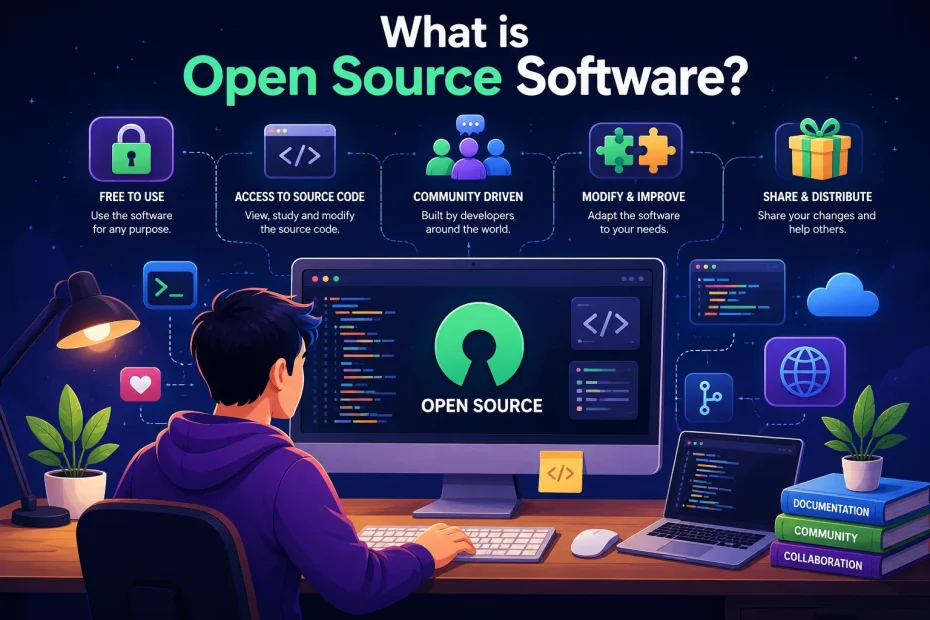
Open source software is computer code that anyone can inspect, modify, and distribute freely. The source code, the human-readable instructions that make software work, is publicly available under licenses that grant users the freedom to study, change, and share the program. Unlike proprietary software where the code is locked away, open source projects invite collaboration from developers worldwide, creating software that’s often more secure, flexible, and cost-effective than closed alternatives.
Key Takeaways
- Open source software provides free access to source code, allowing anyone to view, modify, and redistribute the program under specific license terms
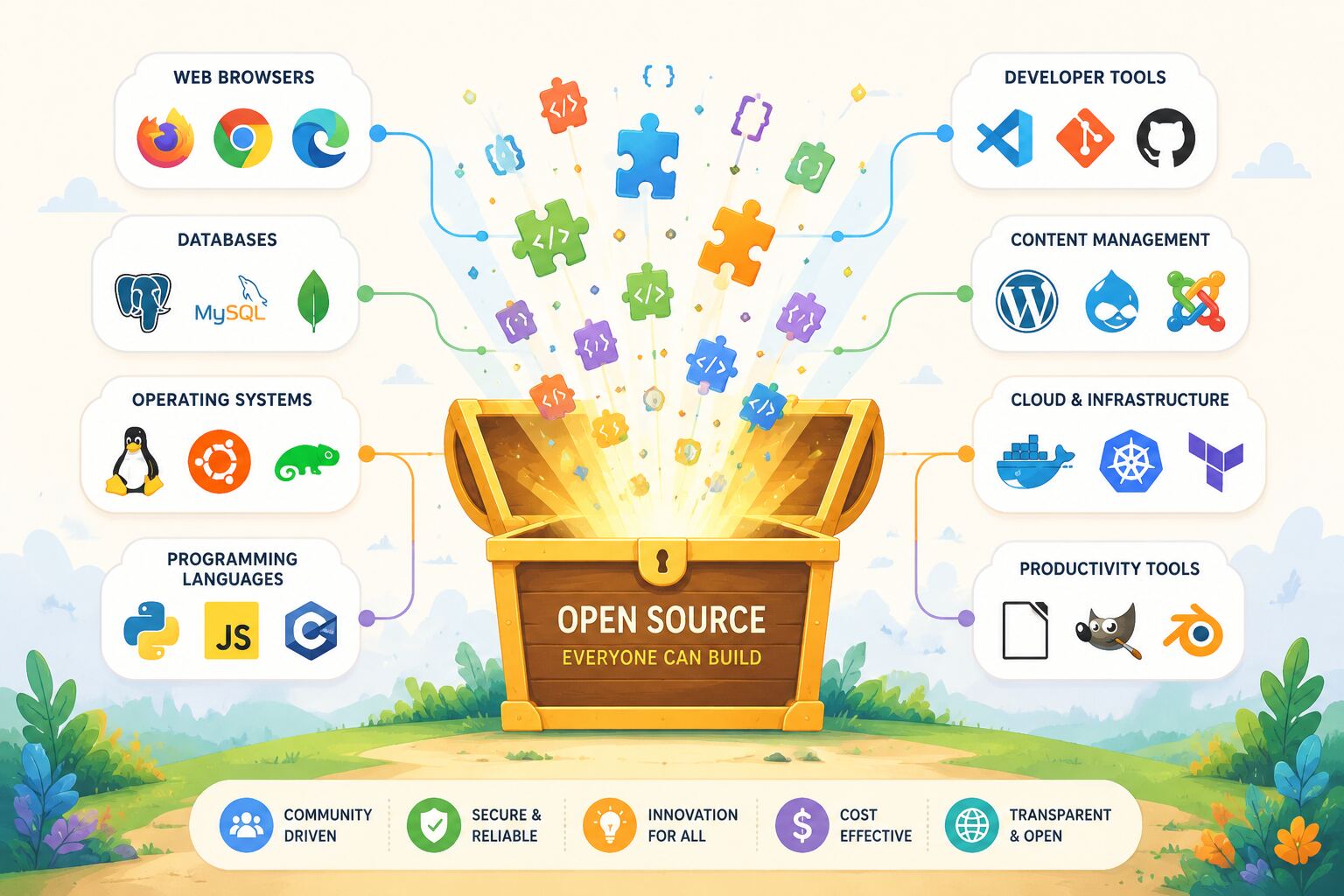
- Popular examples include Linux, Firefox, WordPress, and Android, powering everything from smartphones to web servers
- Four essential freedoms define open source: the right to run, study, modify, and distribute software
- Open source doesn’t always mean free of cost,companies can charge for support, hosting, or premium features while keeping code open
- Security benefits from transparency: thousands of developers can review code for vulnerabilities, though this doesn’t guarantee bug-free software
- Businesses save money by avoiding licensing fees, but may invest in customization, support, and maintenance
- Community-driven development means features evolve based on actual user needs rather than corporate roadmaps
- Common licenses include MIT, GPL, Apache, and BSD, each with different requirements for modification and redistribution
- You don’t need to be a programmer to benefit, millions use open source software daily without knowing it
What is Open Source Software and Why Does It Matter?
I’ve been working with open source software for over a decade, and I still remember the moment it clicked for me. I was frustrated with expensive design software in college when a classmate showed me GIMP, a free image editor. Not only could I use it without paying hundreds of dollars, but I could actually peek under the hood and see how the blur filter worked. That transparency changed how I thought about software entirely.
Open source software is any program whose source code is made publicly available for anyone to use, study, modify, and share. The “source code” is basically the recipe, the human-readable instructions programmers write before a computer translates them into the 1s and 0s that actually run on your device.
Here’s what makes it different from the software most people are used to:
Traditional proprietary software works like a locked box. You can use Microsoft Word to write documents, but you can’t see how spell-check works internally, you can’t fix bugs yourself, and you definitely can’t give modified copies to friends. The company owns the code and controls everything about it.
Open source software is more like a community cookbook. The recipe is published for everyone. If you find a better way to make the sauce, you can share your improvement. If you want to adapt it for dietary restrictions, go ahead. Other cooks can verify the ingredients are safe. And yes, you can serve it at your restaurant, though some recipes (licenses) require you to share your modifications too.
In other words, open source is about transparency, collaboration, and freedom. It matters because it shifts power from corporations to communities. When I need to customize software for a specific project, I’m not stuck waiting for a vendor to maybe add that feature in version 12.0. I can modify it myself or hire someone to do it.
The impact is huge. Linux Foundation report, open source software contributes over $8.8 trillion in value to the global economy. Your Android phone runs on open source. The web server hosting most websites you visit probably uses open source Apache or Nginx. Netflix streams video using open source tools. Even if you’ve never heard the term before today, you’ve been using open source software constantly.
How Does Open Source Software Actually Work?
At its core, open source software works exactly like any other software, it’s just developed and distributed differently.
The development process typically happens in public repositories (storage spaces for code) on platforms like GitHub, GitLab, or SourceForge. Developers from anywhere in the world can:
- Download the source code to their own computer
- Make changes or improvements to fix bugs, add features, or adapt it for their needs
- Submit their changes back to the project maintainers
- Have their contributions reviewed by other developers
- See their code merged into the official version if approved
I’ve contributed to several open source projects, and the process is surprisingly welcoming. When I found a bug in a Python library I was using, I spent an afternoon tracking down the problem, wrote a fix, and submitted it. Within two days, a maintainer reviewed my code, suggested one improvement, and merged it. Now millions of people benefit from that tiny fix, and I didn’t need anyone’s permission to help.
Project governance varies widely. Some projects have a single “benevolent dictator” who makes final decisions (like Linus Torvalds with Linux). Others use democratic voting among core contributors. Large projects often have foundations that handle legal and financial matters, the Apache Software Foundation, the Linux Foundation, and the Mozilla Foundation are examples.
Quality control happens through peer review. Before code gets added to the main project, other developers examine it for bugs, security issues, and whether it fits the project’s goals. This is actually more rigorous than many proprietary software companies’ internal processes. When I worked at a startup, our code reviews involved maybe two other developers. Popular open source projects might have dozens of experts scrutinizing every change.
Funding models are creative since you can’t just sell licenses:
- Donations and sponsorships: Individual users and companies donate to support development
- Dual licensing: Offer the software free under open source terms, but sell commercial licenses with different terms
- Support and services: Give away the software but charge for installation, training, customization, or technical support
- Hosted versions: Provide the software free to self-host, but charge for convenient cloud-hosted versions
- Open core: Keep the basic version open source but sell proprietary add-ons or enterprise features
Red Hat, for example, built a billion-dollar business around free Linux by selling support, training, and certified versions to enterprises. Basically, they proved you can make serious money without locking up the code.
What Are the Different Types of Open Source Licenses?
This is where things get a bit legal, but it’s important because the license determines what you can actually do with the software.
Open source licenses are legal agreements that grant you specific rights to use, modify, and distribute the code. They all provide the basic freedoms, but differ in their requirements when you redistribute or build upon the software.
Permissive Licenses (Fewest Restrictions)
MIT License and BSD License are the most permissive. You can do almost anything, use it commercially, modify it, distribute it, even incorporate it into proprietary software. The only real requirement is that you include the original copyright notice. I use MIT-licensed libraries all the time in client projects because there’s minimal legal complexity.
Apache License 2.0 is similar but adds explicit patent protection. If someone contributes code to an Apache-licensed project, they automatically grant you rights to any patents covering that code. This matters for companies worried about patent lawsuits.
Copyleft Licenses (Share-Alike Requirements)
GNU General Public License (GPL) requires that if you distribute modified versions, you must also release your modifications under the GPL. This “share-alike” provision ensures improvements stay open. The GPL comes in versions, GPLv2 and GPLv3 are most common, with v3 adding protections against hardware restrictions and patent retaliation.
GNU Lesser General Public License (LGPL) is a middle ground. You can link LGPL code to proprietary software without releasing your own code, but if you modify the LGPL component itself, those modifications must be shared.
Mozilla Public License (MPL) requires sharing modifications to MPL-licensed files, but you can combine them with proprietary code in the same program. It’s file-level copyleft rather than project-level.
Choosing the Right License
When I started my first open source project, I agonized over license choice. Here’s my simplified decision framework:
- Choose MIT or BSD if you want maximum adoption and don’t care if companies use your code in proprietary products
- Choose Apache 2.0 if you want permissive terms but need patent protection
- Choose GPL if you want to ensure all improvements remain open and free
- Choose LGPL if you’re building a library and want it used widely, including in proprietary software
- Choose MPL if you want a balance between permissive and copyleft
One common mistake: assuming “open source” means “public domain.” It doesn’t. Even permissive licenses have requirements (like attribution). True public domain means zero restrictions, which is rare and legally complicated in some countries.
What Are the Benefits of Using Open Source Software?
I’ve seen both sides, working with proprietary enterprise software and building systems with open source tools. The benefits are real, though not universal.
Cost Savings (But Not Always Free)
No licensing fees is the obvious advantage. When I helped a nonprofit migrate from Microsoft Office to LibreOffice, we saved about $3,000 annually in license costs. For a small organization, that’s significant.
However, “free” doesn’t mean “no cost.” You might pay for:
- Implementation and customization
- Training staff on unfamiliar software
- Support contracts if you need guaranteed response times
- Hosting infrastructure if you’re running it yourself
Choose open source for cost savings when you have technical staff who can manage it, or when licensing fees for proprietary alternatives are prohibitively expensive.
Flexibility and Customization
This is where open source really shines. Last year, I needed a content management system with a very specific workflow that no off-the-shelf solution provided. With WordPress (open source), I could modify the core functionality and build exactly what the client needed. With a proprietary CMS, I would’ve been stuck waiting for the vendor to maybe add that feature, or paying for expensive custom development under restrictive terms.
You’re not locked into a vendor’s roadmap. If the feature you need isn’t a priority for the maintainers, you can add it yourself or hire someone to do it.
Security and Transparency
The security argument is nuanced. Open source advocates say “many eyes make bugs shallow”, with thousands of developers reviewing code, vulnerabilities get found and fixed quickly. This is often true. The Heartbleed bug in OpenSSL was serious, but once discovered, the entire community mobilized to fix it within days.
But transparency doesn’t guarantee security. Bugs can hide in plain sight for years. And not all open source projects have active security audits. A small project maintained by one person in their spare time might be less secure than a well-funded proprietary alternative.
The real security benefit is auditability. With proprietary software, you have to trust the vendor’s claims. With open source, security researchers can verify there are no backdoors, no hidden data collection, no malicious code. For government agencies and security-conscious organizations, this transparency is invaluable.
Community and Longevity
Proprietary software can be discontinued at any time. I’ve been burned by this, software I relied on was acquired by a larger company and shut down. With open source, even if the original maintainers abandon a project, someone else can fork it (create a new version) and continue development.
The community aspect is genuinely helpful. When I’m stuck on a problem, I can ask in forums, read the source code to understand what’s happening, or find others who’ve solved similar issues. With proprietary software, you’re often dependent on official support channels that may or may not be responsive.
Innovation and Rapid Development
Open source projects can move fast because they’re not constrained by corporate bureaucracy. When developers worldwide can contribute, features get added quickly. The Linux kernel receives thousands of contributions every release cycle, no single company could match that development velocity.
What Are the Challenges and Limitations of Open Source Software?
I’d be dishonest if I only highlighted the positives. Open source has real drawbacks that you should consider.
User Experience and Polish
Many open source projects are built by developers for developers. The interface might be functional but not intuitive. Documentation might assume technical knowledge. I’ve watched non-technical users struggle with GIMP’s interface when they’re used to Photoshop’s workflow, even though GIMP is powerful, the learning curve is steeper.
Choose proprietary software when user experience and ease of use are critical, especially for non-technical users who need to be productive immediately.
Support and Accountability
With proprietary software, you can call support and escalate issues. Someone is contractually obligated to help you. With open source, community support is often excellent, but there’s no guarantee. If you post a question on a forum, someone might answer in five minutes or never.
For businesses, this is risky. That’s why many companies pay for support contracts with organizations like Red Hat or Canonical, you get the benefits of open source plus the accountability of a vendor relationship.
Fragmentation and Compatibility
Because anyone can fork a project, you sometimes end up with multiple competing versions. The Linux desktop world has dozens of distributions, hundreds of desktop environments, and countless ways to accomplish the same task. This freedom is powerful but can be overwhelming.
I’ve also encountered compatibility issues. An open source library might work perfectly on Linux but have quirks on Windows. Or different versions might have breaking changes that require code updates.
Maintenance and Sustainability
Not all open source projects are well-maintained. Some are passion projects that developers work on sporadically. Others are abandoned entirely. Before adopting open source software for critical systems, I always check:
- When was the last commit? If it’s been years, the project might be dead.
- How many active contributors are there? A single maintainer is a risk.
- Is there funding or institutional support? Projects backed by foundations or companies tend to be more stable.
- How responsive are maintainers to issues and pull requests? This indicates project health.
Legal and Compliance Complexity
License compliance can be tricky, especially with copyleft licenses. If you modify GPL software and distribute it, you must release your modifications under GPL too. For companies building proprietary products, this can be a dealbreaker.
I’ve seen companies accidentally violate open source licenses by incorporating GPL code into proprietary products without realizing the implications. The legal consequences can be serious, lawsuits, forced code releases, or expensive settlements.
How Can You Get Started with Open Source Software?
You don’t need to be a programmer to use or benefit from open source. Here’s how to start, regardless of your technical level.
For Everyday Users
Replace proprietary software with open source alternatives for common tasks:
- Web browsing: Firefox or Chromium instead of proprietary browsers
- Office suite: LibreOffice instead of Microsoft Office
- Image editing: GIMP instead of Photoshop
- Video editing: DaVinci Resolve (has a free version) or Kdenlive
- Operating system: Linux distributions like Ubuntu or Linux Mint instead of Windows
Start with one application. I usually recommend Firefox first because it’s familiar and works identically across platforms. Once you’re comfortable, try others.
Common beginner mistake: Trying to switch everything at once. This is overwhelming. Replace one tool at a time, and give yourself time to adjust to different workflows.
For Developers and Technical Users
Explore GitHub and browse projects in languages or domains you’re interested in. Look for repositories with “good first issue” or “beginner-friendly” labels, these are tasks maintainers have identified as suitable for newcomers.
Contribute in small ways before diving into code:
- Report bugs with clear reproduction steps
- Improve documentation by fixing typos or clarifying confusing sections
- Answer questions in issue trackers or forums
- Test beta versions and provide feedback
- Submit small bug fixes once you’re comfortable with the codebase
My first contribution was fixing a typo in documentation. It was tiny, but it taught me the workflow, forking, making changes, submitting a pull request, responding to feedback. Start small.
For Businesses and Organizations
Evaluate open source options when selecting software:
- Identify your requirements clearly, features, performance, security, compliance
- Research mature projects with active communities and stable funding
- Test thoroughly in non-critical environments before production deployment
- Budget for implementation and support, even if the software itself is free
- Consider hybrid approaches,use open source for some components, proprietary for others
I’ve helped several businesses migrate to open source infrastructure. The successful migrations had executive buy-in, realistic timelines, and dedicated technical resources. The failures rushed the process or underestimated training needs.
Contribute back if you can. If your developers fix bugs or add features you need, submit those changes upstream. It’s good for the community, and it means you don’t have to maintain a separate fork.
For Students and Learners
Open source is an incredible learning resource. You can read production code written by experienced developers, see how large systems are architected, and learn best practices.
Study projects in your area of interest:
- Want to learn web development? Explore WordPress, Django, or React
- Interested in data science? Study scikit-learn, pandas, or TensorFlow
- Curious about operating systems? Dive into Linux kernel code
- Learning game development? Check out Godot Engine
The code is right there. You can trace through it, experiment with modifications, and see how professionals solve problems. This is how I learned advanced programming concepts, by reading code from developers better than me.
What is Open Source Software’s Role in Modern Technology?
Open source has moved from a niche movement to the foundation of modern technology infrastructure. Let me give you a sense of how pervasive it is.
Internet Infrastructure
The web runs on open source. According to W3Techs data from 2025, Apache and Nginx (both open source) power over 60% of all web servers. The majority of websites use Linux servers. Content management systems like WordPress (open source) run about 43% of all websites.
When you browse the web, you’re almost certainly interacting with open source software at multiple layers, the server operating system, the web server, the database, the programming language, and often the application itself.
Mobile and Cloud Computing
Android, the world’s most popular mobile operating system, is built on open source Linux and released under open source licenses (though Google adds proprietary components). Over 70% of smartphones globally run Android.
Cloud infrastructure relies heavily on open source. Amazon Web Services, Microsoft Azure, and Google Cloud all use open source extensively, Linux, Kubernetes, Docker, and countless other tools. The containerization revolution that transformed how we deploy software is built entirely on open source technologies.
Artificial Intelligence and Data Science
Machine learning frameworks are predominantly open source. TensorFlow, PyTorch, scikit-learn, and Keras are all open source. This has democratized AI development, instead of only large corporations having access to advanced tools, anyone can download and use the same frameworks that power cutting-edge research.
I’ve built machine learning models using entirely open source tools. Ten years ago, this would have required expensive proprietary software or academic access. Today, a student with a laptop can experiment with the same tools used by major tech companies.
Enterprise Adoption
Fortune 500 companies have embraced open source. According to a 2024 Red Hat survey, 90% of IT leaders use enterprise open source software. Companies like Google, Facebook, and Netflix not only use open source but contribute significantly to projects and release their own tools as open source.
This shift happened because open source proved itself in production. It’s not a hobbyist curiosity anymore, it’s enterprise-grade infrastructure that powers critical systems.
Government and Public Sector
Governments worldwide are adopting open source for transparency, security, and cost savings. The European Commission has an open source strategy. The U.S. government requires agencies to release at least 20% of custom code as open source. Countries like France, Italy, and Brazil have policies favoring open source in public administration.
The argument is compelling: taxpayer-funded software should be publicly available, auditable for security, and not locked into vendor contracts.
Frequently Asked Questions
Is open source software really free?
Yes and no. The source code is free to access and use, but “free” refers to freedom (like “free speech”) more than price (like “free beer”). Most open source software costs nothing to download, but you might pay for support, hosting, training, or customization. Some companies offer open source software with paid enterprise features or support contracts.
Is open source software safe and secure?
Open source can be very secure because the code is transparent and can be audited by security researchers worldwide. However, transparency alone doesn’t guarantee security, it depends on the project’s maturity, how actively it’s maintained, and whether security experts actually review it. Well-maintained open source projects often have excellent security, while abandoned projects might have unpatched vulnerabilities.
Can I use open source software for commercial purposes?
Usually, yes. Most open source licenses explicitly allow commercial use. However, you must comply with the license terms. Permissive licenses like MIT and Apache allow you to use the software in proprietary products with minimal restrictions. Copyleft licenses like GPL require you to release your modifications as open source if you distribute the software. Always read the specific license.
Do I need programming skills to use open source software?
Not at all. Millions of people use Firefox, VLC Media Player, LibreOffice, and other open source applications without any programming knowledge. These programs work just like proprietary alternatives. Programming skills are only needed if you want to modify the source code or contribute to development.
What’s the difference between open source and free software?
The terms are often used interchangeably, but there’s a philosophical distinction. “Free software” (as defined by the Free Software Foundation) emphasizes ethical freedom, users’ rights to control their computing. “Open source” (as defined by the Open Source Initiative) emphasizes practical benefits like better code quality and collaborative development. In practice, most software that’s one is also the other, though the communities have different priorities.
Can companies make money from open source software?
Absolutely. Red Hat was acquired for $34 billion. Companies make money through support contracts, hosted services, dual licensing, open core models (free basic version, paid enterprise features), consulting, training, and customization. The key is providing value beyond the code itself.
How do I know if an open source project is trustworthy?
Check several indicators: active development (recent commits), multiple contributors (not just one person), responsive maintainers (they address issues and pull requests), institutional backing (foundation or corporate sponsorship), good documentation, and a clear license. Also look for projects used by reputable organizations, if major companies trust it, that’s a good sign.
What happens if an open source project is abandoned?
Because the code is open, someone else can fork it and continue development. Many successful projects started as forks of abandoned ones. However, if no one steps up, the software might become outdated and incompatible with newer systems. This is why checking project health before adoption is important.
Can I modify open source software for my own use?
Yes, that’s one of the core freedoms. You can modify open source software however you want for personal or internal business use. Restrictions only apply if you distribute your modified version to others, then you must comply with the license terms, which might require releasing your modifications as open source too (depending on the license).
Is open source software suitable for enterprise use?
Definitely. Most enterprises use open source extensively, Linux servers, Apache web servers, PostgreSQL databases, Kubernetes orchestration, and countless other tools. Many open source projects offer enterprise support contracts, certified versions, and long-term support releases specifically for business needs. The key is choosing mature, well-supported projects and having the technical expertise to manage them.
How can I contribute to open source if I’m not a developer?
Many valuable contributions don’t require coding: writing or improving documentation, translating software into other languages, designing graphics and user interfaces, testing software and reporting bugs, answering questions in forums, organizing community events, or donating money to support development. Every open source project needs more than just code.
What’s the best open source alternative to [proprietary software]?
It depends on your specific needs, but common alternatives include: LibreOffice for Microsoft Office, GIMP for Photoshop, Inkscape for Illustrator, Blender for 3D modeling, Audacity for audio editing, OBS Studio for video recording, Thunderbird for Outlook, and Linux distributions for Windows. Try several options, what works best varies by use case and personal preference.
Conclusion
Open source software has transformed from a fringe movement into the backbone of modern technology. Whether you realize it or not, you interact with open source code dozens of times every day, when you browse the web, use your smartphone, stream video, or search for information.
What is open source software? It’s code that’s transparent, collaborative, and free to use, modify, and share. It’s a development model that harnesses the collective intelligence of global communities. It’s a philosophical stance that software should empower users rather than restrict them. And it’s a practical reality that powers the internet, cloud computing, artificial intelligence, and countless applications we depend on.
The benefits are compelling: cost savings, flexibility, security through transparency, freedom from vendor lock-in, and access to innovation from worldwide communities. The challenges are real too: varying quality, support uncertainty, potential complexity, and license compliance requirements.
Here’s what I recommend you do next:
- If you’re a casual user, try replacing one proprietary application with an open source alternative this week. Firefox is an easy start.
- If you’re a developer, explore GitHub for projects in your area of interest. Make your first contribution, even fixing documentation counts.
- If you’re a business decision-maker, evaluate open source options for your next software purchase. Consider the total cost of ownership, not just licensing fees.
- If you’re a student, study open source code to learn from experienced developers. It’s the best free education available.
- If you’re already using open source, consider contributing back, through code, documentation, bug reports, or financial support.
The open source movement succeeds because people choose to participate. You don’t need to be an expert programmer or a full-time contributor. Every bug report, documentation improvement, and word-of-mouth recommendation helps.
I’ve built my career on open source tools, learned from open source code, and contributed to projects that millions of people use. It’s changed how I think about technology, collaboration, and the relationship between creators and users. Whether you dive deep into development or simply use Firefox instead of a proprietary browser, you’re participating in something bigger, a model of software development that prioritizes transparency, community, and freedom.
You May Also Like
 Software
9 Best Free Laser Engraver Software Tools in 2026
 Software
When Fixing Bugs Is No Longer Enough: How to Rescue a Failing Software Project
 SaaS
SaaSNotion vs Coda vs ClickUp for Teams: A Field Report From 18 Months
 SaaS
SaaSTrello vs monday.com vs ClickUp: Which Project Management Tool Fits Your Team in 2026?
 SaaS
SaaS8 Best Asana Alternatives in 2026: Free Tools, Top Competitors, and How to Choose
 Software
What is Asana Software? How Businesses Use It for Project Management and Team Collaboration
 Software
10 Best Audio Redaction Software in 2026 (Tested Picks by Use Case)
 SaaS
SaaS10 Best AI Audio Enhancers for Podcasts in 2026 (Reviewed & Compared)
 Software