

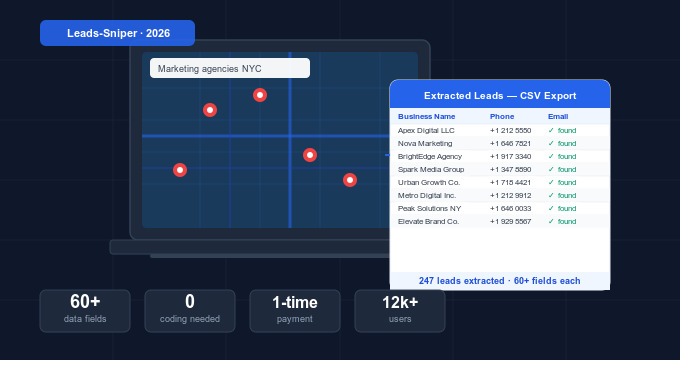
If you’ve ever needed to build a list of local businesses whether for cold outreach, competitive research, or market validation you’ve probably opened Google Maps, squinted at the results, and thought: “There has to be a faster way than copying this one by one.”
There is. And you don’t need to write a single line of code.
Google Maps holds data on hundreds of millions of businesses worldwide phone numbers, addresses, email addresses, ratings, social profiles, and much more. In 2026, a new generation of no-code tools makes it possible for marketers, agency owners, sales professionals, and researchers to extract all of that data in minutes not hours and export it directly into a CSV or Excel file ready for any CRM or cold outreach platform.
In this guide, we’ll walk you through exactly how to do it: what tools are available, how they work, what data you can extract, and which approach makes the most sense depending on your goals and budget.
What You’ll Learn in This Guide
- Why Google Maps is a goldmine for business leads
- The different methods to extract leads (with and without coding)
- The best no-code Google Maps scraper tools in 2026
- Step-by-step: how to extract leads using a browser extension
- What data fields you can collect
- How to use your leads for outreach, research, and prospecting
- Legal considerations what’s allowed
- Pro tips to maximize your results
1. Why Google Maps Is a Goldmine for Business Leads
Google Maps isn’t just a navigation tool. it’s one of the largest publicly accessible databases of local business information on the internet. As of 2026, Google Maps indexes over 200 million businesses in more than 200 countries. Every listing can include:
- Business name and address — verified by the business owner
- Phone numbers — primary and sometimes secondary contact numbers
- Website URL — linking directly to the business’s site
- Business category — industry, niche, and sub-category tags
- Customer ratings and review counts — social proof at a glance
- Business hours — including holiday hours
- Photos, pricing tier, and service details
And crucially by following the business website link, dedicated tools can also extract email addresses and social media profiles that aren’t directly visible on Google Maps itself.
For lead generation professionals, this is incredibly powerful. You can search “SMMA agencies in Chicago” or “Plumbers in Houston TX” and instantly surface hundreds of qualified prospects businesses that are already established, publicly listed, and operating in your target market.
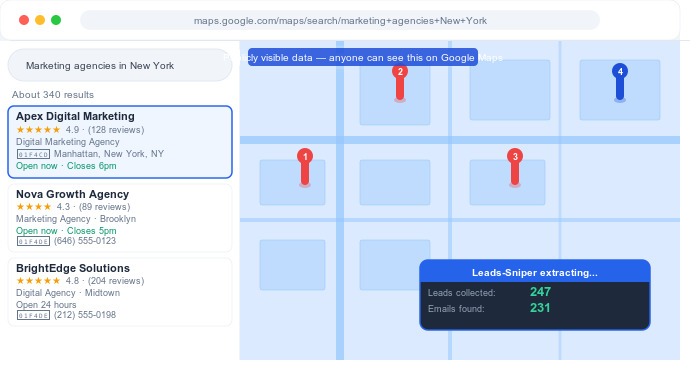
Key insight: Google Maps data is publicly accessible the same information anyone can see by searching on maps.google.com. The difference is automation: tools extract hundreds of listings in the time it would take you to manually copy five.
2. Methods for Extracting Leads from Google Maps
There are three main ways to extract data from Google Maps. Each has a very different learning curve, cost, and level of output.
Method 1: Manual copy-paste (not recommended)
This is exactly what it sounds like opening each business listing and copying the details into a spreadsheet by hand. This approach works for 5–10 leads but becomes completely impractical beyond that. At any scale, it costs more in time and labor than the leads are worth.
Method 2: Google Places API (requires coding)
Google offers an official API for accessing Places data. It’s robust and reliable, but it comes with significant limitations that make it unsuitable for most lead generation use cases:
- 60-result cap per query — you cannot retrieve more than 60 listings per search
- No email extraction — the API does not provide business email addresses
- Billing per request — costs scale quickly with volume
- Requires developer knowledge — Python or JavaScript skill required to use it
For marketing professionals and agency owners without a technical background, the API is rarely the right tool.
Method 3: No-code Google Maps scraper tools (recommended)
This is where things get interesting. Purpose-built browser extensions and desktop applications now allow anyone to extract Google Maps data without writing a single line of code. These tools automate the extraction process, handle email finding, and export everything to a structured CSV file in minutes.
This is the approach we’ll focus on for the rest of this guide.
| Method | Coding required? | Email extraction? | Results per search | Cost model |
|---|---|---|---|---|
| Manual copy-paste | No | Manual | Unlimited (very slow) | Time cost only |
| Google Places API | Yes | No | 60 max per query | Pay per request |
| No-code scraper tools | No | Yes (automated) | Thousands per session | One-time or low monthly |
3. The Best No-Code Google Maps Scraper Tools in 2026
The market for Google Maps extraction tools has grown significantly. Here’s an honest look at the main options available in 2026 from beginner-friendly browser extensions to more advanced cloud platforms.
Leads-Sniper (Best for non-technical user’s one-time payment)
Leads-Sniper is a Chrome and Edge browser extension built specifically for marketers, SMMA agencies, and sales teams who need to extract high-quality leads from Google Maps without any technical setup.
What sets it apart in 2026:
- 60+ data fields per listing far more than any comparable tool, including email addresses extracted from the linked business website, social media profiles (Facebook, LinkedIn, Instagram, Twitter/X, YouTube), review data, coordinates, Google Place ID, and pricing tier
- One-time payment model – unlike Apify, Outscraper, and Bright Data, which all charge monthly subscriptions or per-record fees, Leads-Sniper charges a single lifetime fee. Agencies running regular campaigns save significantly over time.
- No proxy, no VPS, no infrastructure — it runs entirely inside your browser. Install in 60 seconds, extract leads in 90.
- Unclaimed GMB finder — identifies businesses with unclaimed Google Business Profiles, a unique feature that local SEO consultants find particularly valuable
- CSV and Excel export — compatible with HubSpot, GoHighLevel, Salesforce, Instantly, Lemlist, and any CRM
You can try a dedicated Google Maps scraper like Leads-Sniper with a free 2-hour trial no credit card required to see exactly what data it pulls before committing to a purchase.
Apify (Best for developers and API users)
Apify is a cloud-based web scraping platform with a large library of pre-built scrapers — including several for Google Maps. It’s highly powerful and flexible, but the learning curve is steep: configuring and running Apify actors requires technical knowledge, and costs are subscription-based with usage-dependent billing. Best suited for developers or teams with technical resources.
Outscraper (Best for pay-as-you-go cloud usage)
Outscraper offers Google Maps data extraction as a cloud service you submit a search, it processes and returns a file. No installation required, but you pay per record extracted, and email extraction is a paid add-on. Good for occasional, high-volume one-off projects, but expensive for regular ongoing use.
Phantombuster (Best for multi-platform automation)
Phantombuster is a broader automation platform that handles multiple data sources LinkedIn, Instagram, Google Maps, and others. Its Google Maps scraper is capable but limited in data fields compared to dedicated tools. Better suited to teams already using Phantombuster for other workflows.
| Tool | Pricing model | Email extraction | No proxy needed | Setup time | Best for |
|---|---|---|---|---|---|
| Leads-Sniper | One-time payment | ✓ Included | ✓ Yes | < 2 minutes | Marketers, agencies |
| Apify | Monthly subscription | Paid add-on | ✗ No | 30–60 min | Developers |
| Outscraper | Pay per record | Paid add-on | ✗ No | 15–30 min | One-off projects |
| Phantombuster | Monthly subscription | Limited | ✗ No | 20–40 min | Multi-platform teams |
4. Step-by-Step: How to Extract Leads from Google Maps Without Coding
We’ll walk through the process using Leads-Sniper, as it’s the most straightforward option for non-technical users. The same general workflow applies to other browser extension tools.
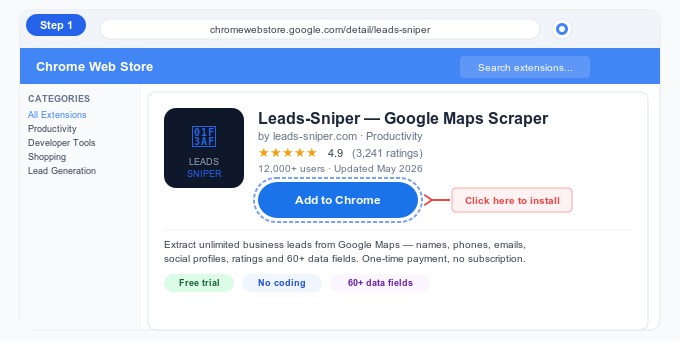
Step 1: Install the browser extension
For Edge:
1. Open the Edge browser.
2. Go to the Edge Add-ons Store.
3. Search for “Leads Sniper” or type “Google Maps Scraper.”
4. Select Leads Sniper and install the extension.
For Chrome:
1. Download the tool from the website.
2. Open the Google Chrome browser and go to the Manage Extensions page.
3. Enable Developer Mode.
4. Drag the installation file into the Extensions page, and the tool will be ready to use.
Total time: under 90 seconds.
Step 2: Define your target audience on Google Maps
Open Google Maps (maps.google.com) and think about who you’re trying to reach. Google Maps uses keyword + location searches so your search should follow this format:
Search formula: [Business type or service] in [City, State / Country]
Examples of effective search queries:
- “Roofing contractors in Dallas TX”
- “Social media marketing agencies in London”
- “Dentists in Miami FL”
- “Real estate agents in Toronto Canada”
- “Gyms in Sydney Australia”
Type your chosen query into Google Maps and let the results load. You’ll see a panel on the left side listing all matching businesses scroll down to load more results before starting the extraction.
Step 3: Start the extraction
- Click the Leads-Sniper icon in your browser toolbar to open the extension panel.
- Click “Start Scraping” the extension will begin reading all visible business listings on the page.
- The tool will automatically scroll through results and extract data for each listing in real time. You’ll see a counter showing how many leads have been collected.
- For email addresses, Leads-Sniper follows the website link for each business and crawls the linked site this takes a few seconds per business but retrieves emails that no other scraper can find from the Google Maps page alone.
Pro tip: Let the Google Maps results fully load before clicking Start Scraping. Scroll down in the results panel to pre-load as many listings as possible — this gives the extension more data to work with in one pass.
Step 4: Export to CSV or Excel
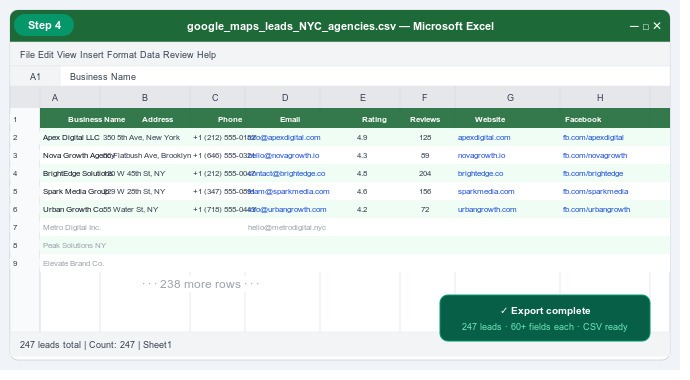
- Once the extraction is complete, click “Export to CSV” or “Export to Excel” or “Export to JSON” in the Leads-Sniper panel.
- Your download will begin immediately no waiting, no processing queue.
- Open the file to review your extracted leads. Each row represents one business, and each column is a data field.
- Import the file directly into your CRM, cold email platform, or spreadsheet tool of choice.
5. What Data Can You Actually Extract?
This is where a dedicated Google Maps scraper pulls significantly ahead of manual methods or the Google Places API. Here’s a comprehensive breakdown of the data fields available using Leads-Sniper as the benchmark, since it offers the widest coverage of any browser-based tool in 2026:
Contact & identity data
- Business name
- Full address (street, city, state, zip, country)
- Primary phone number
- Secondary phone number
- Email address (extracted from business website)
- Website URL
- Domain
Location & geographic data
- Latitude and longitude coordinates
- Google Place ID
- Timezone
- Neighborhood / district
Business profile data
- Primary category and sub-categories
- Business description / summary
- Pricing tier ($ / $$ / $$$ / $$$$)
- Business hours (all 7 days)
- Service options (delivery, dine-in, takeaway, etc.)
- Claimed / unclaimed GMB status
Social proof & review data
- Average star rating
- Total review count
- Google Maps review URL
Social media profiles
- Facebook page URL
- LinkedIn company URL
- Twitter / X profile URL
- Instagram profile URL
- YouTube channel URL
Additional fields
- Amenities and accessibility information
- Highlights (women-led, LGBTQ+ friendly, etc.)
- Payments accepted
- Popular times data
- Business image / photo URL
- Favicon URL
Why this matters: Most manual methods or basic API integrations give you 5–8 fields. A dedicated scraper tool gives you 60+. The difference between a name-and-phone list and a full-profile lead list with email, social media, and review data can be the difference between a 1% reply rate and a 10% one.
6. What Can You Do With Your Extracted Leads?
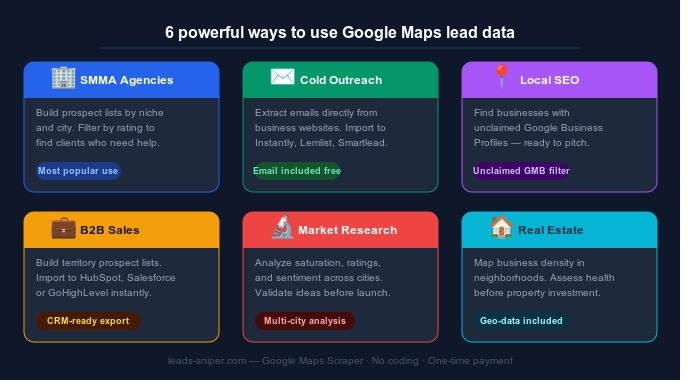
Once you’ve exported your leads to CSV, the possibilities are wide. Here are the most common and effective use cases in 2026:
Cold email outreach
Import your leads directly into cold email platforms like Instantly, Lemlist, or Smartlead. Because you have the business email address alongside the business name, phone, and social profiles, you can personalize outreach far beyond a generic template. Reference the business’s rating, mention their neighborhood, or acknowledge their niche all from data you already have.
SMMA prospecting
Social media marketing agencies use Google Maps data to build highly targeted prospect lists of businesses in specific categories and geographies. Filter by low rating to find businesses that clearly need reputation management help. Filter by high review count to find established businesses with marketing budgets. The data tells you who to call before you pick up the phone.
Local SEO client acquisition
Use the unclaimed GMB filter to surface businesses that have no Google Business Profile — or that have one that’s unclaimed. These businesses are low-hanging fruit for local SEO consultants: they obviously need help, the problem is clearly identified, and you can open the conversation with a concrete, specific offer.
B2B sales prospecting
Sales teams use extracted leads to build territory-specific pipeline. Search for your ideal customer profile in a target city, export to CSV, and import directly into Salesforce, HubSpot, GoHighLevel, or Zoho. No expensive data subscription, no stale records — just fresh, publicly verified business data from Google’s own index.
Market research and competitive analysis
Extract all businesses in a category across multiple cities to analyze market density, average ratings, pricing distribution, and geographic spread. Researchers and investors use this kind of data to identify underserved markets, validate business concepts, and assess competitive landscapes before committing to entry.
Real estate and property investment analysis
Commercial property investors and retail analysts extract business data to assess the health of a neighborhood before investing. High density of well-rated businesses, diverse category mix, and strong review volumes are positive signals. Concentrated decline or large numbers of unclaimed listings can signal market weakness.
7. Is It Legal to Scrape Google Maps Data?
This is one of the most common questions and it deserves a clear, honest answer.
Extracting publicly available data from Google Maps is generally considered legal in most jurisdictions for personal and commercial research purposes. Courts in the United States have repeatedly affirmed (most notably in hiQ Labs v. LinkedIn, 2022) that scraping publicly accessible data does not constitute a violation of the Computer Fraud and Abuse Act. The principle is similar to reading a public directory or business listing the information is publicly available and not behind an authentication wall.
However, there are important nuances:
- Use data responsibly. If you’re collecting email addresses for outreach, comply with CAN-SPAM in the US, GDPR in the EU, and CASL in Canada. Always provide an opt-out mechanism in your communications.
- Don’t resell raw data. Collecting data for your own lead generation is different from building a database product to sell. The latter enters more complicated legal territory.
- Google’s Terms of Service prohibit automated data extraction from their platforms. While this creates ToS risk (account restrictions, IP blocks), it is a contractual issue, not a criminal one in most jurisdictions.
- This is not legal advice. For specific situations or large-scale commercial use, consult a qualified attorney familiar with data and privacy law in your region.
Bottom line: For individual lead generation, prospecting, and research purposes, no-code Google Maps scraping is widely used commercially by thousands of agencies and sales teams worldwide. Use the data ethically and in compliance with outreach regulations in your region.
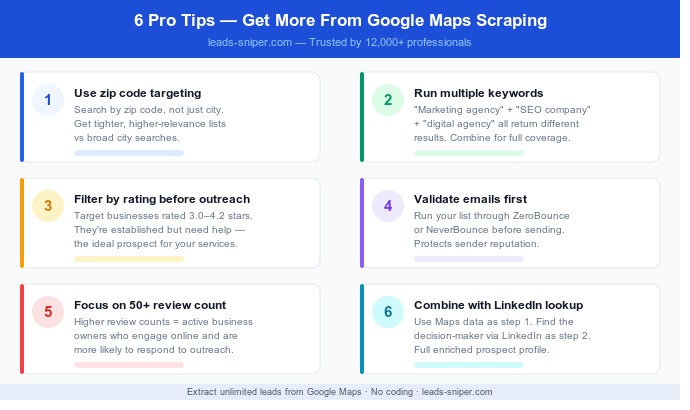
8. Pro Tips to Maximize Your Google Maps Extraction Results
Tip 1: Use zip code targeting for hyper-local lists
Instead of searching “Plumbers in Los Angeles” which returns a huge, geographically spread result set search for specific zip codes or neighborhoods: “Plumbers near 90210” or “Plumbers in Silver Lake Los Angeles.” This gives you smaller, more targeted lists with higher relevance.
Tip 2: Run multiple keyword variations
The same business may appear under different keyword searches”marketing agency,” “digital marketing,” “social media agency,” and “SEO company” can all return overlapping but distinct result sets. Run multiple searches and combine the CSV exports to build the most comprehensive list possible.
Tip 3: Filter by rating before outreach
Your extracted data includes star ratings. Before importing into your outreach tool, filter out businesses with ratings above 4.7 stars they’re doing well and less likely to need your services. Focus on businesses in the 3.0–4.2 range for pitches around reputation management, marketing, or operational improvement.
Tip 4: Validate emails before sending
Email addresses extracted from business websites are not always active. Run your list through an email validation tool (ZeroBounce, NeverBounce, or similar) before loading into your sending platform. This protects your sender reputation and keeps bounce rates low.
Tip 5: Time your extraction by business activity
Google Maps listings are more complete for businesses that are actively managing their profile. Filter your prospecting list by high review count (50+ reviews) to prioritize businesses that are actively engaged online they’re more likely to respond to outreach and to have complete contact information.
Tip 6: Combine with LinkedIn for B2B enrichment
Once you have a business name and website from your Google Maps extraction, you can use LinkedIn to find the specific decision-maker within that company the owner, marketing director, or CEO. Many outreach teams use Google Maps data as step one and LinkedIn lookup as step two for a fully enriched prospect profile.
Conclusion: Build Your Lead List in Minutes, Not Days
Google Maps is one of the richest, most current, and most accessible sources of business data available to marketers and sales professionals in 2026. And extracting that data no longer requires a developer, a proxy server, or a complex API integration.
With a no-code browser extension, you can go from a keyword idea to a fully structured, export-ready lead list with names, phones, emails, social profiles, and review data in under 10 minutes. At that point, the real work begins: crafting the right message, for the right business, at the right time.
But at least the list won’t be a bottleneck anymore.
If you’re ready to try it, the Google Maps scraper from Leads-Sniper offers a free 2-hour trial with full access to all 60+ data fields no credit card required. It’s the fastest way to see what automated lead extraction looks like in practice before committing to any tool.
You May Also Like
 Web Development
What Is API Rate Limiting? (A Practical, Simple Guide for Safer, Faster APIs)
 Web Development
REST API vs SOAP API: Differences, Pros & Cons, and Use Cases
 Web Scraping
TinyFish.ai Review: Is It the Best AI Agent for Web Scraping
 VPN & Proxy
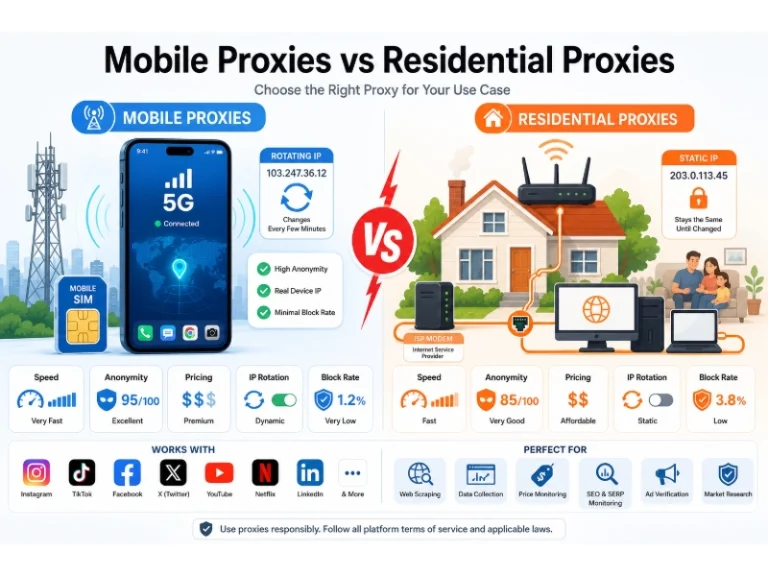
Mobile Proxies vs. Residential Proxies: Differences, Costs, and Use Cases
 VPN & Proxy
Datacenter vs. Residential Proxies: Differences, Costs, and Use Cases
 Web Scraping
Reasons Why You Should Avoid Using Free Proxies For Web Scraping
 Web Scraping
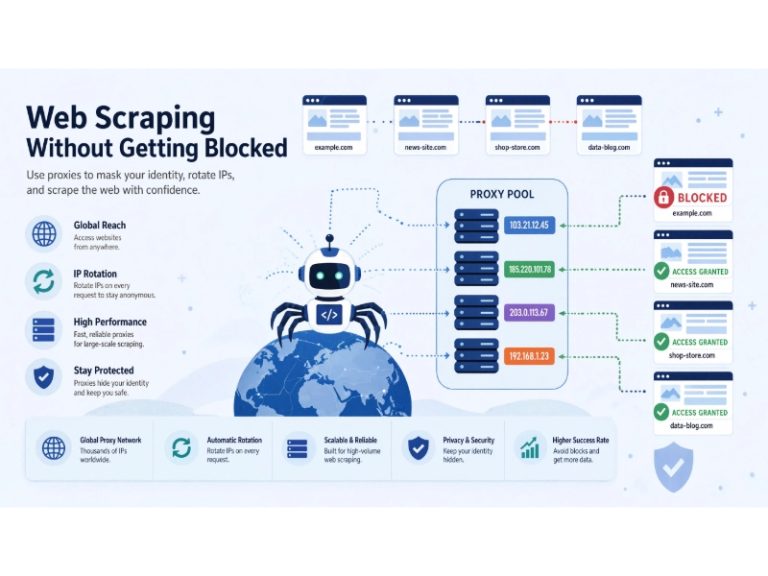
How to Use Proxies for Web Scraping Without Getting Blocked
 Web Scraping
Python vs R for Data Analysis: Which Language is Best for You?
 Web Scraping