


SPSS software helps people understand data and make better decisions through powerful statistical analysis tools. Originally called Statistical Package for the Social Sciences, SPSS now stands for Statistical Product and Service Solutions. This program makes it easy for researchers, students, and business professionals to analyze numbers and find patterns in their data without needing advanced math skills.
The software works like a smart calculator that can handle thousands of numbers at once. Instead of doing math by hand or struggling with complex formulas, users can point and click their way through statistical tests and data analysis. SPSS takes care of the hard work behind the scenes, letting you focus on understanding what your data means.
Whether you’re a college student working on a research project, a business owner trying to understand customer trends, or a scientist analyzing experiment results, SPSS provides the tools you need. The program has helped millions of people make sense of data for over 50 years, making it one of the most trusted names in statistical software.
What Makes SPSS Special?
Easy to Use Interface
SPSS looks and feels like other computer programs you already know how to use. The main screen shows your data in rows and columns, just like a spreadsheet. Each row represents one person or thing you’re studying, while columns show different pieces of information about them.
The menu system works like most Windows programs, with File, Edit, and View menus at the top. When you want to run a statistical test, you simply click on Analyze in the menu, choose the type of test you want, and select which data to include. The program guides you through each step with clear instructions and helpful tips.
You don’t need to memorize complicated commands or write computer code to use SPSS. The point-and-click approach means you can focus on your research questions instead of learning programming languages. This makes SPSS perfect for people who want powerful analysis tools without the technical headaches.
Powerful Statistical Tools
SPSS includes over 100 different statistical procedures that can answer almost any research question. Simple tests like calculating averages and percentages are built right in, along with advanced techniques like regression analysis and factor analysis. The software can handle small datasets with just a few dozen cases or massive studies with millions of observations.
The program automatically checks your data for problems and suggests solutions when it finds issues. If you have missing information or unusual values, SPSS will point them out and offer ways to fix them. This helps ensure your results are accurate and reliable.
Charts and graphs in SPSS look professional and are easy to customize. You can create bar charts, pie charts, scatter plots, and dozens of other visualization types. The software also generates detailed output tables that show your results in a format suitable for research reports and presentations.
Data Management Features
Before you can analyze data, you often need to clean it up and organize it properly. SPSS includes powerful tools for fixing data problems, combining files, and creating new variables. You can easily remove duplicate entries, fix spelling mistakes, and handle missing information.
The software can work with data from many different sources. You can import information from Excel spreadsheets, Access databases, text files, and even web surveys. SPSS can also connect directly to large databases and cloud storage systems, making it easy to work with data stored anywhere.
Variable labels and value labels help you keep track of what your data means. Instead of remembering that column 5 represents age and code 1 means “strongly agree,” you can add descriptive labels that make your data easier to understand and analyze.

Who Uses SPSS Software?
Academic Researchers and Students
Universities around the world use SPSS to teach statistics and research methods. Students learn to analyze survey data, conduct experiments, and write research papers using real statistical techniques. The software helps them understand concepts that might seem abstract when explained only with textbooks.
Graduate students use SPSS for their thesis and dissertation research. The program can handle the complex analyses required for advanced degrees, from psychology and sociology to business and education. Many universities provide SPSS licenses to students, making it affordable to learn professional-level data analysis skills.
Faculty researchers rely on SPSS for their own studies and publications. The software’s reputation in academic circles means that journals and conferences accept SPSS results without question. This credibility is important when seeking funding or trying to publish research findings.
Healthcare and Medical Research
Hospitals and medical research centers use SPSS to analyze patient data and study treatment effectiveness. The software can track outcomes across thousands of patients, identify risk factors for diseases, and evaluate new medical procedures. This helps doctors make better treatment decisions and researchers develop new therapies.
Clinical trials rely heavily on SPSS for analyzing whether new drugs and treatments actually work. The software can handle the complex statistical requirements of medical research, including handling missing data and controlling for multiple variables that might affect results.
Public health agencies use SPSS to track disease outbreaks, analyze vaccination effectiveness, and study health trends in different populations. The program’s ability to work with large datasets makes it perfect for analyzing health information from entire cities, states, or countries.
Business and Market Research
Companies use SPSS to understand their customers better and make smarter business decisions. Market research firms analyze survey data to help businesses understand what customers want, how they make purchasing decisions, and what marketing messages work best.
Customer satisfaction surveys, employee engagement studies, and product testing all rely on SPSS for analysis. The software can identify which factors most influence customer loyalty, predict future sales trends, and segment customers into different groups for targeted marketing.
Quality control departments use SPSS to monitor manufacturing processes and identify problems before they become expensive. The software can analyze production data to spot trends that might indicate equipment problems or process improvements.
Government and Social Services
Government agencies use SPSS to analyze census data, evaluate program effectiveness, and make policy decisions based on evidence rather than guesswork. Social services departments track outcomes for programs like job training, welfare assistance, and community health initiatives.
Survey research conducted by government agencies relies on SPSS to ensure accurate results that represent the entire population. The software’s sampling and weighting features help researchers make sure their findings apply to everyone, not just the people who participated in the study.
Policy researchers use SPSS to study the effects of laws and regulations. They can analyze data before and after policy changes to see if new rules actually achieve their intended goals.
SPSS Pricing and Versions
SPSS Statistics Base
The standard version of SPSS Statistics includes all the essential features most users need for data analysis. This version costs around $99 per month for a subscription or about $1,290 for a permanent license. The base version includes data management tools, basic and intermediate statistics, and charting capabilities.
Students can get SPSS at much lower prices through educational discounts. The Grad Pack version costs around $120 and includes the same features as the full version but with a license restricted to academic use. This makes professional-level statistical software affordable for students learning data analysis.
The base version handles most common research needs including descriptive statistics, correlation analysis, t-tests, and ANOVA. It also includes regression analysis, nonparametric tests, and basic forecasting procedures. For many users, the base version provides everything they need without paying for advanced features they won’t use.
SPSS Premium and Professional Versions
SPSS Premium adds advanced statistical procedures that specialized researchers might need. This version costs around $179 per month and includes everything in the base version plus bootstrapping, complex sampling procedures, and advanced regression techniques.
The Professional version includes even more specialized tools for $239 per month. It adds neural networks, decision trees, and other advanced modeling techniques used in machine learning and predictive analytics. These features are most useful for researchers working on cutting-edge problems or businesses doing sophisticated predictive modeling.
Most users don’t need the premium or professional versions unless they’re doing very specialized research. The additional cost is significant, so it’s important to know you’ll actually use the extra features before upgrading from the base version.
Modular Add-Ons
SPSS also offers individual modules that add specific capabilities to the base software. These modules typically cost $50-100 per month each and focus on specialized areas like forecasting, decision trees, or exact tests. You can add only the modules you need instead of buying a more expensive version with features you won’t use.
Popular modules include Advanced Statistics, Regression, and Forecasting. The Custom Tables module helps create publication-ready tables, while the Missing Values module provides sophisticated tools for handling incomplete data. This modular approach lets you customize SPSS to match your specific needs and budget.
The advantage of modules is that you can start with the base version and add capabilities as your needs grow. This is often more cost-effective than buying a premium version from the beginning, especially if you only need one or two specialized features.
Getting Started with SPSS
System Requirements and Installation
SPSS runs on Windows, Mac, and Linux computers. For Windows, you need at least Windows 10 and 4 GB of RAM, though 8 GB or more works better for large datasets. Mac users need macOS 10.14 or later. The software takes about 2 GB of hard drive space for installation.
Installing SPSS is straightforward – you download the installer from IBM’s website and follow the setup wizard. The process takes about 15-20 minutes depending on your computer speed. You’ll need an internet connection to activate your license after installation.
If you’re using SPSS at work or school, your IT department might handle the installation for you. Many organizations buy site licenses that let multiple people use SPSS without individual installations.
Learning Resources and Training
IBM provides extensive documentation and tutorials to help new users learn SPSS. The built-in help system includes step-by-step guides for common procedures and explanations of statistical concepts. You can access help from within the program whenever you have questions.
Online tutorials and YouTube videos show you how to use SPSS for specific types of analysis. Many universities offer SPSS training courses, and professional development companies provide intensive workshops for business users. These resources help you learn faster than trying to figure everything out on your own.
Books about SPSS range from beginner guides to advanced technique manuals. Popular titles include “SPSS for Dummies” and “Discovering Statistics Using IBM SPSS Statistics.” These books provide structured learning paths with practice exercises and real-world examples.
Sample Datasets and Practice
SPSS comes with several sample datasets that let you practice different analysis techniques without having to find your own data. These datasets include everything from employee information to survey responses, giving you realistic examples to work with.
The tutorial datasets are especially helpful for beginners because they come with step-by-step instructions for common analyses. You can follow along with the examples to learn how different procedures work and what the results mean.
Creating your own practice datasets is also valuable for learning. You can enter simple data from everyday situations like tracking expenses or recording sports scores. This helps you understand how to set up data properly before moving on to more complex analyses.
Common Uses and Applications
Survey Data Analysis
SPSS excels at analyzing survey responses from questionnaires and polls. The software can handle different types of questions including multiple choice, rating scales, and open-ended responses. It automatically calculates response percentages, creates frequency tables, and identifies patterns in the answers.
Customer satisfaction surveys are perfect for SPSS analysis. You can identify which aspects of your service are most important to customers, compare satisfaction levels between different groups, and track changes over time. The software’s crosstab feature makes it easy to see how different types of customers respond to your questions.
Employee engagement surveys help organizations understand workplace satisfaction and identify areas for improvement. SPSS can analyze responses by department, job level, or other characteristics to pinpoint specific problems and track progress after implementing changes.
Academic Research Projects
Students use SPSS for research projects in psychology, sociology, education, and business. The software handles everything from simple descriptive studies to complex experimental designs with multiple variables and control groups. Statistical tests built into SPSS help determine whether research findings are statistically significant.
Psychology experiments often use SPSS to analyze reaction times, test scores, and behavioral observations. The software can compare groups that received different treatments and determine whether observed differences are likely due to the experimental manipulation or just random chance.
Education researchers use SPSS to study teaching methods, evaluate programs, and analyze test score data. The software can track student progress over time, compare different schools or teaching approaches, and identify factors that contribute to academic success.
Business Intelligence and Analytics
Companies use SPSS to analyze sales data, customer behavior, and market trends. The software can identify seasonal patterns in sales, predict future demand, and segment customers based on purchasing behavior. This information helps businesses make better decisions about inventory, marketing, and pricing.
Marketing departments rely on SPSS to analyze advertising effectiveness and customer response to promotions. The software can determine which marketing channels produce the best results and which customer segments are most likely to respond to specific offers.
Human resources departments use SPSS to analyze employee data including performance ratings, turnover rates, and compensation equity. The software can identify factors that predict employee success and help make fair decisions about hiring and promotion.
Quality Control and Process Improvement
Manufacturing companies use SPSS to monitor product quality and identify process problems. The software can analyze production data to spot trends that might indicate equipment problems or process variations that affect product quality.
Statistical process control charts in SPSS help identify when manufacturing processes are operating outside normal parameters. This early warning system helps prevent defective products from reaching customers and reduces waste in the production process.
Service organizations use SPSS to analyze customer service metrics like response times, resolution rates, and satisfaction scores. The software can identify patterns that help improve service quality and efficiency.
Alternatives to SPSS
Free Statistical Software Options
R is a powerful free alternative to SPSS that’s especially popular among statisticians and data scientists. While R requires more programming knowledge than SPSS, it offers unlimited flexibility and thousands of specialized packages for different types of analysis. R is completely free and supported by a large community of users.
JASP provides a user-friendly interface similar to SPSS but without the cost. This free software includes most common statistical procedures and produces output that’s easy to interpret. JASP is particularly popular for psychological research and education.
PSPP is an open-source program designed to be compatible with SPSS files and procedures. While not as polished as commercial software, PSPP can handle many basic statistical analyses at no cost. It’s a good option for simple projects with limited budgets.
Other Commercial Statistical Packages
SAS is SPSS’s main competitor in the professional statistical software market. SAS is more powerful for handling very large datasets and complex analyses, but it’s also more expensive and harder to learn. Most organizations choose between SPSS and SAS based on their specific needs and existing expertise.
Stata is popular in economics and political science research. It offers a good balance between ease of use and advanced capabilities, with particularly strong features for panel data analysis and econometric modeling. Stata’s pricing is competitive with SPSS for most users.
Minitab focuses on quality improvement and Six Sigma applications. It’s easier to learn than SPSS for basic statistics but less comprehensive for advanced research applications. Minitab is popular in manufacturing and business improvement contexts.
Choosing the Right Software
The best statistical software depends on your specific needs, budget, and technical skills. SPSS works well for users who want powerful analysis capabilities without programming requirements. If you need occasional statistical analysis and have a limited budget, free alternatives might be sufficient.
Consider your long-term needs when choosing software. If you expect to do more complex analyses in the future, investing in SPSS might be worthwhile even if free software could handle your current projects. The learning curve and file compatibility issues make it expensive to switch software later.
Your organization’s existing software and expertise also matter. If your colleagues use SPSS, it makes sense to use the same program for compatibility and knowledge sharing. Similarly, if your industry standard is different software, you might need to match what others use.
Tips for Getting the Most Value
Educational Discounts and Academic Pricing
Students and educational institutions can save significantly on SPSS through academic licensing programs. Student versions provide full functionality at a fraction of the commercial price. Educational institutions can buy site licenses that let multiple students and faculty use SPSS at very reasonable per-user costs.
Faculty members can often access SPSS through their institution’s license even for personal research projects. This benefit is worth considering when evaluating job offers or research opportunities. Some schools also provide SPSS access to alumni or continuing education students.
Professional development and certification programs sometimes include SPSS access as part of their course fees. This can be a cost-effective way to learn the software while working toward other career goals.
Subscription vs. Perpetual Licensing
Subscription pricing for SPSS starts around $99 per month, while perpetual licenses cost over $1,000 upfront. Subscriptions include automatic updates and technical support, while perpetual licenses might require additional payments for major updates.
For short-term projects, subscriptions make more sense financially. If you only need SPSS for a few months to complete a research project or class assignment, paying monthly costs less than buying a permanent license.
Long-term users often prefer perpetual licenses despite the higher upfront cost. If you’ll use SPSS for several years, buying a permanent license typically costs less over time than ongoing subscription payments.
Training and Support Options
IBM offers various training options including online courses, webinars, and in-person workshops. While training costs extra, it can help you become productive with SPSS much faster than trying to learn on your own. The time savings often justify the training investment.
User communities and forums provide free help and advice from experienced SPSS users. Sites like IBM’s Developer Community and various statistics forums offer solutions to common problems and advanced techniques. These resources supplement official documentation and training.
Local user groups and professional associations sometimes offer SPSS training at reduced costs. Universities often host workshops that are open to community members, providing affordable learning opportunities.
Frequently Asked Questions (FAQ)
Is SPSS difficult to learn for beginners?
No, SPSS is designed to be user-friendly for people without advanced statistical training. The point-and-click interface means you don’t need to learn programming languages or memorize complex commands. Most users can perform basic analyses within a few hours of first using the software. However, understanding when to use different statistical tests and how to interpret results requires some statistical knowledge that goes beyond just using the software.
Can SPSS handle large datasets with millions of records?
Yes, SPSS can handle very large datasets, though performance depends on your computer’s memory and processing power. The standard version works well with datasets containing hundreds of thousands of records on typical computers. For datasets with millions of records, you might need more powerful hardware or consider SPSS’s server versions designed specifically for big data applications.
Do I need an internet connection to use SPSS?
No, SPSS works offline once installed and activated. You need an internet connection for initial installation and license activation, but day-to-day use doesn’t require internet access. However, some cloud-based features and collaboration tools do require internet connectivity. Subscription licenses check for activation periodically, but this doesn’t interfere with normal offline work.
Can I open SPSS files in other statistical software?
Yes, SPSS files can be exported to formats that other statistical programs can read, including Excel, CSV, and various database formats. However, some SPSS-specific features like variable labels and syntax might not transfer perfectly to other programs. Most statistical software can import basic SPSS data files, though you might lose some formatting and metadata in the process.
Is there a mobile version of SPSS?
No, SPSS doesn’t have a mobile app version. The software requires a desktop or laptop computer running Windows, Mac, or Linux. While IBM offers some cloud-based analytics tools that work on mobile devices, the full SPSS Statistics program is only available for traditional computers. This is because statistical analysis typically requires larger screens and more processing power than mobile devices provide.
How often does IBM release updates to SPSS?
Yes, IBM typically releases major SPSS updates once per year, with smaller updates and bug fixes throughout the year. Subscription users automatically receive all updates, while perpetual license holders get updates for the version they purchased. Major version upgrades might require additional payment for perpetual license users, depending on their support agreement.
Conclusion
SPSS software provides powerful statistical analysis tools that make complex data analysis accessible to researchers, students, and business professionals. The program’s point-and-click interface eliminates the need for programming skills while still offering sophisticated statistical procedures used in academic research and professional applications. Whether you’re analyzing survey data, conducting scientific research, or making business decisions based on data, SPSS provides reliable tools that have been trusted for over 50 years.
The variety of pricing options means SPSS can fit different budgets and usage patterns. Students benefit from significant educational discounts, while professionals can choose between subscription and perpetual licensing based on their long-term needs. The modular approach allows users to add specialized features as their requirements grow, making SPSS a scalable solution that adapts to changing needs.
Success with SPSS depends on understanding both the software’s capabilities and the statistical concepts behind different analyses. While the program makes it easy to run statistical tests, interpreting results correctly requires some knowledge of statistics and research methods. Taking advantage of training resources, practice datasets, and user communities helps new users become productive quickly and avoid common mistakes that can lead to incorrect conclusions.
You May Also Like
 Software
9 Best Free Laser Engraver Software Tools in 2026
 Software
When Fixing Bugs Is No Longer Enough: How to Rescue a Failing Software Project
 SaaS
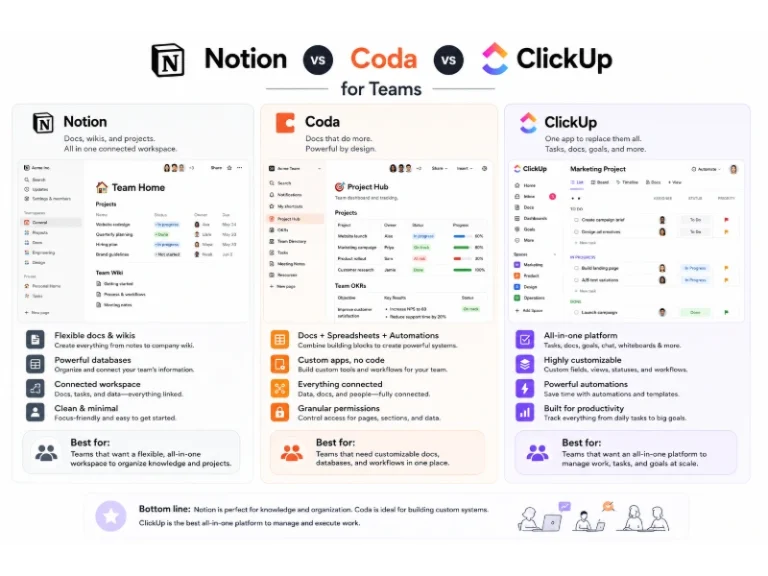
SaaSNotion vs Coda vs ClickUp for Teams: A Field Report From 18 Months
 SaaS
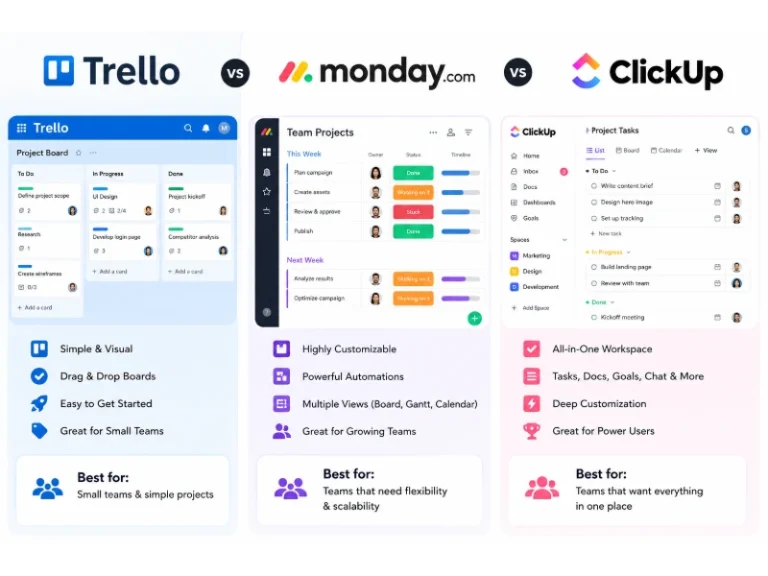
SaaSTrello vs monday.com vs ClickUp: Which Project Management Tool Fits Your Team in 2026?
 SaaS
SaaS8 Best Asana Alternatives in 2026: Free Tools, Top Competitors, and How to Choose
 Software
What is Asana Software? How Businesses Use It for Project Management and Team Collaboration
 Software
10 Best Audio Redaction Software in 2026 (Tested Picks by Use Case)
 SaaS
SaaS10 Best AI Audio Enhancers for Podcasts in 2026 (Reviewed & Compared)
 Software