

The construction industry is changing fast as more companies use digital tools to manage building materials better. Building materials software helps contractors handle procurement, inventory management, and cost estimation while cutting waste and boosting project profits. With the global construction software market valued at $9.87 billion in 2024 and expected to reach $21.04 billion by 2032, picking the right materials management solution matters more than ever for construction success.
Modern construction projects need complex material coordination across multiple suppliers, job sites, and teams. Old-school manual processes often create cost overruns, project delays, and inventory problems. Building materials software fixes these issues by giving you centralized platforms for takeoff calculations, supplier management, and real-time project tracking.
What Is Building Materials Software and Why Do You Need It?
Building materials software is digital platform designed to streamline construction material management from initial estimation to final delivery. This construction estimating software combines takeoff capabilities, procurement tools, and inventory tracking in one integrated system.
You need building materials software because traditional paper-based processes can’t handle today’s complex construction projects. These digital tools help you track materials across multiple job sites, manage supplier relationships, and prevent costly ordering mistakes. Companies using construction management software report 20% faster project completion times and significantly better budget control.
The software works by connecting your project plans with real-time material data. You can perform digital takeoffs directly from blueprints, automatically generate purchase orders, and track deliveries to specific job sites. This integration eliminates the disconnect between planning and execution that causes many construction delays.
How Does Construction Materials Management Software Transform Your Business?
Construction materials management software transforms your business by replacing scattered spreadsheets and manual processes with automated workflows. Instead of spending hours calculating material quantities by hand, you can complete accurate takeoffs in minutes using digital measurement tools.
The transformation happens across three key areas. First, your estimating becomes more accurate and faster. Digital takeoff tools like those found in PlanSwift or Bluebeam can reduce estimation time by up to 75% while improving accuracy. Second, your procurement becomes streamlined. Software like Kojo automates purchase order creation and tracks deliveries in real-time. Third, your inventory management becomes transparent, helping you avoid both shortages and excess materials.
Many contractors see immediate improvements after implementation. Companies report reducing material waste by 15-30% and cutting administrative time by several hours per project. The software also improves communication between field teams and office staff, reducing errors and rework. This level of efficiency is similar to what businesses achieve when they implement best inventory management software solutions across other industries.
10 Best Building Materials Software Solutions
Here are the top building materials software solutions that contractors use to streamline their material management processes:
1. Procore Construction Management Platform

Procore stands as the most comprehensive construction management platform, designed for contractors who need to manage materials alongside project schedules, budgets, and teams. The platform connects material costs directly to project budgets and provides real-time visibility into procurement status across all your projects.
Main Features:
- Automated purchase order workflows with approval routing
- Real-time delivery tracking and receipt confirmation
- Integration with major suppliers and accounting systems
- Material cost tracking tied to project budgets
- Mobile app for field team material requests
- Document management for warranties and certifications
- Subcontractor portal for material coordination
Pros:
- Comprehensive project integration keeps materials aligned with schedules
- Strong supplier network with automated pricing updates
- Excellent reporting and analytics for cost control
- Scalable platform that grows with your business
- Industry-leading customer support and training resources
Cons:
- High cost makes it unsuitable for small contractors
- Complex setup requires significant time investment
- Pricing based on project volume can become expensive quickly
- May be overkill for simple material management needs
Best for: Large general contractors and construction companies managing multiple complex projects with budgets over $10 million annually.
2. PlanSwift Takeoff and Estimating Software
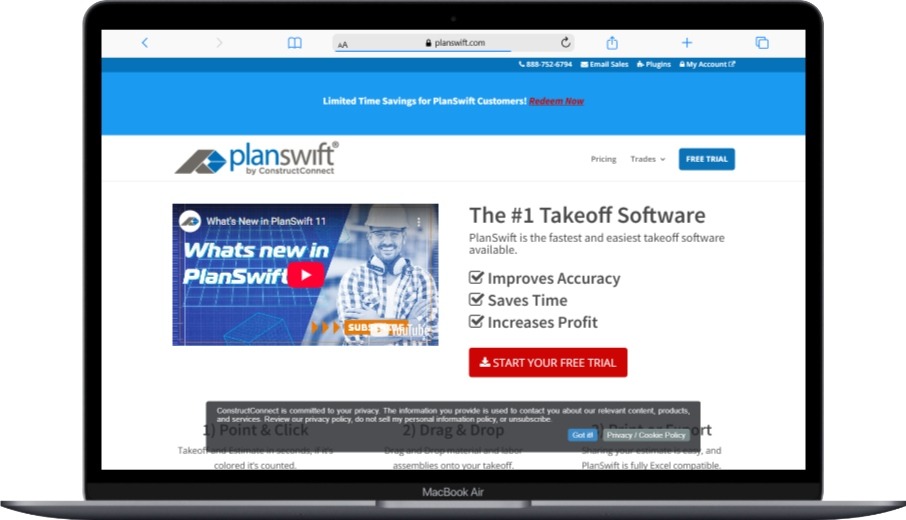
PlanSwift focuses specifically on digital takeoff and estimating, making it the go-to choice for contractors who need accurate material calculations quickly. The software’s point-and-click interface lets you complete takeoffs in seconds while maintaining high accuracy.
Main Features:
- Point-and-click digital measurement tools for linear, area, and volume calculations
- Drag-and-drop assemblies with pre-configured material, labor, and waste calculations
- Direct export to Excel for integration with existing estimating workflows
- Custom tool creation for trade-specific measurements
- Built-in cost database with material pricing
- Visual markup tools for clear takeoff documentation
- Multi-page PDF support with automatic scaling
Pros:
- Extremely fast takeoff process saves hours per estimate
- One-time purchase price provides excellent long-term value
- Easy learning curve with intuitive interface
- Excellent customer support and training videos
- Works well for multiple construction trades
Cons:
- Limited collaboration features compared to cloud-based solutions
- No real-time supplier integration or pricing updates
- Requires manual export to other systems for procurement
- Basic project management capabilities
Best for: Small to medium contractors focused on accurate estimating across multiple trades, including electrical, plumbing, drywall, and general contracting.
3. Bluebeam Revu Construction Takeoffs

Bluebeam combines powerful PDF markup capabilities with advanced measurement tools, making it ideal for teams that need to collaborate on takeoffs and maintain detailed project documentation.
Main Features:
- Advanced measurement tools with customizable markup symbols
- Studio Sessions for real-time collaborative takeoffs
- Visual search functionality to automatically find and count symbols
- Quantity Link feature connects measurements across multiple PDFs
- Dynamic fill tools for complex area calculations
- Markups List for organized takeoff tracking and reporting
- Integration with Excel for automated bid calculations
Pros:
- Excellent collaboration features enable team-based estimating
- Professional markup tools create clear, detailed takeoffs
- Strong PDF handling capabilities work with any drawing format
- Visual search saves time on repetitive counting tasks
- Established reputation in the construction industry
Cons:
- Steep learning curve for advanced features
- Higher cost than basic takeoff software
- Requires ongoing collaboration to justify collaboration features
- Limited supplier integration capabilities
Best for: Teams requiring collaborative takeoff workflows and companies that need detailed documentation and markup capabilities for complex projects.
4. Kojo Materials Management Platform

Kojo specializes in construction materials procurement and management, particularly excelling for electrical, plumbing, and mechanical contractors who need streamlined ordering and tracking processes.
Main Features:
- Automated purchase order creation and vendor distribution
- Mobile app for field team material requests and delivery confirmation
- Real-time inventory tracking across multiple job sites
- Intelligent invoice matching with purchase orders
- Integration with major suppliers and accounting systems
- Bill of Materials (BOM) management for prefab operations
- Spending analytics and vendor performance tracking
Pros:
- Significant time savings on material ordering and tracking
- Strong mobile functionality keeps field teams connected
- Excellent vendor integrations with competitive pricing
- Reduces administrative burden on project managers
- Good customer support with responsive development team
Cons:
- Limited takeoff capabilities require separate estimating software
- Pricing can add up quickly for larger teams
- Primarily focused on trade contractors rather than general contractors
- Newer company with less established track record
Best for: Electrical, plumbing, and mechanical contractors who need to streamline procurement processes and improve field team efficiency.
5. STACK Takeoff & Estimate
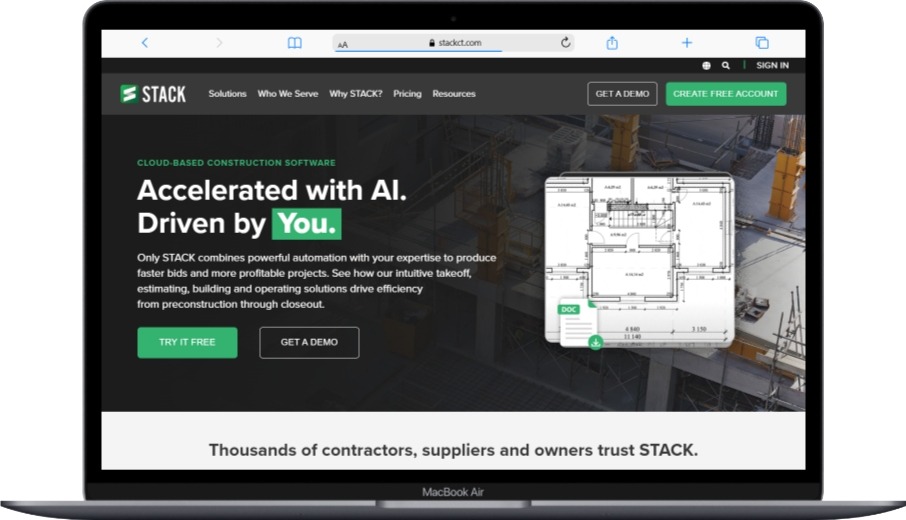
STACK provides cloud-based takeoff and estimating tools designed for contractors who need accurate measurements and collaborative estimating capabilities accessible from anywhere.
Main Features:
- Cloud-based digital takeoff with linear, area, and count measurements
- Collaborative estimating with team member access controls
- Integration with project management and accounting systems
- Mobile access for field verification and adjustments
- Customizable assemblies and cost databases
- Automated reporting and bid document generation
- Version control for drawing updates and revisions
Pros:
- Cloud accessibility enables remote work and collaboration
- Good integration capabilities with other construction software
- Regular updates and feature improvements
- Reasonable pricing for cloud-based functionality
- Strong customer training and support resources
Cons:
- Subscription model creates ongoing costs
- Internet dependency for all functionality
- Limited offline capabilities for field use
- Smaller market presence compared to established competitors
Best for: General contractors and subcontractors who need cloud-based collaboration and integration with other construction management tools.
6. Autodesk Takeoff

Autodesk Takeoff combines 2D takeoff capabilities with 3D model-based quantity extraction, making it ideal for contractors working with Building Information Modeling (BIM) workflows.
Main Features:
- 2D PDF takeoff tools with measurement and markup capabilities
- 3D model-based quantity extraction from BIM models
- Integration with Autodesk Construction Cloud suite
- Automated quantity updates when models change
- Detailed reporting with takeoff documentation
- Collaboration tools for team-based estimating
- Connection to Autodesk’s broader construction ecosystem
Pros:
- Leading-edge BIM integration capabilities
- Automatic quantity updates reduce manual rework
- Strong integration with other Autodesk construction tools
- Future-focused approach aligns with industry trends
- Comprehensive training and support resources
Cons:
- Higher cost than traditional takeoff software
- Requires BIM expertise to maximize value
- Subscription pricing creates ongoing expenses
- May be complex for simple takeoff needs
Best for: Contractors working with BIM models and those wanting to future-proof their estimating processes with 3D model integration.
7. Buildertrend Construction Management

Buildertrend focuses on residential construction and remodeling, providing integrated materials management within a comprehensive project management platform.
Main Features:
- Purchase order management with vendor communications
- Material selection tools with client approval workflows
- Budget tracking with real-time cost updates
- Schedule integration showing material delivery timing
- Client portal for material selection and approval
- Photo documentation for material deliveries and installation
- Integration with accounting software and supplier networks
Pros:
- Excellent for residential construction workflows
- Strong client communication and approval features
- Good integration between materials and project schedules
- User-friendly interface with minimal training required
- Reasonable pricing for residential contractors
Cons:
- Limited takeoff capabilities compared to specialized software
- Primarily designed for residential rather than commercial work
- Subscription model with per-user pricing
- May lack advanced features needed by larger contractors
Best for: Residential builders and remodeling contractors who need integrated materials management with client communication tools.
8. CoConstruct Project Management
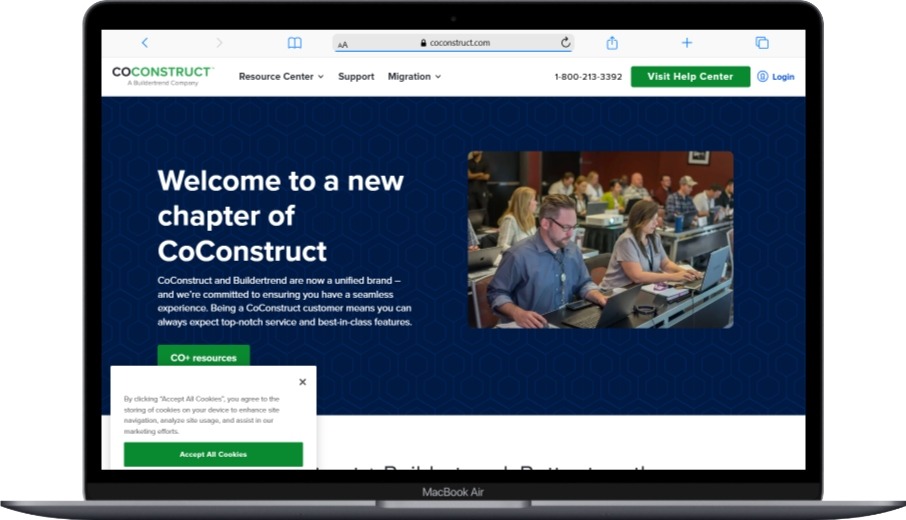
CoConstruct specializes in custom home building and remodeling, offering materials management integrated with client communication and project tracking.
Main Features:
- Material selection and approval workflows with client access
- Purchase order creation and tracking
- Budget management with change order processing
- Schedule coordination with material delivery dates
- Vendor management and communication tools
- Financial reporting and cost tracking
- Integration with accounting systems and supplier networks
Pros:
- Excellent client communication and approval features
- Strong focus on custom home building workflows
- Good integration between materials, scheduling, and budgets
- User-friendly interface designed for smaller contractors
- Responsive customer support and training
Cons:
- Limited to residential construction market
- No advanced takeoff capabilities
- Subscription pricing can become expensive
- May not scale well for larger operations
Best for: Custom home builders and high-end remodeling contractors who need client-focused materials management and communication tools.
9. ConstructionOnline Project Management
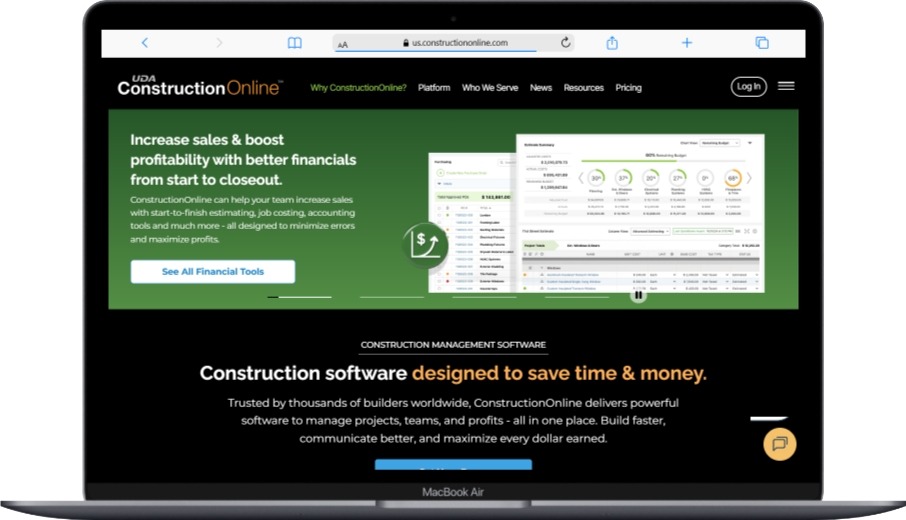
ConstructionOnline provides comprehensive construction management, including materials tracking, procurement, and integration with popular accounting software like QuickBooks.
Main Features:
- Purchase order management with automated workflows
- Material tracking across multiple projects and locations
- Integration with QuickBooks and other accounting systems
- Project scheduling with material delivery coordination
- Document management for material certifications and warranties
- Client communication tools and project portals
- Mobile access for field teams and project updates
Pros:
- Strong integration with QuickBooks makes accounting seamless
- Comprehensive project management keeps materials aligned with schedules
- Good value for the feature set provided
- Regular updates and feature improvements
- Suitable for various construction market segments
Cons:
- Limited advanced takeoff capabilities
- Interface can feel dated compared to newer competitors
- Customer support quality varies based on subscription level
- May require additional software for complex estimating needs
Best for: Small to medium contractors who use QuickBooks for accounting and need integrated materials management with project tracking.
10. RedTeam Construction Management

RedTeam offers field-focused construction management with strong materials tracking and procurement capabilities designed for commercial and heavy civil contractors.
Main Features:
- Purchase order management with approval workflows
- Material tracking with delivery confirmation and inventory management
- Integration with accounting systems, including Sage and QuickBooks
- Field-friendly mobile apps for material requests and tracking
- Document management for compliance and warranty tracking
- Budget control with real-time cost updates
- Reporting and analytics for material cost analysis
Pros:
- Strong field-focused functionality keeps job sites connected
- Good integration capabilities with existing business systems
- Reasonable pricing compared to enterprise-level competitors
- Regular feature updates based on customer feedback
- Suitable for both commercial and heavy civil construction
Cons:
- Limited takeoff and estimating capabilities
- Smaller market presence than major competitors
- May require integration with specialized estimating software
- Learning curve for teams transitioning from manual processes
Best for: Commercial and heavy civil contractors who need field-focused materials management with strong mobile capabilities.
What Integration Capabilities Should You Look for in Construction Software?
Integration capabilities determine how well your building materials software works with your existing business systems. Strong integrations eliminate double data entry and ensure information flows smoothly across all your tools.
Accounting software integration tops the priority list for most contractors. Your materials software should connect directly with QuickBooks, Sage, or other accounting platforms you use. This integration automatically transfers purchase orders, receipts, and invoices, reducing manual entry and improving accuracy.
Project management integration helps coordinate materials with schedules and budgets. When your materials software connects with project management software for small teams, you can see how material deliveries align with construction schedules. Delays in material delivery automatically trigger schedule adjustments and stakeholder notifications.
For companies looking to implement comprehensive business solutions, understanding what is ERP software used for becomes crucial. ERP systems can integrate materials management with financial planning, human resources, and customer relationship management.
Document management integration helps maintain project records and compliance. Your materials software should connect with document storage systems to automatically file purchase orders, delivery receipts, and warranty information in the correct project folders.
How Much Does Building Materials Software Actually Cost?
Building materials software costs vary widely based on features, company size, and deployment model. Understanding these cost structures helps you budget appropriately and avoid unexpected expenses.
Entry-level takeoff software like PlanSwift costs around $1,595 for a single download license. This one-time cost provides basic digital measurement and estimating capabilities suitable for small contractors. You’ll also need to budget for occasional updates and technical support.
Mid-range solutions like Bluebeam Revu cost $349-$599 per download, depending on the feature set. These tools offer more advanced collaboration and measurement capabilities. Annual maintenance typically adds 20-25% of the initial license cost.
Comprehensive platforms like Procore start at $375 per month but scale based on your Annual Construction Volume. Companies with $10 million in annual volume might pay $3,000-$5,000 monthly. Enterprise contractors with $100+ million volume can expect costs of $10,000-$20,000 per month.
Hidden costs can significantly impact your total investment. Training costs range from $500-$5,000 depending on software complexity and team size. Data migration from existing systems might require consulting services costing $2,000-$10,000. Integration with other software systems could add another $1,000-$5,000 in setup costs.
Calculate your return on investment by considering time savings and error reduction. Companies typically see 15-25% reduction in estimation time and 10-20% decrease in material waste. For a contractor spending $1 million annually on materials, even a 5% waste reduction pays for most software solutions.
What Are the Essential Security Features for Construction Software?
When selecting building materials software, security features protect your sensitive project data and financial information. Construction companies handle valuable project details, supplier pricing, and client information that needs proper protection.
Data encryption should be standard in any software you consider. Look for solutions that provide encryption both in transit and at rest. This means your data stays protected whether it’s moving between systems or stored on servers. Understanding what is data encryption helps you evaluate vendor security claims properly.
Access controls let you determine who can see what information in your system. Good construction software provides role-based permissions so field workers only access relevant project data while managers see financial information. These controls help you follow 10 ways to prevent a data security breach best practices.
Regular security updates and monitoring protect against emerging threats. Software vendors should provide clear information about their security practices and incident response procedures. If you’re ever affected by security issues, knowing what to do if you’re infected by ransomware can minimize damage.
How Can Small Contractors Benefit from Building Materials Software?
Small contractors gain unique advantages from building materials software that can level the playing field with larger competitors. These benefits often provide better return on investment for smaller companies than larger ones.
Lower barrier to entry characterizes modern construction software. Cloud-based solutions eliminate the need for expensive servers or IT staff. Small contractors can access enterprise-level features for monthly costs that were previously only available to large companies.
Professional image enhancement comes from using modern tools and providing detailed, accurate proposals. Clients increasingly expect contractors to use digital processes. Professional-looking takeoffs and proposals can help small contractors compete with larger firms for premium projects.
Better supplier relationships develop when you can provide detailed, professional purchase orders and maintain consistent ordering patterns. Suppliers appreciate contractors who use organized, digital processes. These relationships often lead to better pricing and priority treatment during material shortages.
For small contractors managing multiple aspects of their business, implementing best time tracking software for remote teams alongside materials management creates comprehensive operational efficiency.
What Common Implementation Mistakes Should You Avoid?
Avoiding common implementation mistakes saves time, money, and frustration when deploying building materials software. Learning from others’ experiences helps ensure your implementation succeeds.
Insufficient training represents the most common implementation failure. Teams that don’t receive adequate training often abandon new software and return to familiar manual processes. Plan for comprehensive training that includes both initial sessions and ongoing support. Budget 10-20% of your software cost for proper training.
Poor data migration planning creates problems that can last for months. Don’t underestimate the complexity of transferring existing project data, supplier information, and pricing databases. Work with vendors to create detailed migration plans and always maintain backups of your original data.
Choosing software without proper evaluation leads to buyer’s remorse. Take advantage of free trials and demos before making decisions. Test the software with actual project data from your business. Consider how the solution integrates with your existing best accounting software for small businesses setup.
Expecting immediate results without process changes disappoints many users. Software implementation requires adjusting your existing workflows to take advantage of new capabilities. Plan for a 3-6 month adjustment period while your team learns new processes.
Frequently Asked Questions
What is the most important feature in building materials software?
Yes, accurate digital takeoff capabilities represent the most important feature in building materials software. Accurate measurements form the foundation for all other processes including procurement, budgeting, and project planning. Without reliable quantity calculations, even the best purchasing and tracking features can’t prevent cost overruns.
Can small contractors afford professional building materials software?
Yes, small contractors can afford professional building materials software through cloud-based subscription models and one-time purchase options. Entry-level solutions like PlanSwift cost $1,595 as a one-time purchase, while cloud-based options start around $50-100 per user monthly. The time savings and improved accuracy typically pay for software costs within the first few projects.
Do I need separate software for takeoffs and materials management?
No, you don’t necessarily need separate software for takeoffs and materials management, but specialized solutions often work better. Comprehensive platforms like Procore combine both functions, while many contractors prefer using specialized takeoff software like PlanSwift with dedicated procurement tools like Kojo for optimal performance in each area.
How long does it take to implement building materials software?
Yes, most building materials software implementations take 2-6 weeks for basic setup and 3-6 months for full team adoption. Simple takeoff software can be operational within days, while comprehensive platforms requiring data migration and integration may need several weeks. Plan for ongoing training and process refinement during the first few months.
What happens if my internet connection fails with cloud-based software?
No, you cannot access cloud-based building materials software without internet connectivity, which is why many contractors maintain hybrid approaches. Some software offers limited offline functionality through mobile apps, but full features require internet access. Consider your connectivity reliability when choosing between cloud and desktop solutions.
Can building materials software integrate with my existing accounting system?
Yes, most modern building materials software can integrate with popular accounting systems like QuickBooks, Sage, and others. These integrations automatically transfer purchase orders, invoices, and cost data between systems, eliminating double entry and improving accuracy. Check integration compatibility before making your final software selection.
Building materials software has become essential for contractors who want to stay competitive in today’s market. Whether you choose comprehensive platforms like Procore, specialized takeoff tools like PlanSwift, or procurement-focused solutions like Kojo, the right software can transform your material management processes. Take time to evaluate your specific needs, test different solutions, and plan for proper implementation to ensure success.
The construction industry will continue embracing digital transformation, making early adoption of quality materials management software a smart investment for your business’s future growth and profitability.
You May Also Like
 Cloud Computing
8 Best AWS S3 Alternatives Compared: Pricing, Egress, and S3 Compatibility
 SaaS
SaaSWhat is Confluence Used For In Project Management?
 SaaS
SaaSCognito Forms to Jira Software Cloud Integration: Setup, Automation, Field Mapping, and Best Practices
 Web Development
Building Apps with Lovable and Supabase: A Step-by-Step Guide
 Web Development
Heroku vs. Netlify (2026): Pricing, Features, and Best Uses
 Software
9 Best Free Laser Engraver Software Tools in 2026
 Software
When Fixing Bugs Is No Longer Enough: How to Rescue a Failing Software Project
 SaaS
SaaS25 Best Pipedrive Integrations to Automate Sales and Grow Your Business
 SaaS
SaaS