


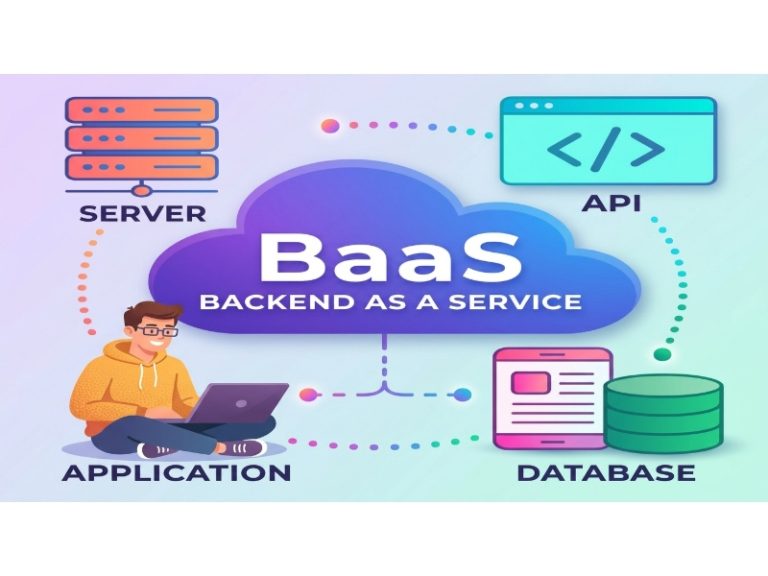
You are exploring alternatives to Firebase, a widely used backend-as-a-service (BaaS) platform developed by Google. Firebase simplifies app development with tools like real-time databases, authentication, hosting, cloud functions, and analytics. However, you might be seeking other options due to concerns like cost, vendor lock-in, or the need for specific features Firebase doesn’t fully provide. This guide introduces you to the top Firebase alternatives in 2025, detailing their features, pricing, and use cases to help you make an informed decision.
What Is Firebase and Why Look for Alternatives?
Firebase is a platform that helps you build and manage web and mobile applications without worrying about complex backend setup. It offers:
- Real-time databases: Firestore and Realtime Database for live data updates.
- Authentication: Supports email, social logins, and anonymous users.
- Cloud functions: Serverless computing for custom logic.
- Hosting: Easy deployment for web apps.
- Storage: File and image management.
- Analytics: Tracks app performance and user behavior.
Popular apps like Duolingo, The New York Times, and Lyft use Firebase for its ease of use and integration with Google services (Kinsta: Firebase Alternatives). However, there are reasons you might consider alternatives:
- Vendor Lock-in: Firebase is proprietary, tying you to Google’s ecosystem. Switching platforms later can be difficult.
- Cost: Firebase’s free tier is generous, but costs can escalate with high usage, especially for real-time databases and cloud functions.
- Limited Customization: Firebase’s tools may not fit complex projects needing specific configurations.
- Data Control: If you want full control over your data, open-source platforms offer more flexibility.
- Feature Gaps: Some projects need SQL databases or advanced APIs (like GraphQL), which Firebase doesn’t natively support.
These limitations drive developers to explore alternatives that better align with their project needs, budget, or technical preferences.
Top Firebase Alternatives for 2025
Below, we explore nine leading Firebase alternatives, each offering unique features to suit different use cases. We’ll cover their overview, key features, comparison to Firebase, pricing, and when to choose them.
1. Supabase: The Open-Source Firebase Alternative
What Is Supabase?
Supabase is an open-source platform that positions itself as a direct competitor to Firebase. It provides a PostgreSQL database, authentication, instant APIs, edge functions, real-time subscriptions, storage, and vector embeddings, making it a versatile choice for modern app development (Supabase Official Website).
Key Features
- Open-source: You can self-host or use their managed cloud service.
- PostgreSQL database: A relational database supporting complex queries and text searches.
- Authentication: Includes third-party logins (Google, Apple, Facebook, SAML) with row-level security.
- Real-time subscriptions: Enables live data updates for apps like chat or dashboards.
- Instant APIs: Automatically generates RESTful APIs for your database.
- Edge functions: Serverless functions similar to Firebase Cloud Functions.
- Storage: Manages files like videos and images.
- Vector embeddings: Supports machine learning models for advanced applications.
- Framework compatibility: Works with ReactJS, NextJS, Flutter, and more.
How Does It Compare to Firebase?
- Database: Supabase uses PostgreSQL (SQL), while Firebase relies on NoSQL databases like Firestore. SQL is better for structured data and complex queries.
- Open-Source: Supabase’s open-source nature avoids vendor lock-in, unlike Firebase’s proprietary model.
- Community: Supabase has a growing community, though Firebase’s is larger due to Google’s backing.
Pricing
- Free tier: Supports 2 projects, 500MB database, 1GB file storage.
- Paid plans: Start at $25/month for more resources and features.
When to Choose Supabase
Choose Supabase if you need a relational database, prefer open-source solutions, or want to avoid vendor lock-in. It’s ideal for projects requiring real-time updates and SQL-based data management.
2. Back4App: A User-Friendly Parse-Based Platform
What Is Back4App?
Back4App is a BaaS platform built on the open-source Parse framework. It offers a real-time database, auto-generated RESTful and GraphQL APIs, user management, and serverless functions, with a focus on ease of use (Back4App: Firebase Alternatives).
Key Features
- Spreadsheet-like interface: Simplifies data management for non-technical users.
- GraphQL and REST APIs: Automatically generated for quick integration.
- Live querying: Supports real-time data synchronization.
- Relational database: Supports both SQL and NoSQL.
- 24/7 support: Provides help for technical issues.
- CDN with caching: Enhances performance for global users.
How Does It Compare to Firebase?
- Flexibility: Back4App’s Parse foundation makes it open-source, offering more customization than Firebase.
- Ease of Use: Its interface is beginner-friendly, similar to Firebase but with added SQL support.
- Free Tier: Back4App’s free tier is generous, making it cost-effective for small projects.
Pricing
- Free tier: 25K requests/month, 250MB data, 1GB file storage.
- Paid plans: Start at $25/month for additional resources.
When to Choose Back4App
Back4App is great for startups or small projects needing a balance of simplicity and customization. It’s also suitable if you’re familiar with Parse or need both SQL and NoSQL databases.
3. Parse: The Free Open-Source Backend
What Is Parse?
Parse is an open-source backend platform originally developed by Parse (acquired by Facebook) and later open-sourced. It supports mobile and web apps with features like data storage, authentication, and APIs (Kinsta: Firebase Alternatives).
Key Features
- Database support: Uses MongoDB (NoSQL) or PostgreSQL (SQL).
- Authentication: Supports social logins and email notifications.
- GraphQL APIs: Easy to create and manage.
- File storage: Handles large files and images.
- Push notifications: Built-in support for user engagement.
How Does It Compare to Firebase?
- Cost: Parse is free and open-source, unlike Firebase’s paid tiers.
- Database: Offers both MongoDB and PostgreSQL, providing more options than Firebase’s NoSQL.
- Support: Parse is community-driven, so it may lack Firebase’s official support.
Pricing
- Free (open-source, self-hosted).
When to Choose Parse
Parse is best for projects needing a free, open-source backend with self-hosting capabilities. It’s ideal if you want full control over your infrastructure and don’t mind community-based support.
4. Kuzzle: Scalable Real-Time Backend
What Is Kuzzle?
Kuzzle is a backend platform focused on real-time capabilities and scalability. It supports both cloud and on-premises deployment, making it suitable for high-performance applications (Kinsta: Firebase Alternatives).
Key Features
- Real-time query subscription: Enables live data updates.
- Pub/Sub engine: Supports real-time messaging and events.
- Cluster mode: Ensures high availability and scalability.
- Multi-protocol support: Works with REST, WebSocket, and more.
- Deployment flexibility: Cloud or on-premises options.
How Does It Compare to Firebase?
- Real-Time: Kuzzle’s real-time features are robust, similar to Firebase but with more protocol options.
- Customization: Its open-source nature allows more flexibility than Firebase.
- Pricing: Hosted plans start at $80/month, higher than some alternatives.
Pricing
- Free: Open-source, self-hosted version.
- Paid plans: Start at $80/month for hosted services.
When to Choose Kuzzle
Kuzzle is ideal for projects needing high scalability and real-time data processing, especially if you prefer self-hosting or need multi-protocol support.
5. AWS Amplify: AWS-Powered Backend Solution
What Is AWS Amplify?
AWS Amplify is a set of tools for building scalable full-stack applications, backed by Amazon Web Services (AWS). It integrates with AWS services for authentication, APIs, and more (Back4App: Firebase Alternatives).
Key Features
- Secure authentication: Uses AWS native authorization.
- AI/ML capabilities: Integrates with AWS AI services.
- Onboarding flows: Simplifies user registration.
- Real-time collaboration: Supports live updates.
- Push notifications: Built-in support.
- Framework support: Works with JavaScript, Vue, Next.js, Angular, iOS, Flutter, and more.
How Does It Compare to Firebase?
- Integration: Amplify’s deep AWS integration offers more services than Firebase.
- Learning Curve: It may be complex for non-AWS users, unlike Firebase’s simplicity.
- Pricing: Pay-as-you-go can be costlier than Firebase for large-scale apps.
Pricing
- Free tier: 1000 build minutes/month, 5GB storage (expires after a year).
- Paid plans: Pay-as-you-go based on usage.
When to Choose AWS Amplify
Choose AWS Amplify if you’re already using AWS services or need advanced features like AI/ML. It’s suitable for scalable projects with technical teams comfortable with AWS.
6. Backendless: Codeless Backend Development
What Is Backendless?
Backendless is a platform for building mobile and web apps with a visual, codeless interface. It supports cloud and on-premises hosting, making it accessible to non-technical users (Kinsta: Firebase Alternatives).
Key Features
- Visual development: Drag-and-drop interface for backend setup.
- Codeless backend: No coding needed for basic features.
- Dynamic database: Supports SQL and NoSQL.
- Cloud code timers: For scheduled tasks.
- API services: Built-in APIs for common tasks.
How Does It Compare to Firebase?
- Ease of Use: Backendless’s visual tools are more beginner-friendly than Firebase for non-developers.
- Database: Supports both SQL and NoSQL, unlike Firebase’s NoSQL focus.
- Pricing: Similar to Firebase, with a free tier and paid plans starting at $25/month.
Pricing
- Free plan: Available through Backendless Missions or marketplace.
- Paid plans: Start at $25/month.
When to Choose Backendless
Backendless is great for projects needing a codeless or low-code solution, especially if non-technical team members are involved.
7. Appwrite: Open-Source Backend for Developers
What Is Appwrite?
Appwrite is an open-source backend server for web, mobile, and Flutter apps. It provides authentication, databases, file storage, and real-time messaging, with a focus on developer control (Back4App: Firebase Alternatives).
Key Features
- Authentication: Supports user management.
- Databases: Offers NoSQL and SQL options.
- File storage: Manages large files.
- Serverless functions: For custom logic.
- Real-time messaging: Enables live updates.
How Does It Compare to Firebase?
- Open-Source: Appwrite’s self-hosting avoids Firebase’s vendor lock-in.
- Features: Offers similar tools to Firebase but with more control.
- Support: Community-driven, less extensive than Firebase’s.
Pricing
- Free: Open-source, self-hosted.
- Paid plans: Start at $15/month for hosted services.
When to Choose Appwrite
Appwrite is ideal for projects prioritizing open-source and self-hosting, especially if data privacy is a concern.
8. Nhost: GraphQL and PostgreSQL Backend
What Is Nhost?
Nhost is an open-source Firebase alternative focused on PostgreSQL databases and GraphQL APIs. It’s designed for web and mobile apps needing real-time features (Back4App: Firebase Alternatives).
Key Features
- PostgreSQL database: Relational database with GraphQL APIs.
- Real-time capabilities: Supports live updates.
- Serverless functions: For custom logic.
- Authentication: Built-in user management.
How Does It Compare to Firebase?
- Database: Nhost’s PostgreSQL offers SQL support, unlike Firebase’s NoSQL.
- Open-Source: Provides more flexibility than Firebase.
- Pricing: Similar to Firebase, with a free tier and paid plans at $25/month.
Pricing
- Free tier: Limited features.
- Paid plans: Start at $25/month.
When to Choose Nhost
Nhost is best for projects needing a relational database and GraphQL APIs, with open-source flexibility.
9. Hasura: GraphQL-First Backend Engine
What Is Hasura?
Hasura is an open-source engine that provides instant GraphQL APIs on existing databases. It supports multiple databases and focuses on API-first development (Back4App: Firebase Alternatives).
Key Features
- GraphQL APIs: Automatically generated for data sources.
- Database support: Works with Postgres, MySQL, SQL Server.
- Real-time subscriptions: Supports live updates.
- CI/CD tools: Integrates with development workflows.
- Monitoring: Tracks performance.
How Does It Compare to Firebase?
- APIs: Hasura’s GraphQL focus is ideal for API-driven apps, unlike Firebase’s broader toolset.
- Database: Supports multiple databases, offering more options than Firebase.
- Pricing: Based on active hours, starting at $1.50/hour.
Pricing
- Free tier: Limited features.
- Paid plans: Start at $1.50/active hour.
When to Choose Hasura
Hasura is suitable for projects needing to integrate multiple data sources or requiring advanced GraphQL capabilities.
Comparison Table
Here’s a table comparing the key features and pricing of these Firebase alternatives:
| Alternative | Open-Source | Real-Time Database | Authentication | Serverless Functions | Pricing (Starting) | Deployment Options |
|---|---|---|---|---|---|---|
| Supabase | Yes | Yes (PostgreSQL) | Yes | Yes | $25/month | Cloud / On-Premises |
| Back4App | Yes (Parse-based) | Yes (NoSQL/SQL) | Yes | Yes | $25/month | Multi-cloud / On-Premises |
| Parse | Yes | Yes (MongoDB/PostgreSQL) | Yes | Yes | Free | On-Premises |
| Kuzzle | Yes | Yes | Yes | Yes | $80/month | Cloud / On-Premises |
| AWS Amplify | No | Yes | Yes | Yes | Pay-as-you-go | AWS |
| Backendless | No | Yes (SQL/NoSQL) | Yes | Yes | $25/month | Cloud / On-Premises |
| Appwrite | Yes | Yes | Yes | Yes | $15/month | Cloud / On-Premises |
| Nhost | Yes | Yes (PostgreSQL) | Yes | Yes | $25/month | Cloud |
| Hasura | Yes | Yes (via GraphQL) | Yes | Yes | $1.50/active hour | Cloud / On-Premises |
FAQ
Is Supabase a good alternative to Firebase?
Yes
Supabase is a strong alternative due to its open-source nature and PostgreSQL database, which supports complex queries. It offers real-time features, authentication, and serverless functions, similar to Firebase, but with more control and no vendor lock-in.
Can I use AWS Amplify without prior AWS experience?
Yes
You can use AWS Amplify without prior AWS experience, but it may have a steeper learning curve. Its integration with AWS services makes it more powerful for those already in the AWS ecosystem.
Are there completely free Firebase alternatives?
Yes
Parse and Appwrite are free, open-source options that you can self-host. They require more setup than managed services but offer full control without costs.
Which alternative is best for real-time applications?
Yes, several excel in real-time
Supabase, Kuzzle, and Back4App are excellent for real-time applications. Supabase uses PostgreSQL with real-time listeners, Kuzzle offers query subscriptions, and Back4App supports live querying.
Do any alternatives support SQL databases?
Yes
Supabase, Nhost, and Backendless support SQL databases. Supabase and Nhost use PostgreSQL, while Backendless supports both SQL and NoSQL.
Conclusion
Selecting the right backend platform is key to your app’s success. Firebase is a solid choice for quick development, but alternatives like Supabase, Back4App, and AWS Amplify offer unique benefits that might better suit your needs. Supabase excels in open-source flexibility and SQL support, Back4App provides a user-friendly Parse-based solution, and AWS Amplify leverages AWS’s vast ecosystem. Parse and Appwrite are great for free, self-hosted options, while Kuzzle and Hasura cater to scalable or GraphQL-focused projects.
When choosing, consider your project’s database needs, budget, scalability requirements, and team expertise. Explore each platform’s documentation and community resources to find the best fit. By weighing these factors, you can select a backend that supports your app’s growth and aligns with your development goals.
You May Also Like
 Web Development
Supabase vs Firebase: Which Backend Platform is Right for Your Project?
 Cloud Computing
8 Best AWS S3 Alternatives Compared: Pricing, Egress, and S3 Compatibility
 Web Development
SQL vs. NoSQL: How to Choose the Right Database for Your Application
 AI Technology
ChatGPT API Alternatives: 13 AI APIs and Platforms for Developers
 Web Development
Building Apps with Lovable and Supabase: A Step-by-Step Guide
 Web Development
Supabase Auth Guide: Authentication, OAuth, OTP, MFA, SSO, Sessions, and Pricing
 Web Development
15 Best CyberPanel Alternatives in 2026: Free and Paid
 Web Development
Heroku vs. Netlify (2026): Pricing, Features, and Best Uses
 Mobile App Development