

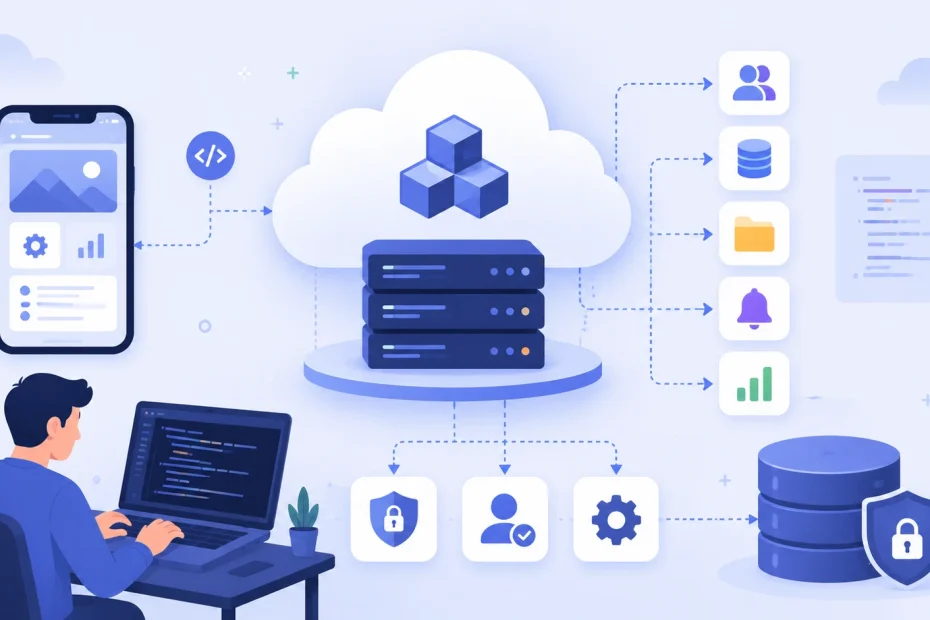
Every app needs the same unglamorous plumbing before a single user ever sees a feature: somewhere to store data, a way to verify who’s logging in, a server to run business logic, and infrastructure that doesn’t fall over when traffic spikes. Building that plumbing from scratch used to be a multi-week project on its own, before a team wrote a line of the app people actually asked for.
Backend-as-a-Service replaces that work with a managed platform: authentication, a database, file storage, and serverless functions, all exposed through APIs and SDKs a frontend can call directly. The pitch is simple. The reality, once you’re choosing between half a dozen genuinely different platforms and trying to figure out which one won’t paint you into a corner in a year, is a lot less simple — which is what this guide is actually for.
What BaaS Replaces, Specifically
It helps to be concrete about what disappears when you adopt a BaaS platform, because “no more backend work” oversells it.
Server provisioning and maintenance. You’re not choosing an instance size, patching an OS, or configuring a load balancer. The platform runs that layer, and you interact with it through an API.
Authentication logic. Password hashing, session management, OAuth flows with Google or GitHub, magic links, multi-factor authentication — this is genuinely tedious, security-sensitive code that most teams shouldn’t be writing from scratch, and BaaS platforms provide it as a drop-in module.
Database administration. Backups, replication, connection pooling, and (depending on the platform) schema migrations are handled by the provider rather than a DBA on your team.
Real-time infrastructure. Keeping multiple connected clients in sync — a chat app, a live dashboard, a collaborative document — traditionally means building and maintaining a WebSocket layer yourself. Most BaaS platforms give you this as a subscription primitive instead.
What does not disappear: your application logic, your data model design, your API contract decisions, and — critically — your responsibility for how you configure access rules. A misconfigured security rule on a BaaS platform is still your bug, and it’s a common enough failure mode that it deserves its own section below.
The Core Building Blocks, and What Actually Differs Between Platforms

Authentication
Every major BaaS platform ships email/password auth, OAuth social logins, and some form of passwordless flow (magic links, OTP codes). Where they genuinely differ is in enterprise-grade options: SAML single sign-on and fine-grained role-based access control show up in Firebase, Supabase, and AWS Amplify’s more mature tiers, but are thinner or absent on newer, smaller platforms. If your app needs to sell into companies with an IT department, check this specifically rather than assuming “auth” means the same feature set everywhere.
The Database Layer — This Is the Decision That Matters Most
This is the single biggest architectural fork in the BaaS world, and it’s worth understanding before you get attached to any one platform’s other features.
Document/NoSQL databases (Firebase’s Firestore is the dominant example) store data as flexible, nested JSON-like documents. They’re forgiving of an evolving schema early in a project and pair naturally with mobile apps that need offline-first sync. The trade-off shows up later: complex relational queries — joins across several data types, multi-table reporting — get awkward, and you often end up denormalizing data in ways that create their own maintenance burden.
Relational Postgres databases (Supabase’s core differentiator, also available through AWS Amplify and Nhost) give you a real SQL database with joins, foreign keys, and the entire mature Postgres ecosystem — extensions for vector search, geospatial queries, full-text search, and more. The trade-off is a steeper initial learning curve if your team has only worked with NoSQL, and schema changes require more discipline than a schemaless document store.
Embedded SQLite (PocketBase’s approach) trades horizontal scalability for radical simplicity: the entire backend — database, auth, file storage, admin UI — ships as a single compiled binary you can run on a five-dollar server. It’s genuinely excellent for solo projects and prototypes, and genuinely wrong for anything that needs multiple app servers or handles more data than one machine comfortably manages.
Reactive, code-native databases (Convex is the clearest example) take a different approach entirely: your database queries are written as TypeScript functions, and the platform automatically tracks what data each query touches and pushes updates to every subscribed client the instant that data changes — no manual WebSocket wiring, no cache invalidation logic. It’s a compelling model specifically for apps where live, synchronized state is the point of the product, not an add-on feature.
Storage, Functions, and the Rest
File storage (images, video, documents) is table stakes across every platform now, typically backed by S3-compatible object storage under the hood. Serverless functions — server-side code that runs on demand without you managing a process — are how you handle logic that shouldn’t live on the client: payment webhooks, sending transactional email, running scheduled jobs. The meaningful differences here are execution limits, cold-start latency, and which languages are supported — details worth checking against your specific use case rather than assuming “serverless functions” means identical behavior everywhere.
The Platforms, Compared Honestly
Firebase
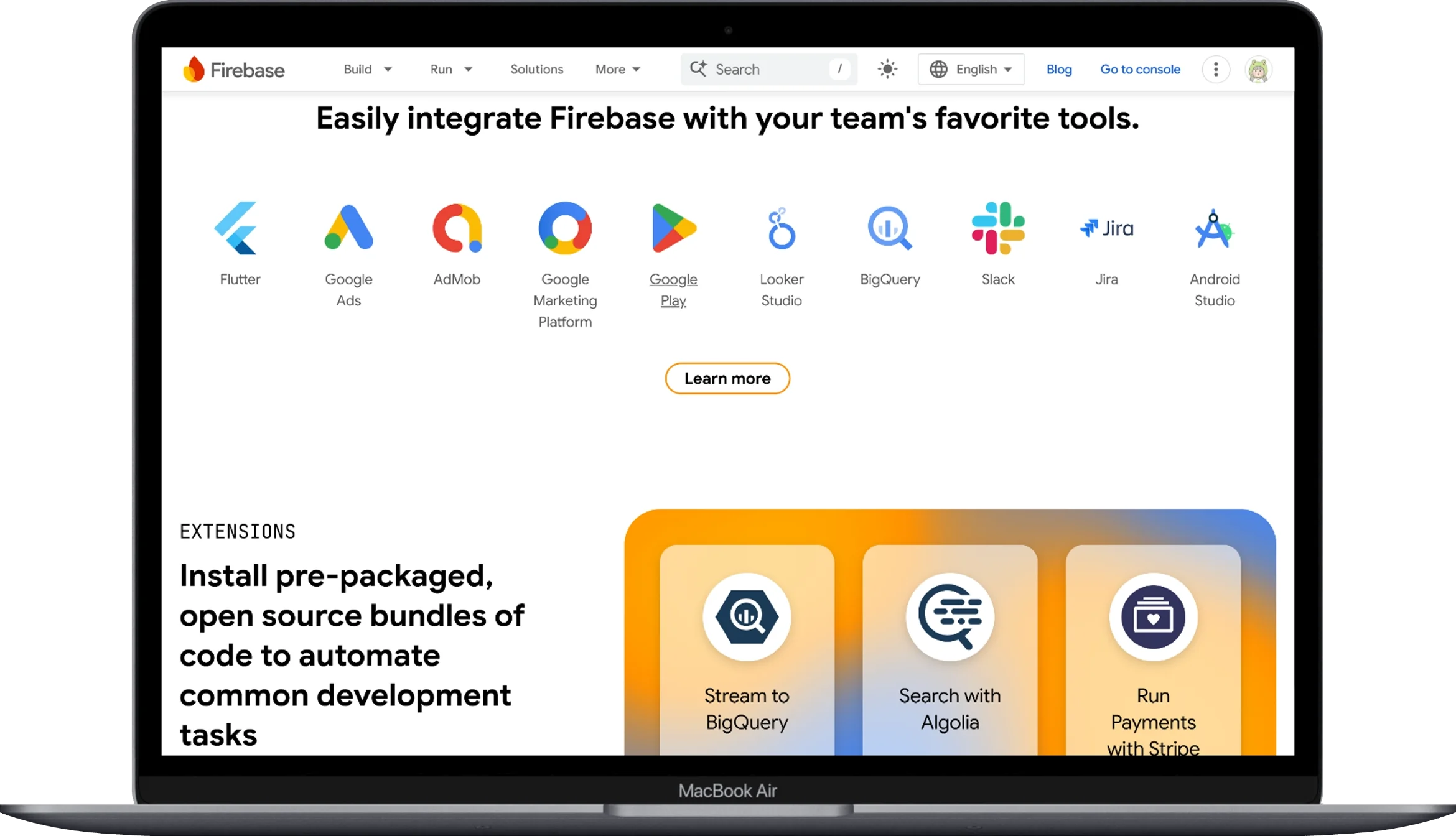
Firebase is the incumbent, and for good reason: Google acquired it in 2014 after it started as a real-time chat API called Envolve, and its SDK now ships in the overwhelming majority of Android apps worldwide, according to Statista tracking. Spotify uses it for crash monitoring and push notifications; Duolingo uses it for user behavior analytics and segmentation — real, disclosed usage, not just theoretical case studies.
Where Firebase earns its dominance: mobile-first apps, especially ones needing rock-solid offline sync, benefit from a genuinely mature product with a decade of edge cases already handled. Where it shows real strain: Firestore’s NoSQL model makes complex relational reporting awkward, pricing on reads/writes can become unpredictable at scale in ways teams don’t anticipate until a bill arrives, and — notably — independent technographic data shows a real migration pattern away from Firebase toward Supabase specifically, with more than four times as many tracked companies moving from Firebase to Supabase as the reverse. That’s not a reason to avoid Firebase; it’s a signal about which direction teams move once they hit its ceiling.
Supabase
Supabase built its entire pitch around being “the open-source Firebase alternative” — a hosted Postgres database plus auth, storage, edge functions, and real-time subscriptions, all layered on top of a database engine developers already know rather than a proprietary NoSQL store. It’s also become a genuinely notable business story in its own right: Supabase closed a $500 million Series F in mid-2026 at a $10.5 billion valuation, roughly doubling its valuation in under eight months, with Stripe and Salesforce Ventures joining as new investors alongside Accel and Y Combinator.
The reason for that growth curve is specific and worth understanding: Supabase has become the default backend for “vibe coding” — AI-assisted app generation tools like Lovable and Bolt run on it by default, and the company reported database creation on its platform growing over 600% year-over-year, with a majority of new databases now launched by an AI coding tool rather than a human writing setup code directly. Beyond AI-native startups, Supabase counts PwC, McDonald’s, and GitHub Next among its disclosed enterprise users. For a deeper head-to-head on how it stacks up against the incumbent, see our Supabase vs. Firebase comparison, and for what the paid tiers actually cost as you scale past the free tier, our Supabase pricing breakdown goes through the specifics.
Best fit: teams that want a real relational database, want the option to self-host or export cleanly (open source is a genuine, not marketing-only, escape hatch here), and are building anything from a solo project to an AI-generated MVP.
Appwrite
Appwrite takes the open-source positioning further than Supabase by focusing on self-hosting as a first-class option, not a fallback. Founded by Eldad Fux and built around a Docker-based, self-hostable architecture, it’s raised a $27 million Series A led by Tiger Global and currently sits at roughly 55,000+ GitHub stars with a stated community north of 150,000 developers. It bundles auth, databases, storage, functions, messaging, and — more recently — integrated web hosting through a feature called Appwrite Sites, aiming to be a genuinely complete platform rather than a database with add-ons.
Best fit: teams with real data-sovereignty or compliance requirements that make “we don’t control the servers” a non-starter, or developers who specifically want the option to run the exact same platform locally, on their own cloud account, or on Appwrite’s managed cloud without re-architecting anything.
AWS Amplify
Amplify is AWS’s answer to the category, and its core value proposition is different from the others: it’s not trying to be the simplest option, it’s trying to be the option that plugs directly into the rest of AWS’s ecosystem — Cognito for auth, DynamoDB or Aurora for data, S3 for storage, Lambda for functions — with Amplify acting as the developer-experience layer that stitches these together and generates client-side code.
Best fit: teams already committed to AWS for other infrastructure, or enterprises where “it’s AWS” is itself a procurement and compliance answer that matters more than developer-experience polish. It’s a meaningfully heavier lift to get started with than Firebase or Supabase, and that trade-off is usually only worth it if you’re already inside the AWS ecosystem.
Convex
Convex is newer and architecturally distinct from everything above. Founded by engineers who previously worked on large-scale storage infrastructure at Dropbox, it treats reactivity as the default rather than a feature you configure — every query is a TypeScript function, and the platform automatically re-runs and pushes updates to every subscribed client when underlying data changes, with full ACID transaction guarantees baked in. It’s raised funding in the tens of millions and has built a genuine following among teams building collaborative or live-updating products where Firestore’s eventual-consistency model or a hand-rolled WebSocket layer would be more work, not less.
Best fit: apps where “everyone sees the same live state instantly” is core to the product — collaborative tools, live dashboards, multiplayer features — and where a team is comfortable working entirely in TypeScript rather than SQL.
PocketBase
PocketBase is the outlier worth knowing about specifically because it solves a different problem than the others: it’s a complete backend — SQLite database, auth, file storage, real-time subscriptions, and an admin UI — compiled into a single executable file. No Docker, no external dependencies, no managed cloud bill. It’s earned over 44,000 GitHub stars, largely among solo developers and indie hobbyists who want to self-host something genuinely simple on a cheap VPS.
The honest limitation: it runs on one server with SQLite underneath, so there’s no horizontal scaling story and no managed cloud offering. If your project might need multiple app servers or high-availability failover, PocketBase is the wrong foundation to build on — but for a prototype, an internal tool, or a small production app that will never need to scale past one machine, it’s hard to beat for simplicity and cost.
The Niche Players Worth Knowing About
Beyond the platforms above, a handful of smaller players solve narrower problems well enough that they’re worth naming rather than lumping into a generic “and others” mention.
Nhost pairs a Postgres database with Hasura’s auto-generated GraphQL API layer, which is a genuinely useful combination if your team has standardized on GraphQL rather than REST — it’s a smaller company (originally founded around 2019, with a modest early funding round) than Firebase or Supabase, but the GraphQL-native approach is a real architectural differentiator, not just a marketing angle.
Backendless takes the opposite philosophy from PocketBase’s minimalism: it’s a low-code/no-code platform with a visual logic builder (“Codeless”) on top of the standard BaaS primitives, aimed specifically at teams that want non-engineers able to build and modify backend logic without writing code. It’s a real fit for internal business tools and rapid prototyping where the person building the logic isn’t necessarily a backend developer.
Parse, worth a historical mention, was Facebook’s open-sourced BaaS platform after its acquisition — it predates most of the platforms above and still has an active open-source community running self-hosted Parse Servers on their own infrastructure, which is relevant if you’re evaluating older codebases rather than starting fresh.
None of these three are the default recommendation for a new project the way Firebase or Supabase are, but each solves a specific, real constraint — GraphQL-native architecture, non-engineer-editable logic, or a fully self-hosted legacy stack — well enough to be worth evaluating directly if that constraint applies to you.
Real Use Cases, Matched to the Right Platform

A mobile-first consumer app with offline requirements. Firebase’s offline persistence and mobile SDK maturity make it the least risky choice here — this is the exact use case it was built for and has spent over a decade hardening.
An AI-generated or rapidly-iterated MVP. This is specifically where Supabase has become the default in practice, not just in marketing — AI coding assistants increasingly scaffold a Supabase backend automatically because the relational schema maps cleanly onto how these tools reason about data structure, and the open-source nature means you’re not locked into a proprietary query model if you outgrow the initial scaffold.
A collaborative, live-updating tool — a shared whiteboard, a multiplayer planning tool, a live dashboard multiple people watch simultaneously. Convex’s reactive-by-default model removes an entire category of state-synchronization bugs that would otherwise need custom WebSocket code on Firebase or Supabase.
An internal business tool or solo side project where you want to own your infrastructure completely and never think about a cloud bill. PocketBase’s single-binary model is purpose-built for exactly this, at the cost of never scaling past one server.
An enterprise application already standardized on AWS, where security review, procurement, and existing IAM policies matter more than getting to a working prototype in twenty minutes. Amplify’s tighter integration with the rest of AWS’s compliance and identity tooling is the practical reason to choose it over a faster-feeling alternative.
A regulated or self-hosted-only environment — healthcare, finance, government contracting — where data residency requirements mean you cannot use a third party’s managed cloud regardless of how good the product is. Appwrite’s self-hosting story, and Supabase’s ability to self-host its open-source core, are the realistic options in this category; fully managed platforms without a self-hosted path are not.
Where BaaS Genuinely Breaks Down
Vendor lock-in is real, but it’s not evenly distributed. Migrating off a proprietary NoSQL data model like Firestore is a genuinely harder engineering project than migrating off a Postgres-based platform, because your queries and data shape are tied to Firestore-specific concepts in a way a standard SQL schema isn’t. This is precisely why the Firebase-to-Supabase migration pattern shows up so consistently in independent technographic data — teams that hit Firestore’s query limitations have a real, well-worn path to a relational alternative, and increasingly take it.
Custom, unusual business logic doesn’t fit the mold. BaaS platforms are optimized for the common cases: standard auth flows, CRUD operations, typical real-time patterns. An application with genuinely unusual backend requirements — complex multi-step distributed transactions, unusual compliance workflows, heavy custom compute — often ends up fighting the platform’s assumptions rather than benefiting from them. The realistic answer here is usually a hybrid: use the BaaS platform for the 80% of backend needs that are standard, and run a small custom service alongside it for the genuinely unusual 20%.
Security misconfiguration is a self-inflicted risk, not a platform flaw. The most common real-world BaaS security incidents aren’t platform vulnerabilities — they’re developers leaving database security rules in a permissive default state, or forgetting to scope an API key correctly. Every platform in this guide provides row-level or document-level security controls; the risk is skipping the work of configuring them properly before shipping.
Cost at scale can surprise teams who only evaluated the free tier. Pay-as-you-go pricing on reads, writes, bandwidth, and function invocations is genuinely difficult to forecast accurately before you have real production traffic patterns. This isn’t unique to any one platform, but it’s worth explicitly modeling a realistic traffic scenario — not just the free tier — before committing to one provider over another for a product you expect to grow.
How to Actually Decide
Skip evaluating platforms on feature checklists alone — most of them check the same boxes. Instead, work through these in order:
- What’s your actual data shape? Deeply relational data with lots of joins and reporting points toward Postgres (Supabase, Amplify, Nhost). Flexible, document-like, mobile-offline-heavy data points toward Firestore. Live, synchronized state as the core product feature points toward Convex.
- Do you have a self-hosting or data-residency requirement, now or foreseeably? If yes, that alone narrows the field to Supabase (self-hostable core) and Appwrite, and rules out fully proprietary managed-only platforms.
- What’s your team’s actual language and tooling comfort? A team fluent in TypeScript end-to-end will onboard onto Convex faster than a team more comfortable with SQL directly. This is a real productivity variable, not a minor preference.
- What does your realistic five-year scale look like? A prototype that will always run on one server is a legitimate, permanent use case — don’t over-engineer for scale you’ll never hit. A product with real growth ambitions should weight migration cost (see the section above) heavily in the decision, not just initial developer experience.
- Test with a real feature, not a tutorial. Build the single most data-intensive or real-time-dependent feature your actual app needs, on your top two candidate platforms, before committing. Free tiers exist specifically to make this cheap to do, and the platform that feels easiest on a tutorial “todo app” is not reliably the one that will feel easiest on your actual, messier feature set.
Conclusion
Backend-as-a-Service didn’t eliminate backend engineering — it moved the hard decisions earlier, into the platform-selection stage, and turned the day-to-day maintenance work into someone else’s problem. That’s a genuinely good trade for most teams, but it only pays off if the platform you pick actually matches your data model, your compliance requirements, and your team’s tooling comfort, rather than just the one with the friendliest onboarding tutorial. Firebase remains the safest default for mobile-first, offline-heavy apps with a decade of hardening behind it. Supabase has become the default for teams that want a real relational database and increasingly for AI-assisted development specifically. Appwrite and PocketBase serve the self-hosting and full-ownership end of the spectrum at very different scales. Convex serves a narrower but genuinely distinct need: live, reactive state as a first-class primitive. None of them is universally “the best” — the right one is the one that matches the actual shape of what you’re building, tested against a real feature before you commit.
You May Also Like
 AI Technology
ChatGPT API Alternatives for Developers: 12 OpenAI API Options
 Web Development
Why Is My Domain Locked and How Do You Unlock It?
 Web Development
10 Mobile App Development Mistakes That Quietly Kill Good Products (And How Teams Actually Fix Them)
 Mobile App Development
6 Best Backend as a Service Providers for Your Business
 Web Development
What Is API Rate Limiting? (A Practical, Simple Guide for Safer, Faster APIs)
 Web Development
The Top 10 Benefits of Custom Web Development for Small Businesses
 AI Tools
16 Best AI Coding Assistant Tools in 2026
 Web Development
What is Cross-Platform Software Development: A Complete Guide for Modern Developers
 Data Security & Privacy