

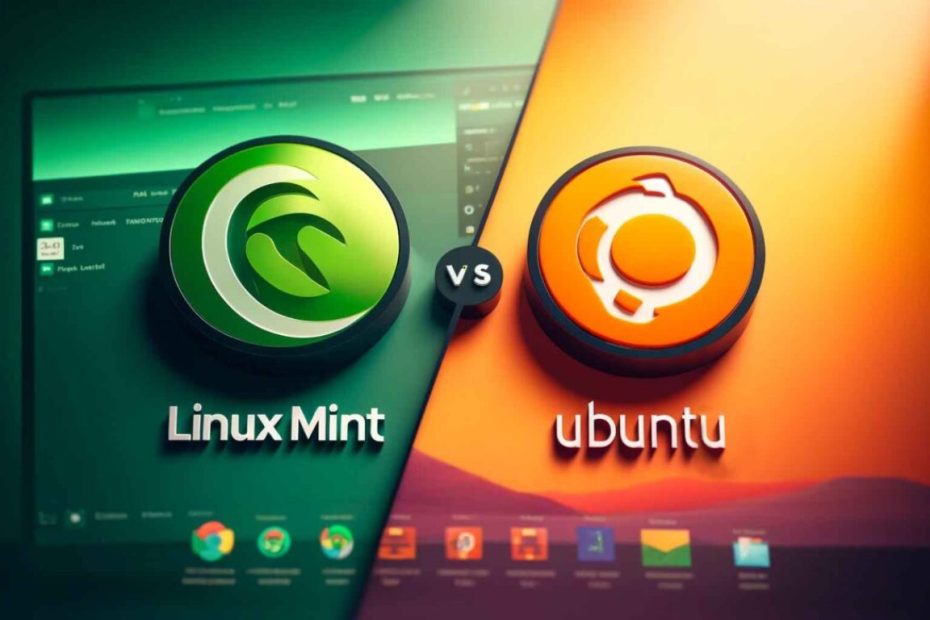
Choosing the right Linux distribution can be a daunting task, especially with popular options like Linux Mint 21.1 and Ubuntu 22.04 vying for your attention. Both are based on the robust Debian architecture and share many similarities, but they cater to different user preferences and needs. This comprehensive comparison will delve into the key aspects of both distributions, helping you decide which one aligns best with your requirements.
Linux Mint 21.1 vs Ubuntu 22.04
Linux Mint and Ubuntu have long been staples in the Linux community, renowned for their user-friendliness, extensive software repositories, and strong community support. While Ubuntu serves as the upstream source for Mint, the two distributions offer distinct experiences tailored to different user bases.
- Linux Mint 21.1: Focuses on providing a familiar and comfortable user interface, especially for users transitioning from Windows or macOS. It emphasizes stability and ease of use.
- Ubuntu 22.04: Known for its cutting-edge features and strong support from Canonical, Ubuntu caters to both beginners and advanced users, offering a versatile environment suitable for various applications, from desktop computing to server deployments.
Understanding the nuances between these two can help you make an informed decision based on your specific needs.
Overview of Linux Mint 21.1
Linux Mint 21.1, codenamed Vera, is the latest release in the long-running Mint series. It builds upon the foundations of Ubuntu and Debian, offering a polished and stable desktop experience.
Key Features
- User-Friendly Interface: It comes with the Cinnamon, MATE, and Xfce desktop environments, each tailored to different user preferences.
- Pre-Installed Software: This includes a range of essential applications, such as LibreOffice, Firefox, and multimedia codecs, providing a ready-to-use system out of the box.
- System Tray and Applets: Enhances usability with a customizable system tray and useful applets.
- Update Manager: Provides a straightforward way to manage system updates, prioritizing stability and reliability.
- Performance Optimization: Optimized for lower-end hardware, ensuring smooth performance even on older machines.
Editions
- Cinnamon Edition: The flagship edition offers a modern and sleek desktop environment with extensive customization options.
- MATE Edition: A more traditional desktop environment, suitable for users who prefer a classic interface.
- Xfce Edition: Lightweight and efficient, ideal for systems with limited resources.
Overview of Ubuntu 22.04
Ubuntu 22.04 LTS, codenamed Jammy Jellyfish, is a Long-Term Support release, ensuring five years of updates and support. It’s widely used for both desktop and server environments.
Key Features
- GNOME Desktop Environment: The default edition features the GNOME desktop, which is known for its simplicity and efficiency.
- Snap Packages: Embraces Snap for software distribution, allowing for isolated and easy-to-install applications.
- Livepatch Service: Offers kernel live patching for enhanced system security without requiring reboots.
- Improved Hardware Support: Includes the latest drivers and kernel enhancements, ensuring compatibility with newer hardware.
- Cloud and Container Tools: Integrated cloud computing and container management tools, making it a favorite among developers and enterprises.
Editions
- Ubuntu Desktop: The standard edition with the GNOME desktop, suitable for everyday use.
- Ubuntu Server: Tailored for server environments, offering tools and optimizations for hosting, cloud services, and network infrastructure.
- Flavors: Variants like Kubuntu (KDE), Xubuntu (Xfce), and Ubuntu MATE offer different desktop experiences while maintaining the core Ubuntu infrastructure.
User Interface and Desktop Environments
The user interface is one of the most significant differences between Linux Mint and Ubuntu, influencing the overall user experience.
Linux Mint 21.1
- Cinnamon: The flagship desktop environment of Mint, Cinnamon offers a traditional desktop layout with a start menu, system tray, and customizable panels. It emphasizes ease of use and stability while providing modern aesthetics.
- MATE: A continuation of the classic GNOME 2 desktop, MATE provides a simple and familiar interface without modern distractions. It’s lightweight and highly customizable.
- Xfce: The most lightweight of Mint’s offerings, Xfce delivers a straightforward and efficient desktop experience. It’s perfect for older hardware or users seeking minimalism.
Ubuntu 22.04
- GNOME 42: Ubuntu’s default desktop environment, GNOME 42, offers a sleek and modern interface with a focus on productivity and accessibility. It features a dynamic workspace management system, integrated search, and a clean, uncluttered design.
Comparison Table
| Aspect | Linux Mint 21.1 (Cinnamon) | Ubuntu 22.04 (GNOME) |
|---|---|---|
| Desktop Layout | Traditional with Start Menu and System Tray | Modern with Activities Overview |
| Customization | Highly customizable panels and applets | Limited customization out-of-the-box, extendable via extensions |
| Usability | User-friendly for beginners and Windows switchers | Streamlined for efficiency and productivity |
| Performance | Optimized for lower-end hardware | Requires slightly more resources |
| Aesthetics | Familiar and comfortable | Sleek and modern |
Performance and System Requirements
Performance is crucial, especially for Linux users on older or less powerful hardware. Here’s how Linux Mint 21.1 and Ubuntu 22.04 stack up.
Linux Mint 21.1
- System Requirements:
- Minimum RAM: 2 GB
- Recommended RAM: 4 GB
- Processor: Dual-core CPU
- Storage: 20 GB
- Performance:
- Cinnamon: Balances aesthetics with performance and is suitable for most modern hardware.
- MATE: Lightweight and efficient, ideal for older systems.
- Xfce: Extremely lightweight, providing the best performance on minimal hardware.
Ubuntu 22.04
- System Requirements:
- Minimum RAM: 4 GB
- Recommended RAM: 8 GB
- Processor: Dual-core CPU
- Storage: 25 GB
- Performance:
- GNOME 42: Requires more resources compared to Cinnamon, MATE, and Xfce. Offers a smooth experience on modern hardware but might be sluggish on older machines.
- Optimizations: Continuous updates and optimizations ensure that GNOME remains efficient, but inherent resource demands remain higher than Mint’s alternatives.
Performance Comparison
| Aspect | Linux Mint 21.1 (Cinnamon) | Linux Mint 21.1 (MATE) | Linux Mint 21.1 (Xfce) | Ubuntu 22.04 (GNOME) |
|---|---|---|---|---|
| Minimum RAM | 2 GB | 2 GB | 1 GB | 4 GB |
| Recommended RAM | 4 GB | 2 GB | 2 GB | 8 GB |
| Processor | Dual-core CPU | Dual-core CPU | Dual-core CPU | Dual-core CPU |
| Storage | 20 GB | 20 GB | 15 GB | 25 GB |
| Desktop Performance | Smooth on most systems | Excellent on older hardware | Outstanding on low resources | Smooth on modern systems |
Software Availability and Package Management
Both Linux Mint and Ubuntu utilize the same underlying package management systems but differ in their software offerings and repositories.
Linux Mint 21.1
- Package Manager: APT (Advanced Package Tool)
- Software Sources:
- Official Repositories: Access to a vast library of software maintained by Linux Mint and Ubuntu.
- Flatpak Support: Enabled by default, allowing access to additional applications from Flathub.
- Default Applications: Comes pre-installed with essential applications like LibreOffice, Firefox, VLC, and proprietary codecs for media playback.
- User Interface Enhancements: Mint provides a more curated software selection, focusing on user-friendliness and ease of access.
Ubuntu 22.04
- Package Manager: APT and Snap
- Software Sources:
- Official Repositories: Extensive repository managed by Canonical.
- Snap Store: Integration of Snap packages for sandboxed and easy-to-install applications.
- Default Applications: Pre-installed with LibreOffice, Firefox, Rhythmbox, and other standard tools. Recent versions emphasize Snap packages for applications.
- Cutting-Edge Software: Often includes newer software versions, appealing to users who prefer the latest features.
Package Management Comparison
| Feature | Linux Mint 21.1 | Ubuntu 22.04 |
|---|---|---|
| Primary Package Manager | APT | APT and Snap |
| Additional Package Support | Flatpak (enabled by default) | Snap packages |
| Default Repositories | Extensive, similar to Ubuntu | Extensive with Snap integration |
| Software Updates | Focused on stability and reliability | Emphasizes a mix of stable and cutting-edge |
| Ease of Software Installation | User-friendly, GUI-based Software Manager | Snap provides easy installation, but APT remains primary |
Customization and User Experience
Customization plays a significant role in user satisfaction. Here’s how Linux Mint and Ubuntu compare in this regard.
Linux Mint 21.1
- Cinnamon Desktop:
- Themes and Applets: Highly customizable with numerous themes, applets, and desklets available out of the box.
- Panel Customization: Easily modify panels by adding or removing applets, adjusting the layout, and changing the appearance.
- User-Friendly Settings: Intuitive settings menu that allows users to tweak various aspects without delving into complex configurations.
- MATE and Xfce Desktops:
- MATE: Offers a traditional layout with straightforward customization options. Users can easily adjust panels, themes, and applets.
- Xfce: Provides a minimalist environment with extensive customization through plugins, themes, and window manager settings.
Ubuntu 22.04
- GNOME Desktop:
- Extensions: Customizable via GNOME Extensions, allowing users to add functionalities like weather indicators, dock modifications, and more.
- Tweak Tool: Additional customization using GNOME Tweaks, enabling changes to themes, fonts, and workspace behaviors.
- Activities Overview: Centralized workspace management that can be customized to an extent but may feel limited compared to Cinnamon.
- Uniform Design:
- Consistency: GNOME emphasizes a consistent and clean interface, which can be less customizable but more streamlined for users seeking simplicity.
Customization Comparison
| Aspect | Linux Mint 21.1 (Cinnamon) | Ubuntu 22.04 (GNOME) |
|---|---|---|
| Theme Support | Extensive with numerous themes and applets | Limited by default, enhanced through extensions |
| Panel Customization | Highly flexible and user-friendly | Less flexible, relies on extensions for enhancements |
| Ease of Customization | Very easy with GUI tools | Moderate, requires additional tools like GNOME Tweaks |
| Default Aesthetics | Familiar and traditional | Modern and minimalistic |
Security and Updates
Maintaining system security is paramount. Both distributions handle updates and security differently.
Linux Mint 21.1
- Update Manager:
- Stability Focused: Prioritizes stable and well-tested updates, reducing the risk of introducing bugs.
- Selective Updates: Users can choose the level of update stability, allowing for more control over which updates are applied.
- Security Features:
- Firewall Configuration: Pre-installed with GUFW (Graphical Uncomplicated Firewall) for easy firewall management.
- Regular Security Patches: Receives timely security patches from Ubuntu’s repositories.
Ubuntu 22.04
- Update System:
- Comprehensive Updates: Combines security patches, bug fixes, and feature updates, providing a more aggressive update strategy.
- Snap Security: Snap packages are sandboxed, offering enhanced security by isolating applications.
- Security Features:
- Livepatch Service: Offers kernel livepatches for critical security updates without needing to reboot.
- AppArmor Profiles: Utilizes AppArmor for application-level security profiles, restricting program capabilities.
Security and Updates Comparison
| Aspect | Linux Mint 21.1 | Ubuntu 22.04 |
|---|---|---|
| Update Manager | Stability-focused with user control | Comprehensive and frequent updates |
| Package Security | Relies on Ubuntu repositories for patches | Uses both APT and Snap with sandboxing |
| Firewall Tools | Pre-installed GUFW | Not pre-installed; requires manual setup |
| Kernel Updates | Standard kernel updates | Livepatch available for critical updates |
Community Support and Documentation
A strong community and comprehensive documentation can significantly enhance the user experience.
Linux Mint 21.1
- Community:
- Active Forums: Linux Mint Forums provide support, discussions, and troubleshooting assistance.
- Discord Channels: Real-time support and community interaction through Discord.
- Documentation:
- Official Documentation: Detailed guides and tutorials available on the Linux Mint website.
- Community-Contributed Content: Wikis, blogs, and tutorials created by users bolster the knowledge base.
Ubuntu 22.04
- Community:
- Extensive Community: Ubuntu Forums and Ask Ubuntu offer vast resources for troubleshooting and discussions.
- Canonical Support: Professional support options available through Canonical for enterprise users.
- Documentation:
- Official Documentation: Comprehensive guides on the Ubuntu Documentation website.
- Books and Tutorials: Numerous books, online courses, and tutorials cater to all skill levels.
Community Support Comparison
| Aspect | Linux Mint 21.1 | Ubuntu 22.04 |
|---|---|---|
| Forums | Active Linux Mint Forums and Discord | Extensive Ubuntu Forums and Ask Ubuntu |
| Official Support | Limited to community support | Professional support available via Canonical |
| Documentation Quality | High with user-friendly guides | Comprehensive and detailed |
| Community Size | Smaller but very dedicated | Larger and more diverse |
Use Cases: Which One to Choose?
Choosing between Linux Mint 21.1 and Ubuntu 22.04 depends on your specific needs and preferences. Here’s a breakdown to help you decide.
Linux Mint 21.1
- Best For:
- Beginners: Users transitioning from Windows or macOS will find the familiar interface intuitive.
- Stability Seekers: Those who prioritize a stable and reliable system over the latest features.
- Older Hardware: Lightweight editions like MATE and Xfce are ideal for older or less powerful machines.
- Customization Enthusiasts: Users who enjoy tweaking their desktop environment to suit their workflow.
- Ideal Scenarios:
- Home and office use with a focus on ease of use.
- Educational environments where stability and simplicity are crucial.
- Systems with limited resources needing efficient performance.
Ubuntu 22.04
- Best For:
- Developers and Professionals: Access to the latest tools, cloud integration, and development environments.
- Enterprise Users: Reliable support options and robust security features make it suitable for business environments.
- Advanced Users: Individuals who prefer a modern interface with the ability to extend functionalities through Snap and APT.
- Server Deployments: Ubuntu Server edition is a popular choice for hosting, cloud services, and infrastructure management.
- Ideal Scenarios:
- Software development and testing environments.
- Servers and cloud-based applications requiring stable and secure systems.
- Users who prefer cutting-edge features and frequent updates.
Use Case Comparison
| Use Case | Linux Mint 21.1 | Ubuntu 22.04 |
|---|---|---|
| Home/Desktop Use | Excellent for general use | Excellent with more modern features |
| Development | Good, but less integrated tools | Superior with extensive tool support |
| Enterprise/Server | Not primarily focused | Highly suited for servers and enterprises |
| Older Hardware | Excellent, especially Xfce/MATE | Good, but GNOME may be heavy |
| Customization | Highly customizable | Customizable but more limited |
Frequently Asked Questions (FAQ)
1. Is Linux Mint 21.1 based on Ubuntu 22.04?
Yes. Linux Mint 21.1 is based on Ubuntu 22.04 LTS (Jammy Jellyfish), inheriting its stability and software repositories while adding its own customizations.
2. Can I upgrade from Linux Mint 21.1 to Ubuntu 22.04?
No. Direct upgrading between Linux Mint and Ubuntu is not recommended. It’s advisable to perform a fresh installation if you wish to switch distributions.
3. Which distribution has better hardware compatibility?
Ubuntu 22.04 generally has better hardware compatibility due to its frequent updates and broader community support. However, Linux Mint 21.1 also provides excellent compatibility, especially with the MATE and Xfce editions.
4. Do both distributions support the same software applications?
Yes. Since Linux Mint is based on Ubuntu, it has access to the same vast repositories and supports the same software applications, with additional support for Flatpak in Mint.
5. Which distribution is better for gaming?
Ubuntu 22.04 tends to have better gaming support due to more frequent driver updates and better compatibility with gaming platforms like Steam. However, Linux Mint 21.1 also performs well for gaming, especially with easy access to necessary drivers and software.
6. Are there significant differences in security between the two?
Both distributions are secure, leveraging Ubuntu’s security features. Ubuntu 22.04 offers additional security enhancements like AppArmor profiles and Snap sandboxing, providing a slight edge in security.
7. Which distribution has a larger community?
Ubuntu 22.04 boasts a larger and more diverse community, offering extensive support and resources. Linux Mint 21.1 has a dedicated but smaller community focused on user-friendliness and stability.
8. Can I customize the desktop environment in Ubuntu like in Mint?
Yes, but Linux Mint offers a more user-friendly approach with its Cinnamon, MATE, and Xfce desktops. Ubuntu relies on GNOME extensions and tools like GNOME Tweaks for customization, which may require a bit more technical knowledge.
9. Do both distributions provide Long-Term Support (LTS) versions?
Both distributions offer LTS versions. Linux Mint releases are based on Ubuntu LTS releases, ensuring stability and prolonged support.
10. Which distribution is better for multimedia production?
Linux Mint 21.1 is often favored for multimedia production due to its stability and pre-installed multimedia codecs, providing a smooth, out-of-the-box experience. Ubuntu 22.04 can also be tailored for multimedia production with additional software installations.
Useful Resources
Linux Mint
- Official Linux Mint Website
- Linux Mint Forums
- Linux Mint Documentation
- Linux Mint GitHub Repository
- Flatpak in Linux Mint
Ubuntu
- Official Ubuntu Website
- Ubuntu Forums
- Ask Ubuntu
- Ubuntu Documentation
- Ubuntu GitHub Repositories
- Snapcraft
General Linux Resources
- Linux Foundation
- Stack Overflow Linux Tag
- Reddit r/linux
- Linux Mint on GitHub
- Ubuntu on GitHub
- Linux Cheatsheet
Conclusion
Linux Mint 21.1 and Ubuntu 22.04 are top picks in the Linux world. They meet different needs and tastes.
- Choose Linux Mint 21.1 if:
- You like a classic desktop look and lots of customization options.
- You’re moving from Windows or macOS and want something easy to use.
- Your computer is a bit old, and you need a light desktop.
- Stability and reliability are key for you.
- Choose Ubuntu 22.04 if:
- You want the newest features and strong support from Canonical.
- You’re a developer or work in a big company and need lots of tools and cloud services.
- You prefer a modern, simple desktop with GNOME.
- Keeping your system safe and up-to-date is very important to you.
To find the best fit, try both. Linux Mint and Ubuntu let you test their environments without changing your system. Explore these options and pick the one that matches your computing needs.
Key Takeaways:
- User Interface: Mint has Cinnamon, MATE, and Xfce, while Ubuntu uses GNOME.
- Performance: Mint is lighter, especially with MATE and Xfce, great for older computers.
- Software Management: Ubuntu uses Snap packages and APT, while Mint focuses on Flatpak and traditional repos.
- Community and Support: Ubuntu has a big community and official support, while Mint has a dedicated user base focused on ease of use.
- Customization: Mint makes it easy to customize right out of the box, while Ubuntu needs extra tools for similar flexibility.
Knowing these differences helps you choose the best Linux for you. It’s great for personal use, development, or work.
You May Also Like
 Cloud Computing
8 Best AWS S3 Alternatives Compared: Pricing, Egress, and S3 Compatibility
 Web Development
SQL vs. NoSQL: How to Choose the Right Database for Your Application
 AI Technology
ChatGPT API Alternatives: 13 AI APIs and Platforms for Developers
 Web Development
Building Apps with Lovable and Supabase: A Step-by-Step Guide
 Web Development
Supabase Auth Guide: Authentication, OAuth, OTP, MFA, SSO, Sessions, and Pricing
 Web Development
15 Best CyberPanel Alternatives in 2026: Free and Paid
 Web Development
Heroku vs. Netlify (2026): Pricing, Features, and Best Uses
 Web Development
Supabase vs Firebase: Which Backend Platform is Right for Your Project?
 Mobile App Development